最新消息

掌握最新發布內容、改進和修正。

跟隨 @NotionHQ
3.8

Notion 3.8: Context for your agents
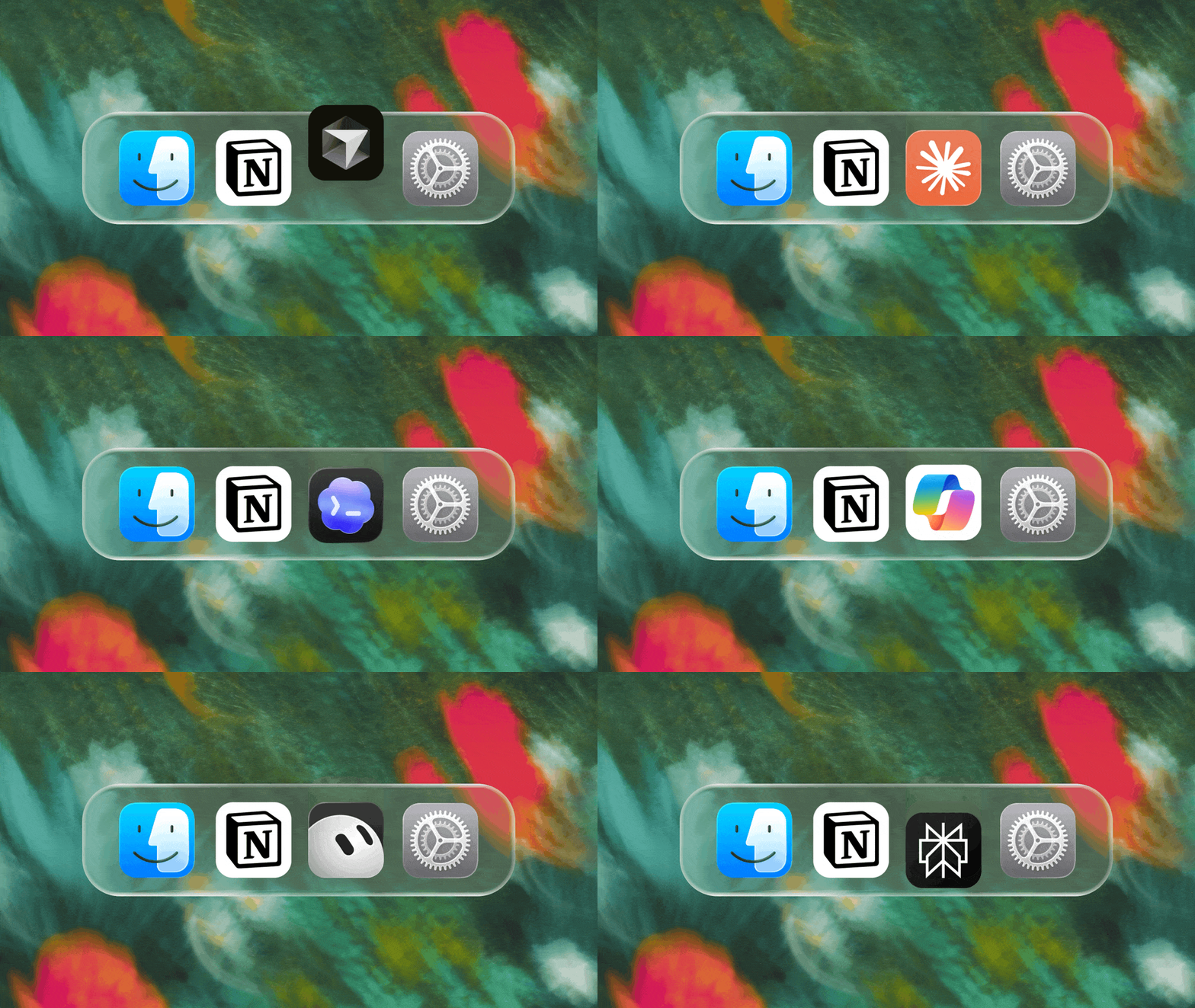
Context for your agents

Your agents and teams run on context. If you switch agents, add a new tool, or welcome a new teammate, you shouldn’t have to explain everything again. With Notion, there’s a durable, shared place to remember what matters.

This update is all about context. Connecting data, tools, and skills so you’re free to use any agent or model.

With so many things changing, your context can stay in Notion.

Connect your agents to Notion with MCP
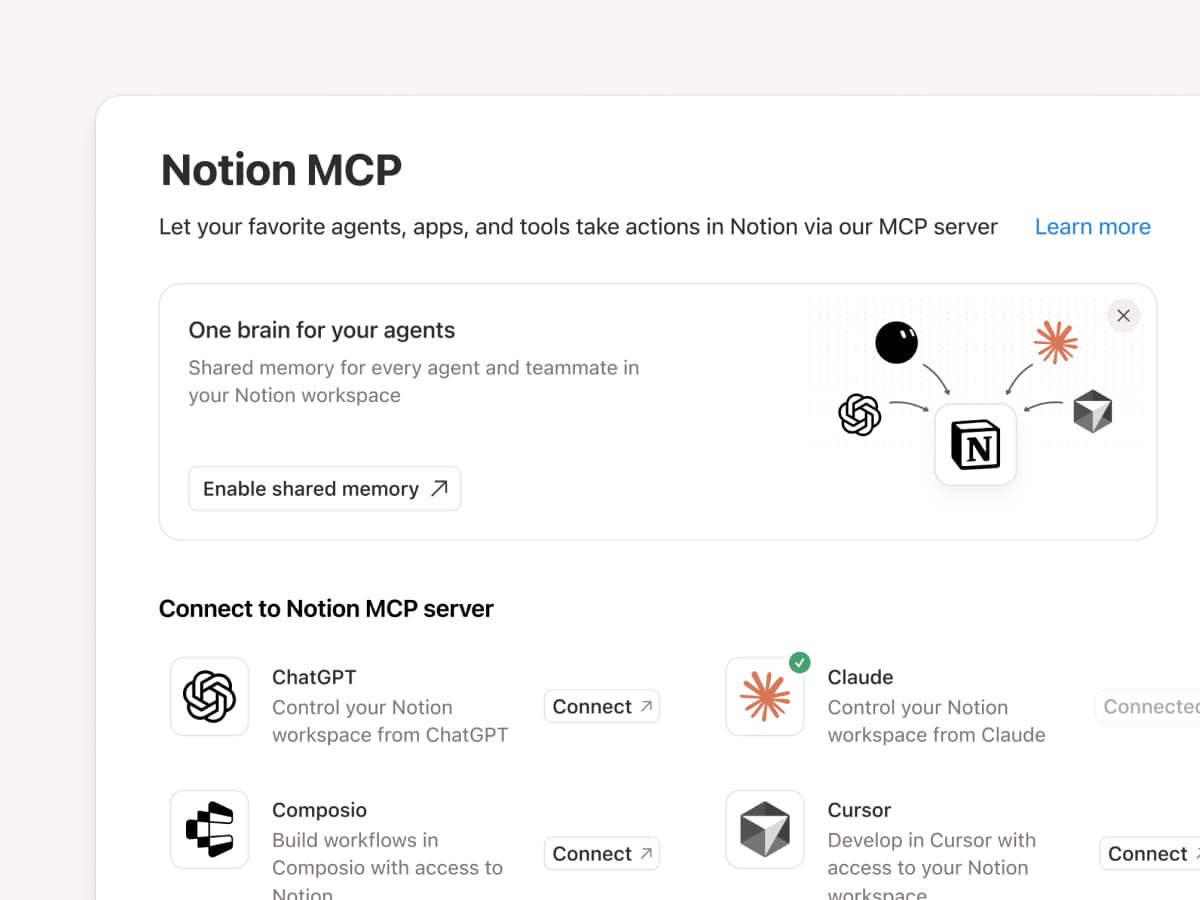
Connect an MCP-compatible agent to Notion so it can read your workspace context and update docs and task trackers. Whether you use Claudes, Muses, GrokBots, Dots, or another agent, Notion gives them a shared place to find what they need, so you can switch agents without starting from scratch. Set up an agent with Notion →

And with Notion MCP controls, admins can see who connected each AI tool, check when it was last used, and revoke a person’s access without affecting other connections. Set up MCP controls →

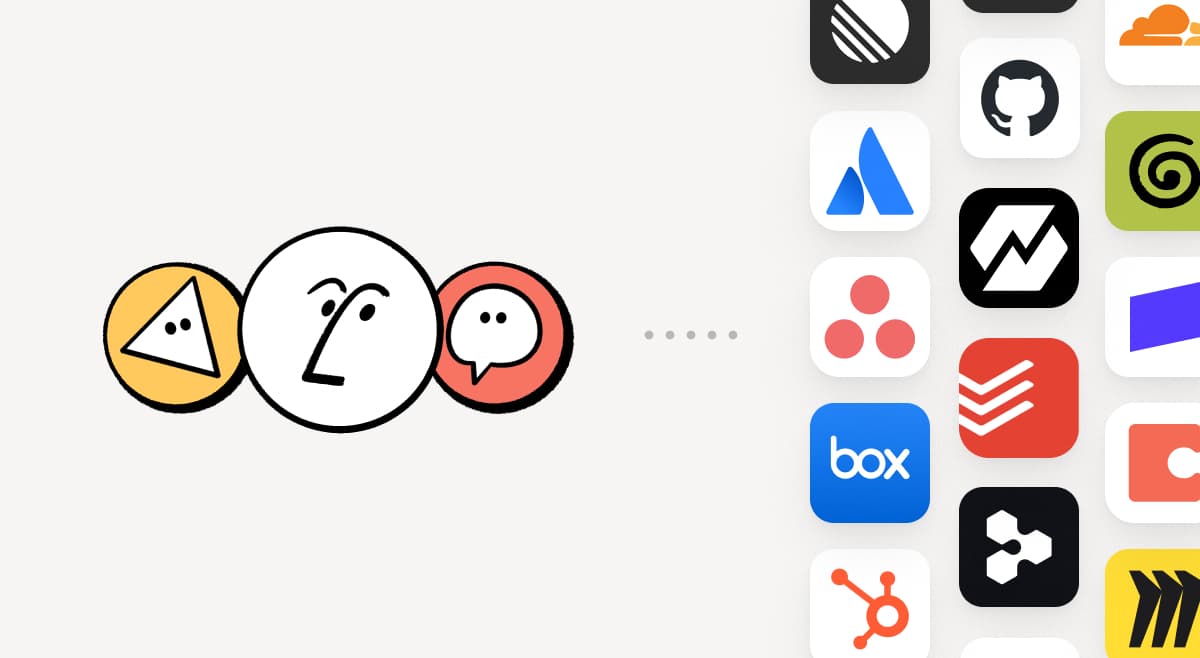
Connect your Notion Agents to 150+ tools with MCP
MCP

Bring the tools your team already uses into Notion. MCP connections let Notion Agent and Custom Agents draw on context from those tools and take action across them. Create an account brief in Notion using HubSpot pipeline data, add Stripe billing details to a customer health review, or bring Cloudflare infrastructure details into a postmortem. And that’s just the start. ⁠Browse 150+ MCP connections →

Write a skill once. Use it with every agent.
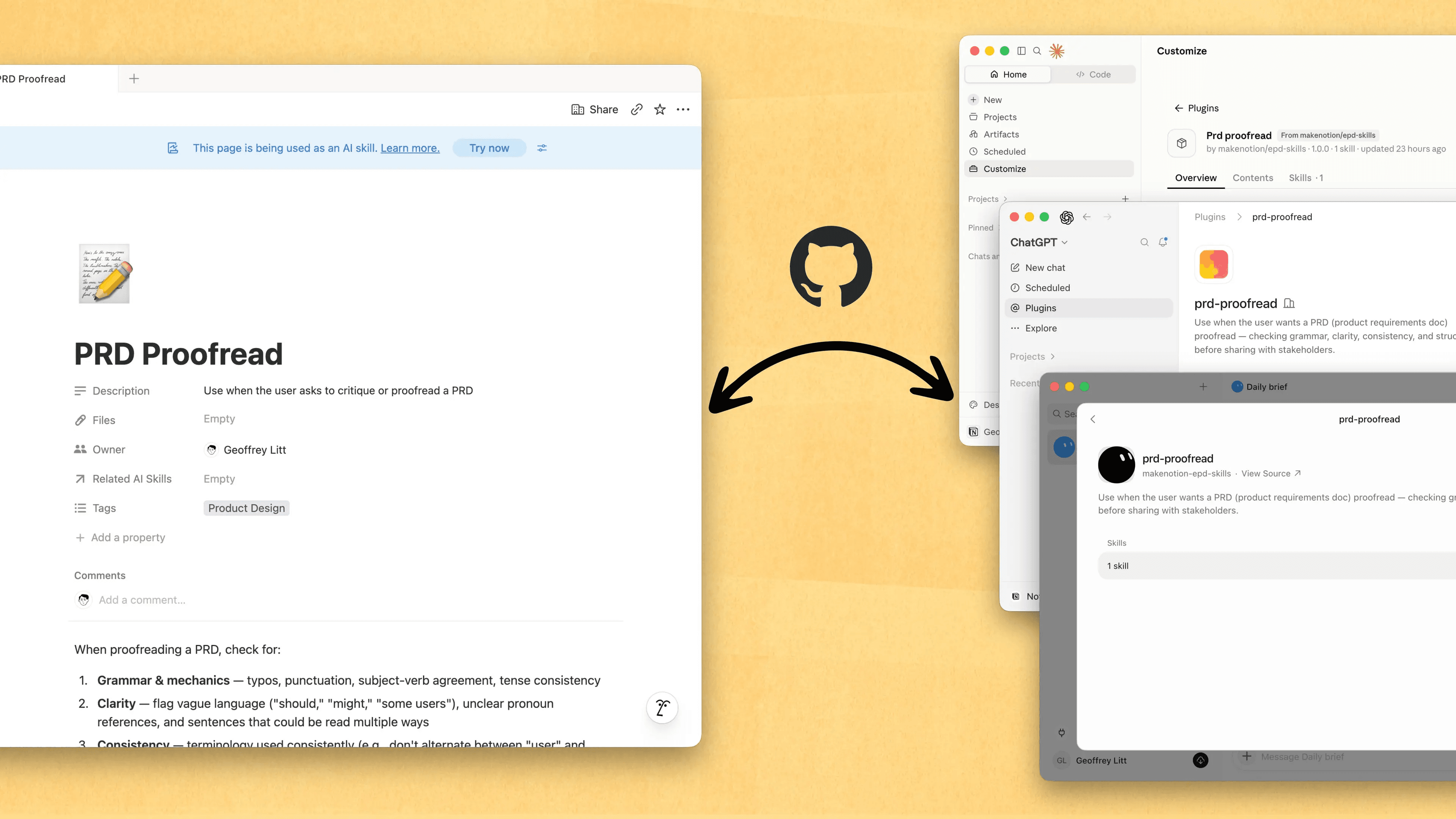
Write a skill once. Use it with every agent.

Skills are the best way to teach agents how you work … and not just for engineers. Now, Notion is the best place to create, share, and keep them current. Sync your Skills across ChatGPT, Claude, and more with the new Skills API, which loads Skills from Notion into GitHub.

Already have Skills for your agents? Ask your agent to recreate them in Notion with MCP, then keep building your library there. Here’s a quick demo, and here are docs to learn more.

See every change by every person and agent
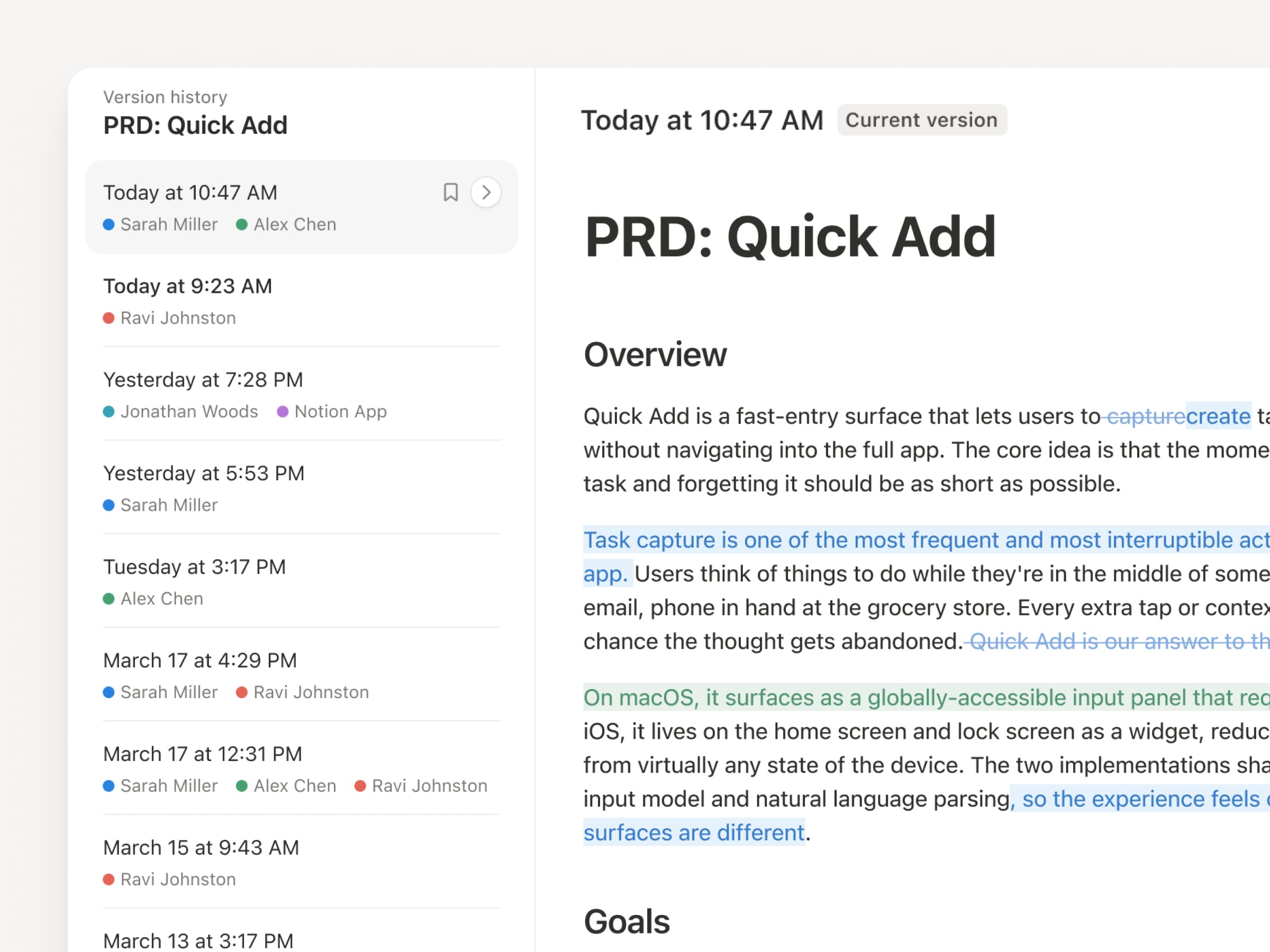
With agents and people making constant updates, version history has never been more important. So we’ve upgraded ours! You get a clearer record across pages and databases, with highlighted edits, detailed database changes, and attribution. Let your agents work while keeping their changes visible and secure. Review what changed, see who changed it, and restore prior versions with a quick click. Learn more →

Don’t pay twice. Use your ChatGPT plan in Notion.
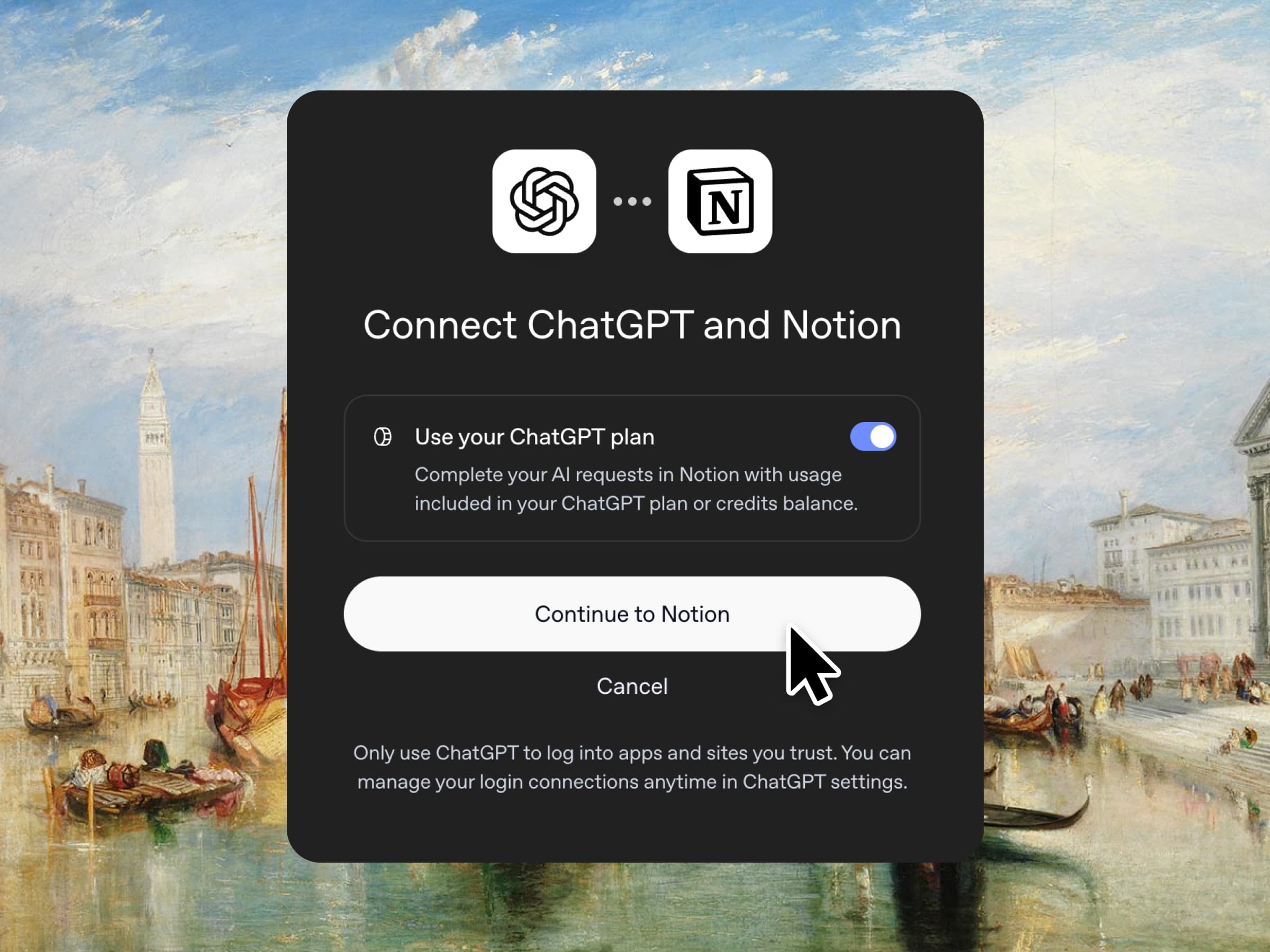
Yes, you just read that right. If you have ChatGPT Plus or Pro, your subscription can now cover your AI usage in Notion. Just connect your plan, pick a GPT model, and go. We don’t add a markup. We just want you to have the best tools for the job, for the best price. Available for Business and Enterprise plans. Check out a quick demo and the docs.

Column permissions in databases
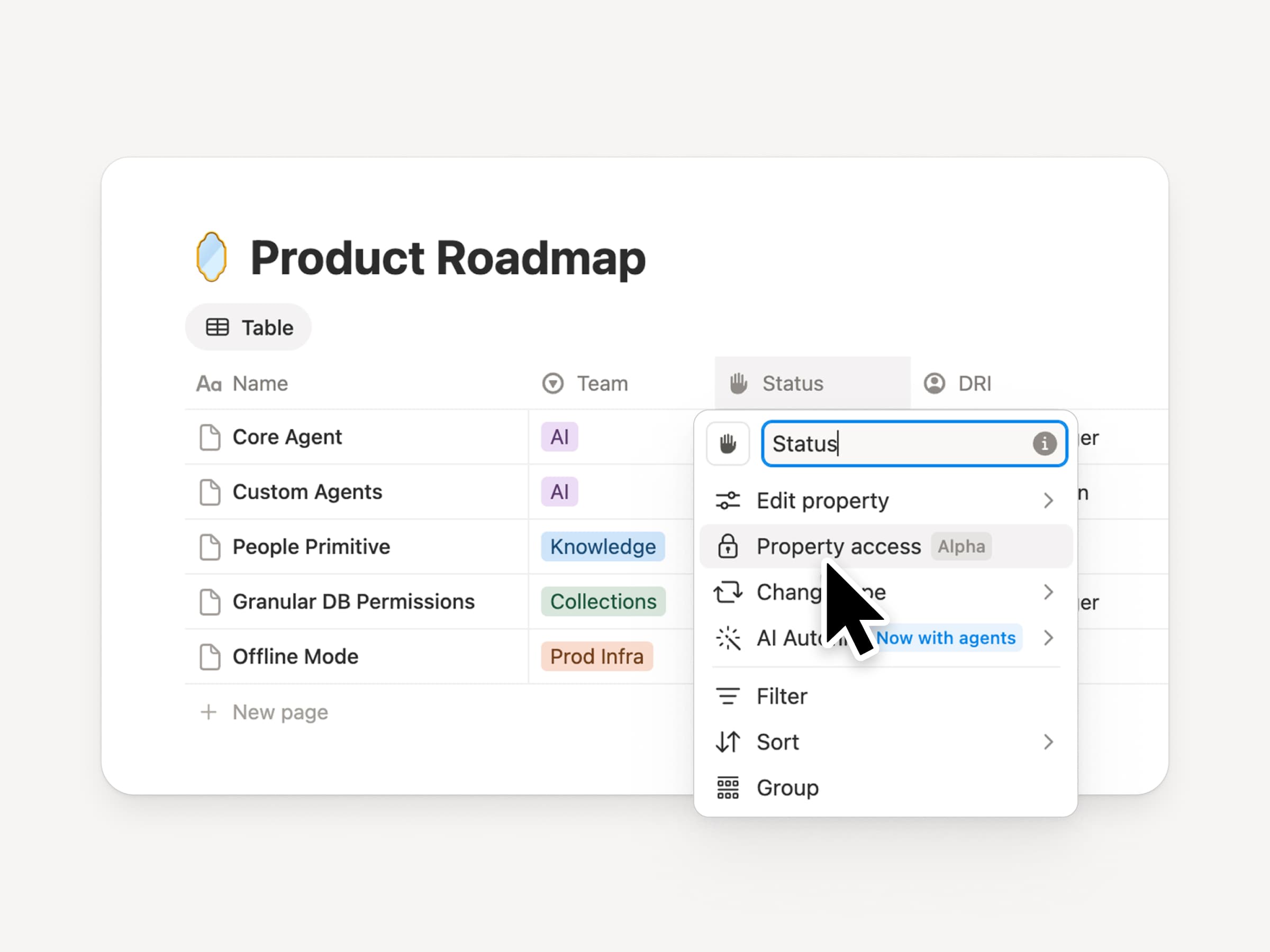
Notion databases give teams and agents a shared, up-to-date source of context. But both teams and agents need the right level of access. Column permissions were a top requested feature for years (we spent time getting this one right). They let database owners control which properties each person or agent can view or edit. Recruiting teams can collaborate on candidates without exposing compensation. Support agents can use account context without seeing restricted customer data. Watch the trailer from one of it’s creators!

Reintroducing synced databases
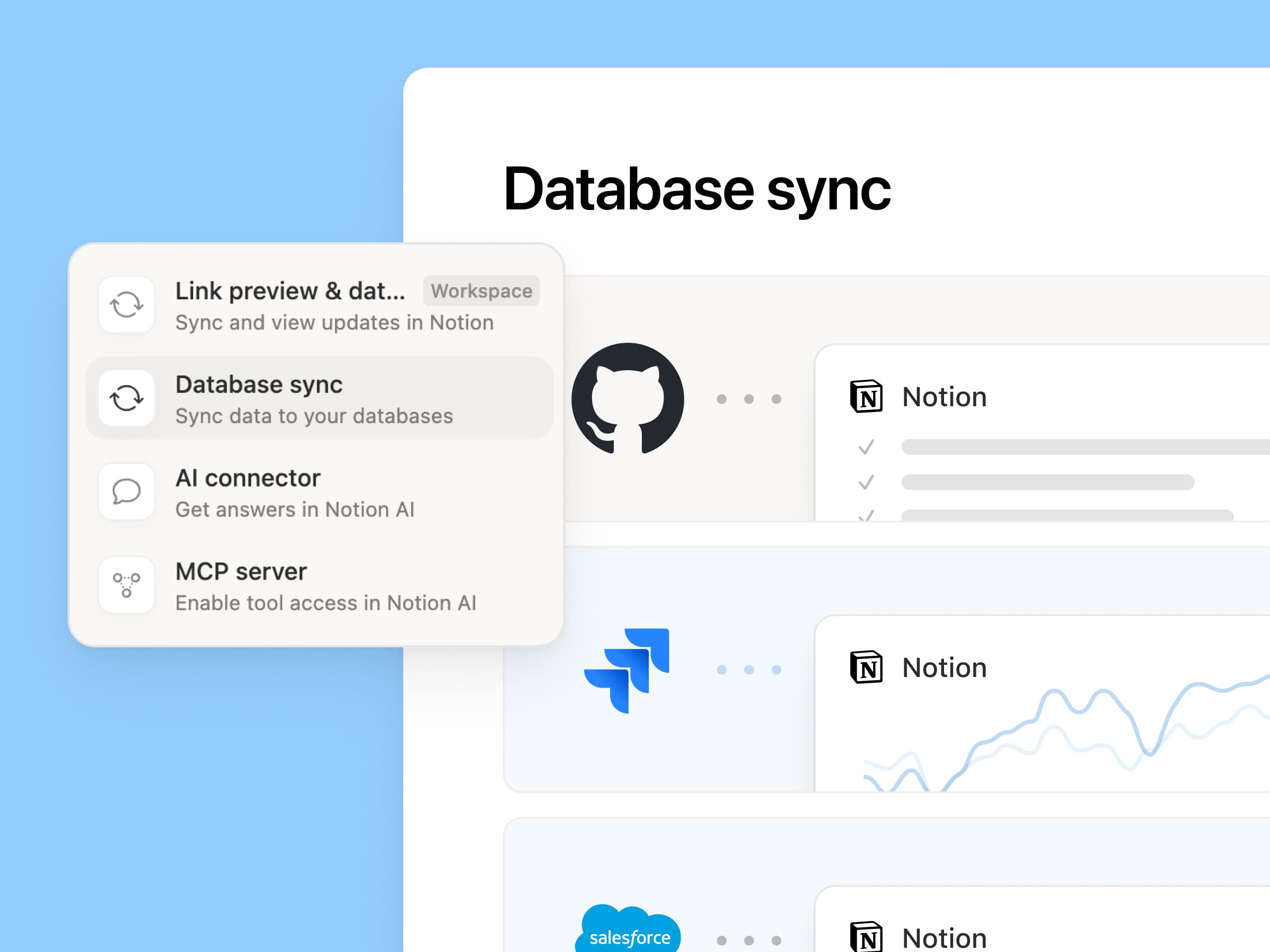
Reintroducing synced databases

We rebuilt our synced databases, starting with GitHub, Jira, and Salesforce, so your teams and agents always work from the latest data. They’re faster, more reliable, and show a live health status for each sync. They work like any other Notion database, so you can add your own properties, create views, and trigger automations. At Notion, we build customer hubs by syncing Salesforce accounts and linking to meeting notes and feature requests, so every team works from the same current view of each customer. Learn more →

New week, new models
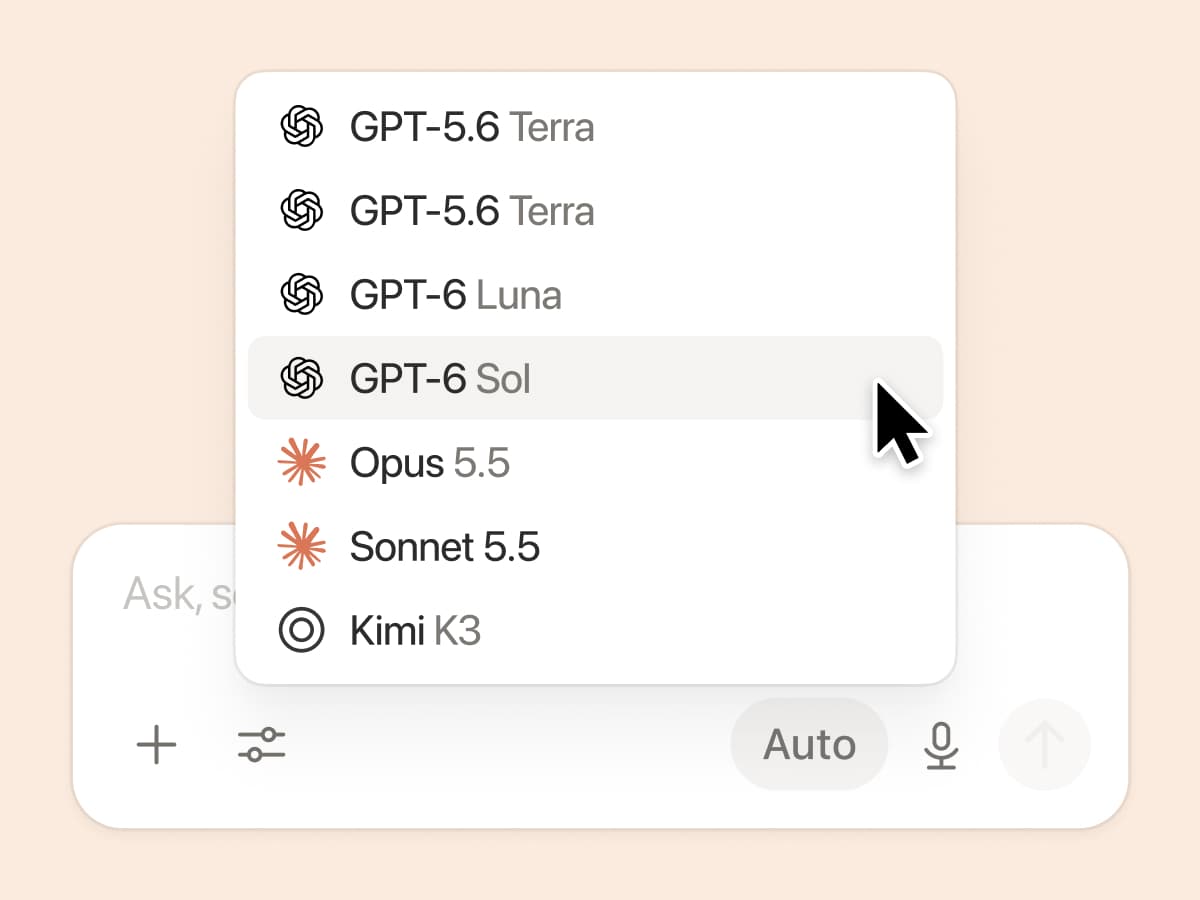
New week, new models

The labs are at it again. Seven new models all added, including GPT 6.1-Sol, GPT-6 Luna, Opus 5.5, and Sonnet 5.5. Use any of them knowing they’ll all know the latest about your team works.

And ICYMI, we’ve been evaluating how models perform across a range of knowledge-work tasks, using live anonymized traffic and judged by models. Check out our Knowledge Board →

More ways to connect and govern context

We can’t wait to see how Notion can be the backbone of your dock.
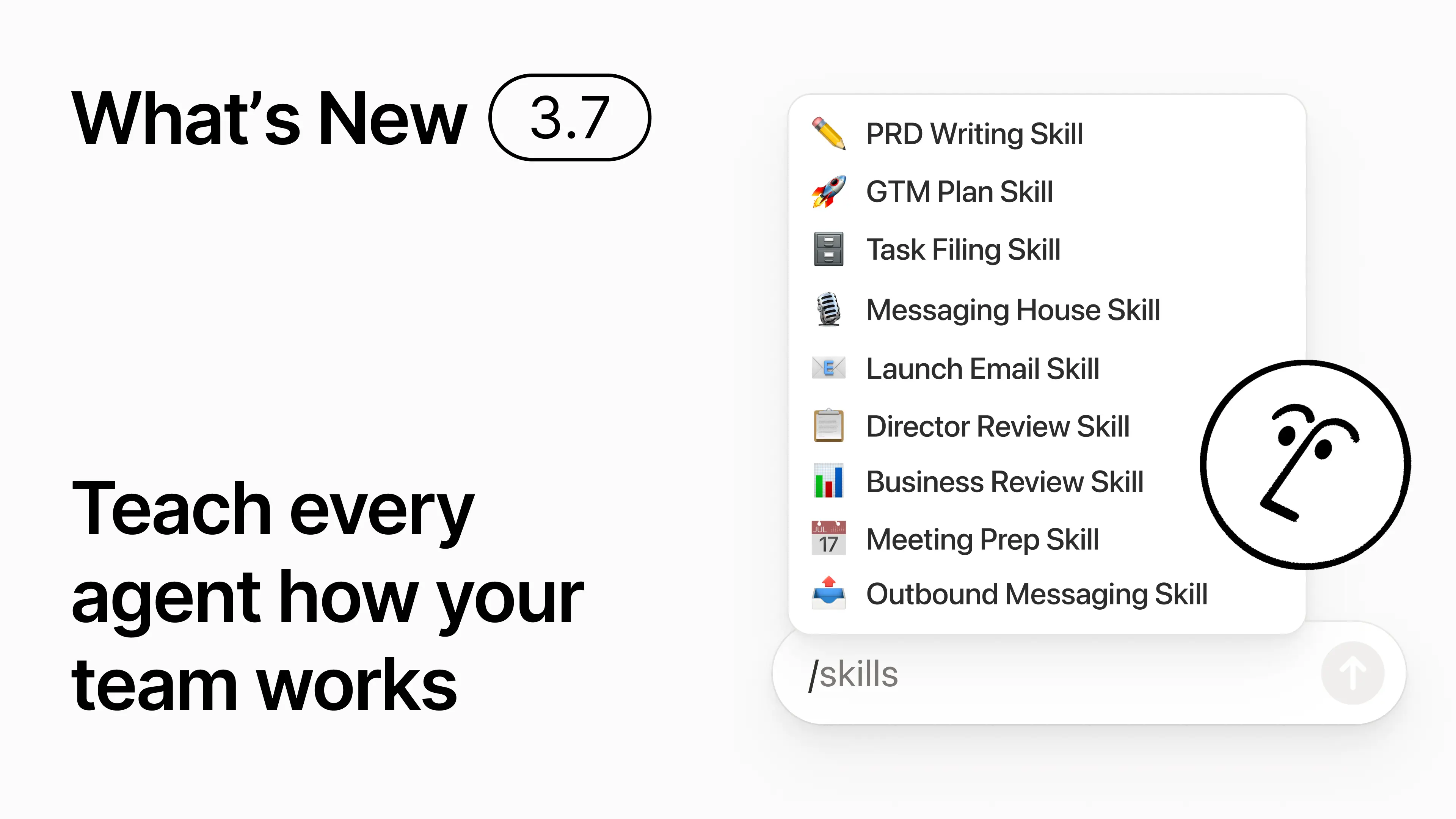
3.7

Notion 3.7:為您的整個團隊提供代理程式技能

最新消息 3.7

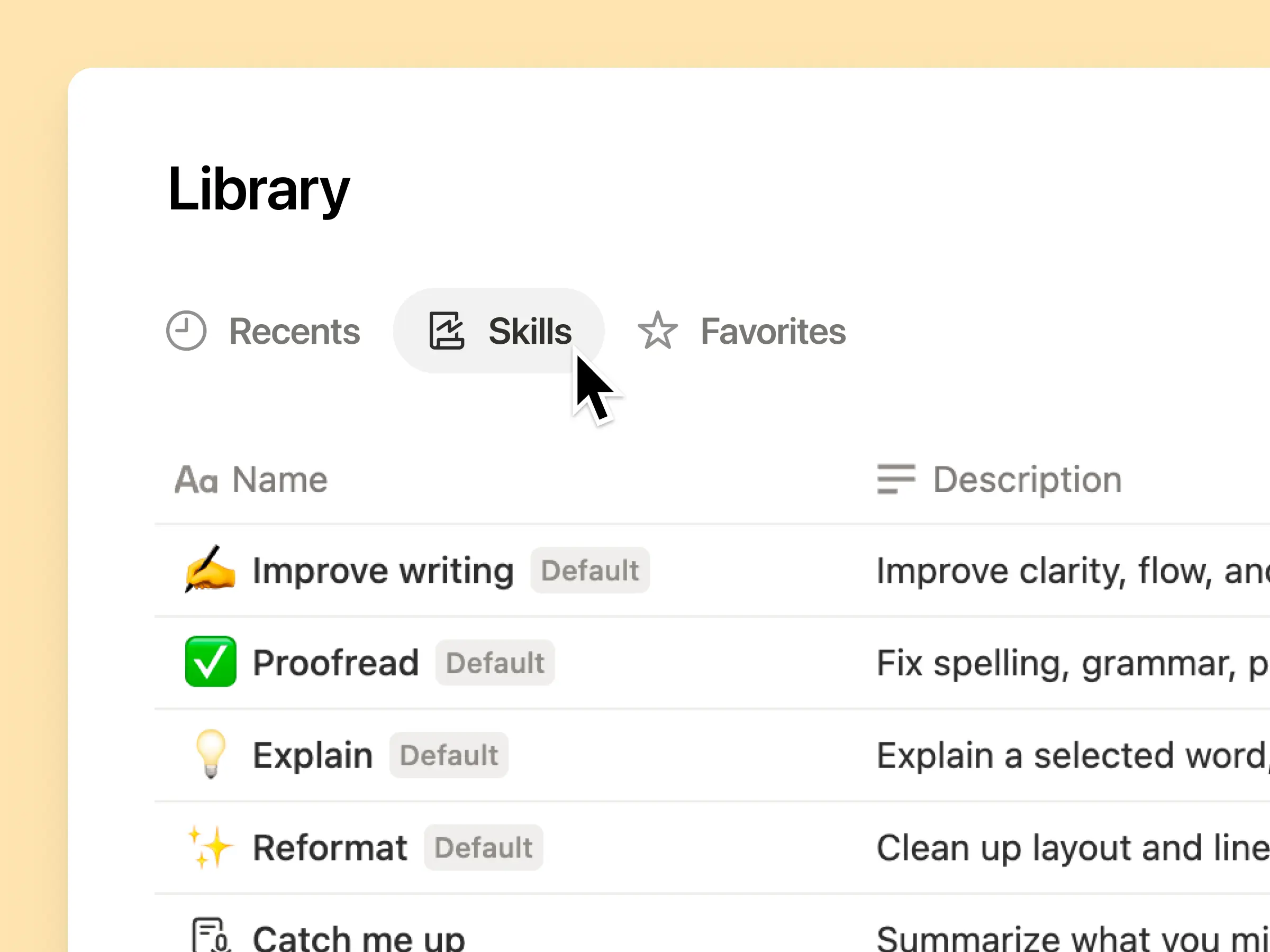
您知道有些人非常擅長建立指令 AI 嗎?或者他們已經找到了處理重複性工作的最佳方法?現在,他們可以將這些專業知識轉化為 技能,並提升整個團隊的水平。

技能是可重複使用的指示,能教導 AI 了解您的團隊如何運作。例如以您團隊的格式生成月度商業評論。或者以您老闆的方式審閱您的文件。它們就像是完成重複性任務的團隊快速鍵。建立技能 →

您團隊所需的所有 AI 技能,盡在一個資料庫中

優秀的提示詞往往只存在於某個人的腦海中,或者消失在獨立的文件和聊天記錄裡。技能庫為您的工作區提供了一個共享所有技能的中心。瀏覽技能庫 →

將相關技能放入 Notion 資料庫中,然後分享單一技能或整個資料庫。每個團隊都能擁有一個簡單的地方來尋找其常用技能,且每個人都能使用最新版本。深入了解 →

寫一次,AI 就會按您的方式執行

與 Notion Agent 對話以從零開始建立技能:

  1. 使用我們的產品、設計與工程標準對此功能提案進行評論。

  2. 使用我們的裝置與應用程式政策建立新進員工設定檢查清單。

  3. 使用我們的職級架構與已核准的用語草擬此職位描述。

不知道從何開始嗎?Notion 也能根據您現有的工作建議技能。我需要哪些技能?→

在需要時立即執行技能

執行技能

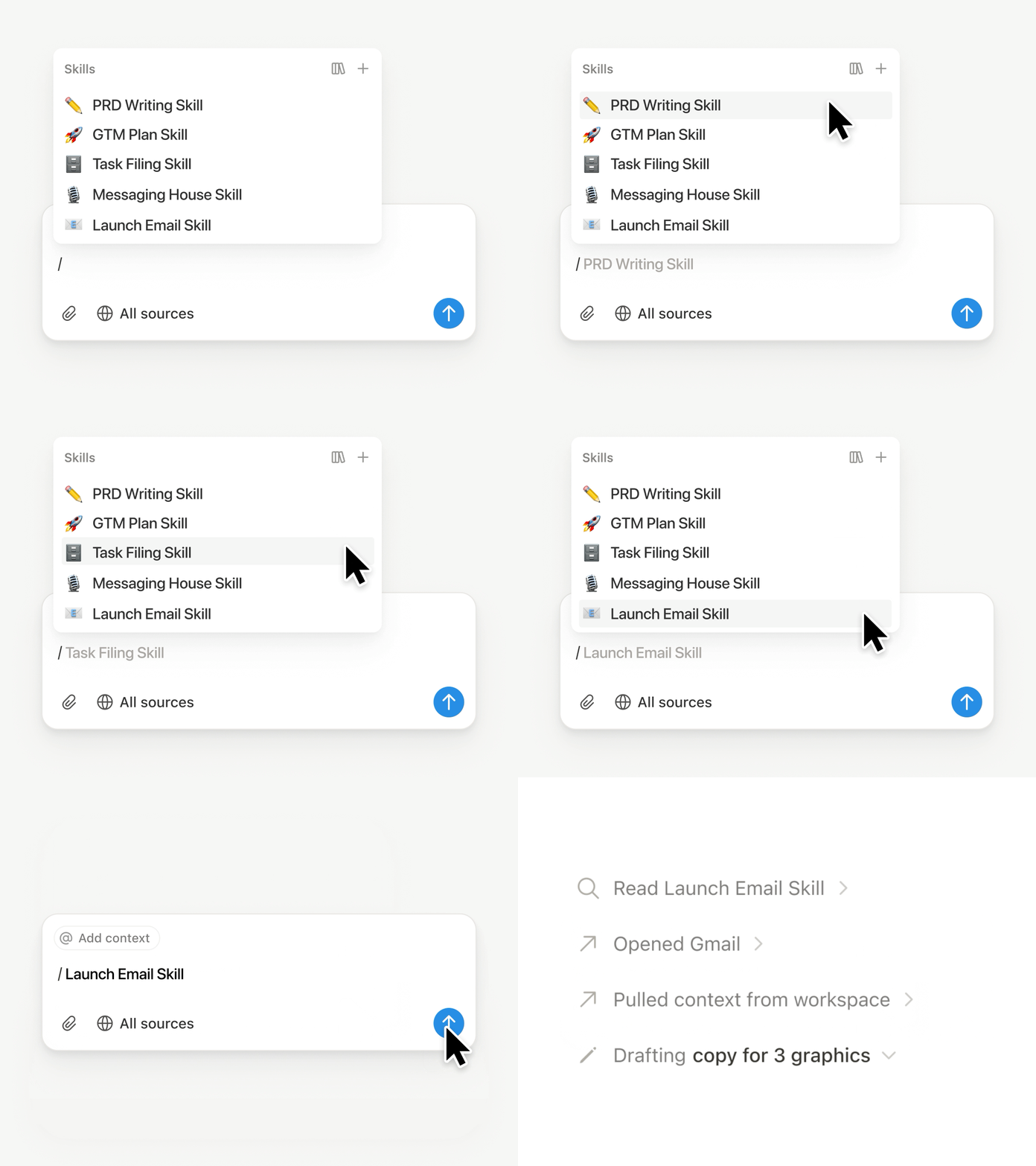
在 Notion Agent 對話中輸入 /,然後選擇您要使用的技能。加入任何其他背景資訊,然後按下 輸入。

執行主管級技能,將草稿轉化為包含重點、決策、風險與需求的精簡主管簡報。或將原始筆記轉為 PRD。您也可以設定技能自動執行。進一步了解 →

將您團隊的技能帶到 Claude Code、Codex、Cursor 等工具中使用

適用於 Claude 或 Codex 的技能

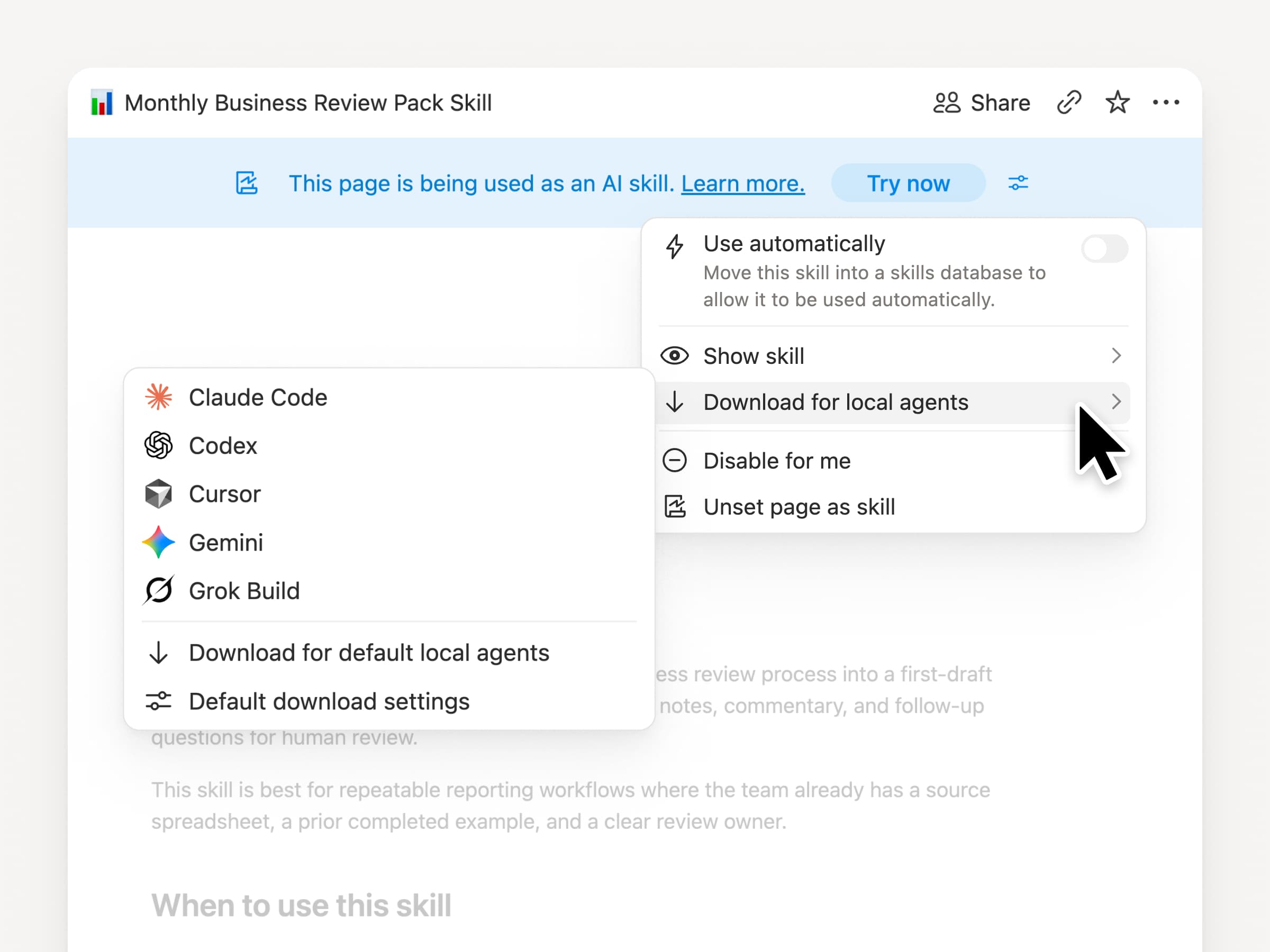
無論您使用哪種代理程式,都能隨身攜帶您的技能。在 Notion 中建立並更新技能,然後下載至 Claude Code、Codex、Cursor、Gemini 或 Grok。

Notion 會將技能寫入為 SKILL.md 檔案,並附上已核准的支援檔案。當 Notion 中的技能有所變更時,系統會標記徽章,讓您知道需要取得最新版本。您的團隊可在同一個地方維護指示,而您的本機代理程式也能遵循相同的流程。進一步了解 →

請您的代理程式連接 GitHub、Amplitude 等更多工具

為您的代理程式連接更多內容

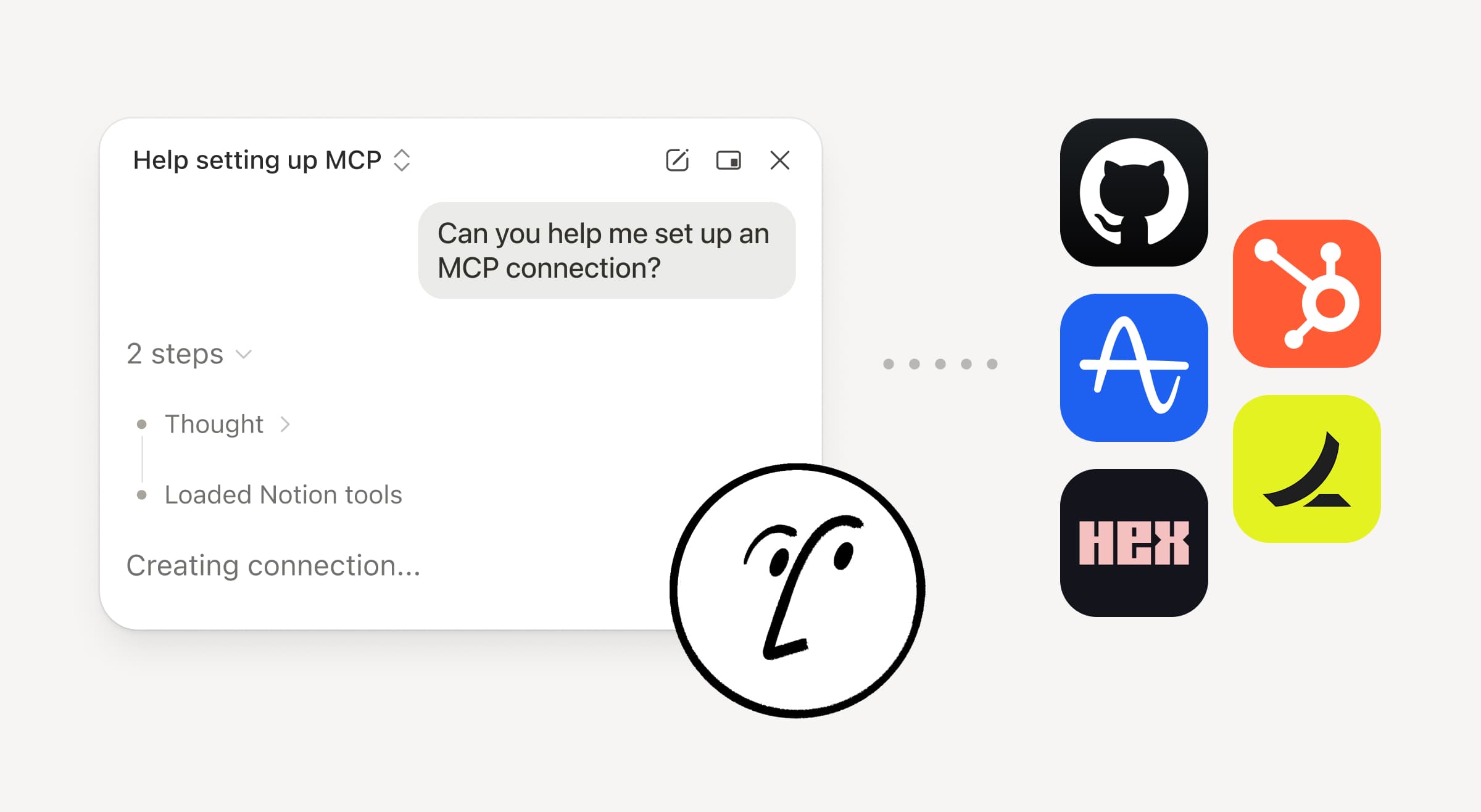
將更多工作帶入 Notion 代理程式。只需要求它連接工具,它就會引導您完成設定。您現在可以使用自訂 MCP 連接來連接 GitHub、Amplitude 和其他工具,以便在您的團隊已經使用的工具中獲取背景資訊、檢查效能或採取行動。連接到 GitHub →

確認機制讓您保持掌控,因此在您核准之前,連接的工具不會有任何變更。此功能於商業版和企業版開放使用(測試版)。深入了解 →

在移動中?使用 Notion Agents iOS 應用程式

Notion 代理程式應用程式

您最棒的點子不會等您回到辦公桌前才出現。Notion Agents iOS 應用程式讓您隨身攜帶 1,000 個代理程式。在移動時捕捉點子、語音和照片,為會議做準備,或建立文件。指派任務給代理程式,它會在您回到筆電前就完成工作。

讓您的自訂代理程式呼叫子代理程式

子代理程式

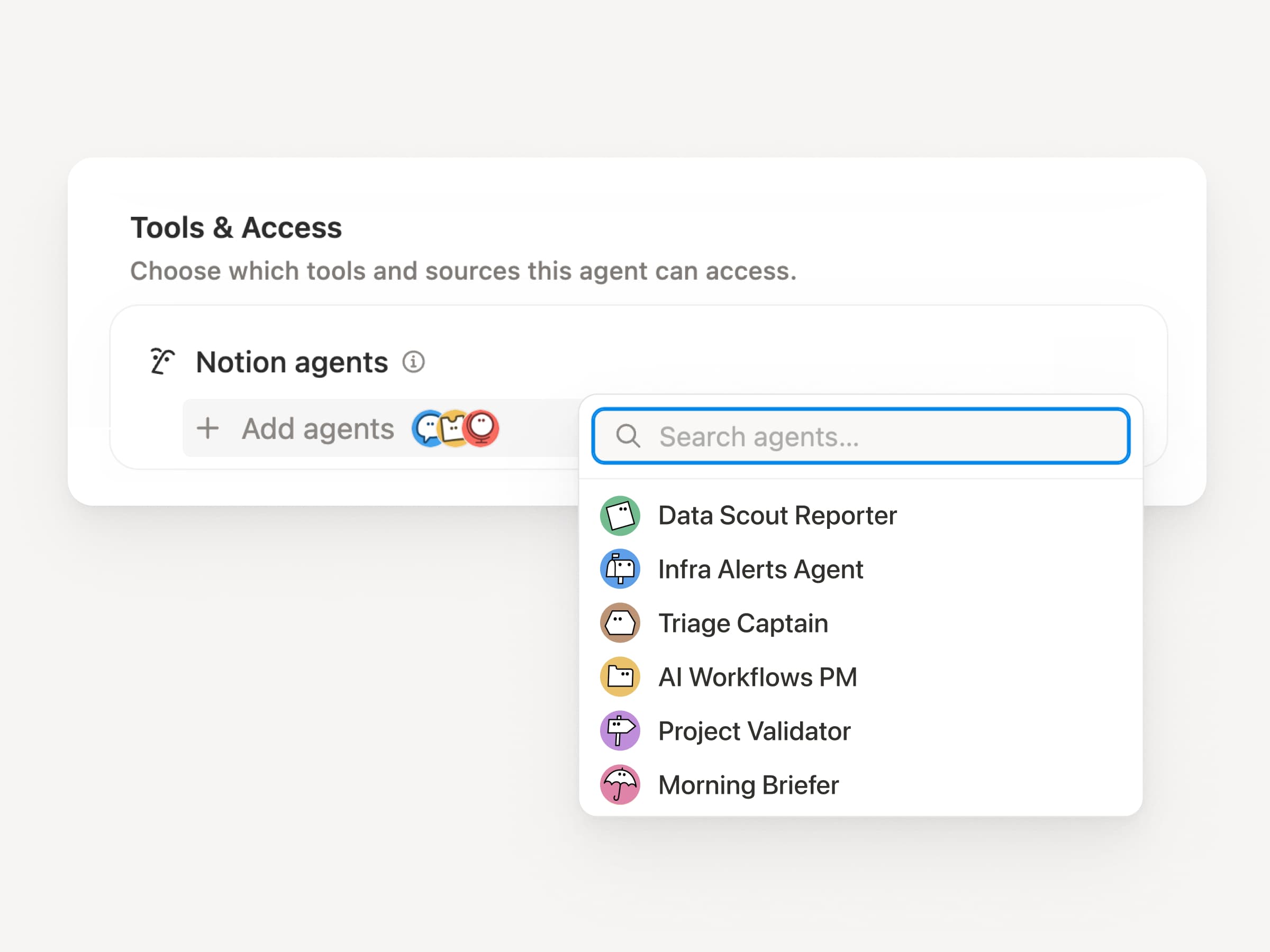
大型工作流程很少只是一項工作。現在,自訂代理程式可以呼叫其他自訂代理程式作為子代理程式,每個子代理程式都有自己的指示、背景資訊、存取權限和模型。進一步了解 →

行動應用程式產品經理代理程式可以將錯誤報告發送給分類代理程式,並將指標問題發送給報告代理程式,然後將答案彙整到一個 Slack 更新中。主要代理程式會決定何時委派,並使用每個回應來完成原始工作。Remote 以這種方式透過五個代理程式執行其 IT 技術支援服務,每年節省 50 萬美元。

自訂代理程式可以為您處理會議後的工作

會議摘要代理程式

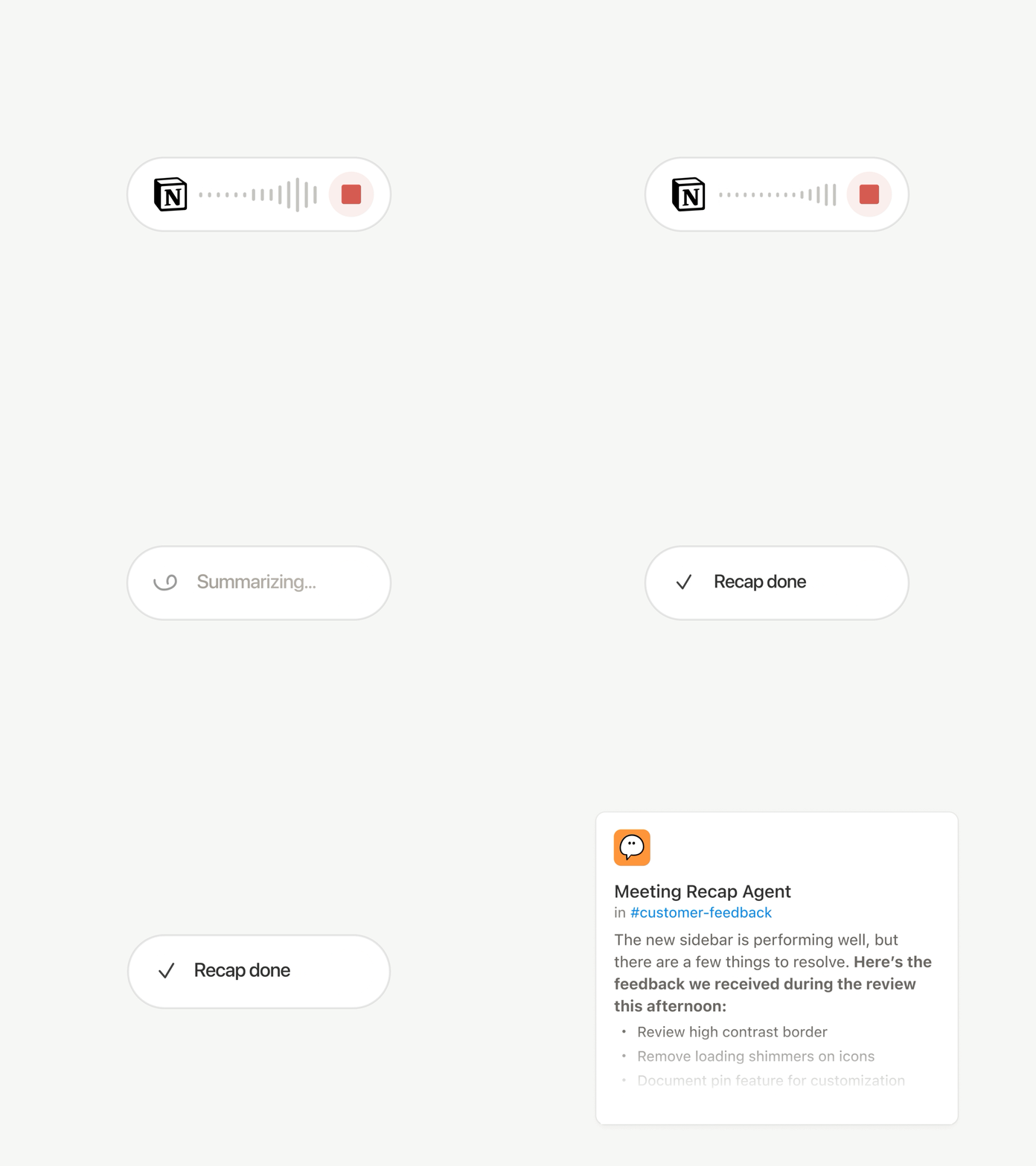
每場會議結束後都有相同的瑣事:撰寫摘要、歸檔行動項目、通知未出席的人員。現在,自訂代理程式可以自動處理會議後的工作。

選擇重要的會議,然後讓自訂代理程式在每份摘要準備好後立即接手工作。它會取得逐字稿與摘要,因此可以撰寫狀態更新、歸檔行動項目,或將客戶意見回饋傳送到正確的資料庫。此功能於商業版和企業版開放使用。深入了解 →

瀏覽每個模型,並查看哪一個最適合該工作

最新模型

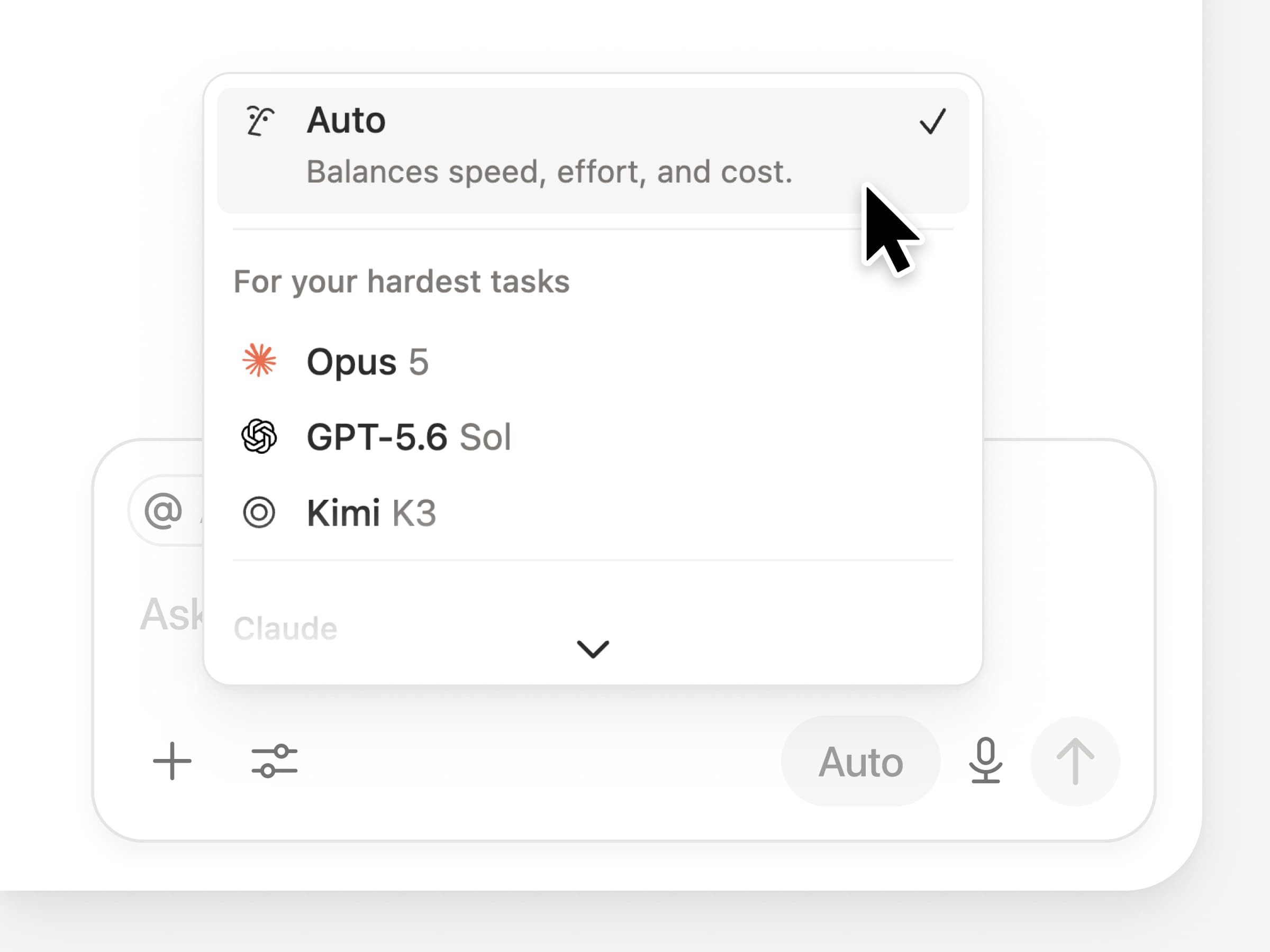
您可以在 Notion 中使用所有最新的前沿模型,包括 Opus 5、GPT-5.6 Sol 和 Kimi K3。全新的模型選擇器經過重新設計,可協助您為工作選擇最佳模型,並提供速度、智慧程度與成本的指標。

同樣全新的還有 Notion 知識看板,它能評估模型在實際日常工作中的表現。比較模型 →

還有更多…

  • 將自訂代理程式 /嵌入任何文件。將代理程式直接放置在工作進行的地方,讓頁面上的任何人都能使用。了解詳情 →

  • 開放 API 中的自訂代理程式洞察。提取額度使用量、已完成的執行與狀態,並為任何代理程式啟用、停用或設定限制。商業版與企業版。閱讀洞察 API 文件 →

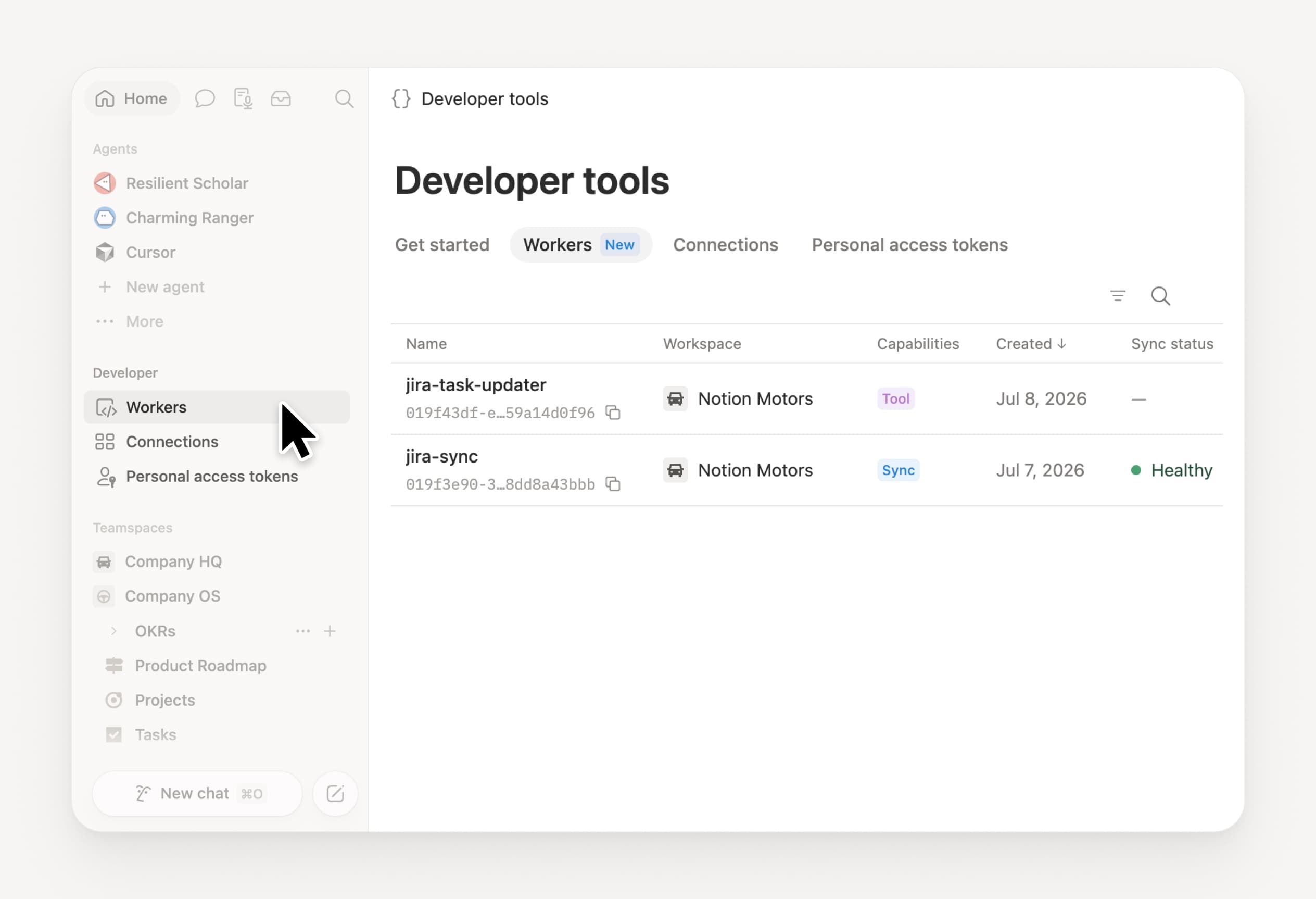
  • 集中管理您的 Worker 和連接:開啟側邊欄中的新「開發者」區塊,即可查看每個 Worker、其連接,以及每次執行的記錄檔。查看詳情 →

  • Agent SDK 現已開放公開測試。從任何地方繼續自訂代理程式對話、從您的應用程式觸發它們,並串流傳回結果。商業版與企業版。閱讀 Agent SDK 文件 →

  • 開發者入口網站現已移至 Notion。集中管理您的 Workers、連接和個人存取權杖。開啟入口網站 →

  • AI 搜尋速度提升 50%。減少等待答案的時間,並讓代理程式輸出能運用工作空間內容。商業版與企業版。試試看 →

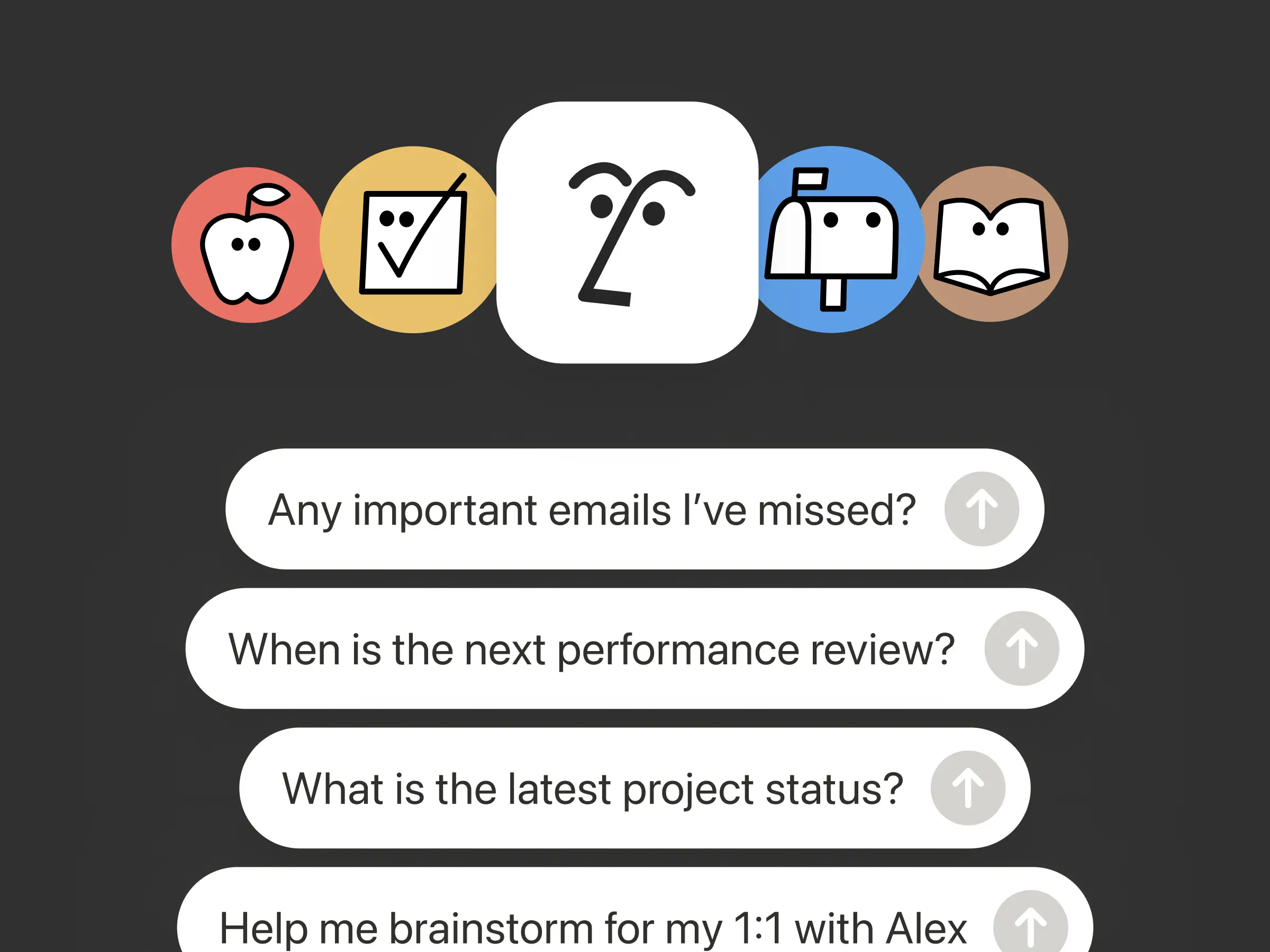
  • 掌握收件匣狀況。請 Notion 代理程式將通知群組、顯示需要注意的事項,並協助清理其餘內容。查看詳情 →

試試技能!並分享我們如何能做得更好(我們還有更多功能正在開發中)。

Control which AI models your agents can use

Control which AI models your agents can use

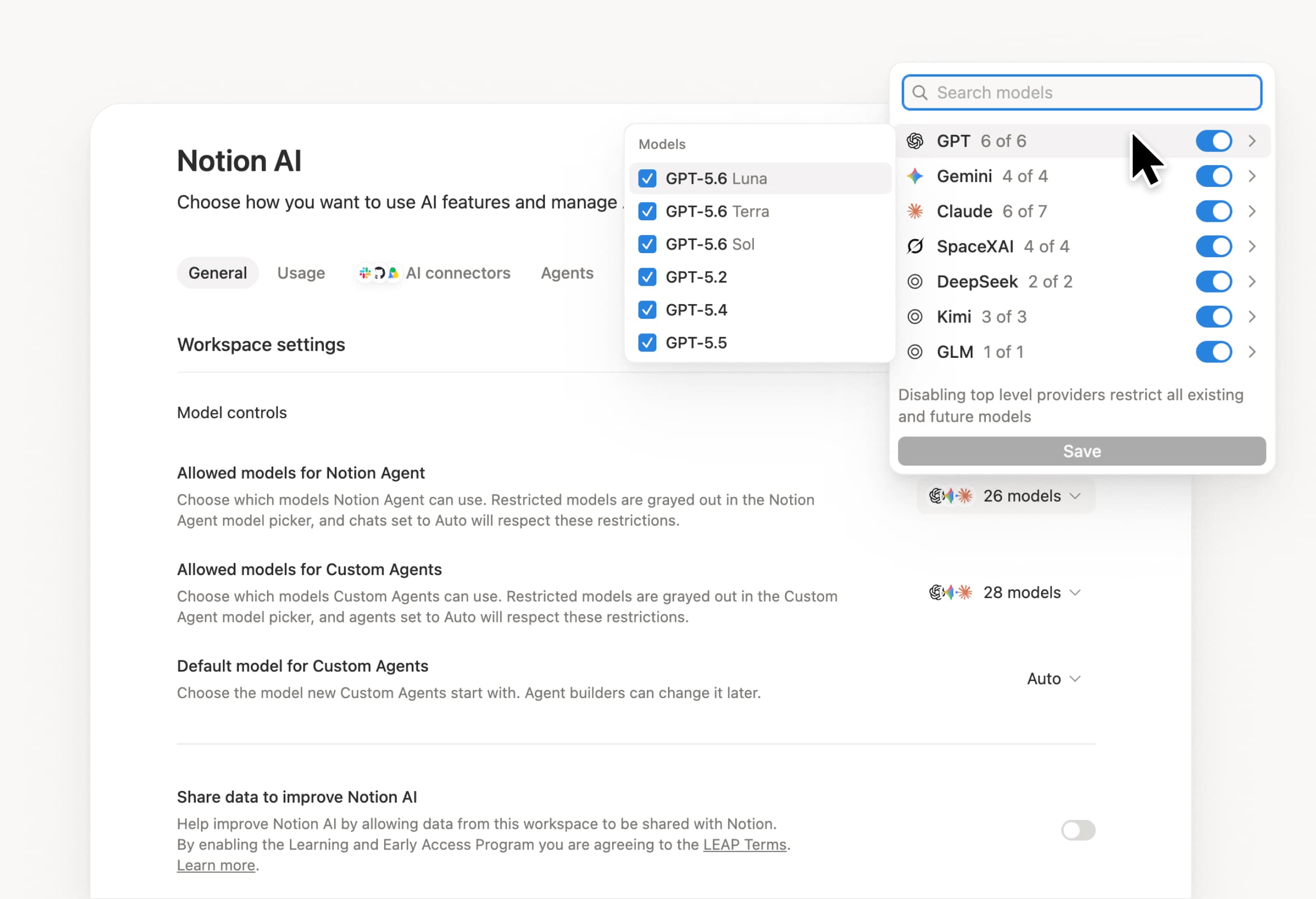
What’s on your team’s model roster? That’s up to you. With model controls, workspace owners can choose which AI models are available in Notion Agent and Custom Agents separately, and set a default model for Custom Agents. Keep costs predictable and support your compliance needs while your teams continue building. Available on Business and Enterprise plans.

Get started at Settings → Notion AI → General → Model controls.

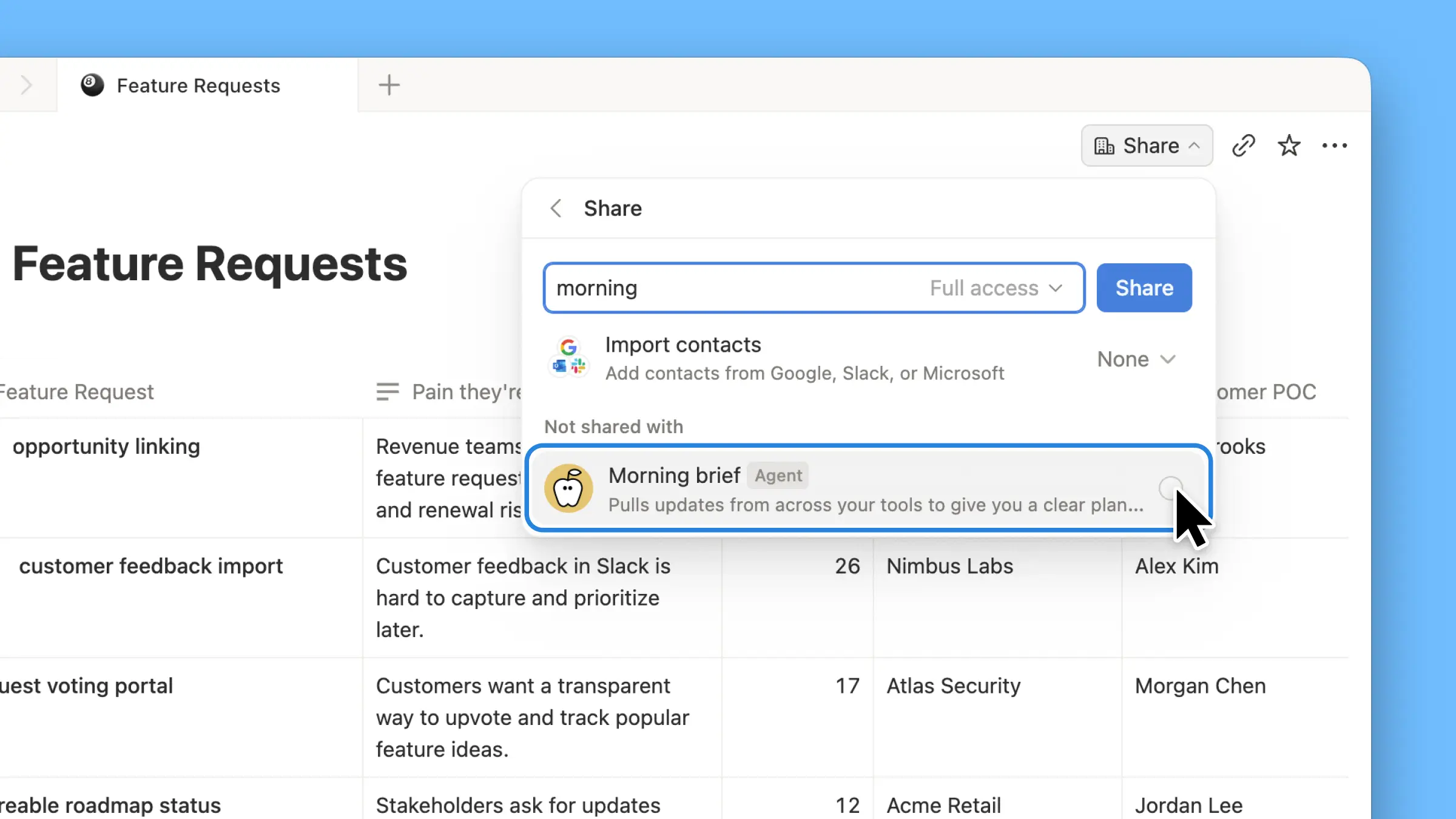
Ask your agent to suggest edits

Your agents can now propose changes instead of making them directly. Ask your agent to suggest edits, then move top to bottom to approve each one. It’s great when you need line-level changes, like a pass for grammar.

Get started by asking your agent to “suggest edits.”

Your Developer Portal, now in the sidebar

Manage your Workers, connections, and personal access tokens from the new Developer section of your Notion workspace. See an overview of deployed Workers and logs behind every run.

Developer sidebar section

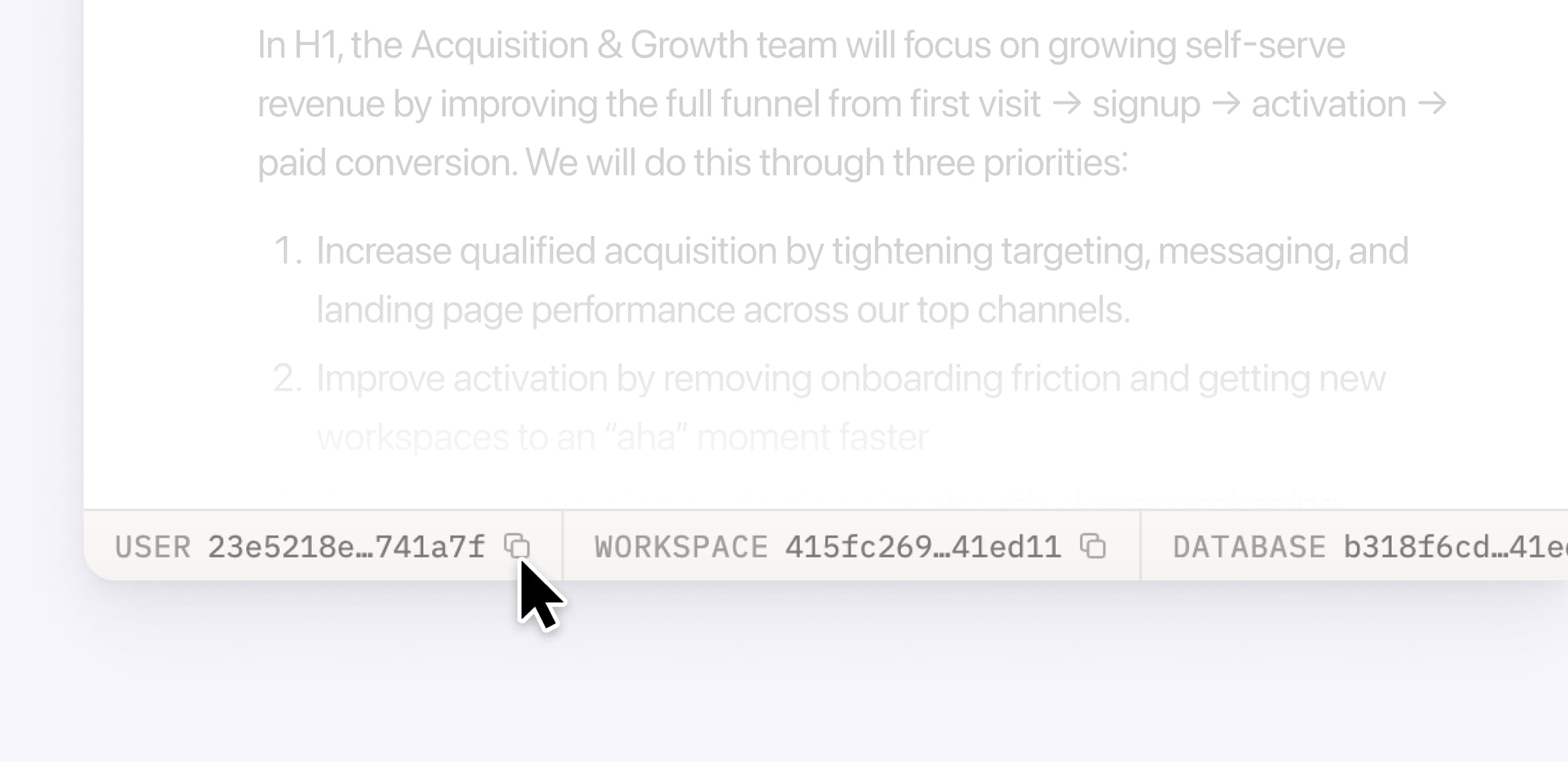
Plus, the new developer bar makes it easy for anyone building with the API to find IDs for the page, database, block, workspace, or user. Copy any one of them, or the full API object, in one click.

Developer bar

Get started from Settings → Developer → Enable developer features. Go there now →

Model selection, simplified

No more guessing which model to use.

The model picker now leads with a shortlist of models made for your hardest tasks, and every model has a scorecard to compare speed, intelligence, and cost. Pin your favorites for easy access and dial up the effort when you need a more thorough answer.

AI Meeting Notes can now trigger Custom Agents

Custom Agents can now run right after an AI Meeting Note is finished. No more need to manually update status trackers, post recaps to the project channel, or file tickets by hand.

Here’s a few of our favorite post-meeting workflows:

  • Update your project tracker with the latest status

  • Post a recap to Slack or email with decisions and next steps

  • Turn feedback into tickets for your engineering team

To get started, open your Custom Agent’s settings, add the Meeting note summarized trigger, and choose which meetings kick it off. After your next call, your agent will get to work.

High contrast mode

Accessibility win! High contrast mode is a new display option that makes text, icons, and borders easier to read.

Try it by going to Settings > Preferences > Appearance. Available on desktop and web.

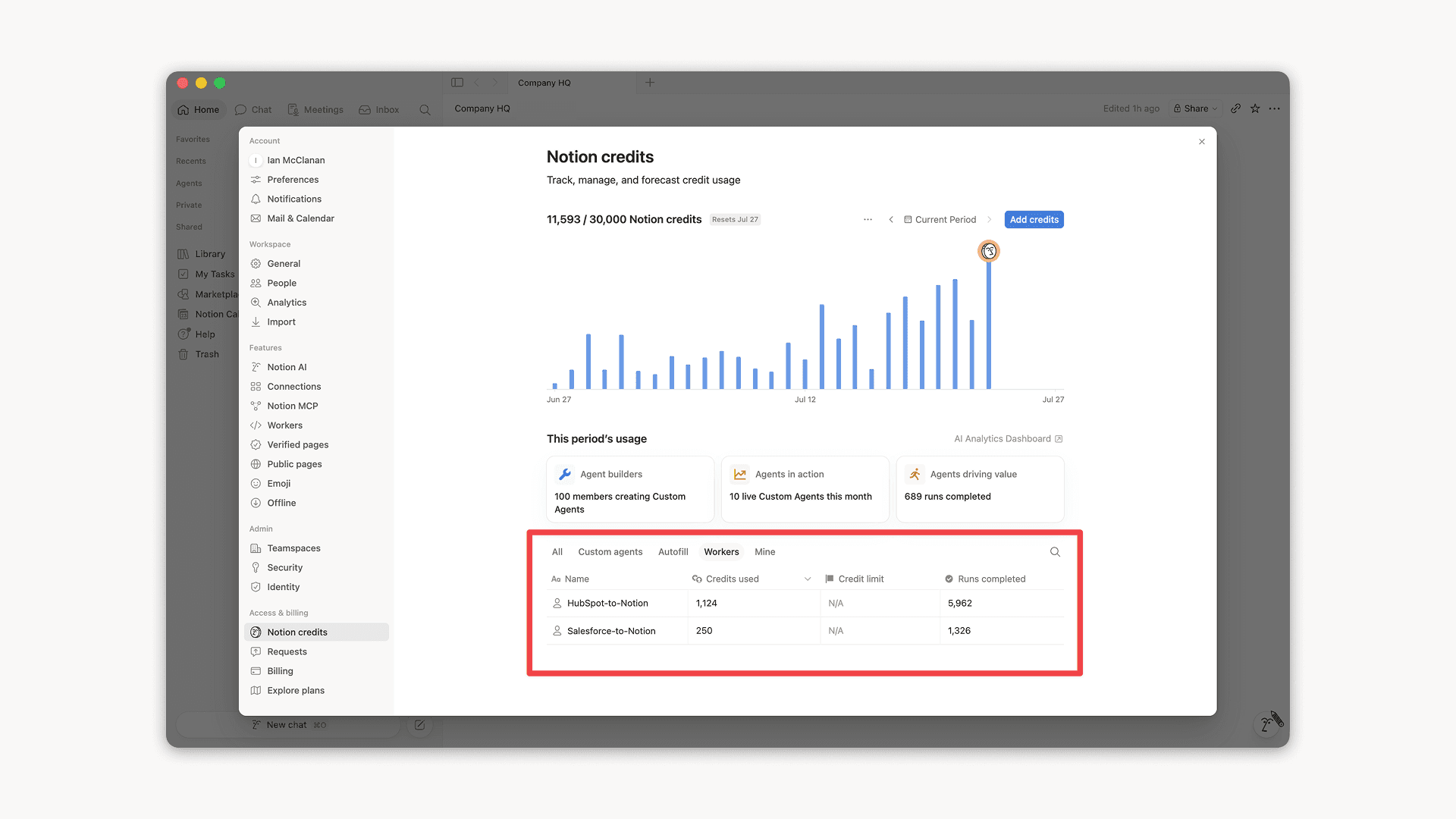
Workers, now in your Notion credits dashboard

Workers in the credits dashboard

Notion Workers run custom code on Notion's infrastructure to sync data, power tools for Custom Agents, and trigger webhook automations.

Now you can track your Workers’ usage in the credits dashboard, alongside your other spend.

Workers are free to try during the beta on Business and Enterprise plans (including Business trials). Usage is now visible in the dashboard to help your team size credits before the beta ends.

Learn more about the Notion Workers beta and pricing in our Help Center →

Powered by Fruition