最近更新

及时了解最新版本、改进和修复。

关注@NotionHQ
3.8

Notion 3.8: Context for your agents
Context for your agents

Your agents and teams run on context. If you switch agents, add a new tool, or welcome a new teammate, you shouldn’t have to explain everything again. With Notion, there’s a durable, shared place to remember what matters.

This update is all about context. Connecting data, tools, and skills so you’re free to use any agent or model.

With so many things changing, your context can stay in Notion.

Connect your agents to Notion with MCP
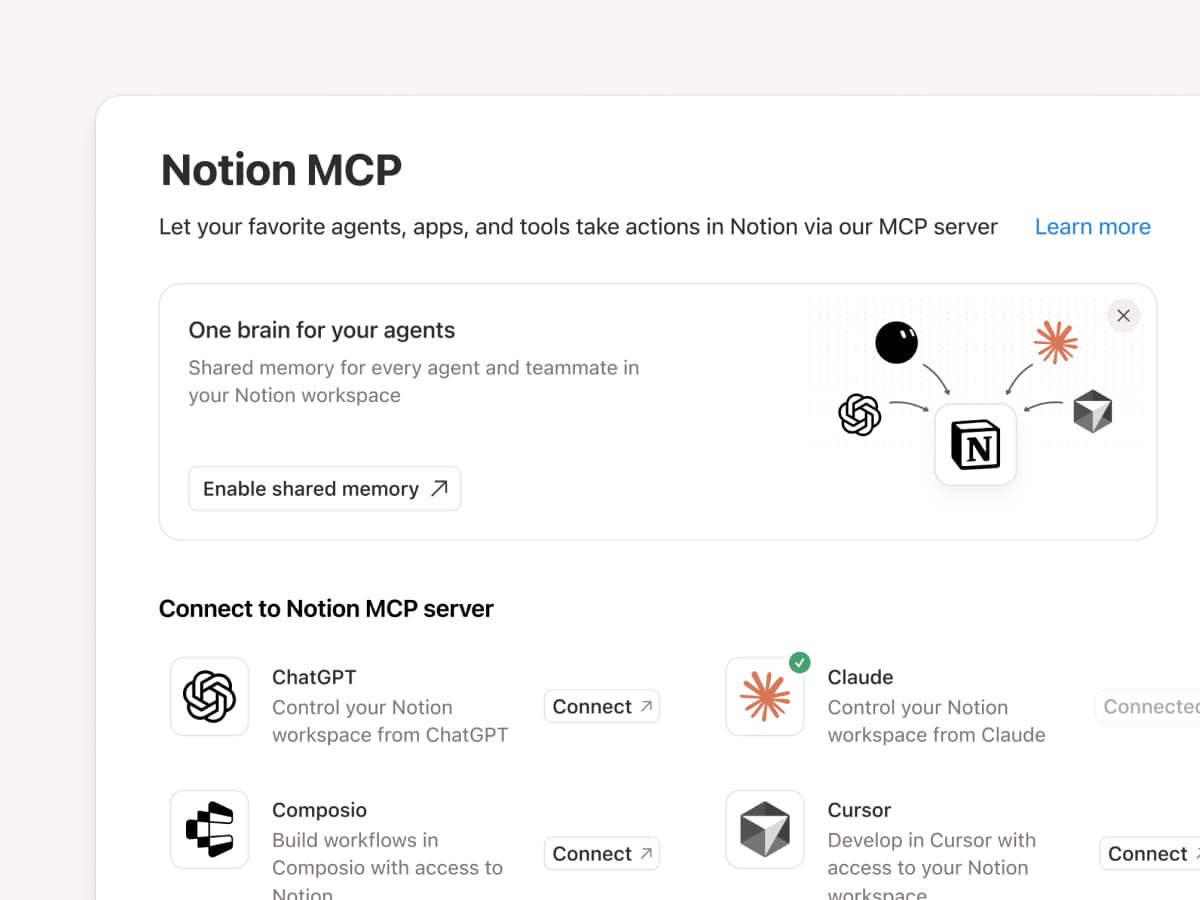
Connect an MCP-compatible agent to Notion so it can read your workspace context and update docs and task trackers. Whether you use Claudes, Muses, GrokBots, Dots, or another agent, Notion gives them a shared place to find what they need, so you can switch agents without starting from scratch. Set up an agent with Notion →

And with Notion MCP controls, admins can see who connected each AI tool, check when it was last used, and revoke a person’s access without affecting other connections. Set up MCP controls →

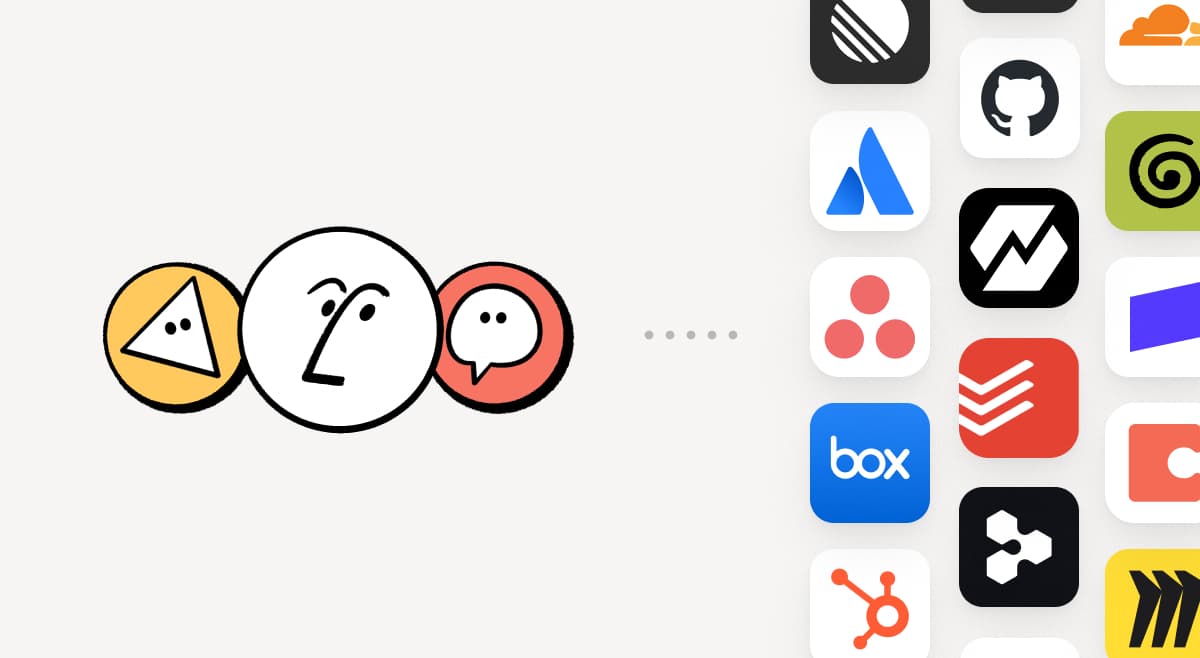
Connect your Notion Agents to 150+ tools with MCP
MCP

Bring the tools your team already uses into Notion. MCP connections let Notion Agent and Custom Agents draw on context from those tools and take action across them. Create an account brief in Notion using HubSpot pipeline data, add Stripe billing details to a customer health review, or bring Cloudflare infrastructure details into a postmortem. And that’s just the start. ⁠Browse 150+ MCP connections →

Write a skill once. Use it with every agent.
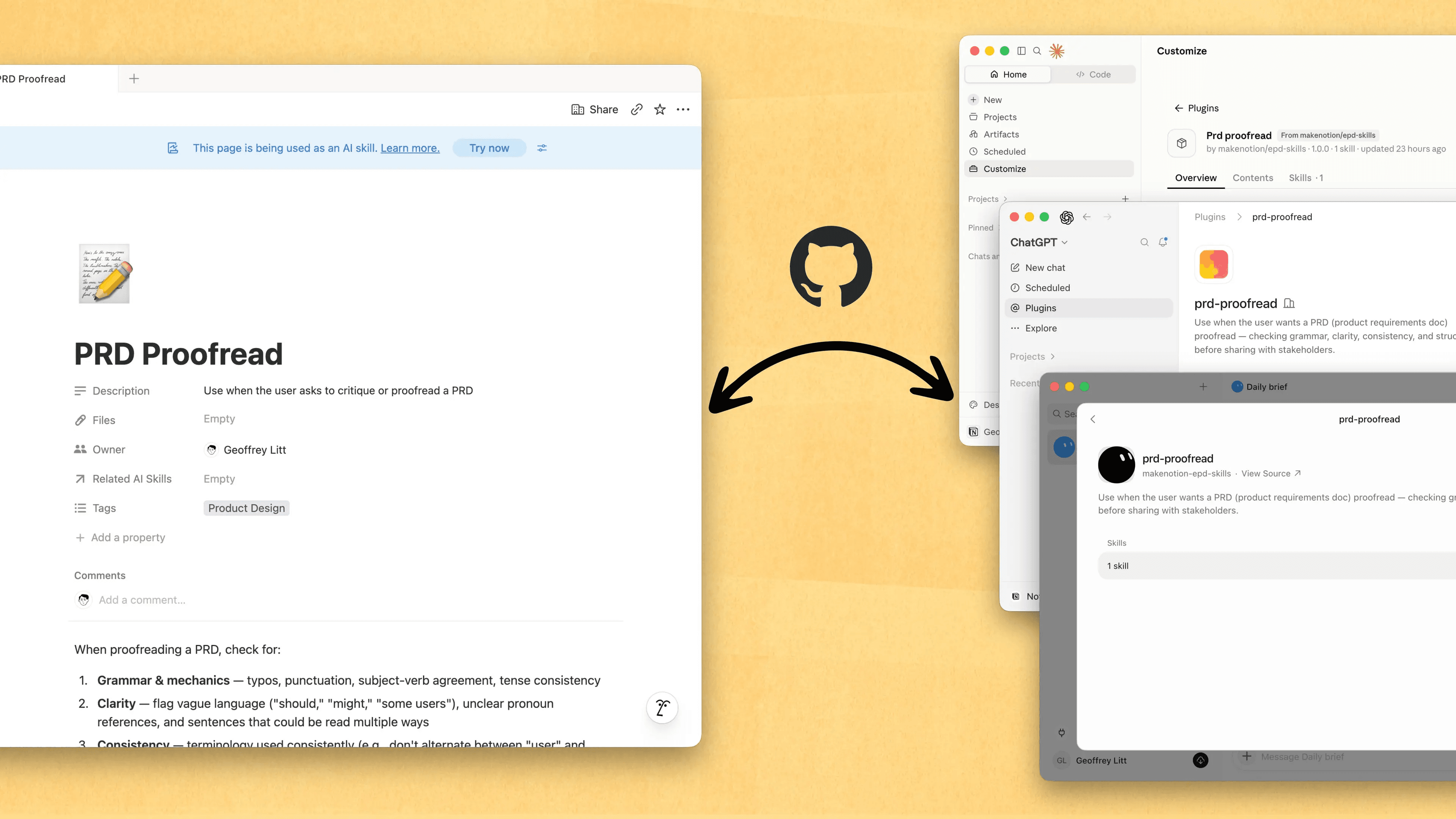
Write a skill once. Use it with every agent.

Skills are the best way to teach agents how you work … and not just for engineers. Now, Notion is the best place to create, share, and keep them current. Sync your Skills across ChatGPT, Claude, and more with the new Skills API, which loads Skills from Notion into GitHub.

Already have Skills for your agents? Ask your agent to recreate them in Notion with MCP, then keep building your library there. Here’s a quick demo, and here are docs to learn more.

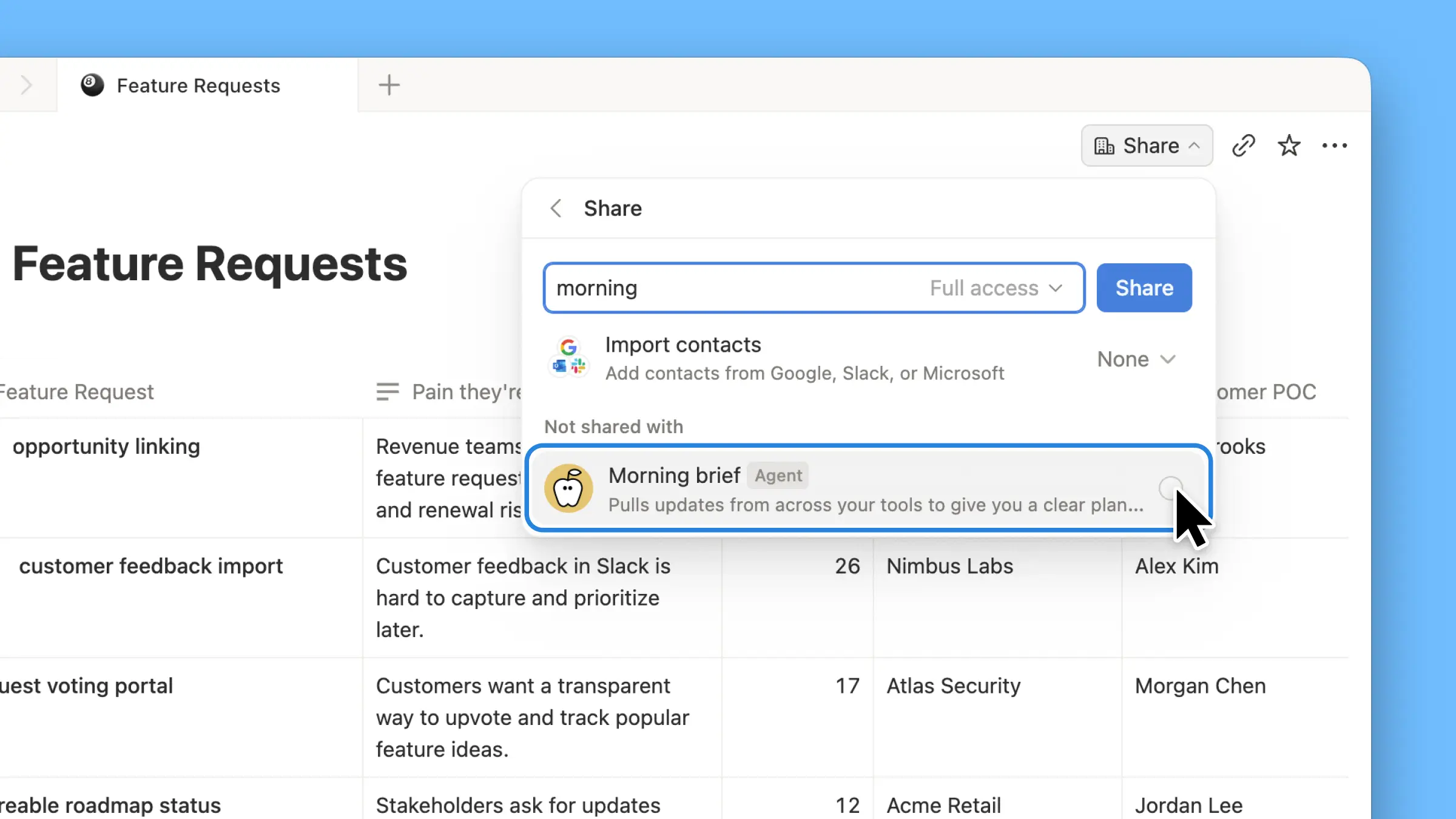
See every change by every person and agent
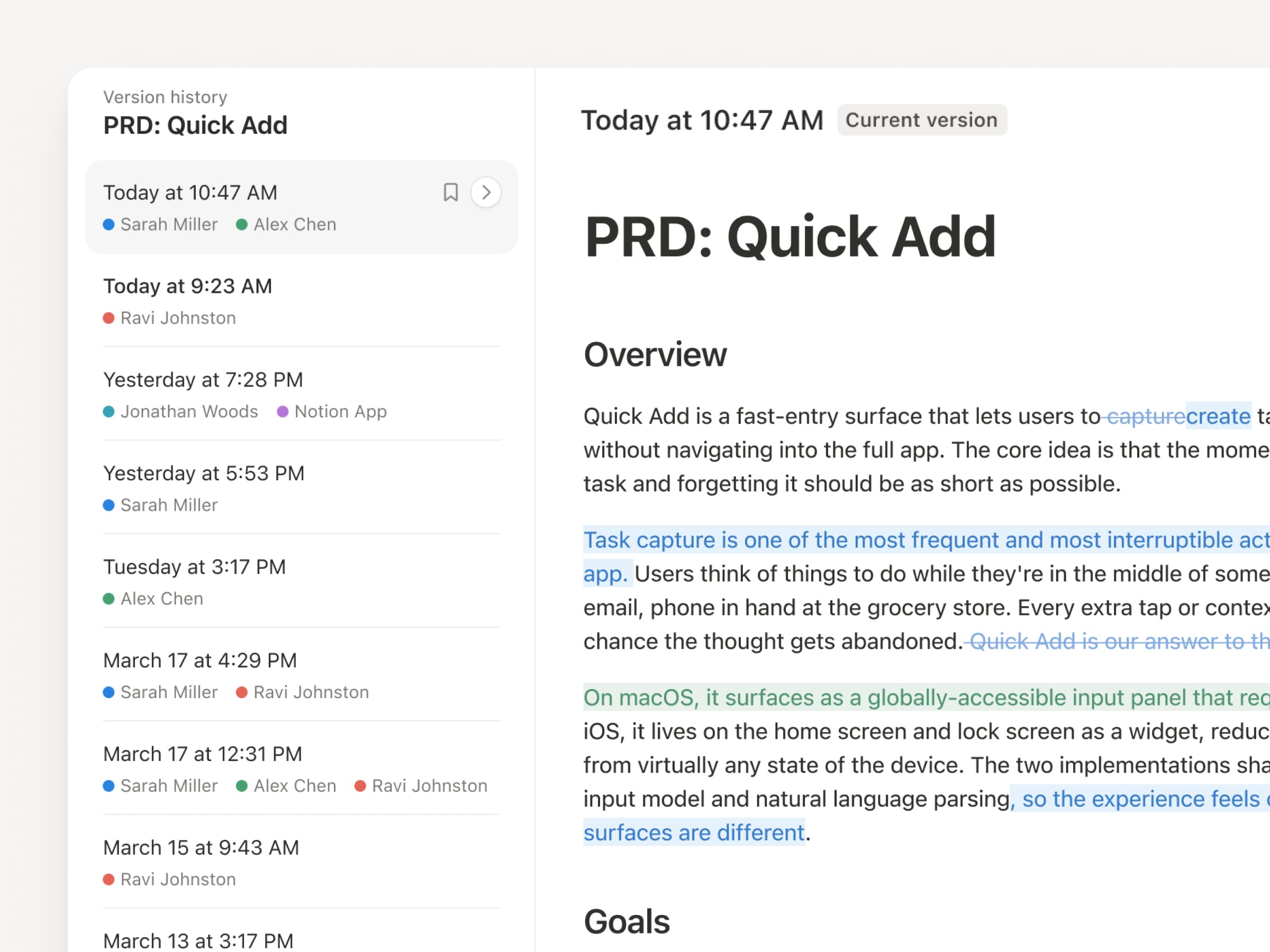
With agents and people making constant updates, version history has never been more important. So we’ve upgraded ours! You get a clearer record across pages and databases, with highlighted edits, detailed database changes, and attribution. Let your agents work while keeping their changes visible and secure. Review what changed, see who changed it, and restore prior versions with a quick click. Learn more →

Don’t pay twice. Use your ChatGPT plan in Notion.
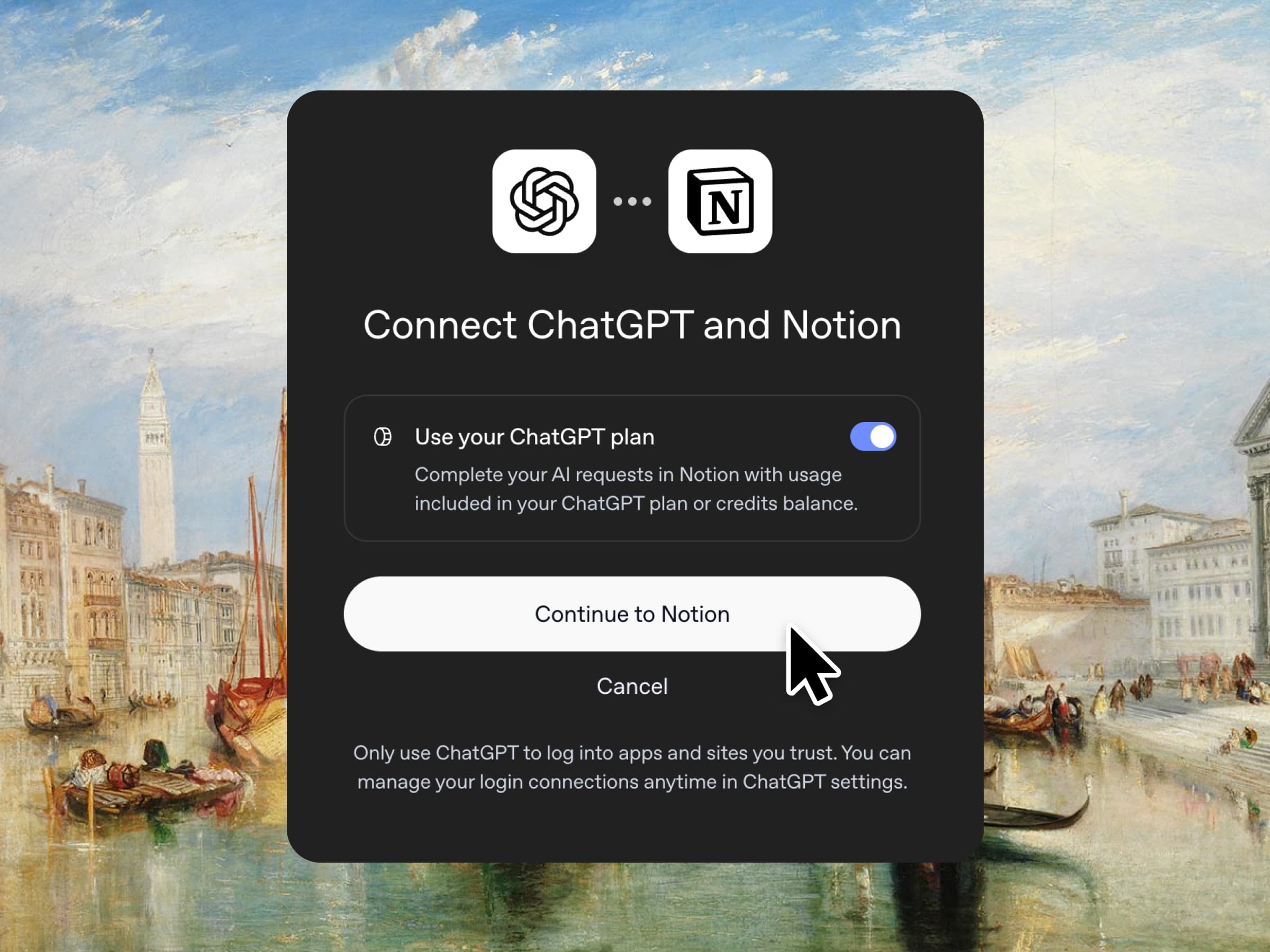
Yes, you just read that right. If you have ChatGPT Plus or Pro, your subscription can now cover your AI usage in Notion. Just connect your plan, pick a GPT model, and go. We don’t add a markup. We just want you to have the best tools for the job, for the best price. Available for Business and Enterprise plans. Check out a quick demo and the docs.

Column permissions in databases
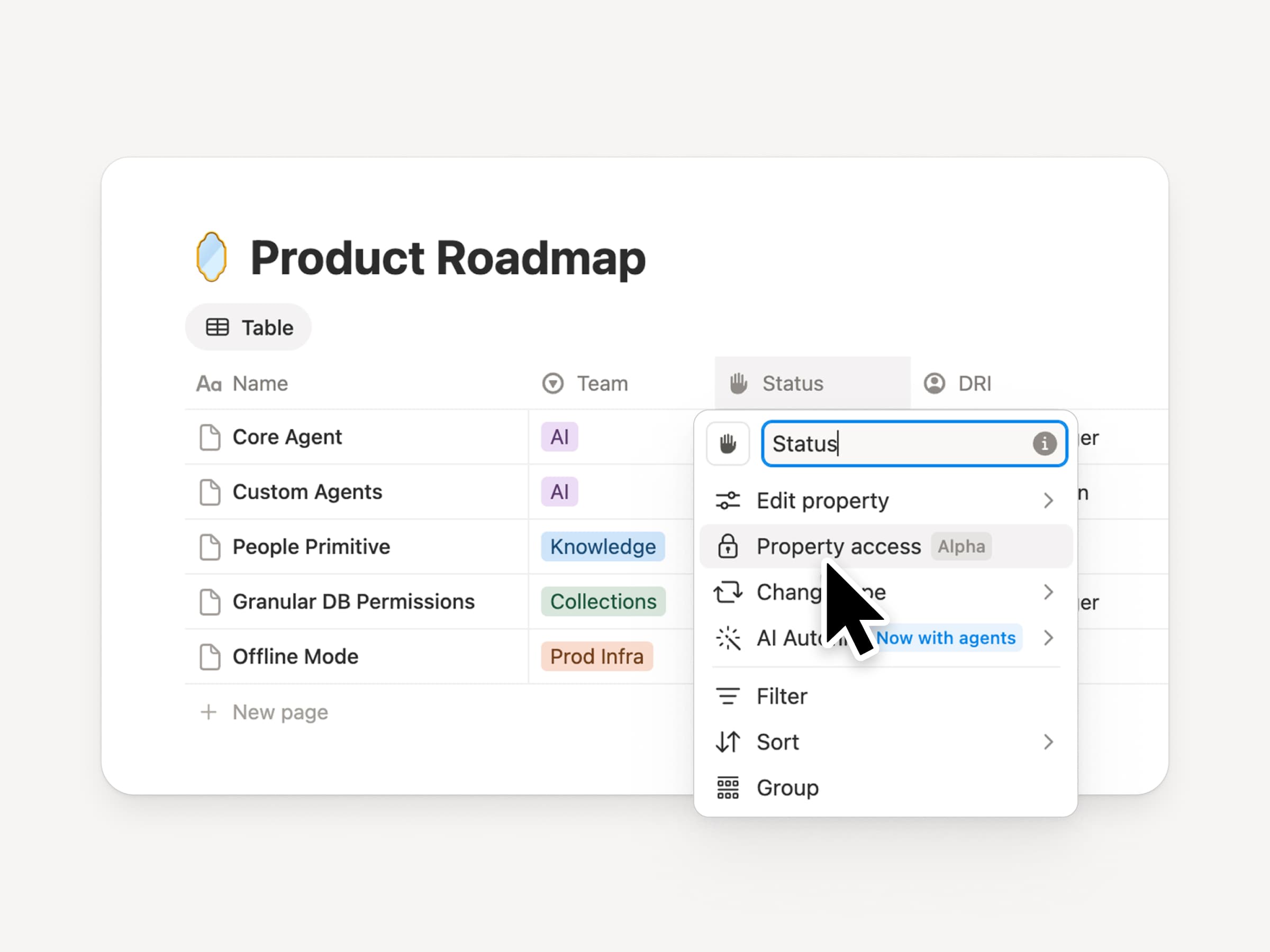
Notion databases give teams and agents a shared, up-to-date source of context. But both teams and agents need the right level of access. Column permissions were a top requested feature for years (we spent time getting this one right). They let database owners control which properties each person or agent can view or edit. Recruiting teams can collaborate on candidates without exposing compensation. Support agents can use account context without seeing restricted customer data. Watch the trailer from one of it’s creators!

Reintroducing synced databases
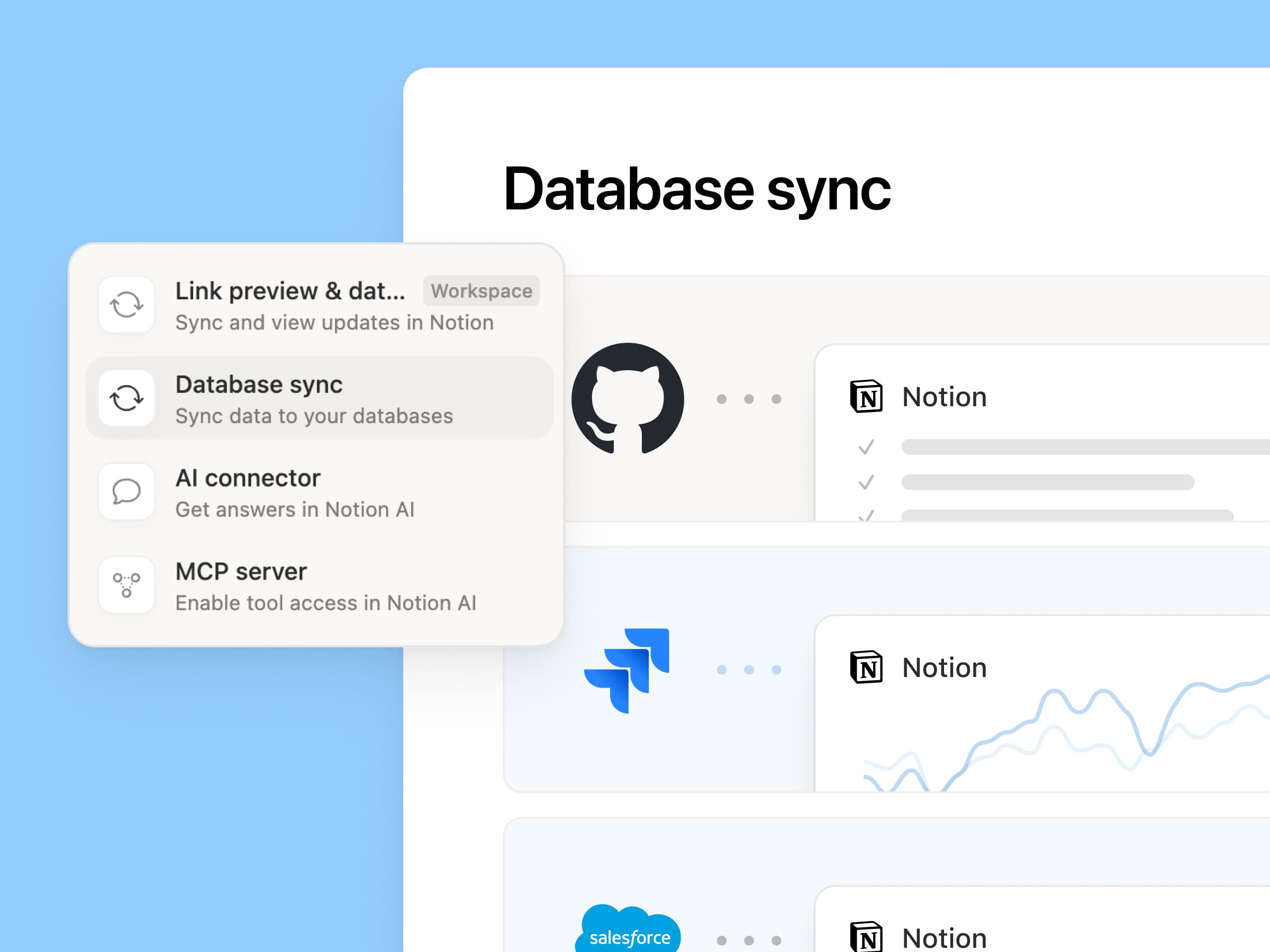
Reintroducing synced databases

We rebuilt our synced databases, starting with GitHub, Jira, and Salesforce, so your teams and agents always work from the latest data. They’re faster, more reliable, and show a live health status for each sync. They work like any other Notion database, so you can add your own properties, create views, and trigger automations. At Notion, we build customer hubs by syncing Salesforce accounts and linking to meeting notes and feature requests, so every team works from the same current view of each customer. Learn more →

New week, new models
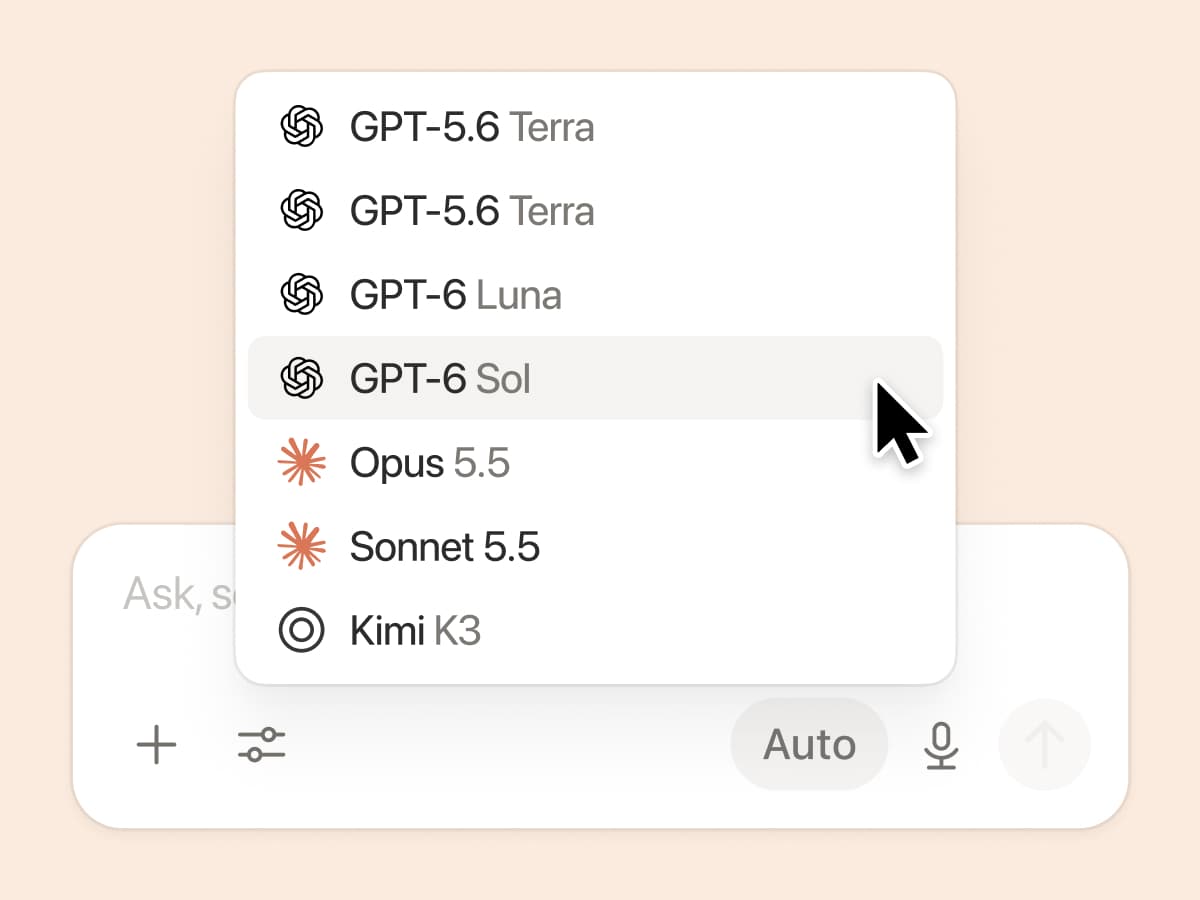
New week, new models

The labs are at it again. Seven new models all added, including GPT 6.1-Sol, GPT-6 Luna, Opus 5.5, and Sonnet 5.5. Use any of them knowing they’ll all know the latest about your team works.

And ICYMI, we’ve been evaluating how models perform across a range of knowledge-work tasks, using live anonymized traffic and judged by models. Check out our Knowledge Board →

More ways to connect and govern context

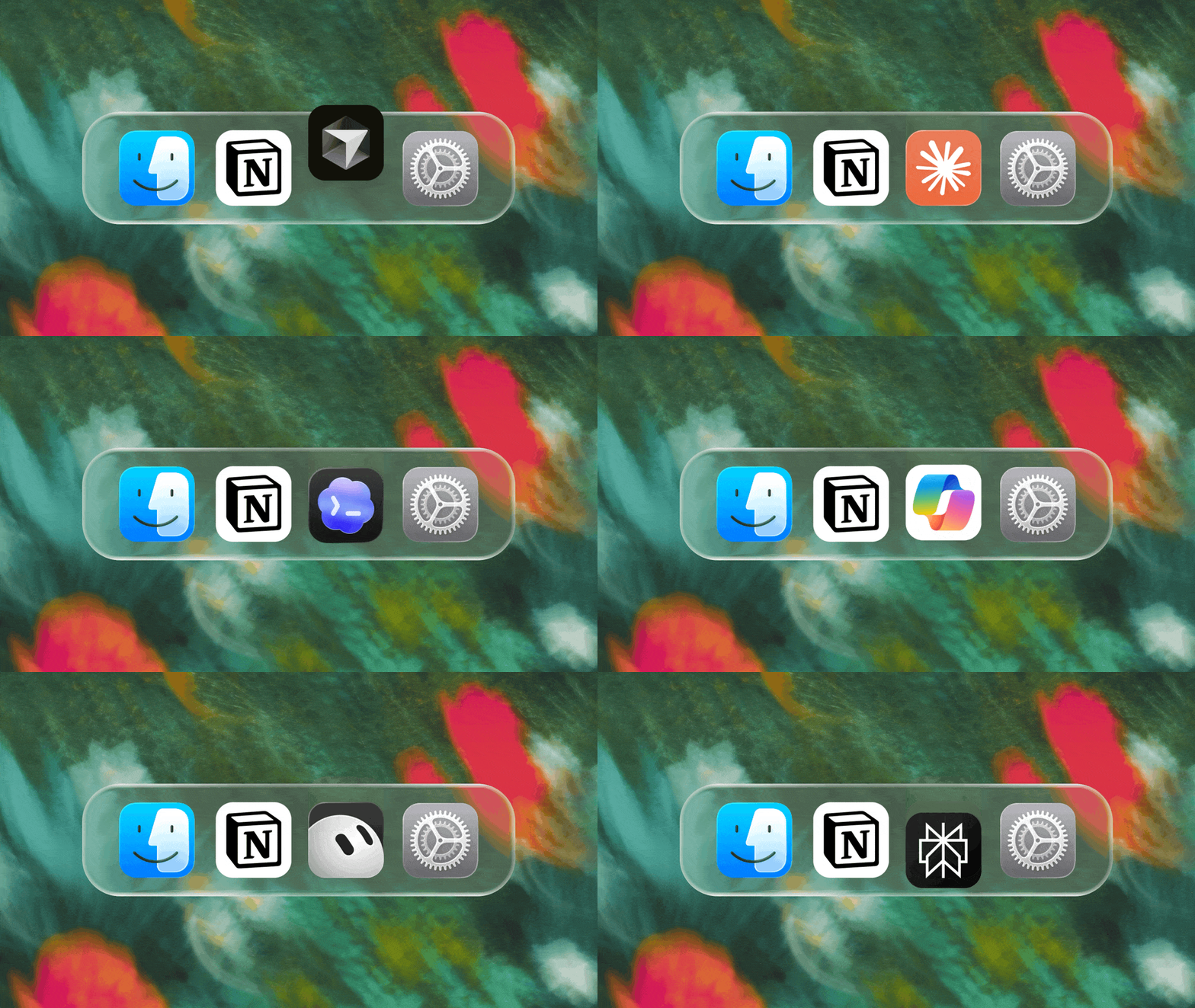
We can’t wait to see how Notion can be the backbone of your dock.
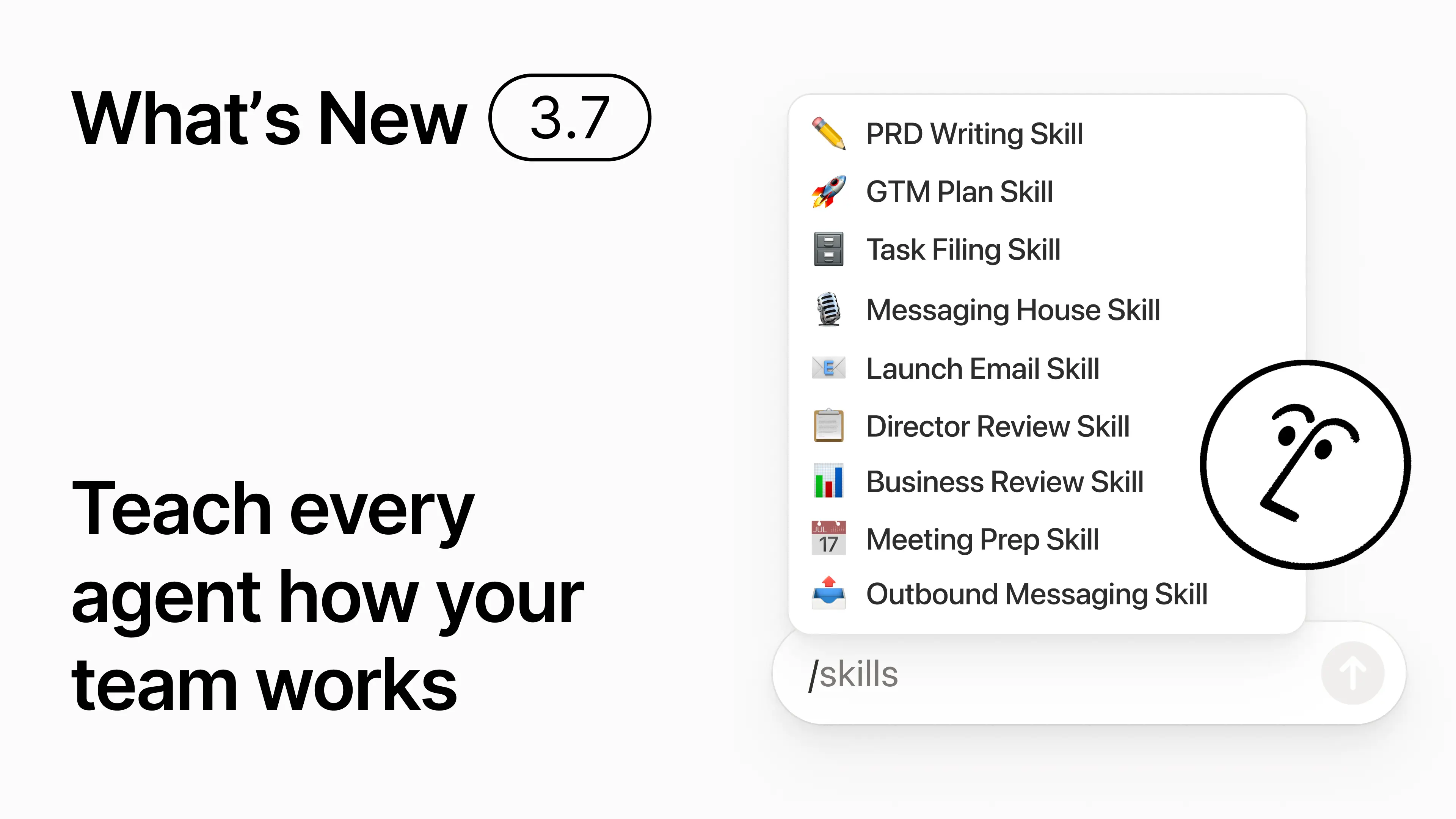
3.7

Notion 3.7:为你们整个团队提供的智能体技能

最近更新 3.7

你知道有些人非常擅长向 AI 发送(文字)指令吗?或者他们已经找到了处理重复性工作的最佳方法?现在,他们可以将这些专业知识转化为一项 技能,并提升整个团队的水平。

技能是可重复使用的指令,用于教导 AI 了解你们团队的工作方式。例如,以你们团队的格式生成月度业务回顾。或者像你们的老板那样审阅你们的文档。它们就像是完成重复性任务的团队快捷方式。创建技能 →

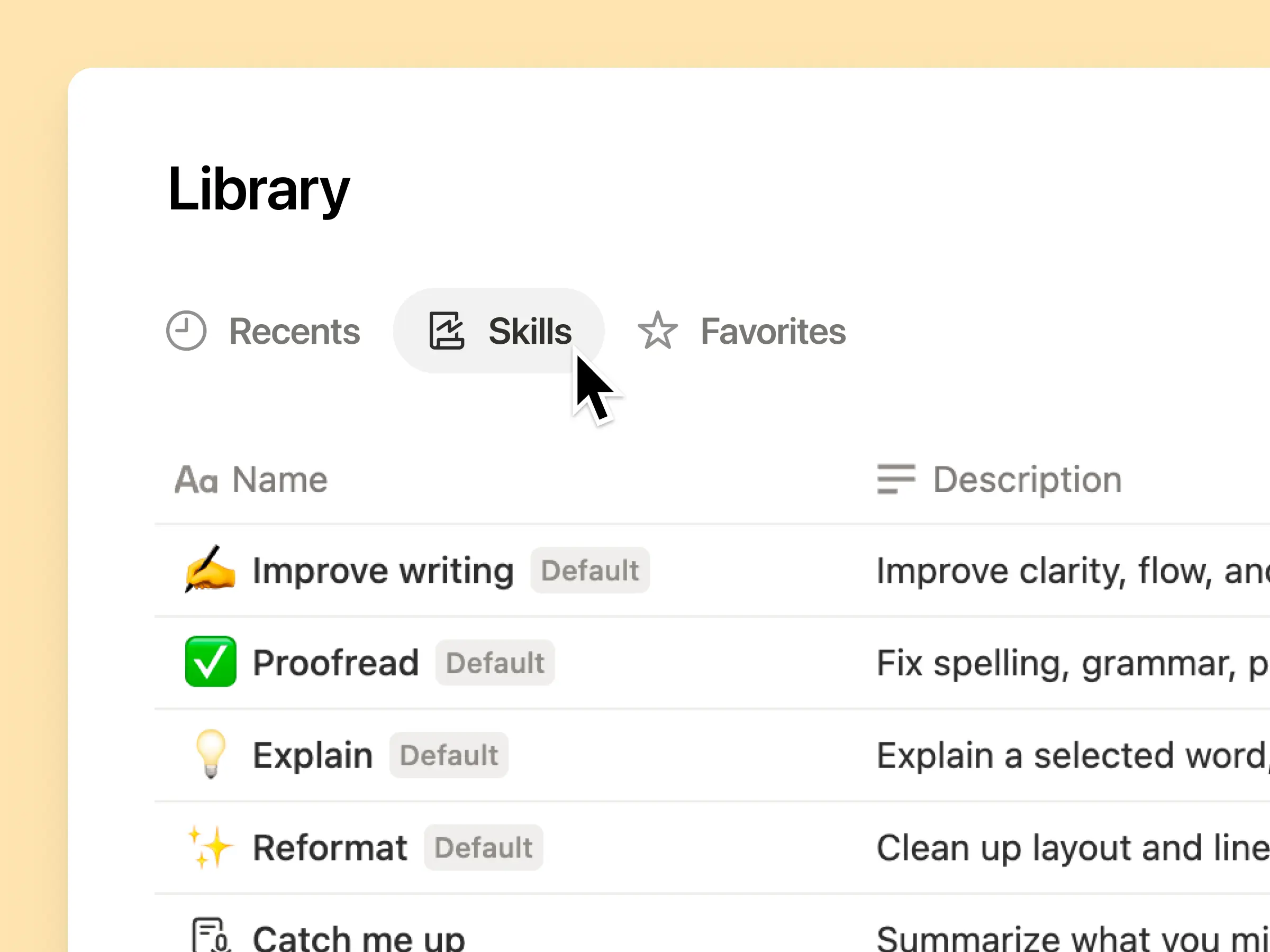
你们团队所需的所有 AI 技能,尽在一个库中

优秀的(文字)指令往往只存在于某一个人的脑海中,或者消失在独立的文档和聊天记录里。技能库为你们的工作空间提供了一个共享所有技能的中心。浏览技能库 →

将相关技能放入 Notion 数据库中,然后共享单个技能或整个数据库。每个团队都有一个简单的地方来查找其常用技能,并且每个人都能使用最新版本。了解更多 →

编写一次,AI 就会按你的方式运行

与 Notion Agent 对话以从零开始创建技能:

  1. 使用我们的产品、设计和工程标准对该功能提案进行评价。

  2. 使用我们的设备和应用策略创建新员工入职清单。

  3. 使用我们的分级框架和已批准的语言起草此职位描述。

不知道从哪里开始?Notion 还可以根据你已完成的工作建议技能。我需要什么技能?→

在需要时立即运行技能

运行技能

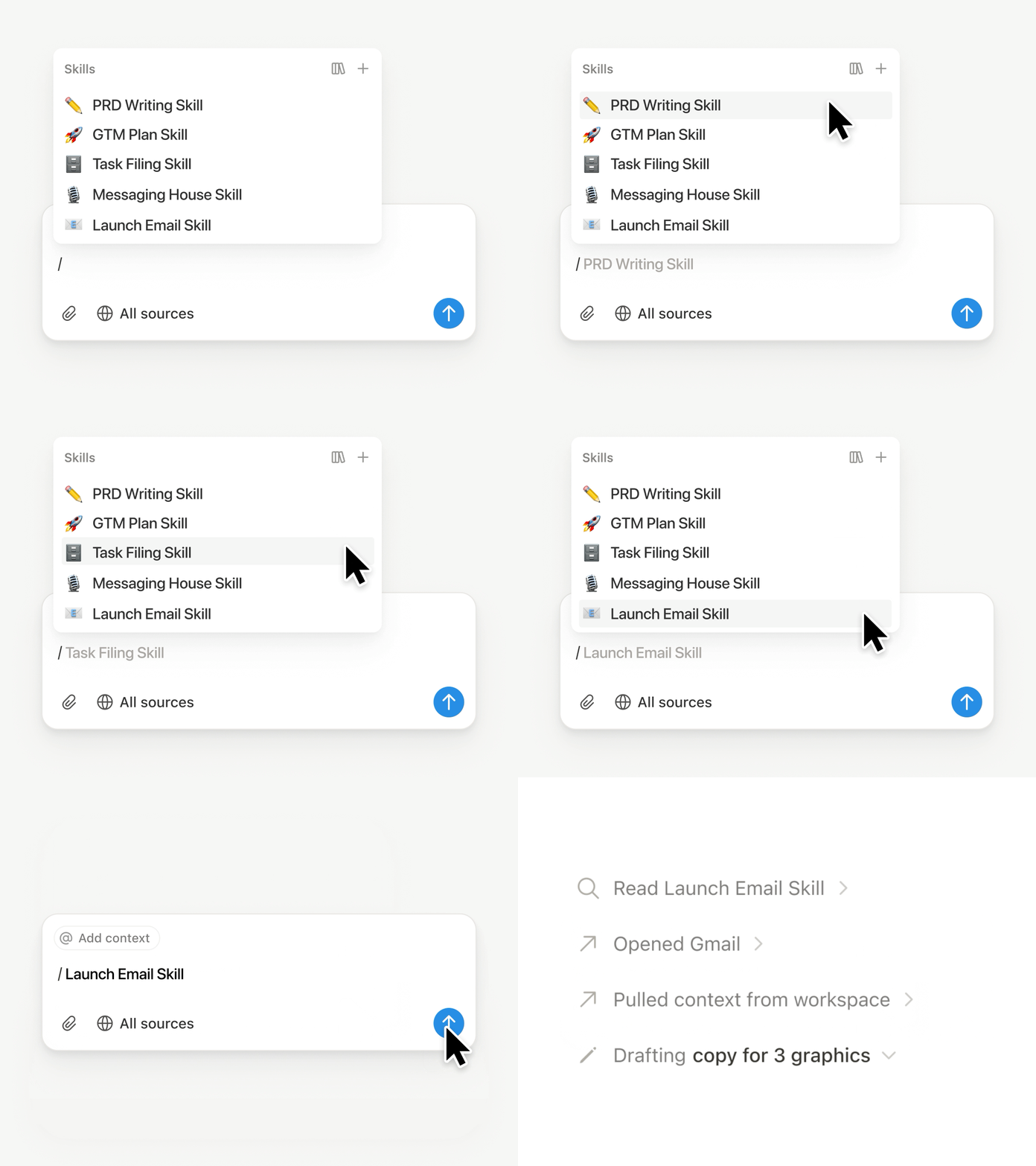
在 Notion Agent 聊天中输入/,然后选择你想要使用的技能。添加任何其他上下文,然后按输入。

运行Exec-ready 技能,将草稿转化为包含要点、决策、风险和诉求的简明高管简报。或者将原始笔记转化为 PRD。你还可以设置自动运行技能。了解更多 →

将你团队的技能带到 Claude Code、Codex、Cursor 等平台。

将技能连接到 Claude 或 Codex

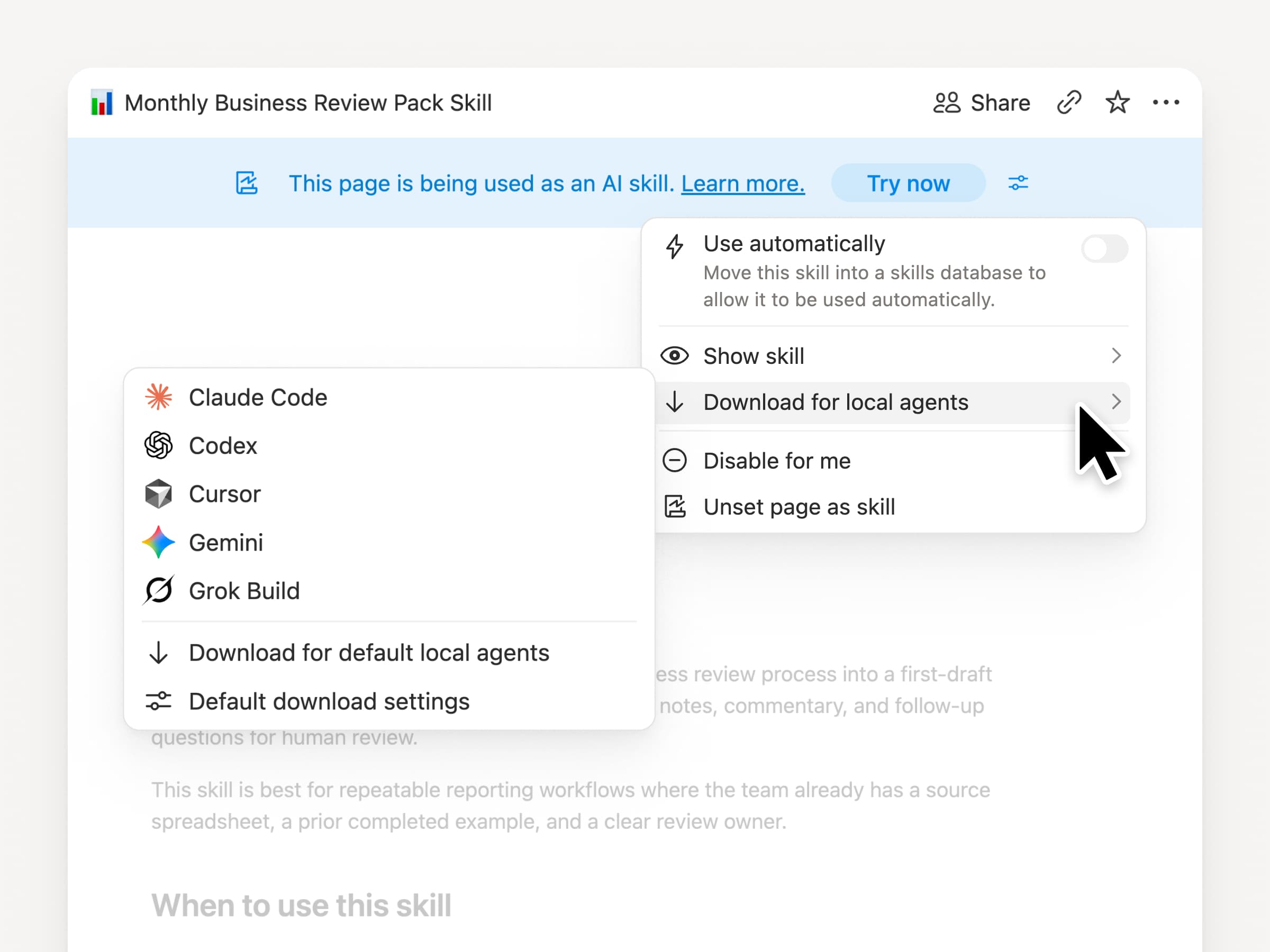
无论你使用什么代理,都可以随身携带你的技能。在 Notion 中创建并更新技能,然后将其下载到 Claude Code、Codex、Cursor、Gemini 或 Grok。

Notion 会将技能编写为SKILL.md文件,并附带已批准的支持文件。当 Notion 中的技能发生更改时,它会被标记上徽章,以便你知道获取最新版本。你们的团队可以在一个地方维护指令,而你们的本地代理可以遵循相同的流程。了解更多 →

让你的代理连接 GitHub、Amplitude 等工具。

为你的代理连接更多内容

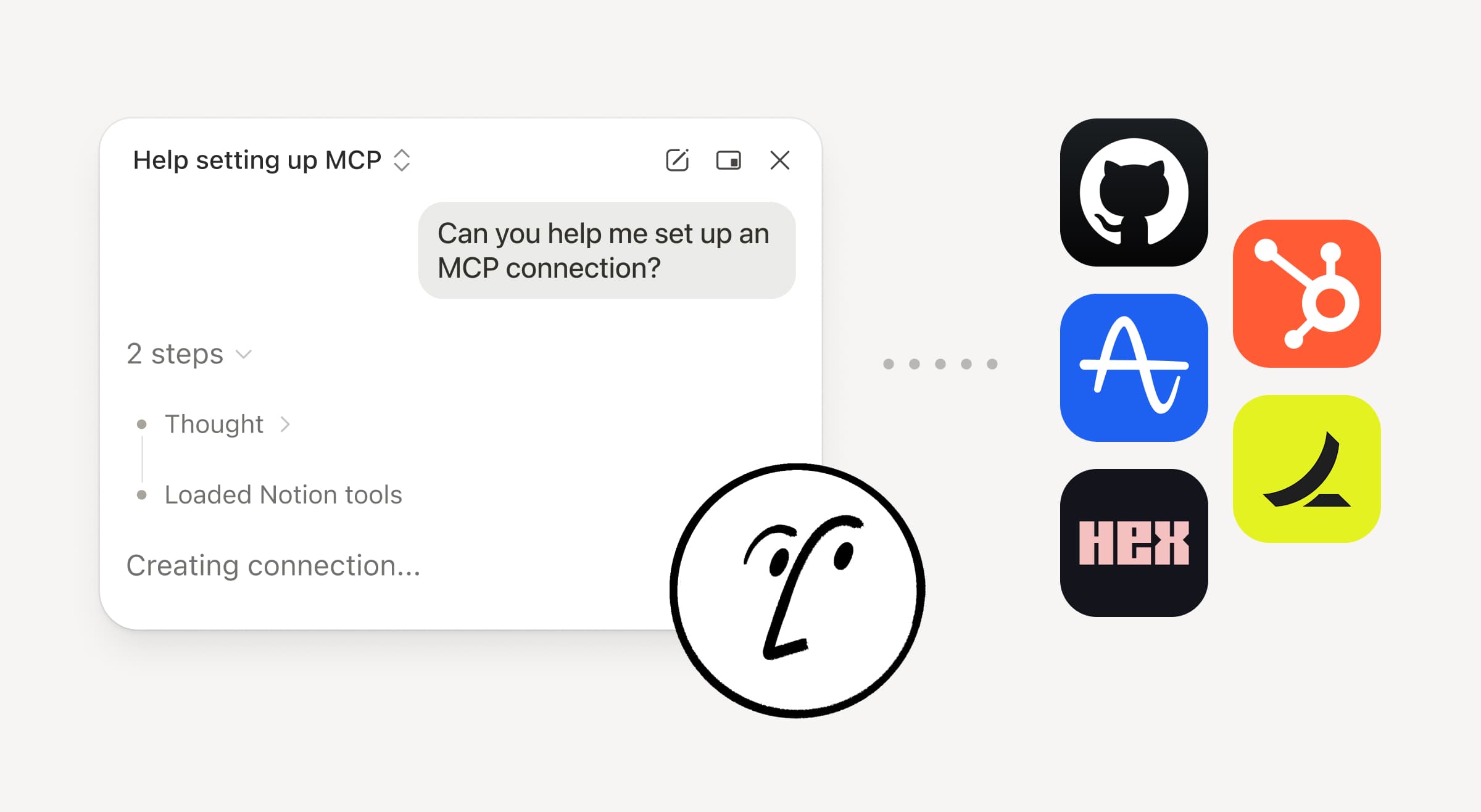
将更多工作引入 Notion Agent。只需让它连接一个工具,它就会引导你完成设置。你现在可以通过自定义 MCP 连接来连接 GitHub、Amplitude 和其他工具,这样你就可以在团队已在使用的工具中获取上下文、检查性能或执行操作。连接到 GitHub →

确认机制让你保持掌控,因此在你批准之前,已连接工具中的任何内容都不会发生更改。测试版现已在商业和企业版中提供。了解更多 →

在旅途中?使用 Notion Agents iOS 应用

Notion 代理应用

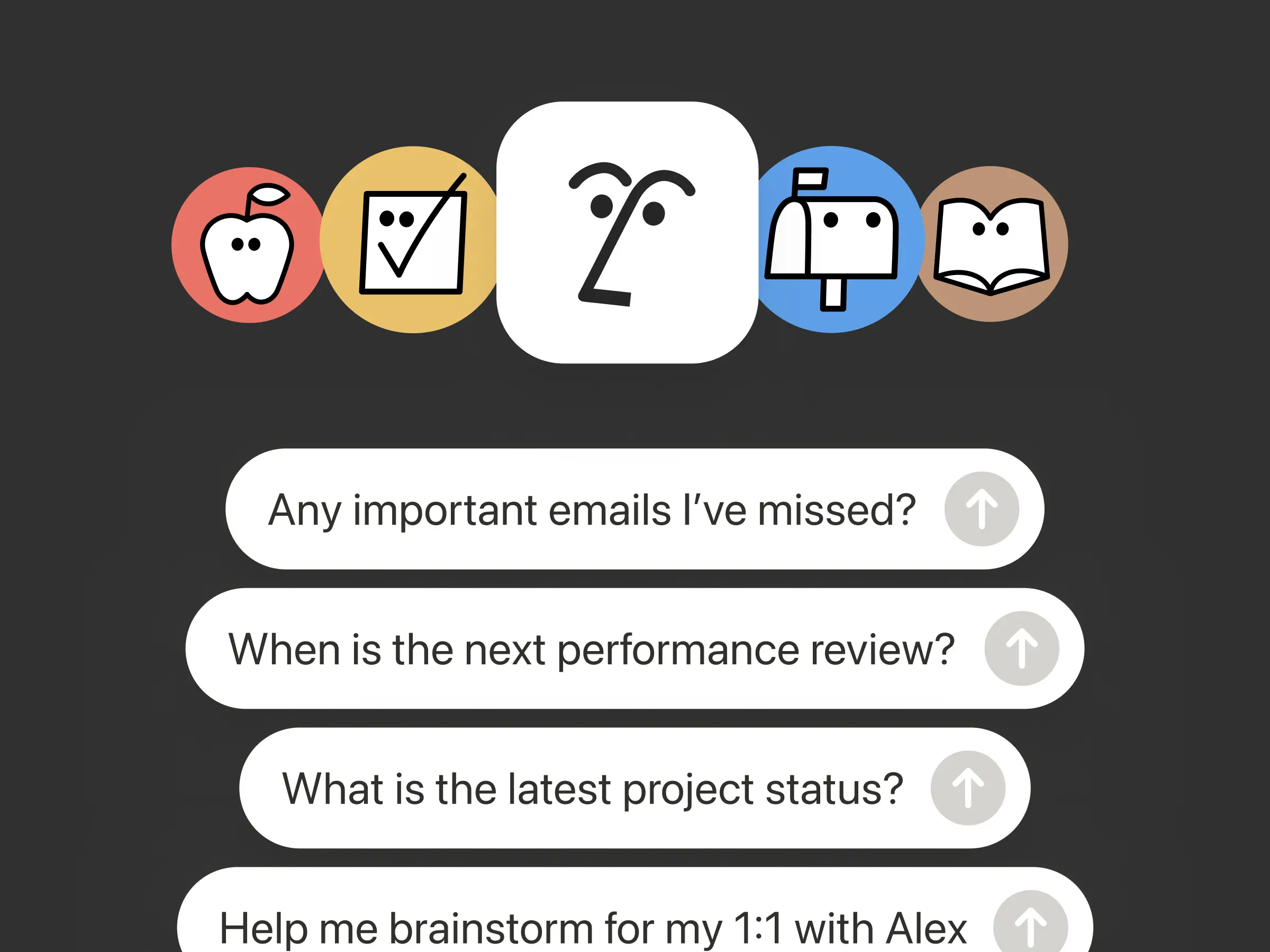
你最好的想法不会等到你回到办公桌前才出现。Notion Agents iOS 应用让你随身携带 1,000 个代理。在移动中捕捉想法、语音和照片,为会议做准备,或快速创建文档。给智能体分配任务,它会在你回到笔记本电脑前之前完成。

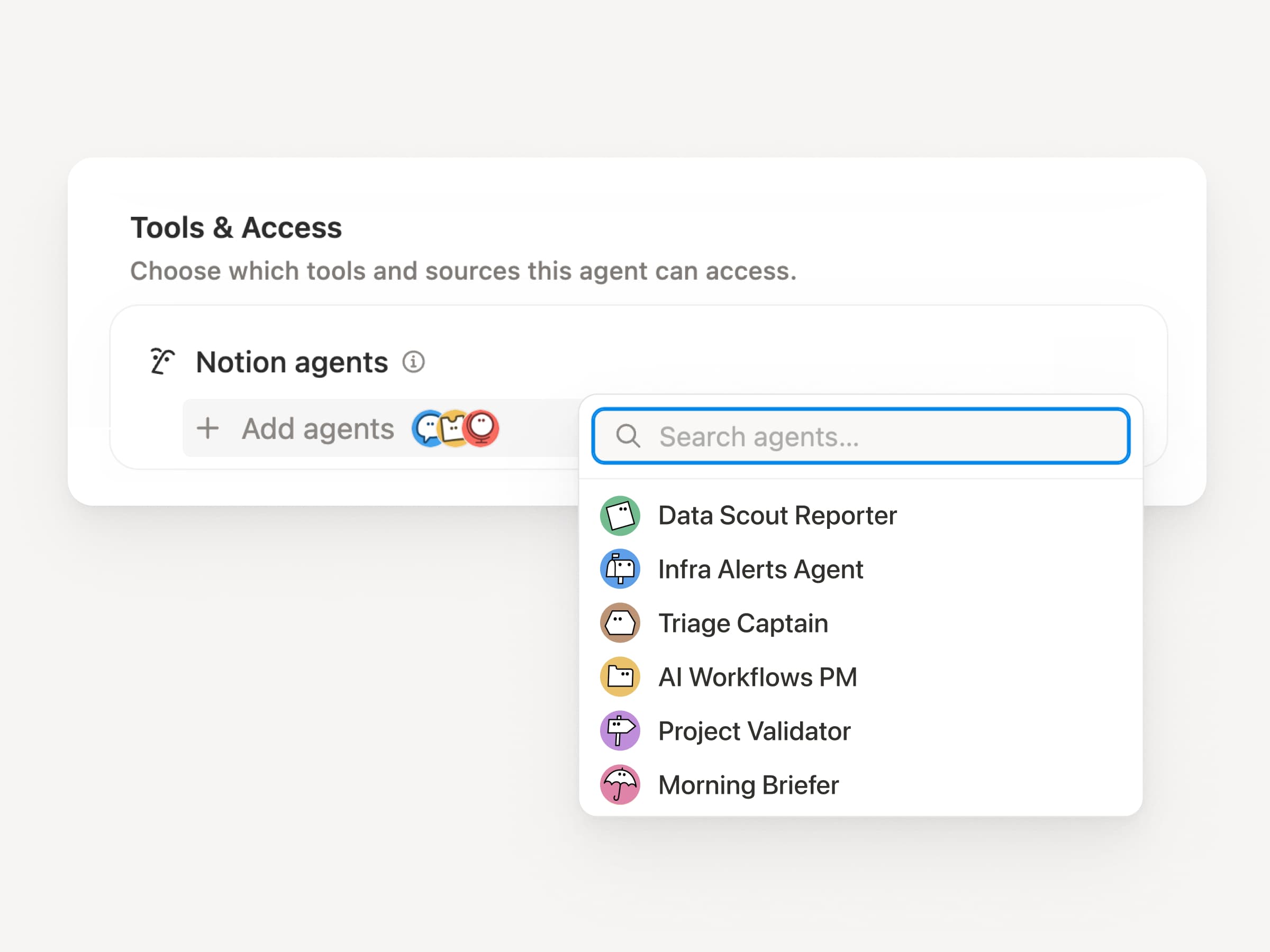
让你的自定义代理调用子代理。

子代理

大型工作流程很少是一项单一的工作。现在,自定义代理可以调用其他自定义代理作为子代理,每个子代理都有自己的指令、上下文、访问权限和模型。了解更多 →

移动应用产品经理代理可以将 bug 报告发送给分诊代理,将指标问题发送给报告代理,然后将答案汇总到一条 Slack 更新中。主要代理决定何时委派,并利用每次响应来完成最初的工作流程。Remote 以这种方式通过五个代理运行其 IT 服务台,每年节省 50 万美元。

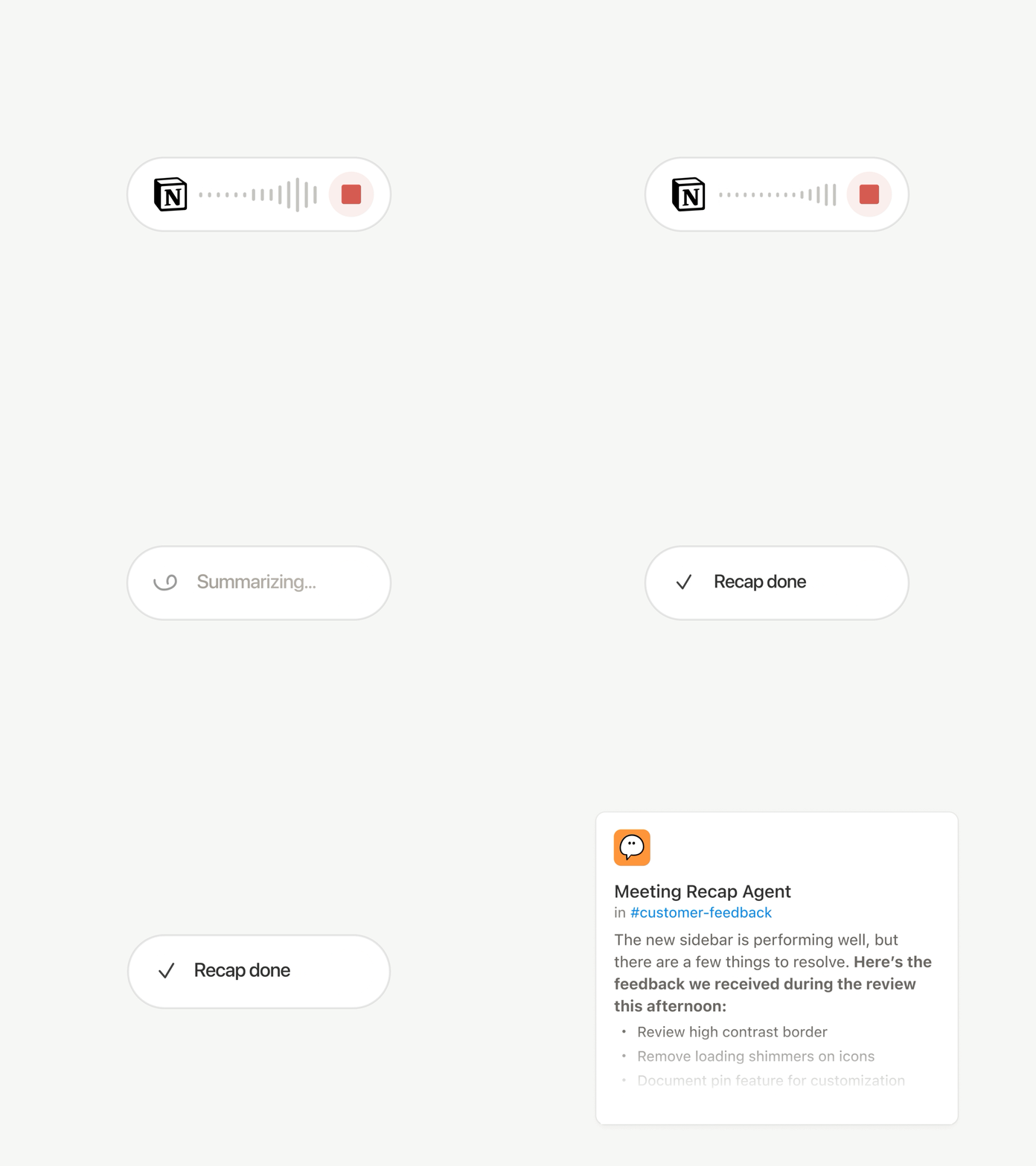
自定义代理可以为你完成会后工作。

会议纪要代理

每次通话结束时都有同样的琐事:撰写摘要、归档待办事项、提醒未参会人员。现在,自定义代理可以自动处理会后工作。

选择重要的会议,然后在每个摘要准备就绪后,让自定义代理立即接手工作。它会获取转录和摘要,从而能够撰写状态更新、归档待办事项,或将客户反馈发送到正确的数据库。适用于商业版和企业版方案。了解更多 →

浏览每一个模型,看看哪一个最适合这项工作

最新模型

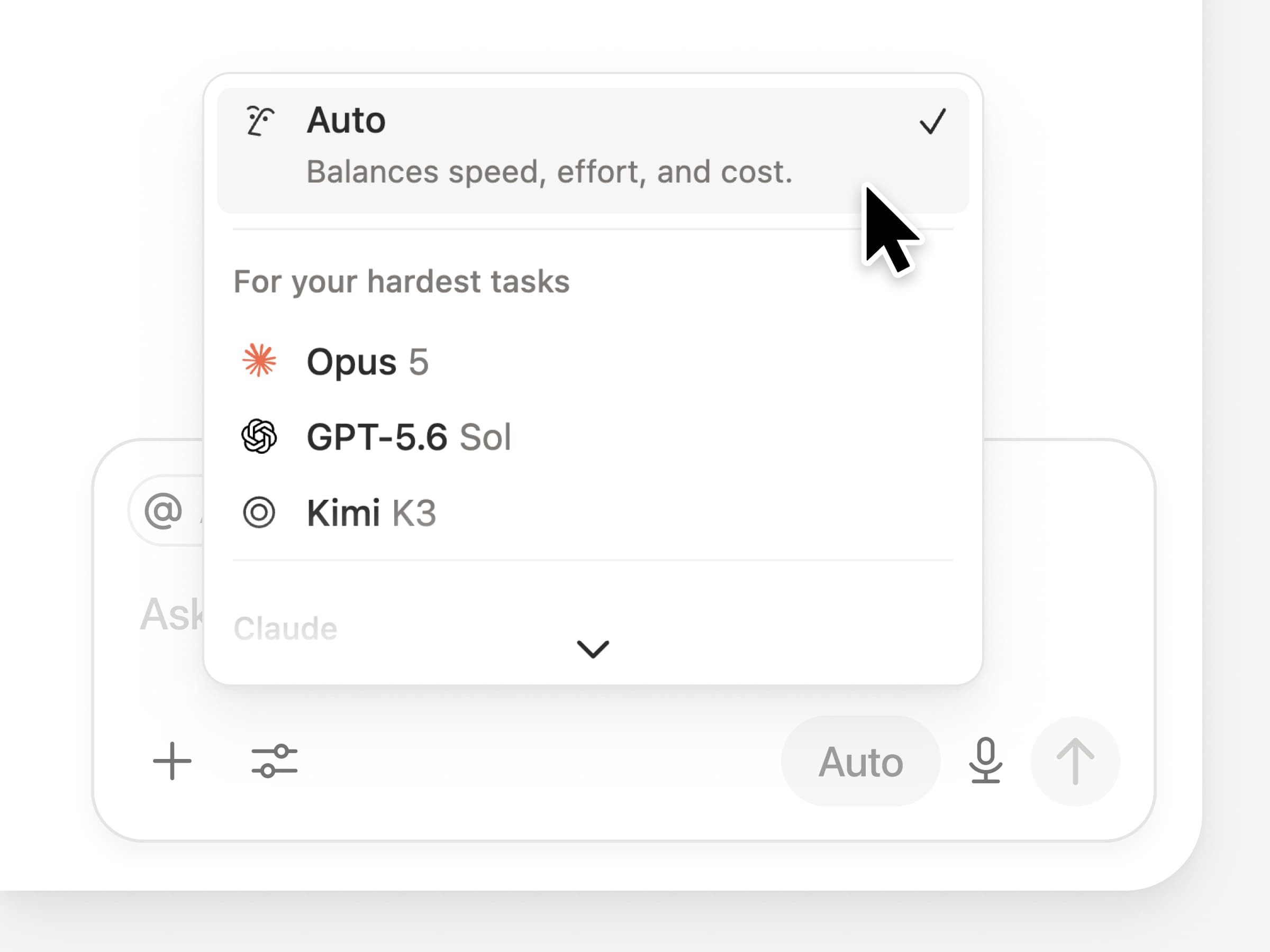
你可以在 Notion 中使用所有最新的前沿模型,包括 Opus 5、GPT-5.6 Sol 和 Kimi K3。全新的模型选择器经过重新设计,旨在帮助你为工作选择最合适的模型,并提供了速度、智能水平和成本方面的指标。

同样新增的还有 Notion 知识看板,它能够评估模型在日常实际工作中的表现。比较模型 →

还有更多……

  • 在任何文档中嵌入自定义代理。将代理直接放置在工作发生的地方,以便页面上的任何人都能使用它。了解如何实现 →

  • 开放 API 中的自定义代理洞察。拉取已使用积分、已完成运行和状态,并为任何代理启用、禁用或设置限制。商业和企业。阅读洞察 API 文档 →

  • 管理你的 Workers 和连接:打开侧边栏中的新开发者部分,查看每个 Worker、它的连接情况,以及每次运行的日志。查看指南 →

  • 代理 SDK,现已公测。从任何地方继续自定义代理对话,从你的应用触发它们,并流式传输结果。商业和企业。阅读代理 SDK 文档 →

  • 开发者门户现已移至 Notion。一站式管理你的 Workers、连接和个人访问令牌。打开门户 →

  • AI 搜索速度提升 50%。减少等待答案和使用工作空间上下文的代理输出的时间。商业和企业。试一试 →

  • 看看你的收件箱最新情况。让 Notion Agent 对通知进行分组,显示需要关注的内容,并帮助清理其余内容。查看指南 →

试一试技能!并告诉我们如何改进(我们还有更多精彩内容在路上)。

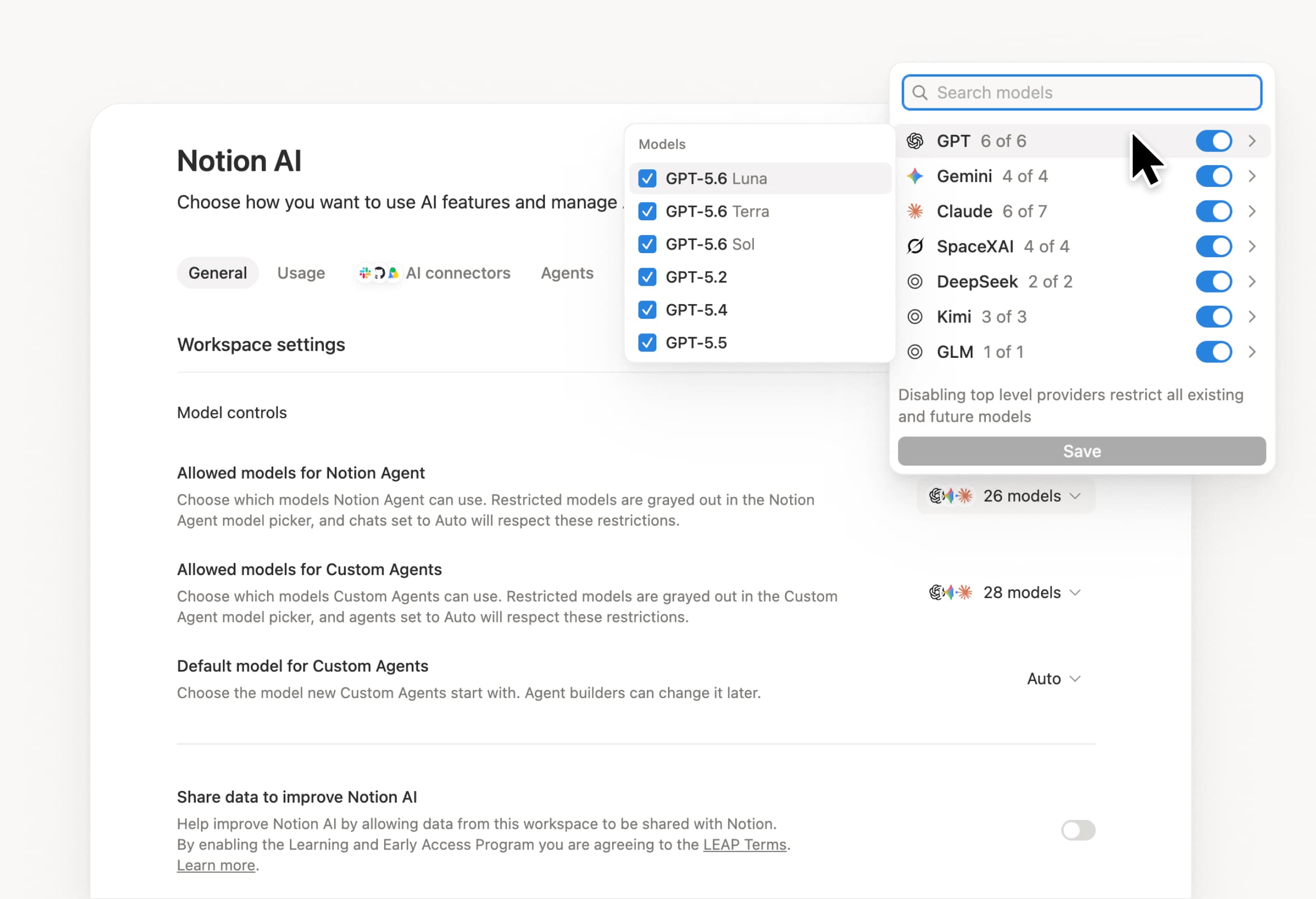
Control which AI models your agents can use

Control which AI models your agents can use

What’s on your team’s model roster? That’s up to you. With model controls, workspace owners can choose which AI models are available in Notion Agent and Custom Agents separately, and set a default model for Custom Agents. Keep costs predictable and support your compliance needs while your teams continue building. Available on Business and Enterprise plans.

Get started at Settings → Notion AI → General → Model controls.

Ask your agent to suggest edits

Your agents can now propose changes instead of making them directly. Ask your agent to suggest edits, then move top to bottom to approve each one. It’s great when you need line-level changes, like a pass for grammar.

Get started by asking your agent to “suggest edits.”

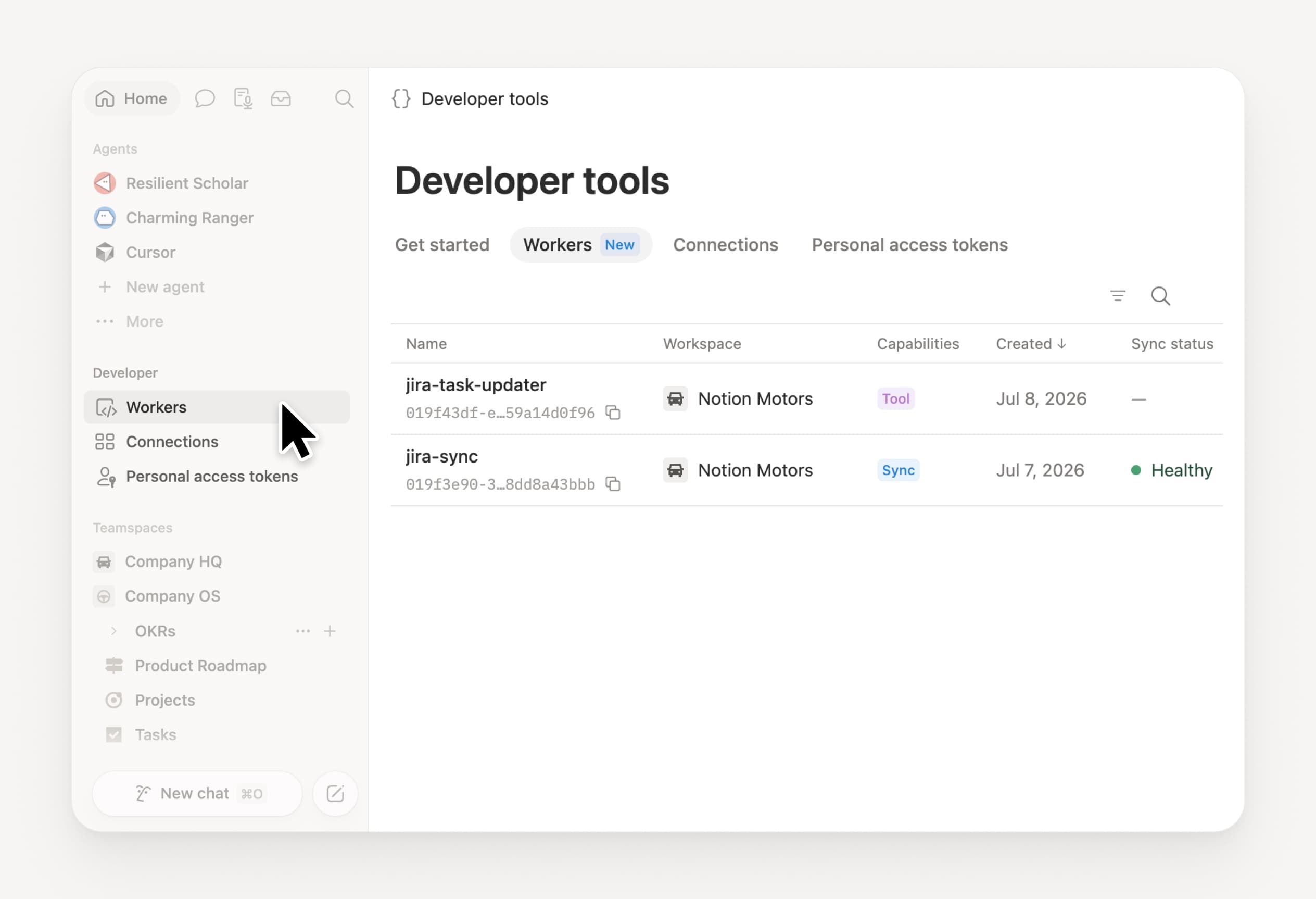
Your Developer Portal, now in the sidebar

Manage your Workers, connections, and personal access tokens from the new Developer section of your Notion workspace. See an overview of deployed Workers and logs behind every run.

Developer sidebar section

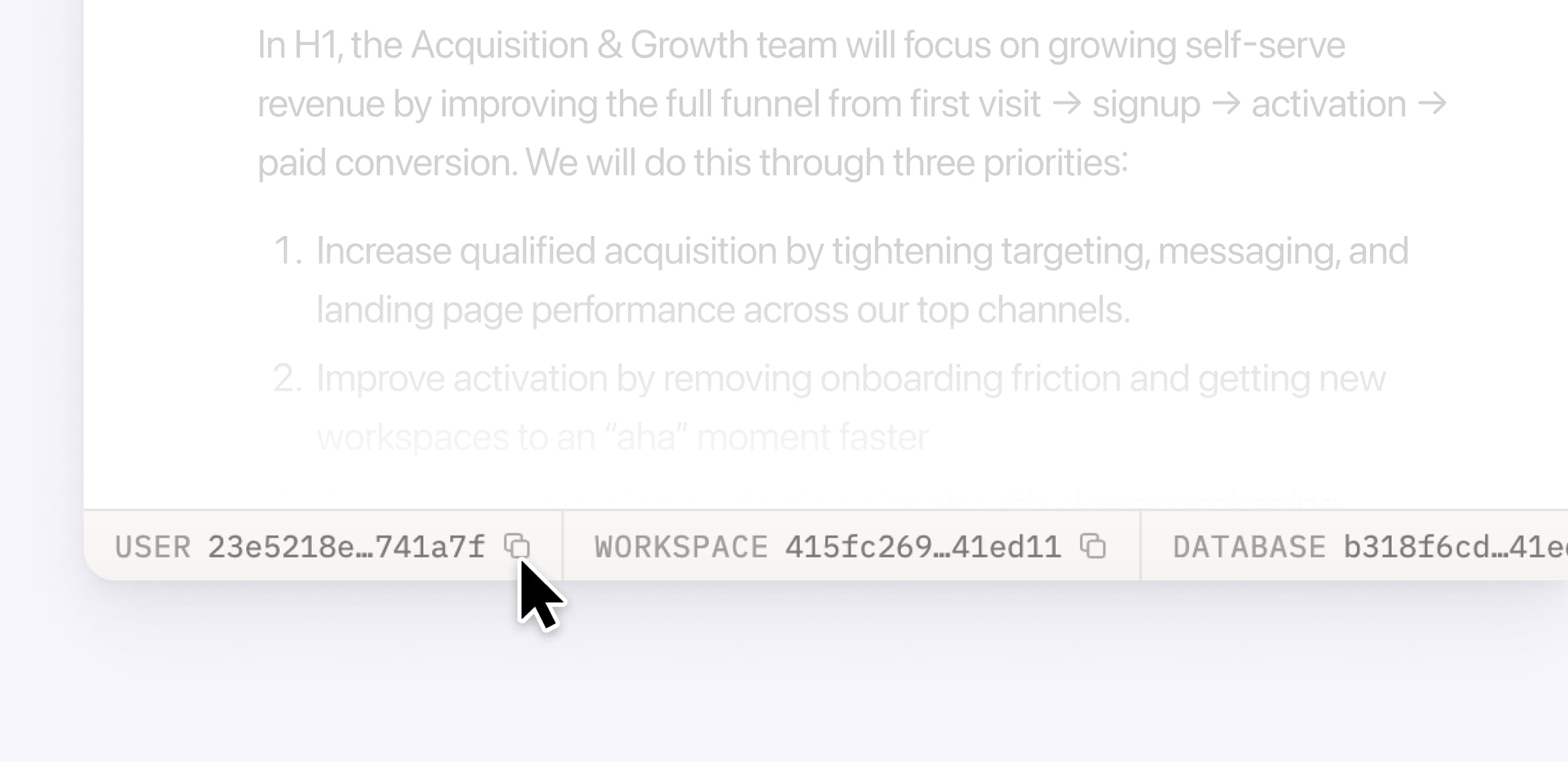
Plus, the new developer bar makes it easy for anyone building with the API to find IDs for the page, database, block, workspace, or user. Copy any one of them, or the full API object, in one click.

Developer bar

Get started from Settings → Developer → Enable developer features. Go there now →

Model selection, simplified

No more guessing which model to use.

The model picker now leads with a shortlist of models made for your hardest tasks, and every model has a scorecard to compare speed, intelligence, and cost. Pin your favorites for easy access and dial up the effort when you need a more thorough answer.

AI Meeting Notes can now trigger Custom Agents

Custom Agents can now run right after an AI Meeting Note is finished. No more need to manually update status trackers, post recaps to the project channel, or file tickets by hand.

Here’s a few of our favorite post-meeting workflows:

  • Update your project tracker with the latest status

  • Post a recap to Slack or email with decisions and next steps

  • Turn feedback into tickets for your engineering team

To get started, open your Custom Agent’s settings, add the Meeting note summarized trigger, and choose which meetings kick it off. After your next call, your agent will get to work.

High contrast mode

Accessibility win! High contrast mode is a new display option that makes text, icons, and borders easier to read.

Try it by going to Settings > Preferences > Appearance. Available on desktop and web.

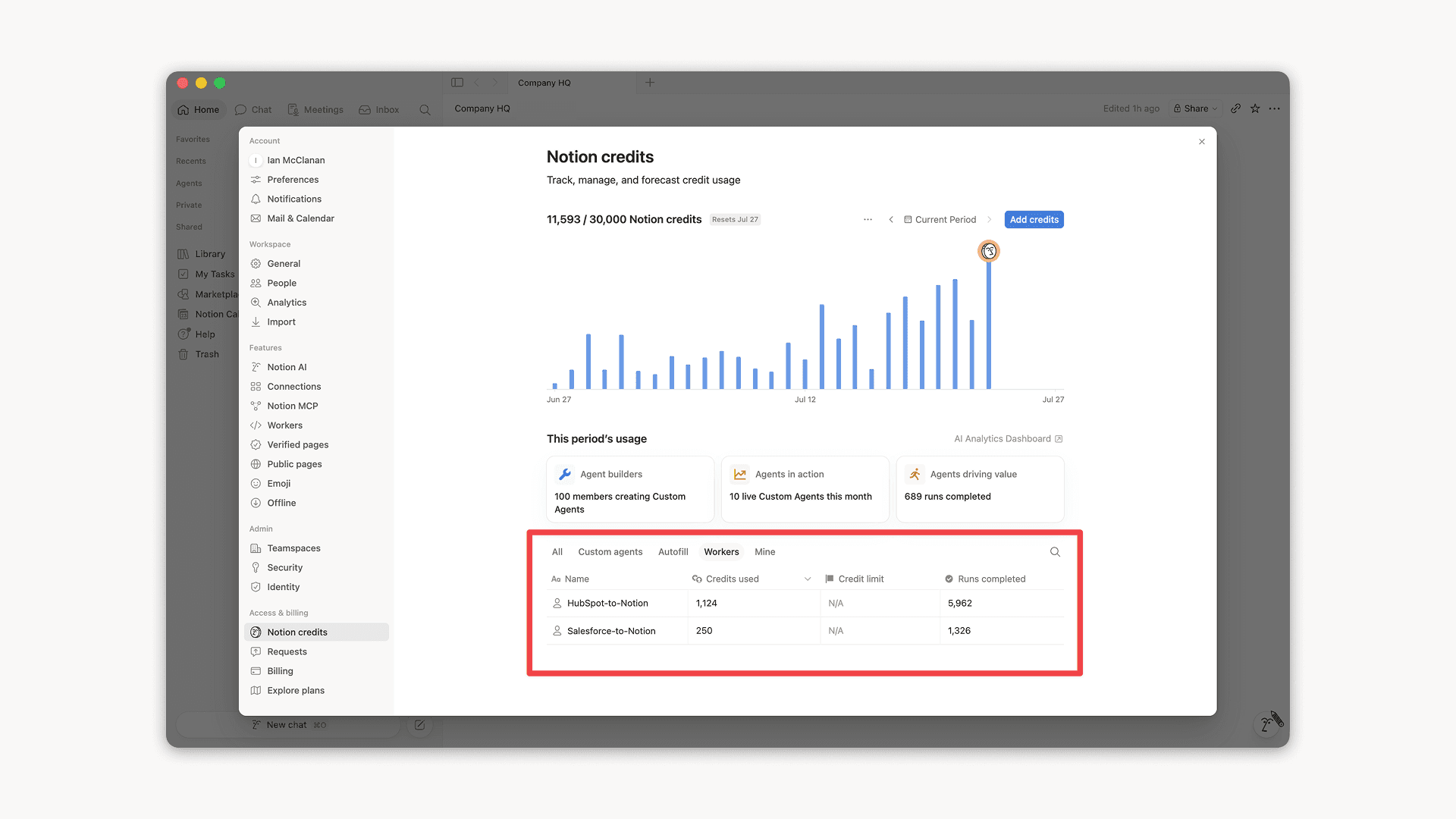
Workers, now in your Notion credits dashboard

Workers in the credits dashboard

Notion Workers run custom code on Notion's infrastructure to sync data, power tools for Custom Agents, and trigger webhook automations.

Now you can track your Workers’ usage in the credits dashboard, alongside your other spend.

Workers are free to try during the beta on Business and Enterprise plans (including Business trials). Usage is now visible in the dashboard to help your team size credits before the beta ends.

Learn more about the Notion Workers beta and pricing in our Help Center →

Powered by Fruition