Novidades

Acompanhe os últimos lançamentos, melhorias e correções.

Siga @NotionHQ
3.8

Notion 3.8: Contexto para seus agentes
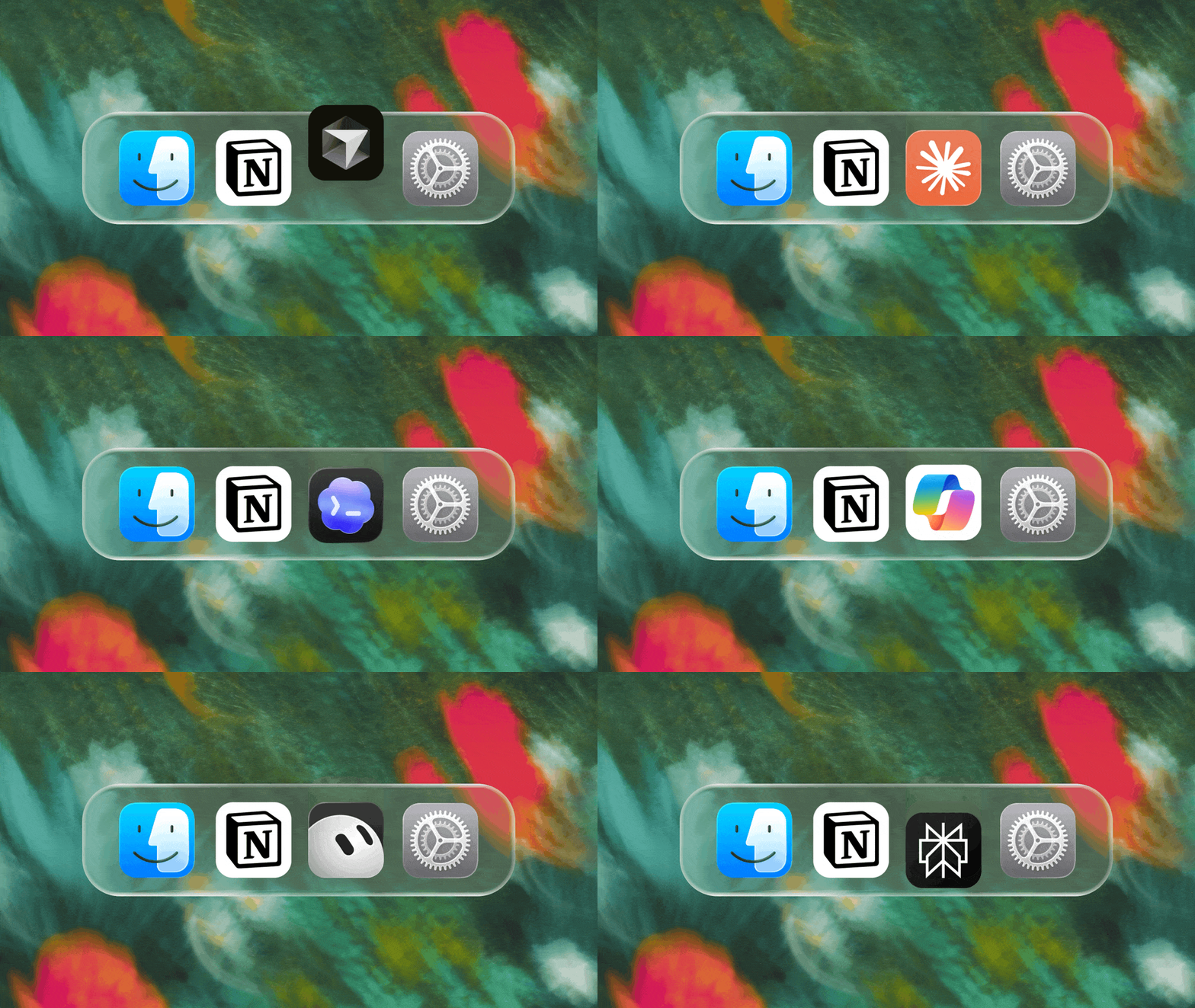
Context for your agents

Seus agentes e equipes operam com base em contexto. Se você trocar de agente, adicionar uma nova ferramenta ou receber um novo colega de equipe, você não deveria ter que explicar tudo de novo. Com o Notion, existe um lugar duradouro e compartilhado para lembrar de tudo que é importante.

Esta atualização é toda sobre contexto. Conectando dados, ferramentas e habilidades para que você esteja livre para usar qualquer agente ou modelo.

Com tantas coisas mudando o tempo todo, seu contexto pode ficar no Notion.

Conecte seus agentes ao Notion com MCP
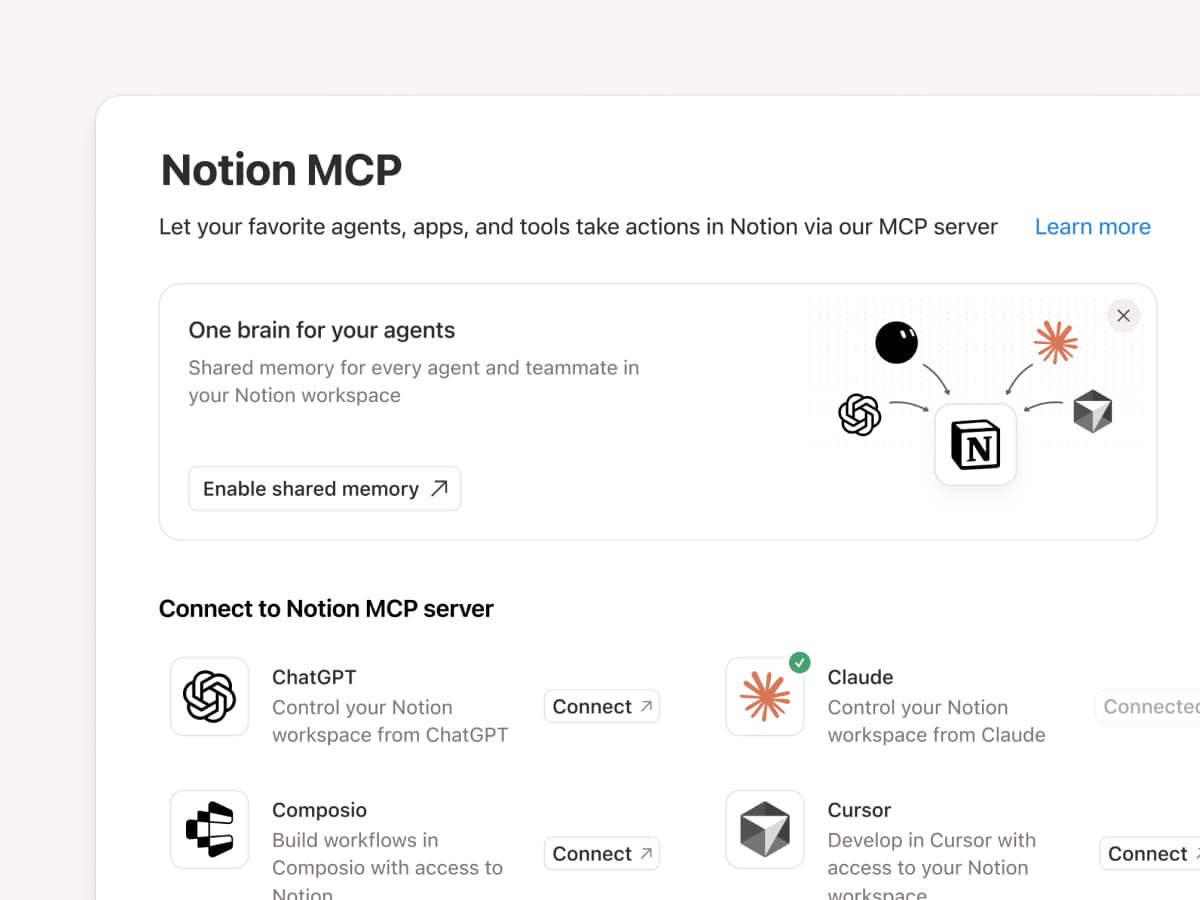
Conecte um agente compatível com MCP ao Notion para que ele possa ler o contexto do seu espaço de trabalho e atualizar documentos e rastreadores de tarefas. Se você usa Claudes, Muses, GrokBots, Dots ou outro agente, o Notion oferece a eles um lugar compartilhado para encontrar o que precisam, para que você possa trocar de agente sem começar do zero. Configure um agente com o Notion →

E com os controles de MCP do Notion, os administradores podem ver quem conectou cada ferramenta de IA, verificar quando ela foi usada pela última vez e revogar o acesso de uma pessoa sem afetar outras conexões. Configure os controles de MCP →

Conecte seus agentes do Notion a mais de 150 ferramentas com MCP
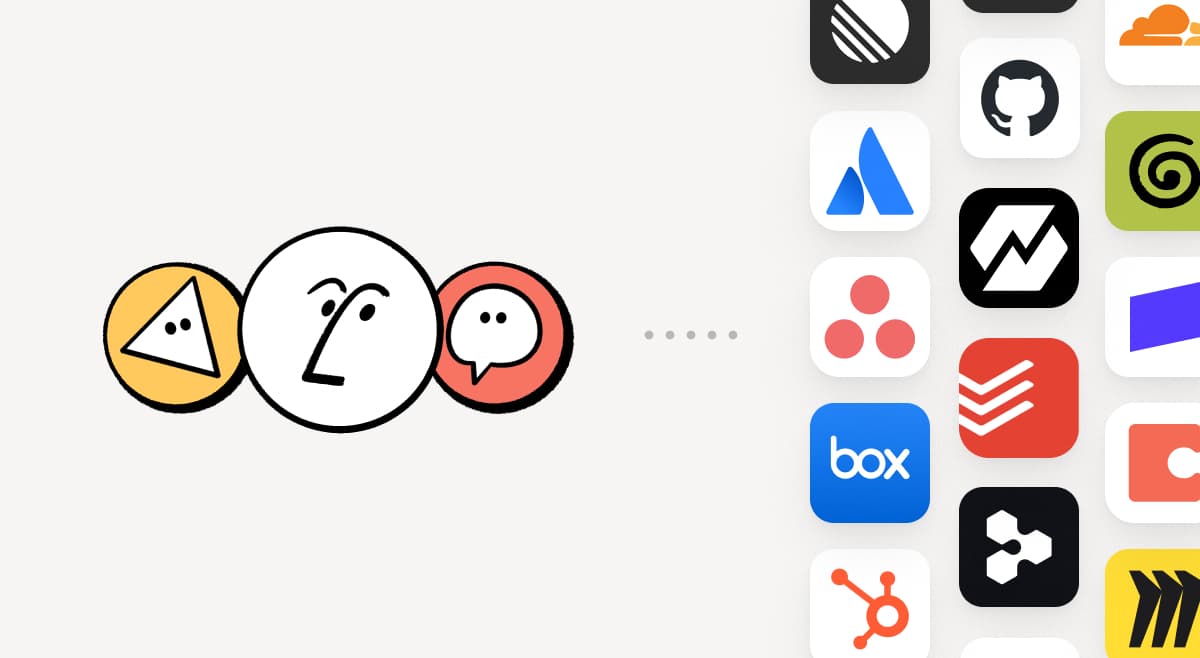
MCP

Traga as ferramentas que sua equipe já usa para o Notion. As conexões MCP permitem que o Agente do Notion e os Agentes Personalizados utilizem o contexto dessas ferramentas e executem ações em todas elas. Crie um resumo de conta no Notion usando dados do pipeline do HubSpot, adicione detalhes de faturamento do Stripe a uma análise de integridade do cliente ou traga detalhes de infraestrutura do Cloudflare para um post-mortem. E isso é apenas o começo. Navegue por mais de 150 conexões MCP →

Escreva uma habilidade uma vez. Use-a em todos os agentes.
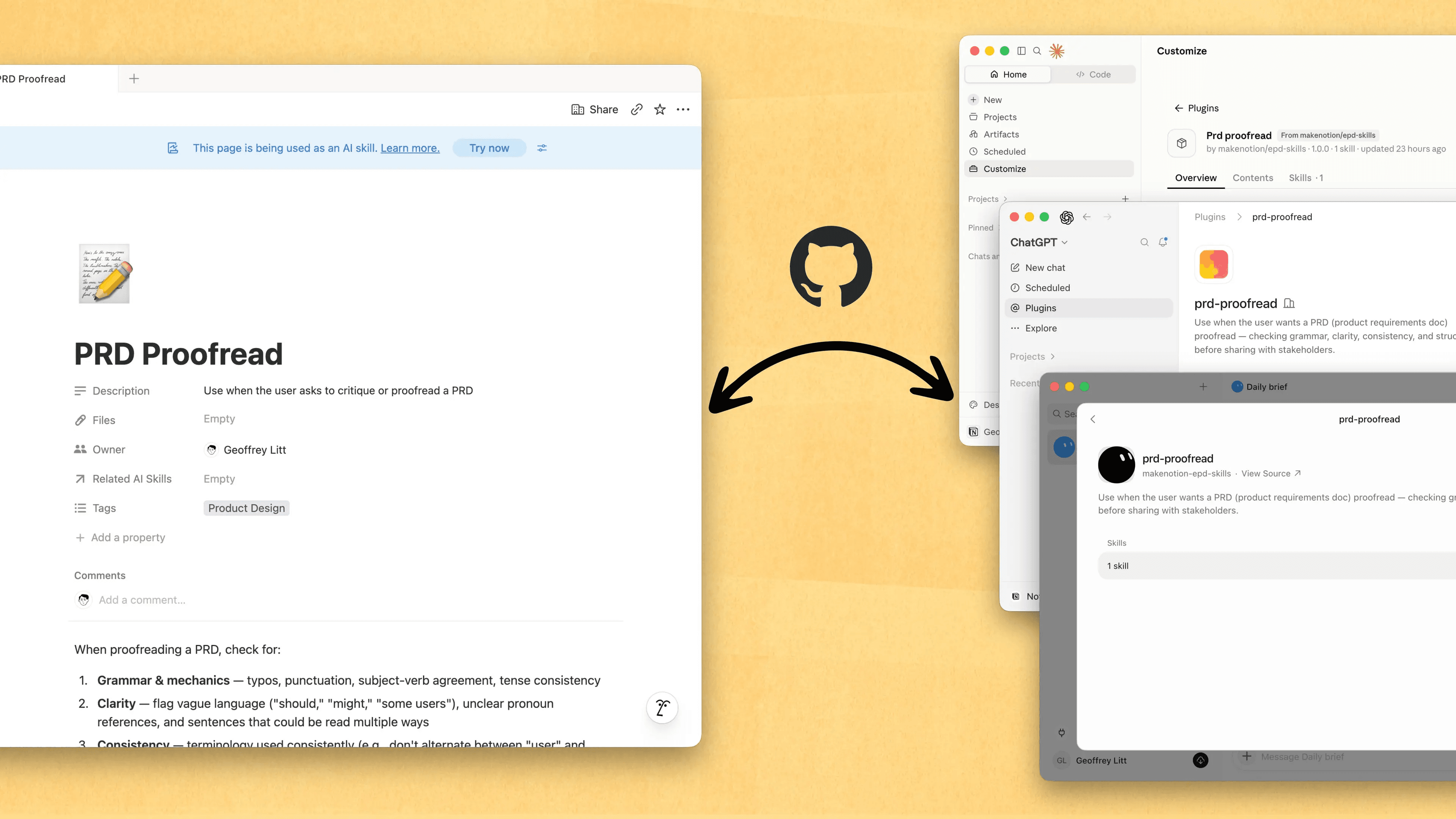
Write a skill once. Use it with every agent.

Habilidades são a melhor maneira de ensinar aos agentes como você trabalha... e não apenas para engenheiros. Agora, o Notion é o melhor lugar para criá-las, compartilhá-las e mantê-las atualizadas. Sincronize suas Habilidades no ChatGPT, Claude e outros com a nova API de Habilidades, que carrega Habilidades do Notion para o GitHub.

Já tem habilidades para seus agentes? Peça ao seu agente para recriá-las no Notion com MCP e continue criando sua biblioteca lá. Aqui está uma demonstração rápida e aqui estão os documentos para saber mais.

Veja todas as alterações feitas por cada pessoa e agente
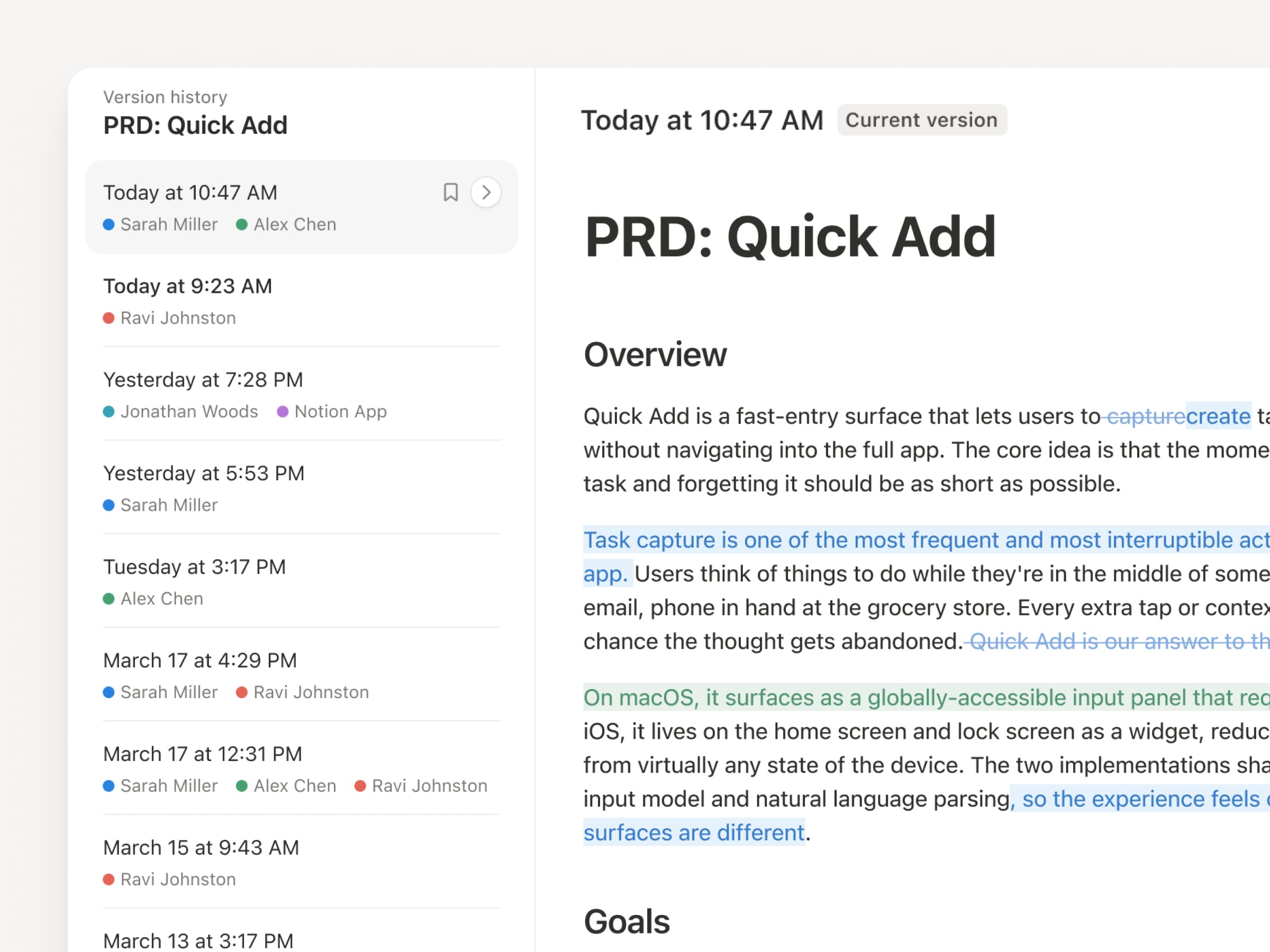
Com agentes e pessoas constantemente fazendo atualizações, o histórico da versão nunca foi tão importante. Por isso, fizemos um upgrade no nosso! Agora, você terá um registro mais claro de todas as páginas e bases de dados, com as edições destacadas, atribuições e alterações na base de dados detalhadas. Deixe seus agentes trabalharem e mantenha as alterações deles visíveis e seguras. Revise o que foi alterado, veja quem alterou e restaure versões anteriores com um clique rápido. Saiba mais →

Não pague duas vezes. Use seu plano do ChatGPT no Notion.
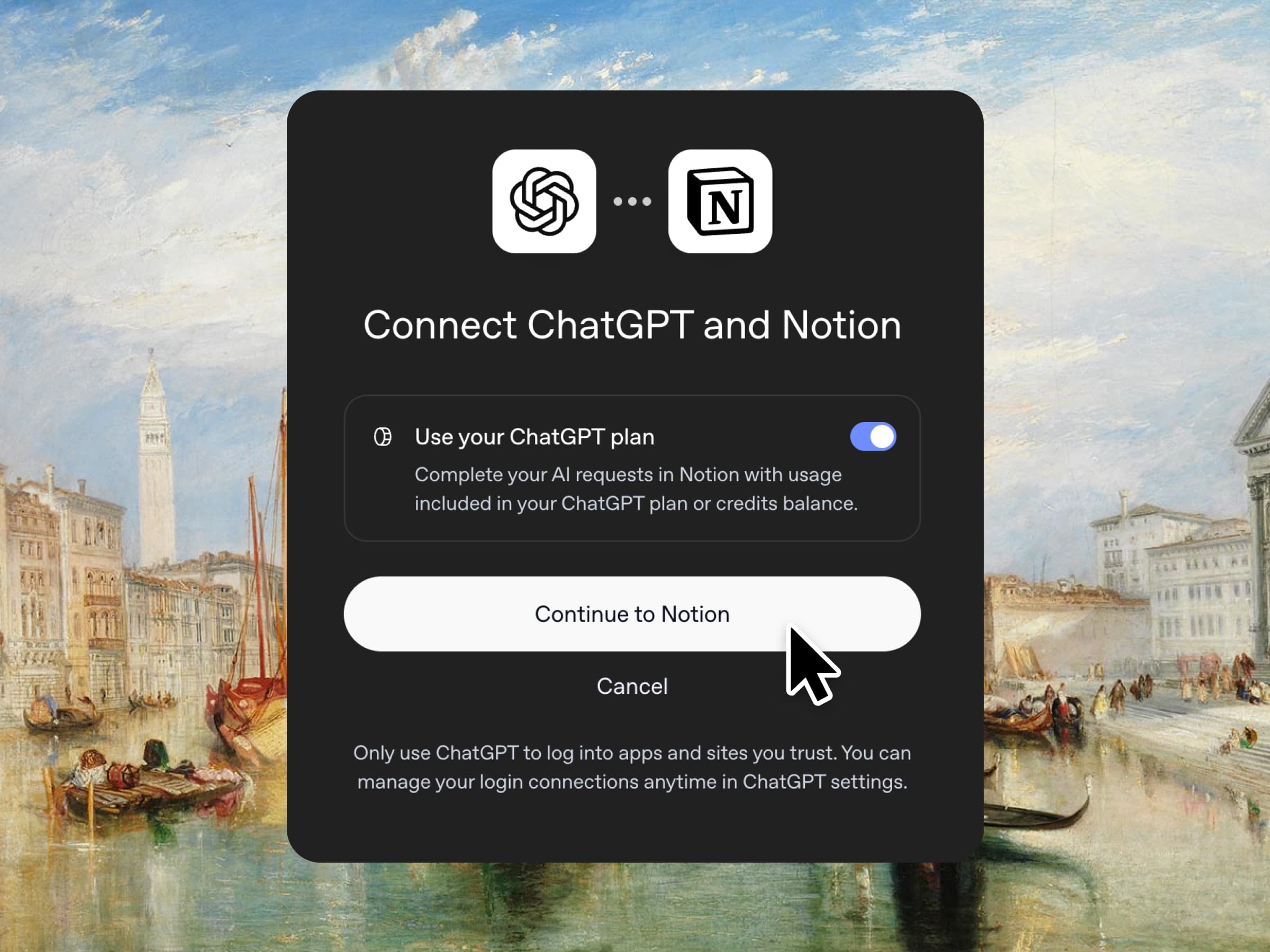
Sim, você leu certo. Se você tem o ChatGPT Plus ou Pro, sua assinatura agora pode cobrir seu uso de IA no Notion. Basta conectar seu plano, escolher um modelo GPT e começar. Nós não adicionamos margem de lucro. Só queremos que você tenha as melhores ferramentas para o trabalho, pelo melhor preço. Disponível para os planos Business e Enterprise. Confira uma demonstração rápida e a documentação.

Autorizações por coluna nas bases de dados
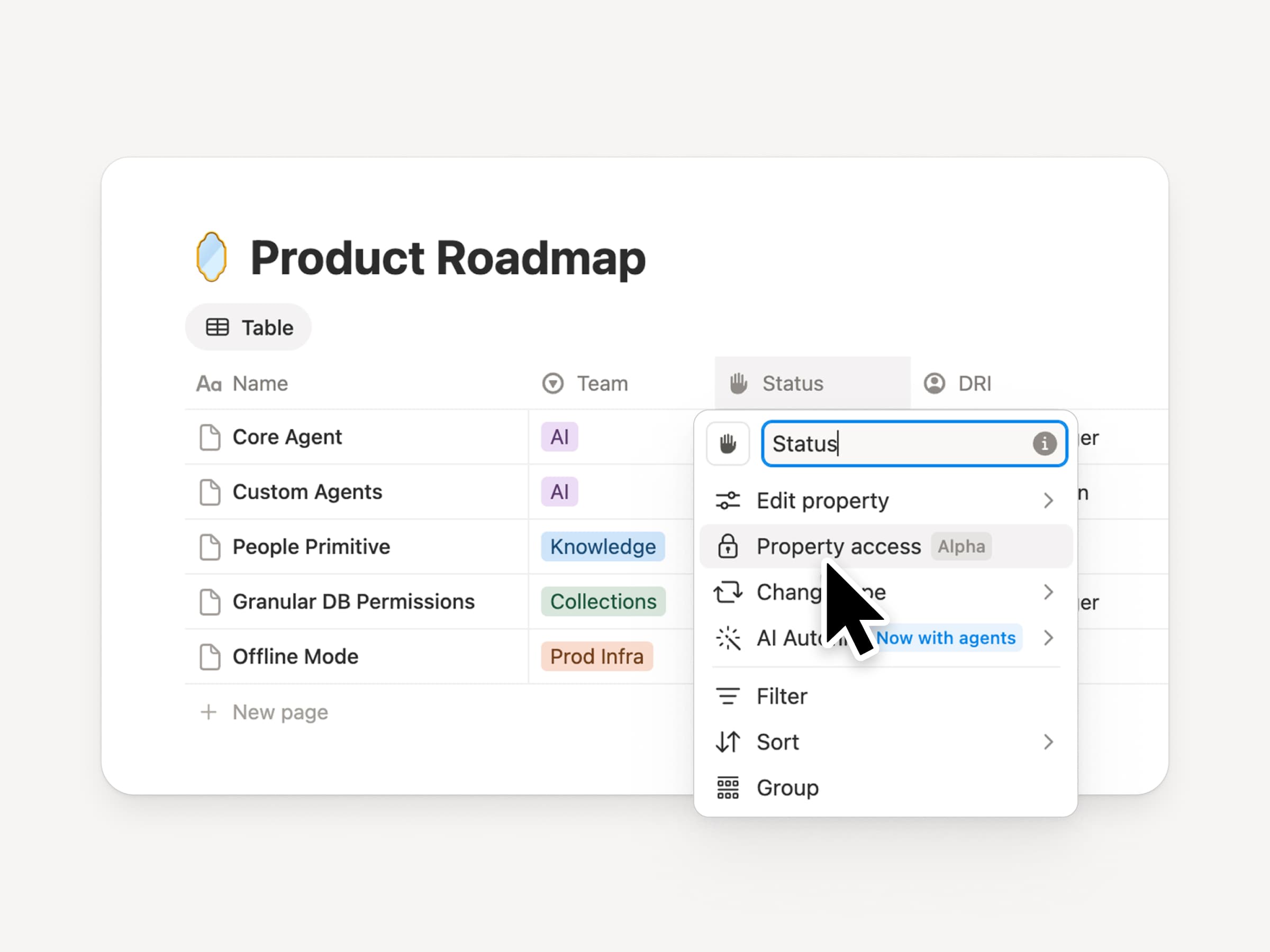
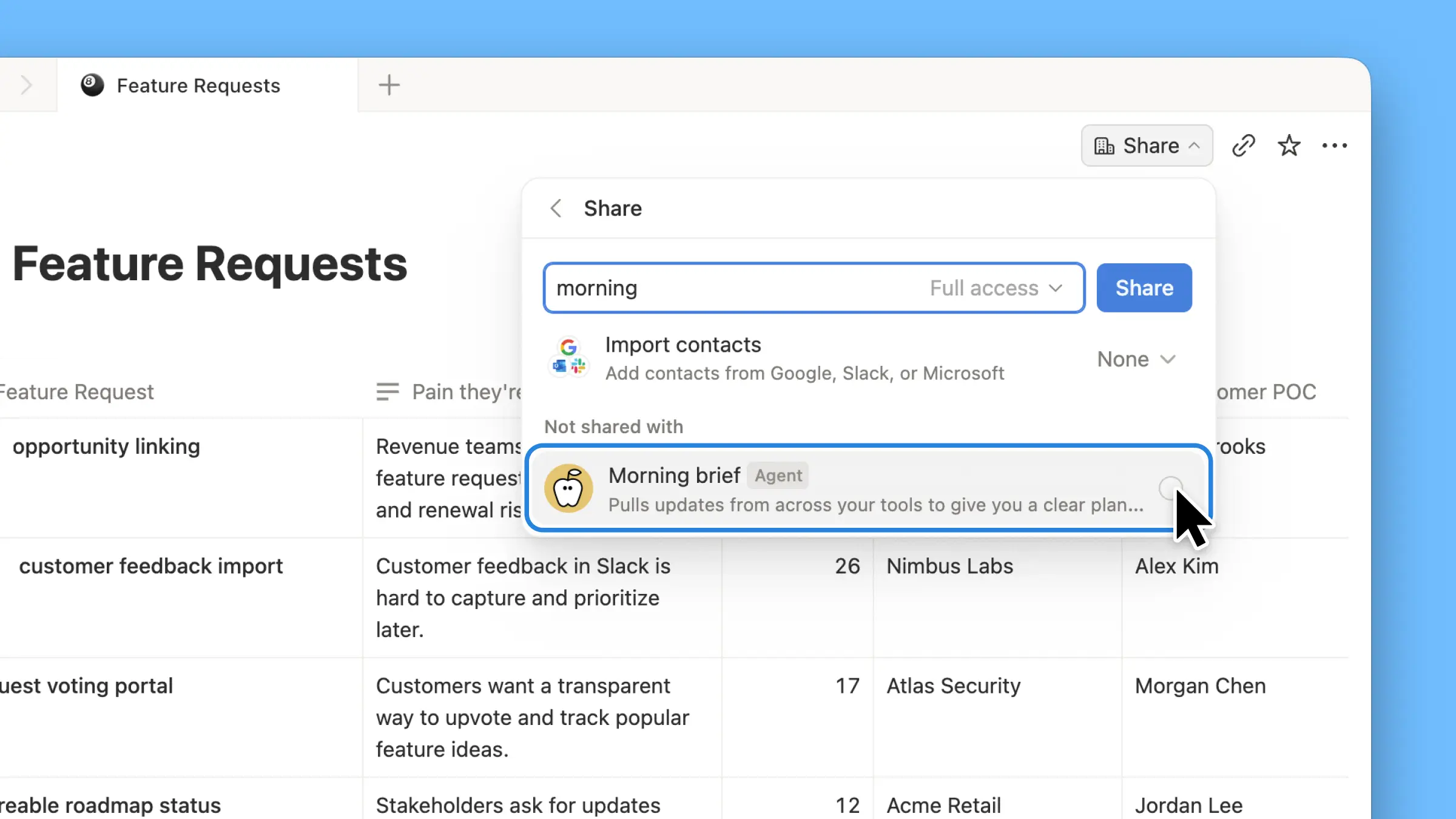
As bases de dados do Notion oferecem às equipes e aos agentes uma fonte de contexto compartilhada e atualizada. Porém, tanto as equipes quanto os agentes precisam do nível adequado de acesso. Autorizações por coluna foram um recurso muito solicitado por anos (dedicamos um tempo para fazer isso da maneira certa). Elas permitem que os proprietários de bases de dados controlem quais propriedades cada pessoa ou agente pode visualizar ou editar. Equipes de recrutamento podem colaborar no processo de candidatos sem expor a remuneração. Agentes de suporte podem usar o contexto da conta sem ver dados restritos de clientes. Assista ao trailer de um de seus criadores!

Reapresentando as bases de dados sincronizadas
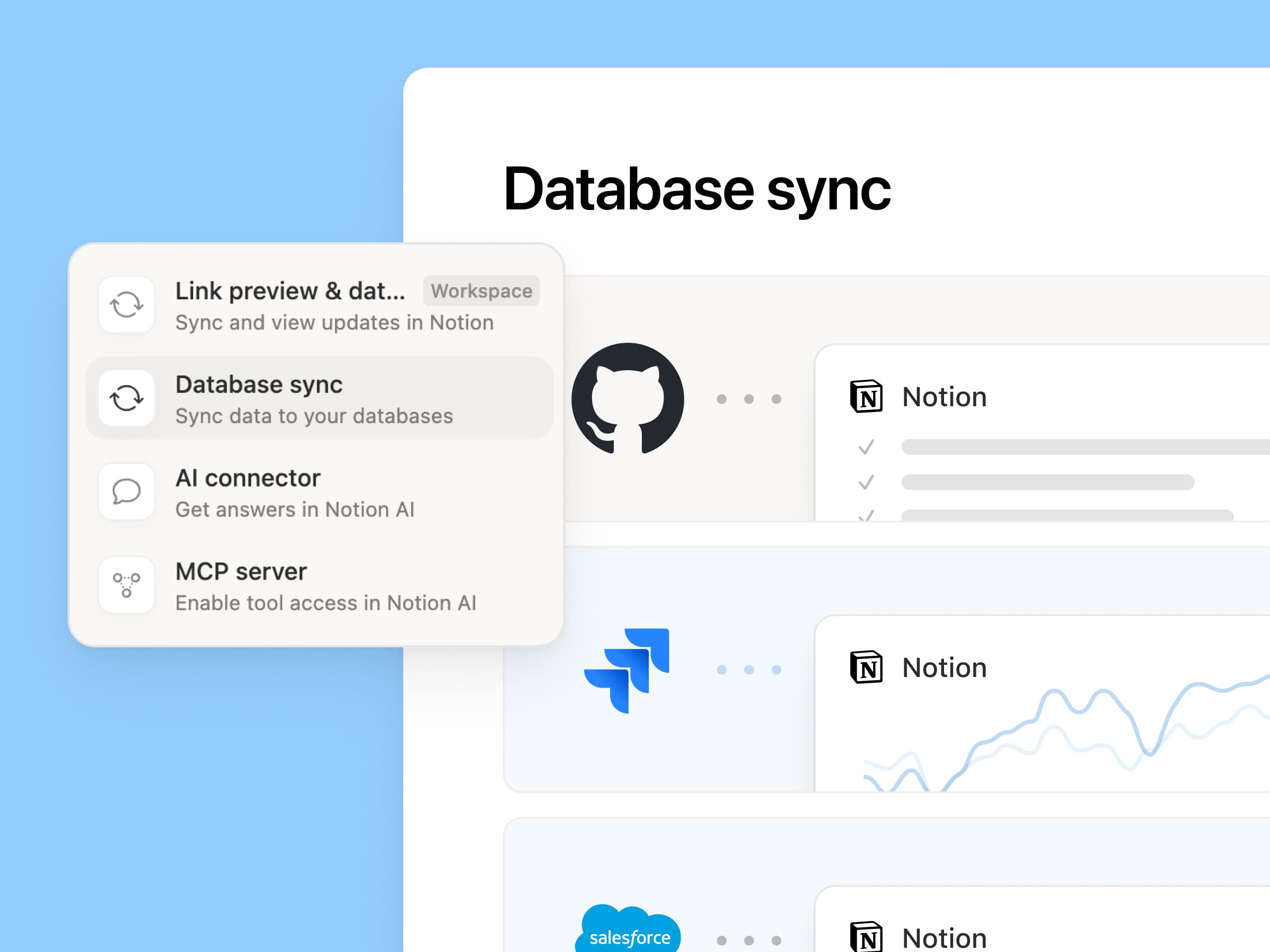
Reintroducing synced databases

Reconstruímos nossas bases de dados sincronizadas, começando com GitHub, Jira e Salesforce, para que suas equipes e agentes sempre trabalhem com os dados mais recentes. Elas estão mais rápidas, mais confiáveis e mostram um status de integridade em tempo real para cada sincronização. Elas funcionam como qualquer outra base de dados do Notion: você pode adicionar suas próprias propriedades, criar visualizações e acionar gatilhos de automação. No Notion, criamos centros de conhecimento dos clientes sincronizando contas do Salesforce e vinculando a anotações de reunião e solicitações de recursos, para que cada equipe trabalhe a partir da mesma visão atual de cada cliente. Saiba mais →

Nova semana, novos modelos
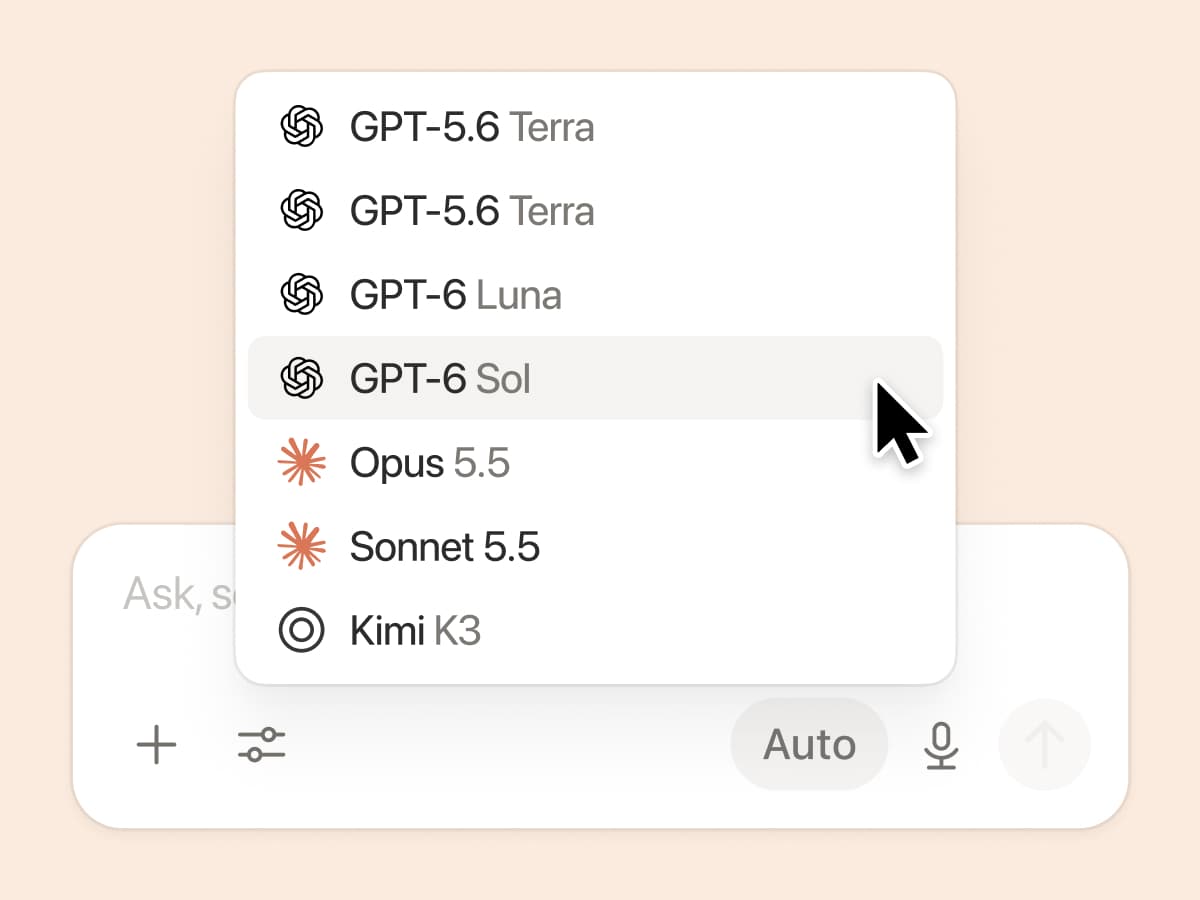
New week, new models

Os Labs estão a todo vapor! Sete novos modelos adicionados, incluindo GPT 6.1-Sol, GPT-6 Luna, Opus 5.5 e Sonnet 5.5. Use qualquer um deles sabendo que todos estarão a par das últimas novidades sobre o trabalho da sua equipe.

E, caso você não tenha ficado sabendo, estamos avaliando como os modelos se saem em uma variedade de tarefas de trabalho intelectual, usando tráfego real anonimizado e avaliado pelos modelos. Confira nosso Quadro de Conhecimento →

Mais maneiras de conectar e gerenciar o contexto

  • Configurações de Conexões reprojetadas: Use a Busca ou navegue por categoria, veja como cada ferramenta se conecta e visualize exemplos de fluxos de trabalho. Os administradores podem permitir apenas ferramentas verificadas pelo Notion ou ferramentas específicas que eles escolherem.

  • Notificações do Notion no Microsoft Teams: Receba menções, comentários e solicitações de acesso do Notion no Teams e responda sem precisar alternar entre aplicativos.

Mal podemos esperar para ver como o Notion pode ser a espinha dorsal do seu dock.
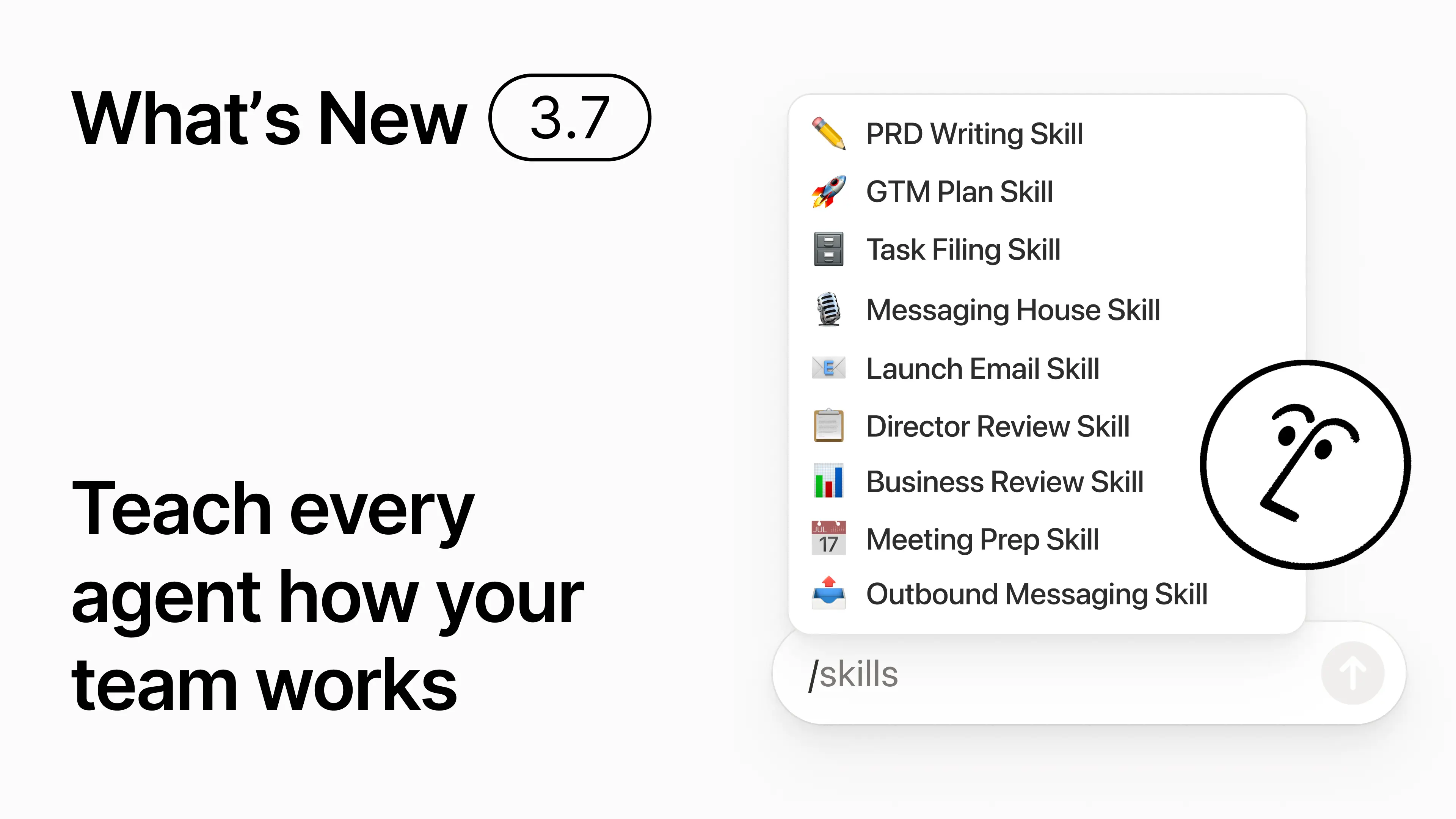
3.7

Notion 3.7: Agent skills for your whole team

What's New 3.7

You know how some people are really good at prompting AI? Or they’ve figured out the best way to handle repetitive work? Now they can turn that know-how into a skill and level up the whole team.

Skills are reusable instructions that teach AI how your team works. Like generating a monthly business review in your team’s format. Or critiquing your doc in the same way your boss would. They’re like team shortcuts for getting repetitive tasks done. Create a skill →

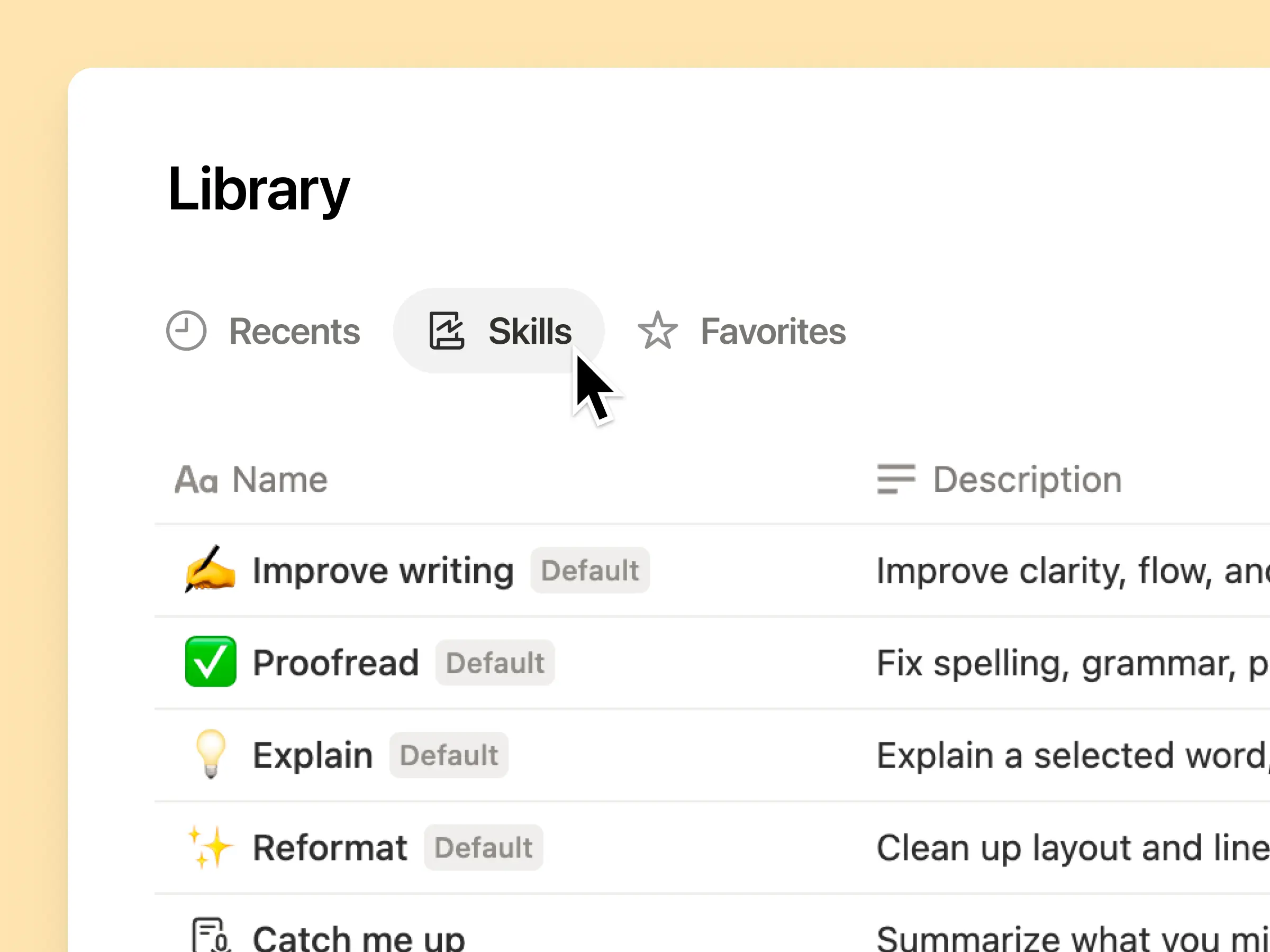
Every AI skill your team needs, in one library

Great prompts tend to live in one person’s head or otherwise disappear into standalone docs and chats. The skills library gives your workspace one hub for all shared skills. Browse the skills library →

Put related skills in a Notion database, then share one skill or the whole database. Each team gets one easy place to find its go-to skills, and everyone stays on the latest version. Learn more →

Write it once, and AI runs it your way

Chat with Notion Agent to create a skill from scratch:

  1. Review this feature proposal using our product, design, and engineering standards.

  2. Create a new-hire setup checklist using our device and app policies.

  3. Draft this job description using our leveling framework and approved language.

Not sure where to start? Notion can also suggest skills based on the work you already do. What skills do I need? →

Run a skill the moment you need it

Run Skill

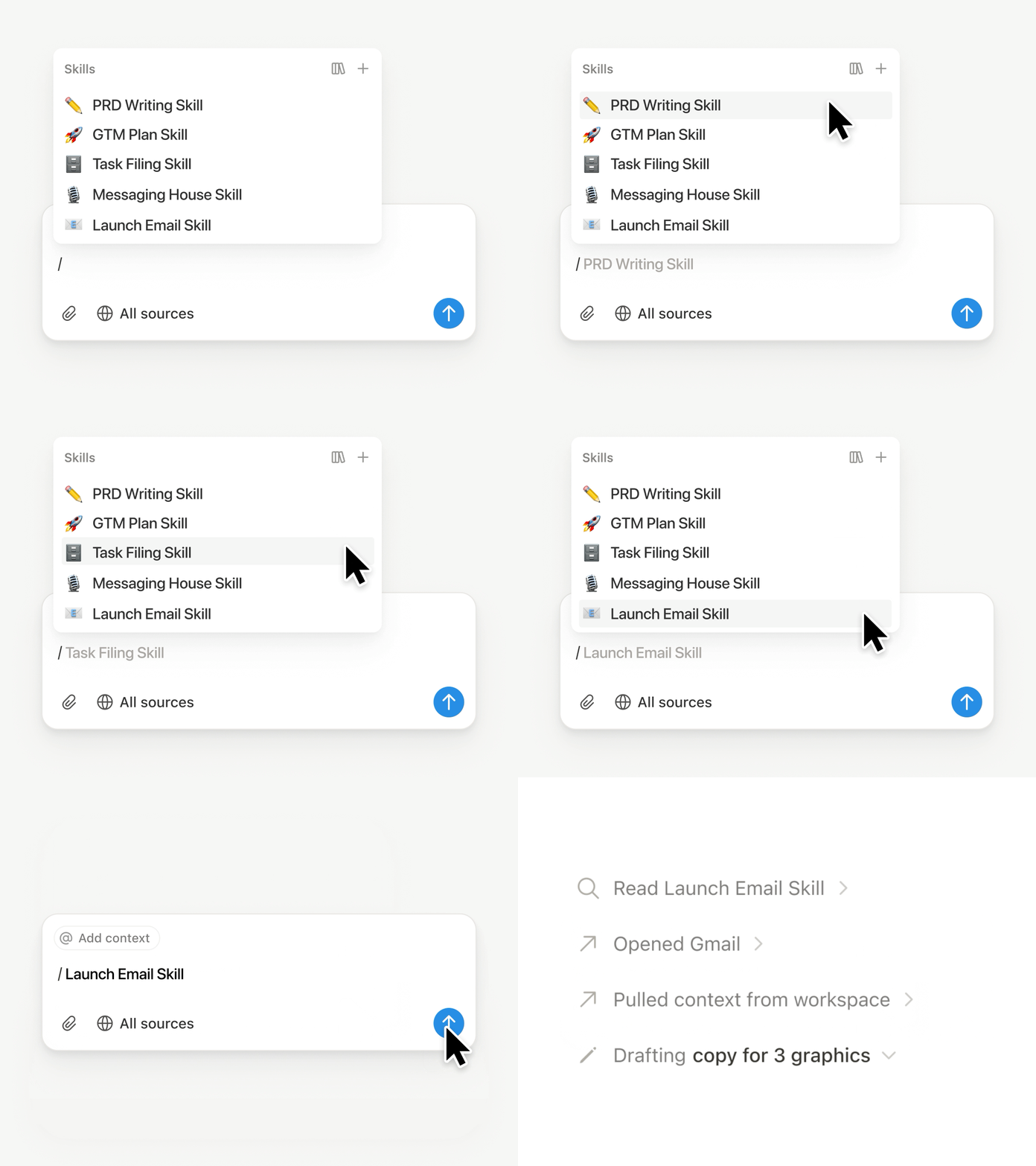
Type / in a Notion Agent chat and choose the skill you want to use. Add any other context, then hit Enter.

Run an Exec-ready skill to turn a draft into a concise executive brief with the takeaway, decisions, risks, and asks. Or turn raw notes into a PRD. You can also set skills to run automatically. Learn more →

Take your team’s skills to Claude Code, Codex, Cursor, and more

Skills to Claude or Codex

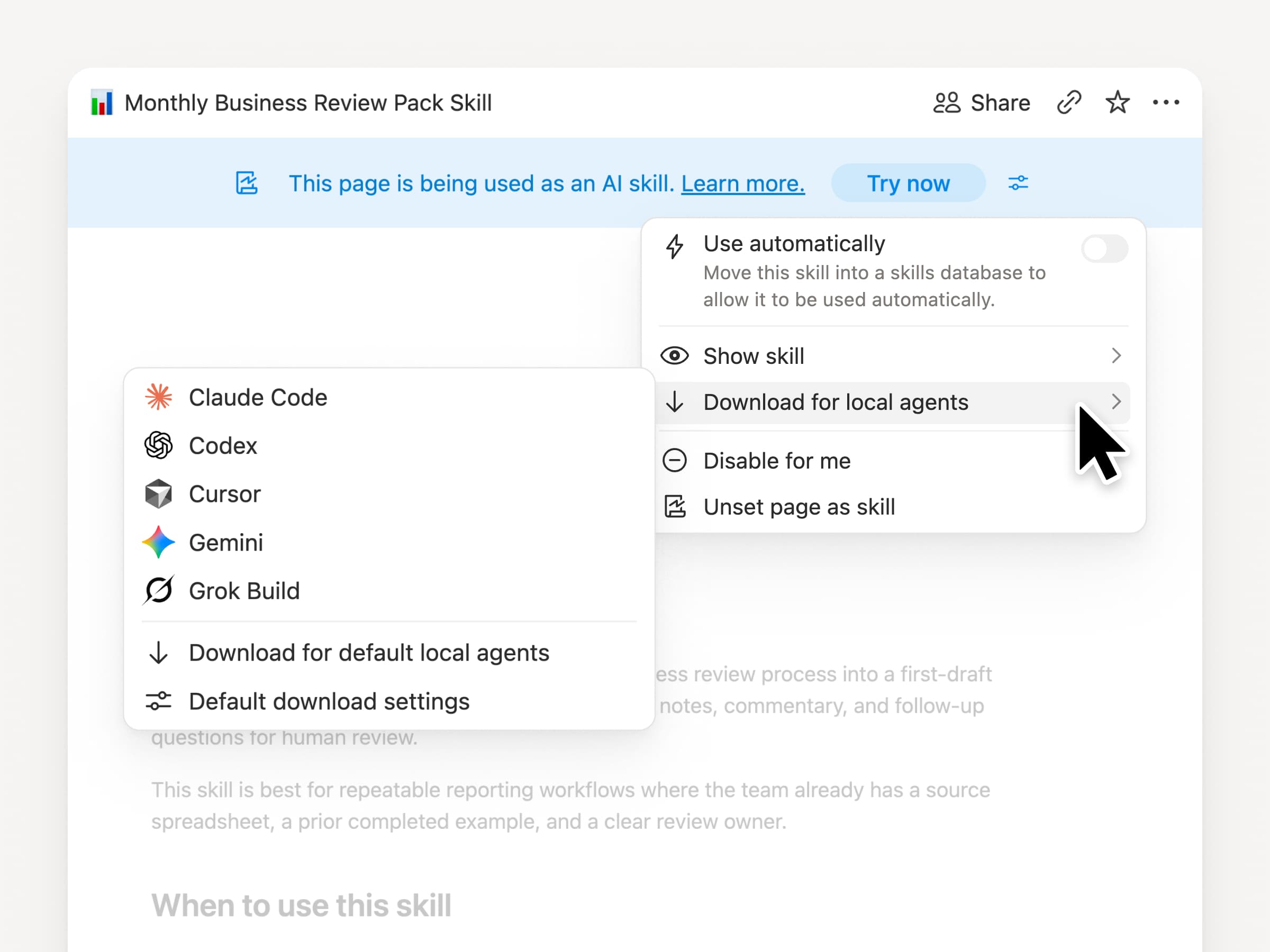
Take your skills with you, no matter what agent you use. Create and update the skill in Notion, then download it to Claude Code, Codex, Cursor, Gemini, or Grok.

Notion writes the skill as a SKILL.md file, along with approved supporting files. When the skill changes in Notion, it gets marked with a badge so you know to grab the latest version. Your team maintains the instructions in one place and your local agents can follow the same process. Learn more →

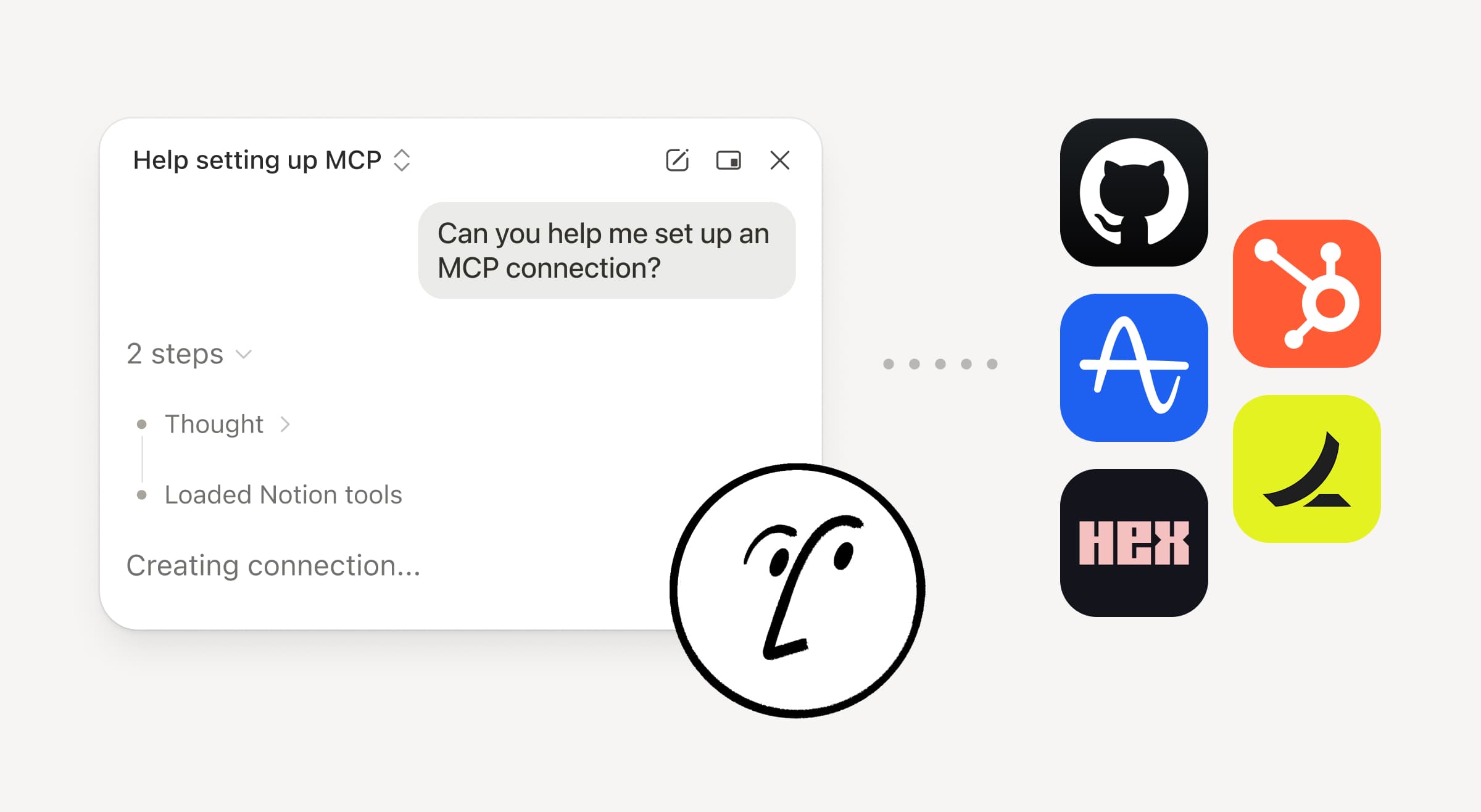
Ask your agent to connect GitHub, Amplitude, and more

Connect more to your agent

Bring more of your work into Notion Agent. Just ask it to connect a tool, and it walks you through the setup. You can now connect GitHub, Amplitude, and other tools with the Custom MCP connection so you can grab context, check performance, or take action in the tools your team already uses. Connect to GitHub →

Confirmations keep you in control, so nothing changes in a connected tool until you approve it. Available in beta on Business and Enterprise plans. Learn more →

On the go? Use the Notion Agents iOS app

Notion Agents App

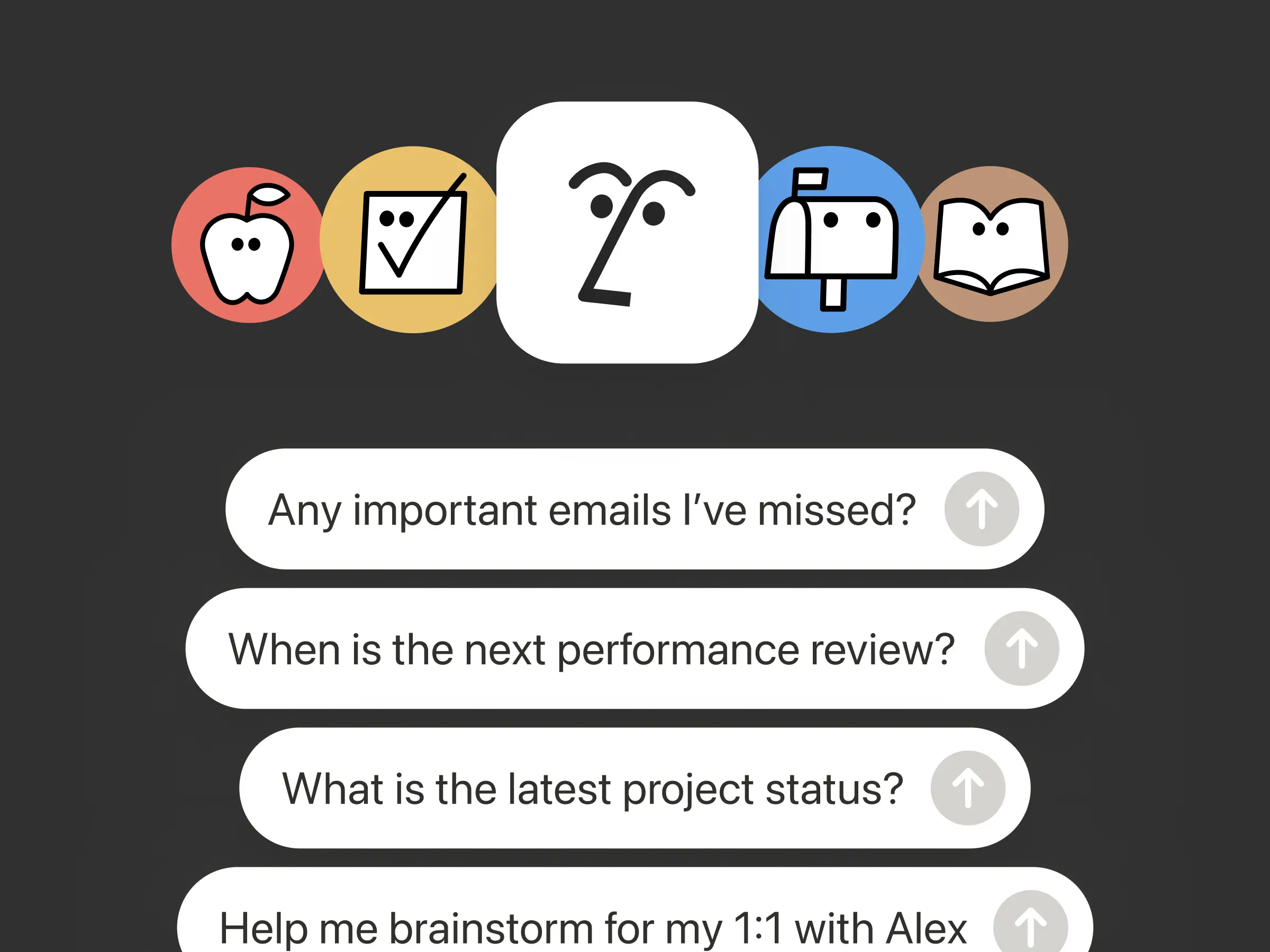
Your best ideas won’t wait until you’re back at your desk. The Notion Agents iOS app puts 1,000 agents in your pocket. Capture ideas and voice and photos, prep for a meeting, or spin up a doc when you’re on the move. Give an agent a task and it gets it done before you’re back at your laptop.

Have your Custom Agent call sub-agents

Sub Agents

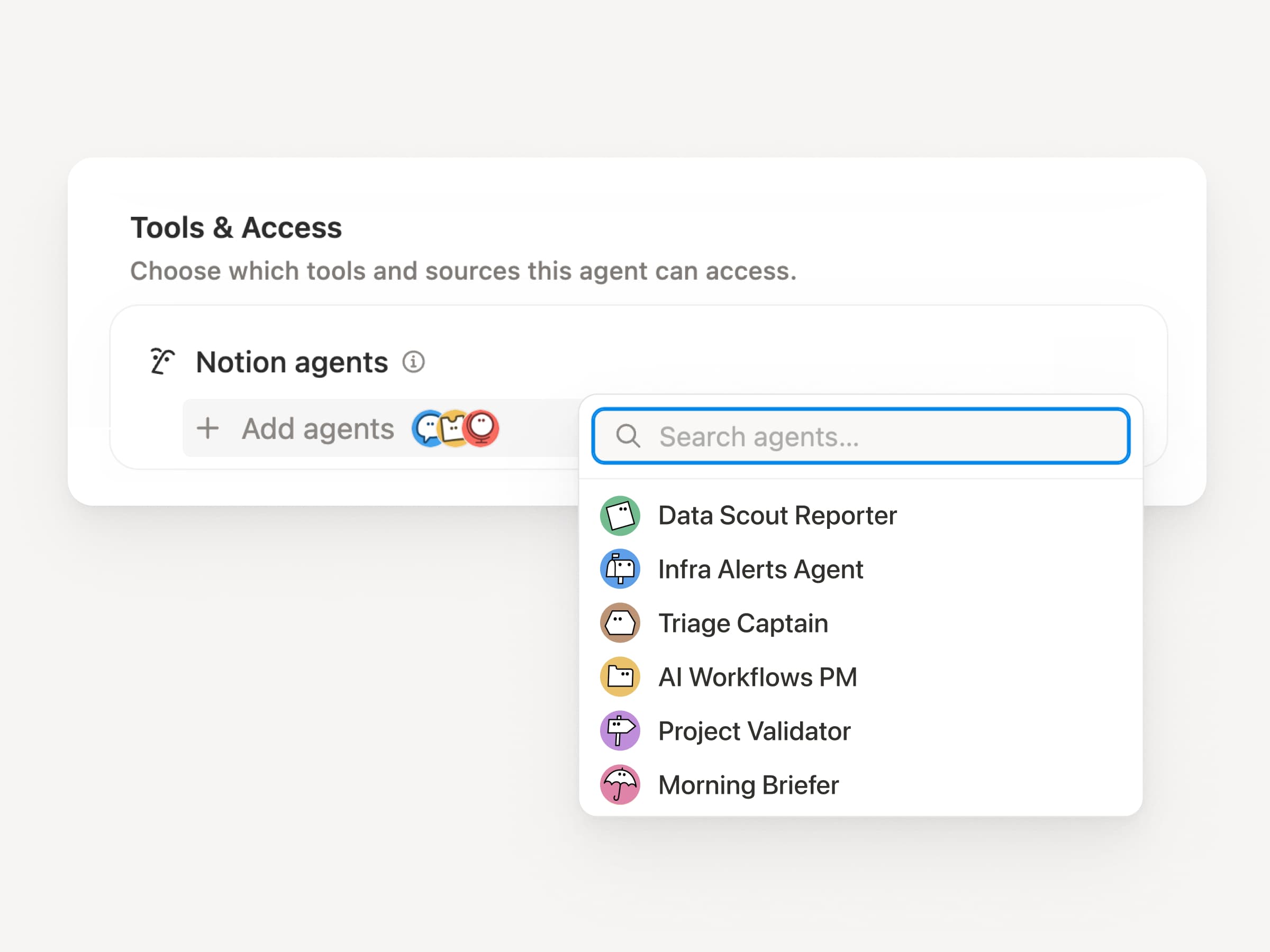
Big workflows are rarely one job. Now a Custom Agent can call other Custom Agents as sub-agents, each with its own instructions, context, access, and model. Learn more →

A Mobile App PM agent can send bug reports to a triage agent and metrics questions to a reporting agent, then bring the answers back into one Slack update. The primary agent decides when to delegate and uses each response to finish the original work. Remote runs its IT help desk on five agents this way and saves $500k a year.

Custom Agents can do the post-meeting work for you

Meeting Recap Agent

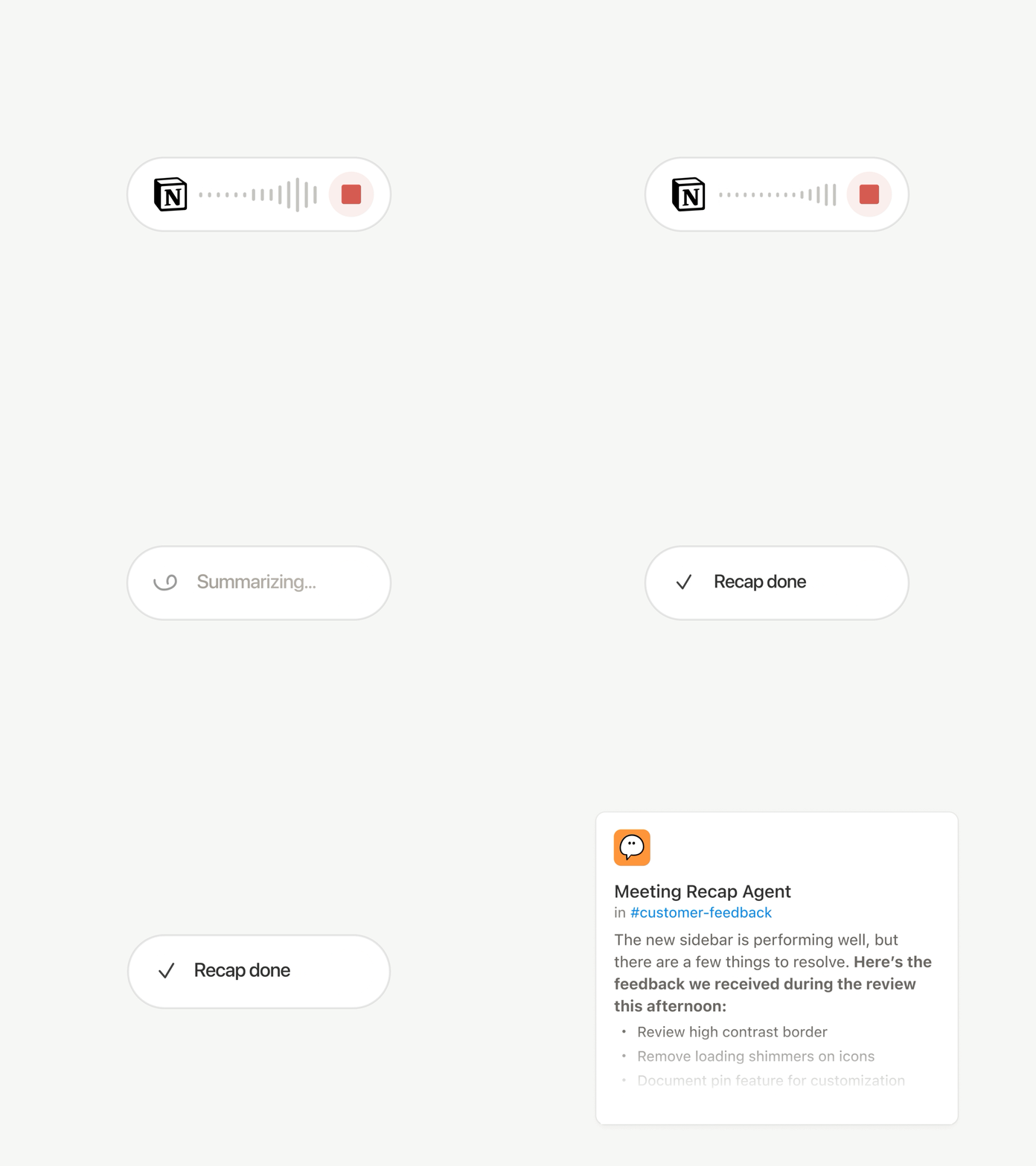
Every call ends with the same chores: Write the recap, file the action items, ping the people who weren’t there. Now Custom Agents can handle post-meeting work automatically.

Choose which meetings matter, then let a Custom Agent pick up the work as soon as each summary is ready. It gets the transcript and summary, so it can write the status update, file the action items, or send customer feedback to the right database. Available on Business and Enterprise plans. Learn more →

Browse every model, and see which is best for the job

Latest Models

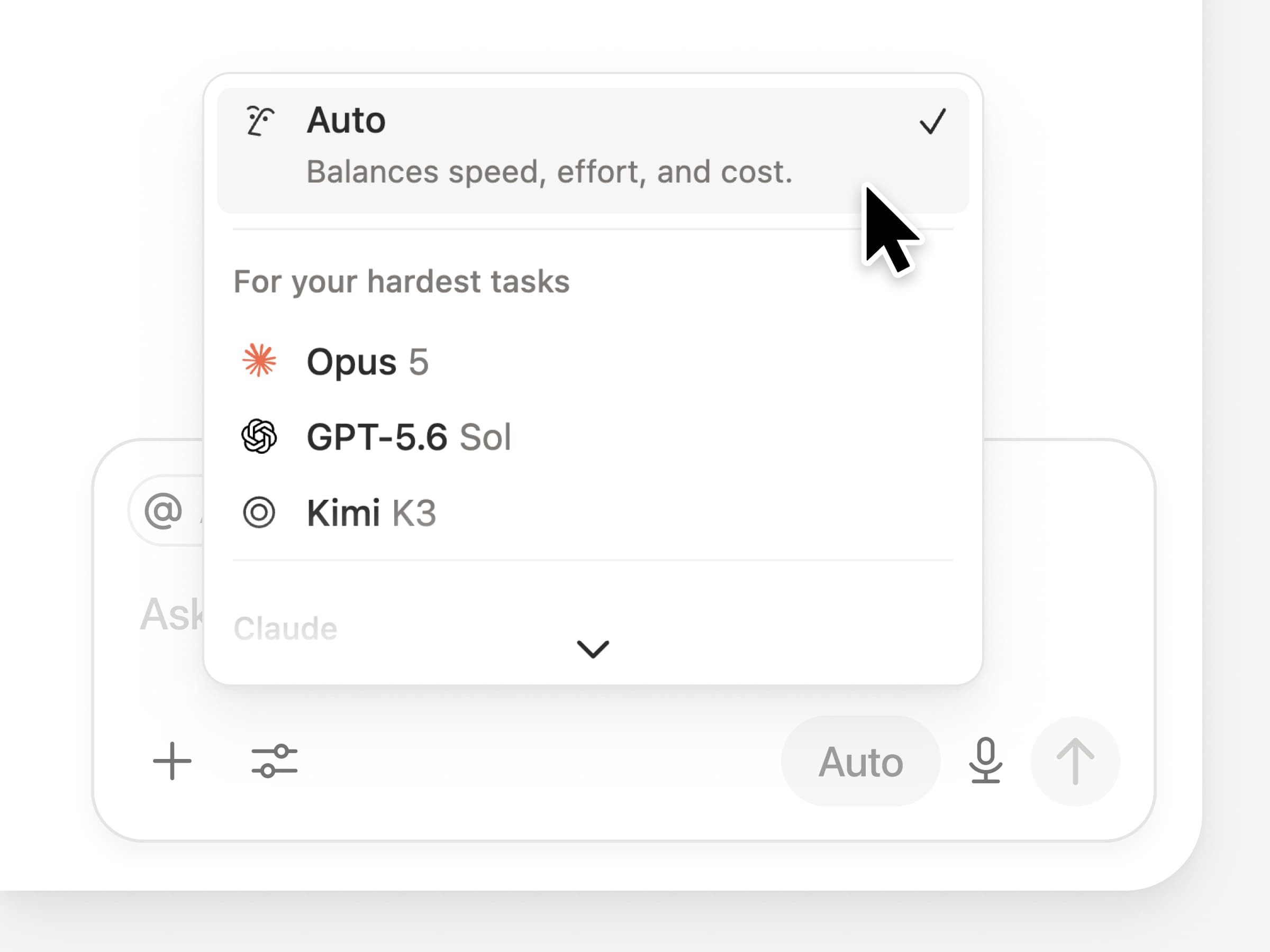
You get access to all the latest frontier models in Notion, including Opus 5, GPT-5.6 Sol, and Kimi K3. The new model picker is redesigned to help you choose the best model for your work, with indicators for speed, intelligence, and costs.

Also new is the Notion Knowledge Board, which evaluates model performance on real, everyday work. Compare models →

And a few more…

  • Embed a Custom Agent in any doc. Drop an agent right where the work happens, so anyone on the page can use it. See how →

  • Custom Agent Insights in the Public API. Pull credit usage, completed runs, and status and enable, disable, or set limits for any agent. Business and Enterprise. Read the Insights API docs →

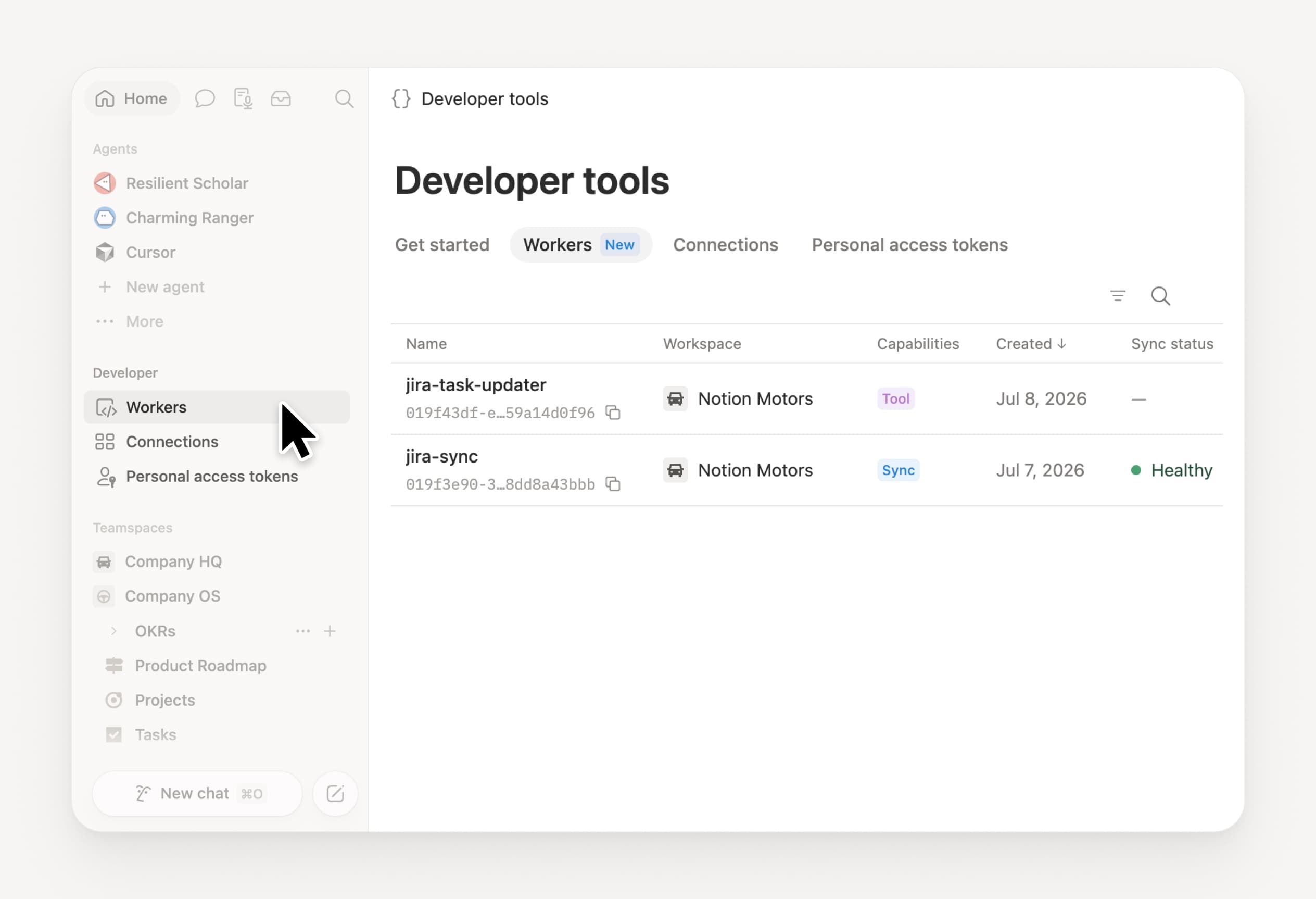
  • Manage your Workers and connections: Open the new Developer section in the sidebar to see every Worker, where it’s connected, and the logs from each run. Check it out →

  • Agent SDK, now in public beta. Continue Custom Agent conversations from anywhere, trigger them from your app, and stream results back. Business and Enterprise. Read the Agent SDK docs →

  • Developer Portal now lives in Notion. Manage your Workers, connections, and personal access tokens in one place. Open the portal →

  • AI Search is 50% faster. Less waiting on answers and agent outputs that use workspace context. Business and Enterprise. Give it a try →

  • Catch up on your inbox. Ask Notion Agent to group notifications, show what needs attention, and help clear the rest. Check it out →

Give skills a try! And share how we can make it better (we’ve got more cooking).

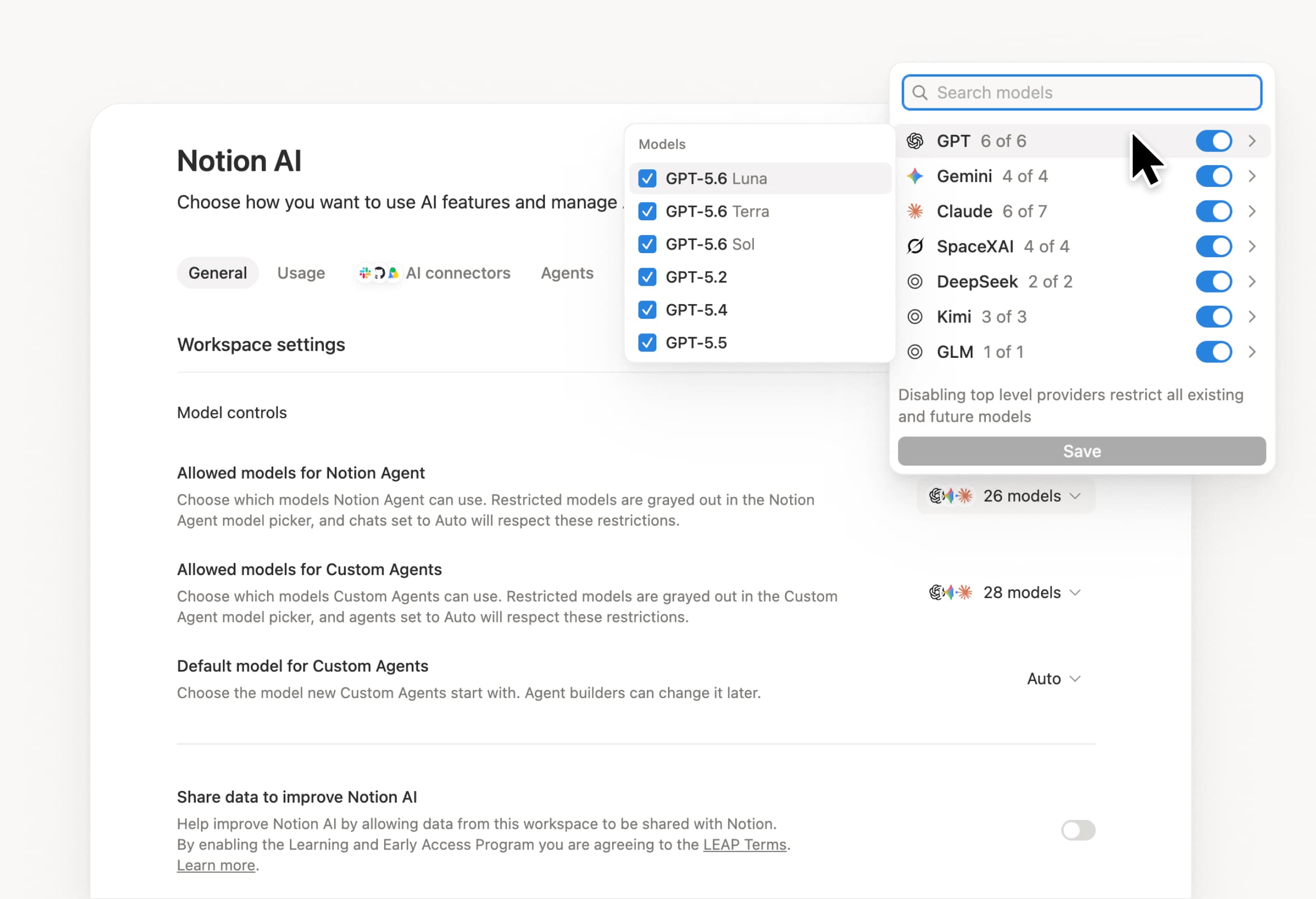
Control which AI models your agents can use

Control which AI models your agents can use

What’s on your team’s model roster? That’s up to you. With model controls, workspace owners can choose which AI models are available in Notion Agent and Custom Agents separately, and set a default model for Custom Agents. Keep costs predictable and support your compliance needs while your teams continue building. Available on Business and Enterprise plans.

Get started at Settings → Notion AI → General → Model controls.

Peça ao seu agente para sugerir edições

Seus agentes agora podem propor alterações em vez de fazê-las diretamente. Peça ao seu agente para sugerir edições e mova de cima para baixo para aprovar cada uma delas. Isso é ótimo quando você precisa conferir as alterações a cada linha, como no caso de uma revisão gramatical.

Comece pedindo ao seu agente “sugira edições”.

Your Developer Portal, now in the sidebar

Manage your Workers, connections, and personal access tokens from the new Developer section of your Notion workspace. See an overview of deployed Workers and logs behind every run.

Developer sidebar section

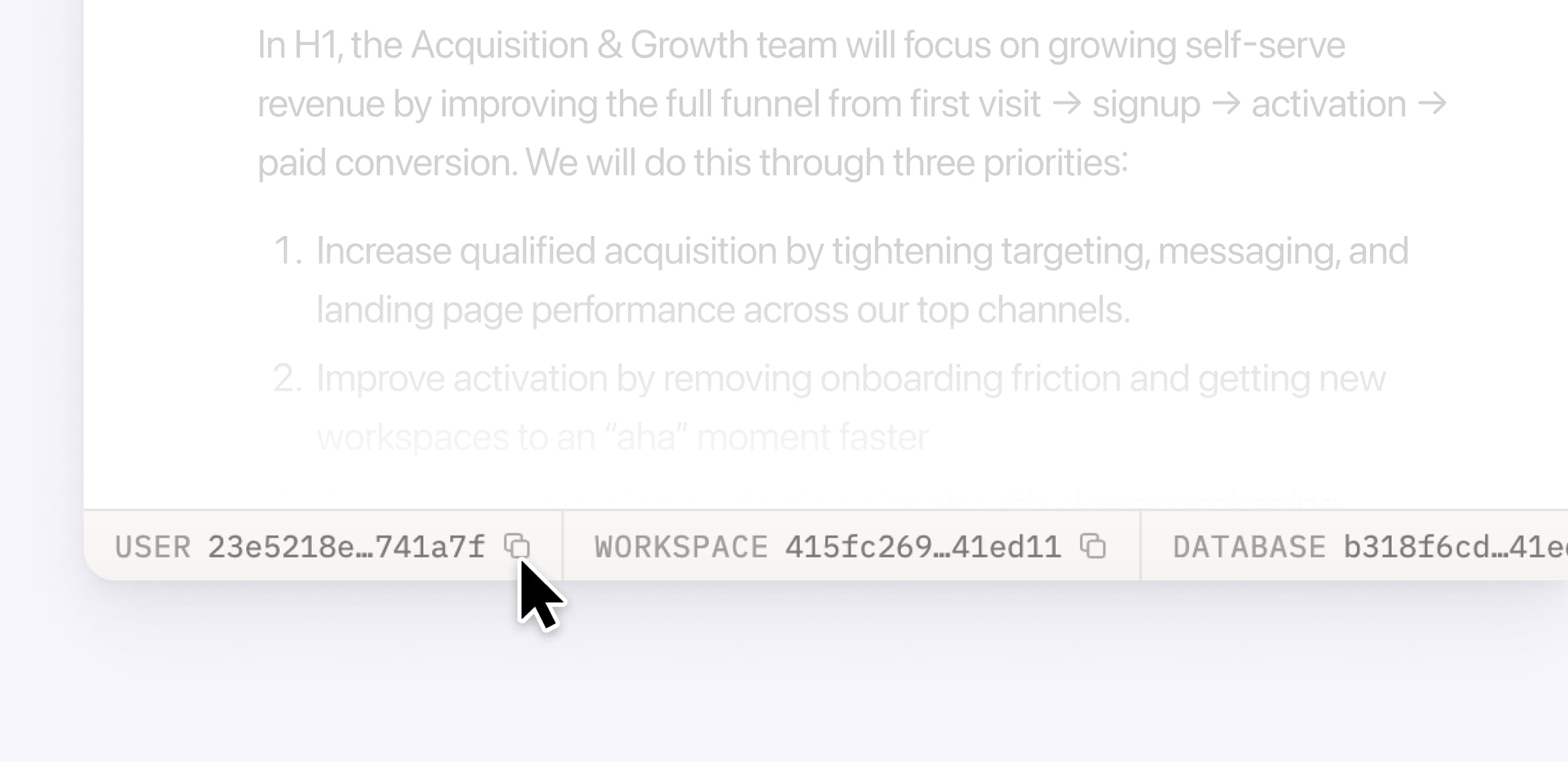
Plus, the new developer bar makes it easy for anyone building with the API to find IDs for the page, database, block, workspace, or user. Copy any one of them, or the full API object, in one click.

Developer bar

Get started from Settings → Developer → Enable developer features. Go there now →

Model selection, simplified

No more guessing which model to use.

The model picker now leads with a shortlist of models made for your hardest tasks, and every model has a scorecard to compare speed, intelligence, and cost. Pin your favorites for easy access and dial up the effort when you need a more thorough answer.

AI Meeting Notes can now trigger Custom Agents

Custom Agents can now run right after an AI Meeting Note is finished. No more need to manually update status trackers, post recaps to the project channel, or file tickets by hand.

Here’s a few of our favorite post-meeting workflows:

  • Update your project tracker with the latest status

  • Post a recap to Slack or email with decisions and next steps

  • Turn feedback into tickets for your engineering team

To get started, open your Custom Agent’s settings, add the Meeting note summarized trigger, and choose which meetings kick it off. After your next call, your agent will get to work.

High contrast mode

Accessibility win! High contrast mode is a new display option that makes text, icons, and borders easier to read.

Try it by going to Settings > Preferences > Appearance. Available on desktop and web.

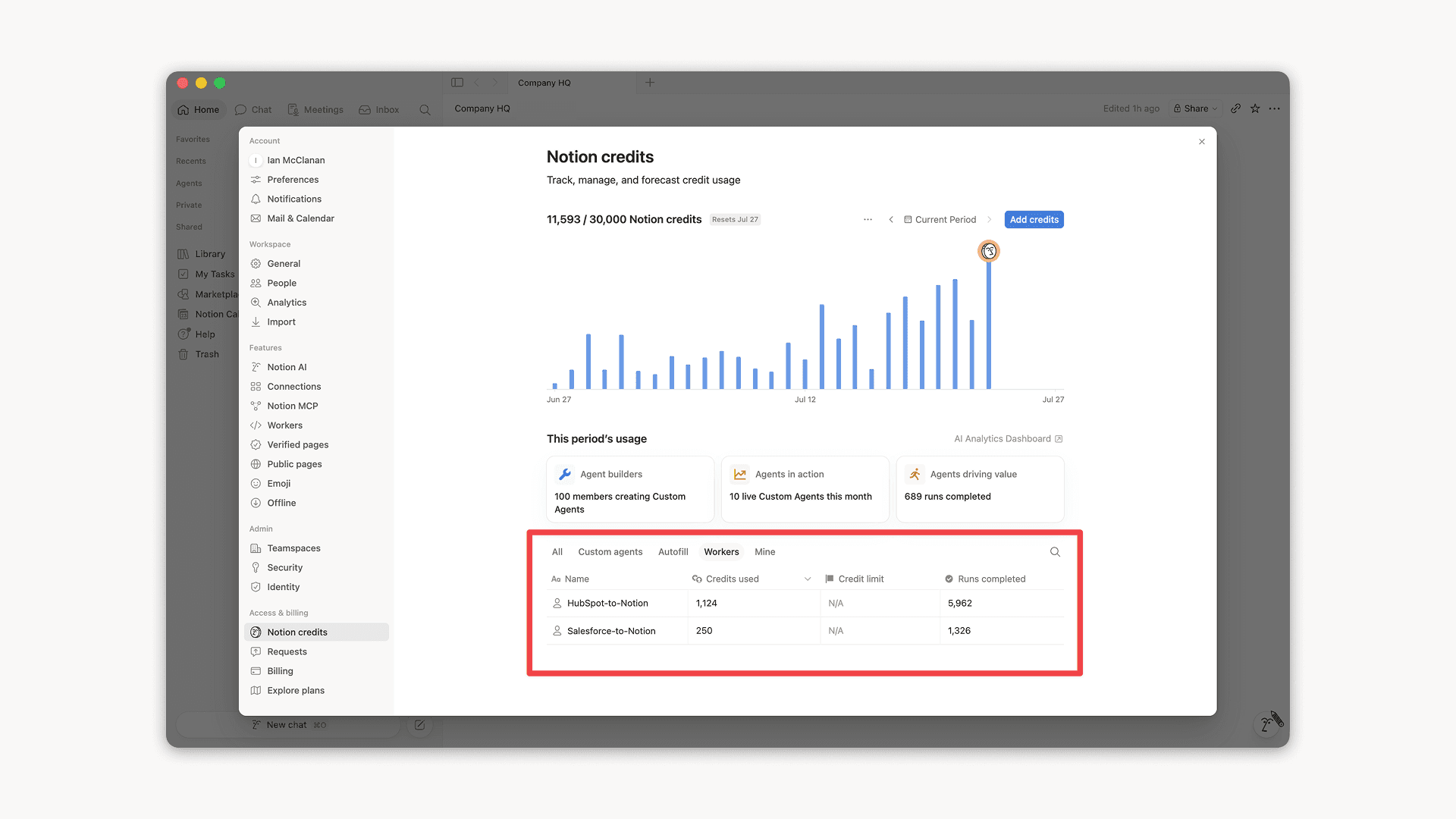
Workers, now in your Notion credits dashboard

Workers in the credits dashboard

Notion Workers run custom code on Notion's infrastructure to sync data, power tools for Custom Agents, and trigger webhook automations.

Now you can track your Workers’ usage in the credits dashboard, alongside your other spend.

Workers are free to try during the beta on Business and Enterprise plans (including Business trials). Usage is now visible in the dashboard to help your team size credits before the beta ends.

Learn more about the Notion Workers beta and pricing in our Help Center →

Powered by Fruition