새로운 기능

최신 릴리스, 개선 사항 및 수정 사항을 확인하세요.

@NotionHQ 팔로우하기
3.8

Notion 3.8: 에이전트를 위한 컨텍스트
Context for your agents

에이전트와 팀은 컨텍스트로 움직입니다. 에이전트를 바꾸거나, 새 도구를 추가하거나, 새 팀원을 맞이할 때마다 모든 걸 다시 설명할 필요가 없어야 합니다. Notion에는 중요한 것을 기억해 두는, 오래가는 공유 공간이 있습니다.

이번 업데이트의 주인공은 컨텍스트입니다. 데이터, 도구, 스킬을 연결해 어떤 에이전트나 모델이든 자유롭게 쓸 수 있도록 했습니다.

많은 것이 바뀌어도 컨텍스트는 Notion에 그대로 남습니다.

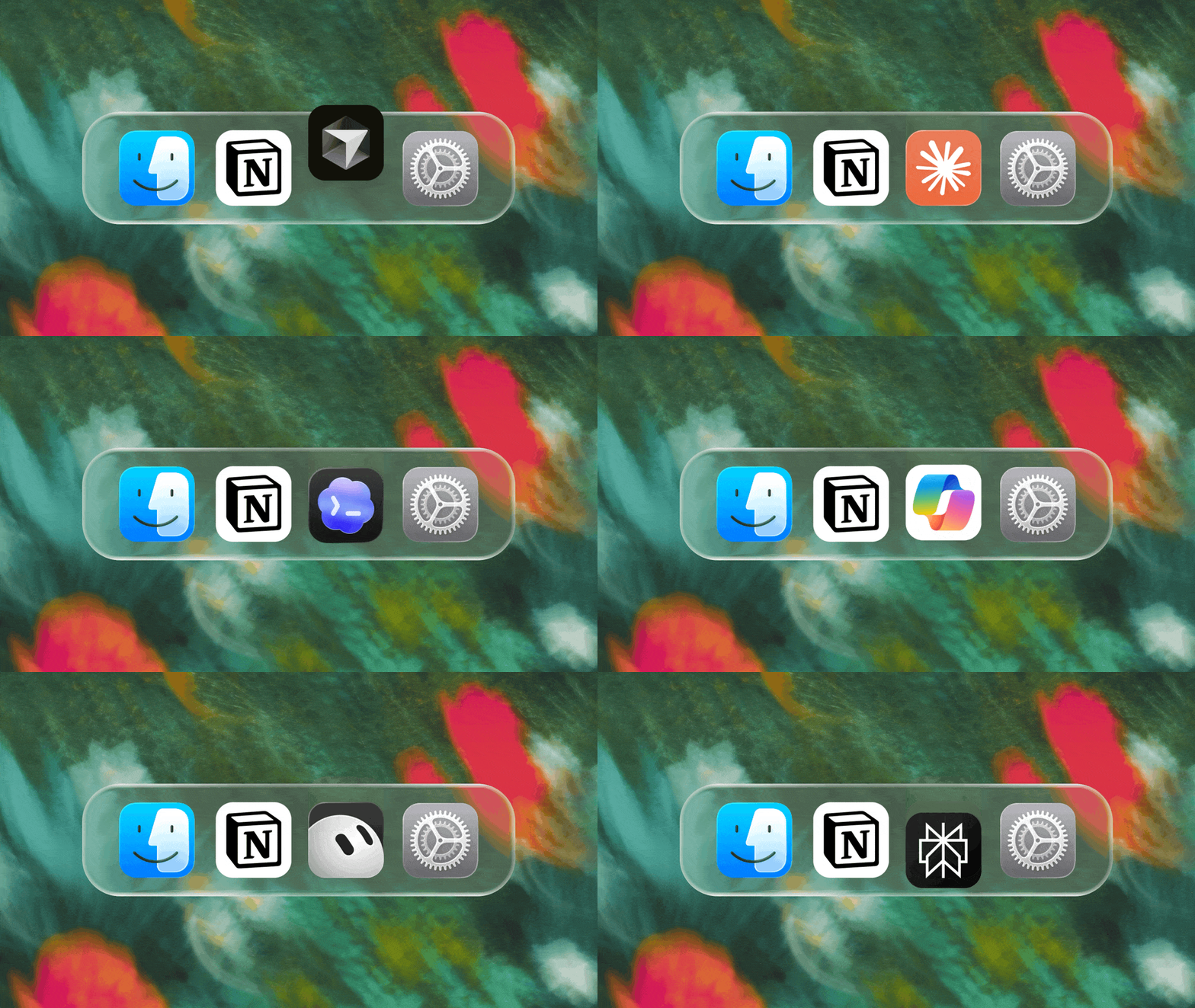
MCP로 에이전트와 Notion 연결
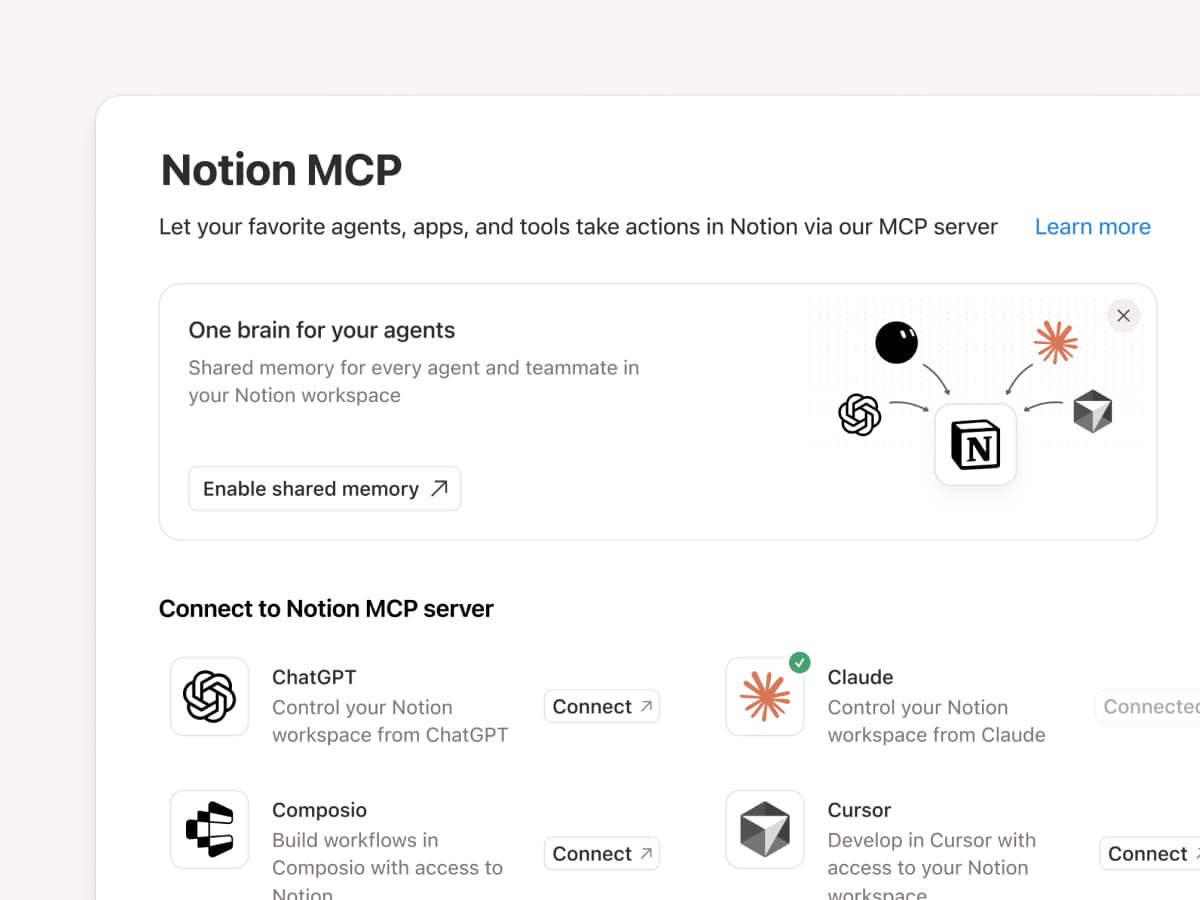
MCP 호환 에이전트를 Notion에 연결하면 워크스페이스 컨텍스트를 읽고 문서 및 작업 추적기를 업데이트할 수 있습니다. Claude, Muse, GrokBot, Dot 등 어떤 에이전트를 사용하든 Notion은 에이전트가 필요한 정보를 찾을 수 있는 공유된 장소를 제공하므로, 처음부터 다시 시작할 필요 없이 에이전트를 전환할 수 있습니다. Notion으로 에이전트 설정하기 →

또한 Notion MCP 제어 기능으로 관리자는 각 AI 도구를 누가 연결했는지, 마지막으로 언제 사용했는지 확인하고, 다른 연결에 영향을 주지 않고 특정 사용자의 사용 권한을 해제할 수 있습니다. MCP 제어 설정하기 →

MCP로 Notion Agents를 150개 이상의 도구와 연결
MCP

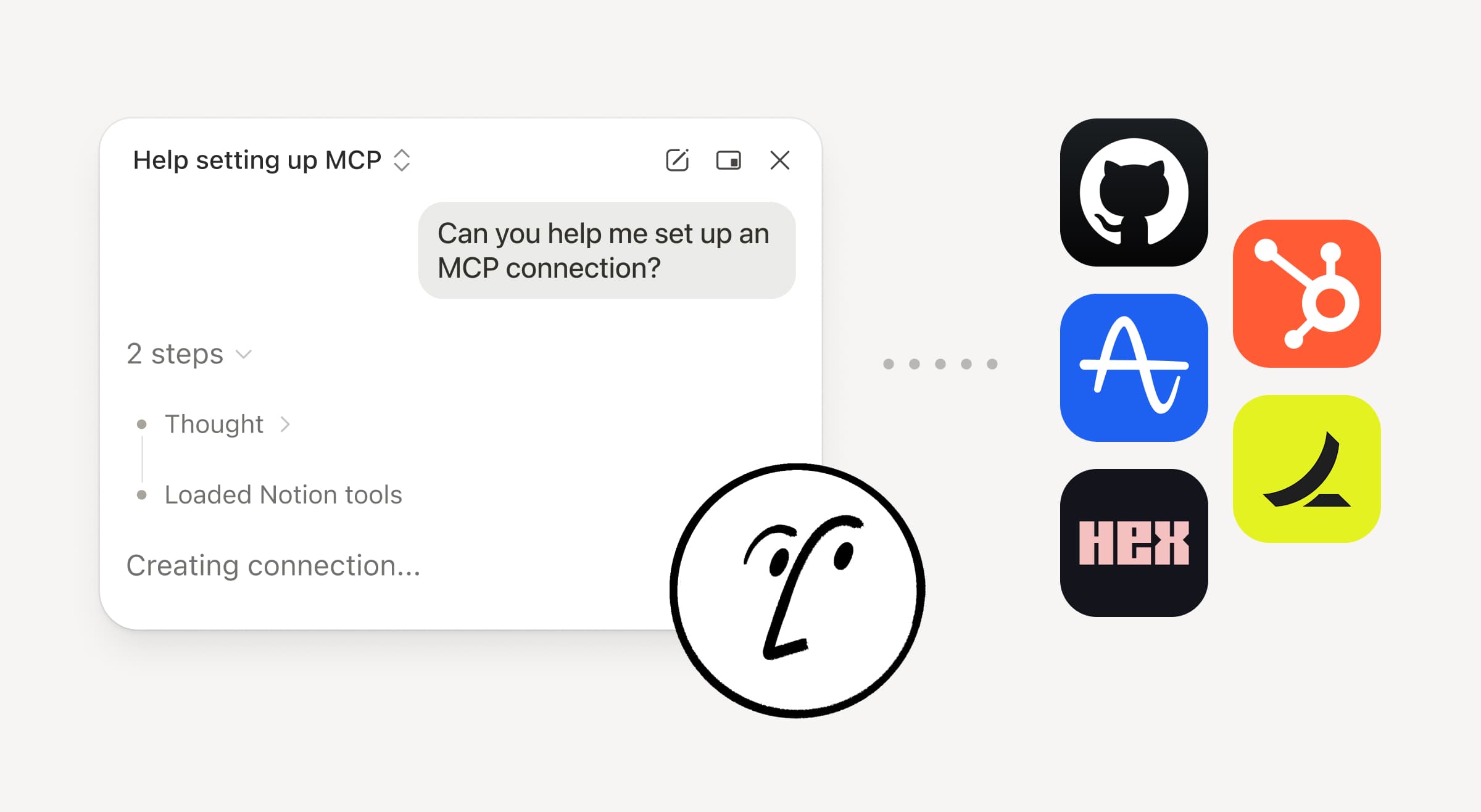
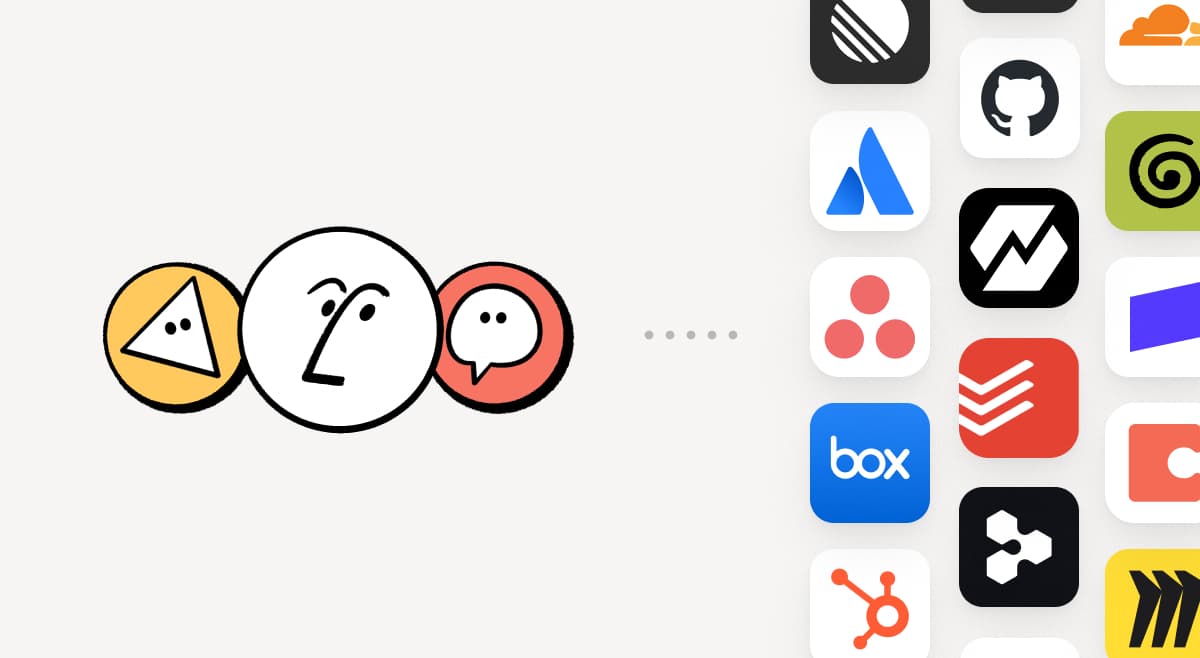
팀이 이미 사용 중인 도구를 Notion으로 가져오세요. MCP 연결을 통해 Notion 에이전트와 커스텀 에이전트가 해당 도구에서 컨텍스트를 가져오고 여러 도구에 걸쳐 작업을 실행할 수 있습니다. HubSpot 파이프라인 데이터로 Notion에서 계정 브리프를 만들거나, 고객 상태 검토에 Stripe 청구 세부 정보를 추가하거나, Cloudflare 인프라 세부 정보를 포스트모템에 가져올 수 있습니다. 이제 시작일 뿐입니다. ⁠150개 이상의 MCP 연결 둘러보기 →

스킬은 한 번만 작성하세요. 모든 에이전트에서 사용하세요.
Write a skill once. Use it with every agent.

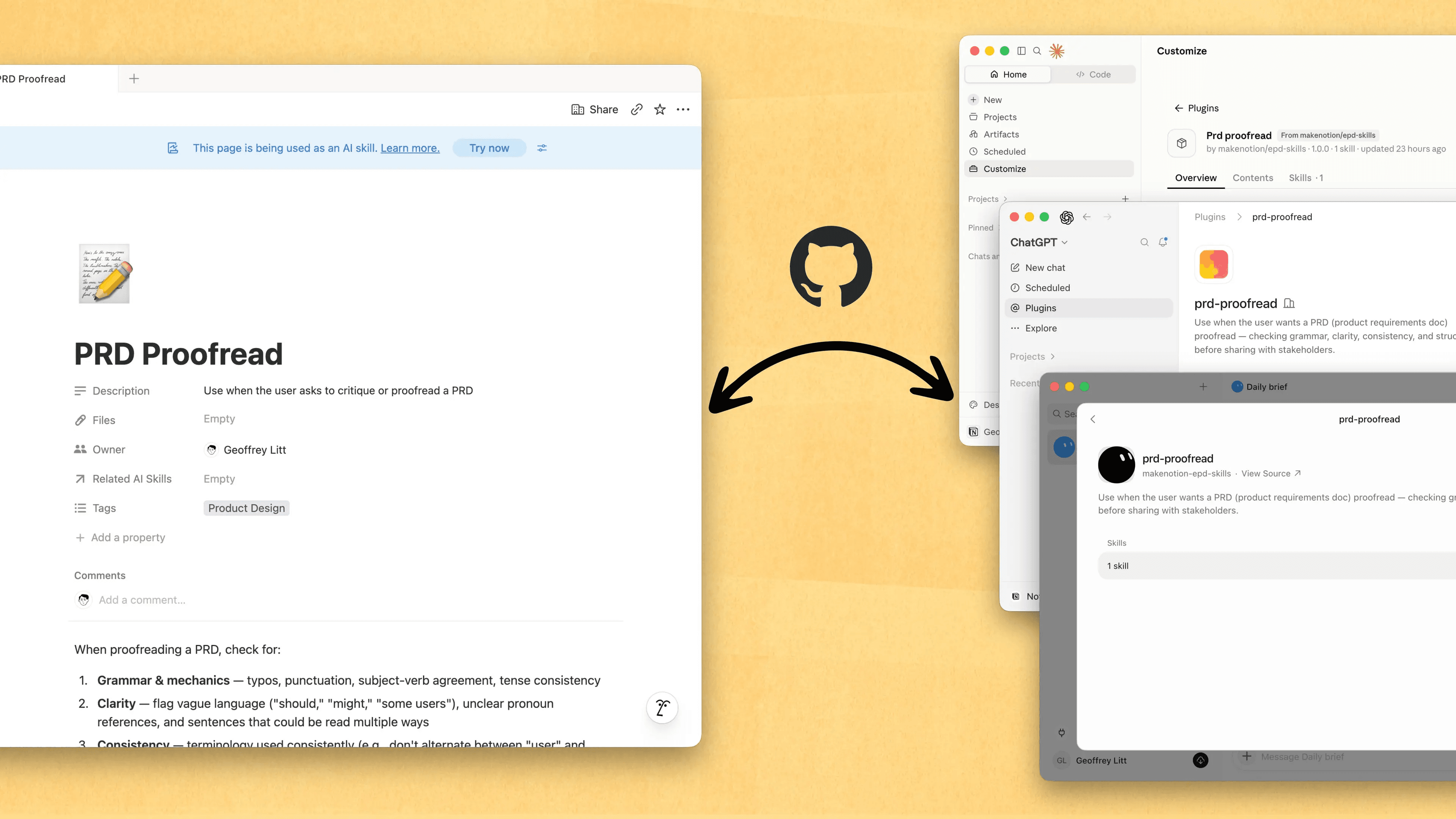
스킬은 에이전트에게 내 업무 방식을 알려 주는 가장 좋은 방법입니다... 엔지니어가 아니어도요. 이제 스킬을 만들고, 공유하고, 최신 상태로 유지하기에 가장 좋은 곳은 Notion입니다. Notion의 스킬을 GitHub로 불러오는 새로운 Skills API를 사용해 ChatGPT, Claude 등에서 스킬을 동기화하세요.

에이전트용 스킬이 이미 있으신가요? 에이전트에게 MCP로 Notion에서 스킬을 다시 만들어 달라고 요청한 다음, Notion에서 라이브러리를 계속 키워 가세요. 간단한 데모를 확인하고, 문서에서 자세히 알아보세요.

모든 사용자와 에이전트의 모든 변경 사항 확인
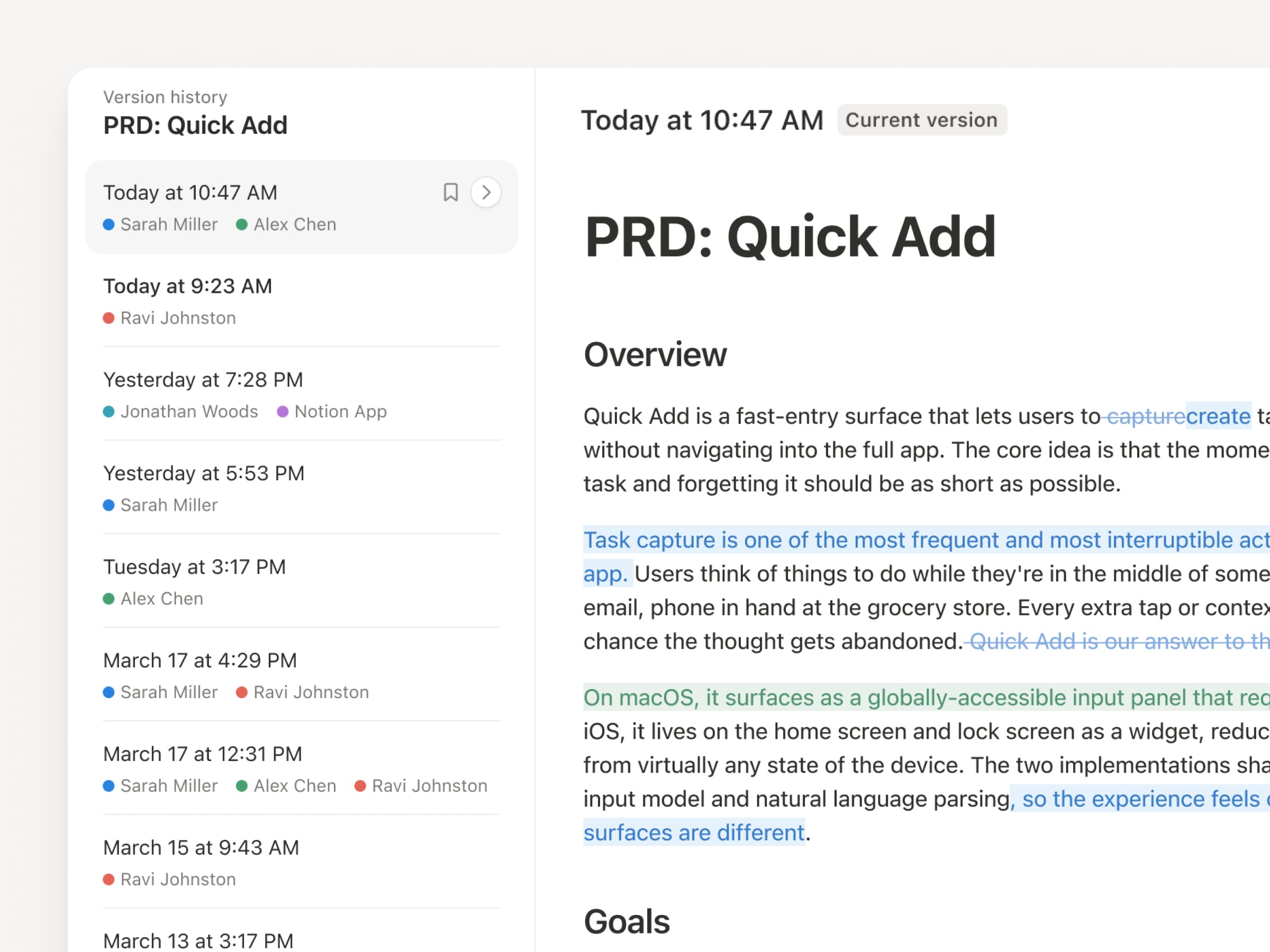
에이전트와 사람이 끊임없이 업데이트하는 지금, 버전 기록이 그 어느 때보다 중요해졌습니다. 그래서 저희가 버전 기록 기능을 업그레이드했습니다! 페이지와 데이터베이스 전반의 기록을 더 명확하게 확인할 수 있습니다. 편집 내용 강조 표시, 데이터베이스 변경 상세 내역, 작성자 표시도 제공됩니다. 에이전트에게 작업을 맡기면서도 변경 사항은 투명하고 안전하게 관리하세요. 무엇이 바뀌었는지 검토하고, 누가 바꿨는지 확인하고, 클릭 한 번으로 이전 버전을 복원하세요. 자세히 알아보기 →

두 번 결제하지 마세요. Notion에서 ChatGPT 요금제를 사용하세요.
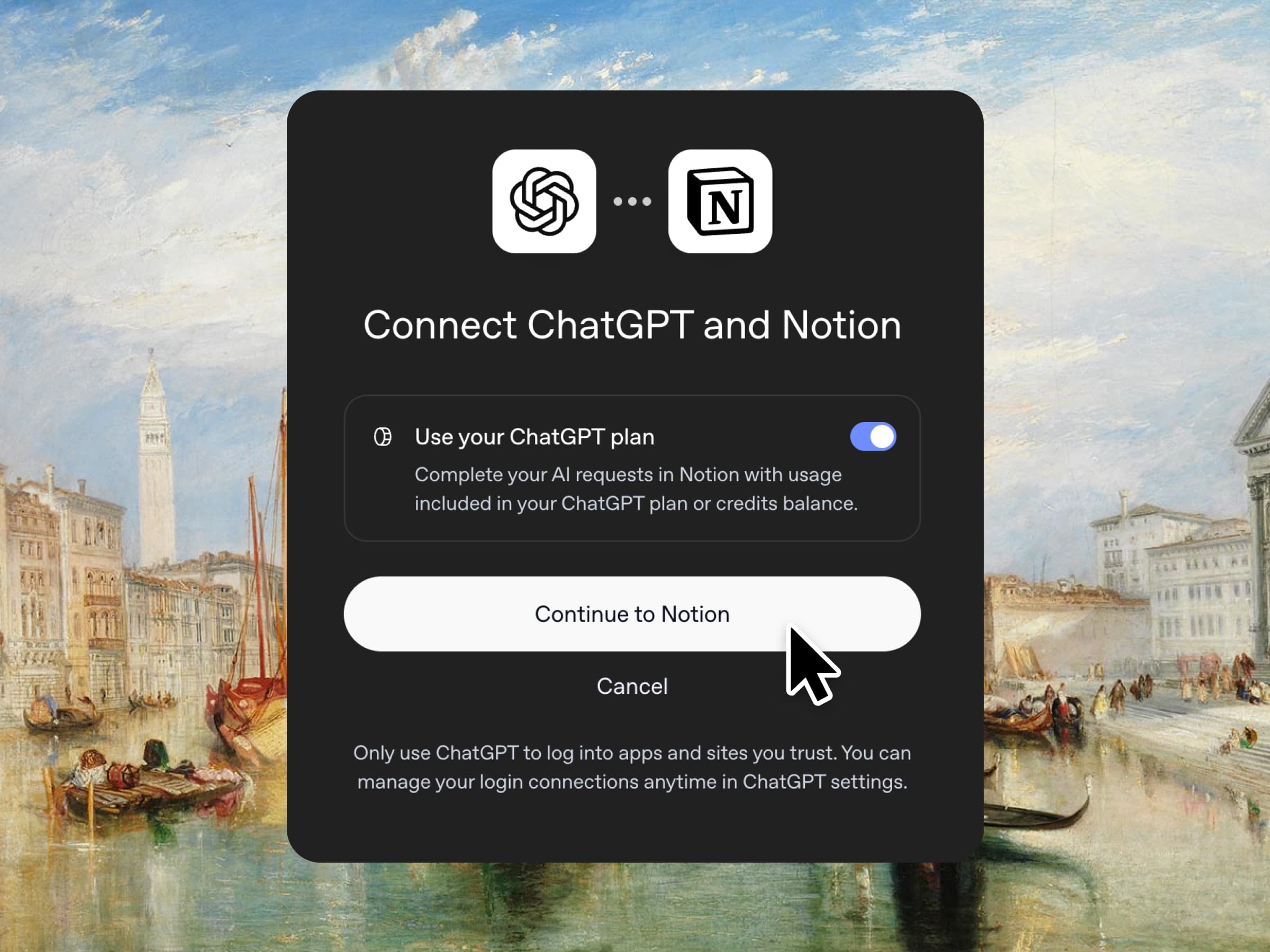
네, 제대로 읽으신 게 맞습니다. ChatGPT Plus 또는 Pro를 사용 중이라면 이제 구독으로 Notion에서의 AI 사용량을 충당할 수 있습니다. 요금제를 연결하고 GPT 모델을 선택하기만 하면 바로 시작할 수 있습니다. 추가 마진은 붙이지 않습니다. 업무에 가장 좋은 도구를 가장 좋은 가격에 쓰실 수 있기를 바랄 뿐입니다. 비즈니스 요금제와 엔터프라이즈 요금제에서 사용할 수 있습니다. 간단한 데모와 문서를 확인해 보세요.

데이터베이스의 열 권한
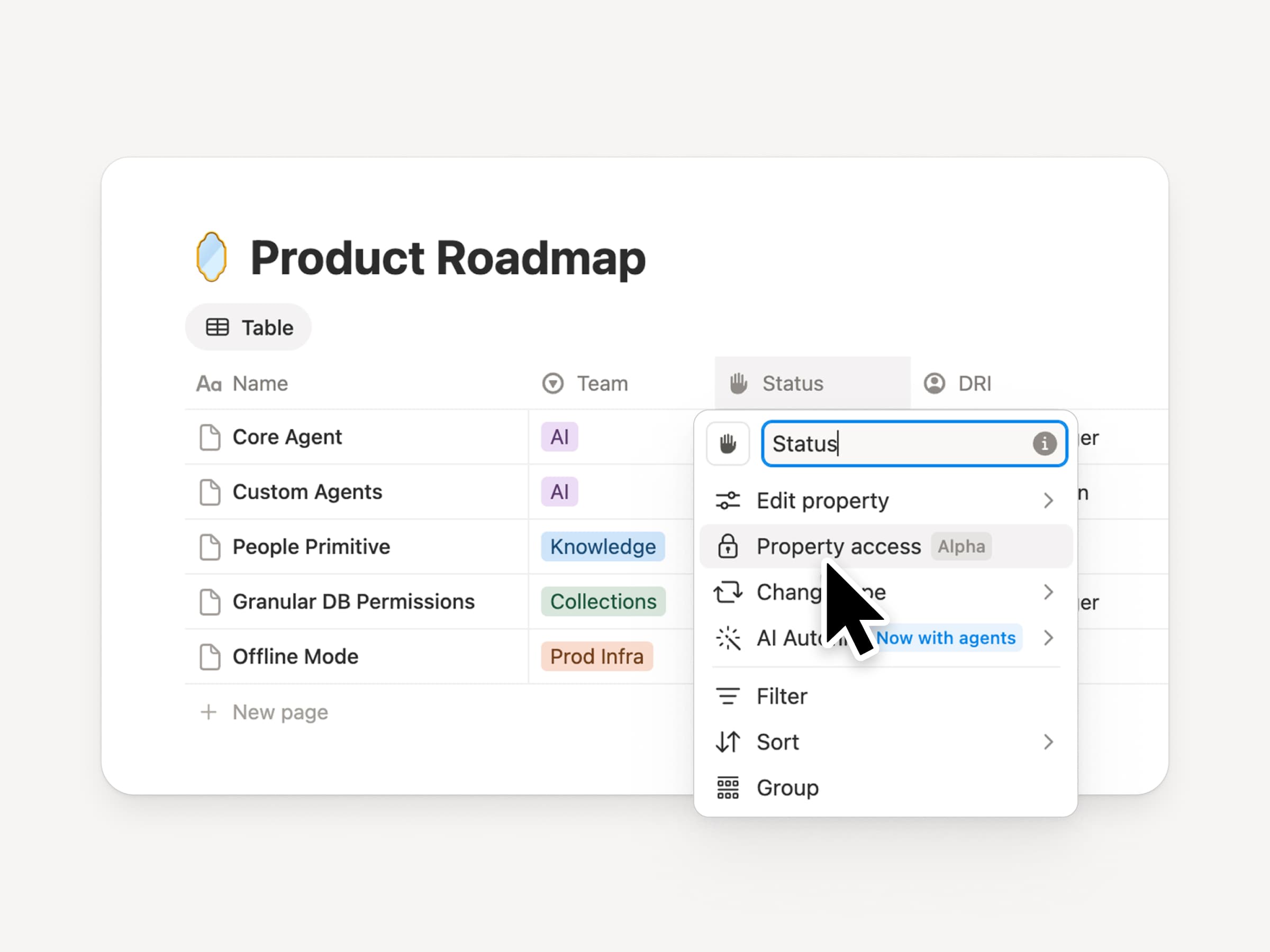
Notion 데이터베이스는 팀과 에이전트에게 늘 최신 상태로 공유되는 컨텍스트 소스가 되어 줍니다. 하지만 팀과 에이전트 모두 적절한 수준의 사용 권한이 필요합니다. 열 권한은 수년간 가장 많이 요청된 기능이었습니다(제대로 구현하기 위해 많은 시간을 투자했습니다). 데이터베이스 소유자는 이를 통해 각 사용자나 에이전트가 어떤 속성을 보고 편집할 수 있는지 제어할 수 있습니다. 채용팀은 보상 정보를 노출하지 않고도 지원자에 대해 협업할 수 있습니다. 지원 에이전트는 제한된 고객 데이터를 보지 않고도 계정 컨텍스트를 사용할 수 있습니다. 제작자 중 한 명이 직접 소개하는 트레일러를 시청하세요!

새롭게 돌아온 동기화된 데이터베이스
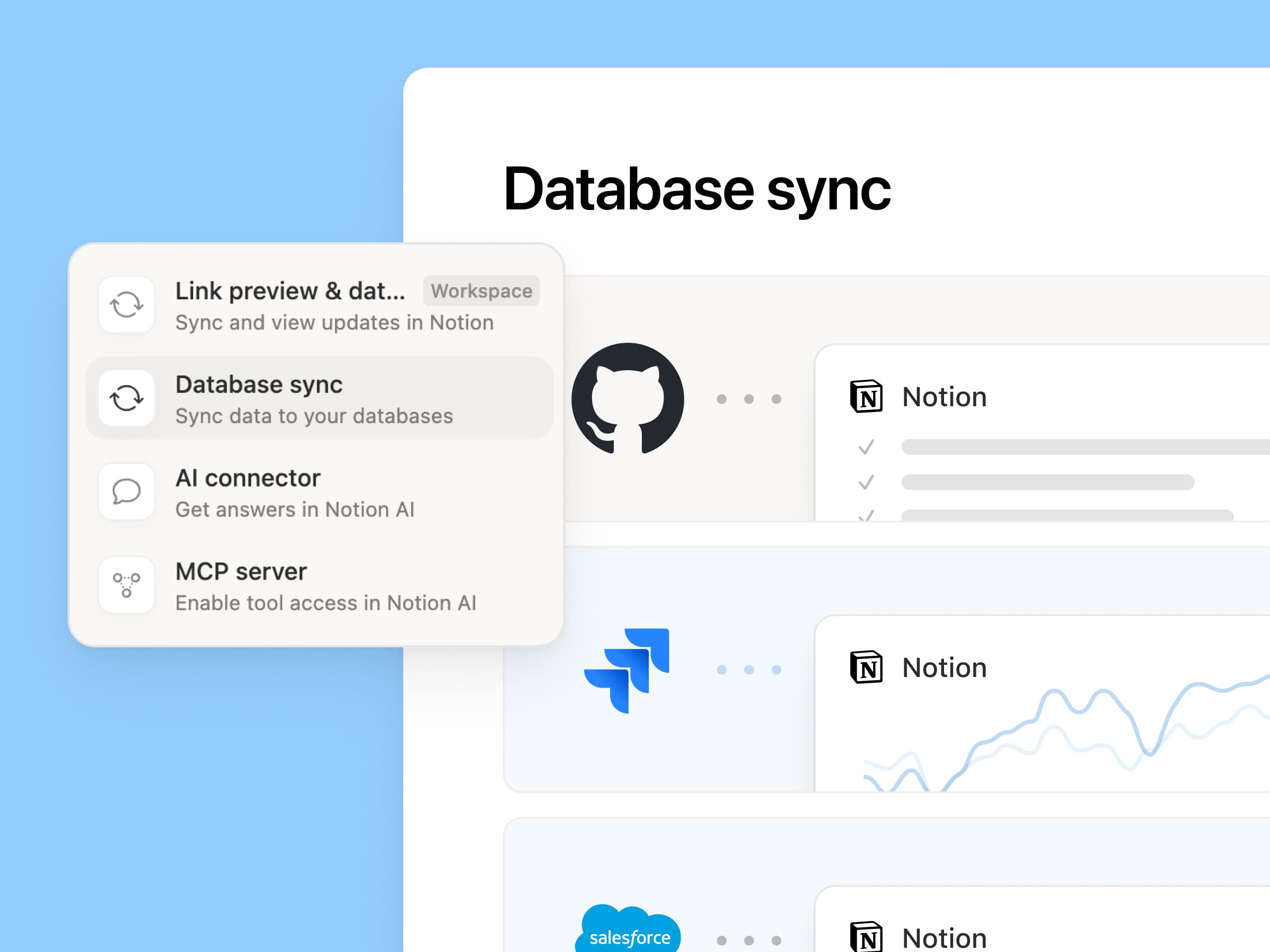
Reintroducing synced databases

GitHub, Jira, Salesforce를 시작으로 동기화된 데이터베이스를 재구축하여 팀과 에이전트가 항상 최신 데이터로 작업할 수 있도록 했습니다. 더 빠르고 안정적이며 각 동기화에 대한 실시간 상태를 보여줍니다. 다른 Notion 데이터베이스처럼 작동하므로 원하는 속성을 추가하고, 보기를 만들고, 자동화를 트리거할 수 있습니다. Notion에서는 Salesforce 계정을 동기화하고 회의록, 기능 요청과 연결해 고객 허브를 만듭니다. 덕분에 모든 팀이 각 고객의 최신 정보를 똑같이 보며 일합니다. 자세히 알아보기 →

새로운 한 주, 새로운 모델
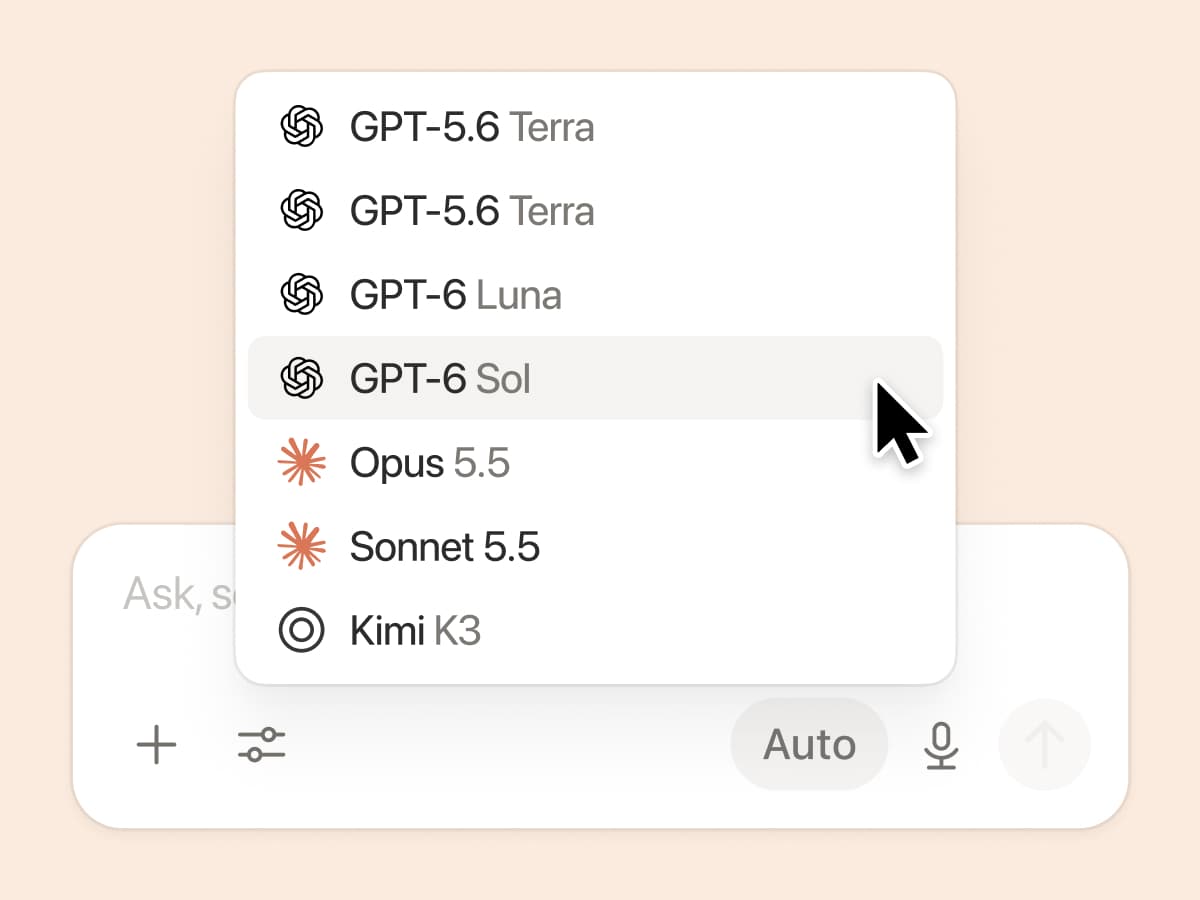
New week, new models

연구소들이 또 일을 냈습니다. GPT 6.1-Sol, GPT-6 Luna, Opus 5.5, Sonnet 5.5를 포함한 7가지 새로운 모델이 모두 추가되었습니다. 어떤 모델을 쓰든 팀의 최신 업무 방식을 알고 있으니 안심하고 사용하세요.

그리고 혹시 못 보셨다면, 저희는 실제 트래픽을 익명화해 사용하고 모델이 평가하는 방식으로 다양한 지식 업무에서 모델 성능을 평가해 왔습니다. Knowledge Board 확인하기 →

컨텍스트를 연결하고 관리하는 더 많은 방법

  • 새로 디자인된 연결 설정: 카테고리별로 검색하거나 둘러보고, 각 도구가 어떻게 연결되는지 확인하고, 예시 워크플로를 미리 보세요. 관리자는 Notion이 인증한 도구 또는 직접 선택한 특정 도구만 허용할 수 있습니다.

  • Microsoft Teams에서 Notion 알림 받기: Teams에서 Notion 멘션, 댓글, 사용 권한 요청을 확인하고 앱을 전환하지 않고도 바로 답장하거나 응답하세요.

3.7

Notion 3.7: Agent skills for your whole team

What's New 3.7

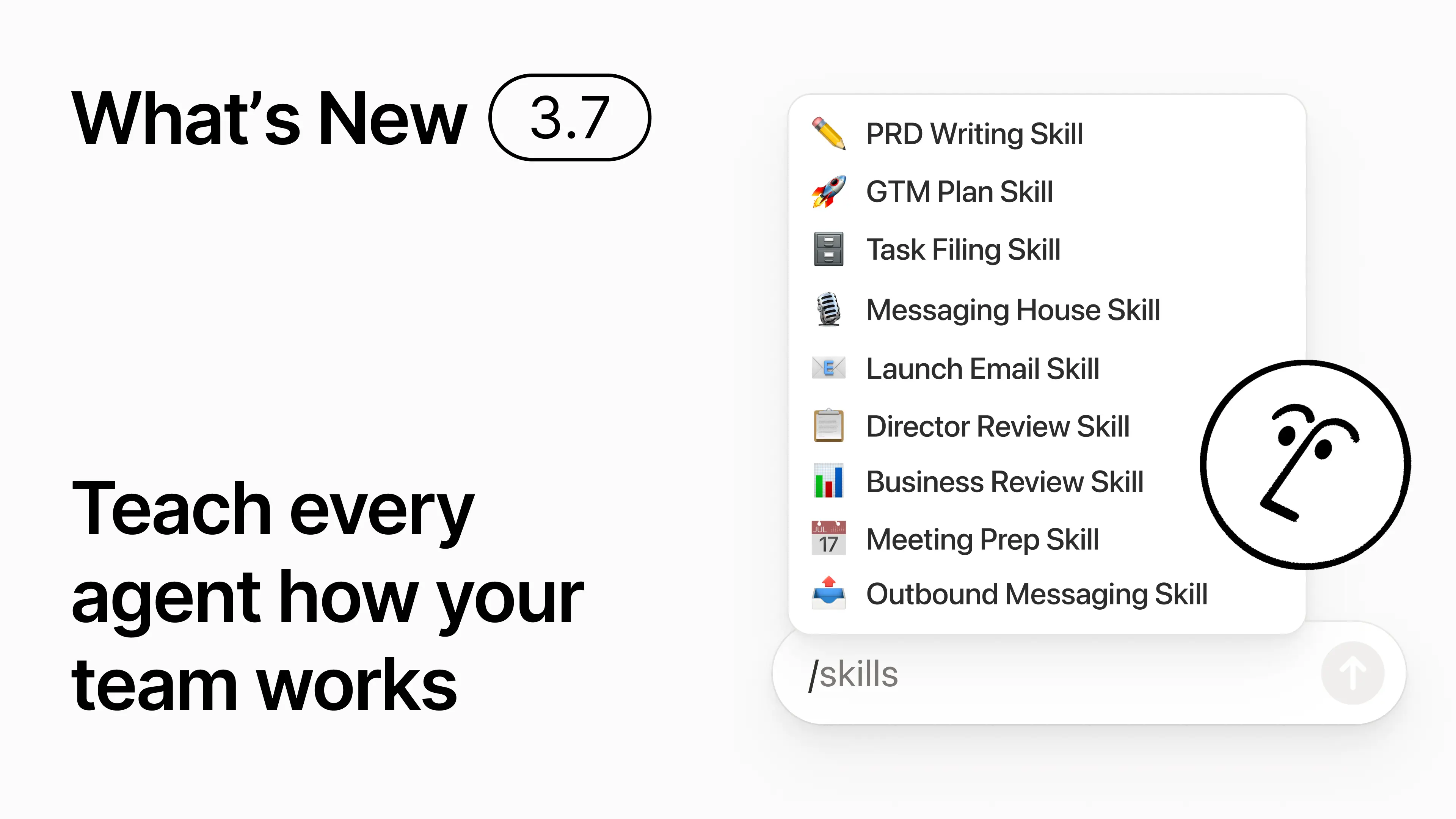
You know how some people are really good at prompting AI? Or they’ve figured out the best way to handle repetitive work? Now they can turn that know-how into a skill and level up the whole team.

Skills are reusable instructions that teach AI how your team works. Like generating a monthly business review in your team’s format. Or critiquing your doc in the same way your boss would. They’re like team shortcuts for getting repetitive tasks done. Create a skill →

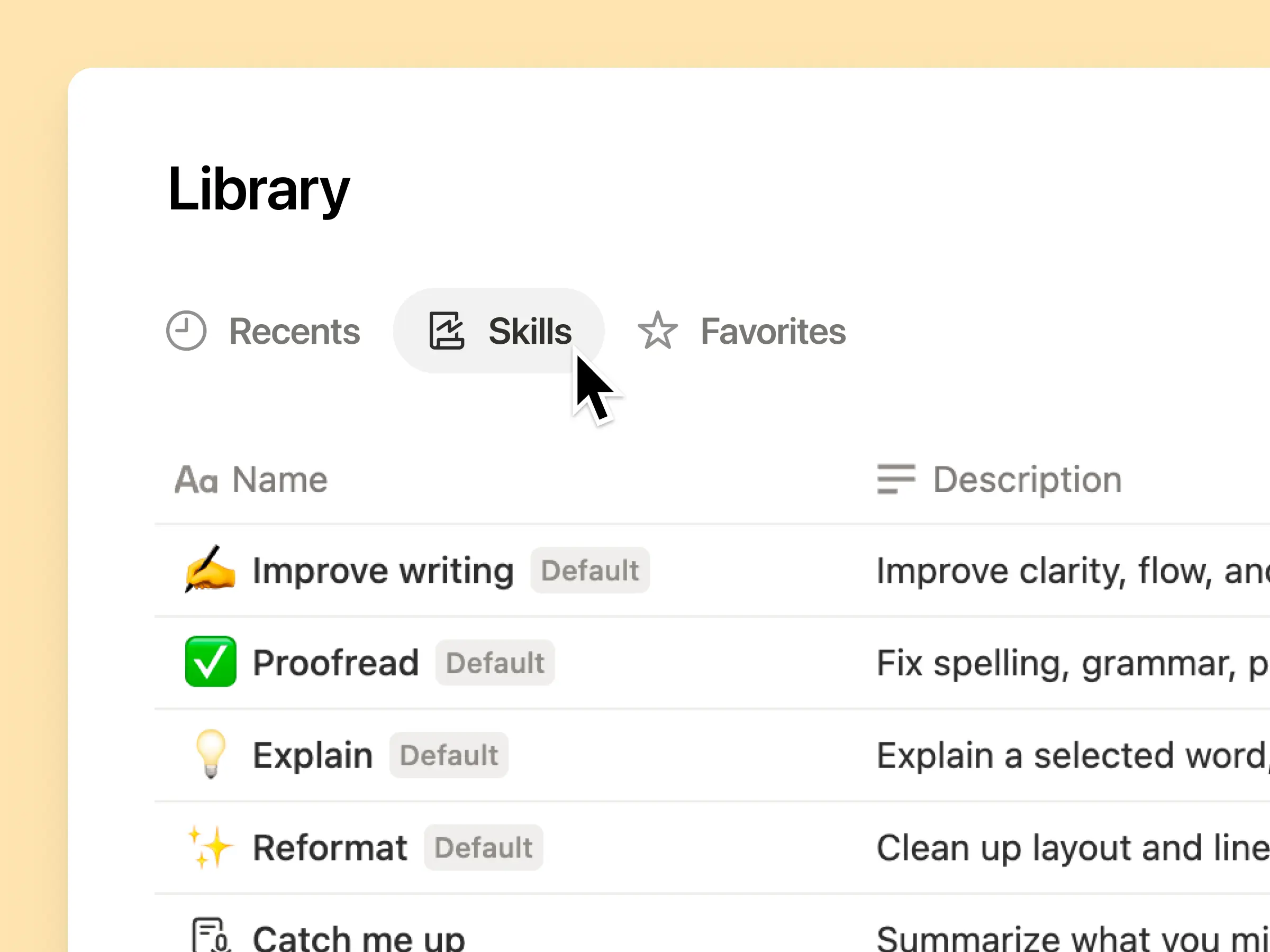
Every AI skill your team needs, in one library

Great prompts tend to live in one person’s head or otherwise disappear into standalone docs and chats. The skills library gives your workspace one hub for all shared skills. Browse the skills library →

Put related skills in a Notion database, then share one skill or the whole database. Each team gets one easy place to find its go-to skills, and everyone stays on the latest version. Learn more →

Write it once, and AI runs it your way

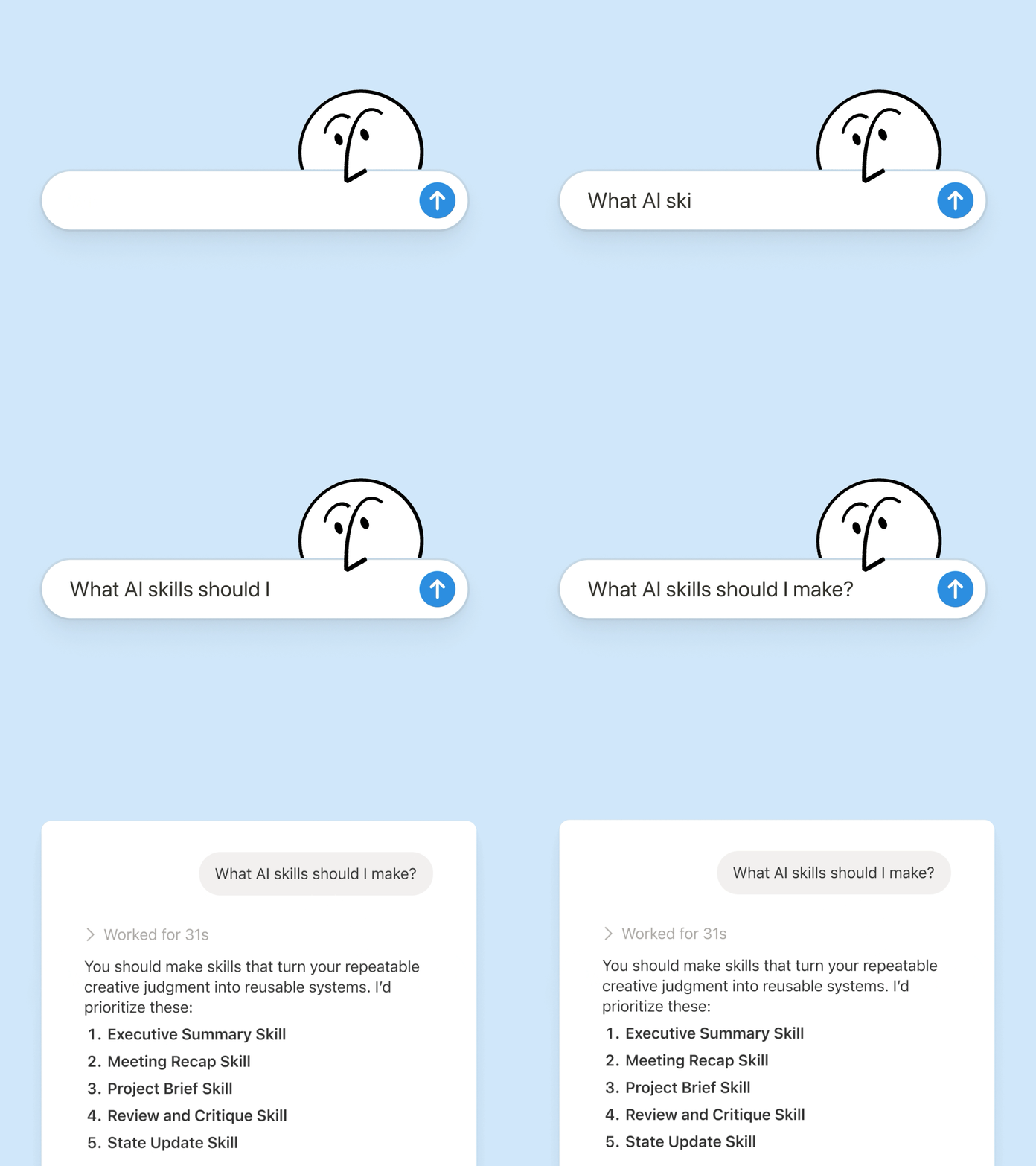
Chat with Notion Agent to create a skill from scratch:

  1. Review this feature proposal using our product, design, and engineering standards.

  2. Create a new-hire setup checklist using our device and app policies.

  3. Draft this job description using our leveling framework and approved language.

Not sure where to start? Notion can also suggest skills based on the work you already do. What skills do I need? →

Run a skill the moment you need it

Run Skill

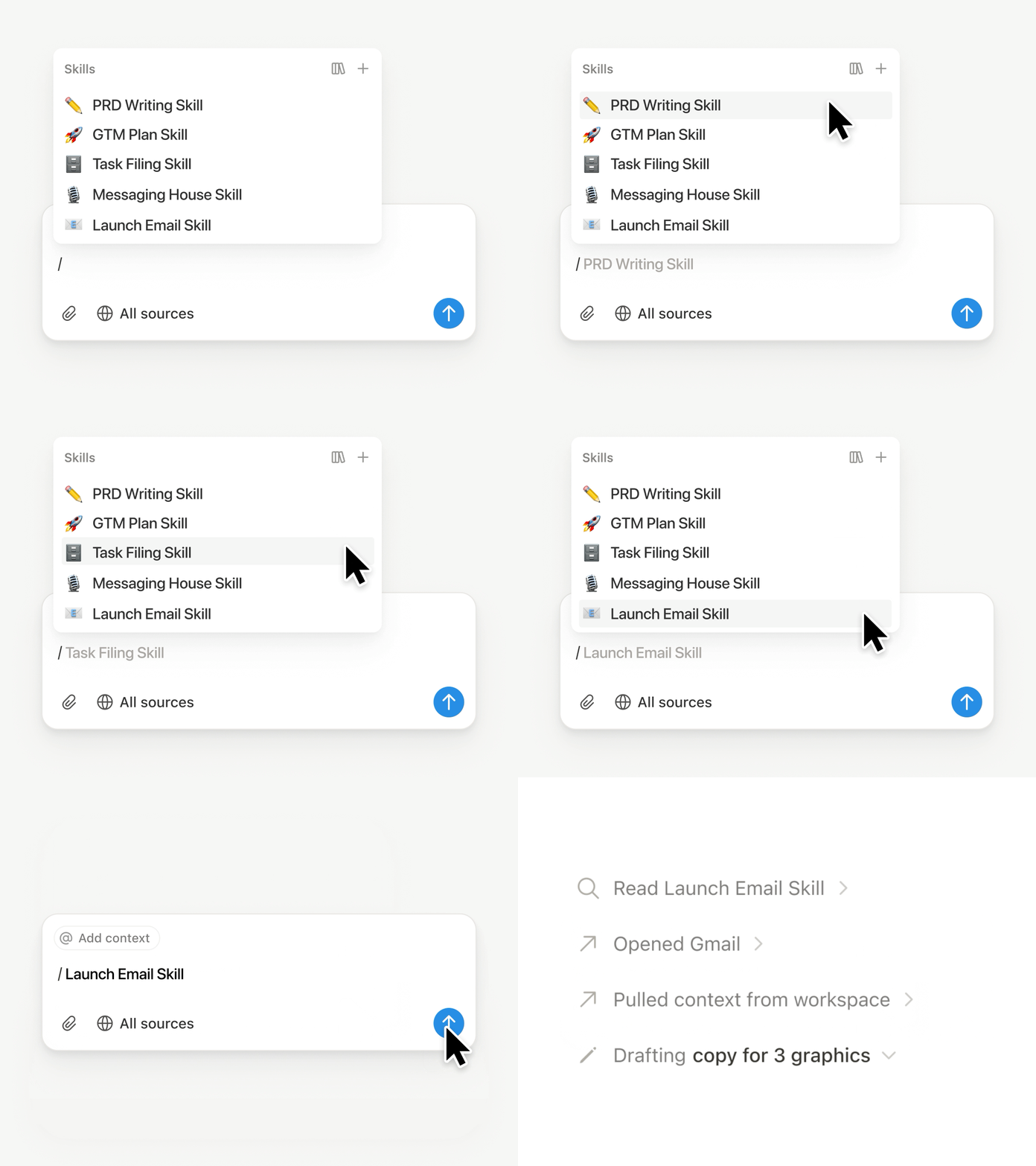
Type / in a Notion Agent chat and choose the skill you want to use. Add any other context, then hit Enter.

Run an Exec-ready skill to turn a draft into a concise executive brief with the takeaway, decisions, risks, and asks. Or turn raw notes into a PRD. You can also set skills to run automatically. Learn more →

Take your team’s skills to Claude Code, Codex, Cursor, and more

Skills to Claude or Codex

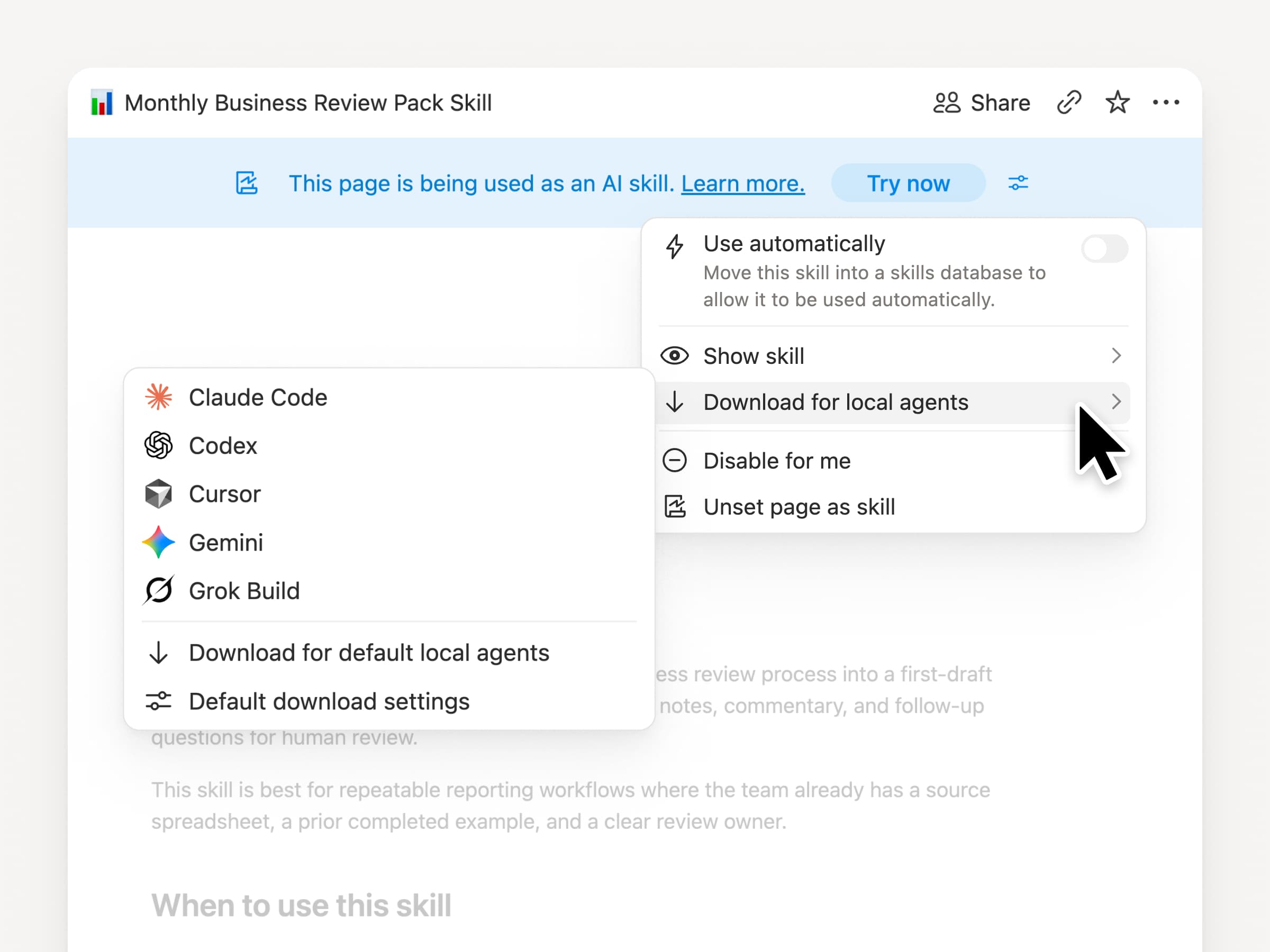
Take your skills with you, no matter what agent you use. Create and update the skill in Notion, then download it to Claude Code, Codex, Cursor, Gemini, or Grok.

Notion writes the skill as a SKILL.md file, along with approved supporting files. When the skill changes in Notion, it gets marked with a badge so you know to grab the latest version. Your team maintains the instructions in one place and your local agents can follow the same process. Learn more →

Ask your agent to connect GitHub, Amplitude, and more

Connect more to your agent

Bring more of your work into Notion Agent. Just ask it to connect a tool, and it walks you through the setup. You can now connect GitHub, Amplitude, and other tools with the Custom MCP connection so you can grab context, check performance, or take action in the tools your team already uses. Connect to GitHub →

Confirmations keep you in control, so nothing changes in a connected tool until you approve it. Available in beta on Business and Enterprise plans. Learn more →

On the go? Use the Notion Agents iOS app

Notion Agents App

Your best ideas won’t wait until you’re back at your desk. The Notion Agents iOS app puts 1,000 agents in your pocket. Capture ideas and voice and photos, prep for a meeting, or spin up a doc when you’re on the move. Give an agent a task and it gets it done before you’re back at your laptop.

Have your Custom Agent call sub-agents

Sub Agents

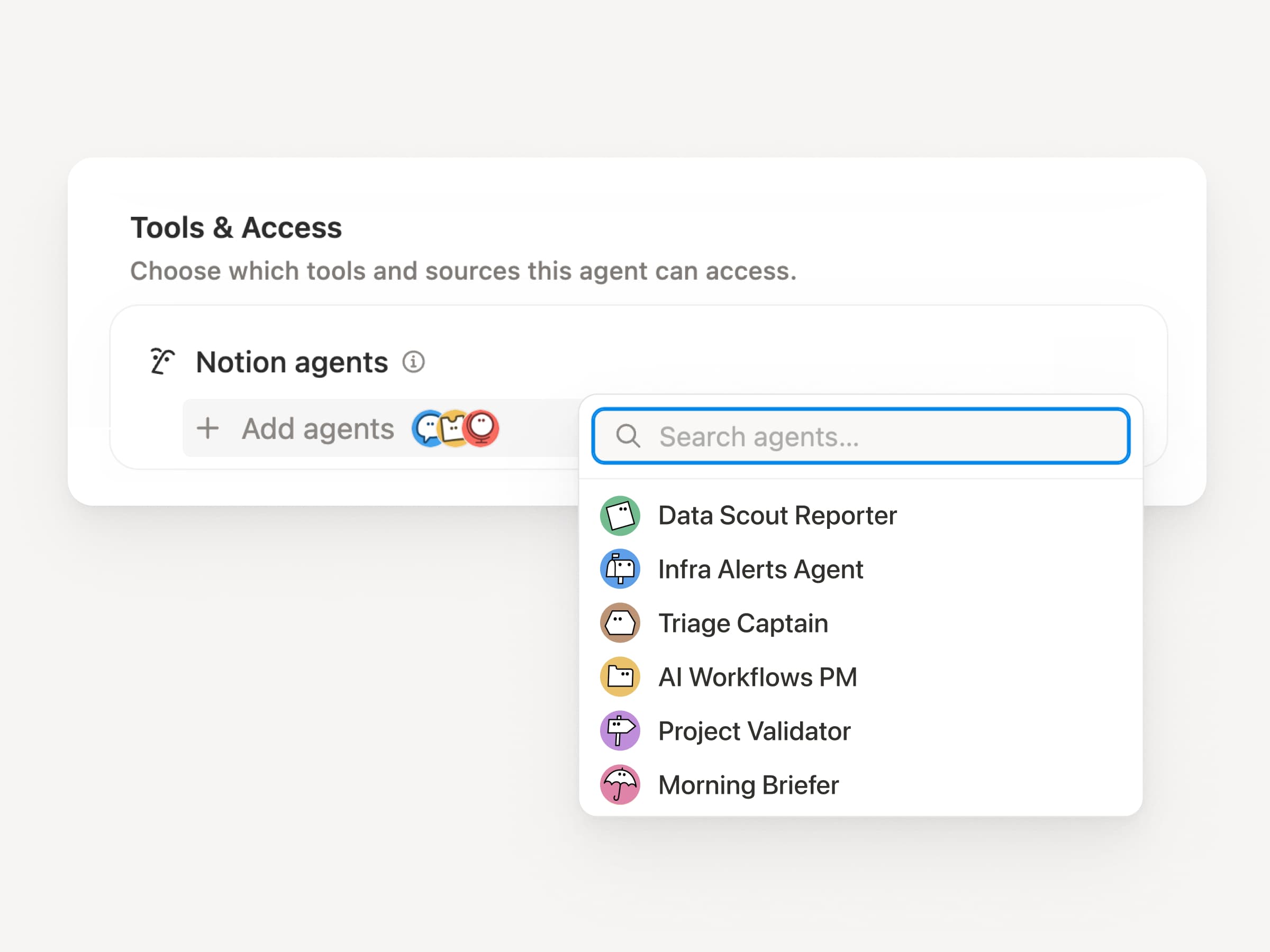
Big workflows are rarely one job. Now a Custom Agent can call other Custom Agents as sub-agents, each with its own instructions, context, access, and model. Learn more →

A Mobile App PM agent can send bug reports to a triage agent and metrics questions to a reporting agent, then bring the answers back into one Slack update. The primary agent decides when to delegate and uses each response to finish the original work. Remote runs its IT help desk on five agents this way and saves $500k a year.

Custom Agents can do the post-meeting work for you

Meeting Recap Agent

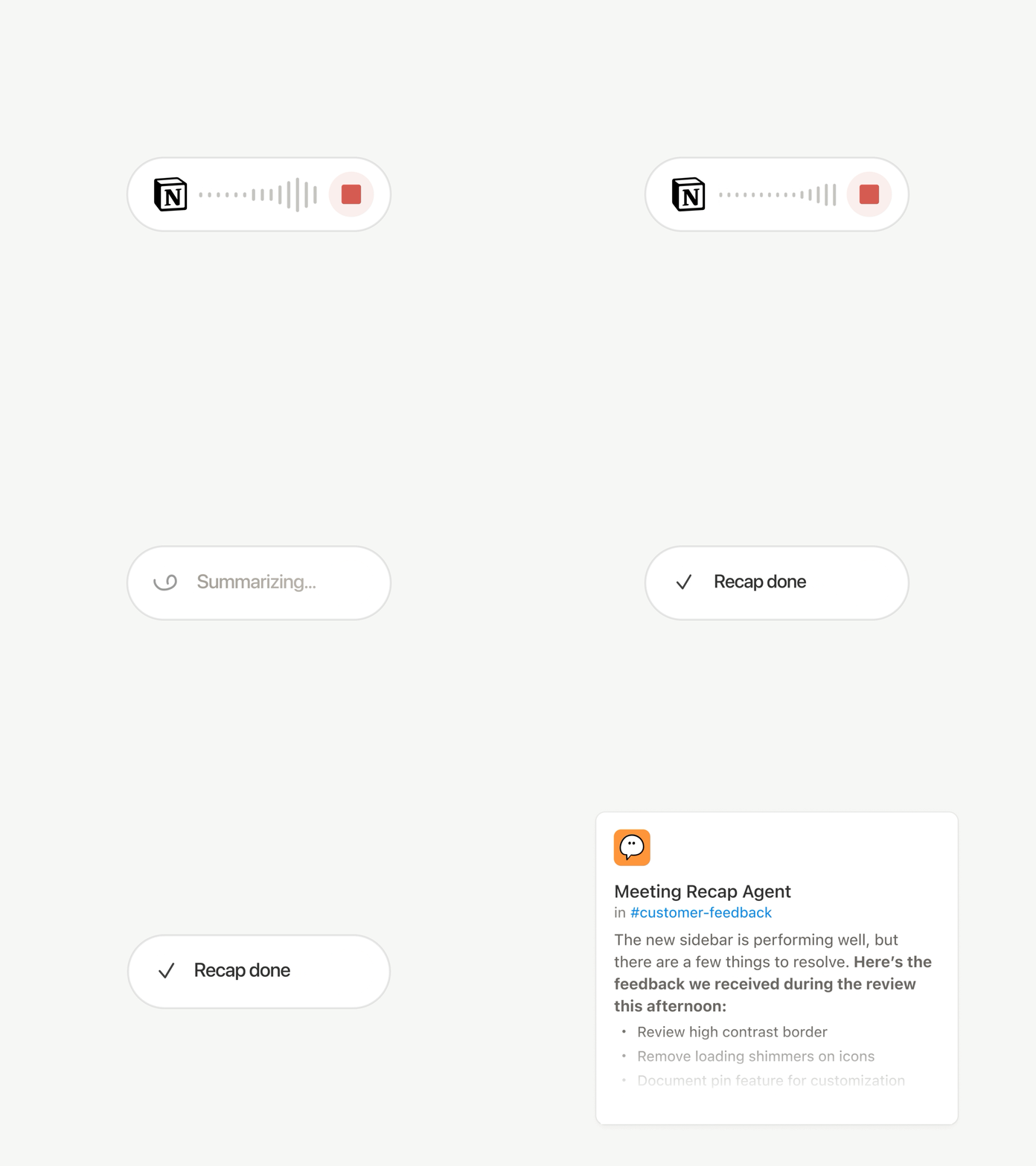
Every call ends with the same chores: Write the recap, file the action items, ping the people who weren’t there. Now Custom Agents can handle post-meeting work automatically.

Choose which meetings matter, then let a Custom Agent pick up the work as soon as each summary is ready. It gets the transcript and summary, so it can write the status update, file the action items, or send customer feedback to the right database. Available on Business and Enterprise plans. Learn more →

Browse every model, and see which is best for the job

Latest Models

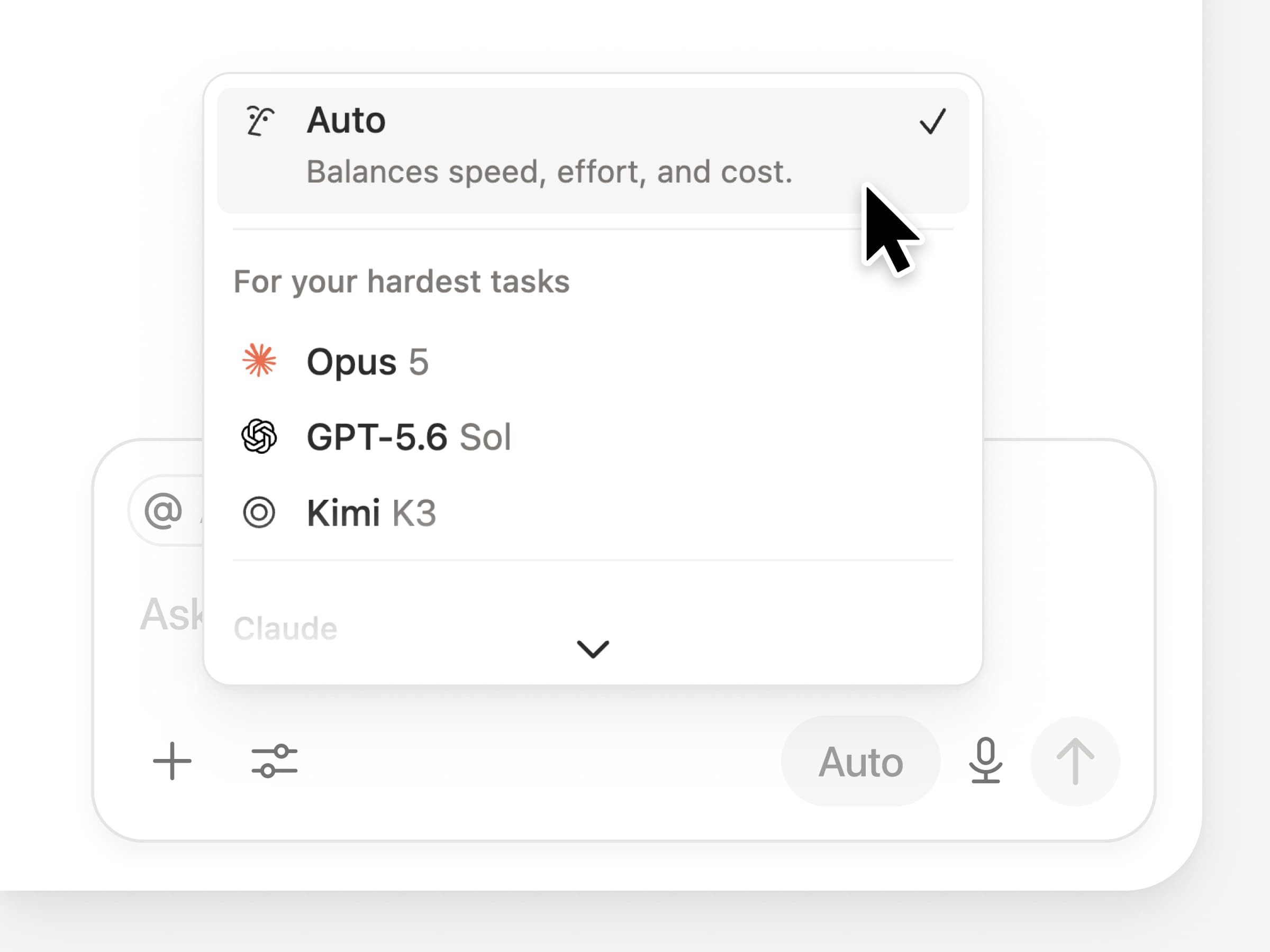
You get access to all the latest frontier models in Notion, including Opus 5, GPT-5.6 Sol, and Kimi K3. The new model picker is redesigned to help you choose the best model for your work, with indicators for speed, intelligence, and costs.

Also new is the Notion Knowledge Board, which evaluates model performance on real, everyday work. Compare models →

And a few more…

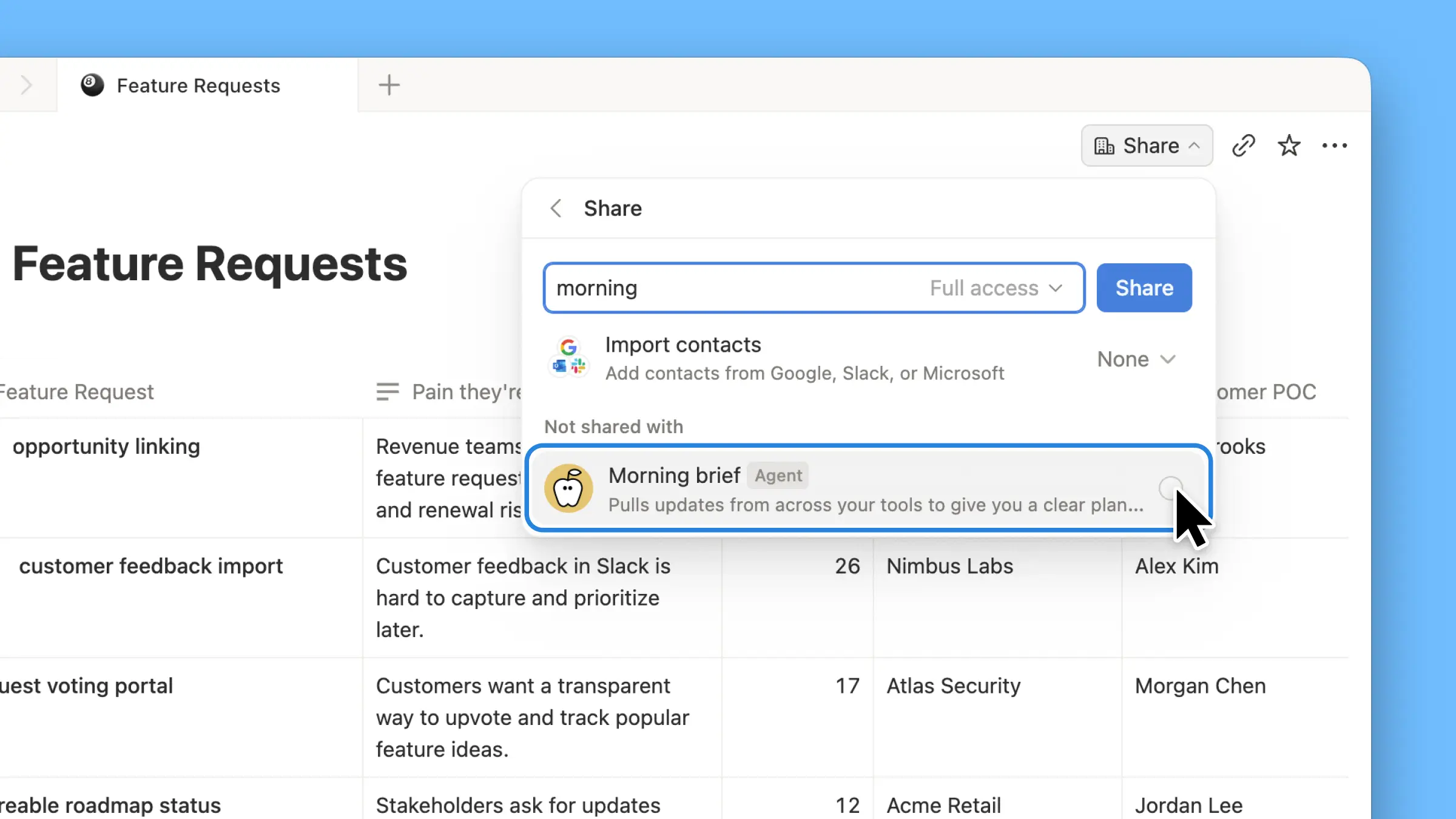
  • Embed a Custom Agent in any doc. Drop an agent right where the work happens, so anyone on the page can use it. See how →

  • Custom Agent Insights in the Public API. Pull credit usage, completed runs, and status and enable, disable, or set limits for any agent. Business and Enterprise. Read the Insights API docs →

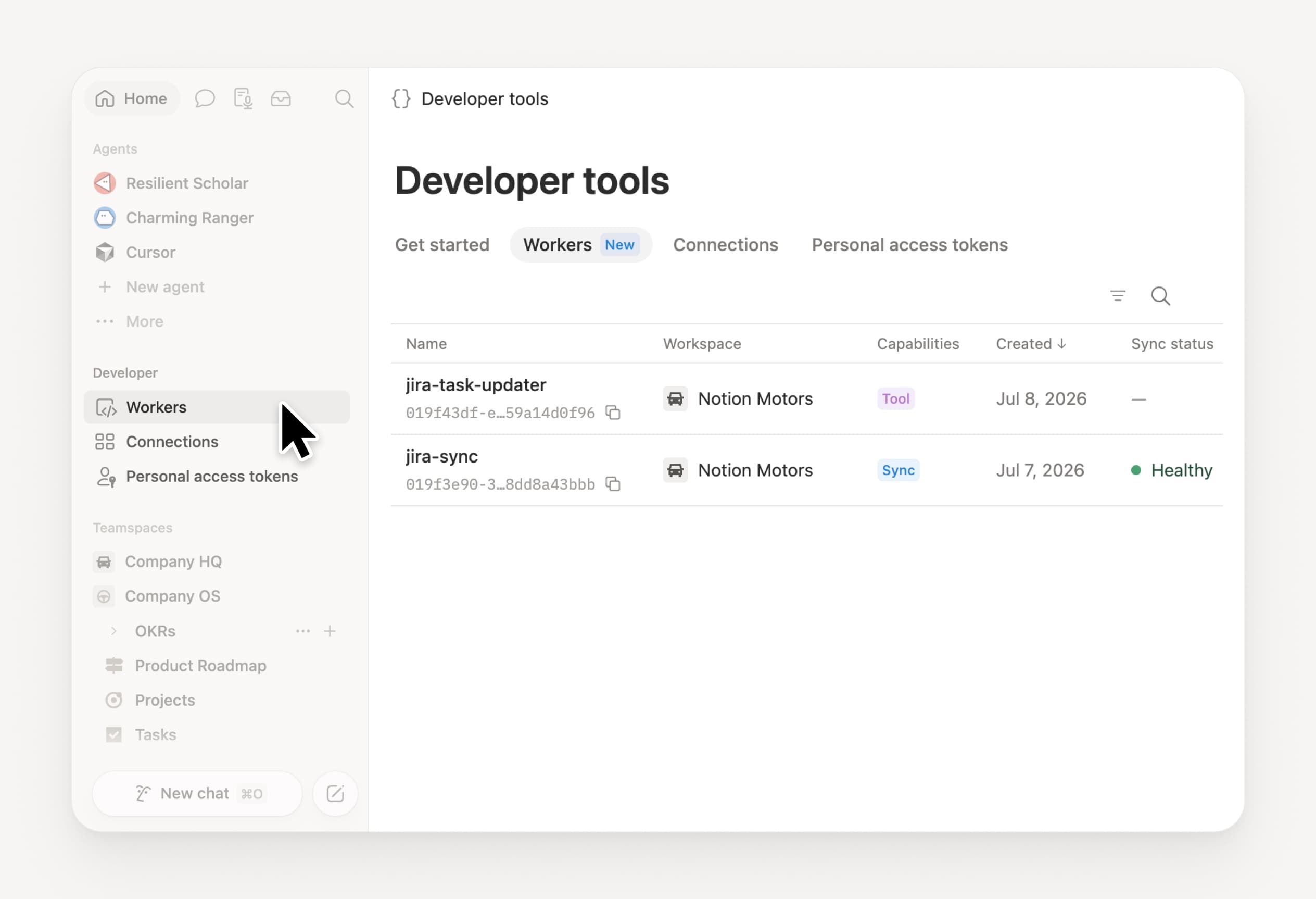
  • Manage your Workers and connections: Open the new Developer section in the sidebar to see every Worker, where it’s connected, and the logs from each run. Check it out →

  • Agent SDK, now in public beta. Continue Custom Agent conversations from anywhere, trigger them from your app, and stream results back. Business and Enterprise. Read the Agent SDK docs →

  • Developer Portal now lives in Notion. Manage your Workers, connections, and personal access tokens in one place. Open the portal →

  • AI Search is 50% faster. Less waiting on answers and agent outputs that use workspace context. Business and Enterprise. Give it a try →

  • Catch up on your inbox. Ask Notion Agent to group notifications, show what needs attention, and help clear the rest. Check it out →

Give skills a try! And share how we can make it better (we’ve got more cooking).

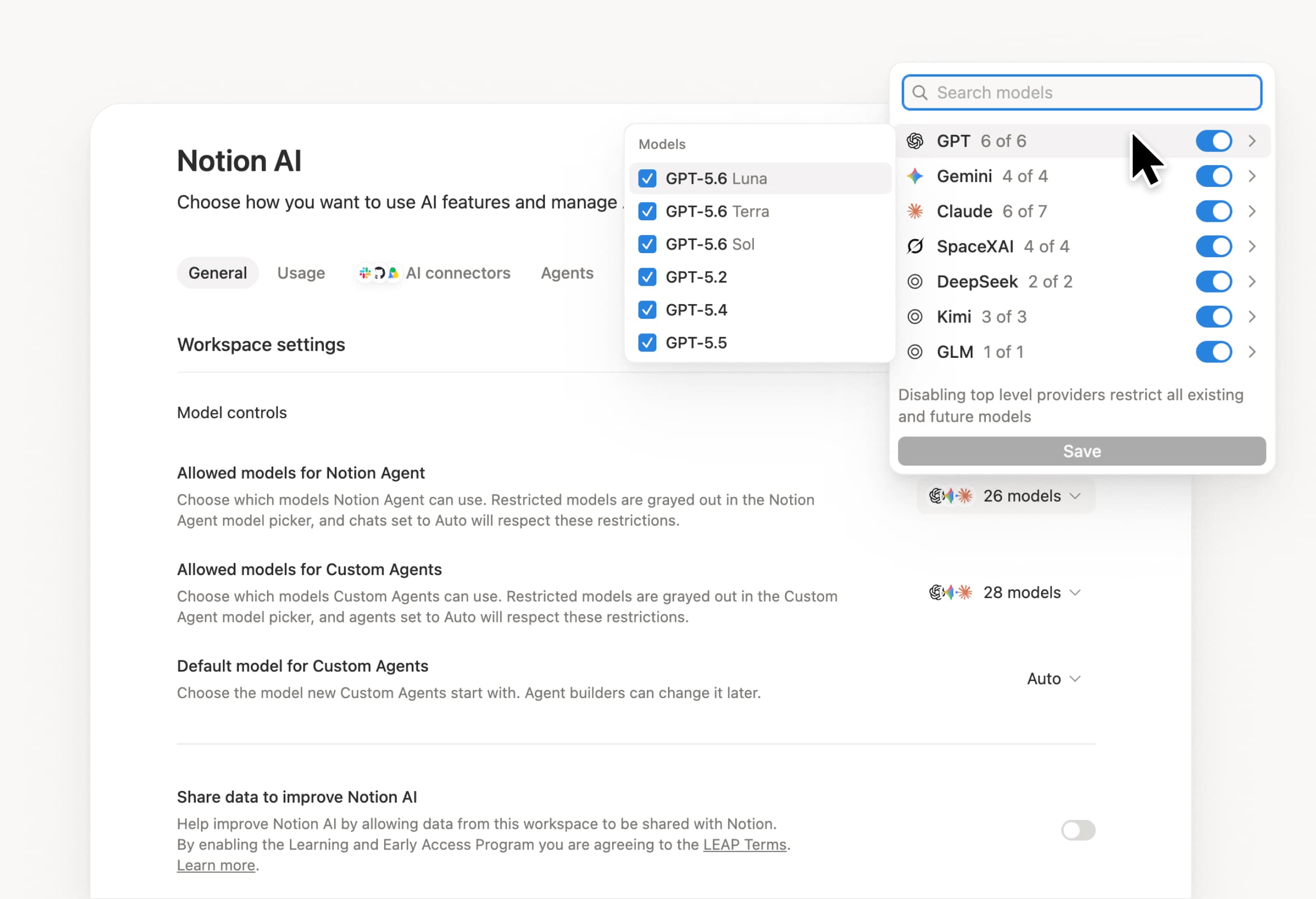
Control which AI models your agents can use

Control which AI models your agents can use

What’s on your team’s model roster? That’s up to you. With model controls, workspace owners can choose which AI models are available in Notion Agent and Custom Agents separately, and set a default model for Custom Agents. Keep costs predictable and support your compliance needs while your teams continue building. Available on Business and Enterprise plans.

Get started at Settings → Notion AI → General → Model controls.

에이전트에게 편집 제안을 요청

이제 에이전트가 변경 사항을 직접 적용하는 대신 편집 제안을 할 수 있습니다. 에이전트에게 편집 제안을 요청한 다음, 위에서 아래로 이동하며 각 항목을 승인하세요. 문법 검사와 같이 행 단위의 변경이 필요할 때 유용합니다.

우선 에이전트에게 ‘편집 제안’을 요청해 보세요.

Your Developer Portal, now in the sidebar

Manage your Workers, connections, and personal access tokens from the new Developer section of your Notion workspace. See an overview of deployed Workers and logs behind every run.

Developer sidebar section

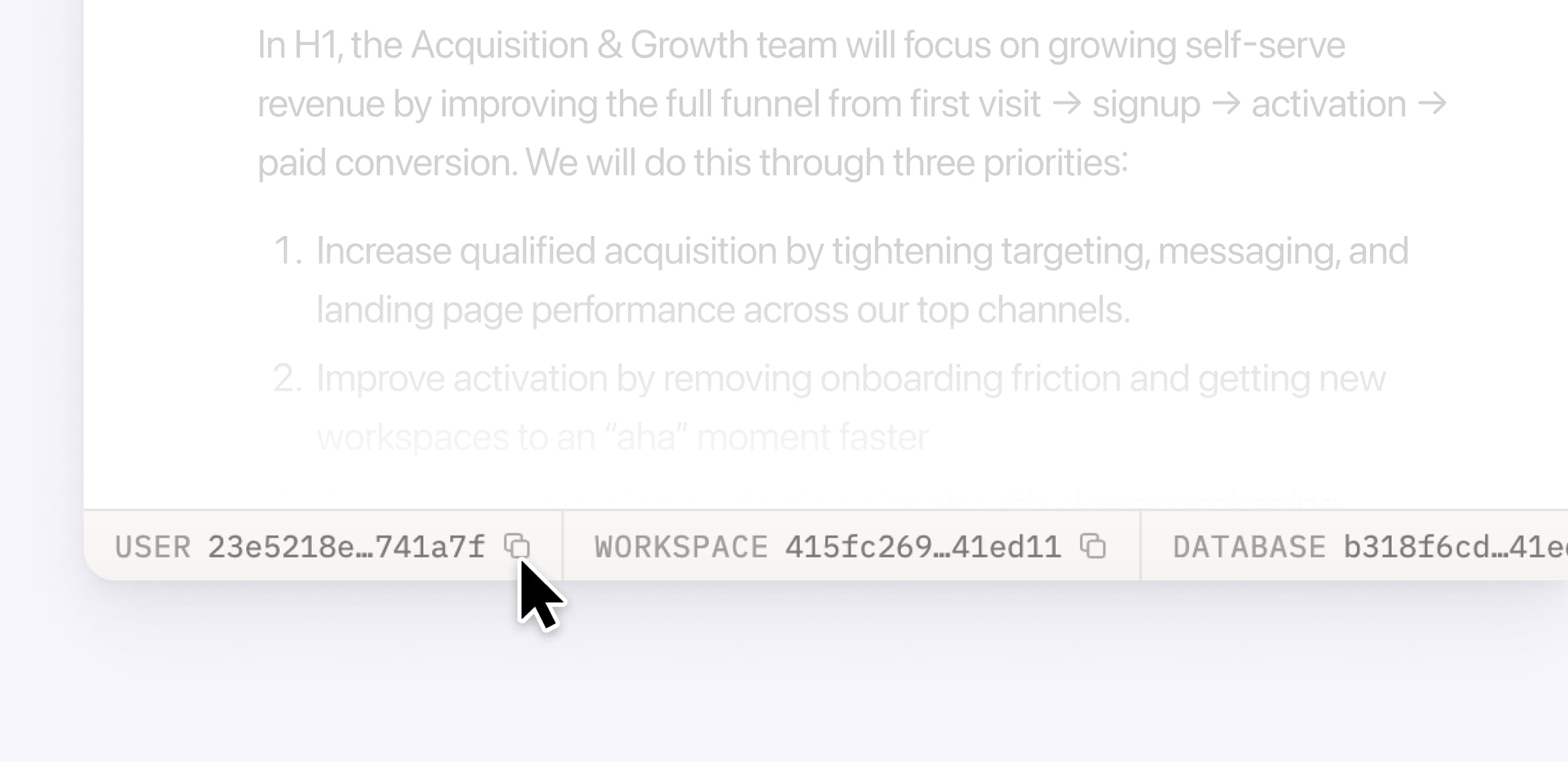
Plus, the new developer bar makes it easy for anyone building with the API to find IDs for the page, database, block, workspace, or user. Copy any one of them, or the full API object, in one click.

Developer bar

Get started from Settings → Developer → Enable developer features. Go there now →

Model selection, simplified

No more guessing which model to use.

The model picker now leads with a shortlist of models made for your hardest tasks, and every model has a scorecard to compare speed, intelligence, and cost. Pin your favorites for easy access and dial up the effort when you need a more thorough answer.

AI Meeting Notes can now trigger Custom Agents

Custom Agents can now run right after an AI Meeting Note is finished. No more need to manually update status trackers, post recaps to the project channel, or file tickets by hand.

Here’s a few of our favorite post-meeting workflows:

  • Update your project tracker with the latest status

  • Post a recap to Slack or email with decisions and next steps

  • Turn feedback into tickets for your engineering team

To get started, open your Custom Agent’s settings, add the Meeting note summarized trigger, and choose which meetings kick it off. After your next call, your agent will get to work.

High contrast mode

Accessibility win! High contrast mode is a new display option that makes text, icons, and borders easier to read.

Try it by going to Settings > Preferences > Appearance. Available on desktop and web.

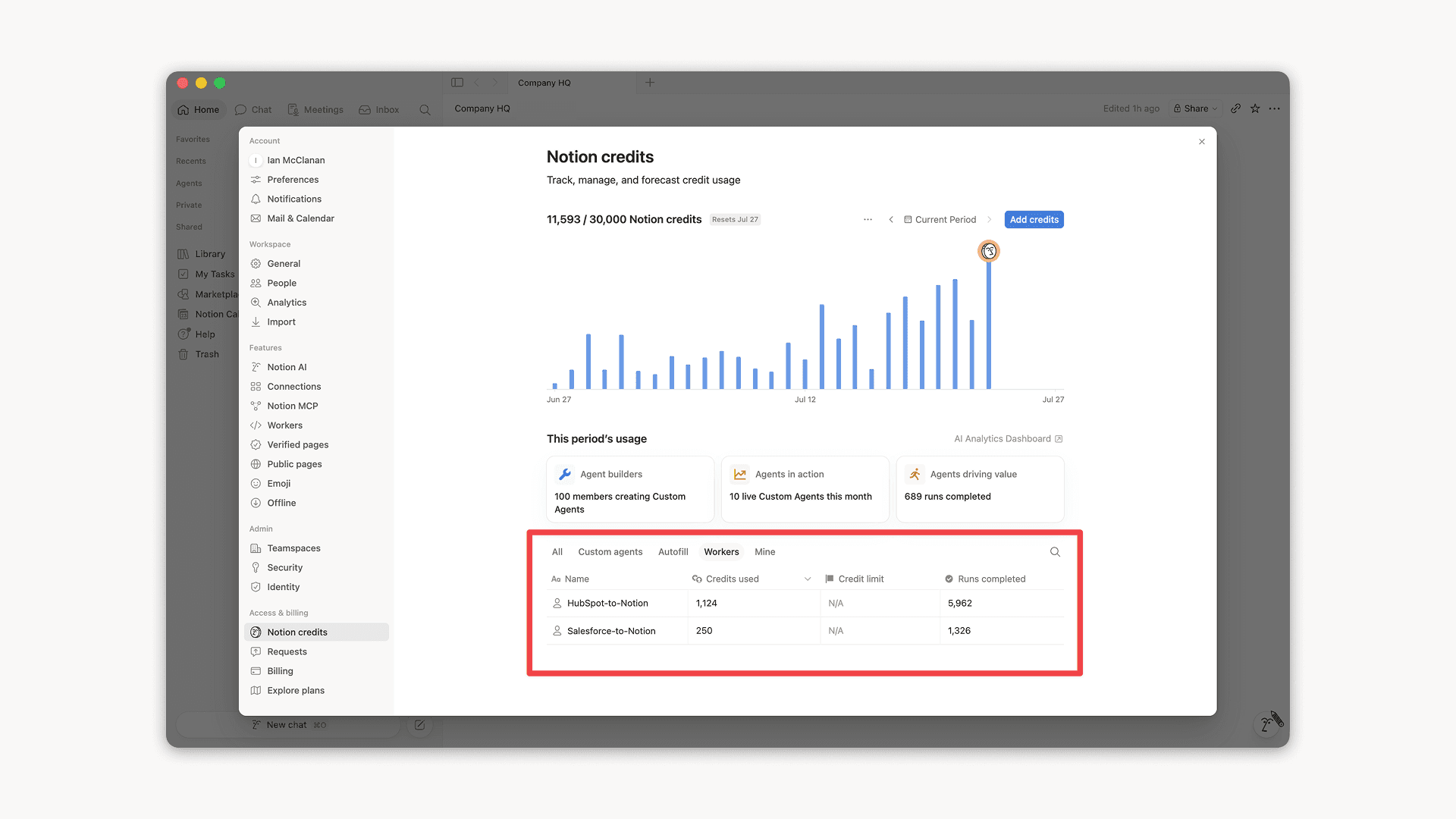
Workers, now in your Notion credits dashboard

Workers in the credits dashboard

Notion Workers run custom code on Notion's infrastructure to sync data, power tools for Custom Agents, and trigger webhook automations.

Now you can track your Workers’ usage in the credits dashboard, alongside your other spend.

Workers are free to try during the beta on Business and Enterprise plans (including Business trials). Usage is now visible in the dashboard to help your team size credits before the beta ends.

Learn more about the Notion Workers beta and pricing in our Help Center →

Powered by Fruition