最新情報

最新のリリース、改善点、修正点をご覧ください。

@NotionHQをフォローする
3.8

Notion 3.8:エージェントのためのコンテキスト
Context for your agents

エージェントとチームはコンテキストに基づいて動きます。エージェントを切り替えたり、新しいツールを追加したり、新しいチームメイトを迎え入れたりするたびに、すべてを説明し直す必要はありません。Notionを使えば、大切なことを記録しておくための、長続きする共有スペースを確保できます。

今回のアップデートは、すべてコンテキストに関するものです。データ、ツール、スキルを接続することで、あらゆるエージェントやモデルを自由に利用できるようになります。

多くの変化がある中でも、コンテキストはNotionに保持されます。

MCPを使用してエージェントをNotionに接続する
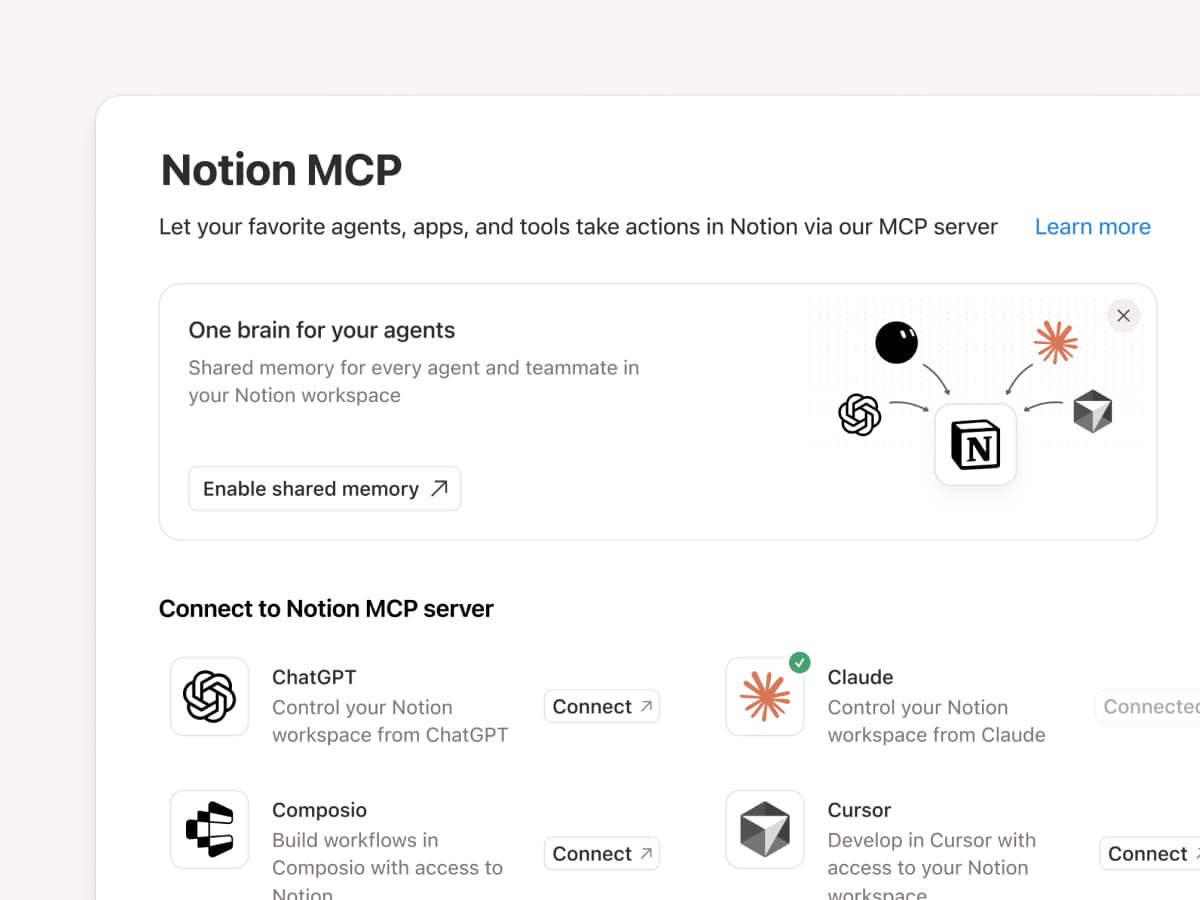
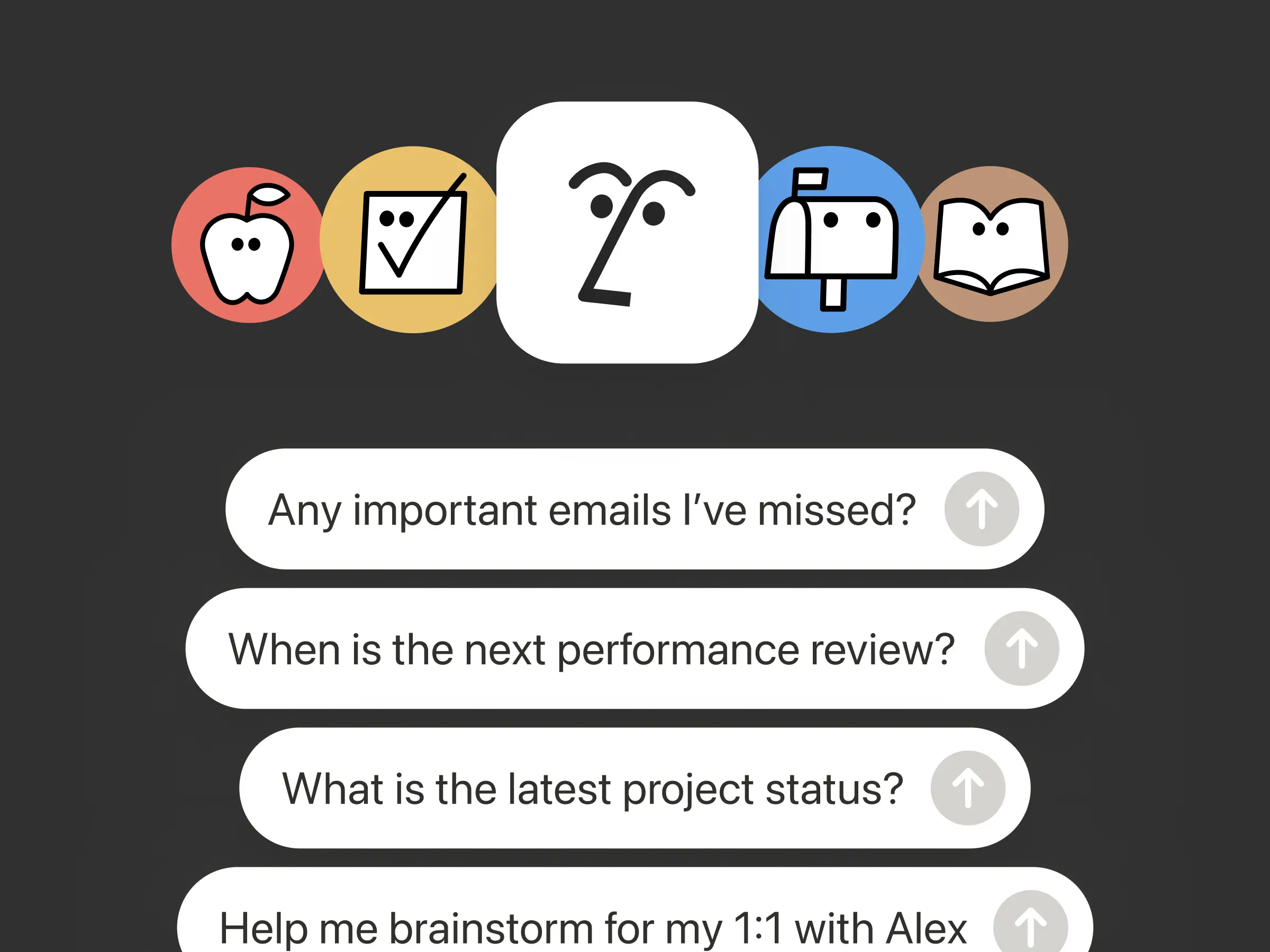
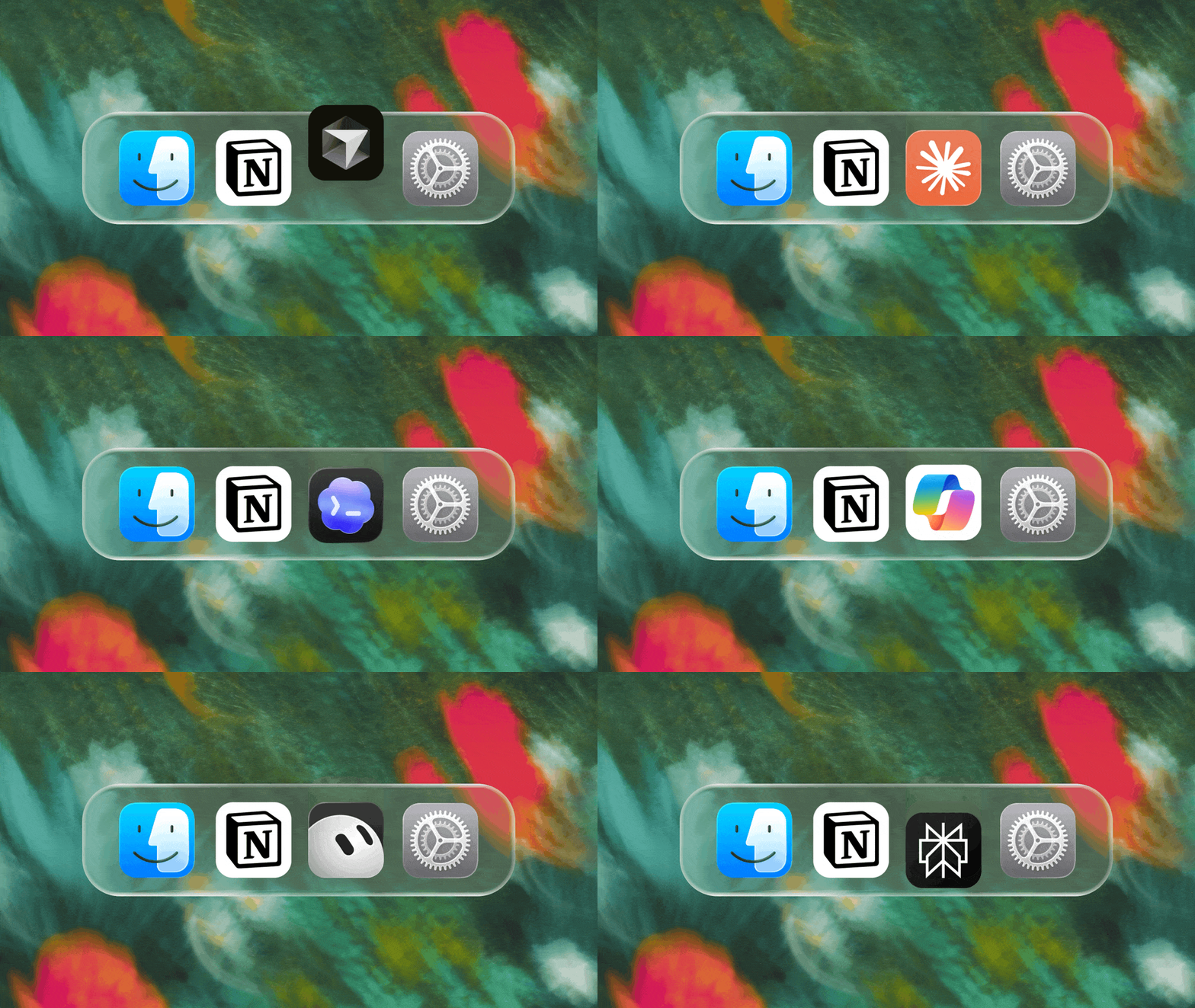
MCP互換エージェントをNotionに接続すると、ワークスペースのコンテキストを読み取り、ドキュメントやタスク管理ツールを更新できるようになります。Claudes、Muses、GrokBots、Dotsあるいはその他のエージェントのいずれを使用する場合でも、Notionはそれらに必要な情報を一箇所にまとめて提供するため、エージェントを切り替えても一からやり直す必要がありません。エージェントをNotionで設定 →

また、NotionのMCPコントロールを使用すると、管理者は各AIツールを誰が接続したかの確認、最終使用日時のチェック、他の接続に影響を与えることなく特定のユーザーのアクセス権の取り消しができます。MCPコントロールを設定 →

MCPを使用してNotionエージェントを150以上のツールに接続する
MCP

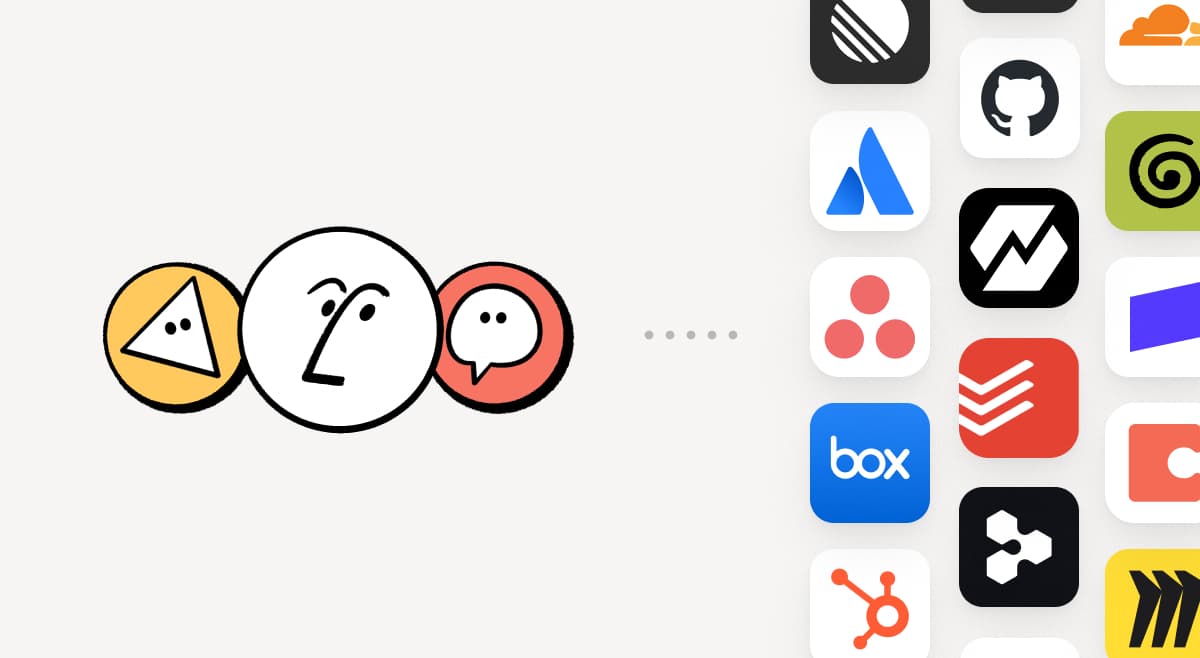
チームがすでに使用しているツールをNotionに取り込みます。MCP接続により、Notionエージェントやカスタムエージェントは、これらのツールからのコンテキストを活用し、ツール間でアクションを実行できます。HubSpotのパイプラインデータを使用してNotionでアカウント概要を作成したり、Stripeの請求詳細を顧客の健全性レビューに追加したり、Cloudflareのインフラストラクチャ詳細をポストモーテムに取り込んだりできます。これはほんの始まりに過ぎません。150以上のMCP接続を見る →

スキルは一度だけ記述してください。すべてのエージェントで使用してください。
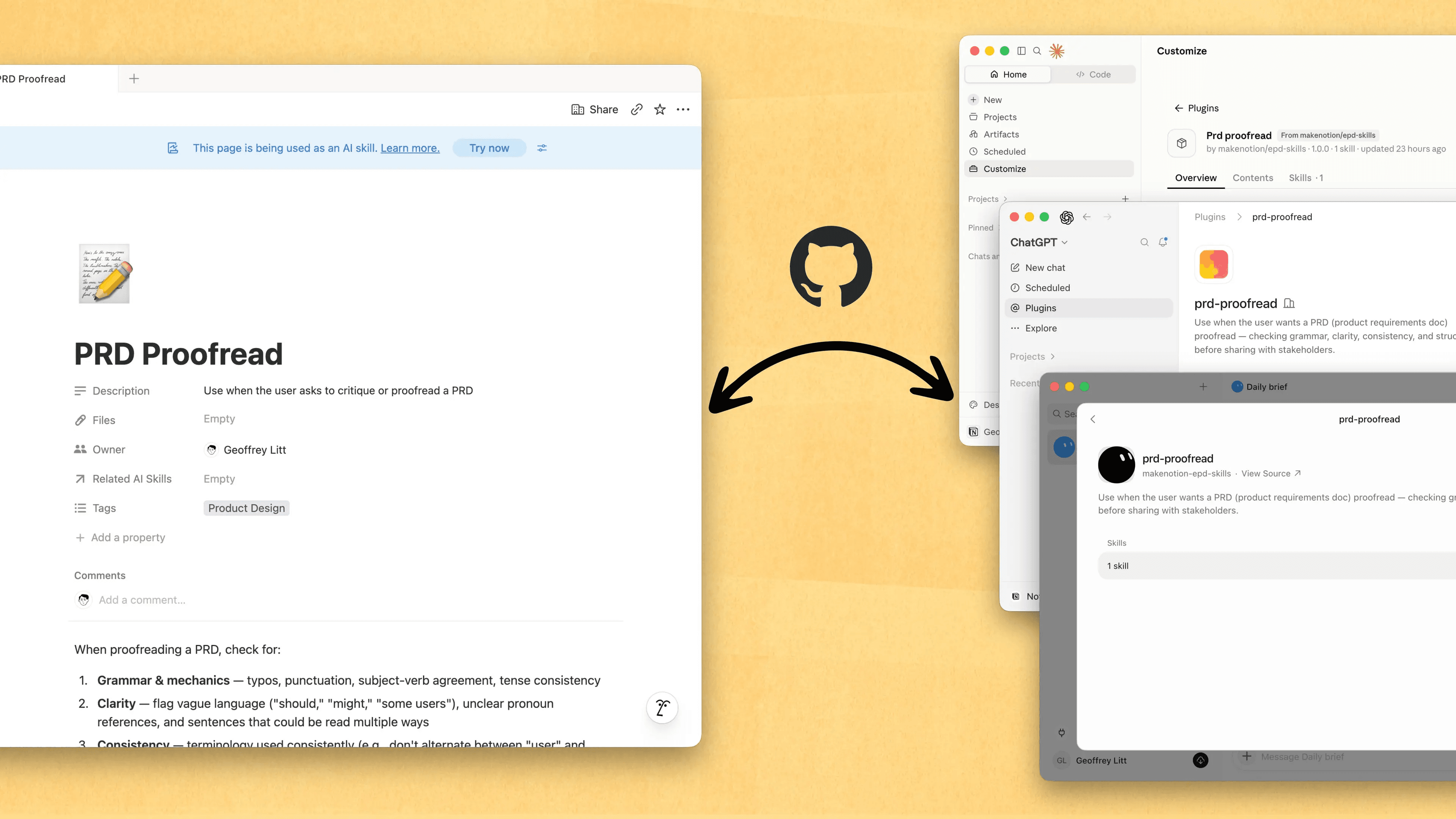
Write a skill once. Use it with every agent.

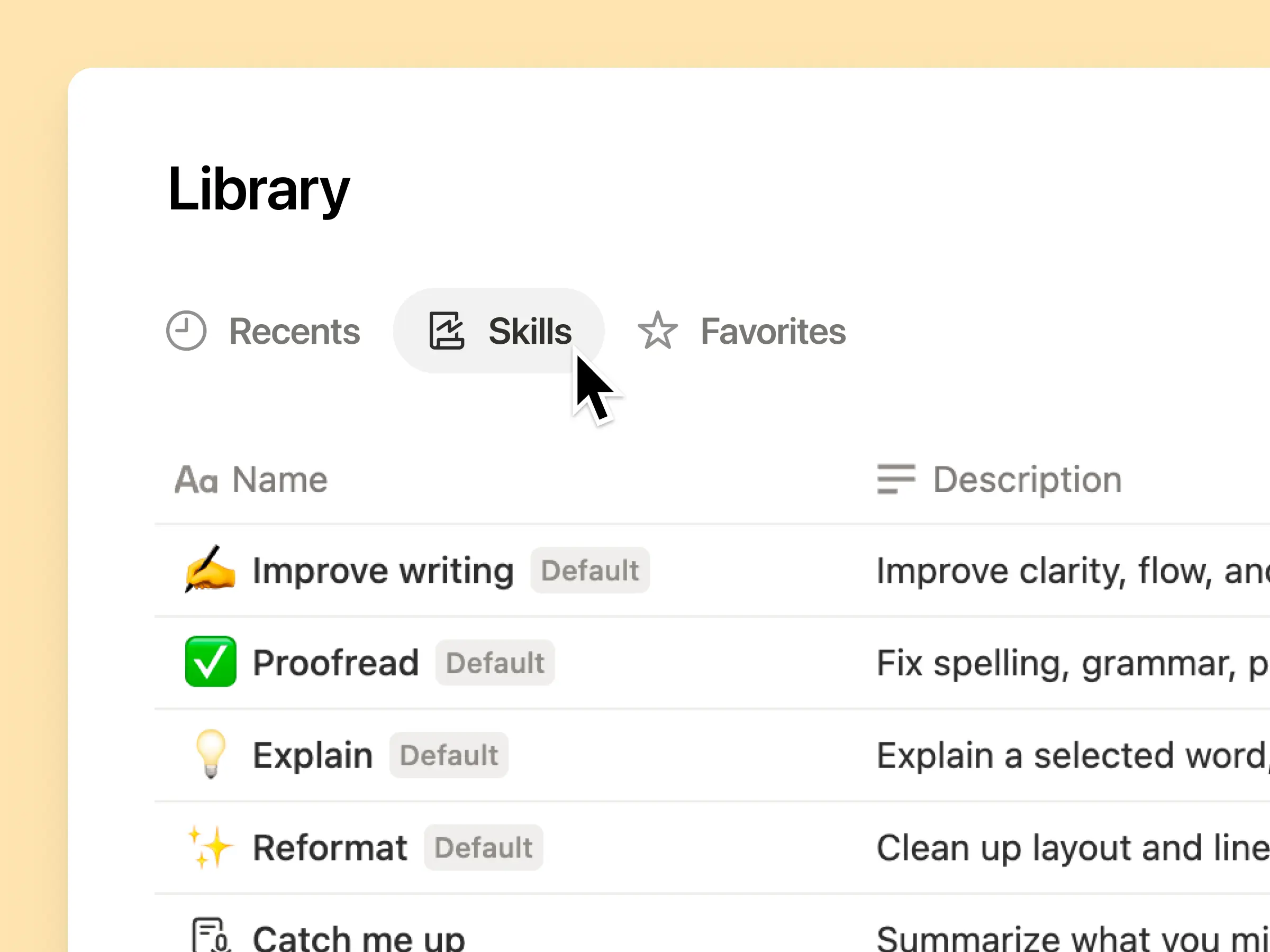
スキルは、エンジニアだけでなく、誰もが自分の仕事のやり方をエージェントに教えるための最適な方法です。Notionは、スキルの作成、共有、そして最新の状態に保つための最適な場所となりました。新しいスキルAPIを使えば、NotionからGitHubにスキルを読み込み、ChatGPTやClaudeなどでスキルを同期できます。

すでにエージェント用のスキルをお持ちですか?エージェントにMCPを使ってNotionでスキルを再作成するよう依頼し、その後もNotionでライブラリを構築し続けてください。クイックデモはこちらから、詳細についてはこちらのドキュメントをご覧ください。

すべてのユーザーやエージェントによる変更を確認する
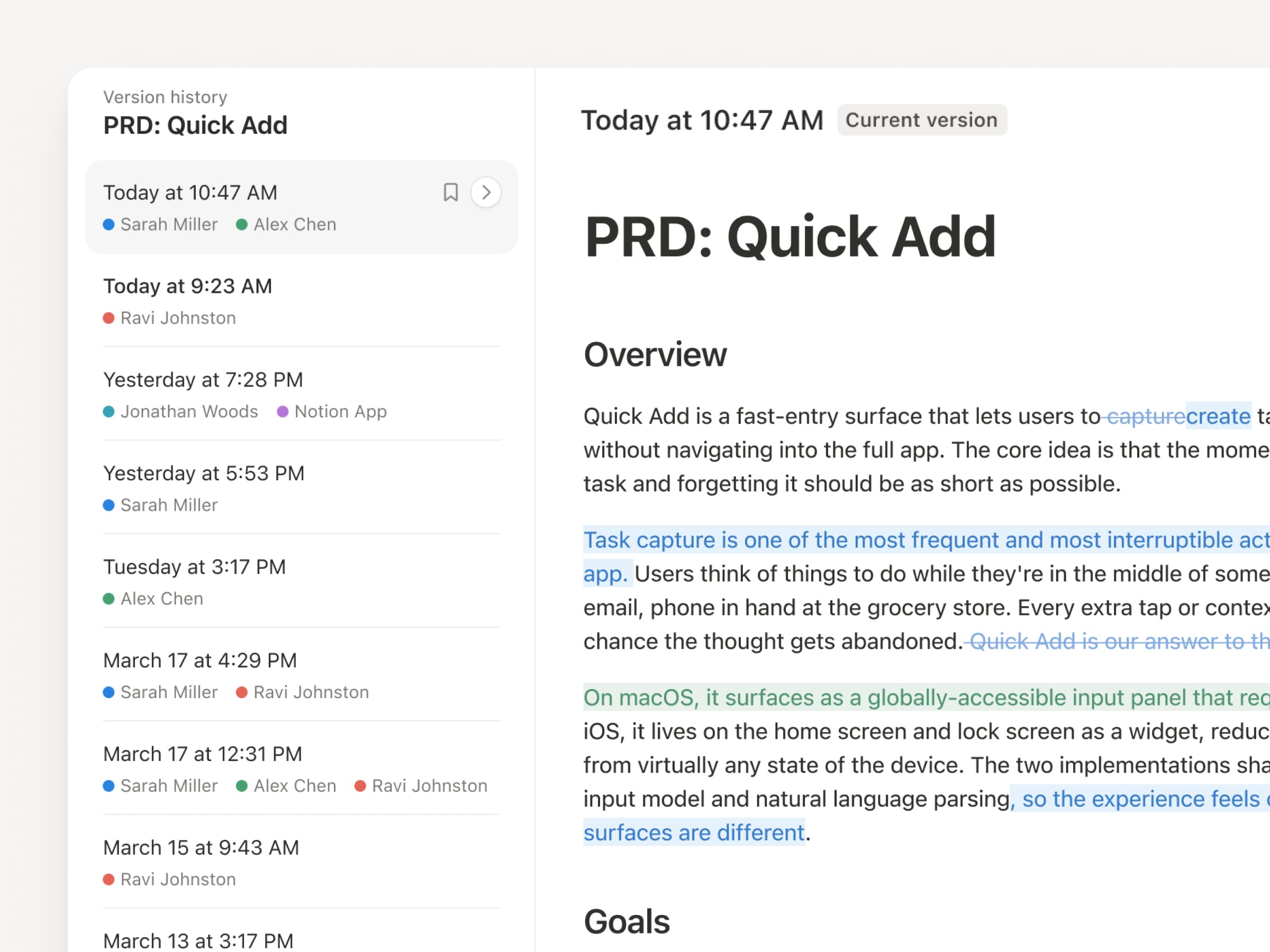
エージェントやユーザーが絶えず更新を行う中で、バージョン履歴の重要性がかつてないほど高まっているそこで、当社もアップグレードしました。ページおよびデータベース全体で、編集箇所のハイライト、データベースの詳細な変更点、変更者などが明示され、記録がより分かりやすくなりました。エージェントに作業を任せつつ、その変更内容を可視化し、安全に管理できるようにします。変更内容の確認、変更者の特定、そして以前のバージョンへの復元がクリックひとつで可能です。詳しくはこちら →

二重払いは不要です。NotionでChatGPTプランを使用します。
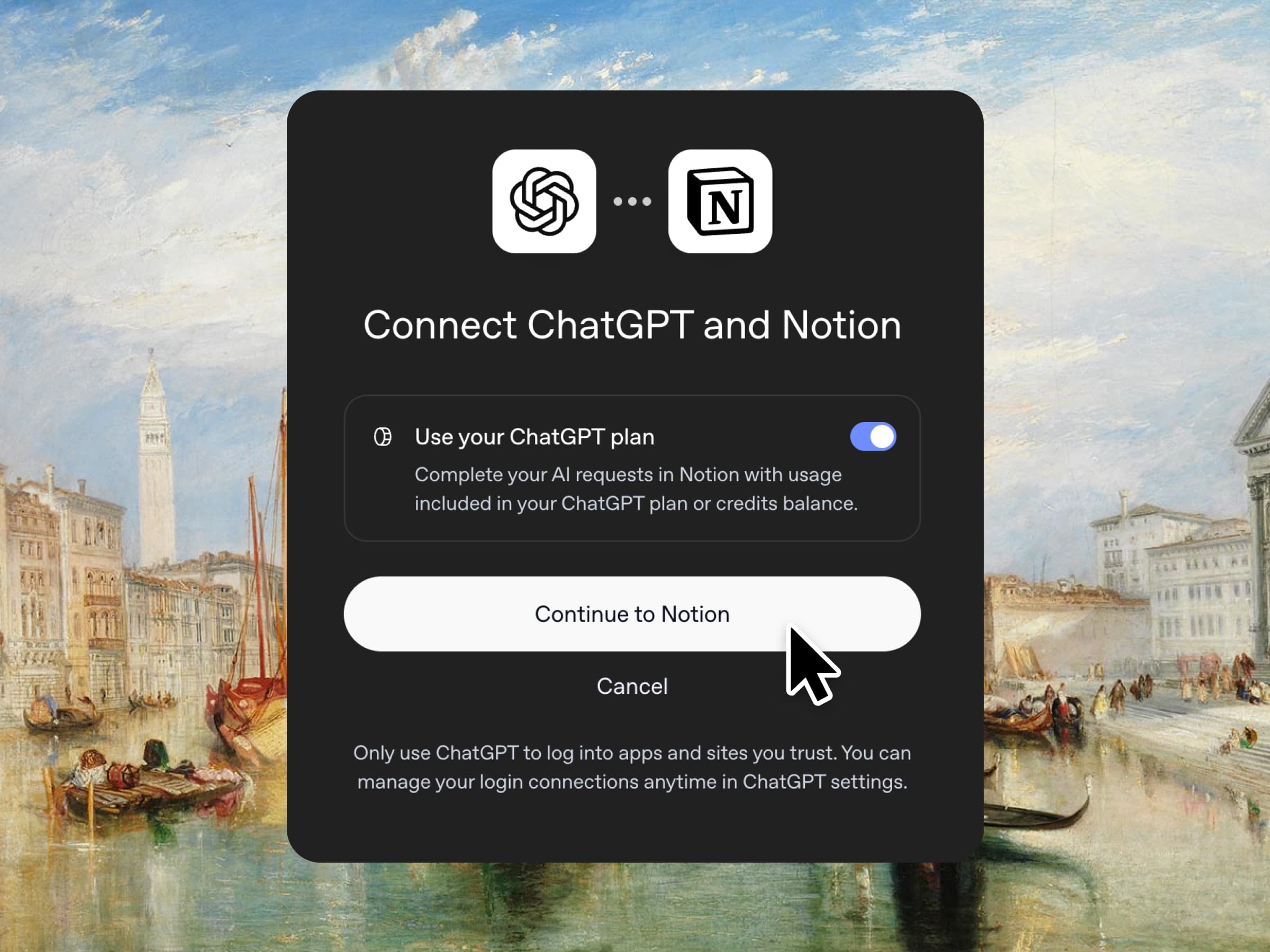
その通りです。ChatGPTプラスまたはProをご利用の場合、そのサブスクリプションでNotionでのAI利用をカバーできるようになったプランを接続し、GPTモデルを選んで、すぐに開始します。上乗せ価格は設定していません。仕事に最適なツールを、裁量の価格で提供したいと考えています。ビジネスプランとエンタープライズプランでご利用いただけます。クイックデモおよびドキュメントをご確認ください。

データベースの列のアクセス権限
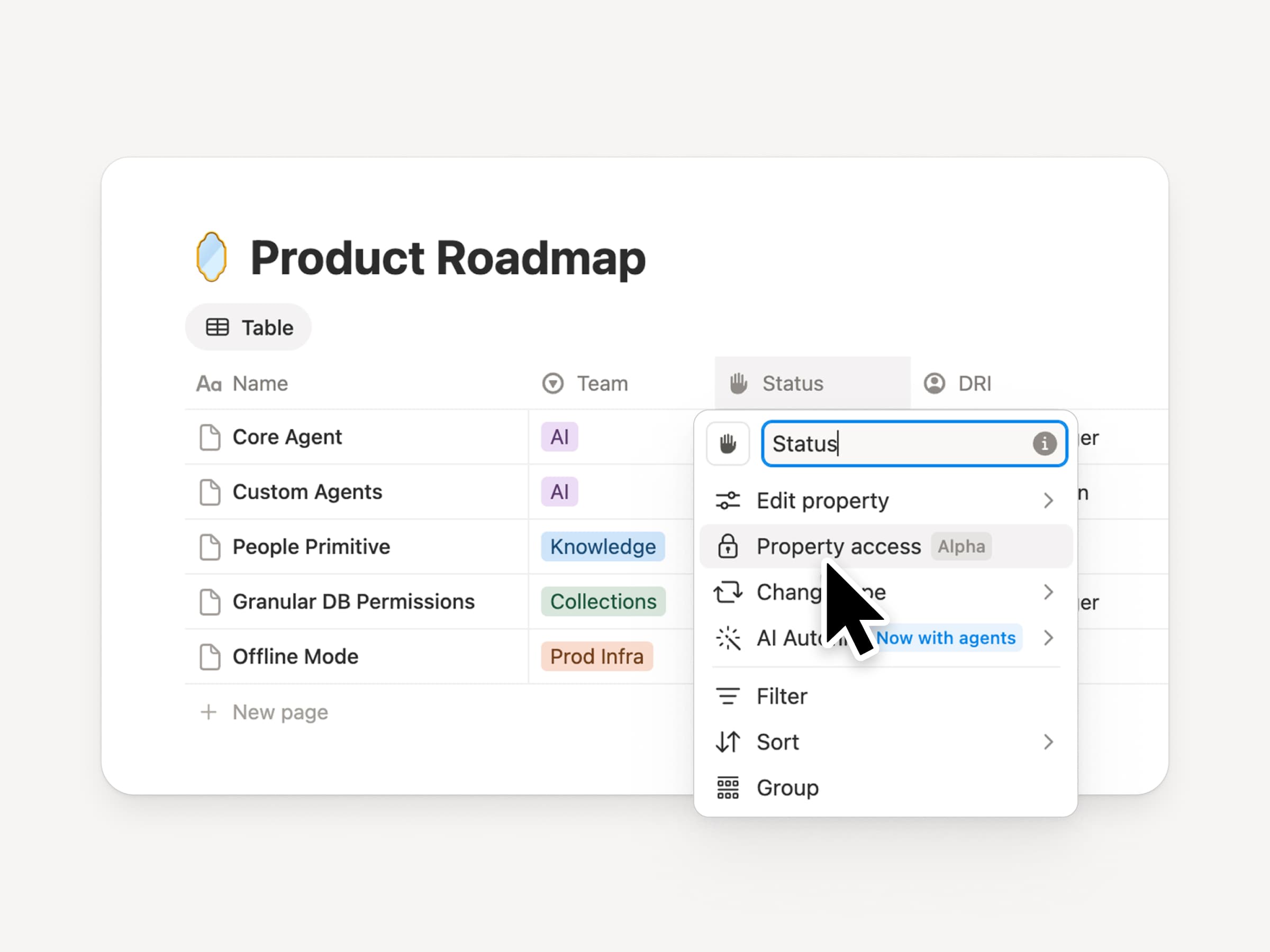
Notionデータベースは、チームやエージェントに共有された最新のコンテキストソースを提供します。しかし、チームとエージェントの両方に適切なアクセス権限が必要です。列の権限は、長年にわたり最も要望の多かった機能です(時間をかけて慎重に開発しました)。データベースの所有者は、各ユーザーやエージェントがどのプロパティを表示または編集できるかを制御できるようになります。採用チームは、報酬情報を公開することなく、候補者について共同で検討できます。サポートエージェントは、制限された顧客データを閲覧することなく、アカウントのコンテキストを利用できます。クリエイターによる紹介動画をご覧ください。

同期データベースの再導入
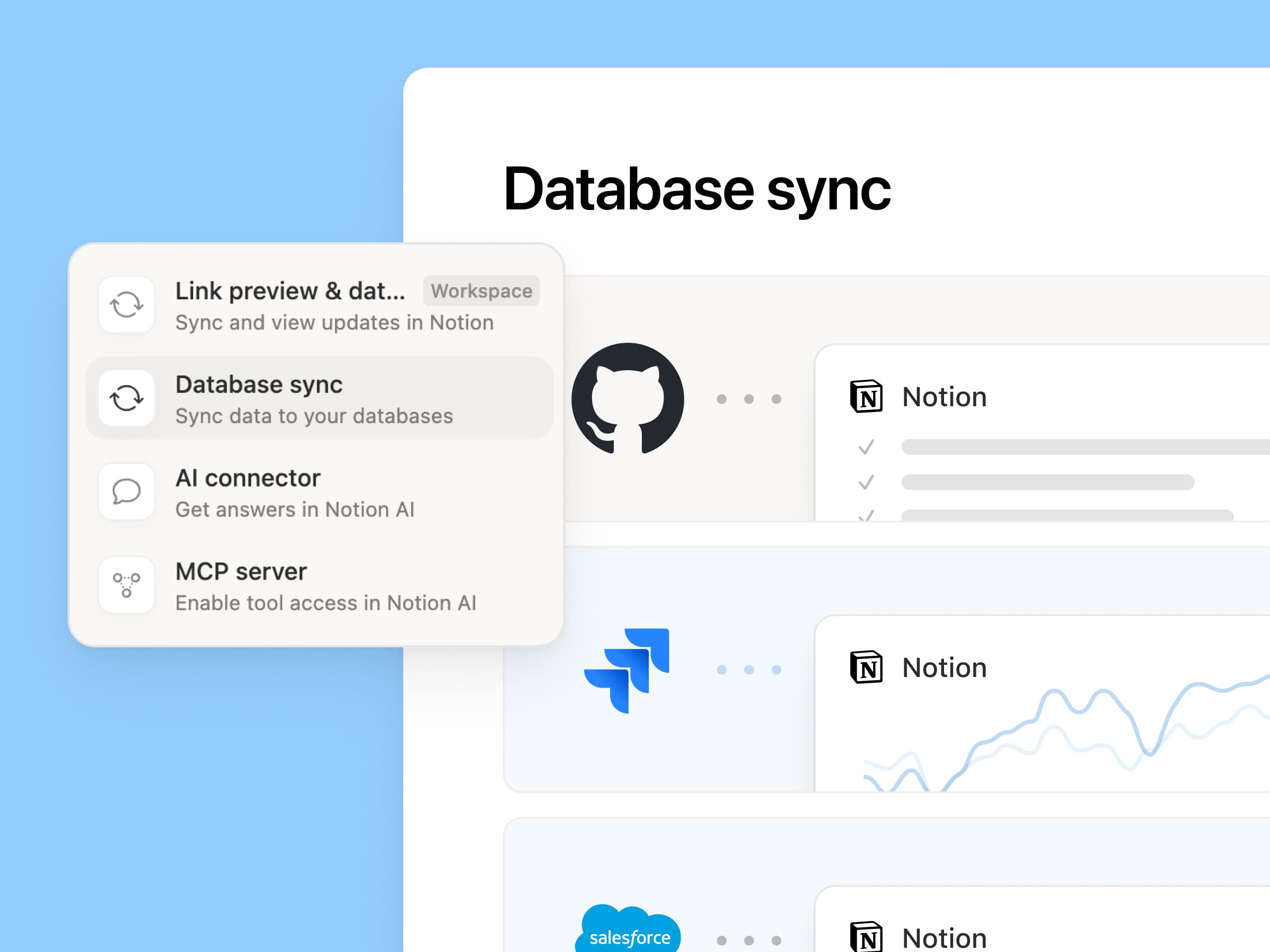
Reintroducing synced databases

GitHub、Jira、Salesforceをはじめとする同期データベースを再構築しました。チームやエージェントは常に最新のデータに基づいて作業できます。より高速で信頼性が高く、同期のたびにリアルタイムのヘルスステータスを表示します。他のNotionデータベースと同様に機能するため、独自のプロパティの追加、ビューの作成、オートメーションのトリガーが可能です。Notionでは、Salesforceアカウントを同期し、ミーティングのメモや機能リクエストにリンクさせることで、顧客ハブを構築しています。これにより、すべてのチームが各顧客の最新情報を同じビューで共有できます。詳しくはこちら →

新しい週、新しいモデル
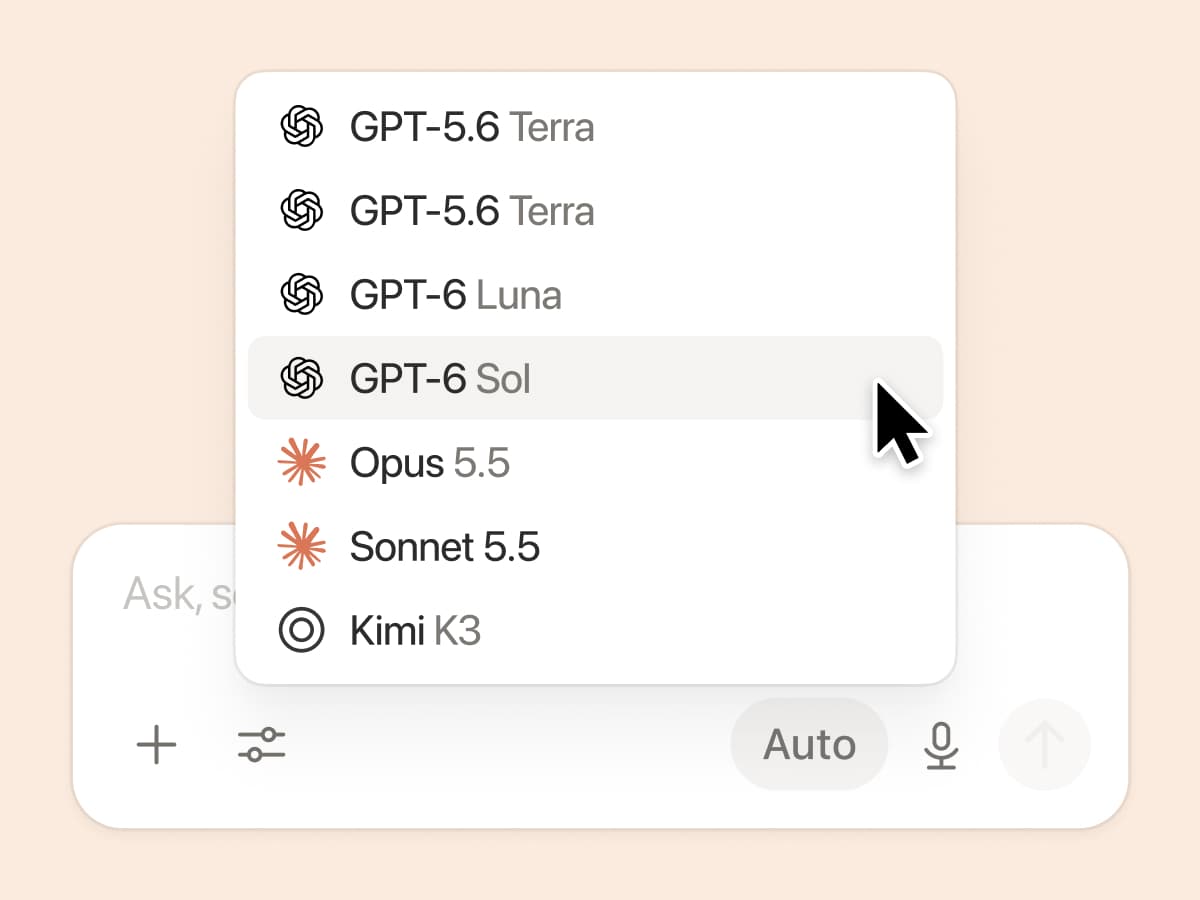
New week, new models

ラボがまた新しいことを始めました。GPT 6.1-Sol、GPT-6 Luna、Opus 5.5、Sonnet 5.5を含む、7つの新しいモデルがすべて追加されました。いずれのモデルも、チームの作業に関する最新情報を把握しているので、安心して使える

また、これまで私たちは、匿名化された実際のトラフィックデータを用いて、さまざまなナレッジワークのタスクにおいてモデルがどのように機能するかを評価してきました。ナレッジボード →

コンテキストを接続し、管理するその他の方法

  • 再設計されたコネクション設定:カテゴリ別に検索または閲覧し、各ツールの接続方法を確認したり、ワークフローの例をプレビューしたりできます。管理者は、Notionによって検証されたツール、または自分で選んだ特定のツールのみを許可できます。

  • Microsoft TeamsでNotionの通知を受け取る:TeamsでNotionのメンション、コメント、アクセスリクエストを受け取り、アプリを切り替えることなく返信や対応が可能です。

Notionがドックの基盤としてどのように機能するか、楽しみにしています。
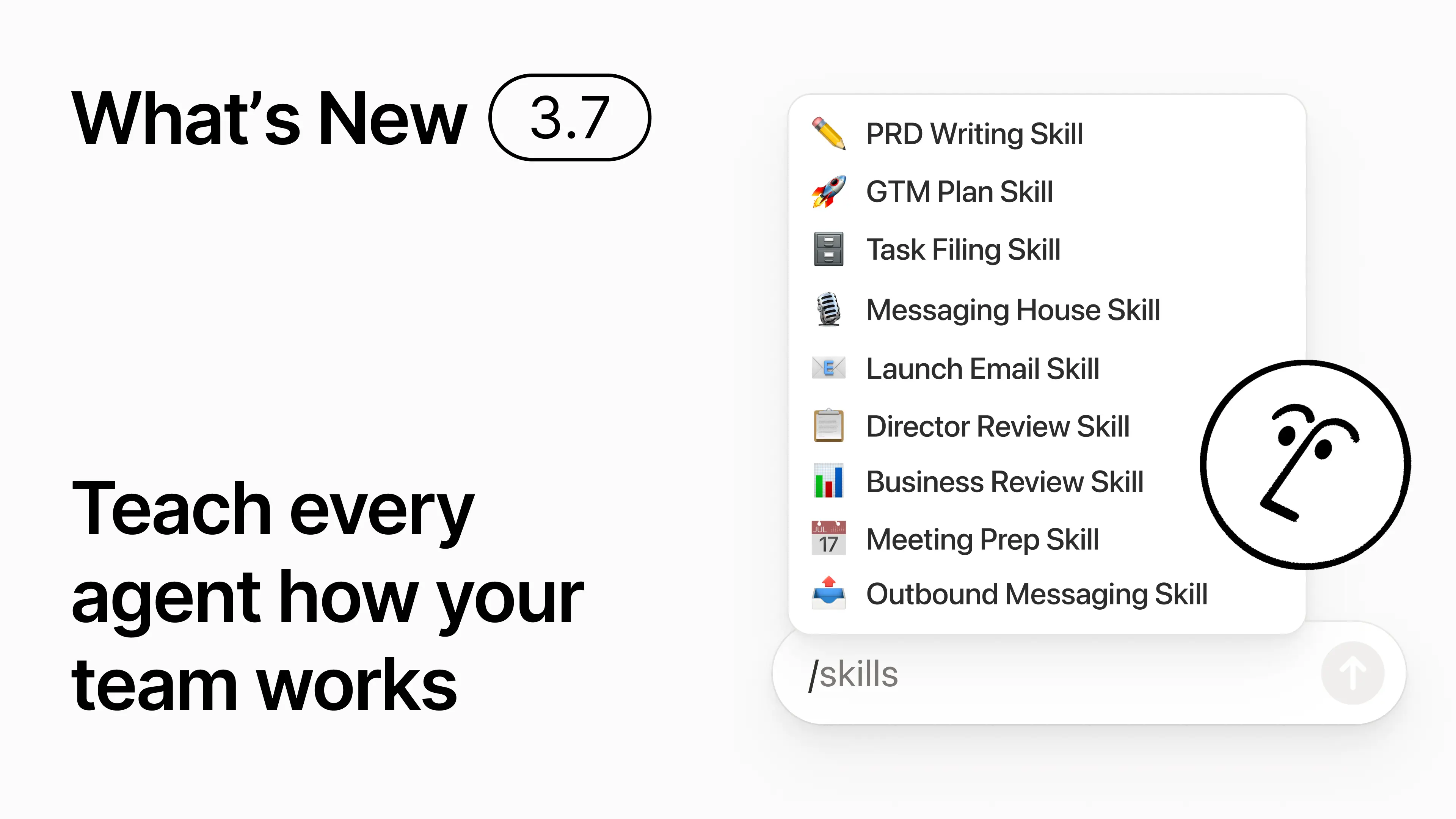
3.7

Notion 3.7: Agent skills for your whole team

What's New 3.7

You know how some people are really good at prompting AI? Or they’ve figured out the best way to handle repetitive work? Now they can turn that know-how into a skill and level up the whole team.

Skills are reusable instructions that teach AI how your team works. Like generating a monthly business review in your team’s format. Or critiquing your doc in the same way your boss would. They’re like team shortcuts for getting repetitive tasks done. Create a skill →

Every AI skill your team needs, in one library

Great prompts tend to live in one person’s head or otherwise disappear into standalone docs and chats. The skills library gives your workspace one hub for all shared skills. Browse the skills library →

Put related skills in a Notion database, then share one skill or the whole database. Each team gets one easy place to find its go-to skills, and everyone stays on the latest version. Learn more →

Write it once, and AI runs it your way

Chat with Notion Agent to create a skill from scratch:

  1. Review this feature proposal using our product, design, and engineering standards.

  2. Create a new-hire setup checklist using our device and app policies.

  3. Draft this job description using our leveling framework and approved language.

Not sure where to start? Notion can also suggest skills based on the work you already do. What skills do I need? →

Run a skill the moment you need it

Run Skill

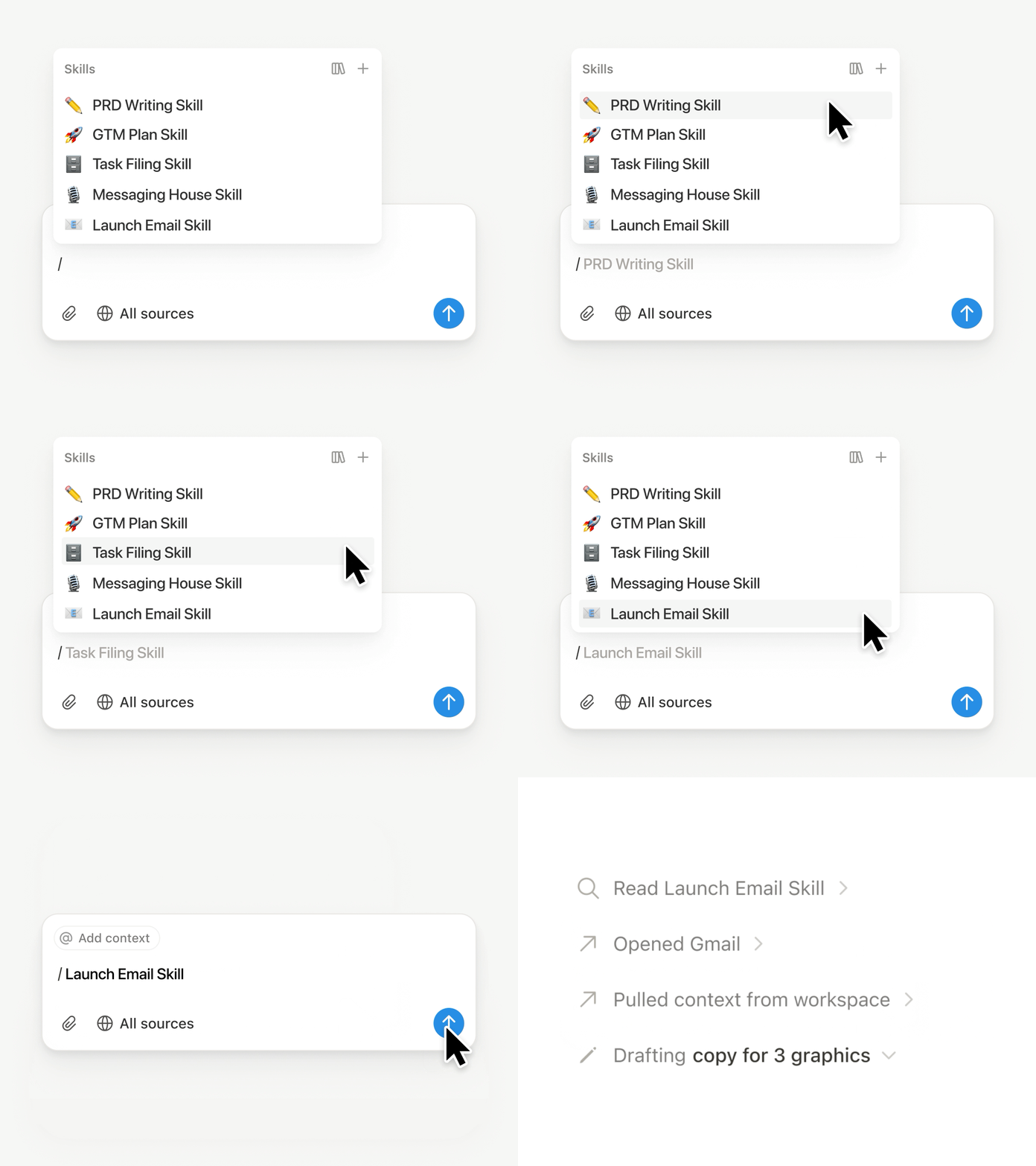
Type / in a Notion Agent chat and choose the skill you want to use. Add any other context, then hit Enter.

Run an Exec-ready skill to turn a draft into a concise executive brief with the takeaway, decisions, risks, and asks. Or turn raw notes into a PRD. You can also set skills to run automatically. Learn more →

Take your team’s skills to Claude Code, Codex, Cursor, and more

Skills to Claude or Codex

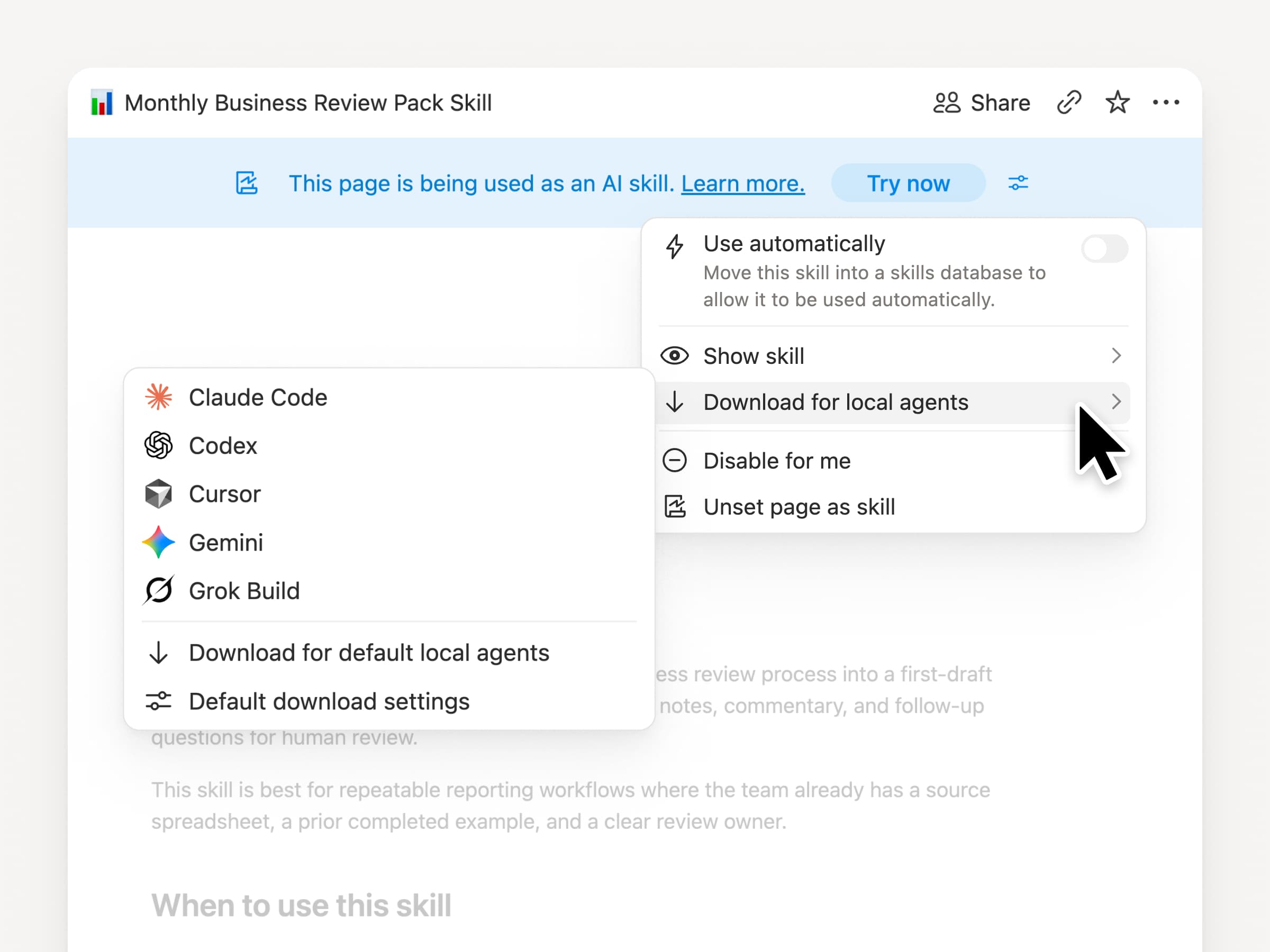
Take your skills with you, no matter what agent you use. Create and update the skill in Notion, then download it to Claude Code, Codex, Cursor, Gemini, or Grok.

Notion writes the skill as a SKILL.md file, along with approved supporting files. When the skill changes in Notion, it gets marked with a badge so you know to grab the latest version. Your team maintains the instructions in one place and your local agents can follow the same process. Learn more →

Ask your agent to connect GitHub, Amplitude, and more

Connect more to your agent

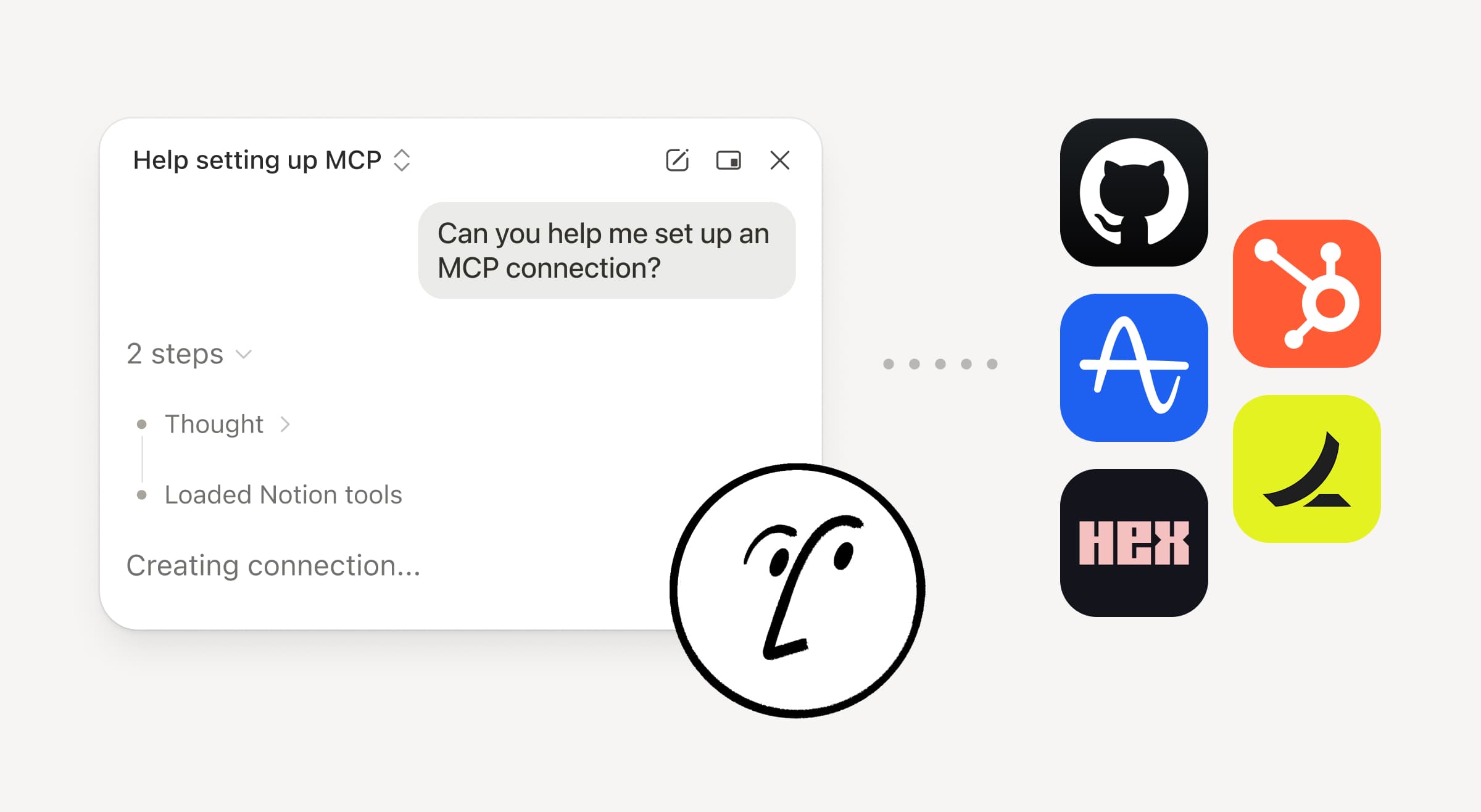
Bring more of your work into Notion Agent. Just ask it to connect a tool, and it walks you through the setup. You can now connect GitHub, Amplitude, and other tools with the Custom MCP connection so you can grab context, check performance, or take action in the tools your team already uses. Connect to GitHub →

Confirmations keep you in control, so nothing changes in a connected tool until you approve it. Available in beta on Business and Enterprise plans. Learn more →

On the go? Use the Notion Agents iOS app

Notion Agents App

Your best ideas won’t wait until you’re back at your desk. The Notion Agents iOS app puts 1,000 agents in your pocket. Capture ideas and voice and photos, prep for a meeting, or spin up a doc when you’re on the move. Give an agent a task and it gets it done before you’re back at your laptop.

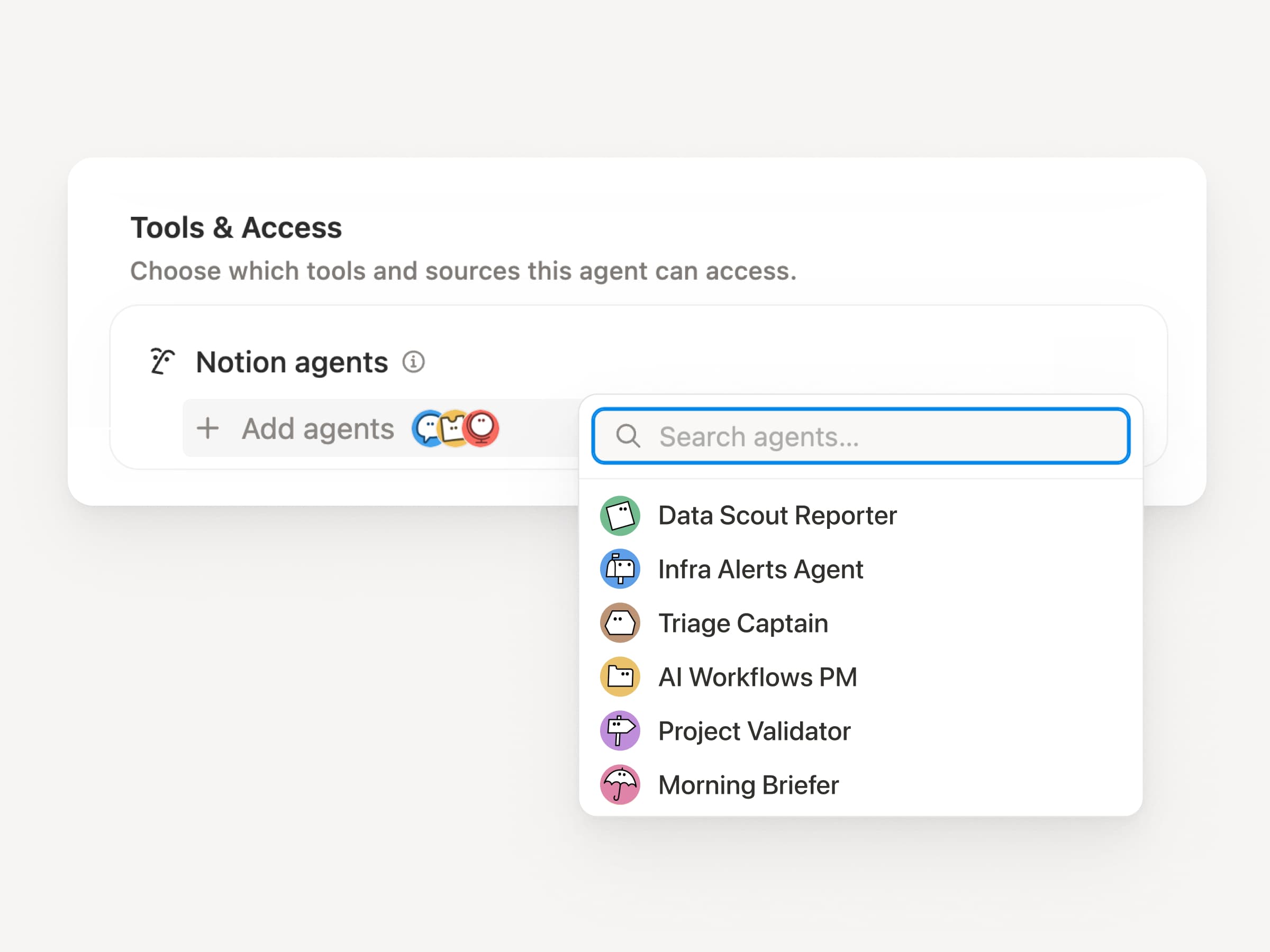
Have your Custom Agent call sub-agents

Sub Agents

Big workflows are rarely one job. Now a Custom Agent can call other Custom Agents as sub-agents, each with its own instructions, context, access, and model. Learn more →

A Mobile App PM agent can send bug reports to a triage agent and metrics questions to a reporting agent, then bring the answers back into one Slack update. The primary agent decides when to delegate and uses each response to finish the original work. Remote runs its IT help desk on five agents this way and saves $500k a year.

Custom Agents can do the post-meeting work for you

Meeting Recap Agent

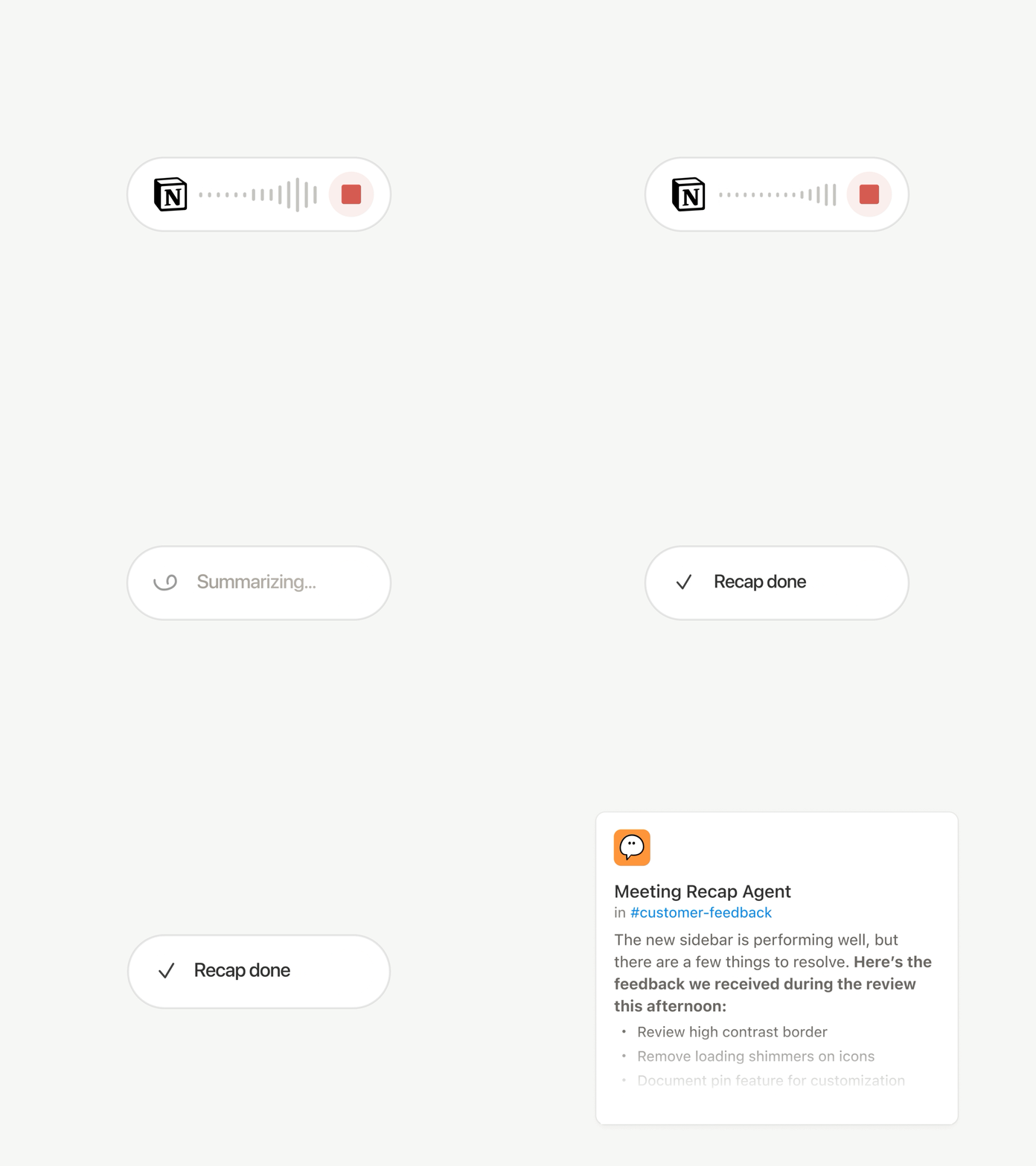
Every call ends with the same chores: Write the recap, file the action items, ping the people who weren’t there. Now Custom Agents can handle post-meeting work automatically.

Choose which meetings matter, then let a Custom Agent pick up the work as soon as each summary is ready. It gets the transcript and summary, so it can write the status update, file the action items, or send customer feedback to the right database. Available on Business and Enterprise plans. Learn more →

Browse every model, and see which is best for the job

Latest Models

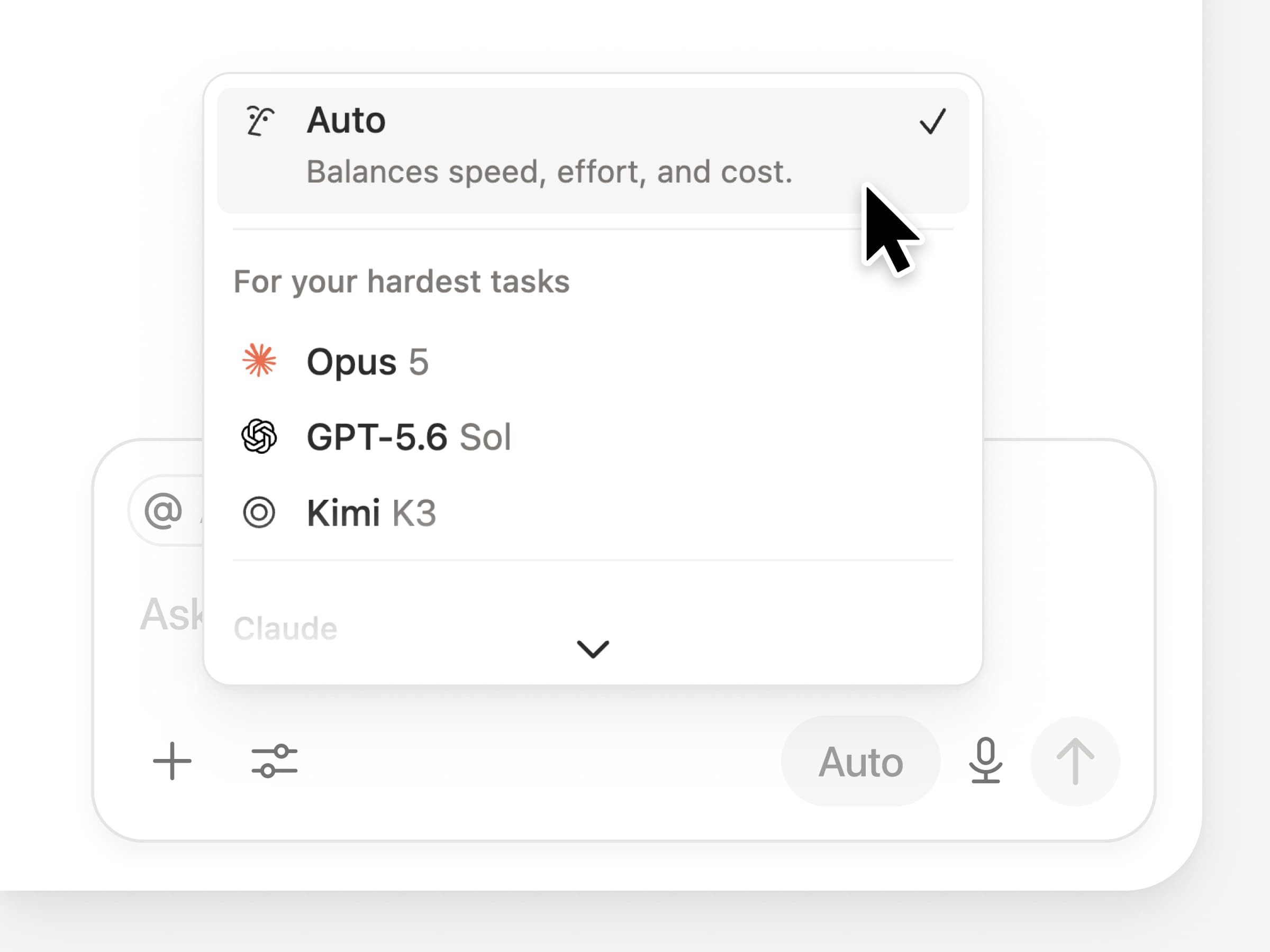
You get access to all the latest frontier models in Notion, including Opus 5, GPT-5.6 Sol, and Kimi K3. The new model picker is redesigned to help you choose the best model for your work, with indicators for speed, intelligence, and costs.

Also new is the Notion Knowledge Board, which evaluates model performance on real, everyday work. Compare models →

And a few more…

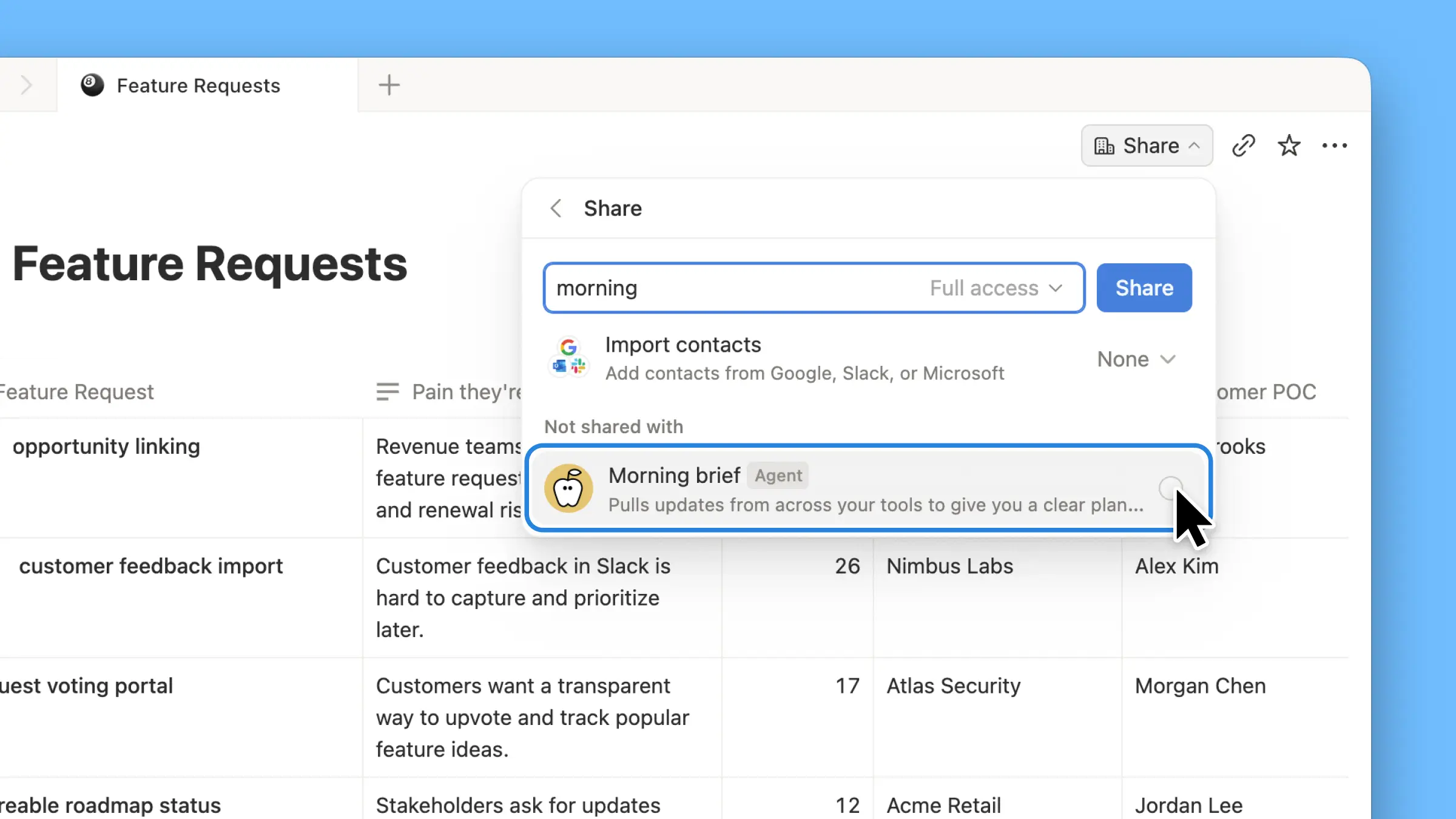
  • Embed a Custom Agent in any doc. Drop an agent right where the work happens, so anyone on the page can use it. See how →

  • Custom Agent Insights in the Public API. Pull credit usage, completed runs, and status and enable, disable, or set limits for any agent. Business and Enterprise. Read the Insights API docs →

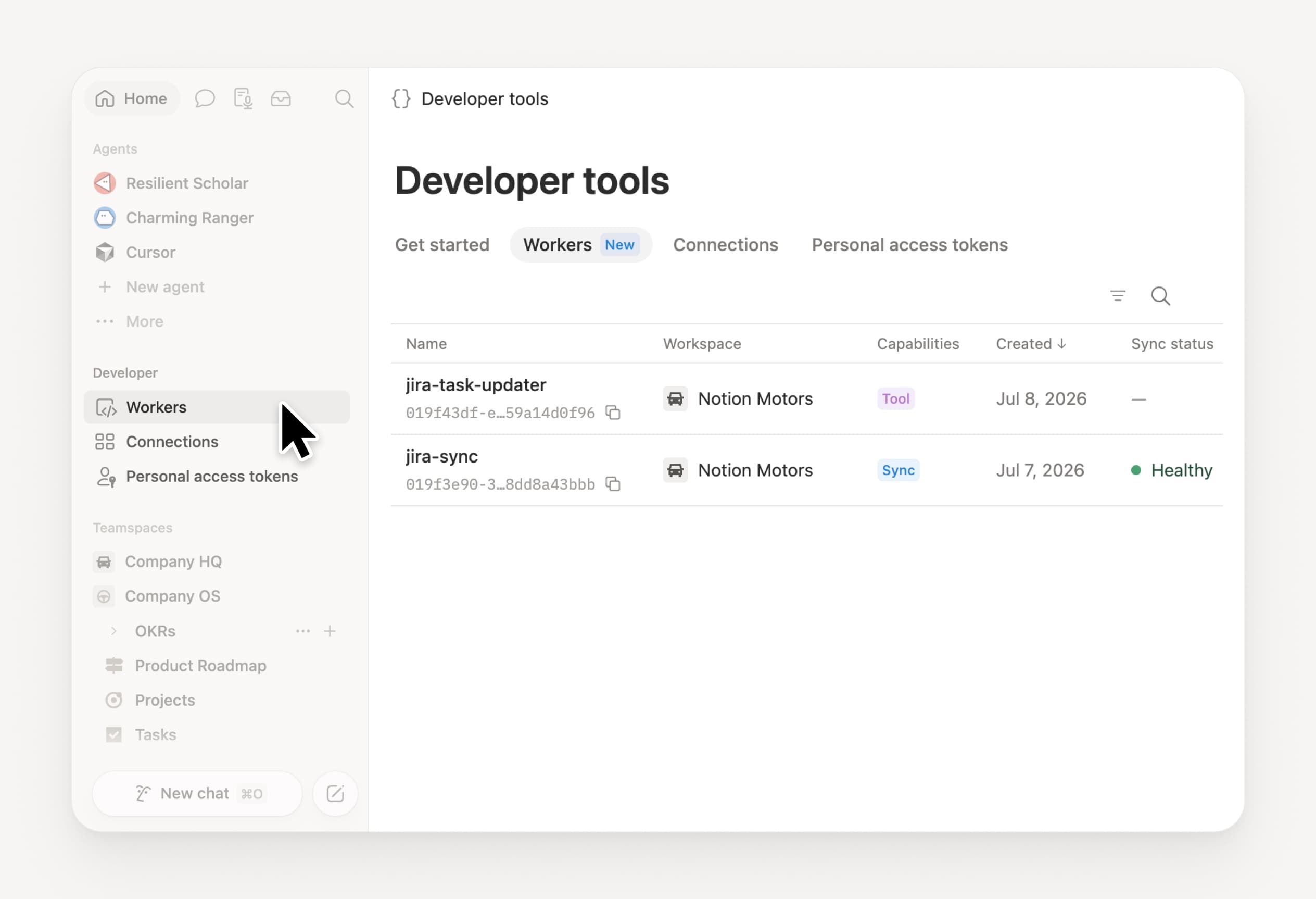
  • Manage your Workers and connections: Open the new Developer section in the sidebar to see every Worker, where it’s connected, and the logs from each run. Check it out →

  • Agent SDK, now in public beta. Continue Custom Agent conversations from anywhere, trigger them from your app, and stream results back. Business and Enterprise. Read the Agent SDK docs →

  • Developer Portal now lives in Notion. Manage your Workers, connections, and personal access tokens in one place. Open the portal →

  • AI Search is 50% faster. Less waiting on answers and agent outputs that use workspace context. Business and Enterprise. Give it a try →

  • Catch up on your inbox. Ask Notion Agent to group notifications, show what needs attention, and help clear the rest. Check it out →

Give skills a try! And share how we can make it better (we’ve got more cooking).

Control which AI models your agents can use

Control which AI models your agents can use

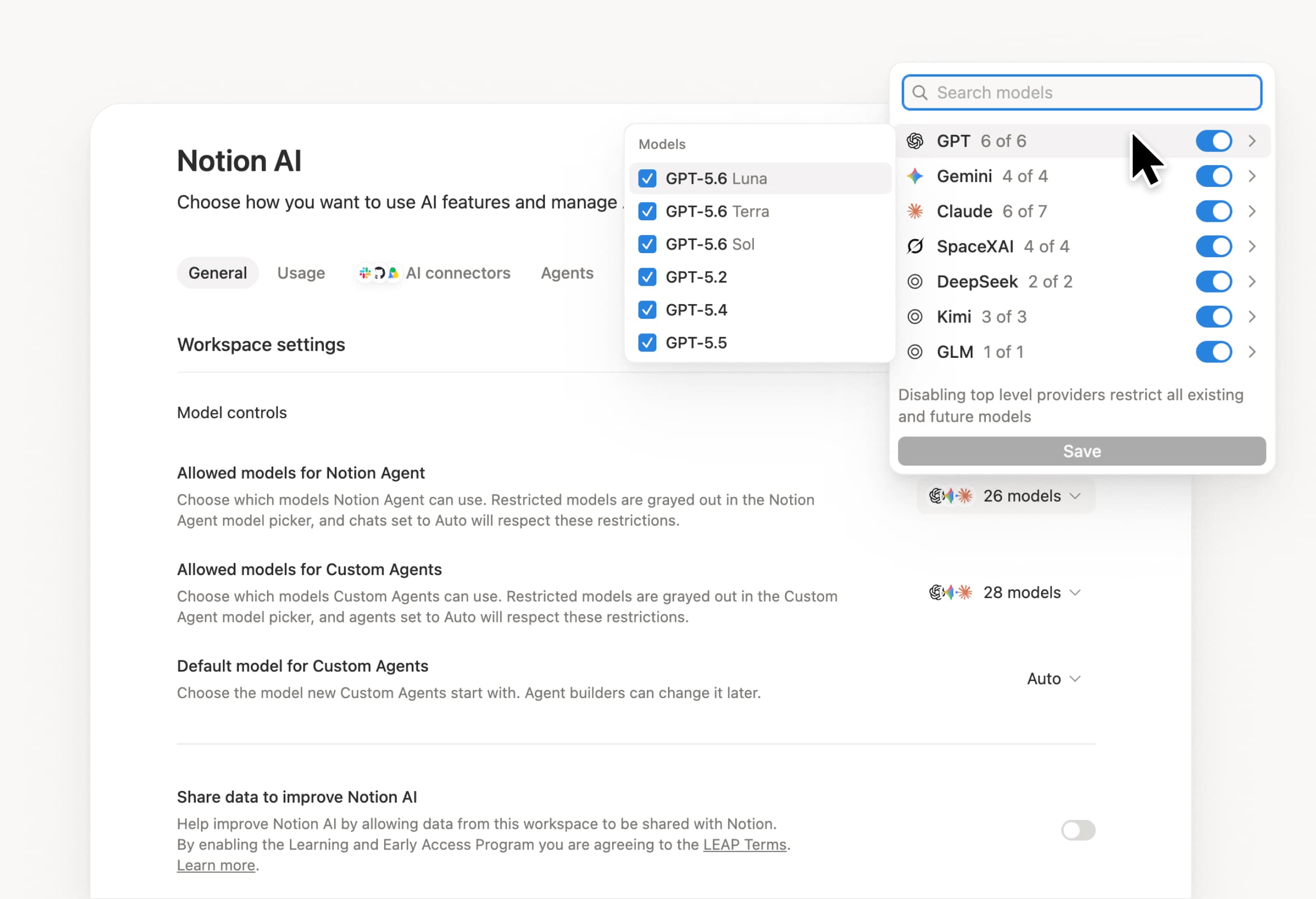
What’s on your team’s model roster? That’s up to you. With model controls, workspace owners can choose which AI models are available in Notion Agent and Custom Agents separately, and set a default model for Custom Agents. Keep costs predictable and support your compliance needs while your teams continue building. Available on Business and Enterprise plans.

Get started at Settings → Notion AI → General → Model controls.

エージェントに編集案を提案するよう依頼してください。

エージェントは、変更を直接行うのではなく、変更を提案できるようになりました。エージェントに編集案を提案するよう依頼し、上から順に確認してそれぞれを承認してください。文法の修正など、行単位での変更が必要な場合に最適です。

まずはエージェントに「編集案を提案」するよう依頼してください。

Your Developer Portal, now in the sidebar

Manage your Workers, connections, and personal access tokens from the new Developer section of your Notion workspace. See an overview of deployed Workers and logs behind every run.

Developer sidebar section

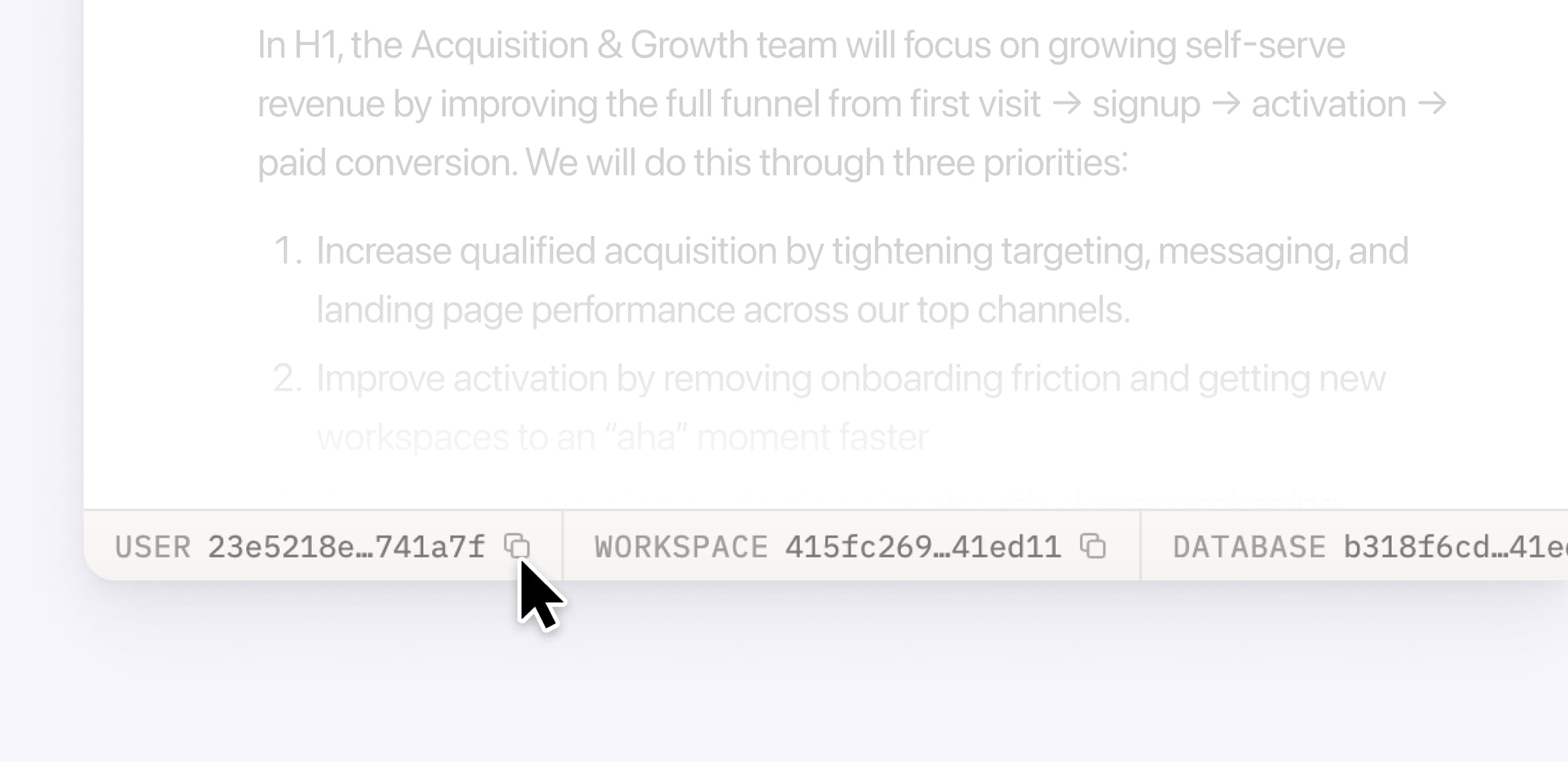
Plus, the new developer bar makes it easy for anyone building with the API to find IDs for the page, database, block, workspace, or user. Copy any one of them, or the full API object, in one click.

Developer bar

Get started from Settings → Developer → Enable developer features. Go there now →

Model selection, simplified

No more guessing which model to use.

The model picker now leads with a shortlist of models made for your hardest tasks, and every model has a scorecard to compare speed, intelligence, and cost. Pin your favorites for easy access and dial up the effort when you need a more thorough answer.

AI Meeting Notes can now trigger Custom Agents

Custom Agents can now run right after an AI Meeting Note is finished. No more need to manually update status trackers, post recaps to the project channel, or file tickets by hand.

Here’s a few of our favorite post-meeting workflows:

  • Update your project tracker with the latest status

  • Post a recap to Slack or email with decisions and next steps

  • Turn feedback into tickets for your engineering team

To get started, open your Custom Agent’s settings, add the Meeting note summarized trigger, and choose which meetings kick it off. After your next call, your agent will get to work.

High contrast mode

Accessibility win! High contrast mode is a new display option that makes text, icons, and borders easier to read.

Try it by going to Settings > Preferences > Appearance. Available on desktop and web.

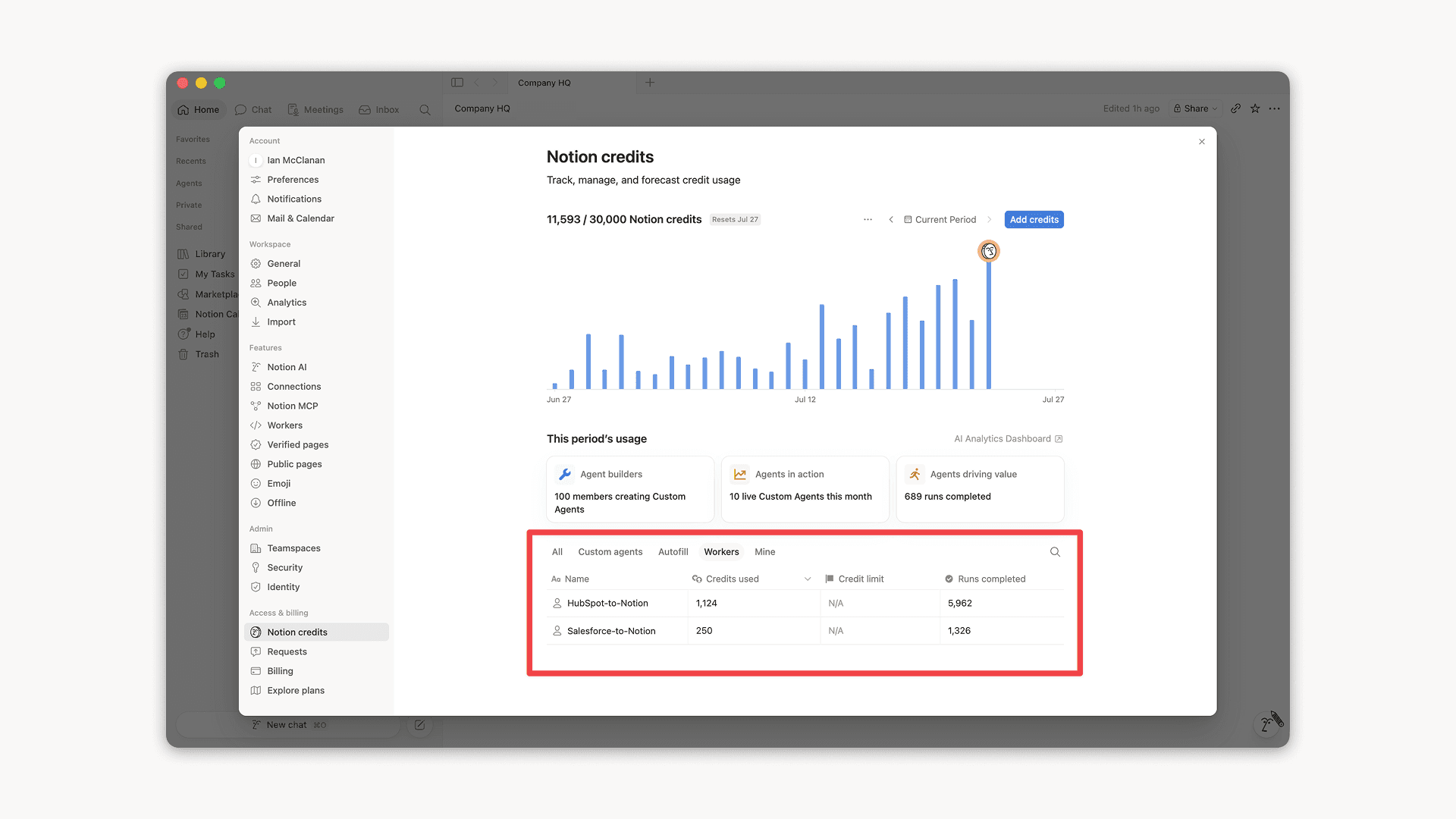
Workers, now in your Notion credits dashboard

Workers in the credits dashboard

Notion Workers run custom code on Notion's infrastructure to sync data, power tools for Custom Agents, and trigger webhook automations.

Now you can track your Workers’ usage in the credits dashboard, alongside your other spend.

Workers are free to try during the beta on Business and Enterprise plans (including Business trials). Usage is now visible in the dashboard to help your team size credits before the beta ends.

Learn more about the Notion Workers beta and pricing in our Help Center →

Powered by Fruition