Novità

Tieni sotto controllo le ultime versioni, i miglioramenti e le correzioni.

Segui @NotionHQ
3.8

Notion 3.8: Context for your agents
Context for your agents

Your agents and teams run on context. If you switch agents, add a new tool, or welcome a new teammate, you shouldn’t have to explain everything again. With Notion, there’s a durable, shared place to remember what matters.

This update is all about context. Connecting data, tools, and skills so you’re free to use any agent or model.

With so many things changing, your context can stay in Notion.

Connect your agents to Notion with MCP
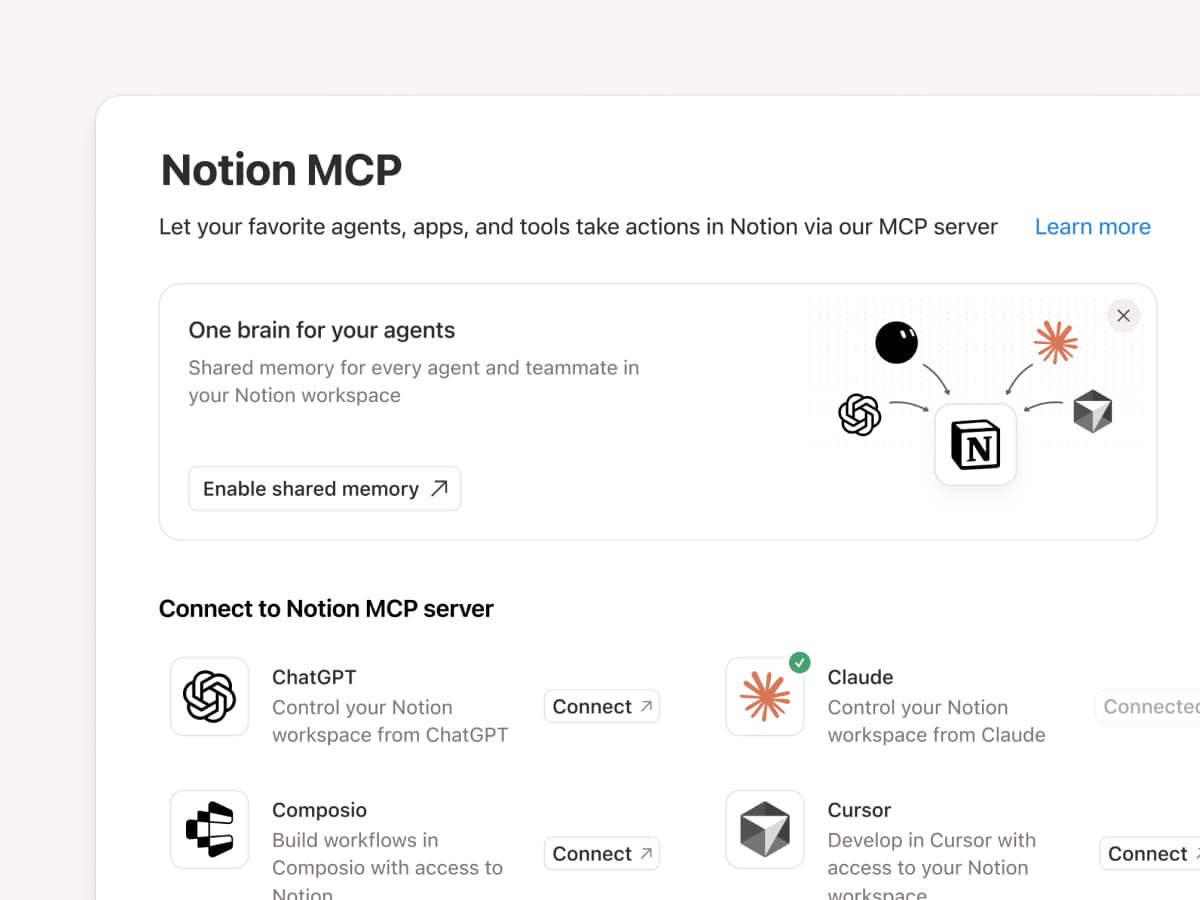
Connect an MCP-compatible agent to Notion so it can read your workspace context and update docs and task trackers. Whether you use Claudes, Muses, GrokBots, Dots, or another agent, Notion gives them a shared place to find what they need, so you can switch agents without starting from scratch. Set up an agent with Notion →

And with Notion MCP controls, admins can see who connected each AI tool, check when it was last used, and revoke a person’s access without affecting other connections. Set up MCP controls →

Connect your Notion Agents to 150+ tools with MCP
MCP

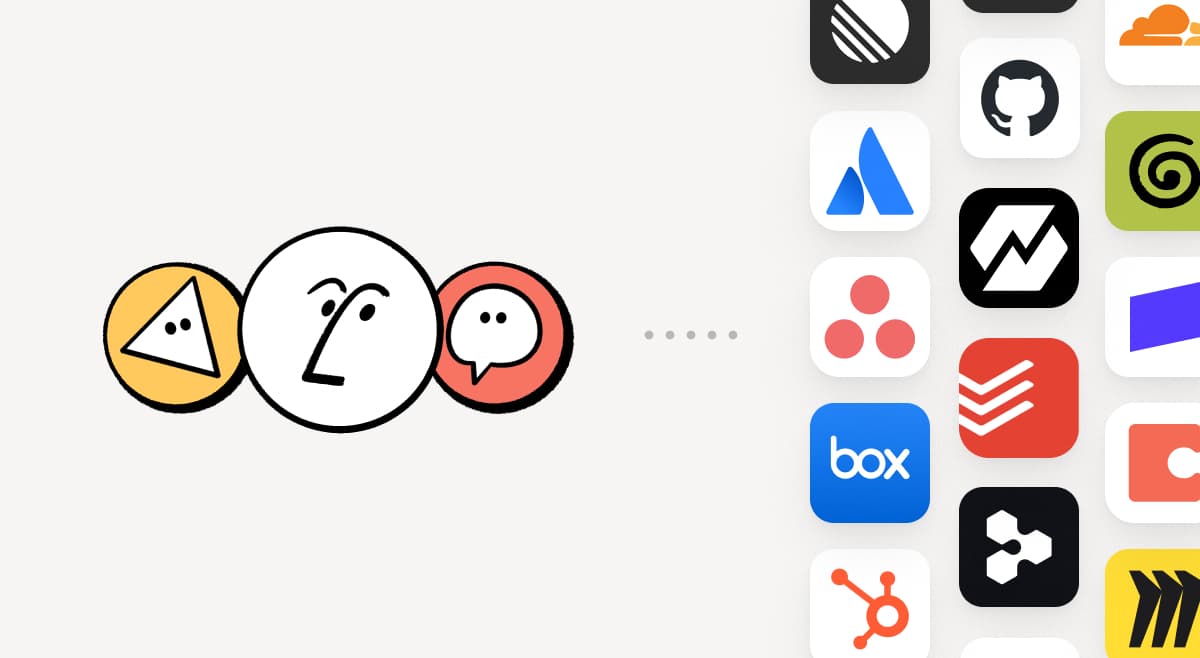
Bring the tools your team already uses into Notion. MCP connections let Notion Agent and Custom Agents draw on context from those tools and take action across them. Create an account brief in Notion using HubSpot pipeline data, add Stripe billing details to a customer health review, or bring Cloudflare infrastructure details into a postmortem. And that’s just the start. ⁠Browse 150+ MCP connections →

Write a skill once. Use it with every agent.
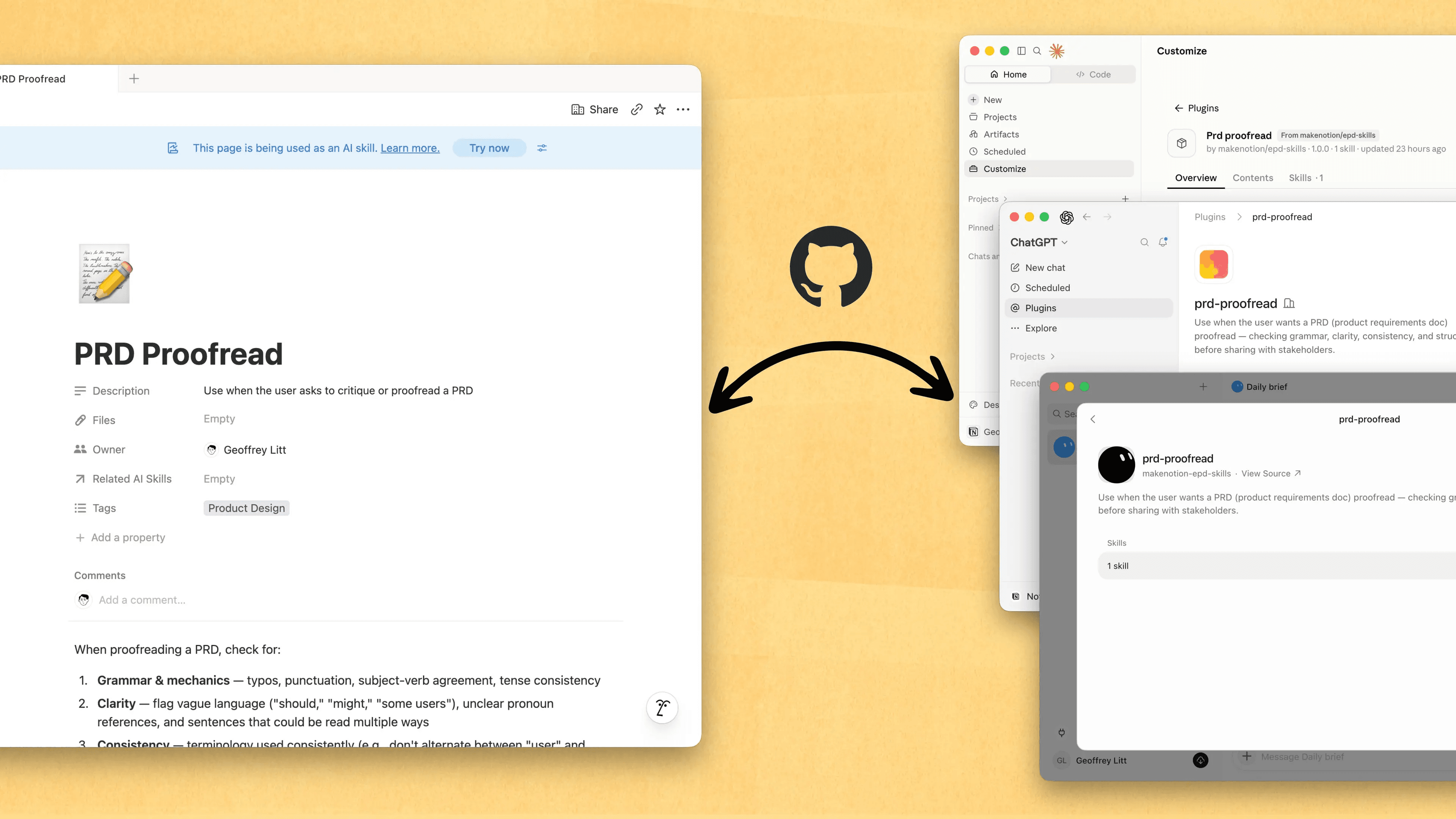
Write a skill once. Use it with every agent.

Skills are the best way to teach agents how you work … and not just for engineers. Now, Notion is the best place to create, share, and keep them current. Sync your Skills across ChatGPT, Claude, and more with the new Skills API, which loads Skills from Notion into GitHub.

Already have Skills for your agents? Ask your agent to recreate them in Notion with MCP, then keep building your library there. Here’s a quick demo, and here are docs to learn more.

See every change by every person and agent
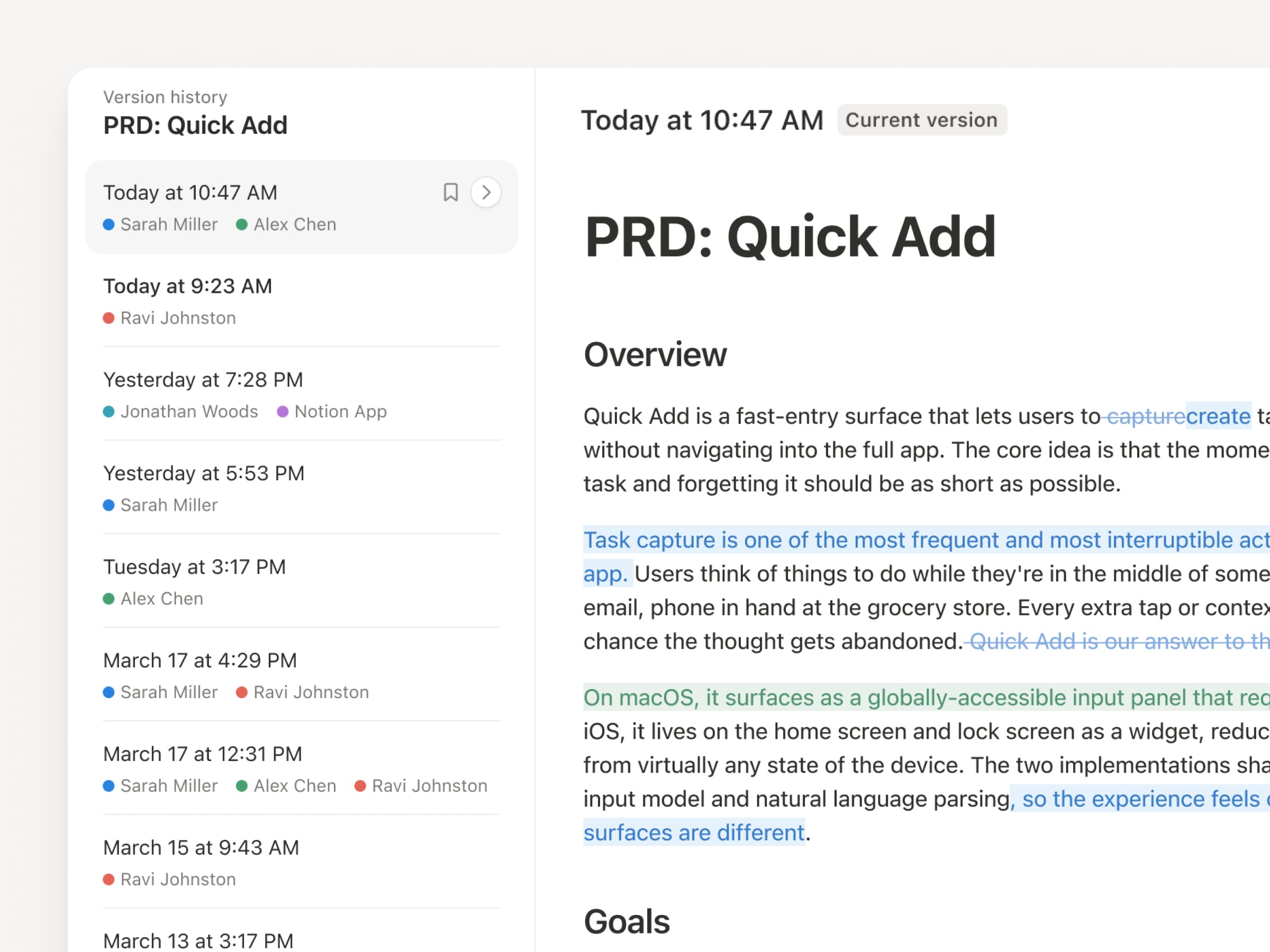
With agents and people making constant updates, version history has never been more important. So we’ve upgraded ours! You get a clearer record across pages and databases, with highlighted edits, detailed database changes, and attribution. Let your agents work while keeping their changes visible and secure. Review what changed, see who changed it, and restore prior versions with a quick click. Learn more →

Don’t pay twice. Use your ChatGPT plan in Notion.
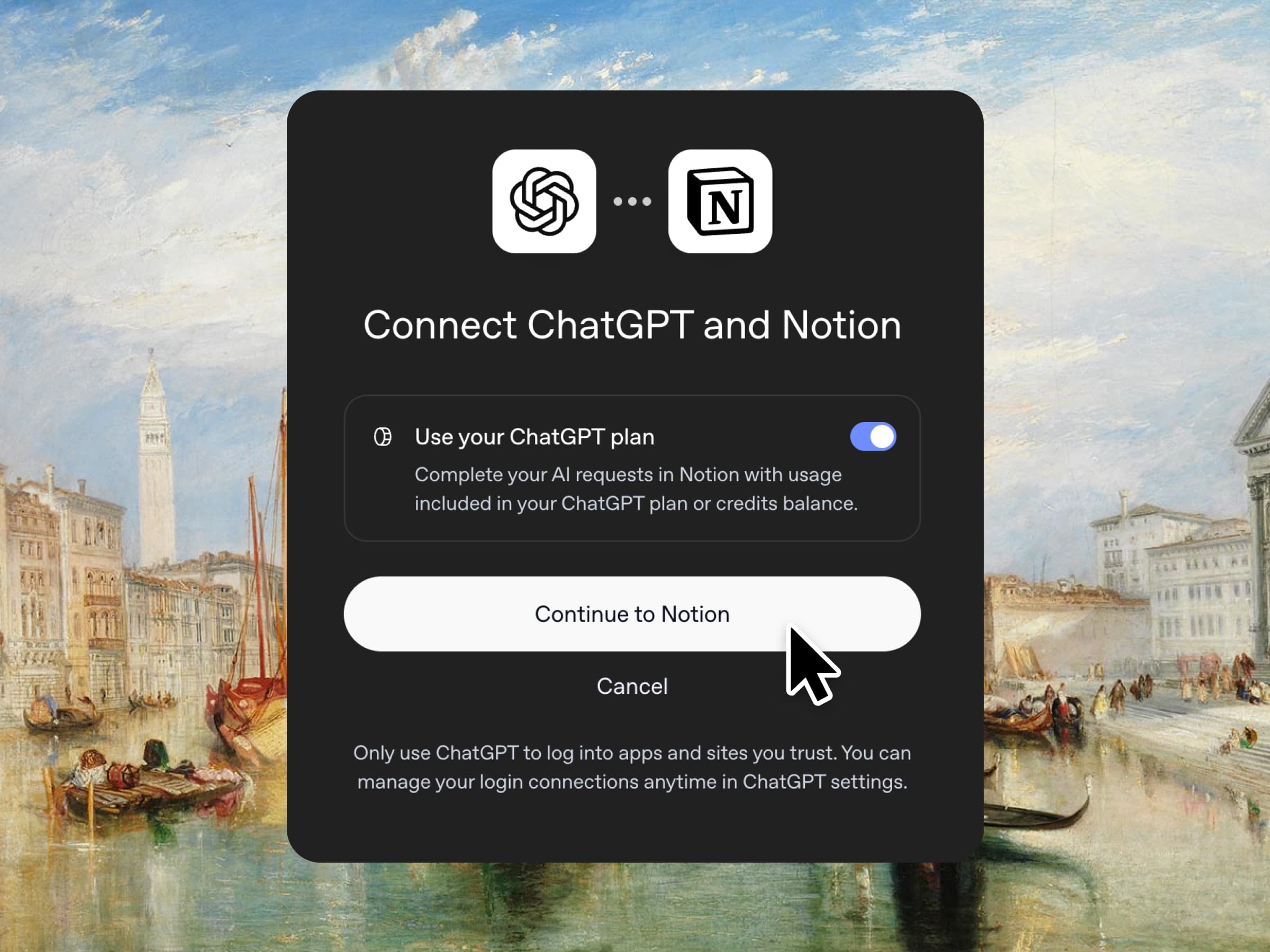
Yes, you just read that right. If you have ChatGPT Plus or Pro, your subscription can now cover your AI usage in Notion. Just connect your plan, pick a GPT model, and go. We don’t add a markup. We just want you to have the best tools for the job, for the best price. Available for Business and Enterprise plans. Check out a quick demo and the docs.

Column permissions in databases
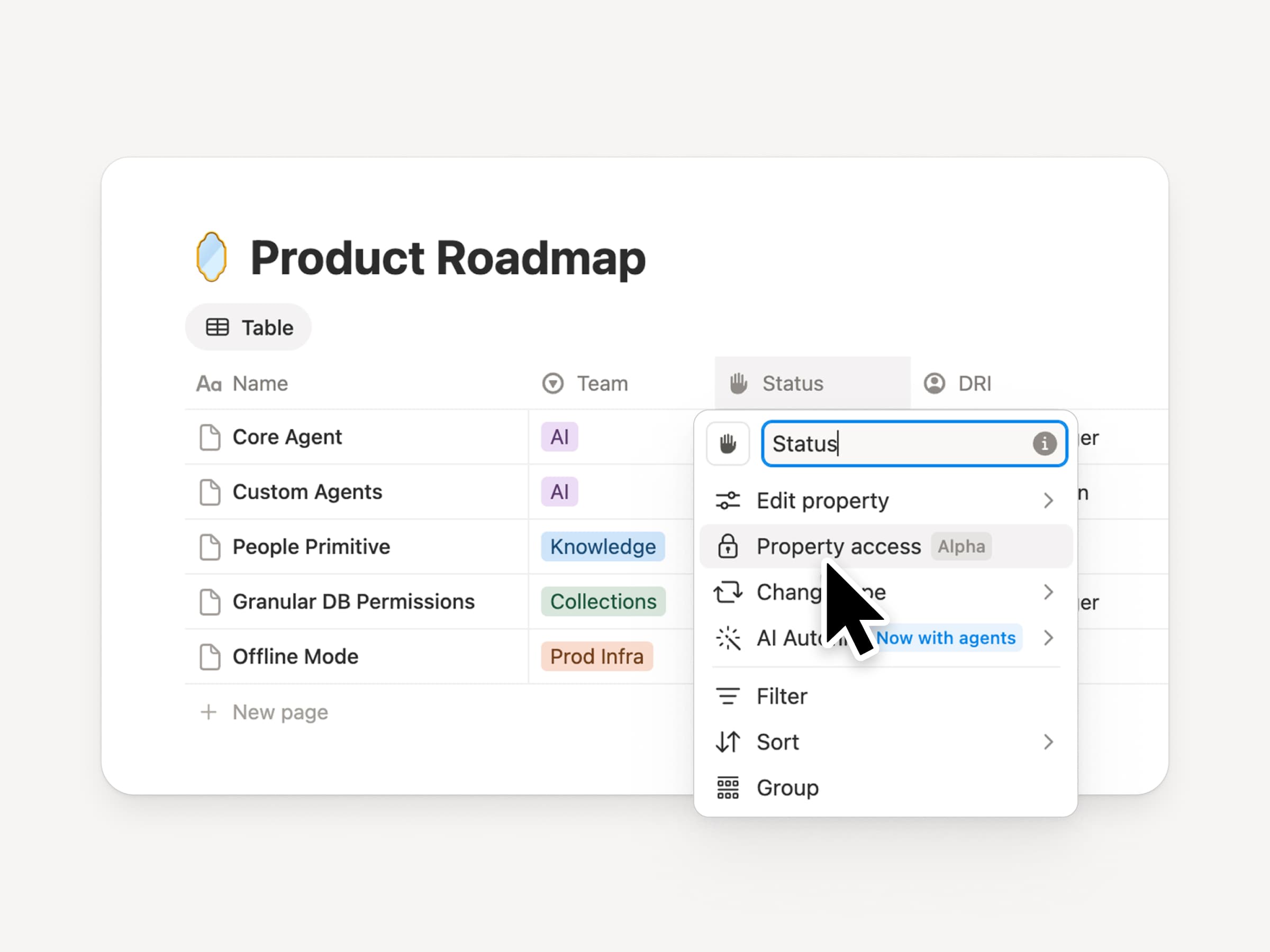
Notion databases give teams and agents a shared, up-to-date source of context. But both teams and agents need the right level of access. Column permissions were a top requested feature for years (we spent time getting this one right). They let database owners control which properties each person or agent can view or edit. Recruiting teams can collaborate on candidates without exposing compensation. Support agents can use account context without seeing restricted customer data. Watch the trailer from one of it’s creators!

Reintroducing synced databases
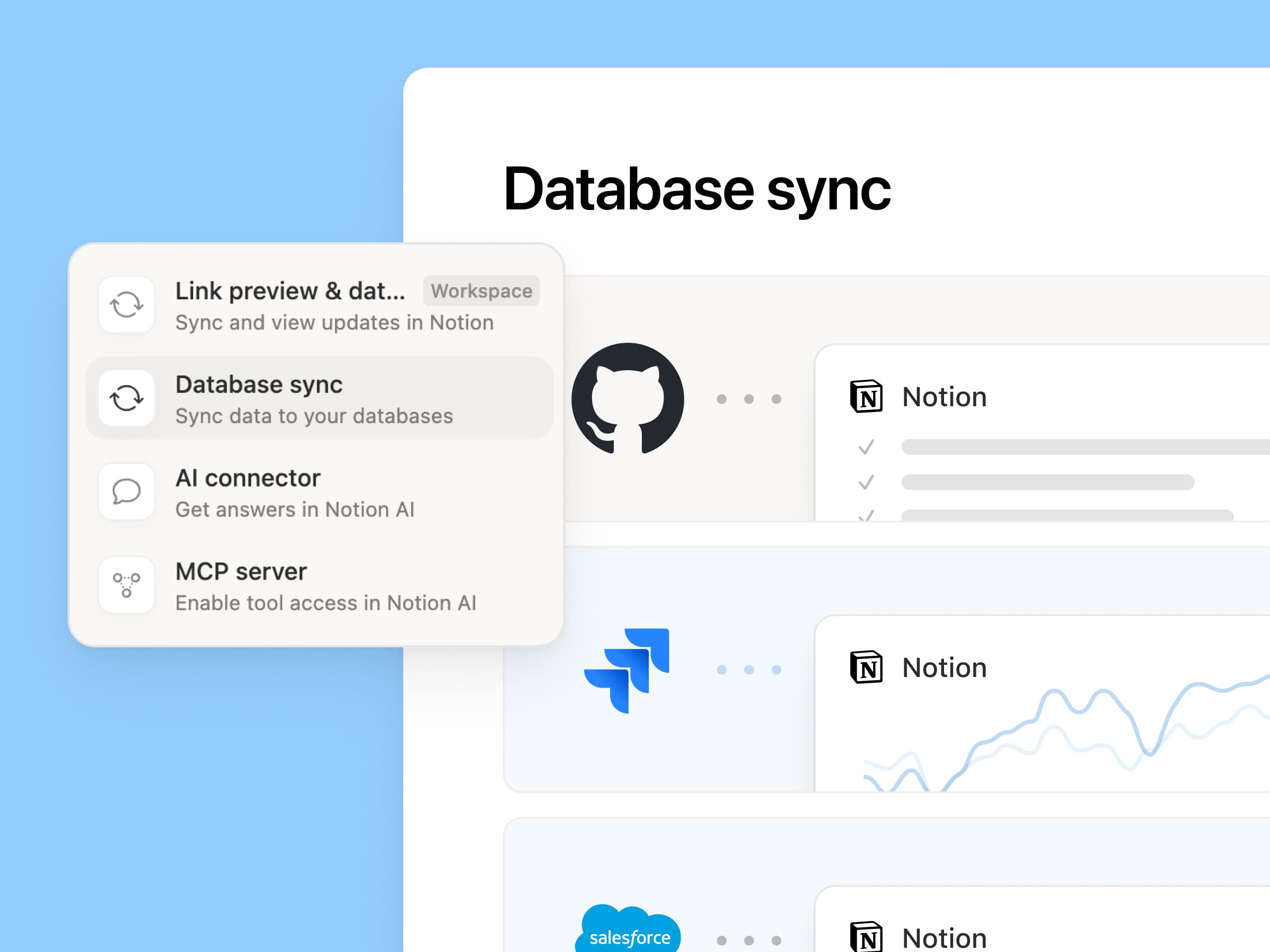
Reintroducing synced databases

We rebuilt our synced databases, starting with GitHub, Jira, and Salesforce, so your teams and agents always work from the latest data. They’re faster, more reliable, and show a live health status for each sync. They work like any other Notion database, so you can add your own properties, create views, and trigger automations. At Notion, we build customer hubs by syncing Salesforce accounts and linking to meeting notes and feature requests, so every team works from the same current view of each customer. Learn more →

New week, new models
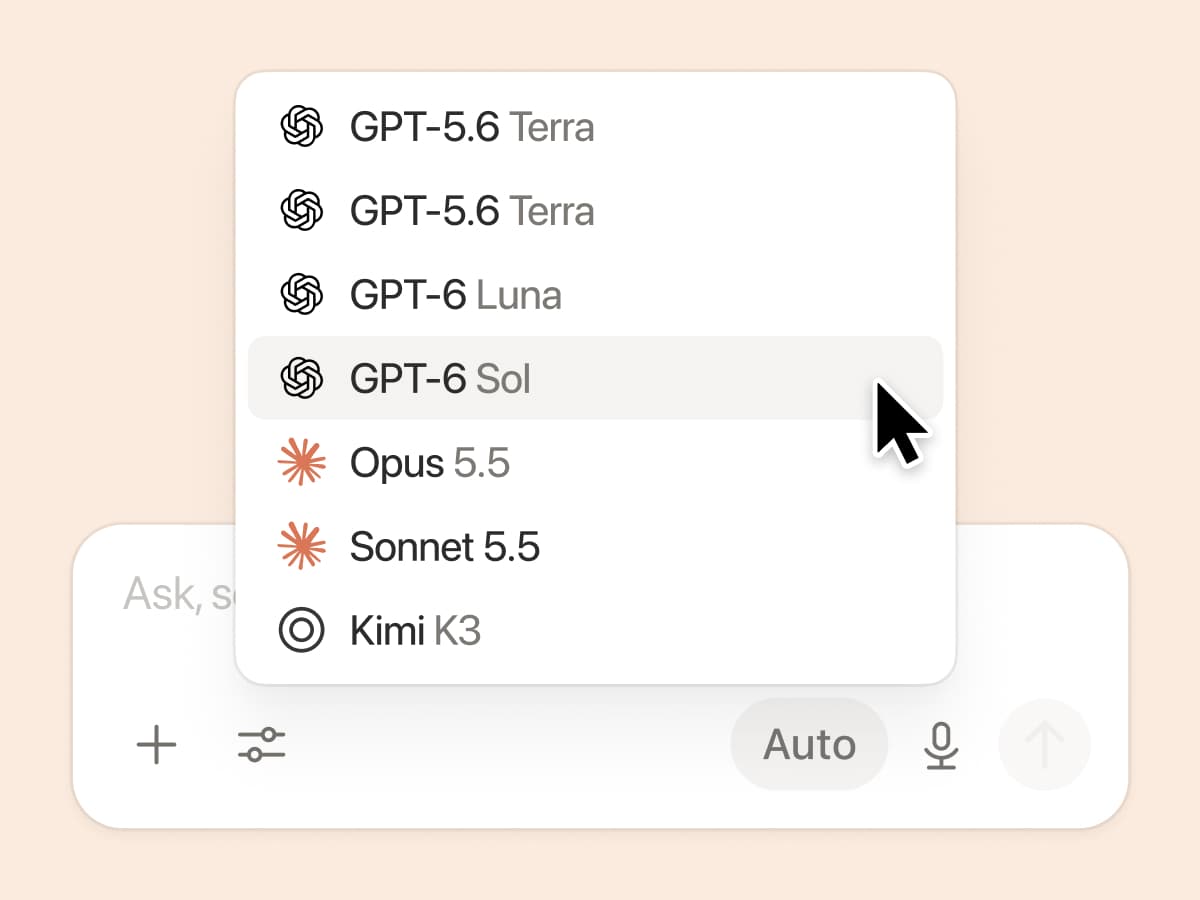
New week, new models

The labs are at it again. Seven new models all added, including GPT 6.1-Sol, GPT-6 Luna, Opus 5.5, and Sonnet 5.5. Use any of them knowing they’ll all know the latest about your team works.

And ICYMI, we’ve been evaluating how models perform across a range of knowledge-work tasks, using live anonymized traffic and judged by models. Check out our Knowledge Board →

More ways to connect and govern context

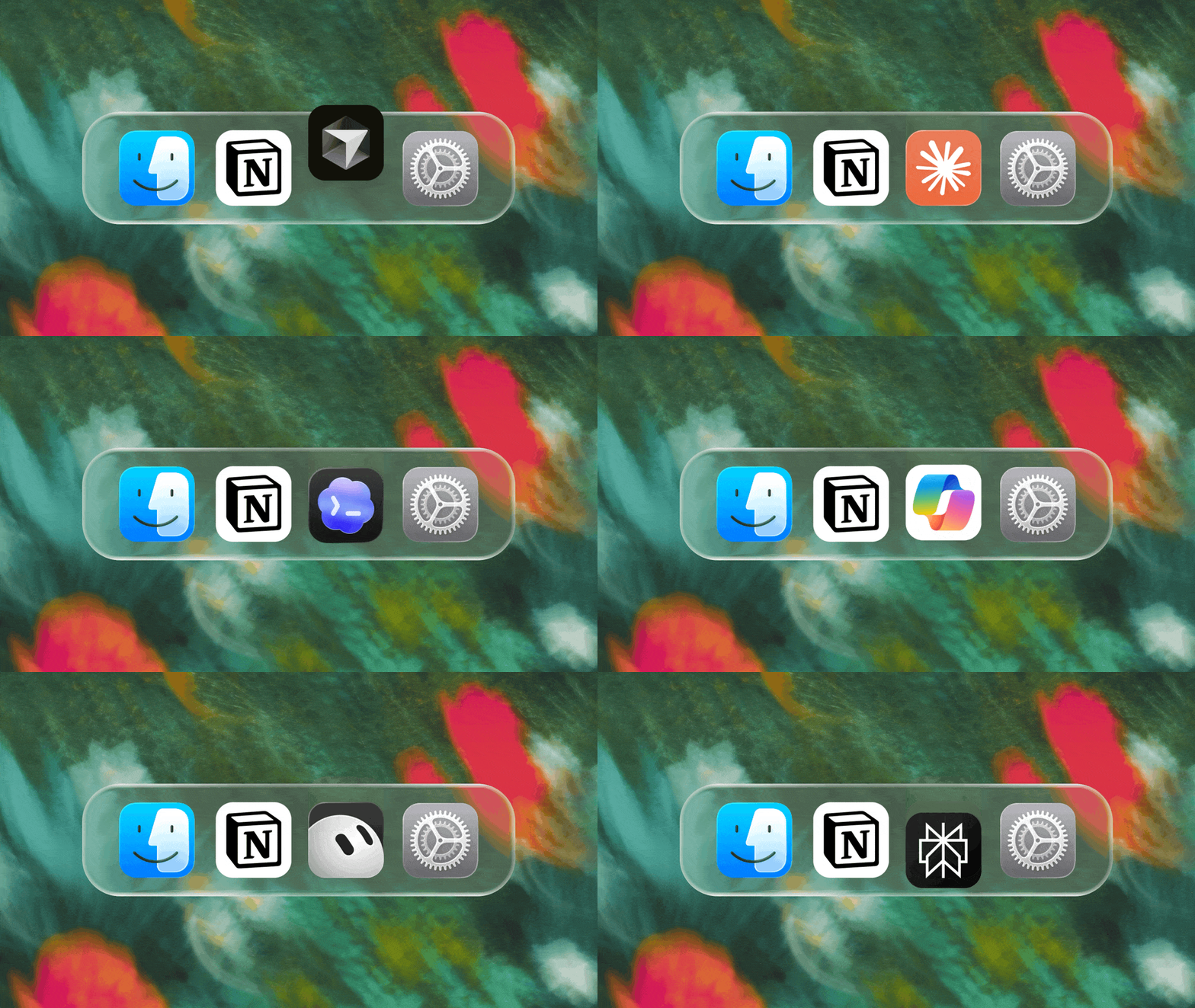
We can’t wait to see how Notion can be the backbone of your dock.
3.7

Notion 3.7: Abilità degli agenti per tutto il tuo team

Novità 3.7

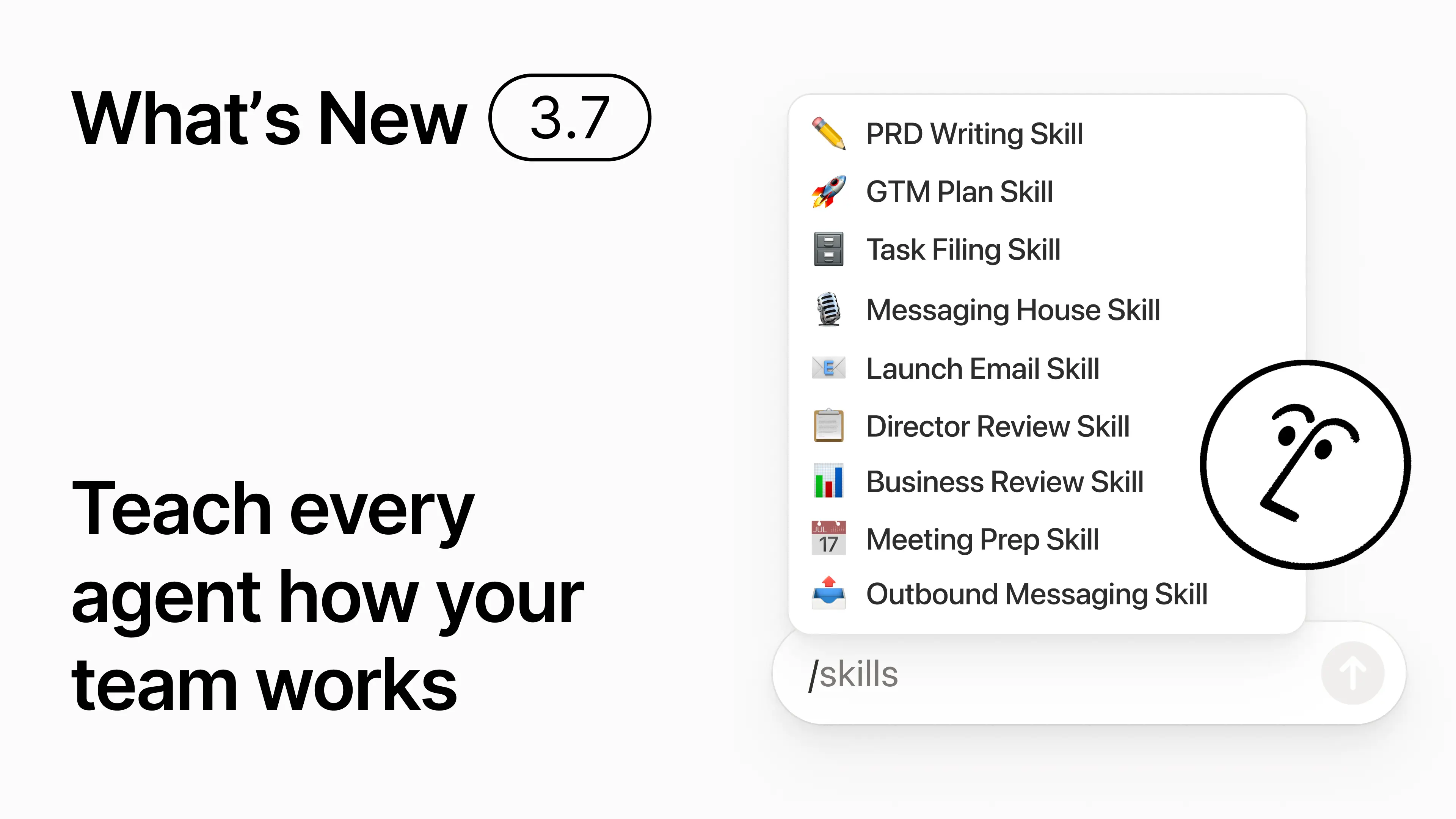
Sai come alcune persone siano davvero brave a scrivere prompt per l'IA? O come abbiano trovato il modo migliore per gestire il lavoro ripetitivo? Ora possono trasformare quel know-how in un'abilità e far salire di livello l'intero team.

Le abilità sono istruzioni riutilizzabili che insegnano all'IA come lavora il tuo team. Come generare una revisione aziendale mensile nel formato del tuo team. O revisionare il tuo documento nello stesso modo in cui farebbe il tuo capo. Sono come scorciatoie per il team, che rendono più semplice completare attività ripetitive. Crea un'abilità →

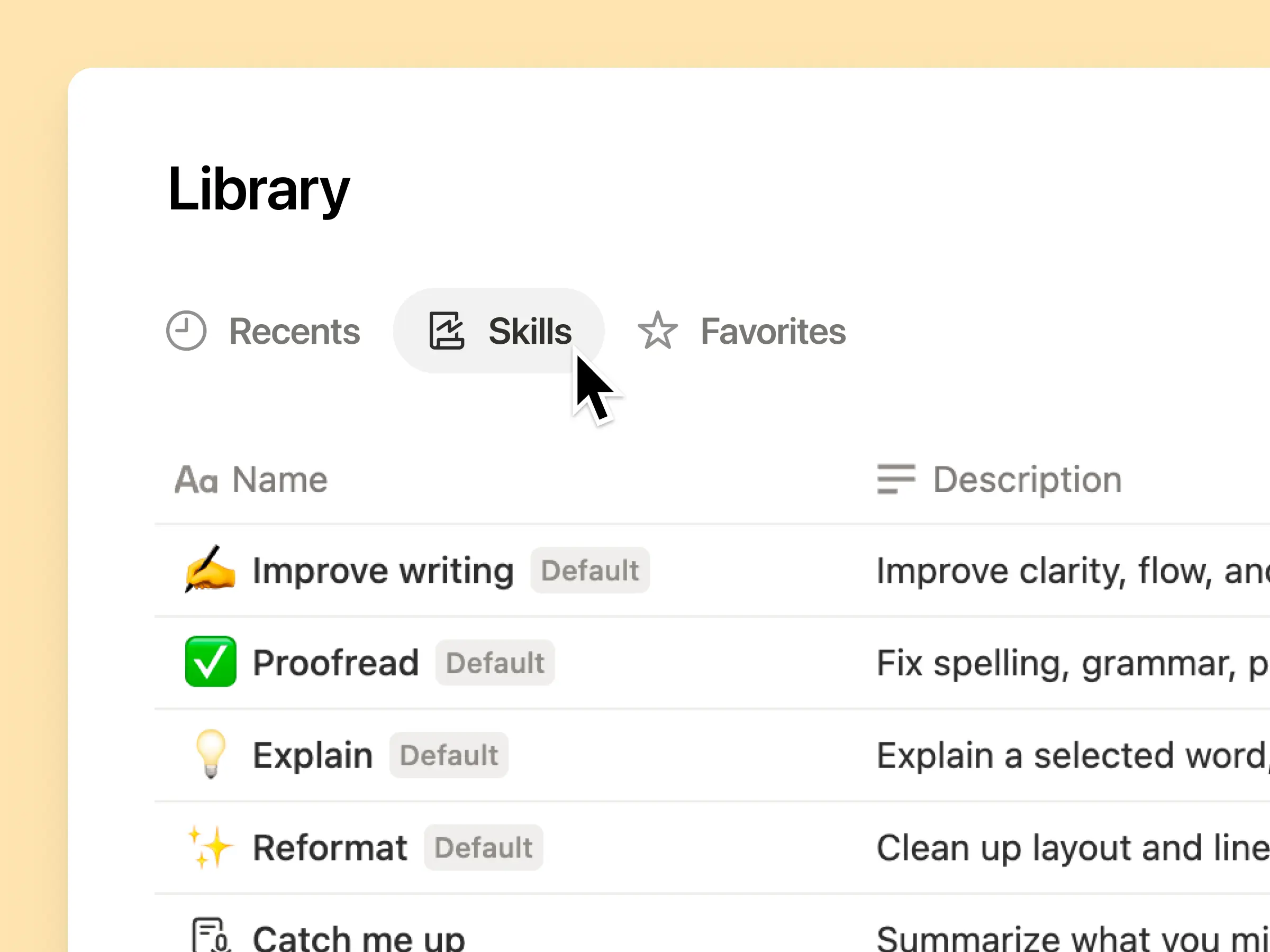
Ogni abilità IA di cui il tuo team ha bisogno, in un'unica libreria

I prompt migliori tendono a rimanere nella testa di una sola persona o a perdersi in documenti e chat isolati. La libreria delle abilità offre al tuo spazio di lavoro un hub unico per tutte le abilità condivise. Sfoglia la libreria delle abilità →

Inserisci le abilità correlate in un database di Notion, quindi condividi una singola abilità o l'intero database. Ogni team ha un posto semplice in cui trovare le proprie abilità di riferimento e tutti rimangono aggiornati sull'ultima versione. Scopri di più →

Scrivila una volta e l'IA la eseguirà a modo tuo

Chat con Notion Agent per creare un'abilità da zero:

  1. Esamina questa proposta di funzionalità utilizzando i nostri standard di prodotto, design, e ingegneria.

  2. Crea una checklist per l'inserimento dei nuovi assunti utilizzando le nostre politiche per dispositivi e app.

  3. Redigi questa descrizione della posizione utilizzando il nostro sistema di livelli e il linguaggio approvato.

Non sai da dove iniziare? Notion può anche suggerire abilità in base al lavoro che già svolgi. Di quali abilità ho bisogno? →

Esegui un'abilità nel momento in cui ne hai bisogno

Esegui abilità

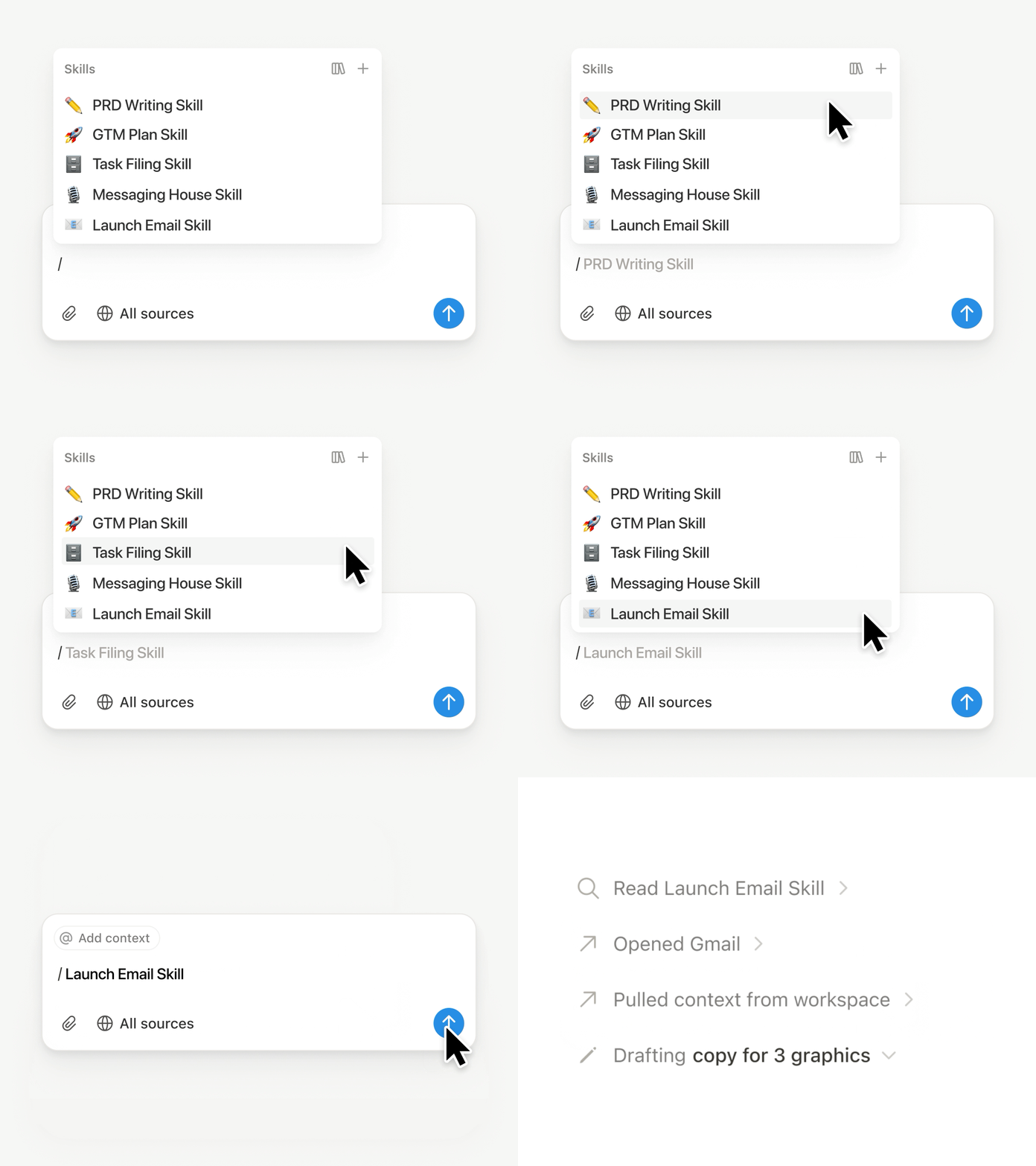
Digita / in una chat di Notion Agent e scegli l'abilità che vuoi utilizzare. Aggiungi qualsiasi altro contesto, quindi premi Invio.

Esegui un'abilità pronta per la dirigenza per trasformare una bozza in un breve riassunto esecutivo con punti chiave, decisioni, rischi e richieste. Oppure trasforma note grezze in un PRD. Puoi anche impostare le abilità affinché vengano eseguite automaticamente. Scopri di più →

Porta le abilità del tuo team su Claude Code, Codex, Cursor e altri

Abilità per Claude o Codex

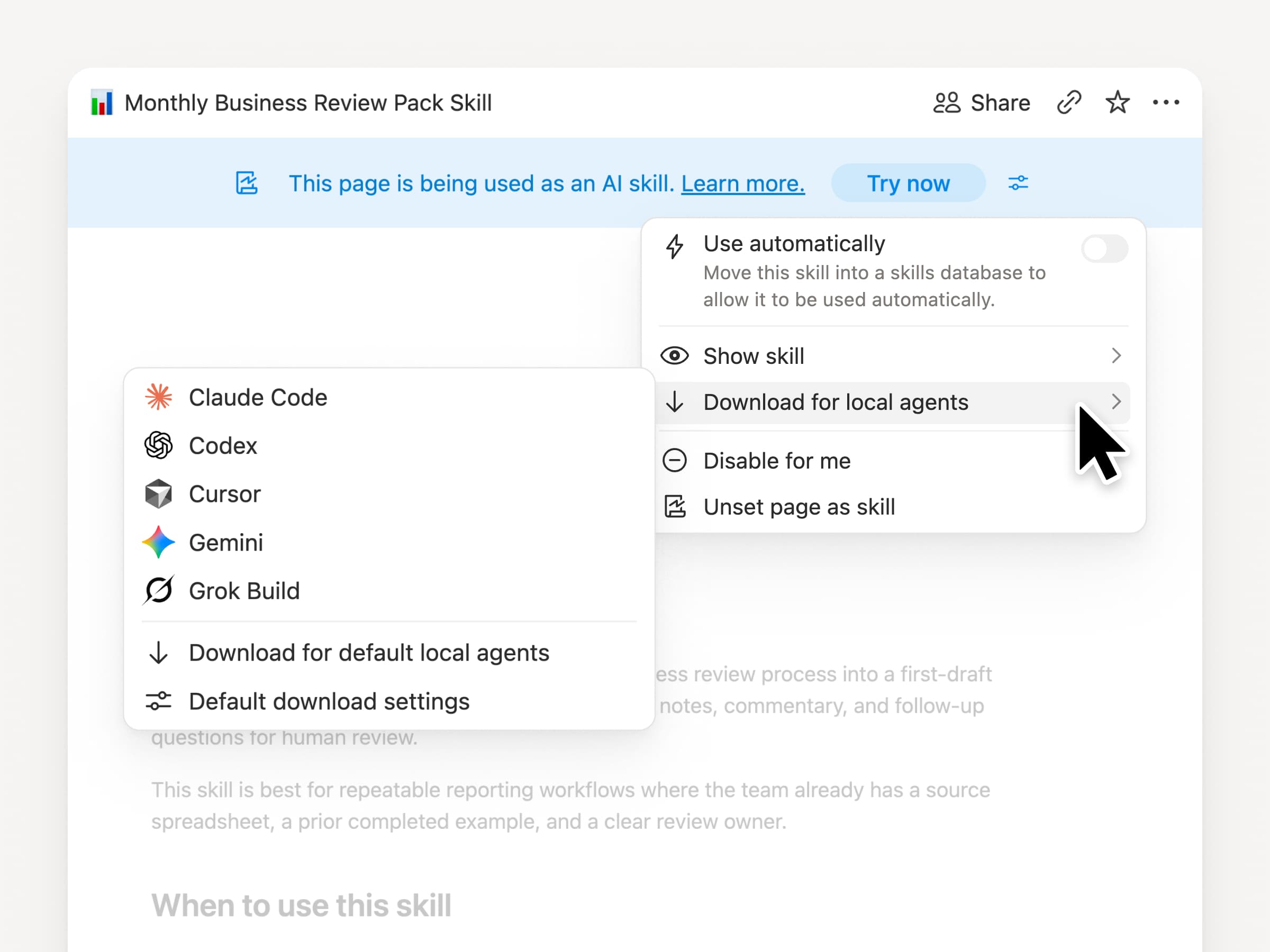
Porta le tue abilità con te, indipendentemente dall'agente che utilizzi. Crea e aggiorna l'abilità in Notion, quindi scaricala su Claude Code, Codex, Cursor, Gemini o Grok.

Notion scrive l'abilità come file SKILL.md, insieme ai file di supporto approvati. Quando l'abilità cambia in Notion, viene contrassegnata con un badge in modo che tu sappia di dover scaricare l'ultima versione. Il tuo team gestisce le istruzioni in un unico posto e i tuoi agenti locali possono seguire lo stesso processo. Scopri di più →

Chiedi al tuo agente di collegare GitHub, Amplitude e altro ancora

Connettiti di più al tuo agente

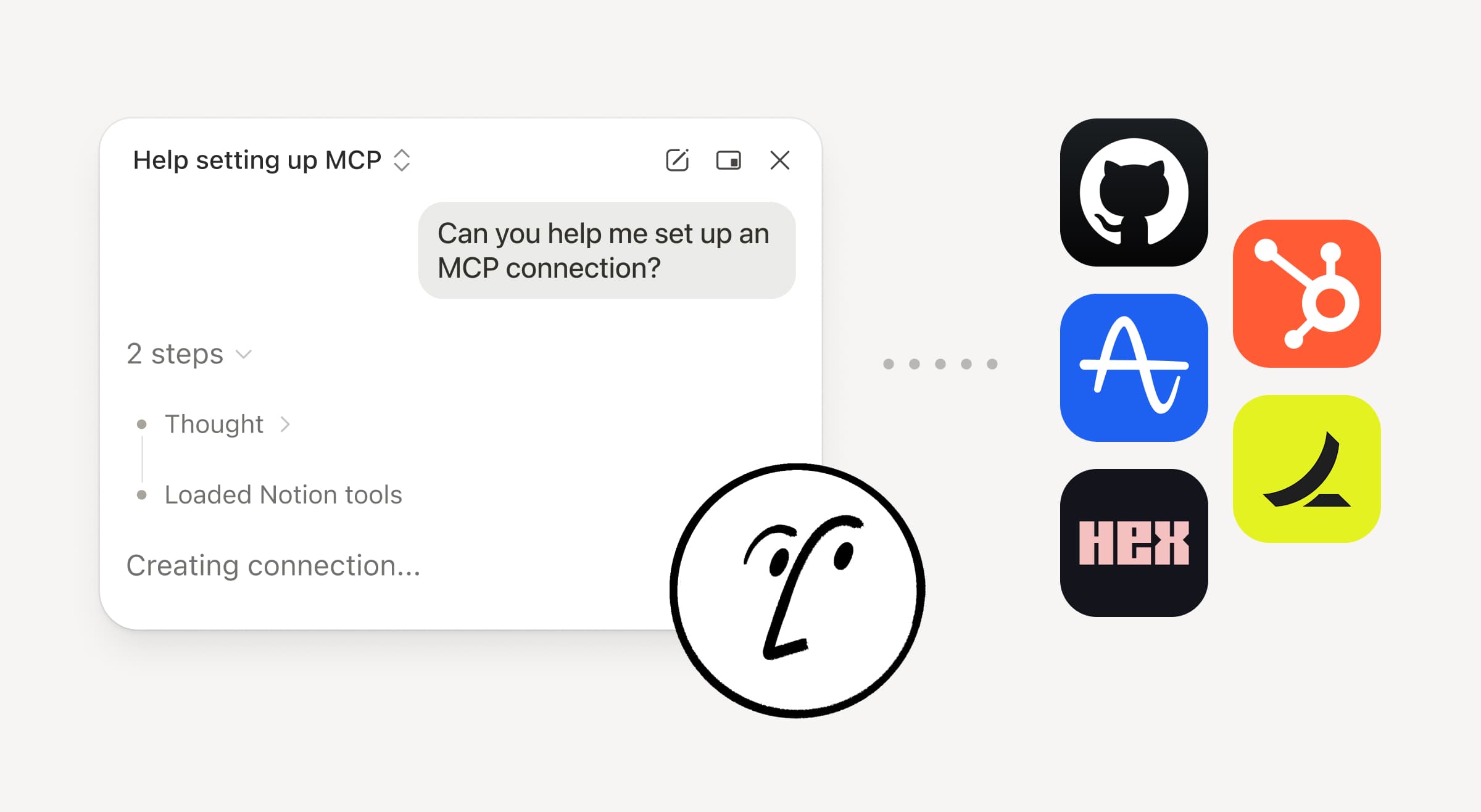
Porta più lavoro nel tuo Notion Agent. Chiedigli semplicemente di collegare uno strumento e ti guiderà attraverso la configurazione. Ora puoi collegare GitHub, Amplitude e altri strumenti con la connessione MCP personalizzata, così da poter recuperare il contesto, controllare le prestazioni o intervenire negli strumenti che il tuo team utilizza già. Collega a GitHub →

Le conferme ti mantengono il controllo, così nulla cambia in uno strumento collegato finché non lo approvi. Disponibile in beta nei piani Business ed Enterprise. Scopri di più →

Sei in movimento? Usa l'app iOS di Notion Agents

App Agenti Notion

Le tue idee migliori non aspetteranno il tuo ritorno alla scrivania. L'app iOS di Notion Agents ti mette in tasca 1.000 agenti. Cattura idee, voce e foto, preparati per una riunione o crea un documento mentre sei in movimento. Affida un compito a un agente e lo porterà a termine prima che tu torni al tuo portatile.

Fai in modo che il tuo Agente personalizzato chiami dei sotto-agenti

Agenti secondari

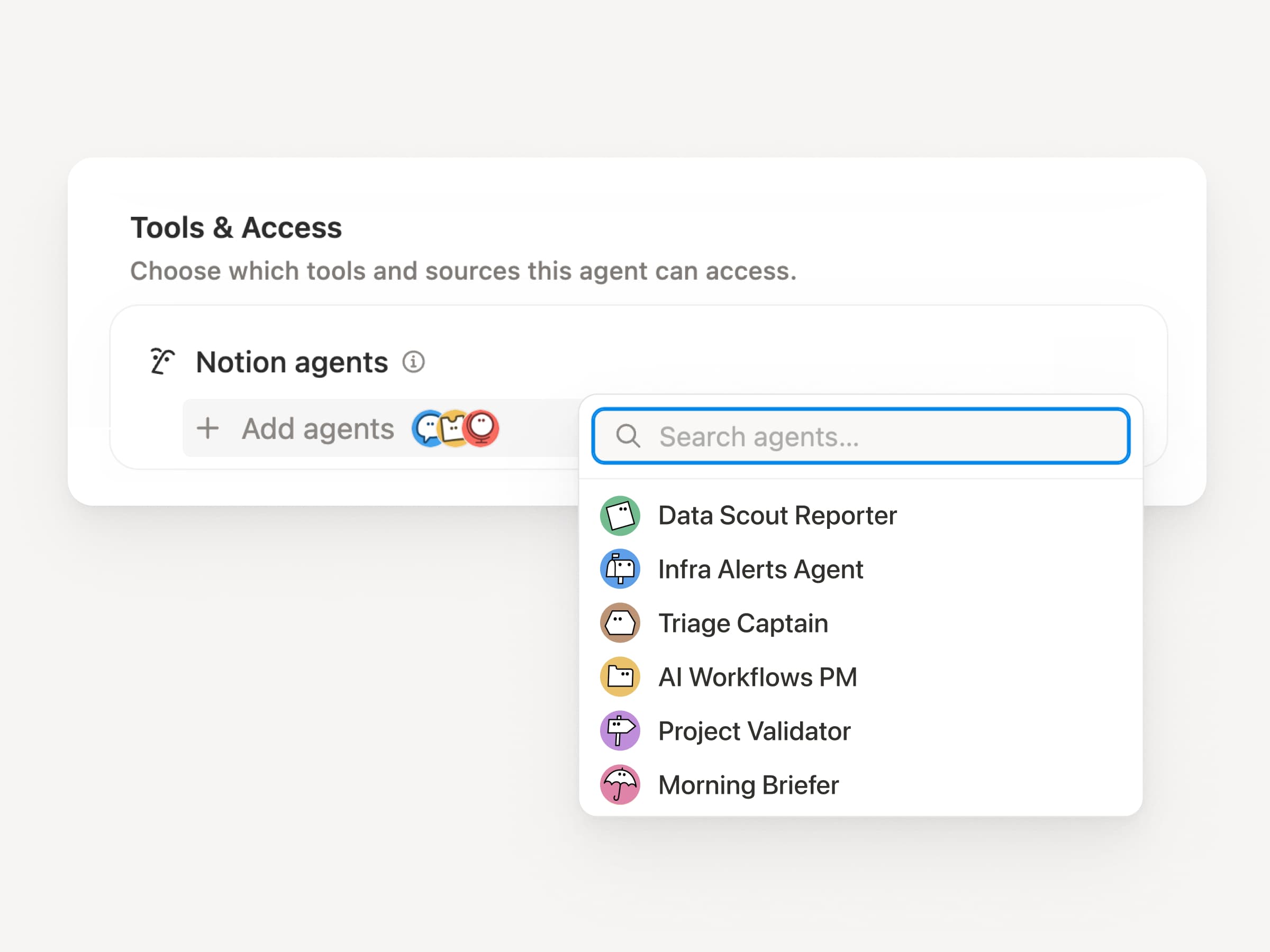
I grandi flussi di lavoro raramente sono un unico compito. Ora un Agente personalizzato può chiamare altri Agenti personalizzati come sotto-agenti, ognuno con le proprie istruzioni, contesto, accesso e modello. Scopri di più →

Un agente PM per app mobile può inviare segnalazioni di bug a un agente di triage e domande sulle metriche a un agente di reportistica, per poi riportare le risposte in un unico aggiornamento su Slack. L'agente principale decide quando delegare e utilizza ogni risposta per completare il lavoro originale. Remote gestisce il suo help desk IT con cinque agenti in questo modo e risparmia 500.000 $ all'anno.

Gli agenti personalizzati possono svolgere il lavoro post-riunione al posto tuo

Agente per il riepilogo della riunione

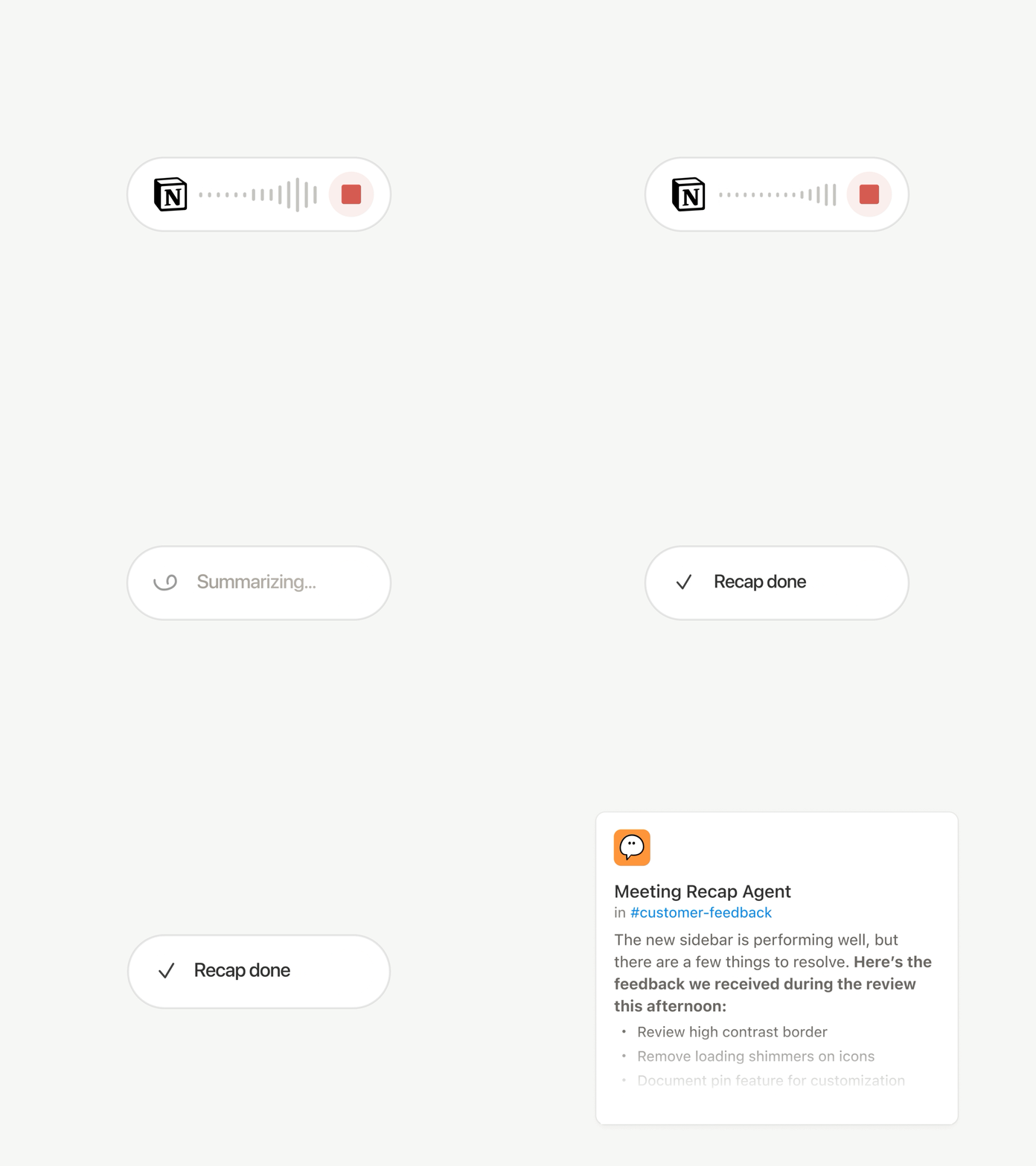
Ogni chiamata termina con le stesse incombenze: Redigi il riepilogo, archivia le azioni programmate e contatta le Persone che non erano presenti. Ora gli agenti personalizzati possono gestire automaticamente il lavoro post-riunione.

Scegli quali riunioni sono importanti, quindi lascia che un agente personalizzato si occupi del lavoro non appena ogni riepilogo è pronto. Ottiene la trascrizione e il riassunto, così può scrivere l'aggiornamento di stato, archiviare le azioni programmate o inviare il feedback dei clienti al database corretto. Disponibile sui piani Business ed Enterprise. Scopri di più →

Sfoglia ogni modello e scopri qual è il migliore per il lavoro

Modelli più recenti

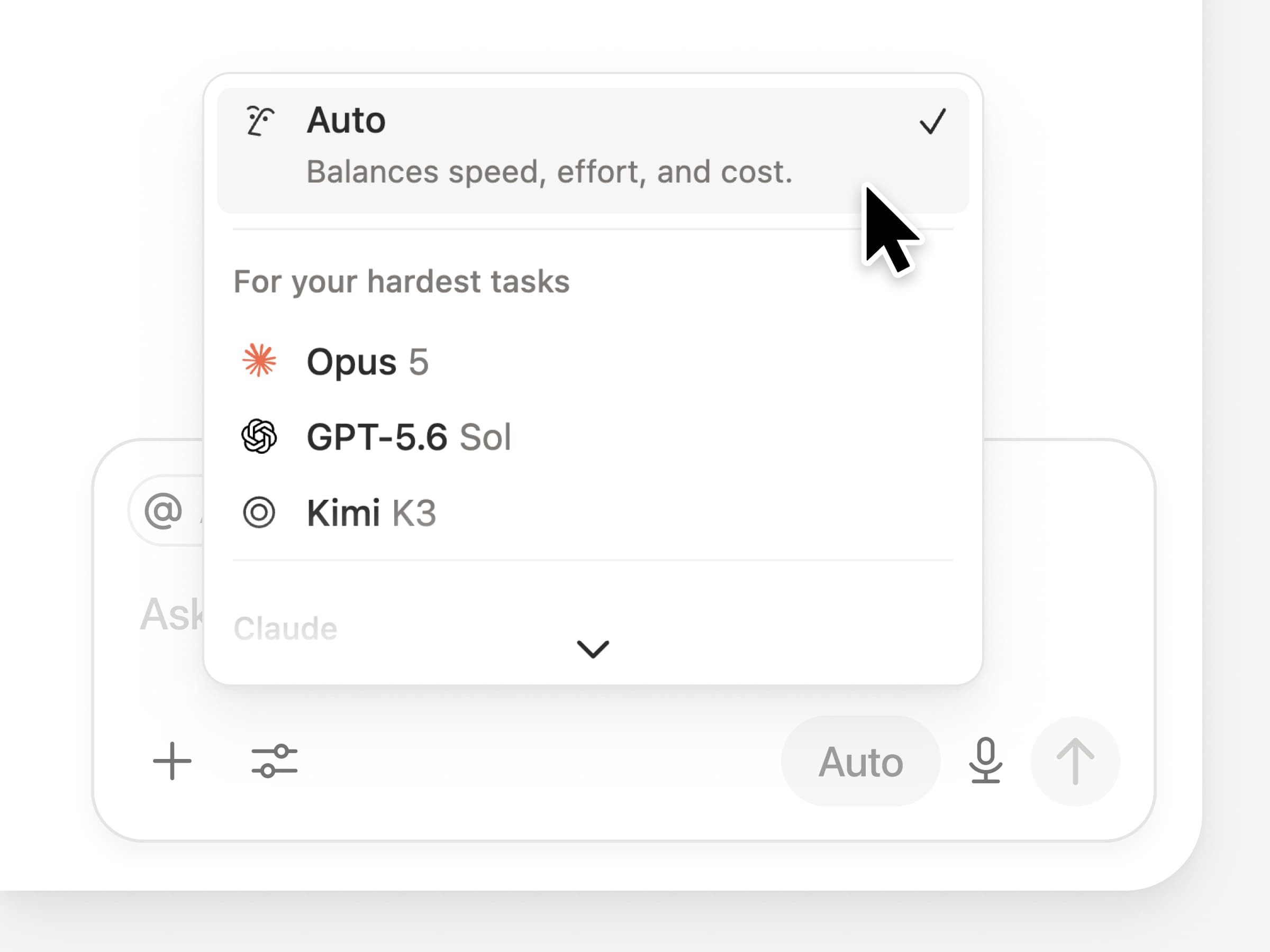
Ottieni l'accesso a tutti i più recenti modelli di frontiera in Notion, inclusi Opus 5, GPT-5.6 Sol e Kimi K3. Il nuovo selettore di modelli è stato riprogettato per aiutarti a scegliere il modello migliore per il tuo lavoro, con indicatori per velocità, intelligenza e costi.

Una novità è anche la Notion Knowledge Board, che valuta le prestazioni dei modelli sul lavoro reale e quotidiano. Confronta i modelli →

E ancora…

  • Incorpora un agente personalizzato in qualsiasi documento. Inserisci un agente esattamente dove si svolge il lavoro, così chiunque sulla pagina possa utilizzarlo. Scopri come →

  • Approfondimenti sugli agenti personalizzati nell'API pubblica. Estrai l'utilizzo dei crediti, le esecuzioni completate e lo stato, e abilita, disattiva o imposta limiti per qualsiasi agente. Business ed Enterprise. Leggi la documentazione dell'API Insights →

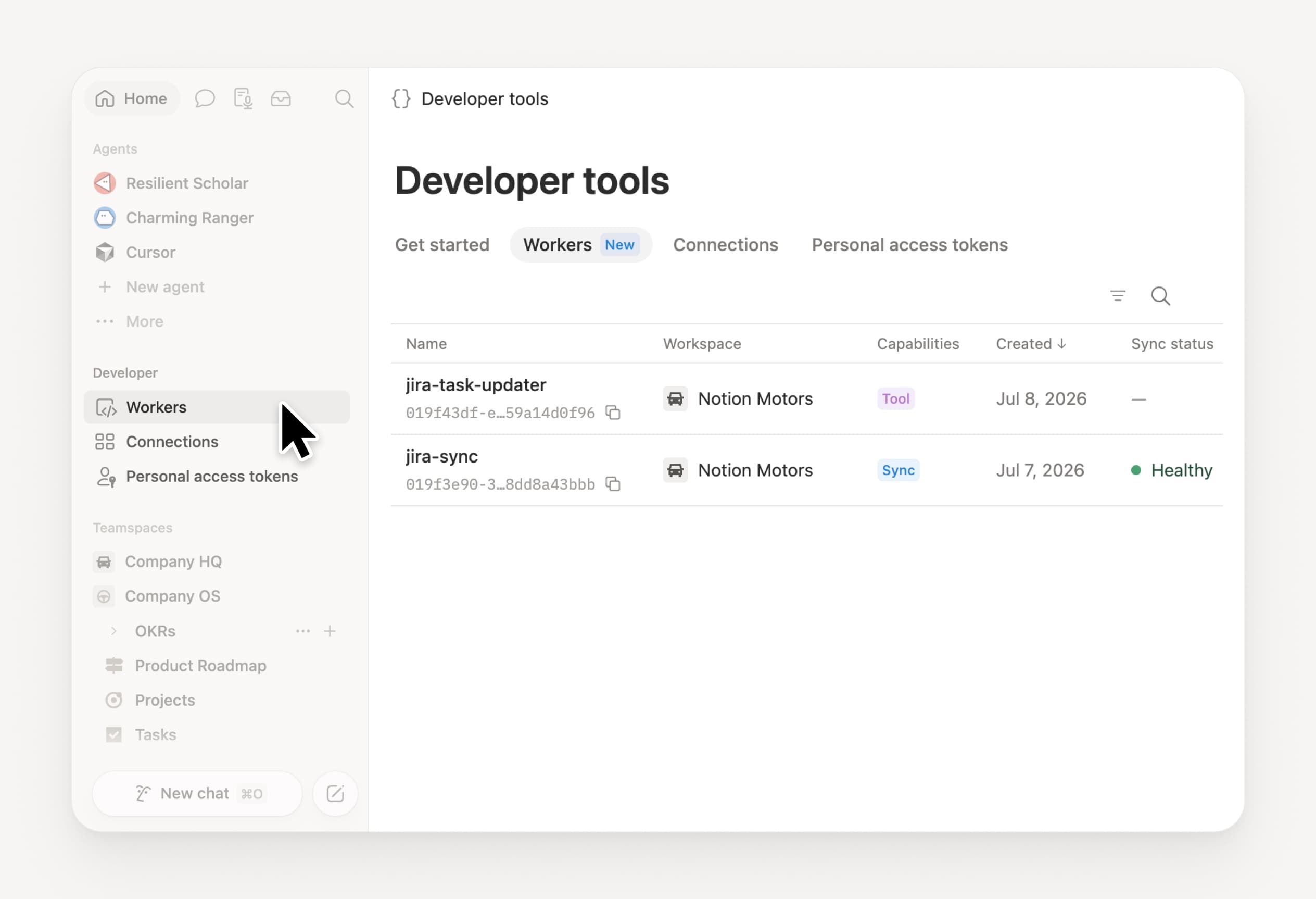
  • Gestisci i tuoi Worker e le tue connessioni: Apri la nuova sezione per sviluppatori nella barra laterale per vedere ogni Worker, dove è connesso e i registri di ogni esecuzione. Dai un'occhiata →

  • SDK dell’agente, ora in beta pubblica. Continua le conversazioni con l'agente personalizzato da qualsiasi luogo, attivale dalla tua app e trasmetti i risultati. Business ed Enterprise. Leggi la documentazione dell’SDK dell’agente →

  • Il portale per sviluppatori ora si trova in Notion. Gestisci i tuoi Workers, le connessioni e i token di accesso personali in un unico posto. Apri il portale →

  • La ricerca AI è più veloce del 50%. Meno attese per le risposte e i risultati degli agenti che utilizzano il contesto dello spazio di lavoro. Business ed Enterprise. Provala →

  • Controlla la posta in arrivo. Chiedi all'agente di Notion di raggruppare le notifiche, evidenziare ciò che necessita attenzione e aiutare a eliminare il resto. Dai un'occhiata →

Prova le abilità! E facci sapere come possiamo migliorare (abbiamo altro in cantiere).

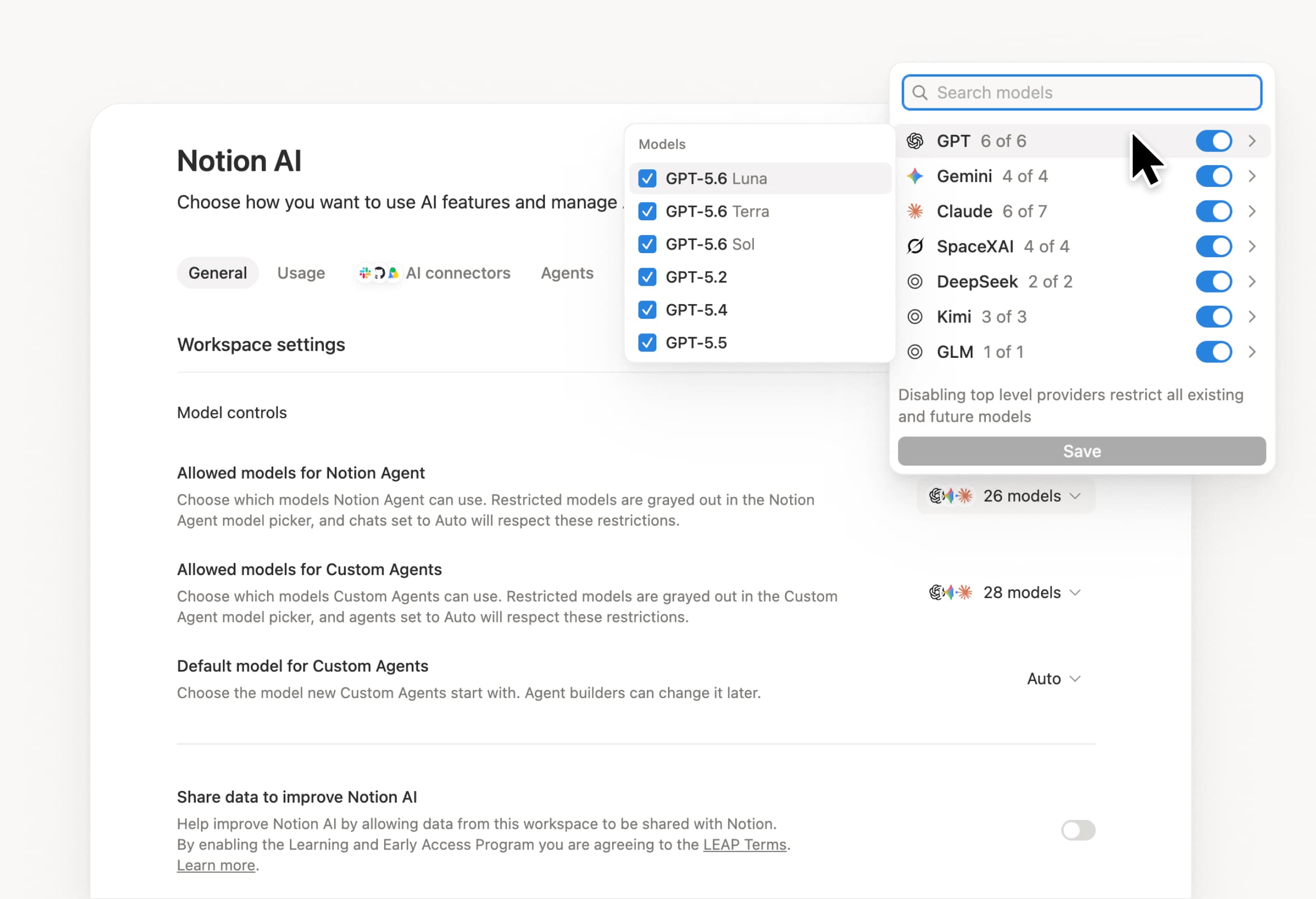
Control which AI models your agents can use

Control which AI models your agents can use

What’s on your team’s model roster? That’s up to you. With model controls, workspace owners can choose which AI models are available in Notion Agent and Custom Agents separately, and set a default model for Custom Agents. Keep costs predictable and support your compliance needs while your teams continue building. Available on Business and Enterprise plans.

Get started at Settings → Notion AI → General → Model controls.

Ask your agent to suggest edits

Your agents can now propose changes instead of making them directly. Ask your agent to suggest edits, then move top to bottom to approve each one. It’s great when you need line-level changes, like a pass for grammar.

Get started by asking your agent to “suggest edits.”

Your Developer Portal, now in the sidebar

Manage your Workers, connections, and personal access tokens from the new Developer section of your Notion workspace. See an overview of deployed Workers and logs behind every run.

Developer sidebar section

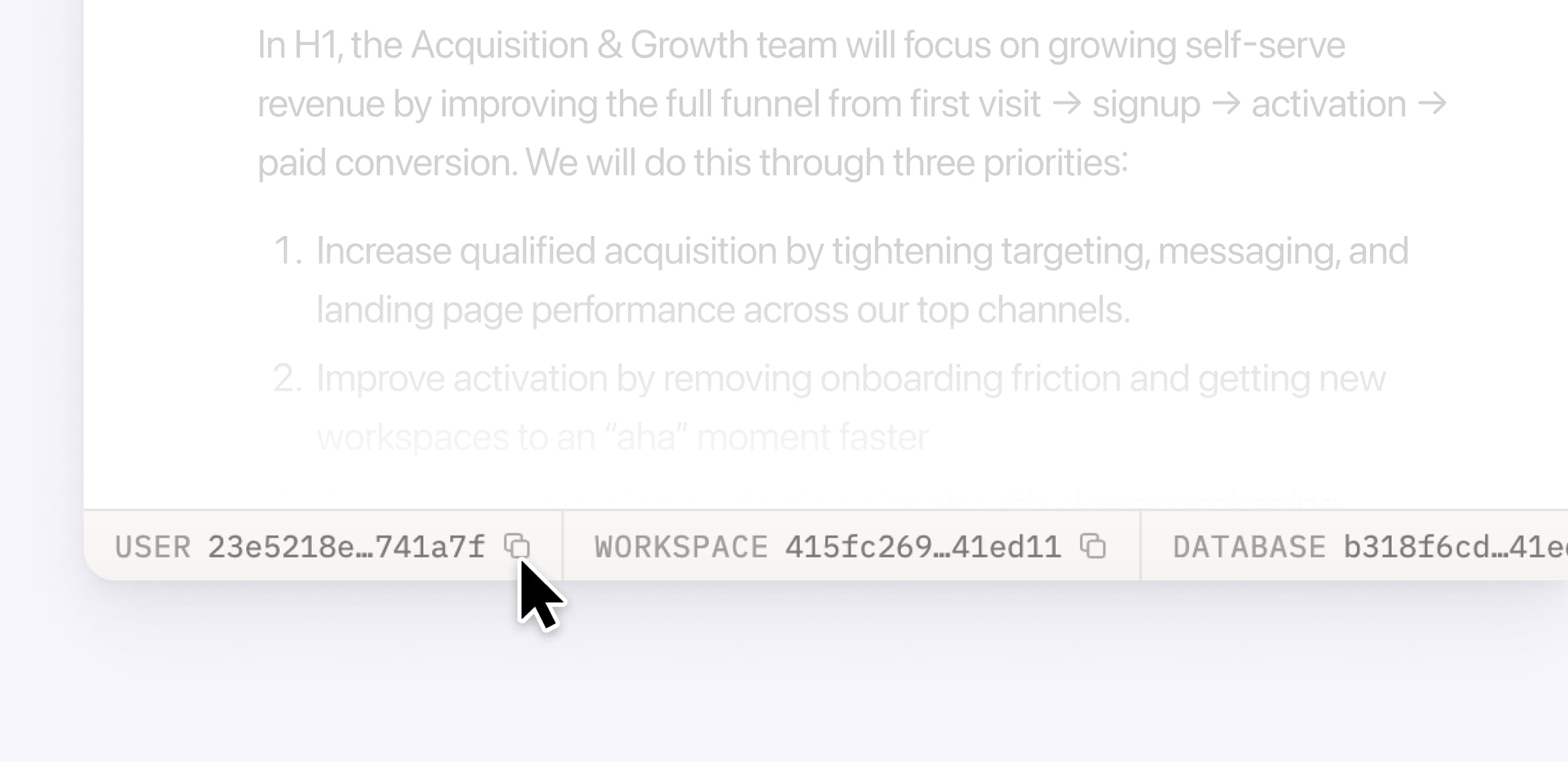
Plus, the new developer bar makes it easy for anyone building with the API to find IDs for the page, database, block, workspace, or user. Copy any one of them, or the full API object, in one click.

Developer bar

Get started from Settings → Developer → Enable developer features. Go there now →

Model selection, simplified

No more guessing which model to use.

The model picker now leads with a shortlist of models made for your hardest tasks, and every model has a scorecard to compare speed, intelligence, and cost. Pin your favorites for easy access and dial up the effort when you need a more thorough answer.

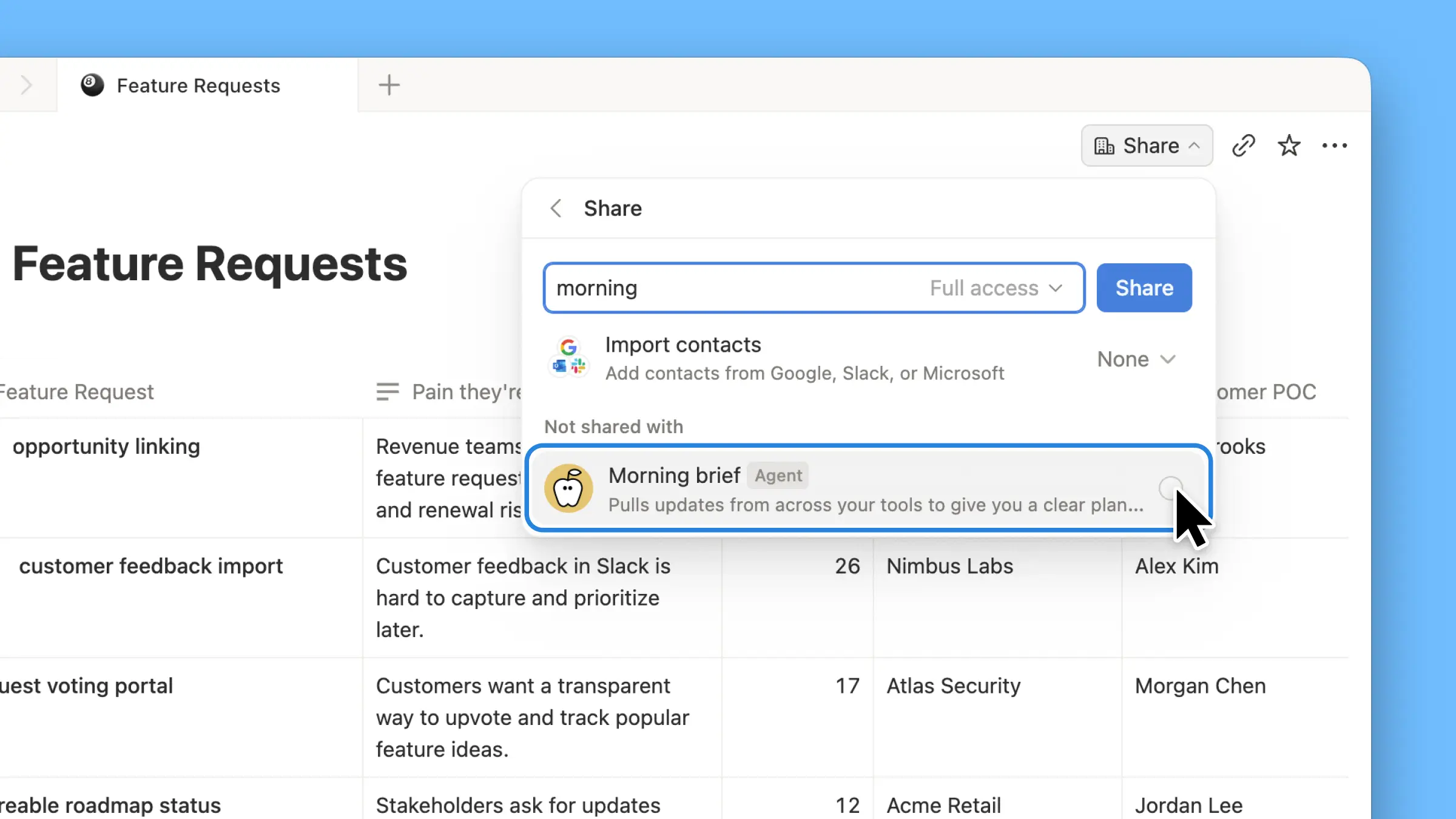
AI Meeting Notes can now trigger Custom Agents

Custom Agents can now run right after an AI Meeting Note is finished. No more need to manually update status trackers, post recaps to the project channel, or file tickets by hand.

Here’s a few of our favorite post-meeting workflows:

  • Update your project tracker with the latest status

  • Post a recap to Slack or email with decisions and next steps

  • Turn feedback into tickets for your engineering team

To get started, open your Custom Agent’s settings, add the Meeting note summarized trigger, and choose which meetings kick it off. After your next call, your agent will get to work.

High contrast mode

Accessibility win! High contrast mode is a new display option that makes text, icons, and borders easier to read.

Try it by going to Settings > Preferences > Appearance. Available on desktop and web.

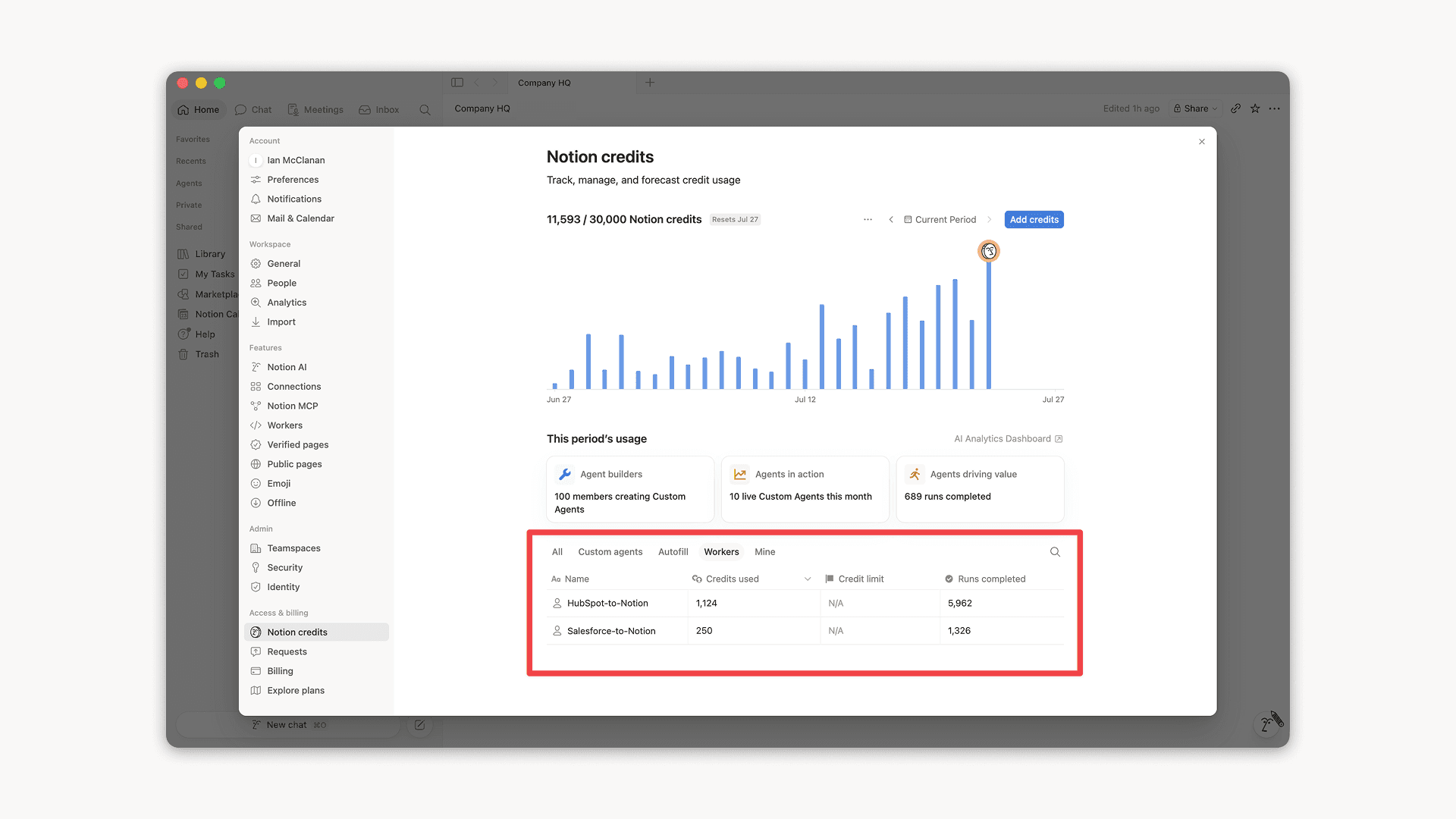
Workers, now in your Notion credits dashboard

Workers in the credits dashboard

Notion Workers run custom code on Notion's infrastructure to sync data, power tools for Custom Agents, and trigger webhook automations.

Now you can track your Workers’ usage in the credits dashboard, alongside your other spend.

Workers are free to try during the beta on Business and Enterprise plans (including Business trials). Usage is now visible in the dashboard to help your team size credits before the beta ends.

Learn more about the Notion Workers beta and pricing in our Help Center →

Powered by Fruition