Yang Baru

Ikuti terus rilisan, peningkatan, dan perbaikan terbaru.

Ikuti @NotionHQ
3.8

Notion 3.8: Context for your agents
Context for your agents

Your agents and teams run on context. If you switch agents, add a new tool, or welcome a new teammate, you shouldn’t have to explain everything again. With Notion, there’s a durable, shared place to remember what matters.

This update is all about context. Connecting data, tools, and skills so you’re free to use any agent or model.

With so many things changing, your context can stay in Notion.

Connect your agents to Notion with MCP
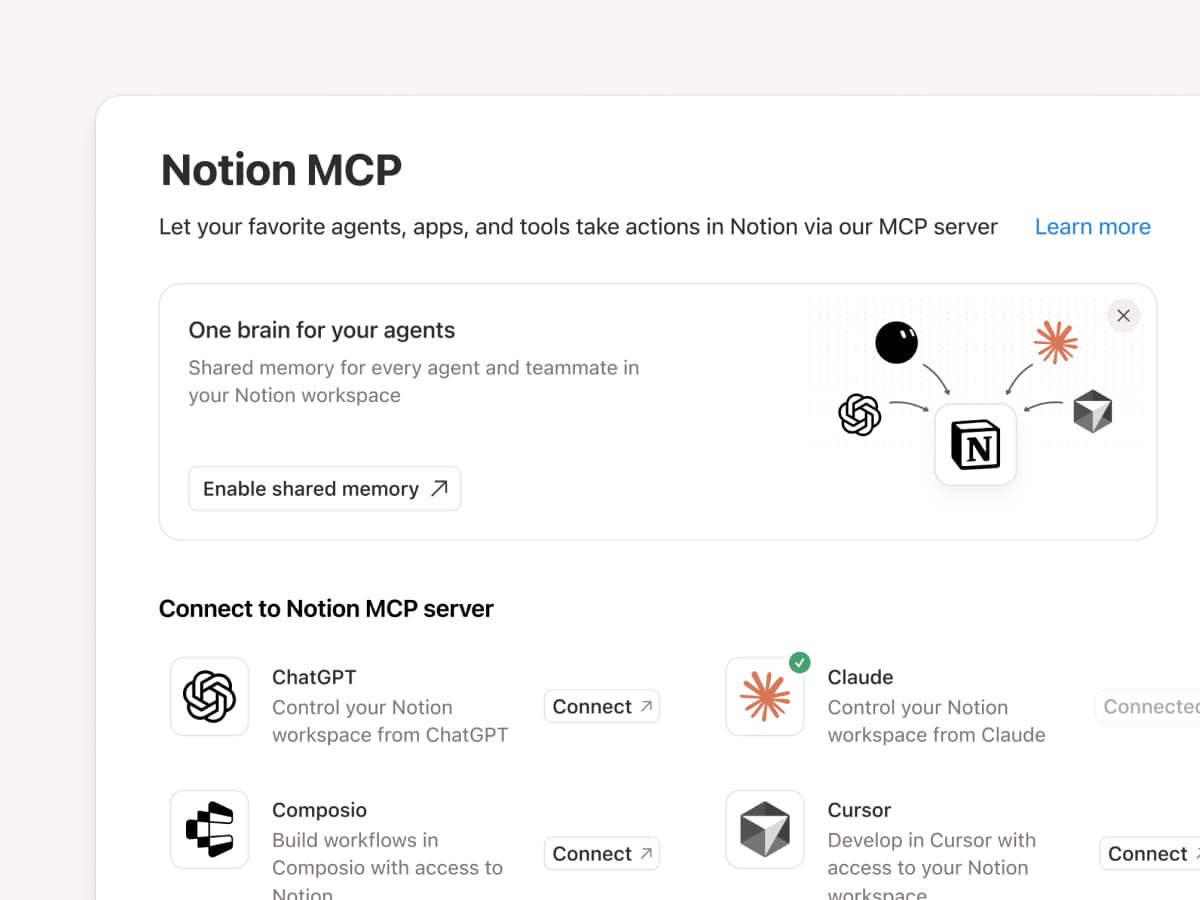
Connect an MCP-compatible agent to Notion so it can read your workspace context and update docs and task trackers. Whether you use Claudes, Muses, GrokBots, Dots, or another agent, Notion gives them a shared place to find what they need, so you can switch agents without starting from scratch. Set up an agent with Notion →

And with Notion MCP controls, admins can see who connected each AI tool, check when it was last used, and revoke a person’s access without affecting other connections. Set up MCP controls →

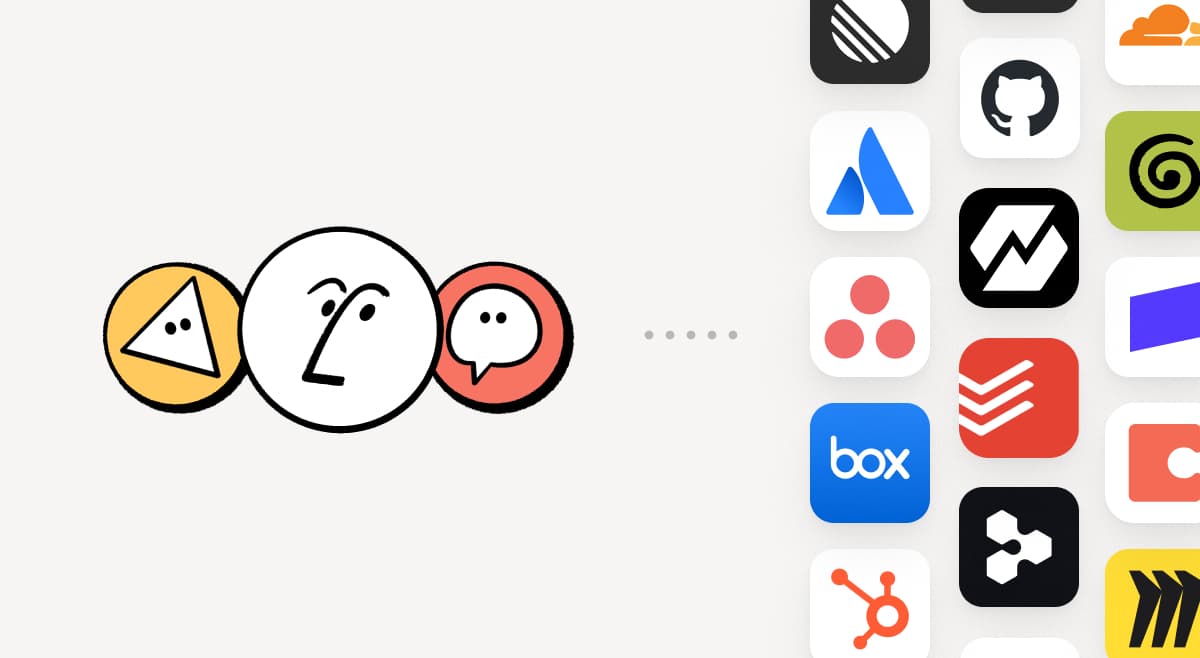
Connect your Notion Agents to 150+ tools with MCP
MCP

Bring the tools your team already uses into Notion. MCP connections let Notion Agent and Custom Agents draw on context from those tools and take action across them. Create an account brief in Notion using HubSpot pipeline data, add Stripe billing details to a customer health review, or bring Cloudflare infrastructure details into a postmortem. And that’s just the start. ⁠Browse 150+ MCP connections →

Write a skill once. Use it with every agent.
Write a skill once. Use it with every agent.

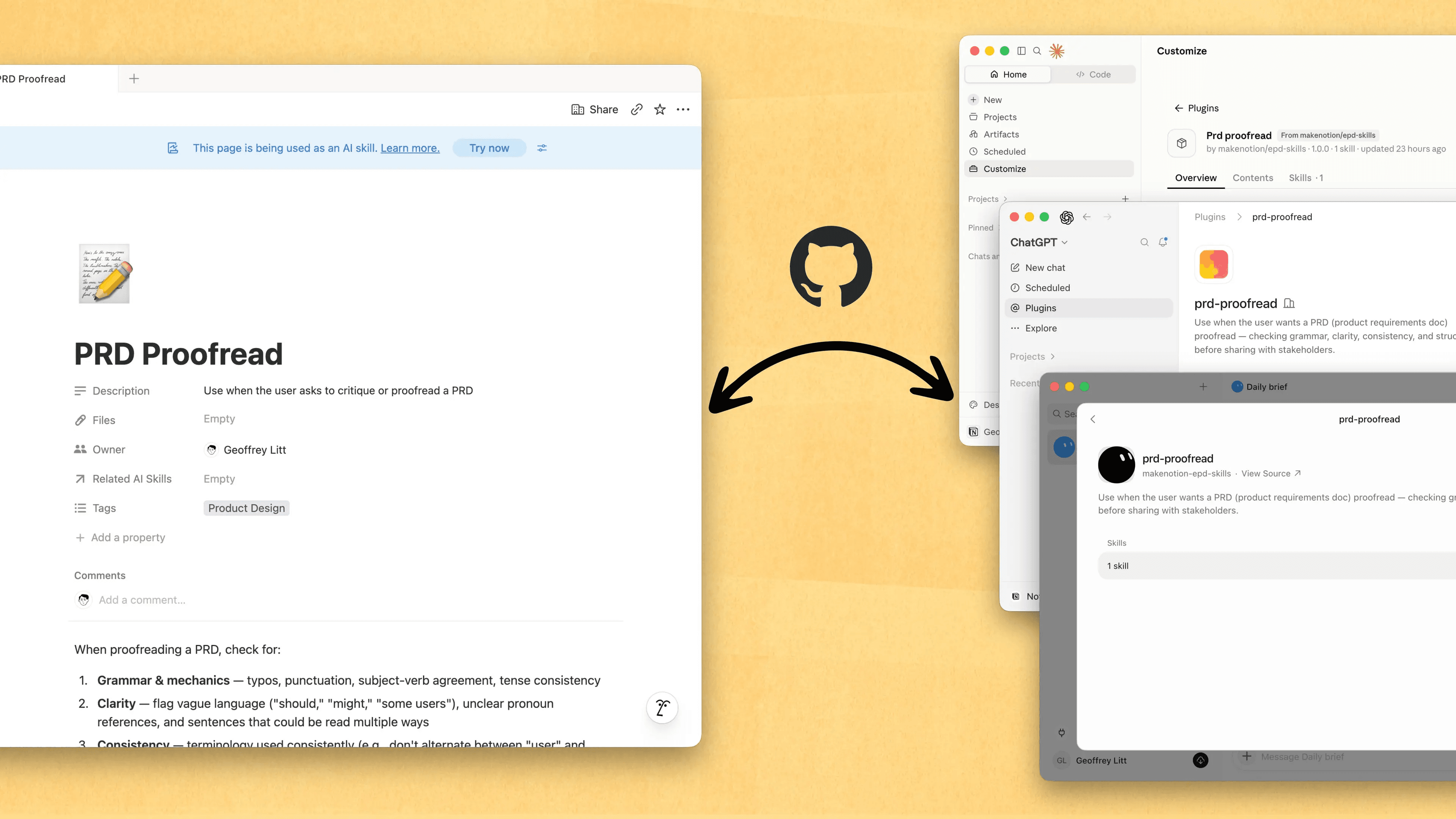
Skills are the best way to teach agents how you work … and not just for engineers. Now, Notion is the best place to create, share, and keep them current. Sync your Skills across ChatGPT, Claude, and more with the new Skills API, which loads Skills from Notion into GitHub.

Already have Skills for your agents? Ask your agent to recreate them in Notion with MCP, then keep building your library there. Here’s a quick demo, and here are docs to learn more.

See every change by every person and agent
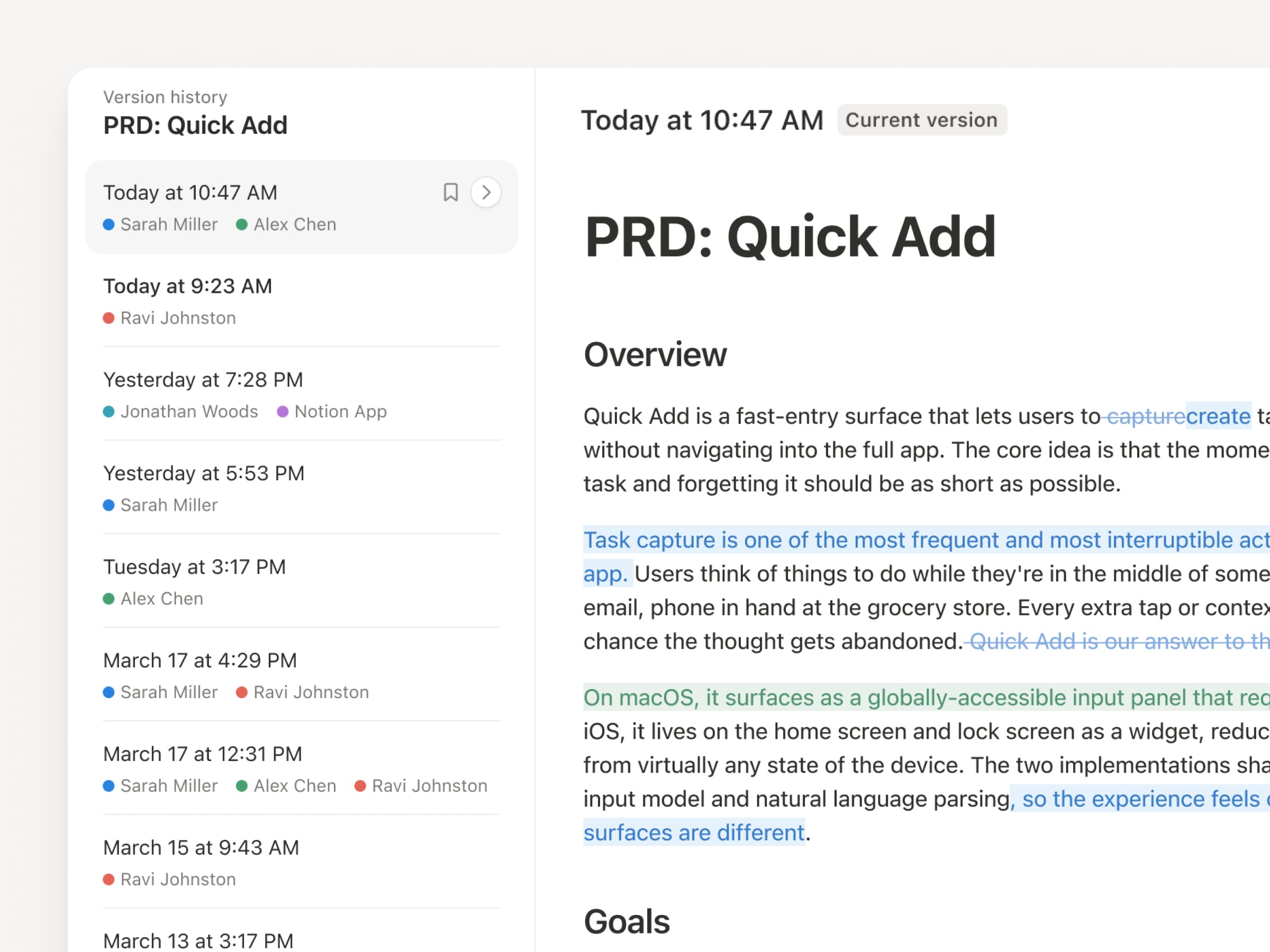
With agents and people making constant updates, version history has never been more important. So we’ve upgraded ours! You get a clearer record across pages and databases, with highlighted edits, detailed database changes, and attribution. Let your agents work while keeping their changes visible and secure. Review what changed, see who changed it, and restore prior versions with a quick click. Learn more →

Don’t pay twice. Use your ChatGPT plan in Notion.
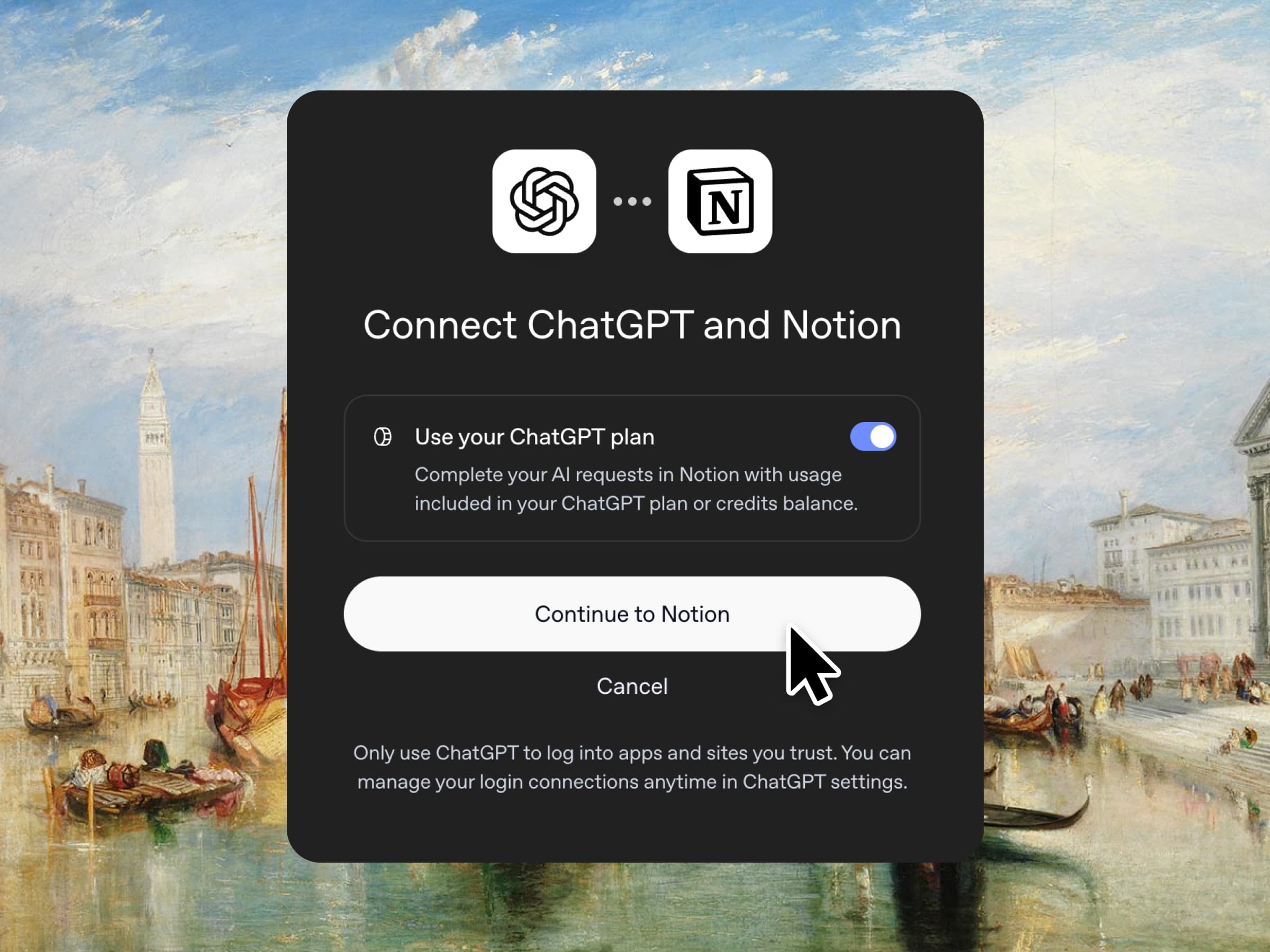
Yes, you just read that right. If you have ChatGPT Plus or Pro, your subscription can now cover your AI usage in Notion. Just connect your plan, pick a GPT model, and go. We don’t add a markup. We just want you to have the best tools for the job, for the best price. Available for Business and Enterprise plans. Check out a quick demo and the docs.

Column permissions in databases
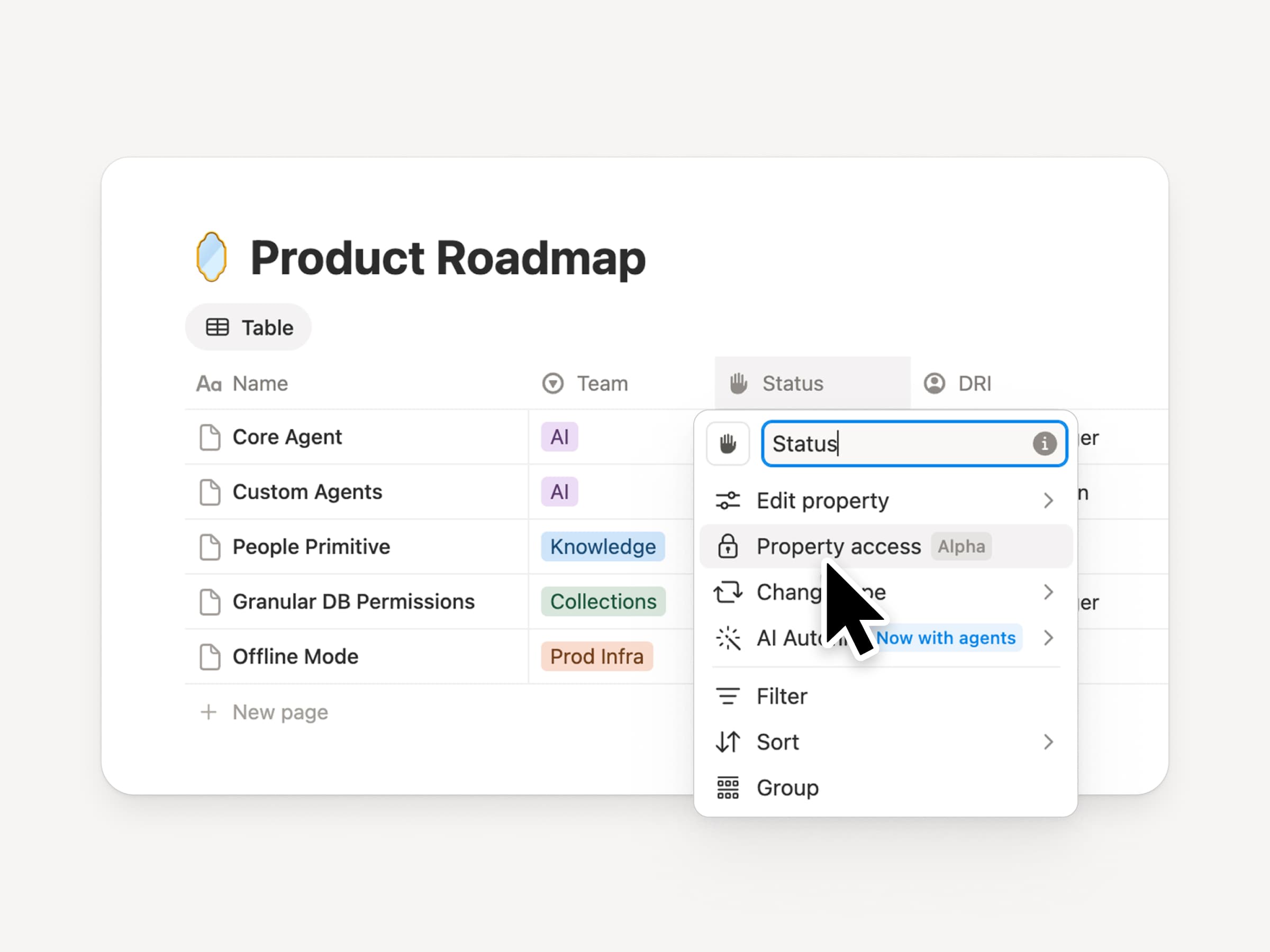
Notion databases give teams and agents a shared, up-to-date source of context. But both teams and agents need the right level of access. Column permissions were a top requested feature for years (we spent time getting this one right). They let database owners control which properties each person or agent can view or edit. Recruiting teams can collaborate on candidates without exposing compensation. Support agents can use account context without seeing restricted customer data. Watch the trailer from one of it’s creators!

Reintroducing synced databases
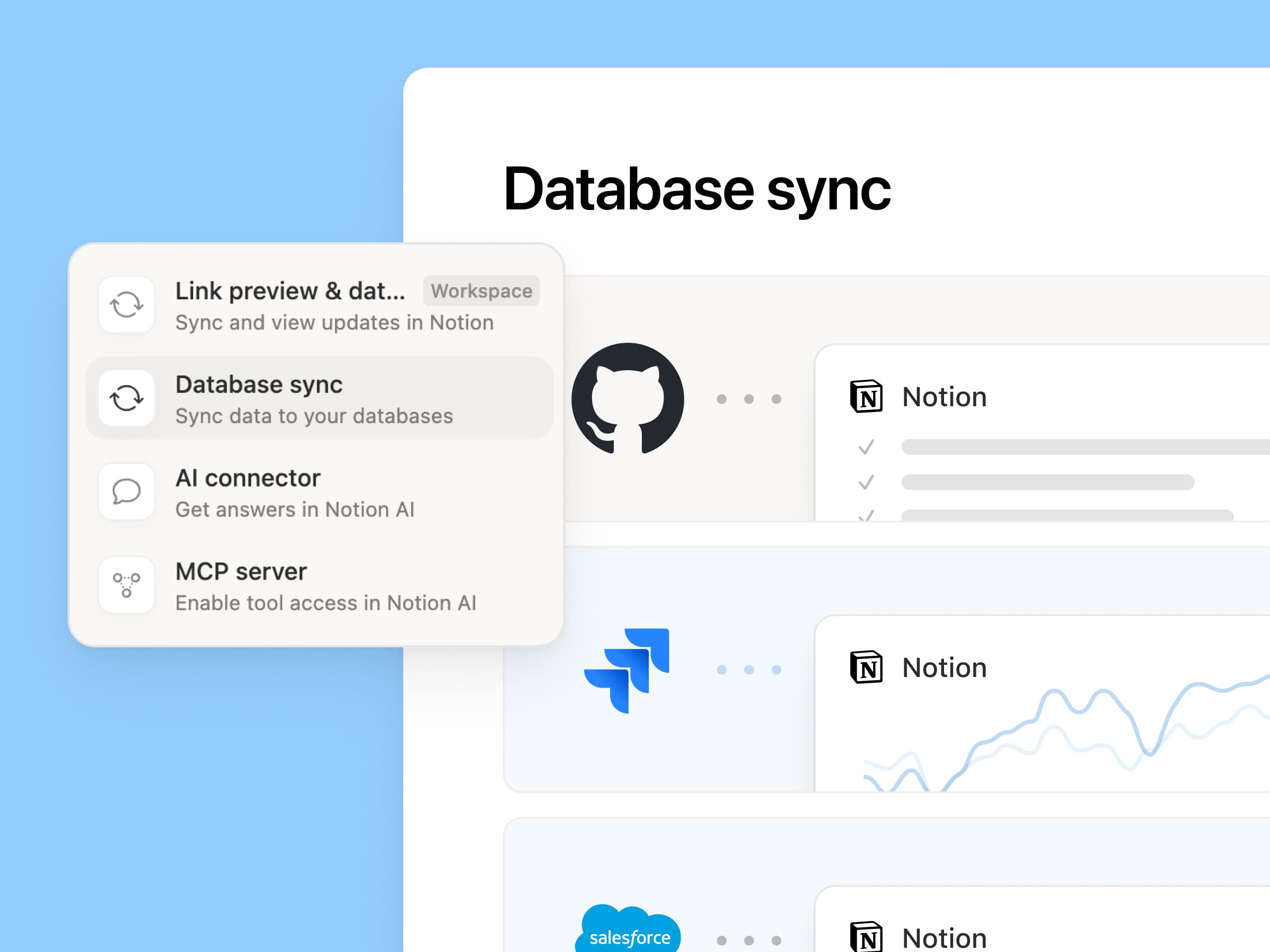
Reintroducing synced databases

We rebuilt our synced databases, starting with GitHub, Jira, and Salesforce, so your teams and agents always work from the latest data. They’re faster, more reliable, and show a live health status for each sync. They work like any other Notion database, so you can add your own properties, create views, and trigger automations. At Notion, we build customer hubs by syncing Salesforce accounts and linking to meeting notes and feature requests, so every team works from the same current view of each customer. Learn more →

New week, new models
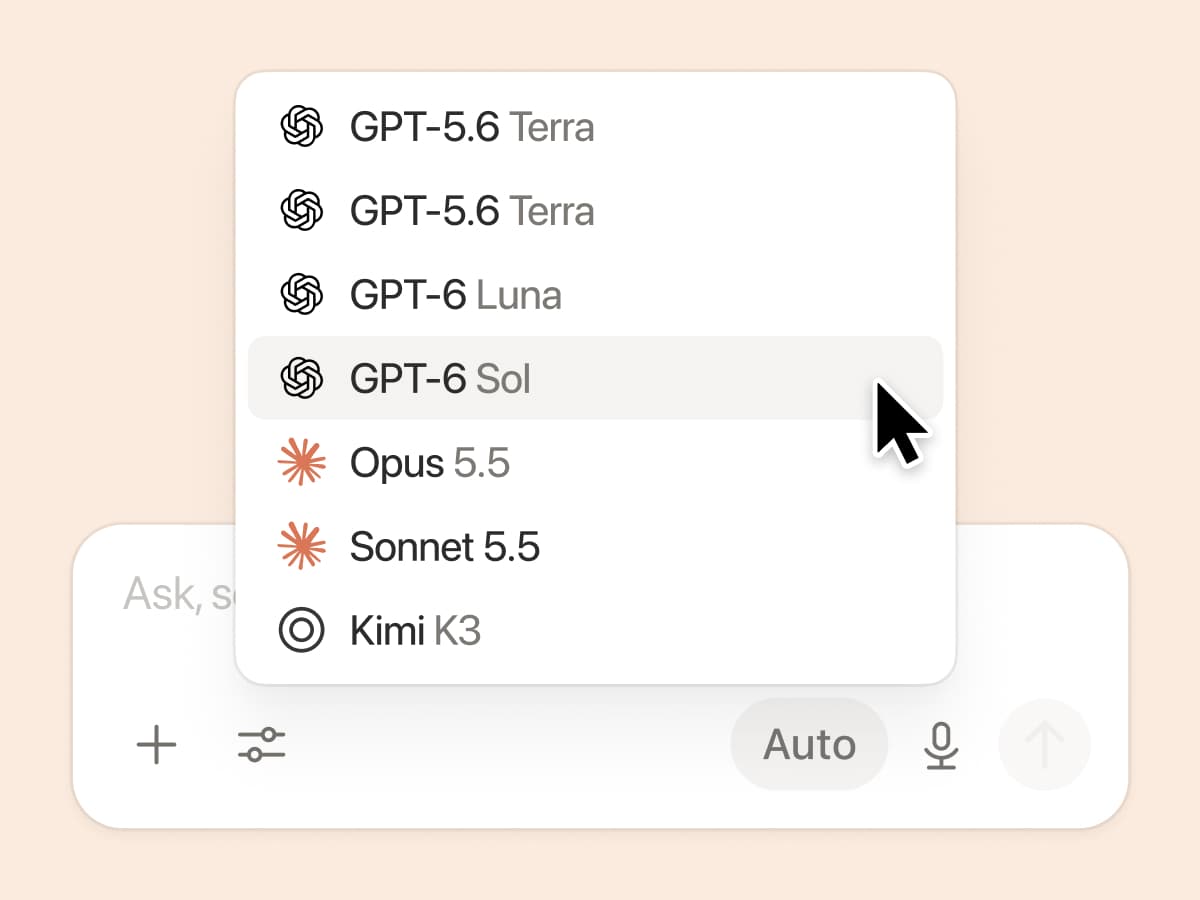
New week, new models

The labs are at it again. Seven new models all added, including GPT 6.1-Sol, GPT-6 Luna, Opus 5.5, and Sonnet 5.5. Use any of them knowing they’ll all know the latest about your team works.

And ICYMI, we’ve been evaluating how models perform across a range of knowledge-work tasks, using live anonymized traffic and judged by models. Check out our Knowledge Board →

More ways to connect and govern context

We can’t wait to see how Notion can be the backbone of your dock.
3.7

Notion 3.7: Skill untuk seluruh tim Anda

Yang Baru 3.7

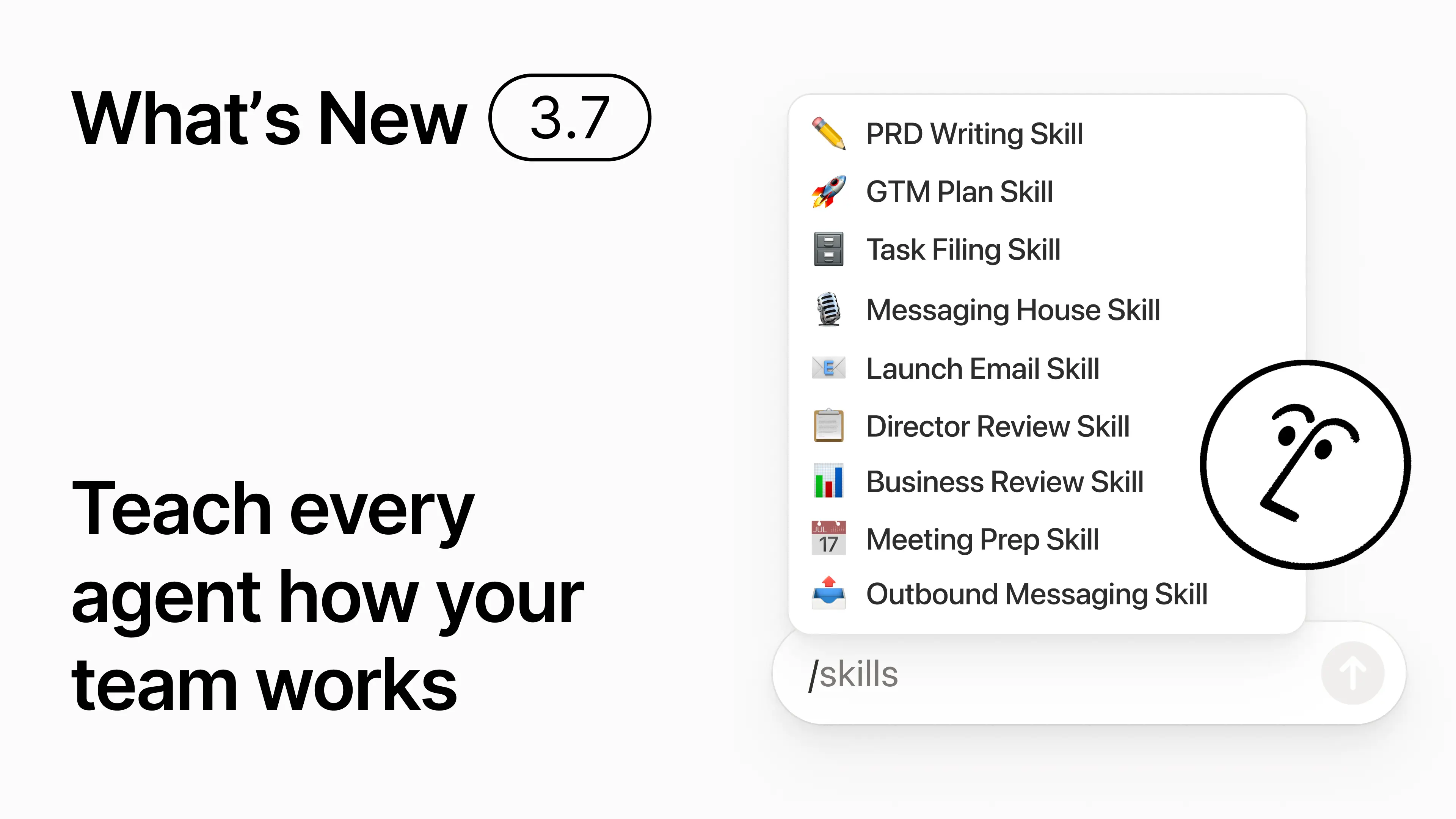
Anda tahu bagaimana beberapa orang sangat mahir dalam memberikan prompt ke AI? Atau mereka telah menemukan cara terbaik untuk menangani pekerjaan yang berulang? Sekarang mereka dapat mengubah pengetahuan tersebut menjadi skill dan meningkatkan kemampuan seluruh tim.

Skill adalah instruksi yang dapat digunakan kembali untuk mengajarkan AI cara kerja tim Anda. Seperti membuat tinjauan bisnis bulanan dalam format tim Anda. Atau mengkritik dokumen Anda dengan cara yang sama seperti yang dilakukan atasan Anda. Skill seperti pintasan tim untuk menyelesaikan tugas-tugas yang berulang. Buat skill →

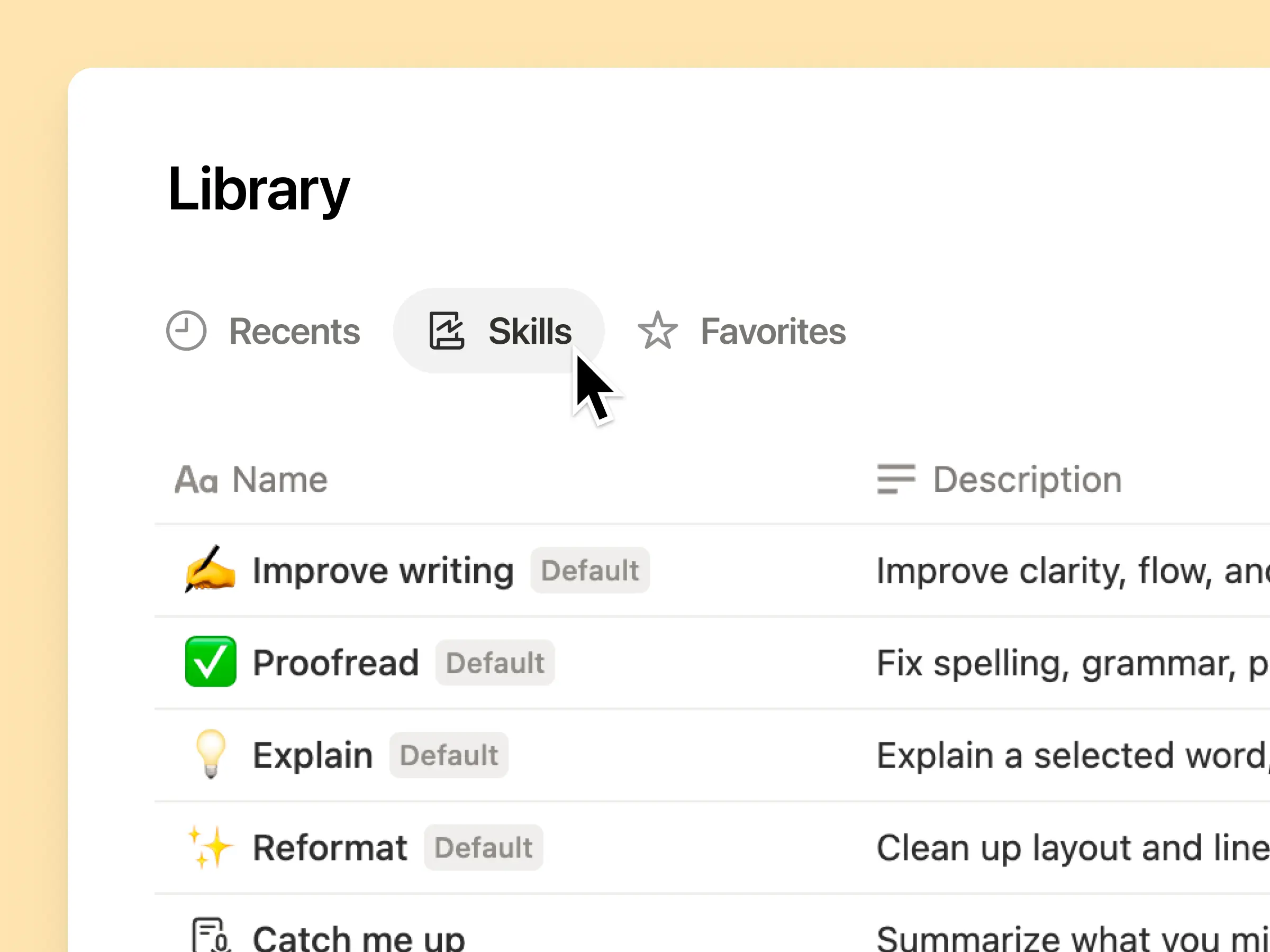
Setiap skill AI yang dibutuhkan tim Anda, dalam satu pustaka

Prompt yang hebat cenderung hanya tersimpan di kepala satu orang atau hilang begitu saja di dalam dokumen dan obrolan terpisah. Pustaka skill memberikan ruang kerja Anda satu pusat untuk semua skill yang dibagikan. Telusuri pustaka skill →

Masukkan skill terkait ke dalam database Notion, lalu bagikan satu skill atau seluruh database tersebut. Setiap tim mendapatkan satu tempat yang mudah untuk menemukan skill andalannya, dan semua orang tetap menggunakan versi terbaru. Pelajari selengkapnya →

Tulis sekali, dan AI memprosesnya sesuai keinginan Anda

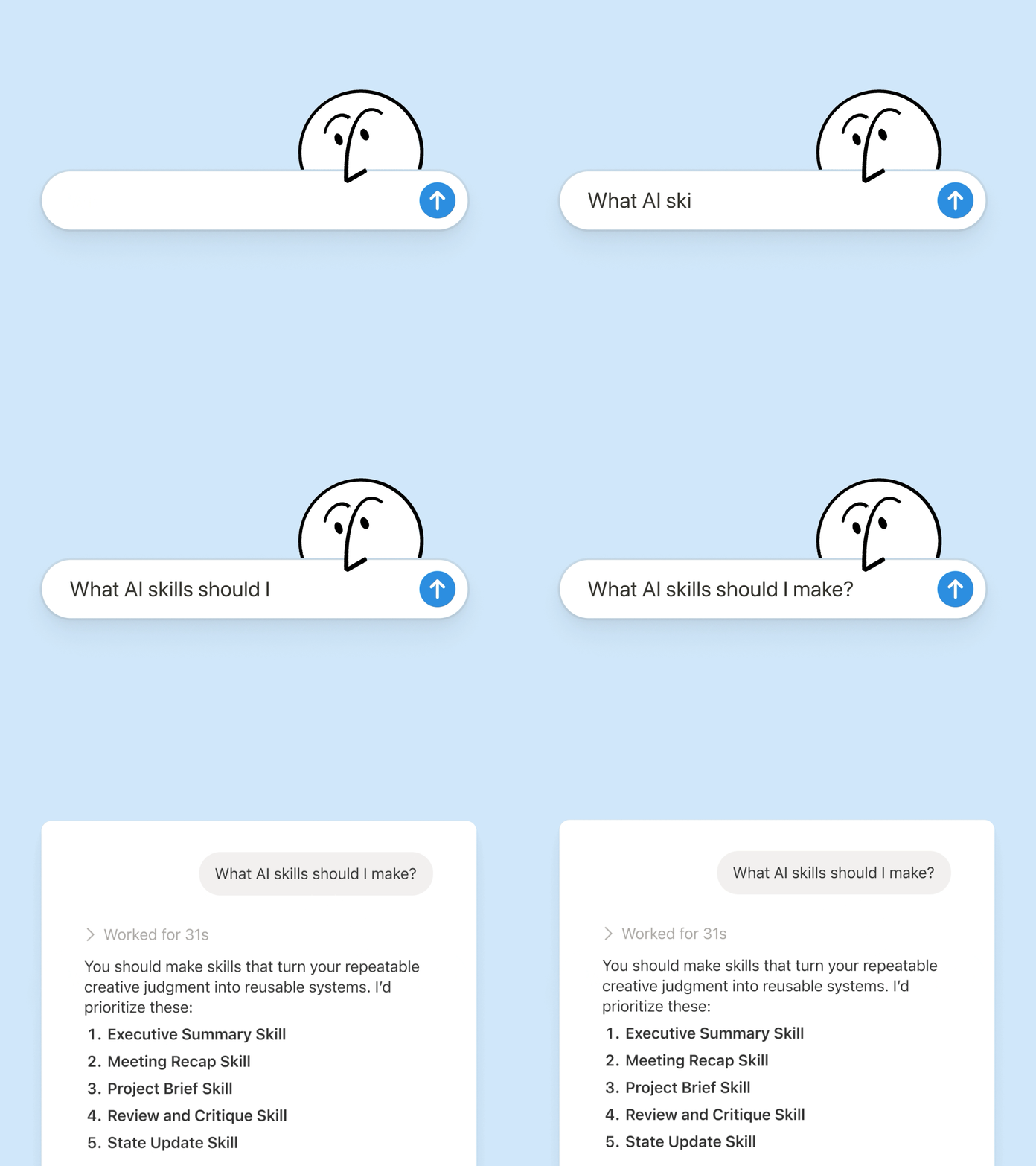
Chat dengan Notion Agent untuk membuat skill dari awal:

  1. Tinjau proposal fitur ini menggunakan standar produk, desain, dan teknik kami.

  2. Buat daftar periksa pengaturan karyawan baru menggunakan kebijakan perangkat dan aplikasi kami.

  3. Susun deskripsi pekerjaan ini menggunakan kerangka kerja penjenjangan dan bahasa yang disetujui kami.

Tidak yakin harus mulai dari mana? Notion juga dapat menyarankan skill berdasarkan pekerjaan yang sudah Anda lakukan. Skill apa yang saya butuhkan? →

Proses skill saat Anda membutuhkannya

Run Skill

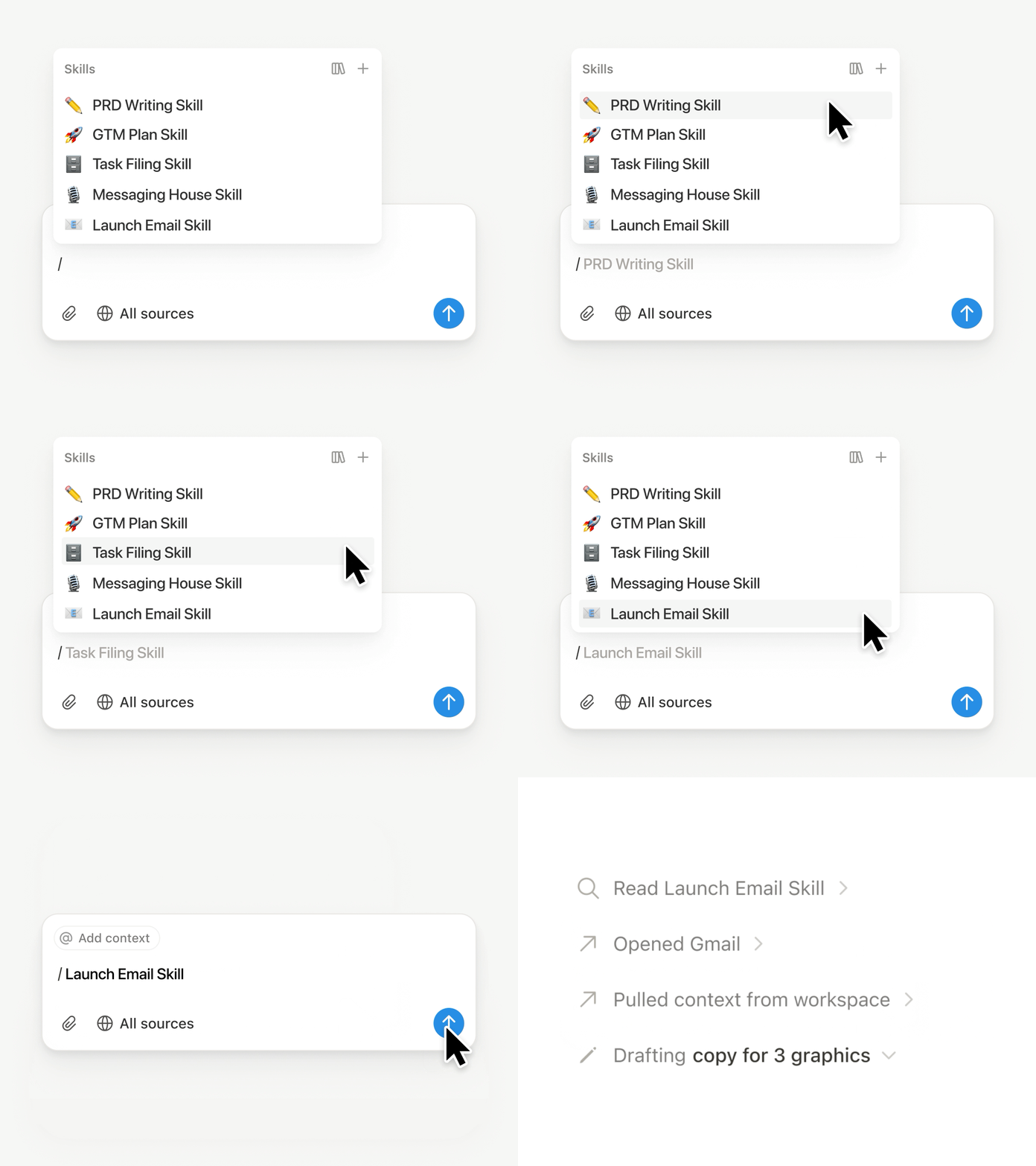
Ketik / di obrolan Notion Agent dan pilih skill yang ingin Anda gunakan. Tambahkan konteks lain, lalu tekan Enter.

Proses skill siap-eksekutif untuk mengubah draf menjadi ringkasan eksekutif yang padat dengan poin penting, keputusan, risiko, dan permintaan. Atau ubah catatan mentah menjadi PRD. Anda juga dapat mengatur skill agar diproses secara otomatis Pelajari selengkapnya →

Bawa skill tim Anda ke Claude Code, Codex, Cursor, dan lainnya

skill ke Claude atau Codex

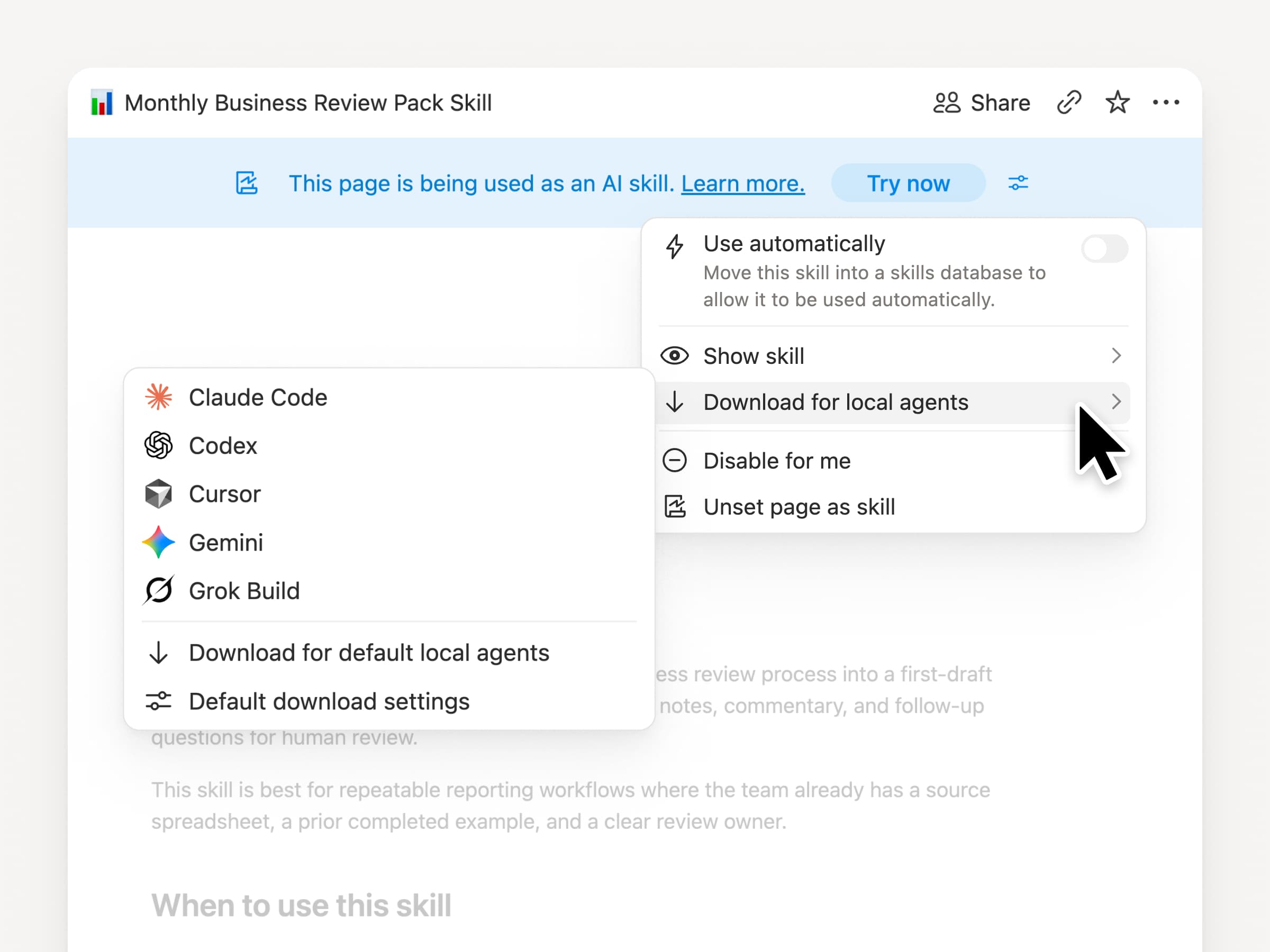
Bawa skill Anda ke mana pun, apa pun agen yang Anda gunakan. Buat dan perbarui skill di Notion, lalu Unduh ke Claude Code, Codex, Cursor, Gemini, atau Grok.

Notion menulis skill tersebut sebagai file SKILL.md, beserta file pendukung yang disetujui. Saat skill berubah di Notion, skill tersebut akan ditandai dengan lencana agar Anda tahu untuk mengambil versi terbaru. Tim Anda mengelola instruksi di satu tempat dan agen lokal Anda dapat mengikuti proses yang sama. Pelajari selengkapnya →

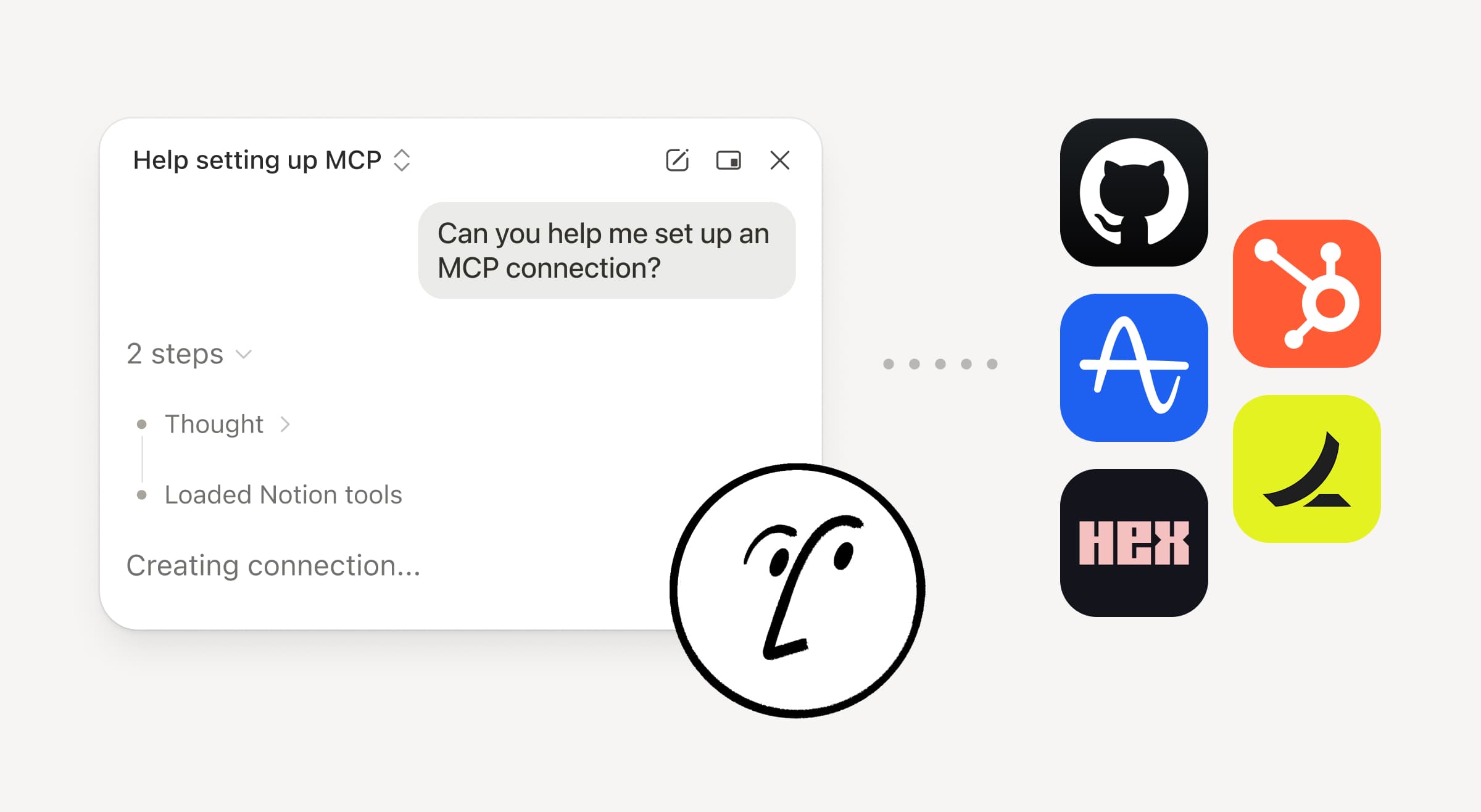
Minta agen Anda untuk menghubungkan GitHub, Amplitude, dan lainnya

Hubungkan lebih banyak ke agent Anda

Bawa lebih banyak pekerjaan Anda ke Notion Agent. Cukup minta agen untuk menghubungkan alat, dan agen tersebut akan memandu Anda melalui penyiapannya. Anda sekarang dapat menghubungkan GitHub, Amplitude, dan alat lainnya dengan koneksi MCP Kustom sehingga Anda dapat mengambil konteks, memeriksa kinerja, atau mengambil tindakan di alat yang sudah digunakan tim Anda. Hubungkan ke GitHub →

Konfirmasi membuat Anda tetap memegang kendali, sehingga tidak ada perubahan di alat yang terhubung sampai Anda menyetujuinya. Tersedia dalam versi beta untuk Bisnis dan Enterprise plan. Pelajari selengkapnya →

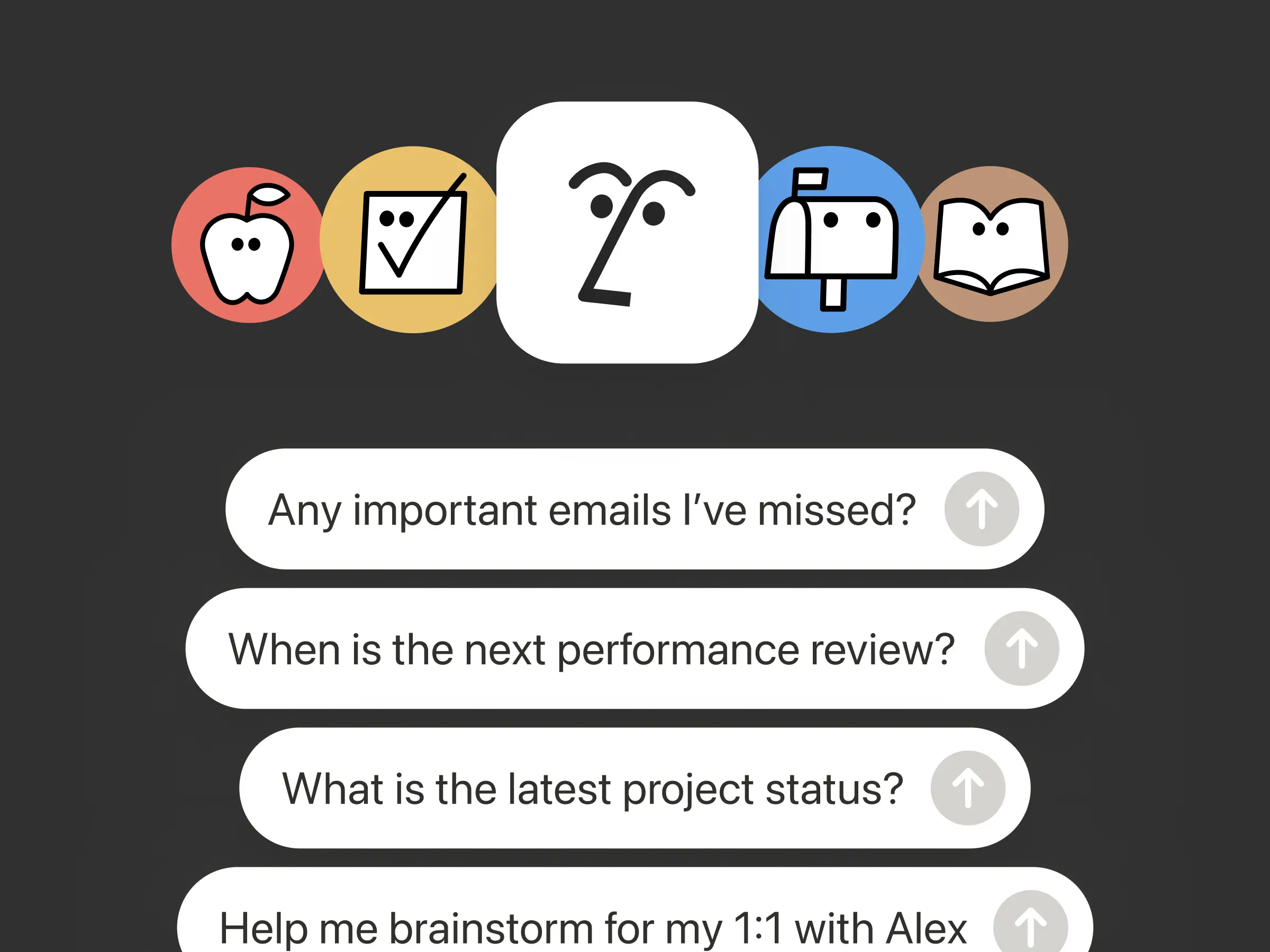
Sedang bepergian? Gunakan aplikasi iOS Notion Agents

Aplikasi Notion Agents

Ide terbaik Anda tidak akan menunggu sampai Anda kembali ke meja kerja. Aplikasi iOS Notion Agents menempatkan 1.000 agen di saku Anda. Tangkap ide, suara, dan foto, bersiap untuk rapat, atau buat dokumen saat Anda sedang bepergian. Berikan tugas kepada agen dan agen tersebut akan menyelesaikannya sebelum Anda kembali ke laptop.

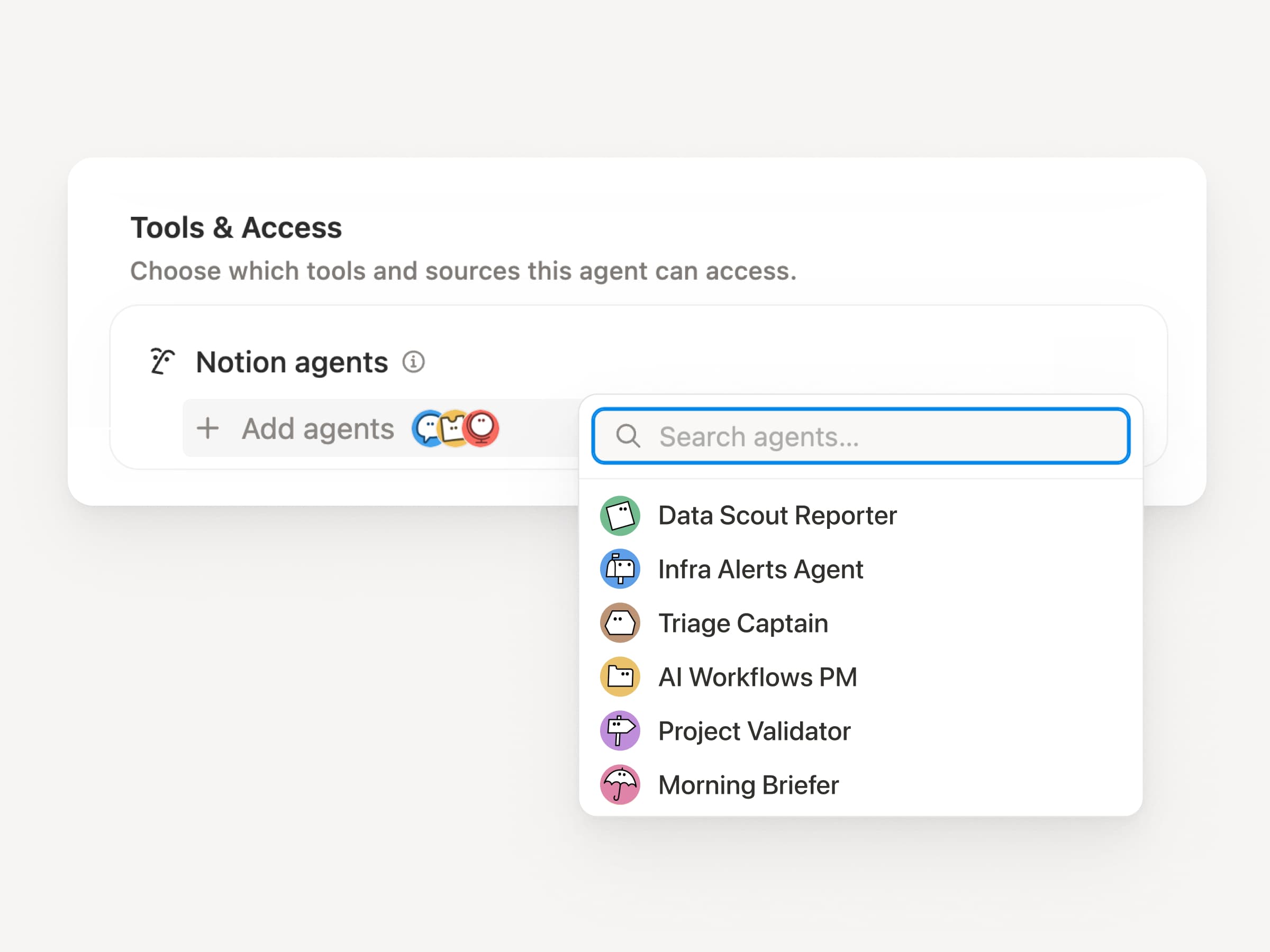
Minta Agent Kustom Anda untuk memanggil sub-agen

Sub Agents

Alur kerja yang besar jarang sekali merupakan satu pekerjaan. Sekarang Agent Kustom dapat memanggil Agent Kustom lainnya sebagai sub-agen, masing-masing dengan instruksi, konteks, akses, dan modelnya sendiri. Pelajari selengkapnya →

Agen PM Aplikasi Seluler dapat mengirim laporan bug ke agen triase dan pertanyaan metrik ke agen pelaporan, lalu membawa jawabannya kembali ke dalam satu pembaruan Slack. Agen utama memutuskan kapan harus mendelegasikan dan menggunakan setiap respons untuk menyelesaikan pekerjaan asli. Remote menjalankan help desk TI-nya dengan lima agen dengan cara ini dan menghemat $500k per tahun

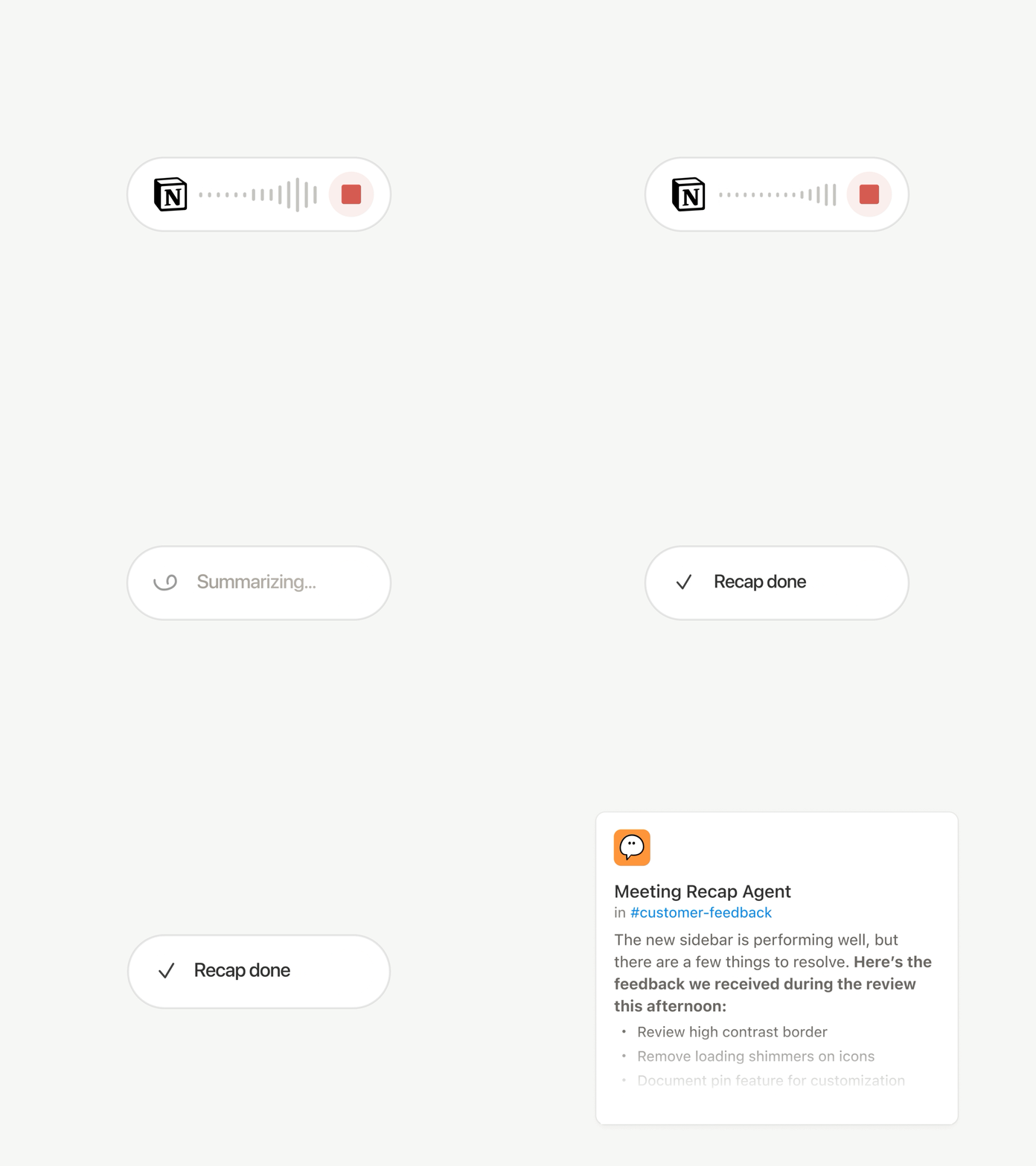
Agent Kustom dapat melakukan pekerjaan pasca-rapat untuk Anda

Agent Rekap Rapat

Setiap panggilan berakhir dengan tugas yang sama: Tulis rekap, arsipkan item tindakan, hubungi orang-orang yang tidak hadir. Sekarang Agent Kustom dapat menangani pekerjaan pasca-rapat secara otomatis.

Pilih rapat mana yang penting, lalu biarkan Agent Kustom mengambil alih pekerjaan segera setelah setiap ringkasan siap. Agen tersebut mendapatkan transkrip dan ringkasan, sehingga dapat menulis pembaruan status, mengarsipkan item tindakan, atau mengirim masukan pelanggan ke database yang tepat. Tersedia untuk paket Bisnis dan Perusahaan. Pelajari selengkapnya →

Telusuri setiap model, dan lihat mana yang terbaik untuk pekerjaan tersebut

Model Terbaru

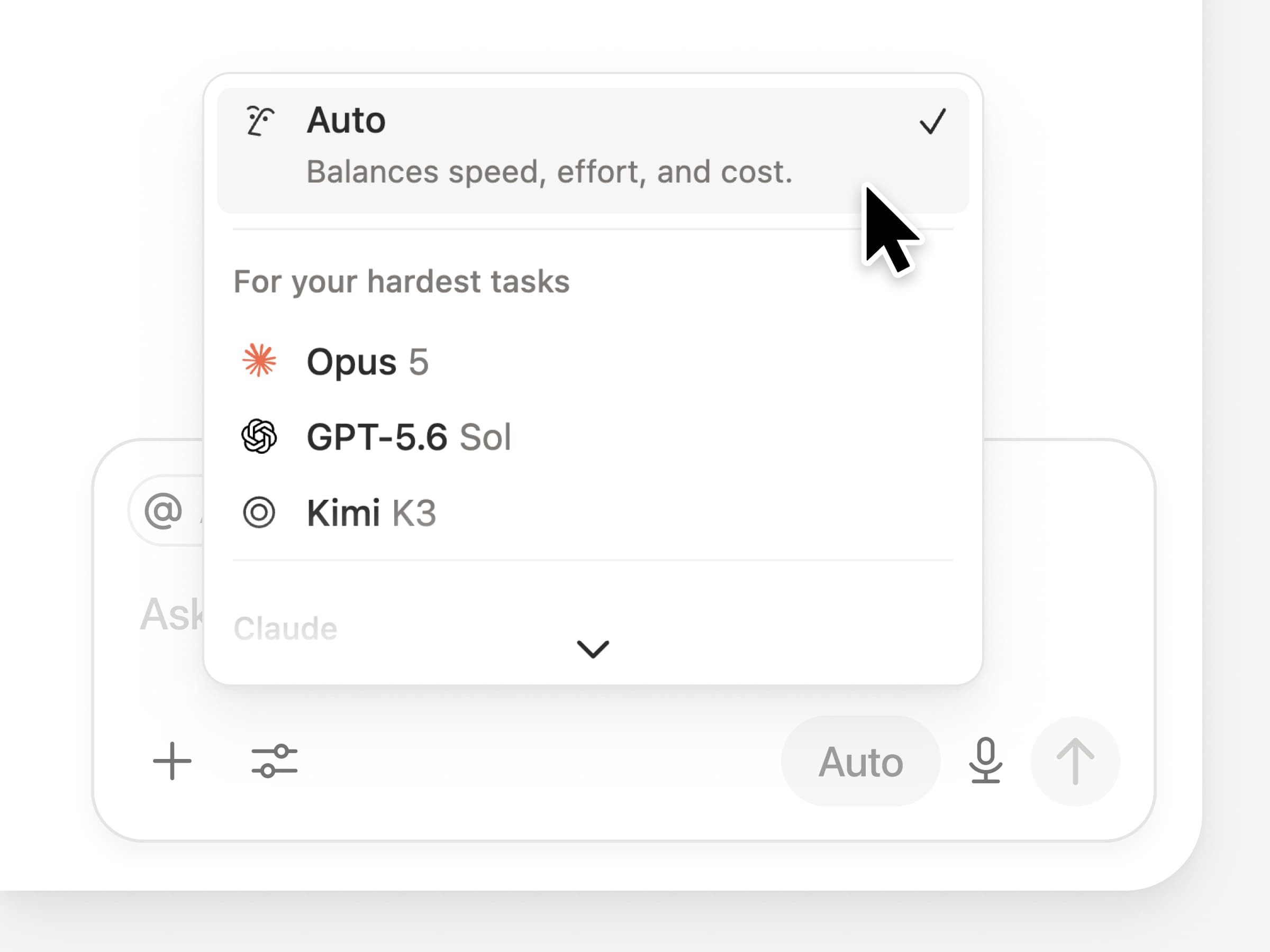
Anda mendapatkan akses ke semua model perbatasan terbaru di Notion, termasuk Opus 5, GPT-5.6 Sol, dan Kimi K3. Pemilih model baru didesain ulang untuk membantu Anda memilih model terbaik untuk pekerjaan Anda, dengan indikator untuk kecepatan, kecerdasan, dan biaya.

Yang juga baru adalah Papan Pengetahuan Notion, yang mengevaluasi kinerja model pada pekerjaan nyata sehari-hari. Bandingkan model →

Dan beberapa lagi…

  • Sematkan Agent Kustom di dokumen mana pun. Letakkan agen tepat di tempat pekerjaan berlangsung, sehingga siapa pun di halaman tersebut dapat menggunakannya. Lihat caranya →

  • Wawasan Agent Kustom di API Publik. Tarik Penggunaan kredit, proses yang selesai, dan status serta aktifkan, Nonaktifkan, atau tetapkan batas untuk agen mana pun. Bisnis dan Enterprise. Baca dokumen API Wawasan →

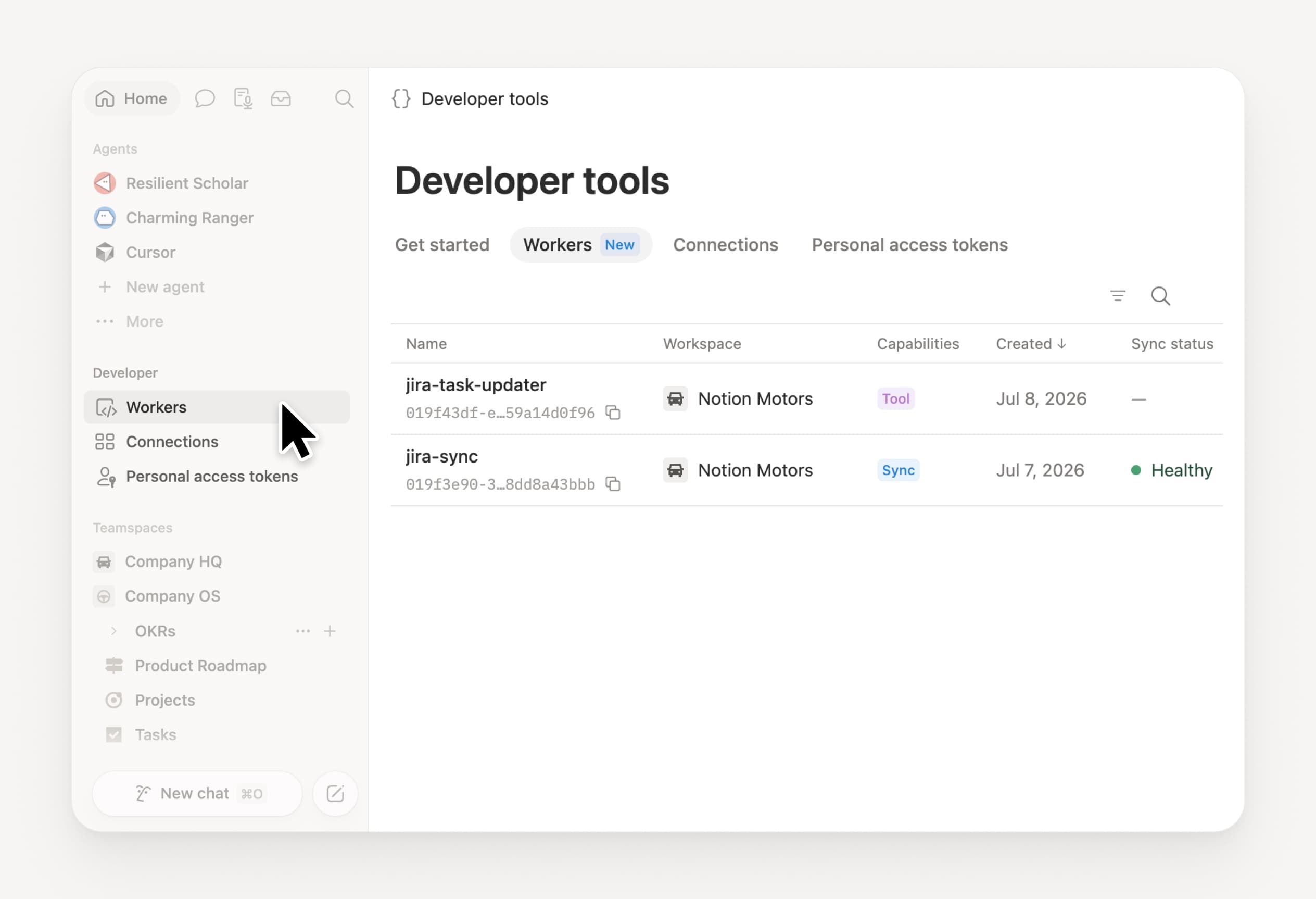
  • Kelola Workers dan Koneksi Anda: Buka bagian Developer baru di sidebar untuk melihat setiap Worker, tempatnya terhubung, dan log dari setiap proses yang berjalan. Coba sekarang →

  • Agent SDK, kini dalam versi beta publik. Lanjutkan percakapan Custom Agent dari mana saja, picu dari aplikasi Anda, dan streaming hasilnya kembali. Bisnis dan Enterprise. Baca dokumen Agent SDK →

  • Portal Developer kini ada di Notion. Kelola Workers, Koneksi, dan token akses pribadi Anda di satu tempat. Buka portal →

  • Pencarian AI 50% lebih cepat. Lebih sedikit waktu menunggu jawaban dan output agen yang menggunakan konteks ruang kerja. Bisnis dan Enterprise. Coba sekarang →

  • Periksa kotak masuk Anda. Minta Notion Agent untuk mengelompokkan notifikasi, menunjukkan apa yang perlu diperhatikan, dan membantu menyelesaikan sisanya. Lihat sekarang →

Coba skill sekarang! Dan bagikan bagaimana kami dapat meningkatkannya (kami sedang menyiapkan lebih banyak hal).

Control which AI models your agents can use

Control which AI models your agents can use

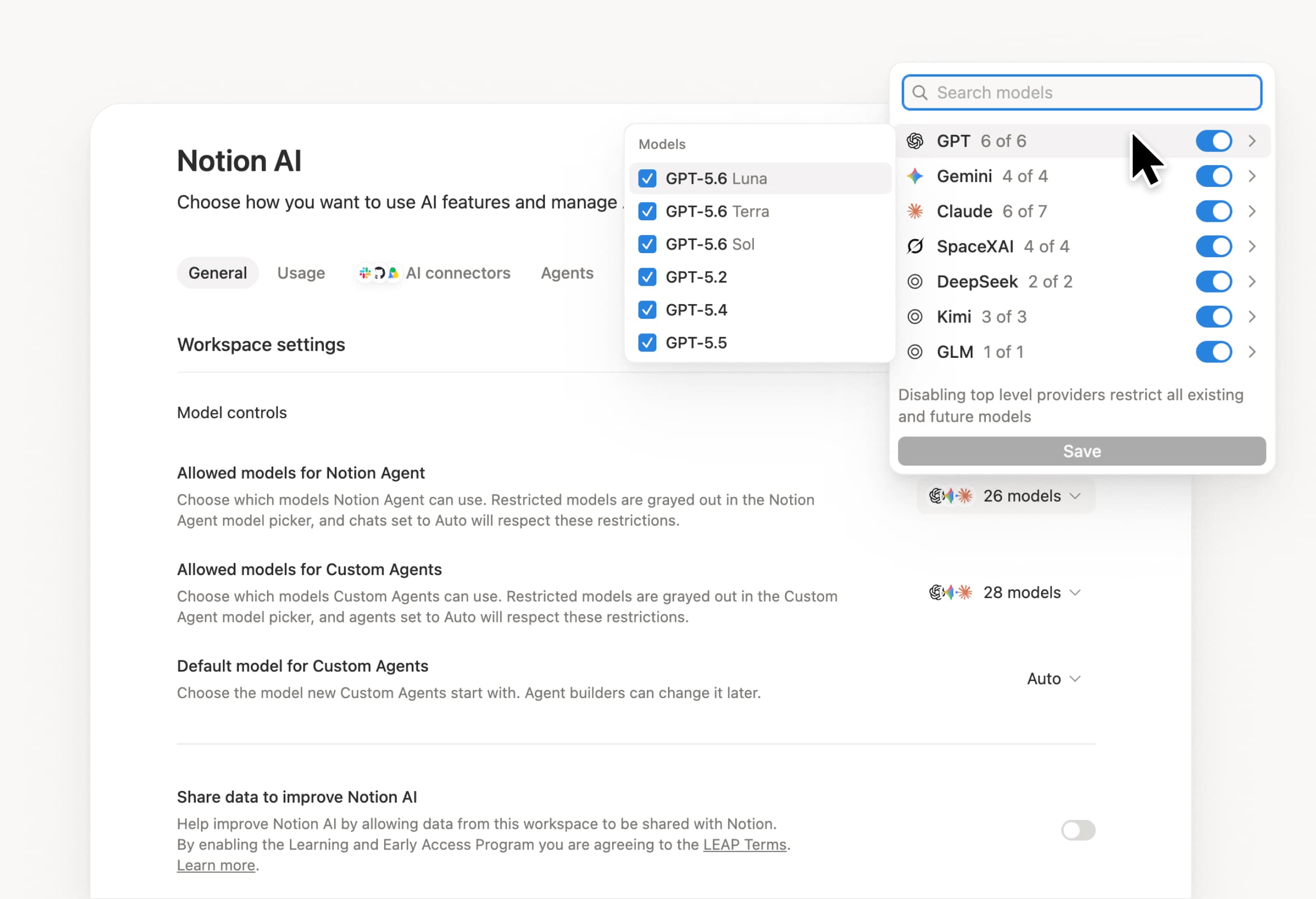
What’s on your team’s model roster? That’s up to you. With model controls, workspace owners can choose which AI models are available in Notion Agent and Custom Agents separately, and set a default model for Custom Agents. Keep costs predictable and support your compliance needs while your teams continue building. Available on Business and Enterprise plans.

Get started at Settings → Notion AI → General → Model controls.

Ask your agent to suggest edits

Your agents can now propose changes instead of making them directly. Ask your agent to suggest edits, then move top to bottom to approve each one. It’s great when you need line-level changes, like a pass for grammar.

Get started by asking your agent to “suggest edits.”

Your Developer Portal, now in the sidebar

Manage your Workers, connections, and personal access tokens from the new Developer section of your Notion workspace. See an overview of deployed Workers and logs behind every run.

Developer sidebar section

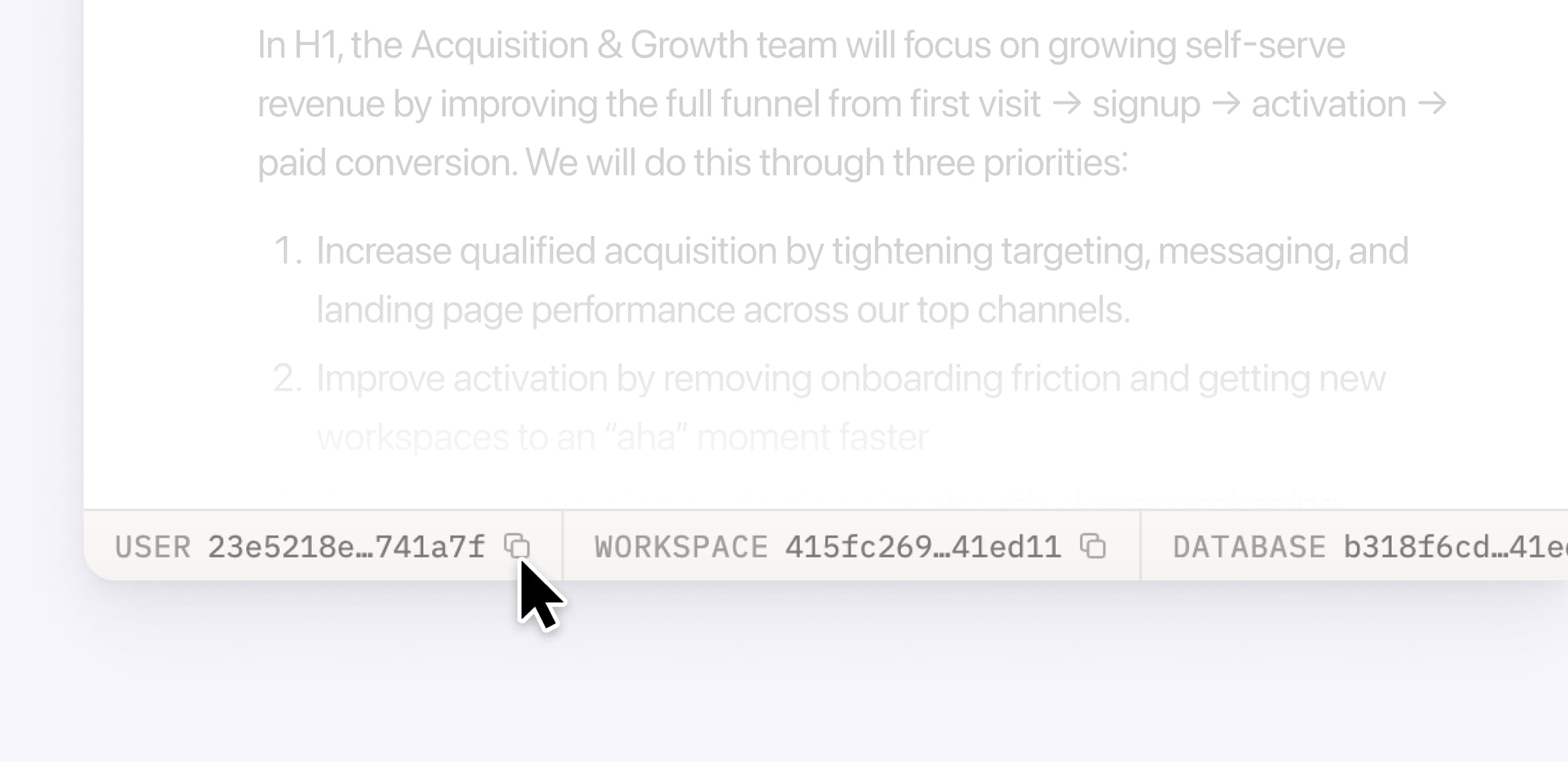
Plus, the new developer bar makes it easy for anyone building with the API to find IDs for the page, database, block, workspace, or user. Copy any one of them, or the full API object, in one click.

Developer bar

Get started from Settings → Developer → Enable developer features. Go there now →

Model selection, simplified

No more guessing which model to use.

The model picker now leads with a shortlist of models made for your hardest tasks, and every model has a scorecard to compare speed, intelligence, and cost. Pin your favorites for easy access and dial up the effort when you need a more thorough answer.

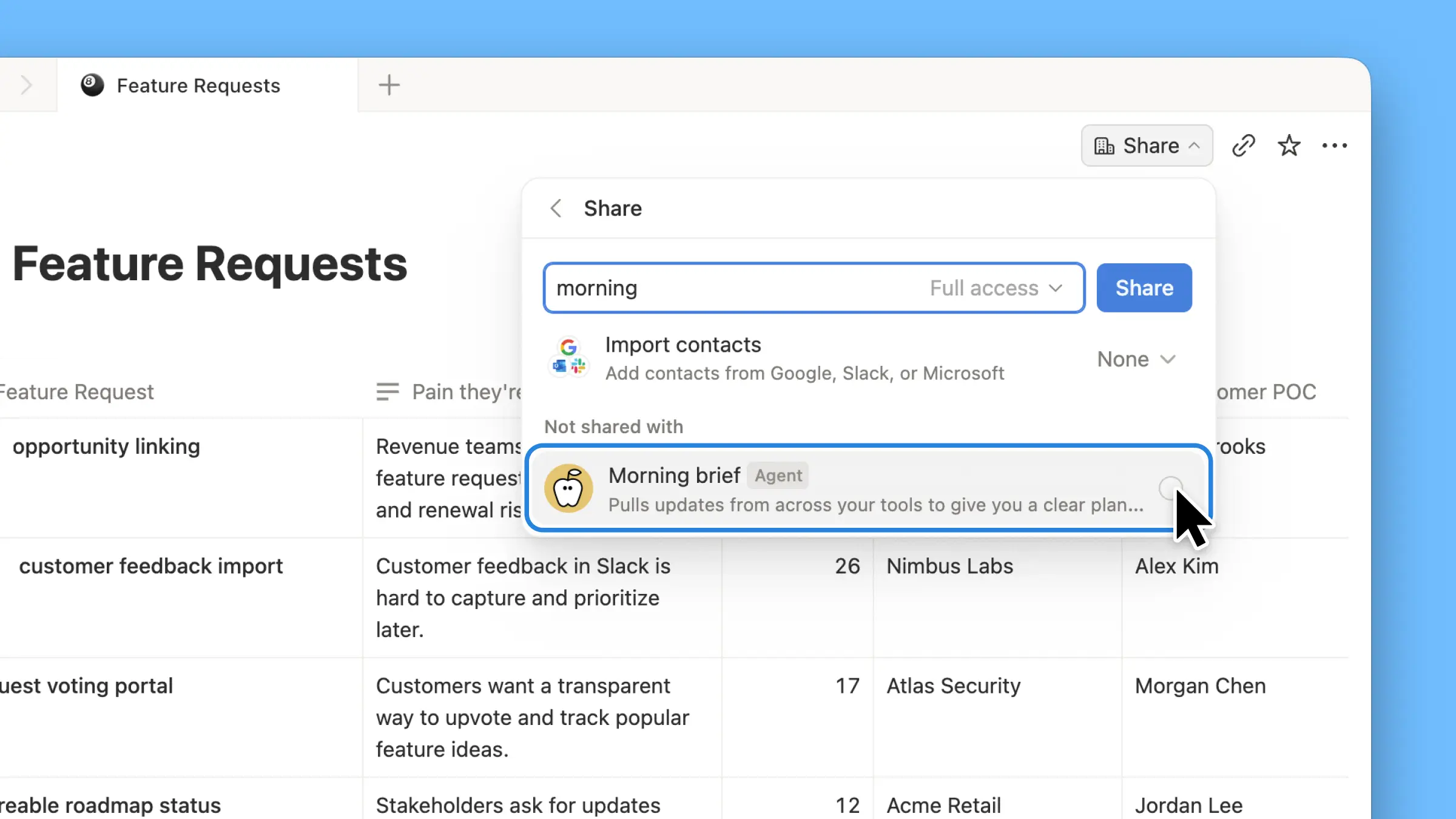
AI Meeting Notes can now trigger Custom Agents

Custom Agents can now run right after an AI Meeting Note is finished. No more need to manually update status trackers, post recaps to the project channel, or file tickets by hand.

Here’s a few of our favorite post-meeting workflows:

  • Update your project tracker with the latest status

  • Post a recap to Slack or email with decisions and next steps

  • Turn feedback into tickets for your engineering team

To get started, open your Custom Agent’s settings, add the Meeting note summarized trigger, and choose which meetings kick it off. After your next call, your agent will get to work.

High contrast mode

Accessibility win! High contrast mode is a new display option that makes text, icons, and borders easier to read.

Try it by going to Settings > Preferences > Appearance. Available on desktop and web.

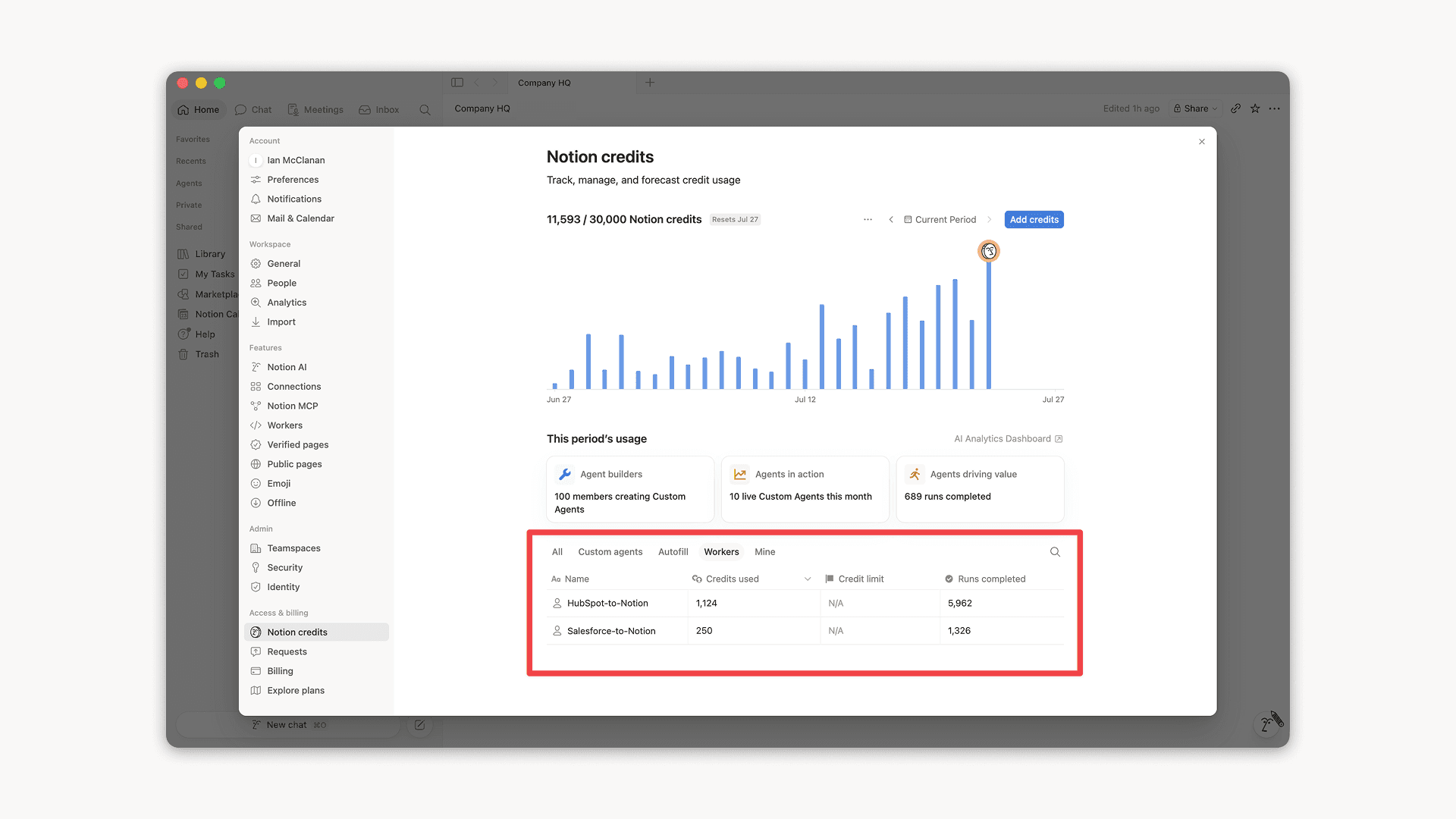
Workers, now in your Notion credits dashboard

Workers in the credits dashboard

Notion Workers run custom code on Notion's infrastructure to sync data, power tools for Custom Agents, and trigger webhook automations.

Now you can track your Workers’ usage in the credits dashboard, alongside your other spend.

Workers are free to try during the beta on Business and Enterprise plans (including Business trials). Usage is now visible in the dashboard to help your team size credits before the beta ends.

Learn more about the Notion Workers beta and pricing in our Help Center →

Powered by Fruition