מה חדש

להתעדכן בהשקות, בשיפורים ובתיקונים החדשים ביותר.

מומלץ לעקוב אחר ‎@NotionHQ
3.8

Notion 3.8: Context for your agents
Context for your agents

Your agents and teams run on context. If you switch agents, add a new tool, or welcome a new teammate, you shouldn’t have to explain everything again. With Notion, there’s a durable, shared place to remember what matters.

This update is all about context. Connecting data, tools, and skills so you’re free to use any agent or model.

With so many things changing, your context can stay in Notion.

Connect your agents to Notion with MCP
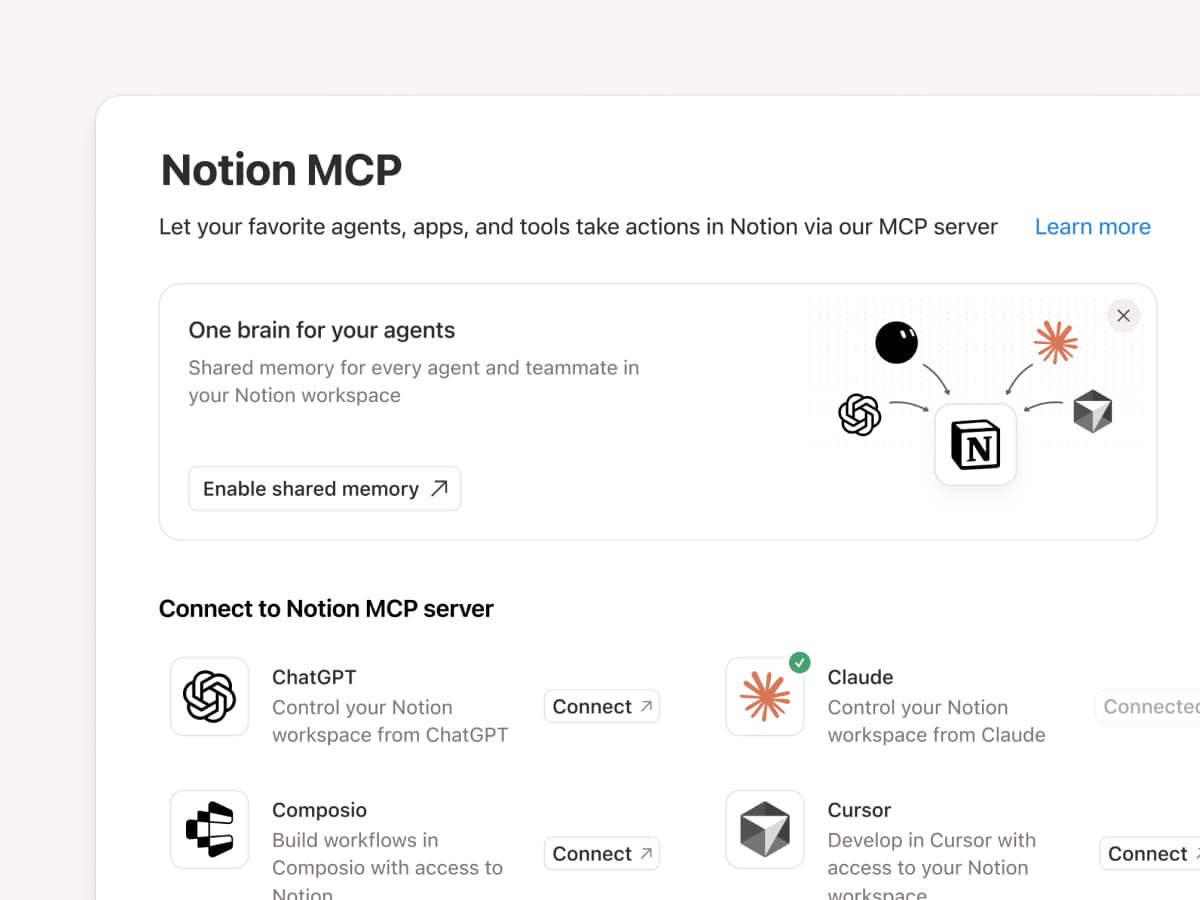
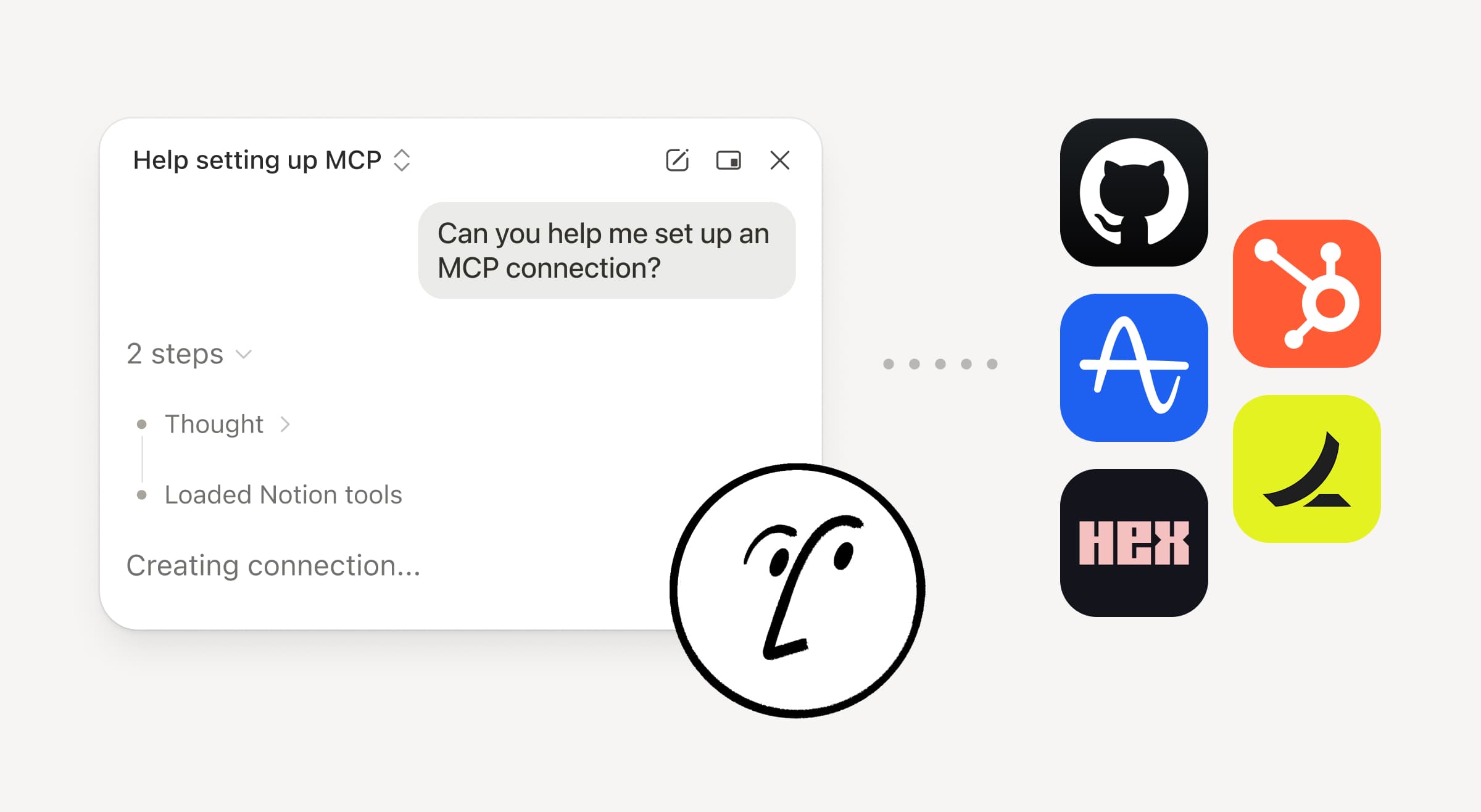
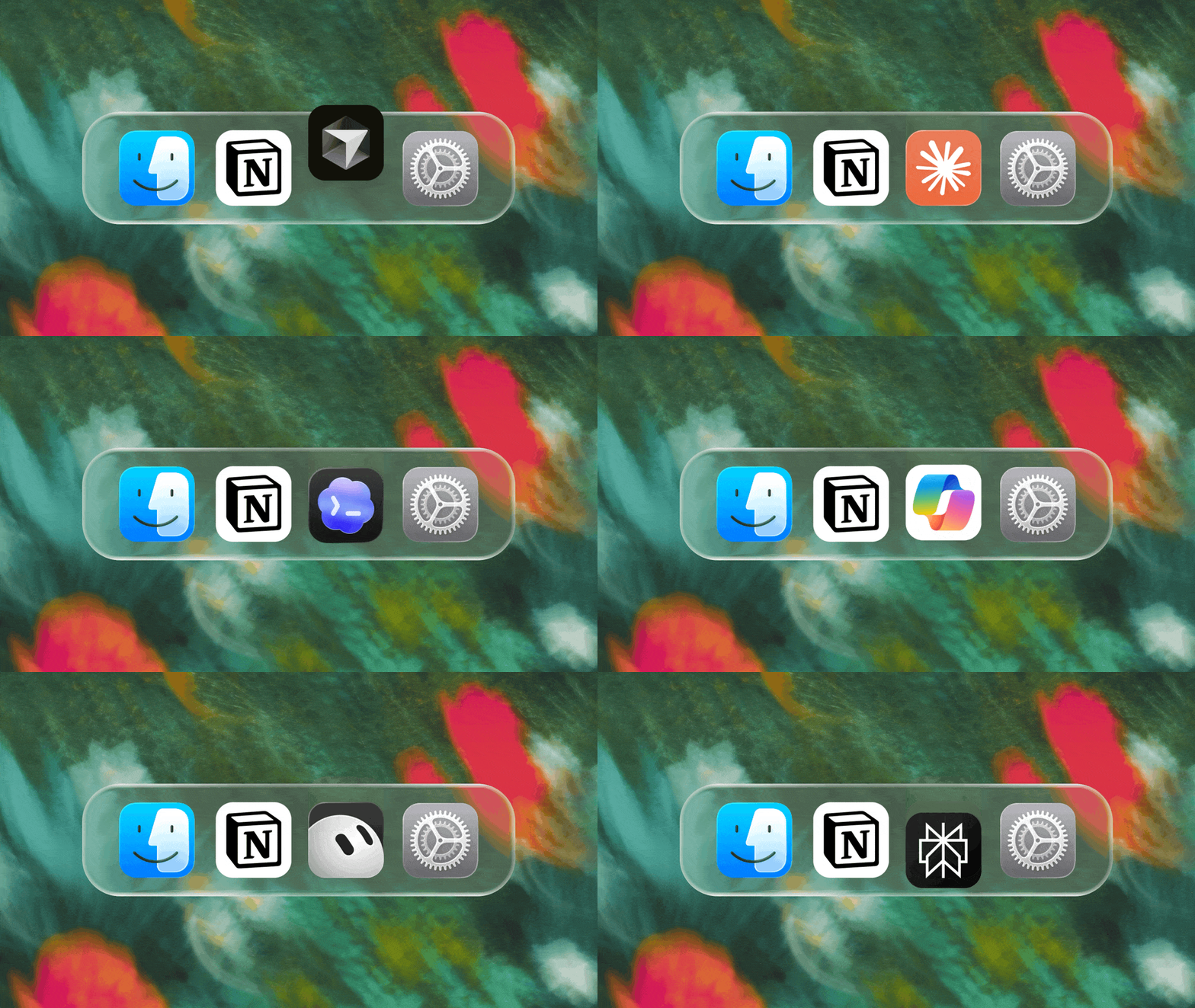
Connect an MCP-compatible agent to Notion so it can read your workspace context and update docs and task trackers. Whether you use Claudes, Muses, GrokBots, Dots, or another agent, Notion gives them a shared place to find what they need, so you can switch agents without starting from scratch. Set up an agent with Notion →

And with Notion MCP controls, admins can see who connected each AI tool, check when it was last used, and revoke a person’s access without affecting other connections. Set up MCP controls →

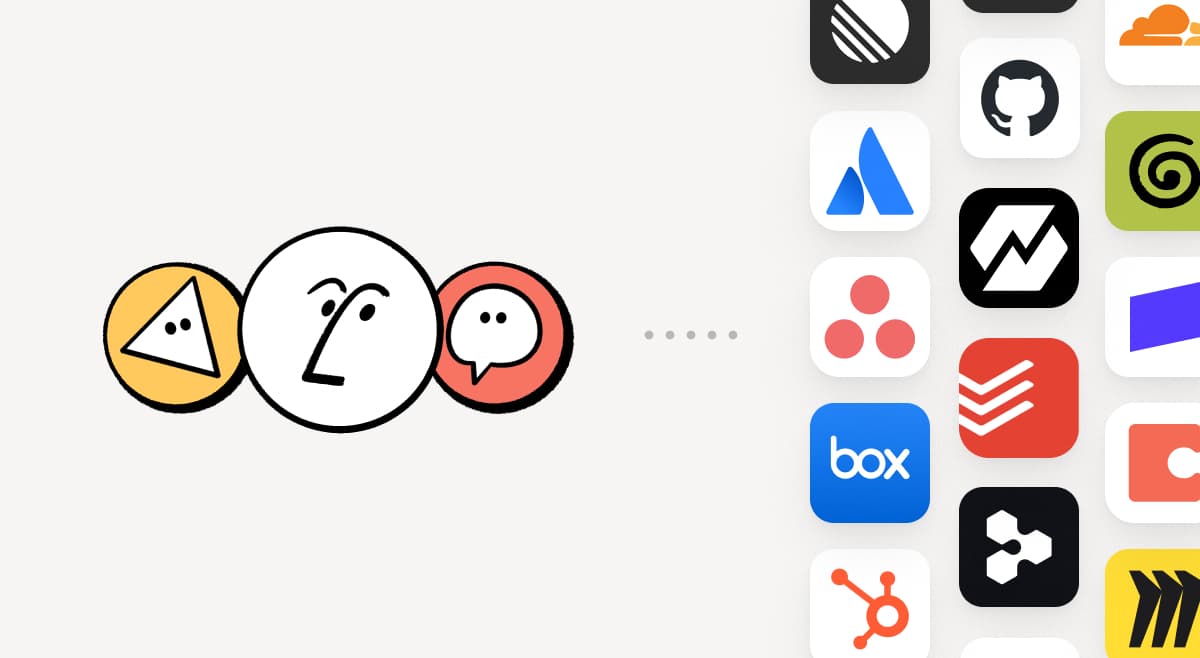
Connect your Notion Agents to 150+ tools with MCP
MCP

Bring the tools your team already uses into Notion. MCP connections let Notion Agent and Custom Agents draw on context from those tools and take action across them. Create an account brief in Notion using HubSpot pipeline data, add Stripe billing details to a customer health review, or bring Cloudflare infrastructure details into a postmortem. And that’s just the start. ⁠Browse 150+ MCP connections →

Write a skill once. Use it with every agent.
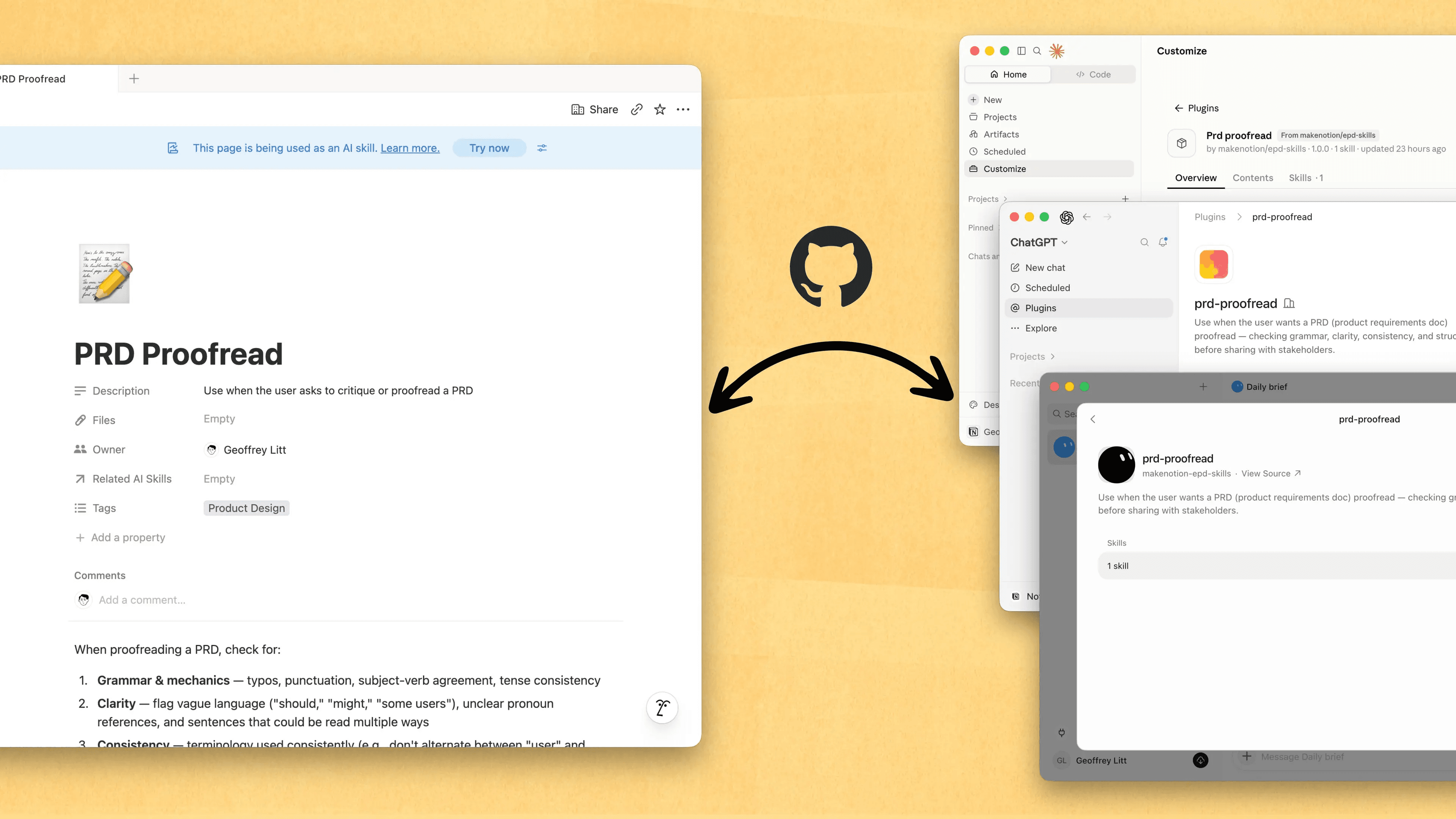
Write a skill once. Use it with every agent.

Skills are the best way to teach agents how you work … and not just for engineers. Now, Notion is the best place to create, share, and keep them current. Sync your Skills across ChatGPT, Claude, and more with the new Skills API, which loads Skills from Notion into GitHub.

Already have Skills for your agents? Ask your agent to recreate them in Notion with MCP, then keep building your library there. Here’s a quick demo, and here are docs to learn more.

See every change by every person and agent
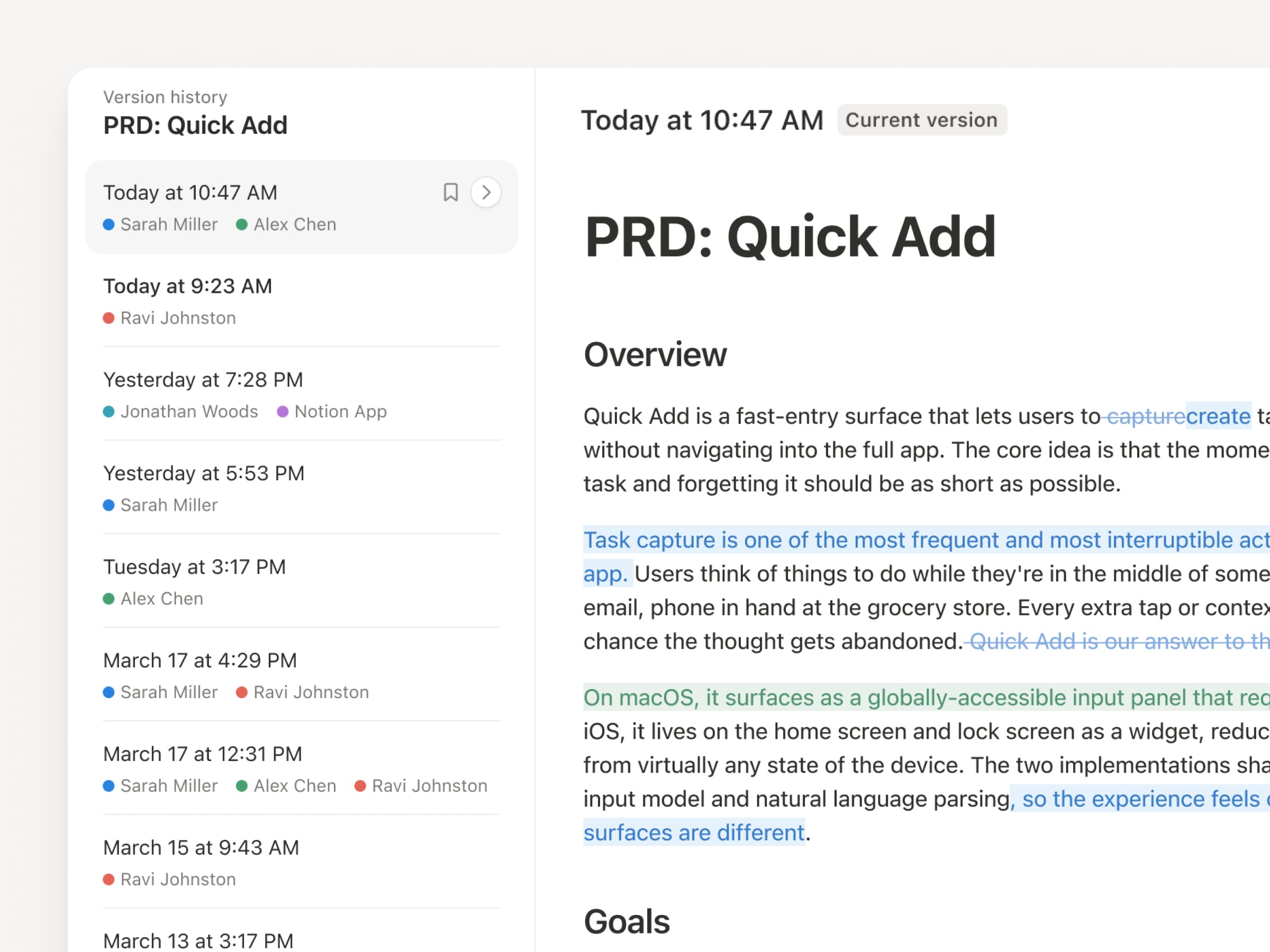
With agents and people making constant updates, version history has never been more important. So we’ve upgraded ours! You get a clearer record across pages and databases, with highlighted edits, detailed database changes, and attribution. Let your agents work while keeping their changes visible and secure. Review what changed, see who changed it, and restore prior versions with a quick click. Learn more →

Don’t pay twice. Use your ChatGPT plan in Notion.
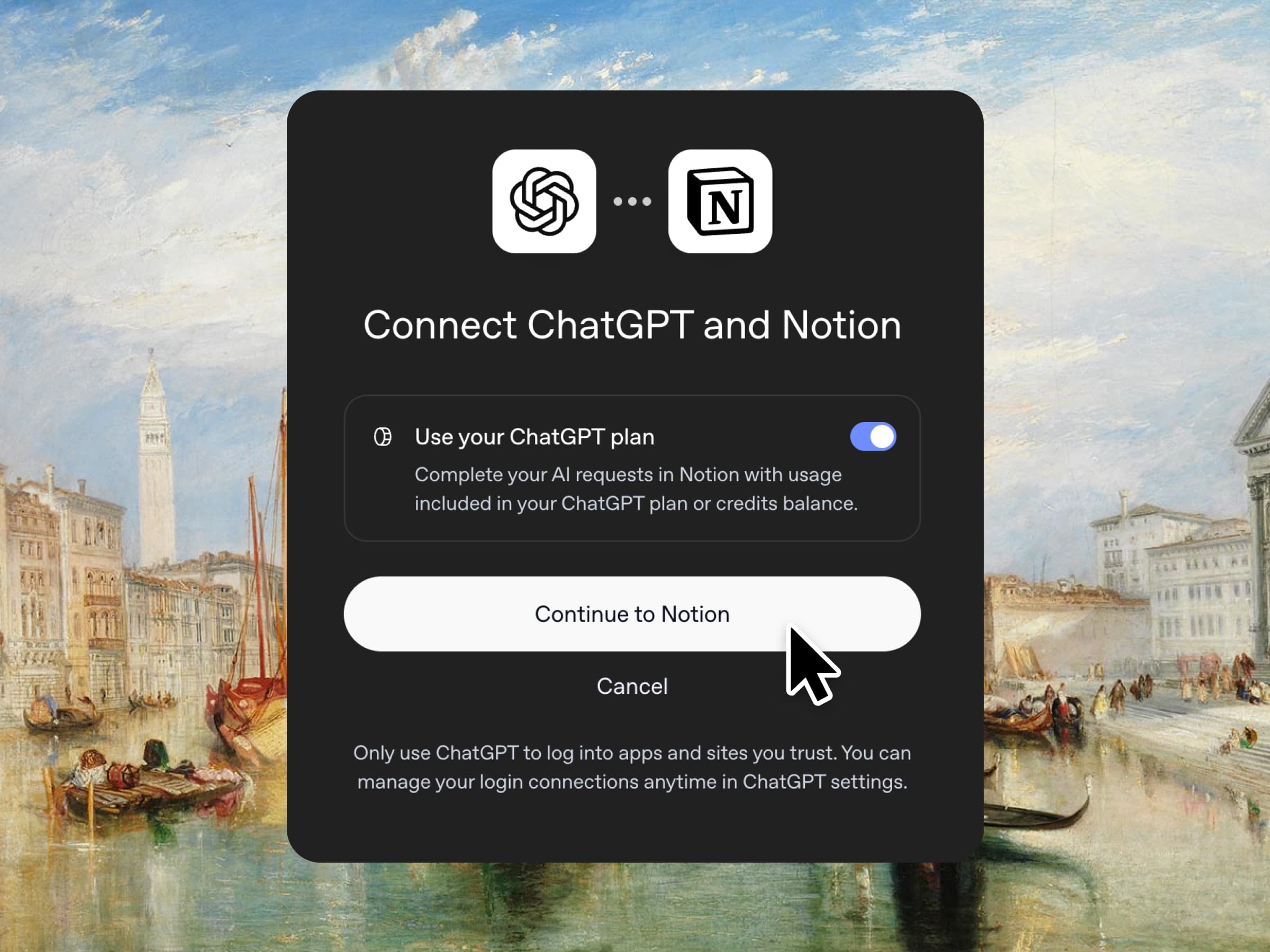
Yes, you just read that right. If you have ChatGPT Plus or Pro, your subscription can now cover your AI usage in Notion. Just connect your plan, pick a GPT model, and go. We don’t add a markup. We just want you to have the best tools for the job, for the best price. Available for Business and Enterprise plans. Check out a quick demo and the docs.

Column permissions in databases
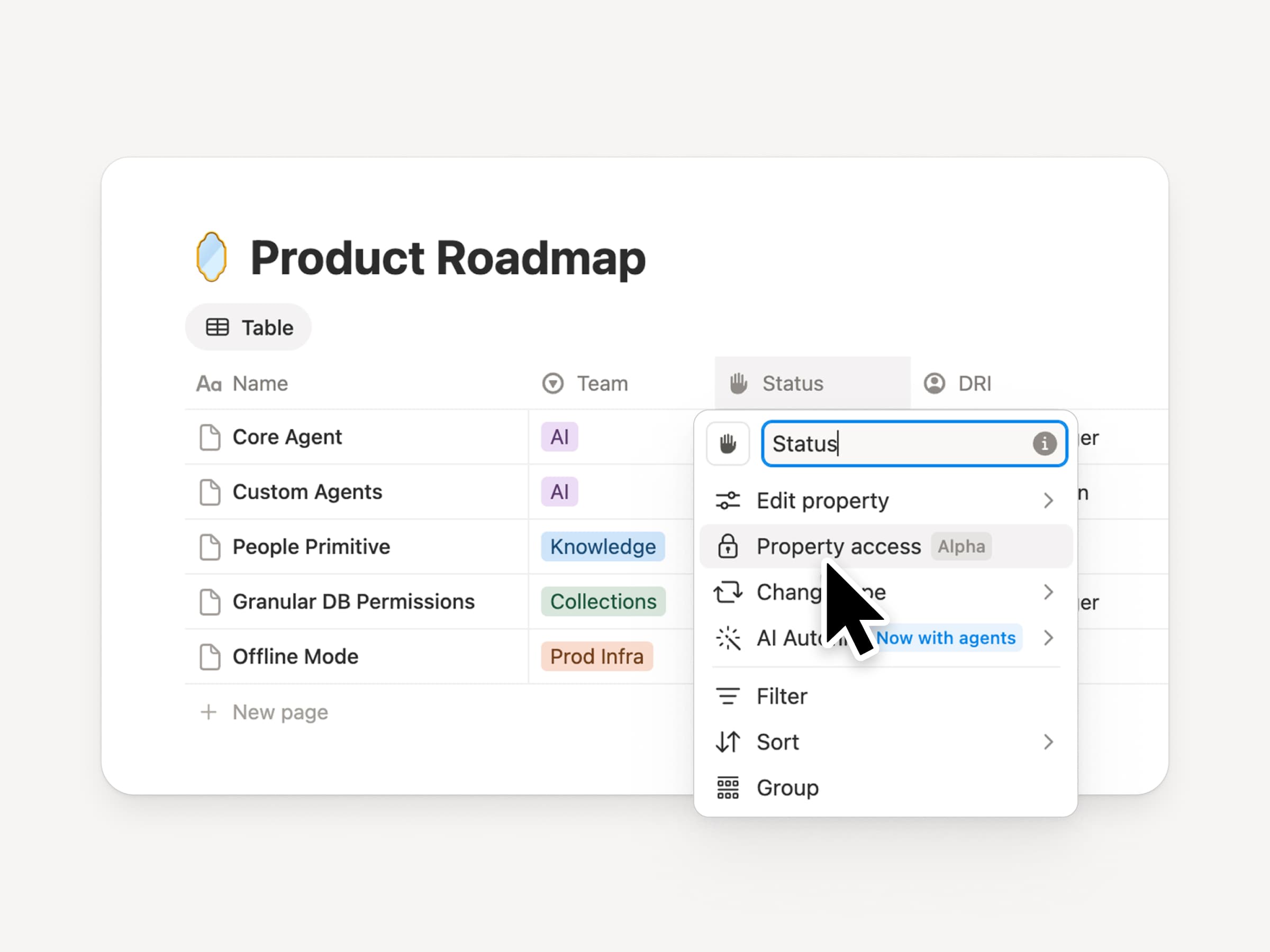
Notion databases give teams and agents a shared, up-to-date source of context. But both teams and agents need the right level of access. Column permissions were a top requested feature for years (we spent time getting this one right). They let database owners control which properties each person or agent can view or edit. Recruiting teams can collaborate on candidates without exposing compensation. Support agents can use account context without seeing restricted customer data. Watch the trailer from one of it’s creators!

Reintroducing synced databases
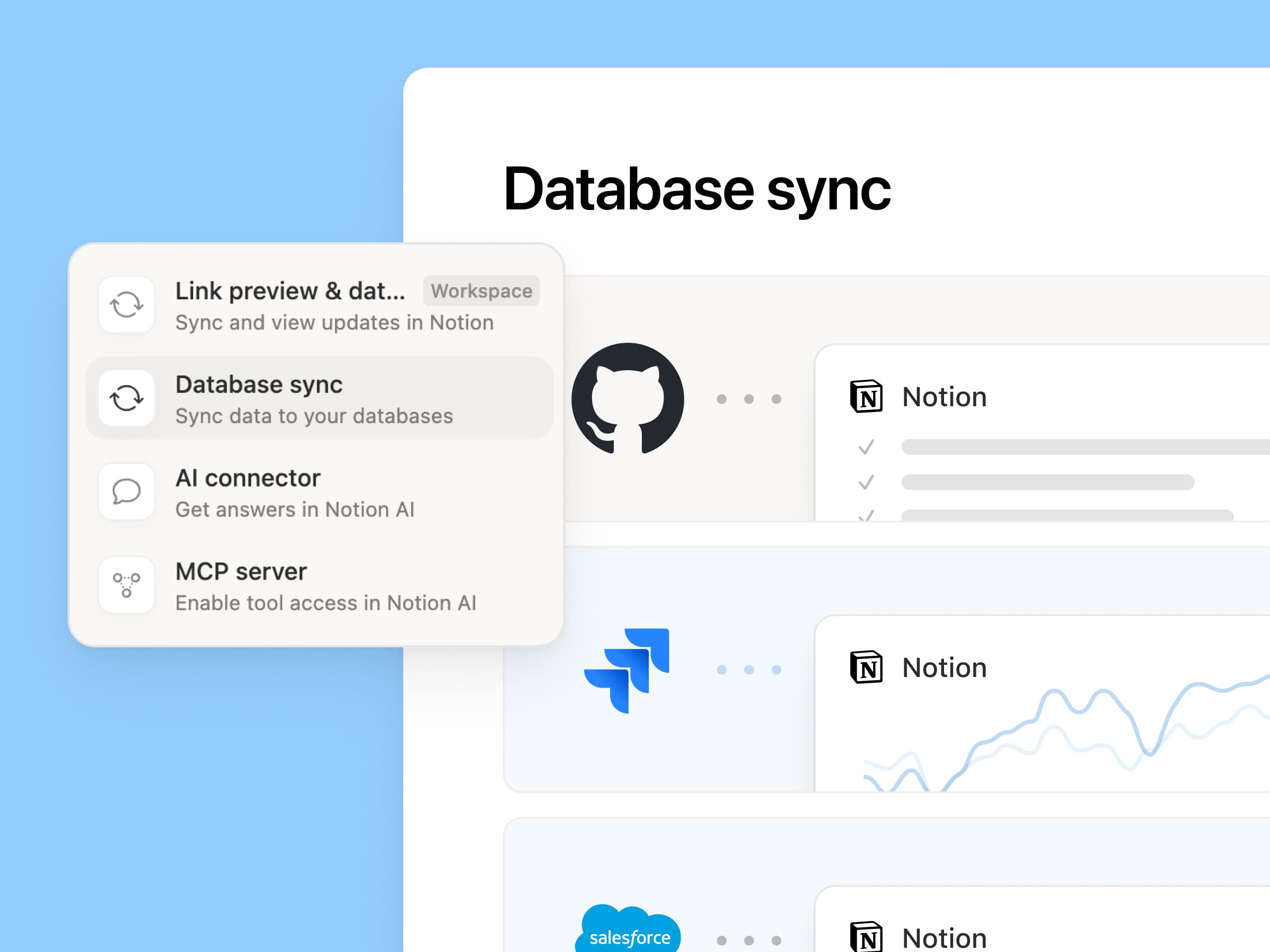
Reintroducing synced databases

We rebuilt our synced databases, starting with GitHub, Jira, and Salesforce, so your teams and agents always work from the latest data. They’re faster, more reliable, and show a live health status for each sync. They work like any other Notion database, so you can add your own properties, create views, and trigger automations. At Notion, we build customer hubs by syncing Salesforce accounts and linking to meeting notes and feature requests, so every team works from the same current view of each customer. Learn more →

New week, new models
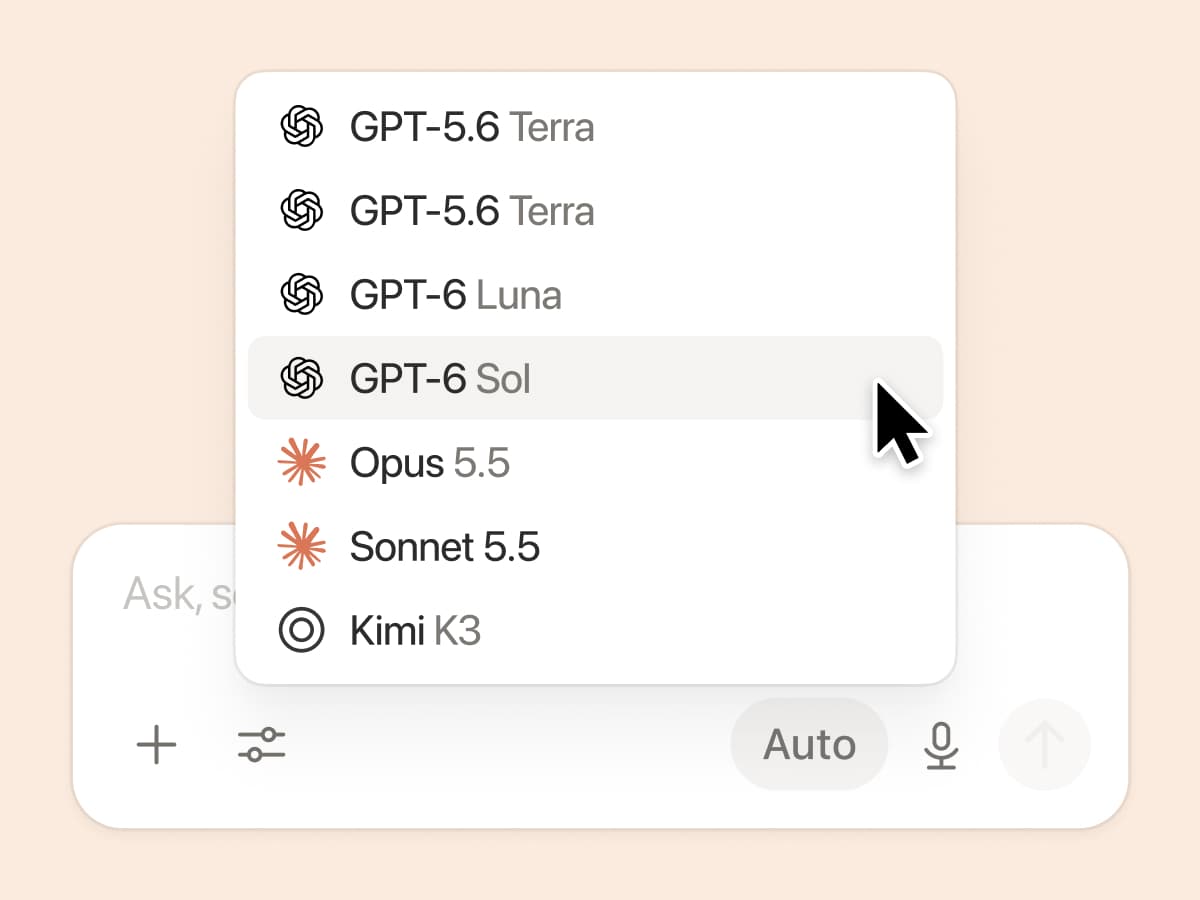
New week, new models

The labs are at it again. Seven new models all added, including GPT 6.1-Sol, GPT-6 Luna, Opus 5.5, and Sonnet 5.5. Use any of them knowing they’ll all know the latest about your team works.

And ICYMI, we’ve been evaluating how models perform across a range of knowledge-work tasks, using live anonymized traffic and judged by models. Check out our Knowledge Board →

More ways to connect and govern context

We can’t wait to see how Notion can be the backbone of your dock.
3.7

Notion 3.7: מיומנויות AI עבור כל הצוות שלכם

מה חדש ב-3.7

אתם מכירים את האנשים האלה שממש טובים בכתיבת פרומפטים ל-AI? או כאלה שהבינו מהי הדרך הטובה ביותר לטפל בעבודה חזרתית? כעת הם יכולים להפוך את הידע הזה ל-מיומנות ולשדרג את כל הצוות.

מיומנויות הן הוראות לשימוש חוזר שמלמדות את ה-AI איך הצוות שלכם עובד. כמו יצירת סקירה לעסקים חודשית בפורמט של הצוות שלכם. או ביקורת על המסמך שלכם באותו אופן שבו הבוס שלכם היה עושה זאת. הן כמו קיצורי דרך צוותיים לביצוע משימות חזרתיות. יצירת מיומנות →

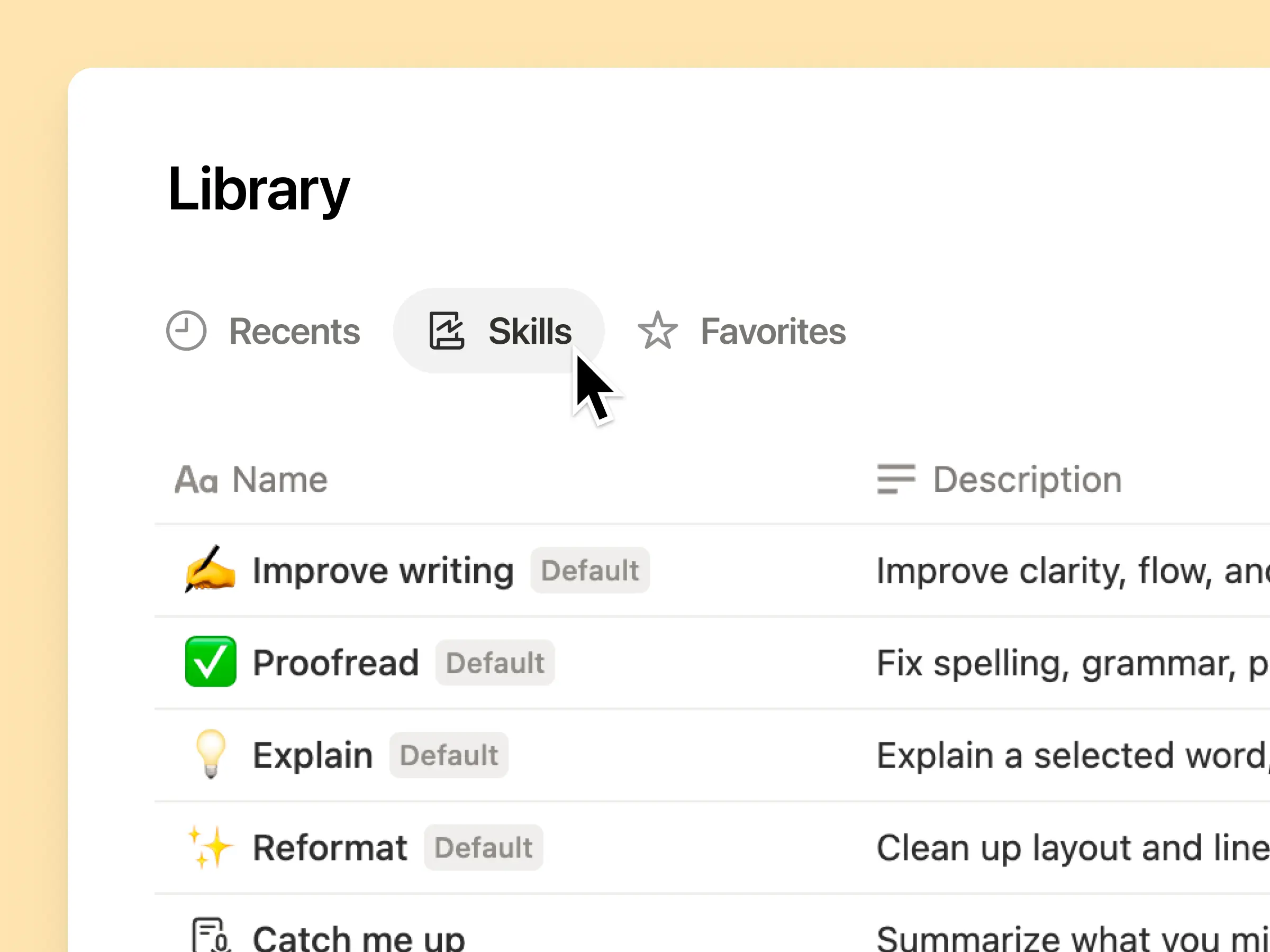
כל מיומנות AI שהצוות שלכם צריך, בספרייה אחת

פרומפטים מעולים נוטים להישאר בראש של אדם אחד או להיעלם בתוך מסמכים וצ'אטים נפרדים. ספריית המיומנויות מעניקה לסביבת העבודה שלכם מרכז אחד לכל המיומנויות המשותפות. עיון בספריית המיומנויות →

שימו מיומנויות קשורות במאגר ידע של Notion, ואז שתפו מיומנות אחת או את מאגר הידע כולו. כל צוות מקבל מקום אחד ונוח למצוא בו את המיומנויות המועדפות עליו, וכולם נשארים מעודכנים בגרסה האחרונה. למידע נוסף →

כתבו זאת פעם אחת, וה-AI יריץ זאת בדרך שלכם

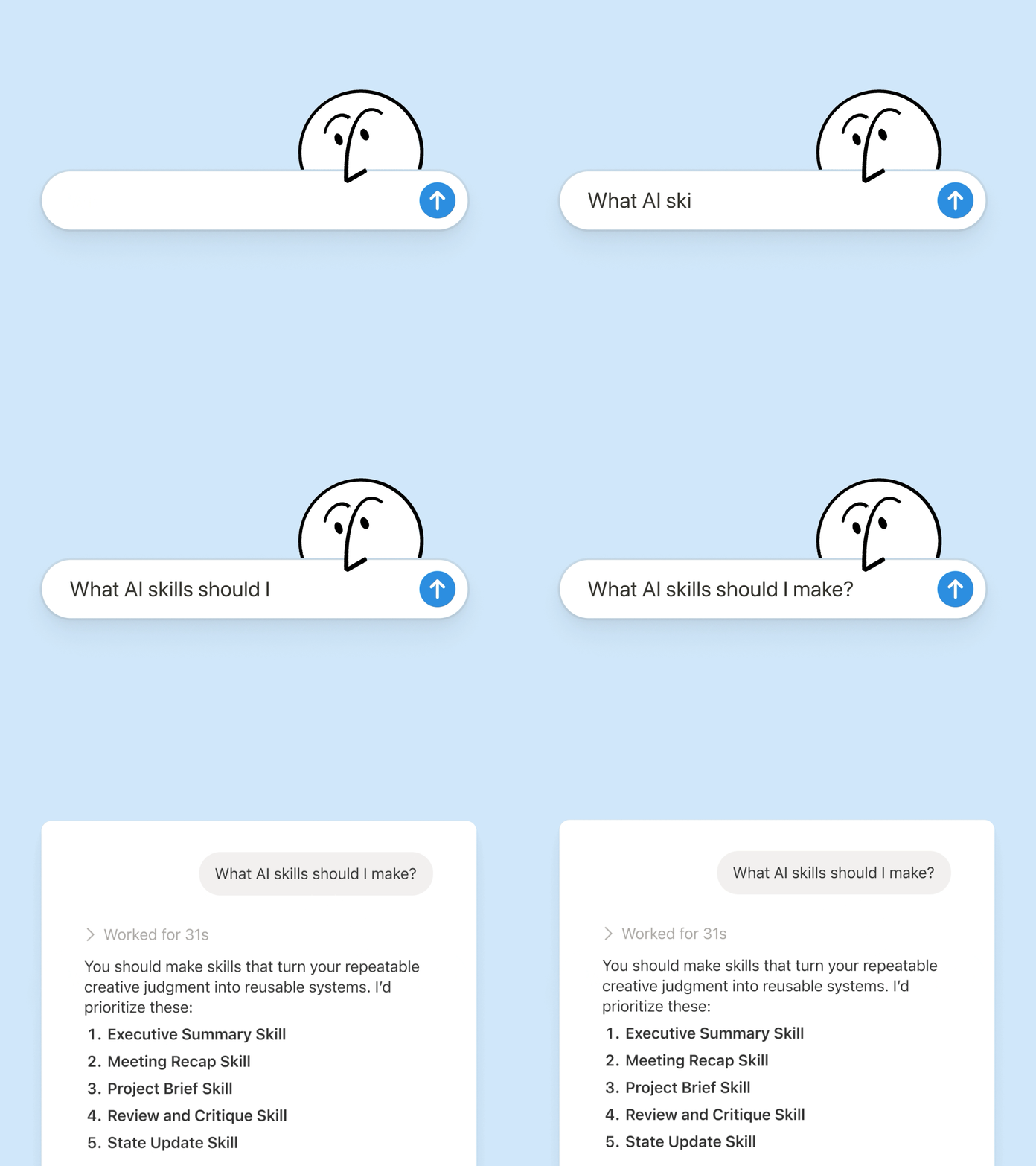
שוחח עם Notion Agent כדי ליצור מיומנות מאפס:

  1. הצעת התכונה הזו נבדקת בהתאם לתקני המוצר, העיצוב וההנדסה שלנו.

  2. רשימת תיוג להגדרת עובד חדש נוצרת באמצעות מדיניות המכשירים והאפליקציות שלנו.

  3. תיאור התפקיד הזה מנוסח בהתאם למסגרת הדירוג שלנו והשפה המאושרת.

לא בטוחים מאיפה להתחיל? Notion יכול גם להציע מיומנויות על סמך העבודה שהצוות שלכם כבר מבצע. אילו מיומנויות אני צריך? →

המיומנות מופעלת ברגע שיש בה צורך.

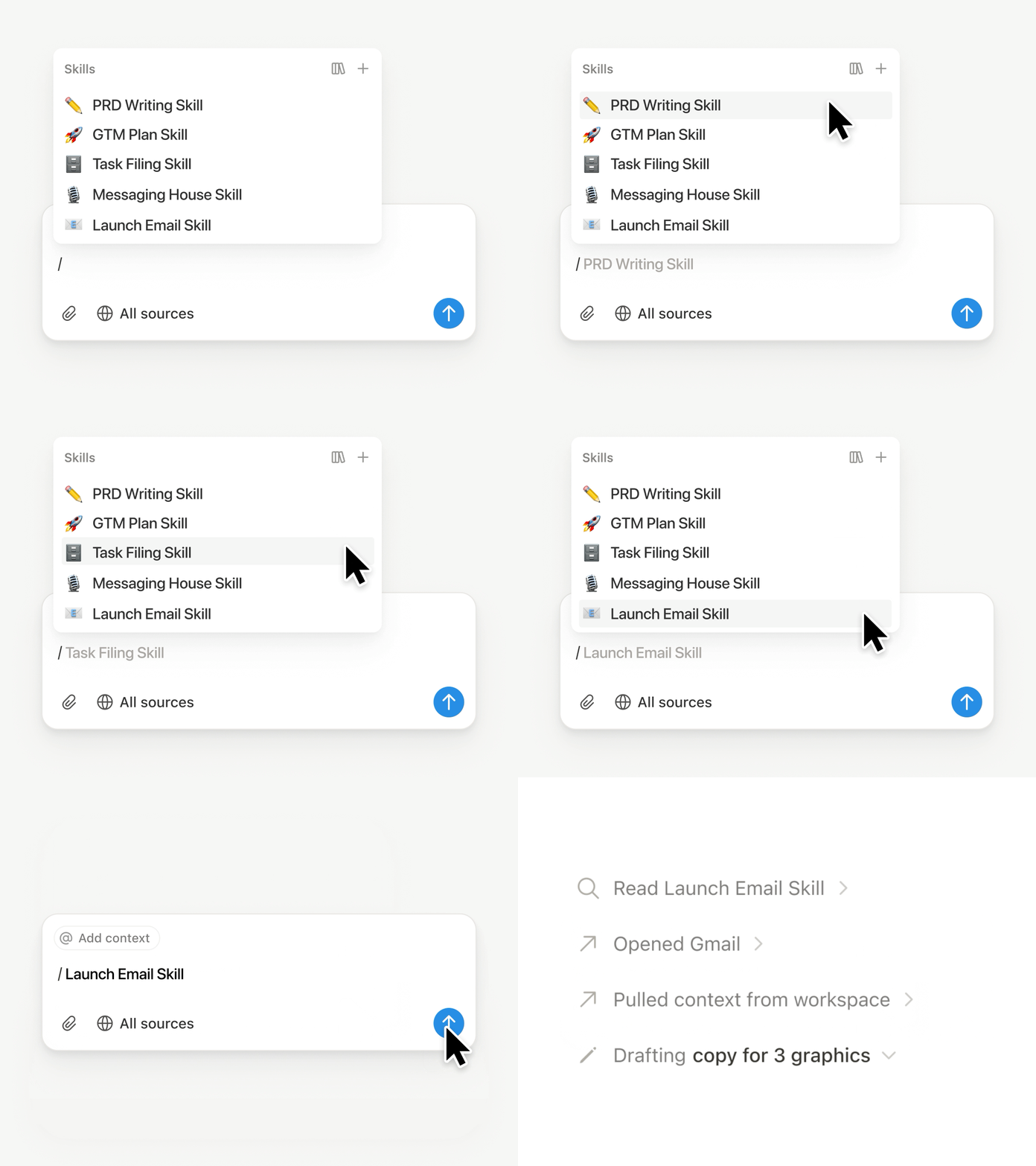
הרצת מיומנות

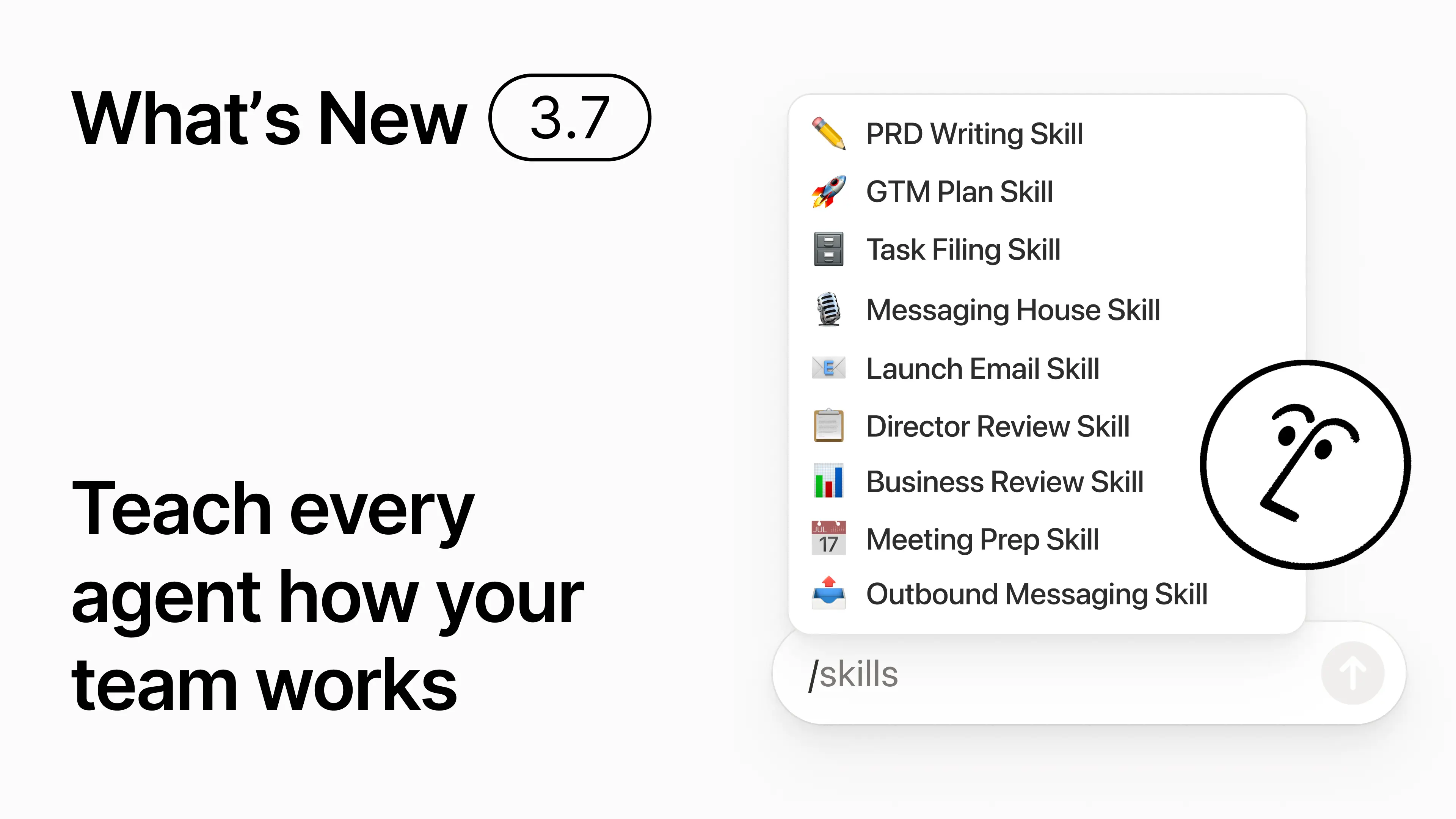
בצ'אט של Notion Agent מקלידים / ובוחרים את המיומנות לשימוש. מוסיפים הקשר נוסף, ולאחר מכן לוחצים על Enter

המיומנות המוכנה להנהלה מופעלת כדי להפוך טיוטה לתקציר מנהלים תמציתי הכולל את השורה התחתונה, החלטות, סיכונים ובקשות. המרת הערות גולמיות ל-PRD ניתן גם להגדיר מיומנויות להפעלה אוטומטית. למידע נוסף →

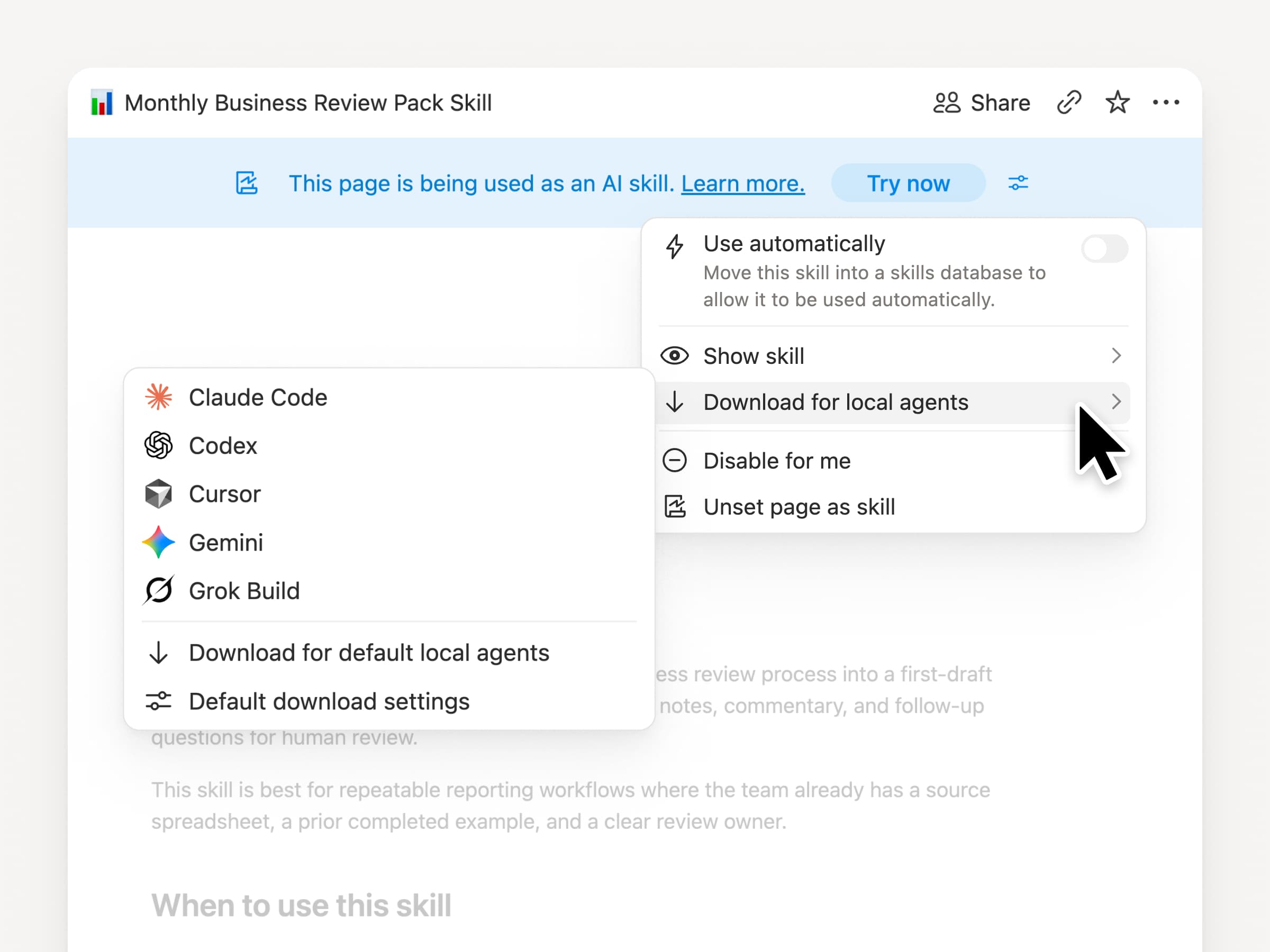
ניתן להעביר את מיומנויות הצוות ל-Claude Code, Codex, Cursor ועוד.

מיומנויות ל-Claude או ל-Codex

המיומנויות נשמרות איתכם, לא משנה באיזה סוכן נעשה שימוש. המיומנות נוצרת ומתעדכנת ב-Notion, ולאחר מכן מורדת ל-Claude Code, Codex, Cursor, Gemini או Grok

Notion כותב את המיומנות כקובץ SKILL.md, יחד עם קבצים תומכים מאושרים. כאשר המיומנות משתנה ב-Notion, היא מסומנת בתג כדי שתדע שעליך להוריד את הגרסה העדכנית ביותר. הצוות שלכם מתחזק את ההוראות במקום אחד והסוכנים המקומיים שלכם עוקבים אחר אותו תהליך. למידע נוסף →

יש לבקש מהסוכן שלכם להתחבר ל-GitHub, ל-Amplitude ועוד.

להתחבר יותר לסוכן שלך

יותר מעבודתכם משולבת ב-Notion Agent. יש לבקש ממנו להתחבר לכלי, והוא מדריך אתכם בתהליך ההגדרה. כעת באפשרותכם להתחבר ל-GitHub, ל-Amplitude ולכלים אחרים באמצעות חיבור MCP מותאם אישית, כך שתוכלו לקבל הקשר, לבדוק ביצועים או לבצע פעולות בכלים שהצוות שלכם כבר משתמש בהם. התחברות ל-GitHub →

אישורים שומרים עליכם בשליטה, כך ששום דבר אינו משתנה בכלי מחובר עד שתאשרו זאת. זמין בגרסת בטא בתוכנית לעסקים ובתוכנית Enterprise. למידע נוסף →

בדרכים? ניתן להשתמש באפליקציית Notion Agents ל-iOS.

אפליקציית Notion Agents

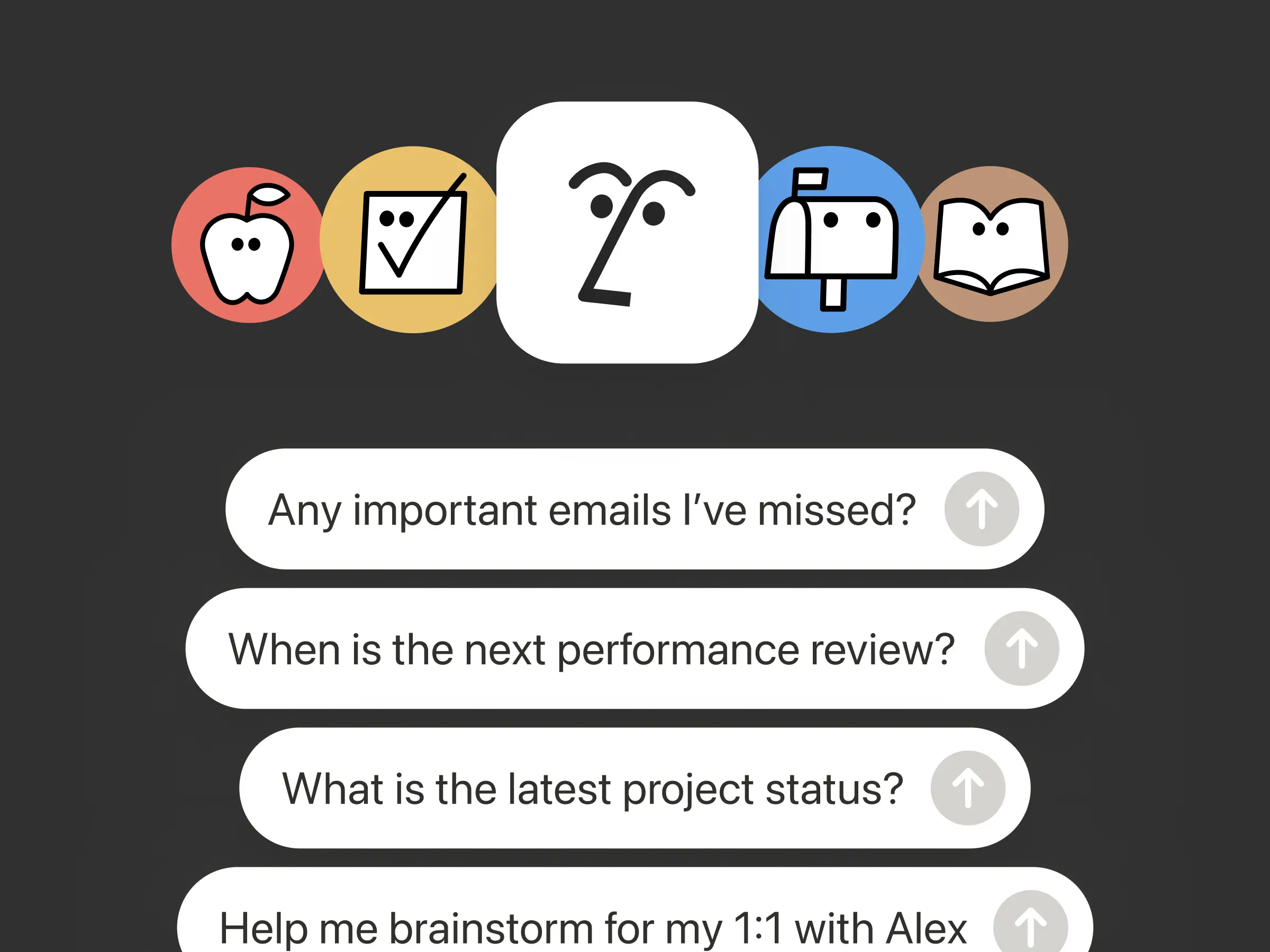
הרעיונות הטובים ביותר שלכם לא יחכו עד שתחזרו לשולחן העבודה. אפליקציית Notion Agents ל-iOS מציבה 1,000 סוכנים בכיס שלכם. ניתן לתעד רעיונות, קול ותמונות, להתכונן לפגישה או ליצור מסמך תוך כדי תנועה. כאשר מעניקים לסוכן משימה, הוא משלים אותה לפני שתחזרו למחשב הנייד שלכם.

לסוכן המותאם אישית שלכם ניתן לאפשר קריאה לסוכני משנה.

סוכני משנה

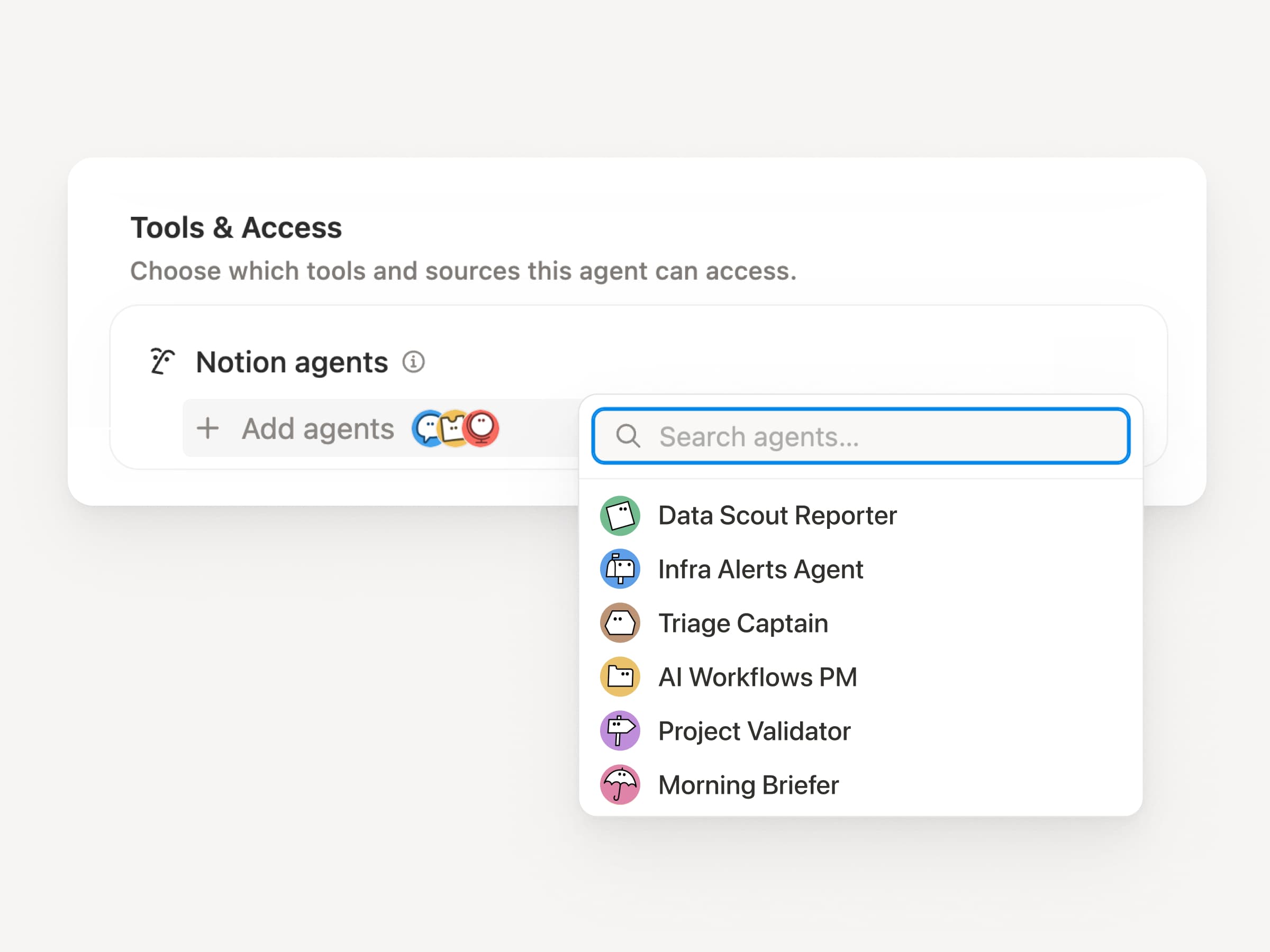
זרימות עבודה גדולות הן לעיתים רחוקות משימה אחת. כעת לסוכן המותאם אישית ניתן לקרוא לסוכנים מותאמים אישית אחרים כסוכני משנה, כאשר לכל אחד יש הוראות, הקשר, גישה והמודל שלו. למידע נוסף →

סוכן מנהל מוצר של אפליקציה לנייד יכול לשלוח דוחות באגים לסוכן מיון ושאלות על מדדים לסוכן דיווח, ואז להביא את התשובות לעדכון Slack אחד. הסוכן הראשי מחליט מתי להאציל סמכויות ומשתמש בכל תגובה כדי לסיים את העבודה המקורית. Remote מנהלת את דלפק התמיכה הטכנית שלה באמצעות חמישה סוכנים בדרך זו וחוסכת 500 אלף דולר בשנה.

סוכנים בהתאמה אישית יכולים לבצע עבורכם את העבודה שלאחר הפגישה

סוכן סיכום פגישות

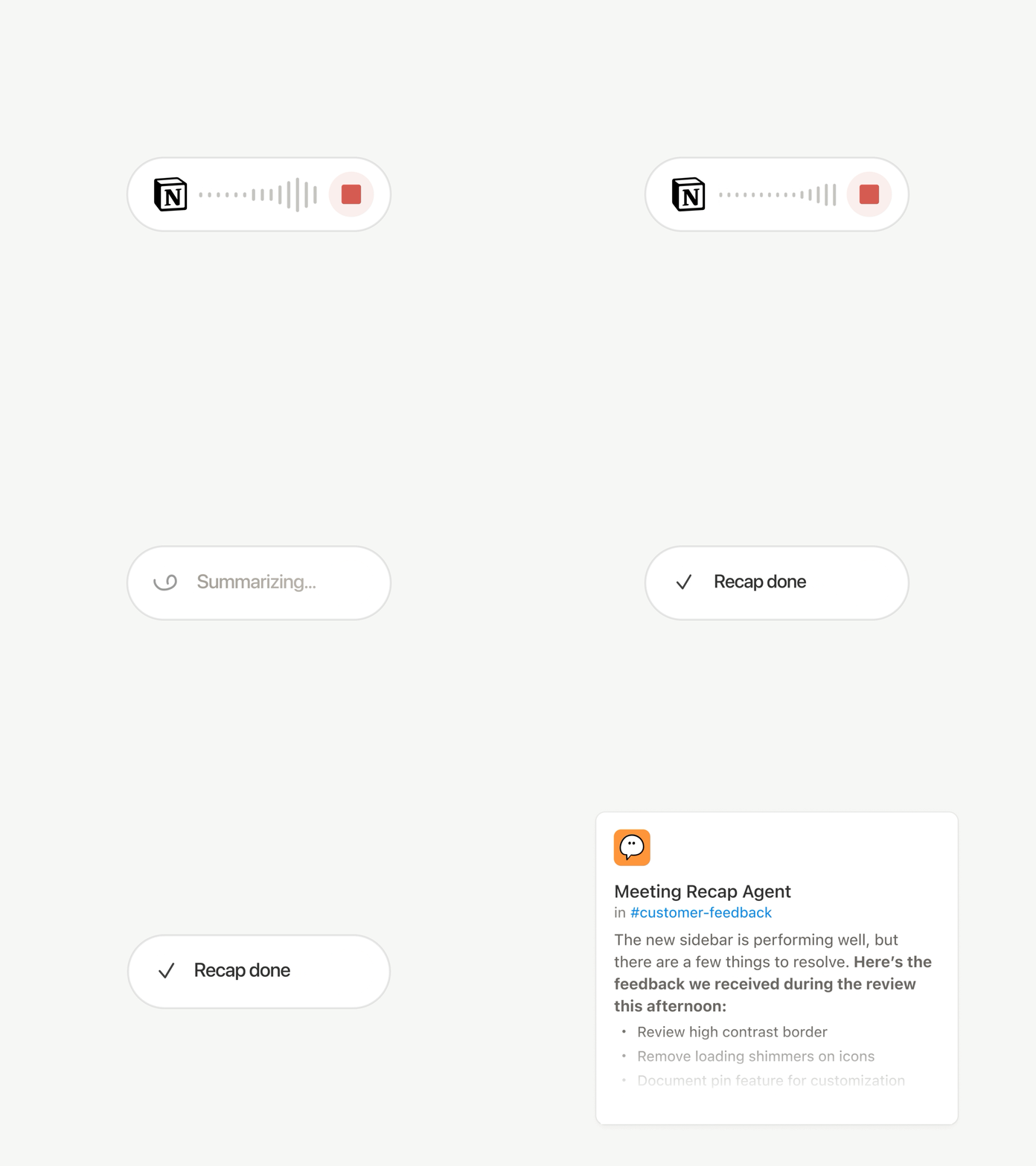
כל שיחה מסתיימת באותן מטלות: מתבצעת כתיבת הסיכום, תיוק משימות הביצוע ועדכון האנשים שלא נכחו. כעת סוכנים בהתאמה אישית יכולים לטפל בעבודה שלאחר הפגישה באופן אוטומטי.

מגדירים אלו פגישות חשובות, ואז סוכן בהתאמה אישית אוסף את העבודה ברגע שכל סיכום מוכן. הוא מקבל את התמלול והסיכום, כך שהוא יכול לכתוב את עדכון הסטטוס, לתייק את משימות הביצוע או לשלוח משוב מלקוחות למאגר ידע הנכון. זמין בתוכניות Business ו-Enterprise. למידע נוסף →

כל מודל נבדק ונבחר הטוב ביותר למשימה.

המודלים העדכניים ביותר

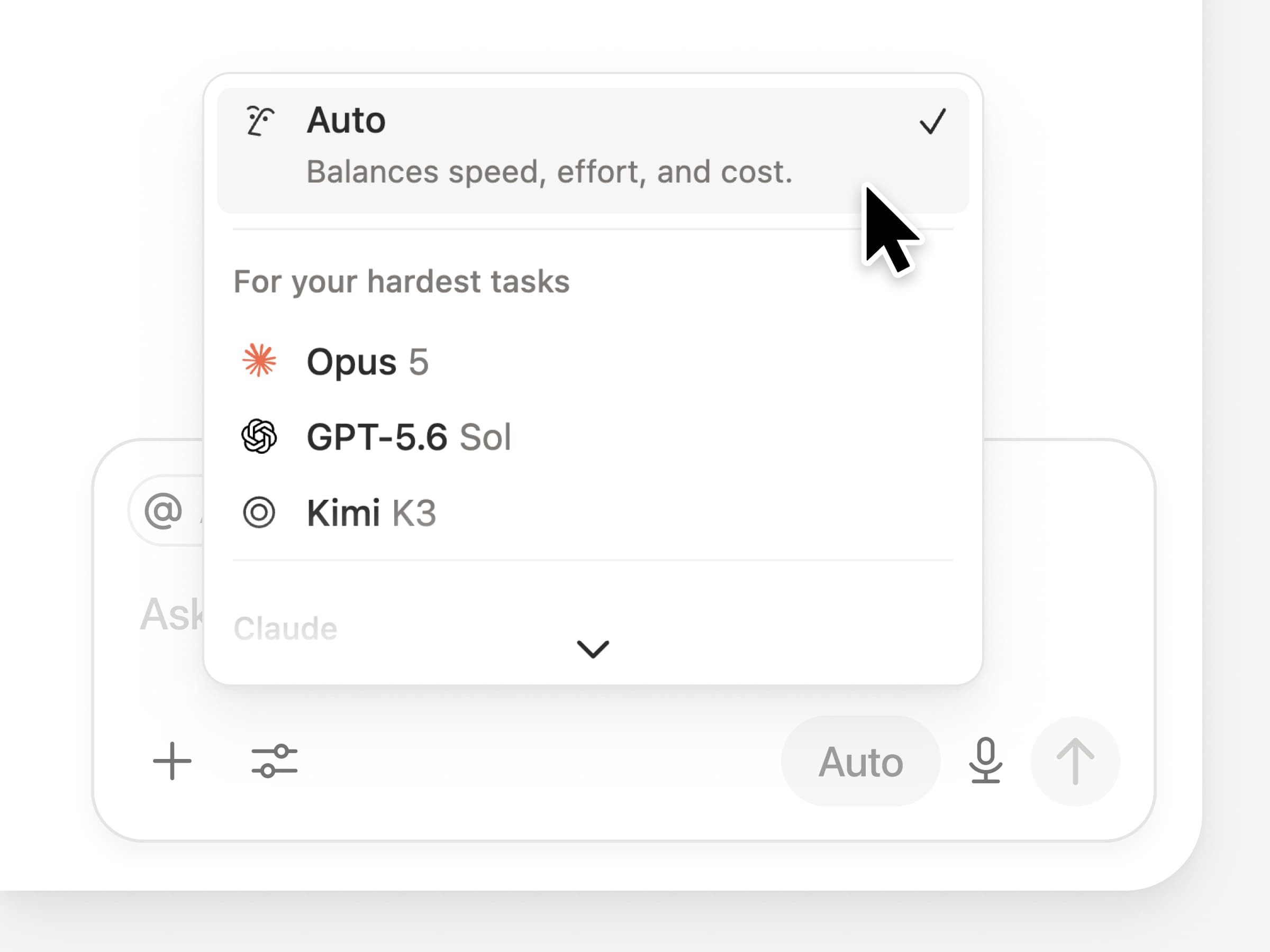
אתם מקבלים גישה לכל מודלי החזית העדכניים ביותר ב-Notion, כולל Opus 5, GPT-5.6 Sol ו-Kimi K3. בורר המודלים החדש עוצב מחדש כדי לעזור לכם לבחור את המודל הטוב ביותר לעבודה שלכם, עם מחוונים למהירות, אינטליגנציה ועלויות.

חידוש נוסף הוא לוח הידע של Notion, שמעריך את ביצועי המודל בעבודה יומיומית אמיתית. השוואת מודלים →

ועוד כמה...

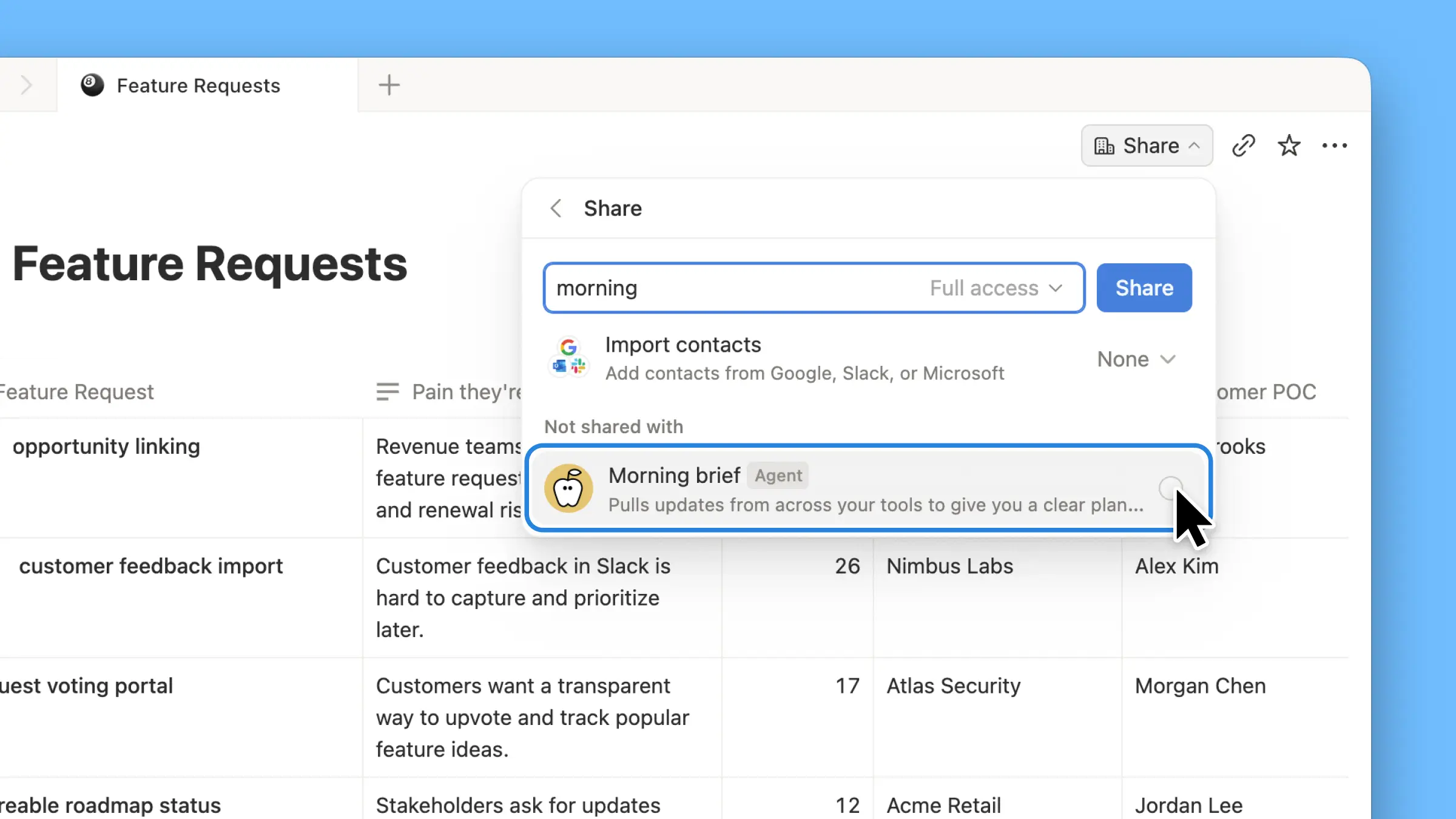
  • הטמעת סוכן בהתאמה אישית בכל מסמך. הסוכן מוצב בדיוק במקום שבו מתבצעת העבודה, כך שכל המשתמשים בדף יכולים להשתמש בו. ראו איך →

  • תובנות סוכנים בהתאמה אישית ב-API הציבורי. משכו שימוש בקרדיט, הרצות שהושלמו, והסטטוס, והפעילו, השבתה או הגדירו מגבלות לכל סוכן. לעסקים וארגונים. קראו את התיעוד של ה-API לתובנות →

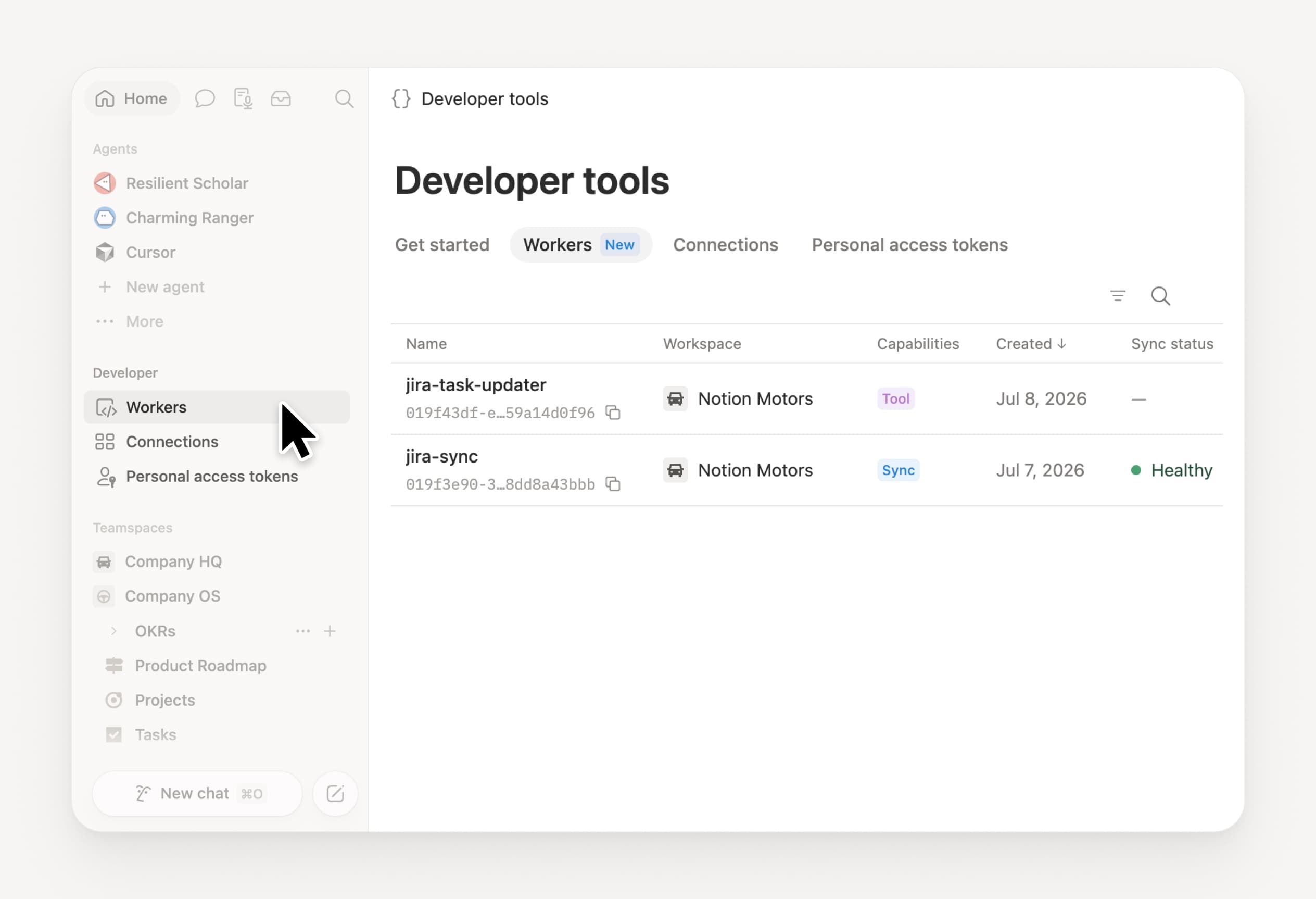
  • נהלו את ה-Workers והחיבורים שלכם: פתחו את המקטע החדש למפתחים בסרגל הצד כדי לראות כל Worker, היכן הוא מחובר, ואת היומנים מכל הרצה. לסקירה →

  • Agent SDK, כעת בגרסת בטא ציבורית. המשיכו שיחות עם סוכנים בהתאמה אישית מכל מקום, טריגרו אותן מהאפליקציה שלכם, והזרימו תוצאות בחזרה. לעסקים וארגונים. קראו את התיעוד של Agent SDK →

  • פורטל המפתחים נמצא כעת ב-Notion. מקום אחד שבו אפשר לנהל חיבורים, Workers ואסימוני גישה אישיים. פתחו את הפורטל →

  • חיפוש ה-AI מהיר ב-50%. פחות המתנה לתשובות ולתוצרים של סוכנים המשתמשים בהקשר של סביבת העבודה. לעסקים וארגונים. לניסיון →

  • לעבור על תיבת הדואר הנכנס שלכם. בקשו סוכן Notion לקבץ התראות, להציג את מה שדורש תשומת לב, ולעזור לנקות את השאר. לסקירה →

לניסיון המיומנויות! שתפו איתנו איך נוכל לשפר – יש לנו עוד הפתעות בדרך.

Control which AI models your agents can use

Control which AI models your agents can use

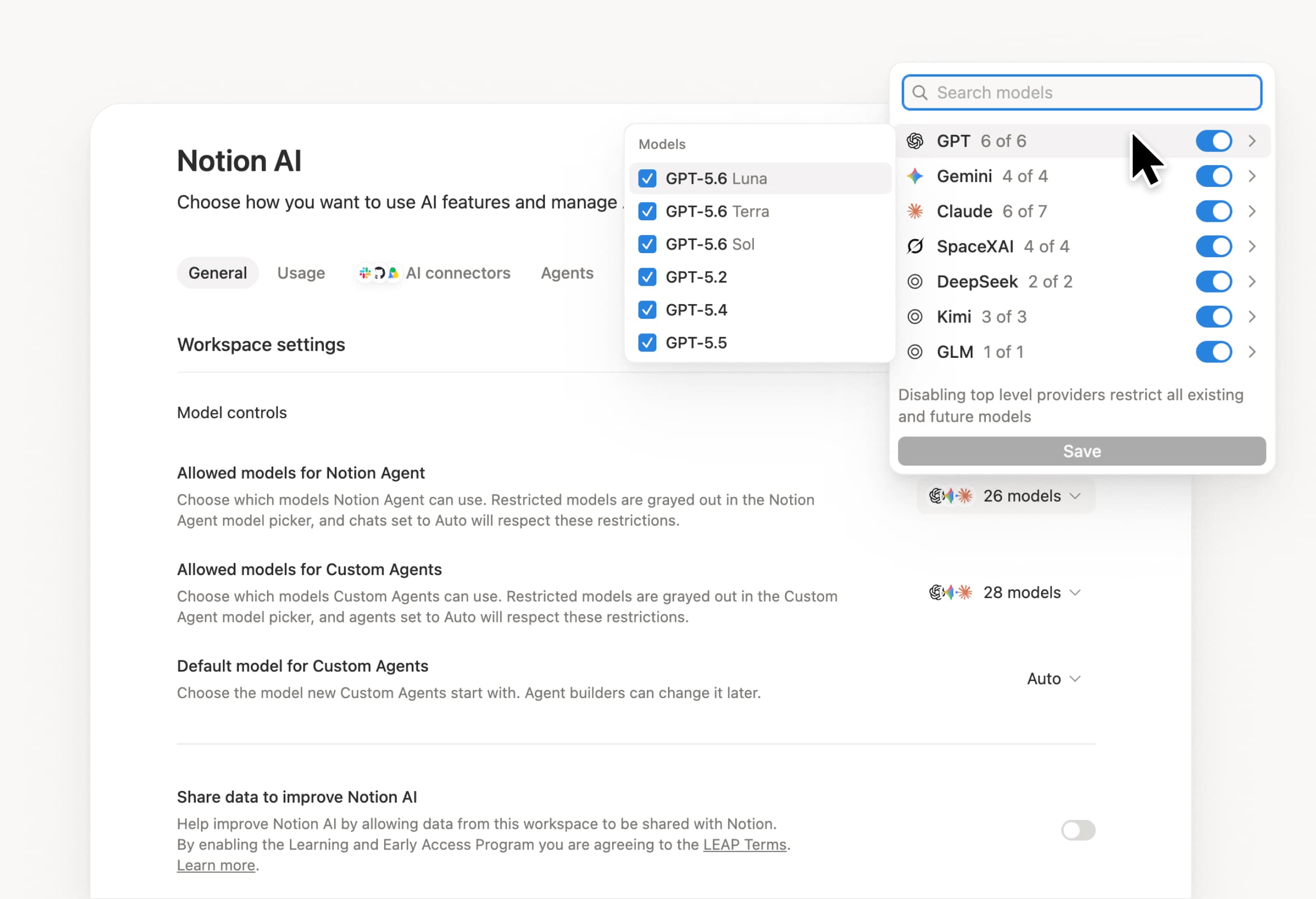
What’s on your team’s model roster? That’s up to you. With model controls, workspace owners can choose which AI models are available in Notion Agent and Custom Agents separately, and set a default model for Custom Agents. Keep costs predictable and support your compliance needs while your teams continue building. Available on Business and Enterprise plans.

Get started at Settings → Notion AI → General → Model controls.

Ask your agent to suggest edits

Your agents can now propose changes instead of making them directly. Ask your agent to suggest edits, then move top to bottom to approve each one. It’s great when you need line-level changes, like a pass for grammar.

Get started by asking your agent to “suggest edits.”

Your Developer Portal, now in the sidebar

Manage your Workers, connections, and personal access tokens from the new Developer section of your Notion workspace. See an overview of deployed Workers and logs behind every run.

Developer sidebar section

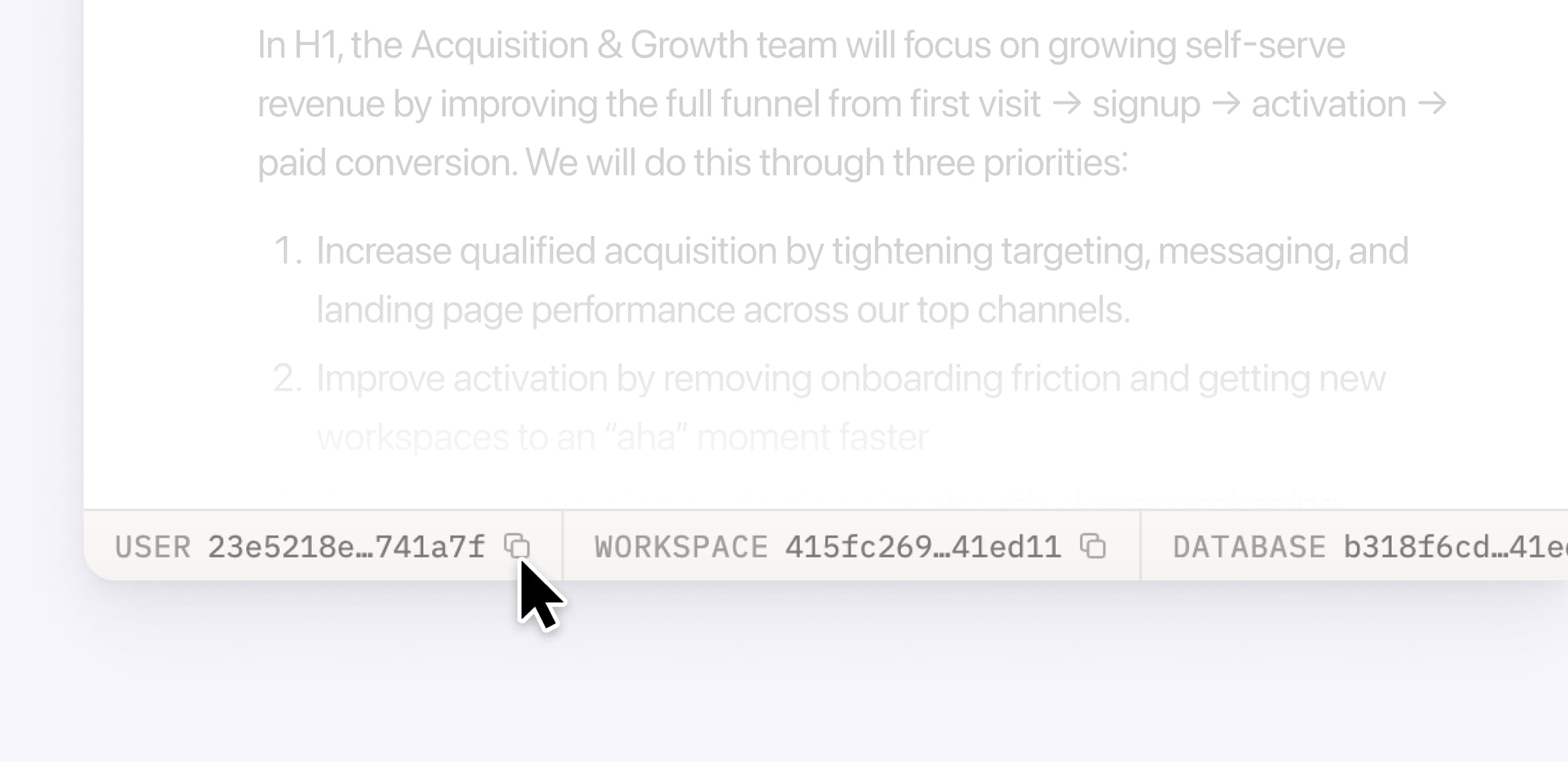
Plus, the new developer bar makes it easy for anyone building with the API to find IDs for the page, database, block, workspace, or user. Copy any one of them, or the full API object, in one click.

Developer bar

Get started from Settings → Developer → Enable developer features. Go there now →

Model selection, simplified

No more guessing which model to use.

The model picker now leads with a shortlist of models made for your hardest tasks, and every model has a scorecard to compare speed, intelligence, and cost. Pin your favorites for easy access and dial up the effort when you need a more thorough answer.

AI Meeting Notes can now trigger Custom Agents

Custom Agents can now run right after an AI Meeting Note is finished. No more need to manually update status trackers, post recaps to the project channel, or file tickets by hand.

Here’s a few of our favorite post-meeting workflows:

  • Update your project tracker with the latest status

  • Post a recap to Slack or email with decisions and next steps

  • Turn feedback into tickets for your engineering team

To get started, open your Custom Agent’s settings, add the Meeting note summarized trigger, and choose which meetings kick it off. After your next call, your agent will get to work.

High contrast mode

Accessibility win! High contrast mode is a new display option that makes text, icons, and borders easier to read.

Try it by going to Settings > Preferences > Appearance. Available on desktop and web.

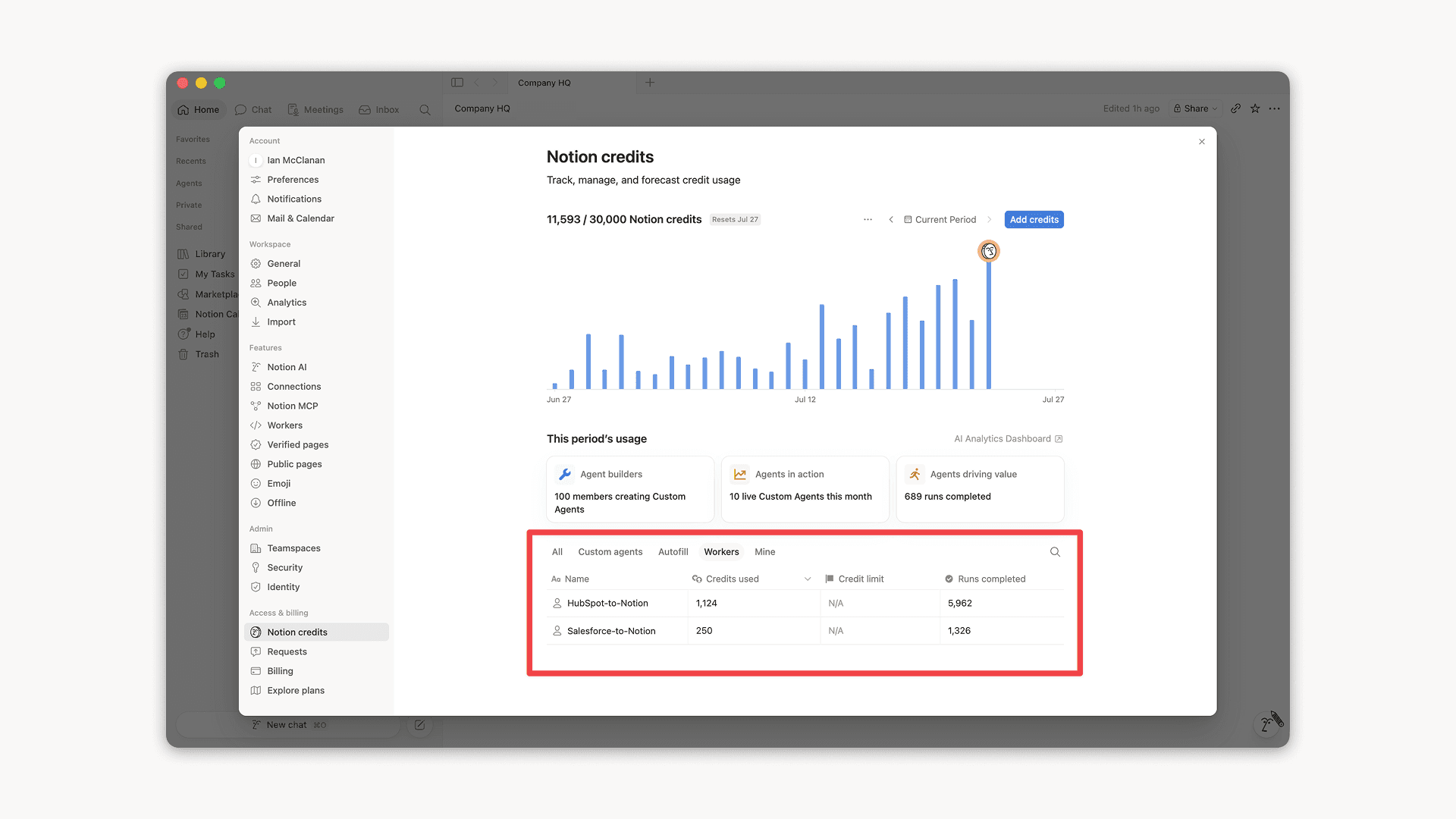
Workers, now in your Notion credits dashboard

Workers in the credits dashboard

Notion Workers run custom code on Notion's infrastructure to sync data, power tools for Custom Agents, and trigger webhook automations.

Now you can track your Workers’ usage in the credits dashboard, alongside your other spend.

Workers are free to try during the beta on Business and Enterprise plans (including Business trials). Usage is now visible in the dashboard to help your team size credits before the beta ends.

Learn more about the Notion Workers beta and pricing in our Help Center →

Powered by Fruition