Mitä uutta

Pysy ajan tasalla uusimmista julkaisuista, parannuksista ja korjauksista.

Seuraa: @NotionHQ
3.8

Notion 3.8: Context for your agents
Context for your agents

Your agents and teams run on context. If you switch agents, add a new tool, or welcome a new teammate, you shouldn’t have to explain everything again. With Notion, there’s a durable, shared place to remember what matters.

This update is all about context. Connecting data, tools, and skills so you’re free to use any agent or model.

With so many things changing, your context can stay in Notion.

Connect your agents to Notion with MCP
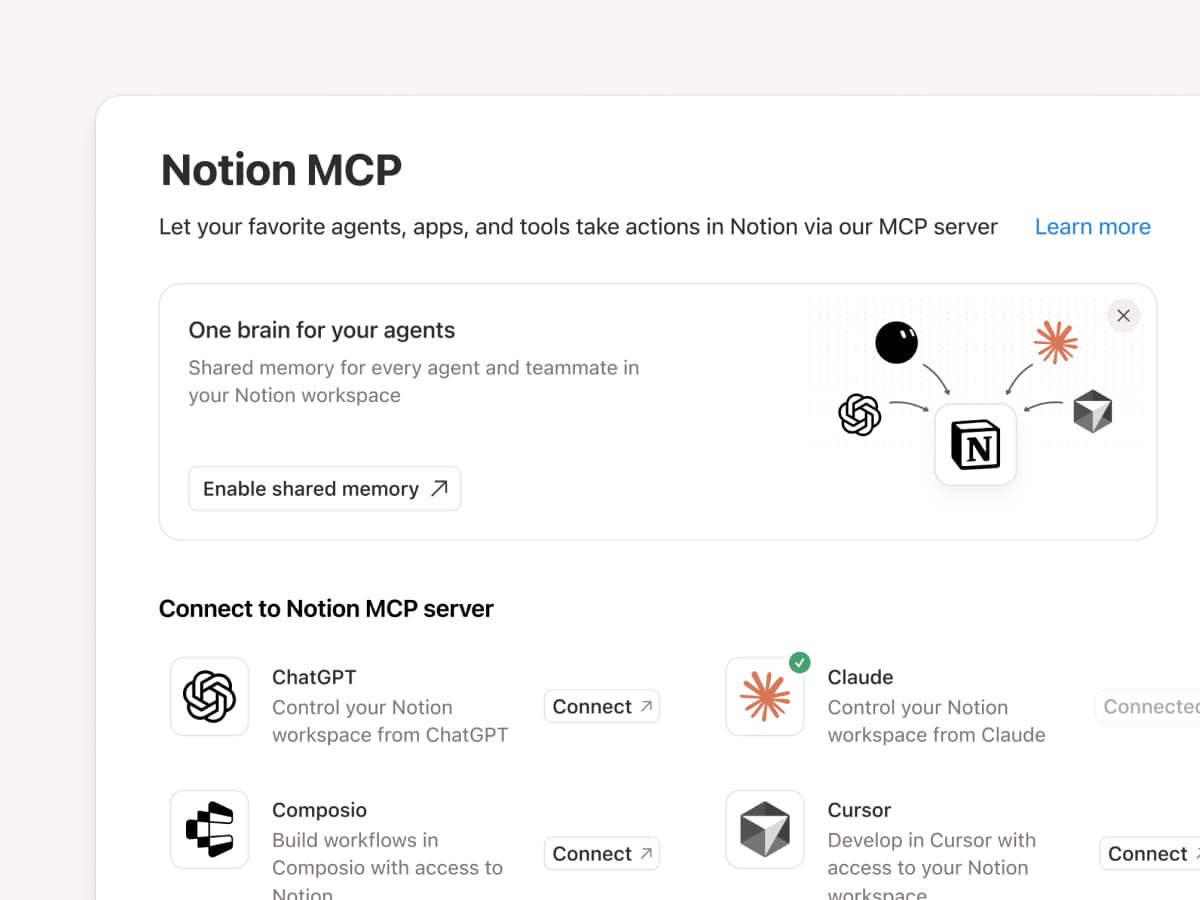
Connect an MCP-compatible agent to Notion so it can read your workspace context and update docs and task trackers. Whether you use Claudes, Muses, GrokBots, Dots, or another agent, Notion gives them a shared place to find what they need, so you can switch agents without starting from scratch. Set up an agent with Notion →

And with Notion MCP controls, admins can see who connected each AI tool, check when it was last used, and revoke a person’s access without affecting other connections. Set up MCP controls →

Connect your Notion Agents to 150+ tools with MCP
MCP

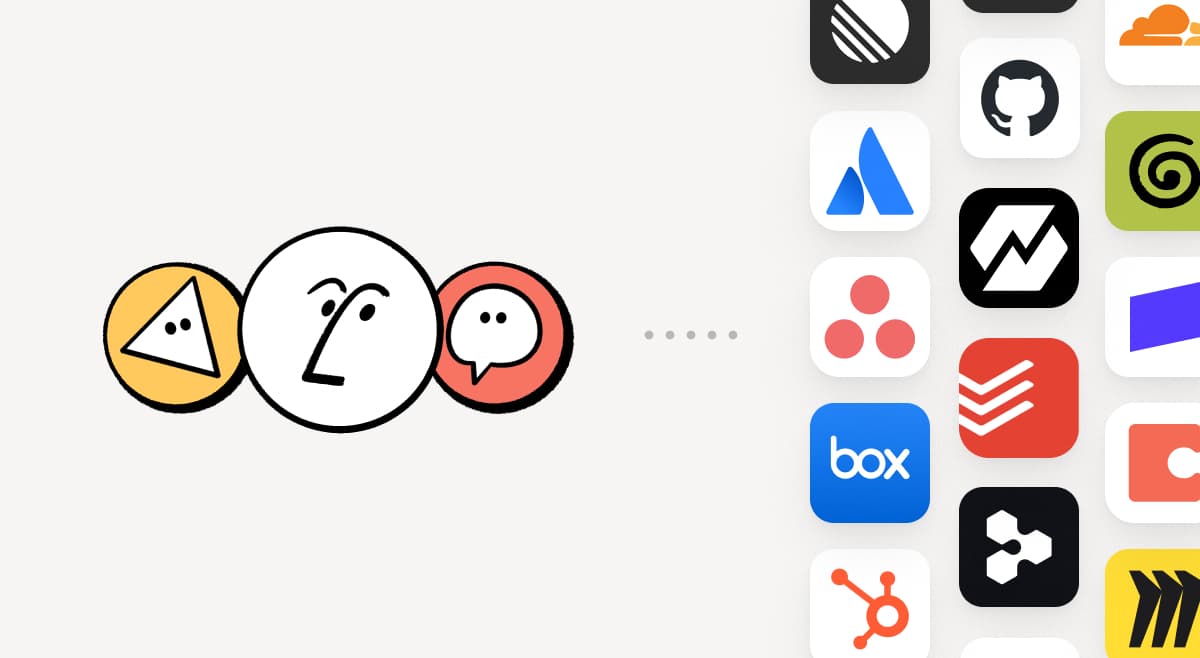
Bring the tools your team already uses into Notion. MCP connections let Notion Agent and Custom Agents draw on context from those tools and take action across them. Create an account brief in Notion using HubSpot pipeline data, add Stripe billing details to a customer health review, or bring Cloudflare infrastructure details into a postmortem. And that’s just the start. ⁠Browse 150+ MCP connections →

Write a skill once. Use it with every agent.
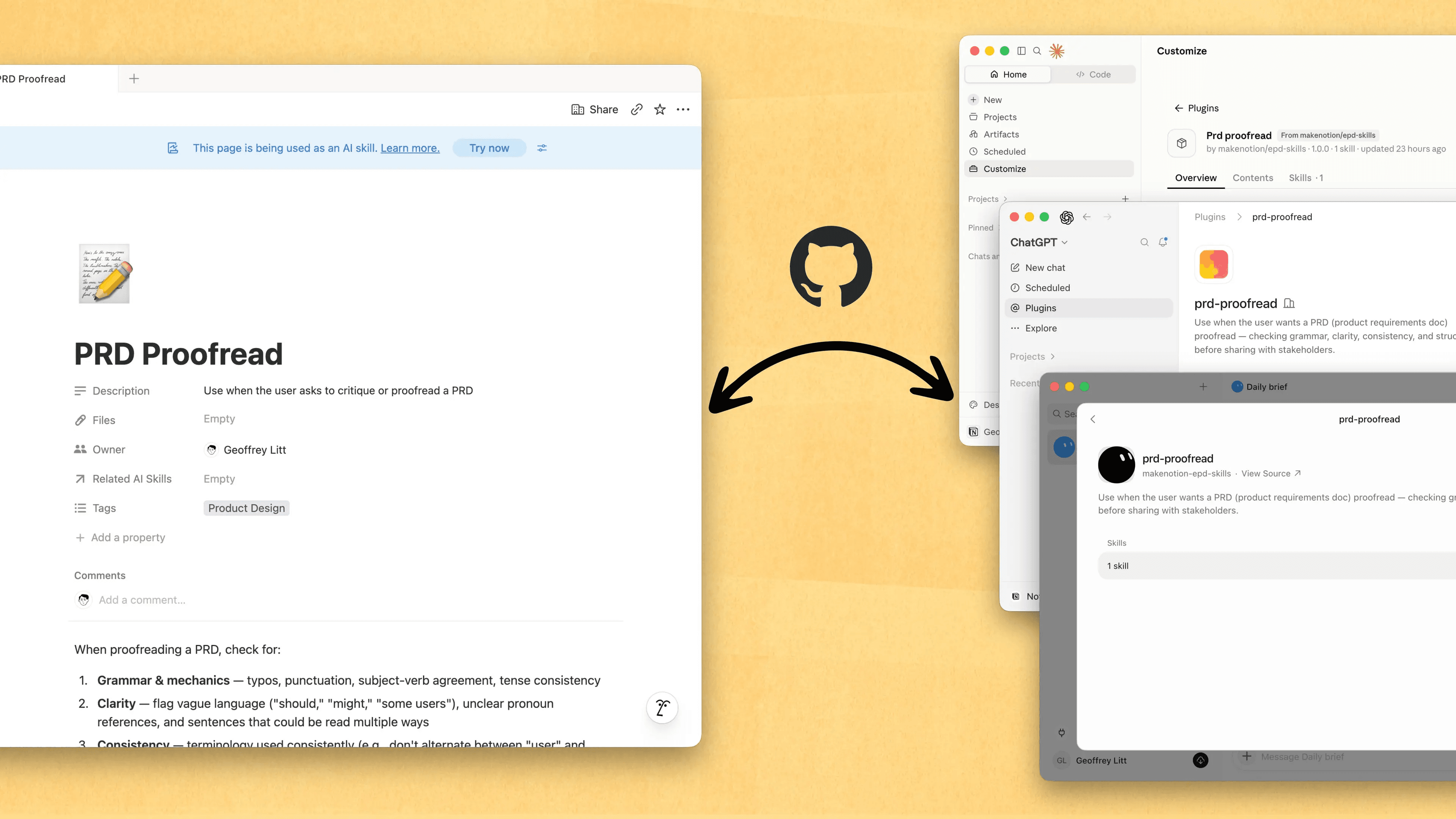
Write a skill once. Use it with every agent.

Skills are the best way to teach agents how you work … and not just for engineers. Now, Notion is the best place to create, share, and keep them current. Sync your Skills across ChatGPT, Claude, and more with the new Skills API, which loads Skills from Notion into GitHub.

Already have Skills for your agents? Ask your agent to recreate them in Notion with MCP, then keep building your library there. Here’s a quick demo, and here are docs to learn more.

See every change by every person and agent
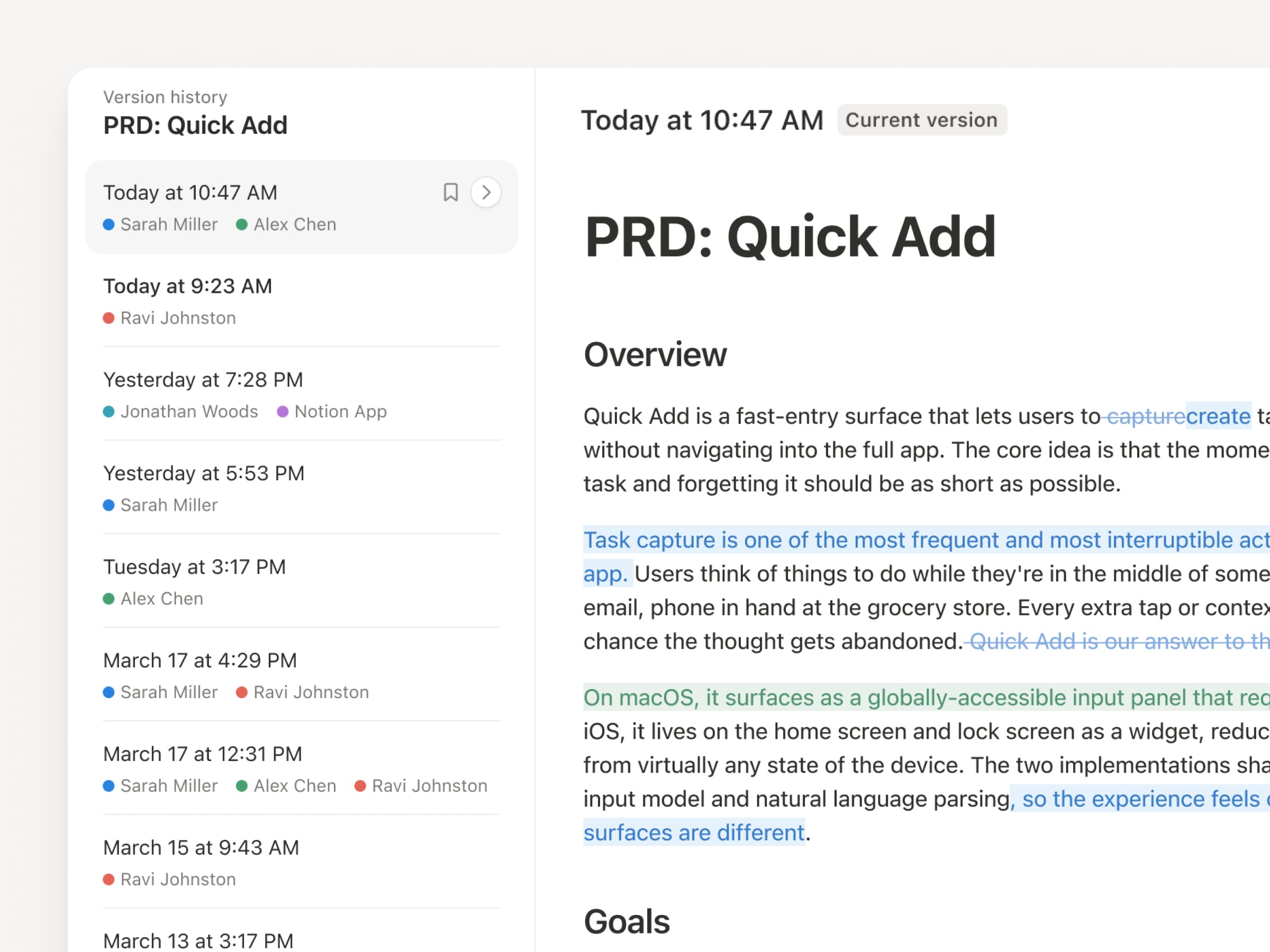
With agents and people making constant updates, version history has never been more important. So we’ve upgraded ours! You get a clearer record across pages and databases, with highlighted edits, detailed database changes, and attribution. Let your agents work while keeping their changes visible and secure. Review what changed, see who changed it, and restore prior versions with a quick click. Learn more →

Don’t pay twice. Use your ChatGPT plan in Notion.
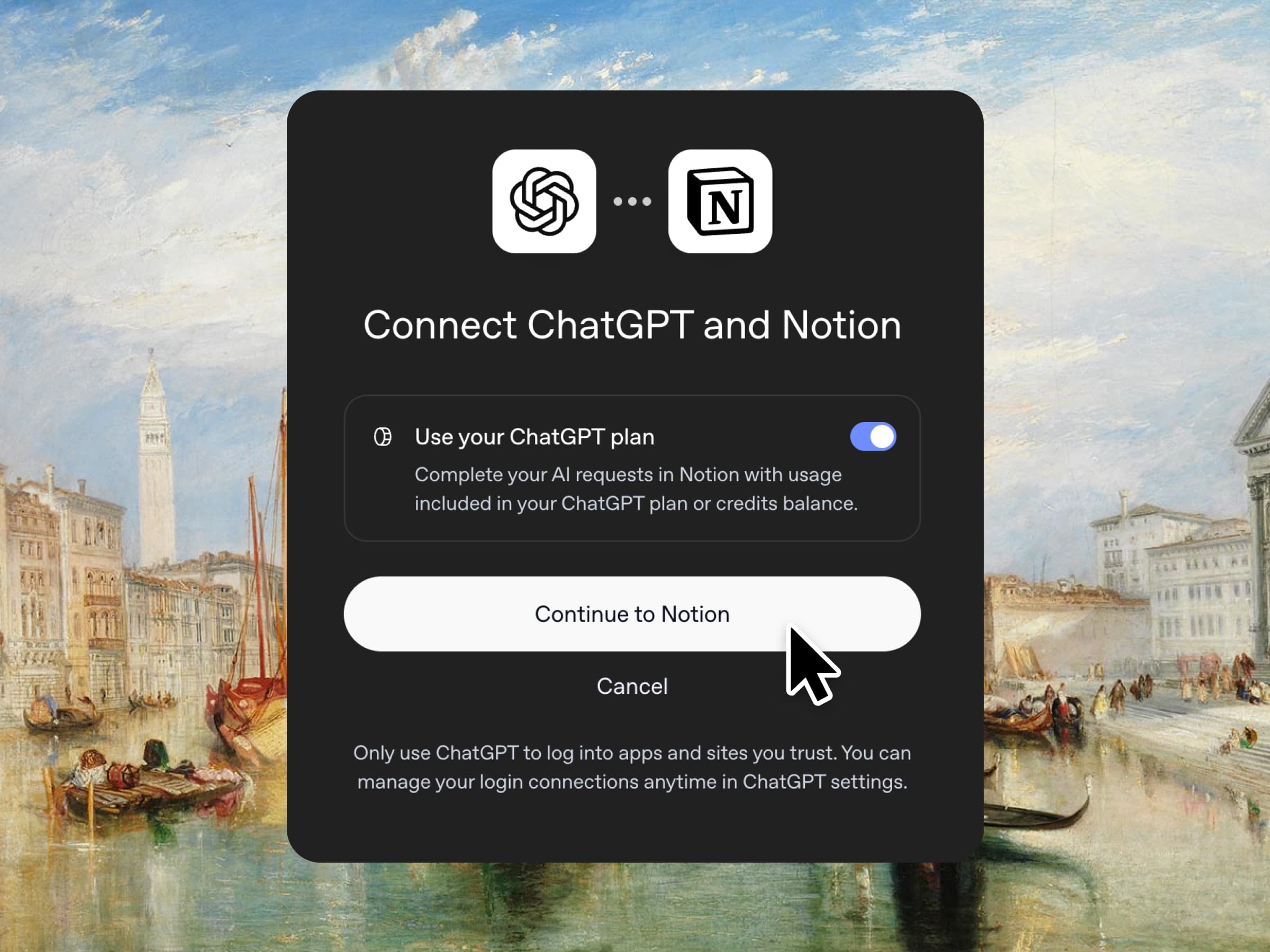
Yes, you just read that right. If you have ChatGPT Plus or Pro, your subscription can now cover your AI usage in Notion. Just connect your plan, pick a GPT model, and go. We don’t add a markup. We just want you to have the best tools for the job, for the best price. Available for Business and Enterprise plans. Check out a quick demo and the docs.

Column permissions in databases
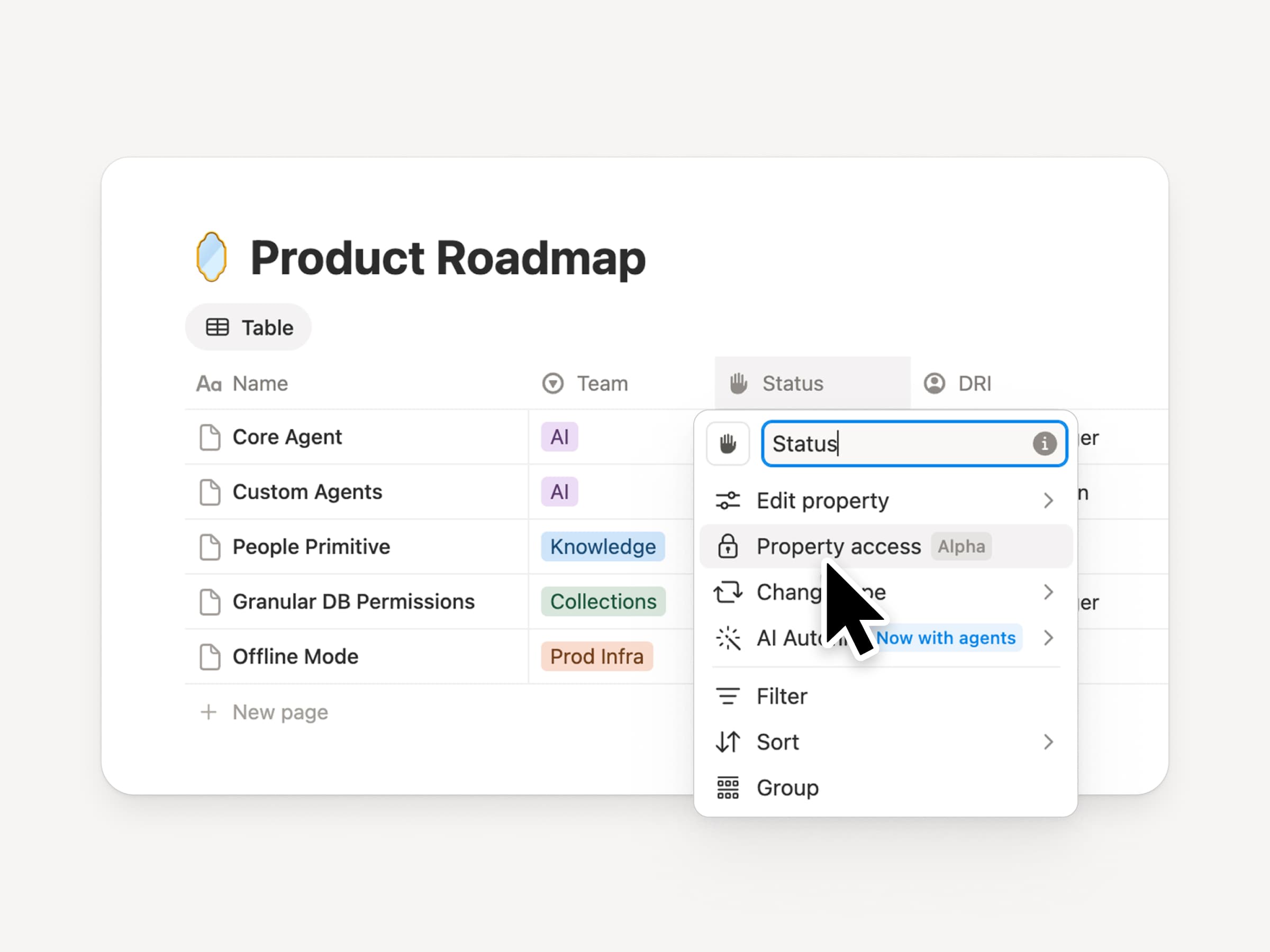
Notion databases give teams and agents a shared, up-to-date source of context. But both teams and agents need the right level of access. Column permissions were a top requested feature for years (we spent time getting this one right). They let database owners control which properties each person or agent can view or edit. Recruiting teams can collaborate on candidates without exposing compensation. Support agents can use account context without seeing restricted customer data. Watch the trailer from one of it’s creators!

Reintroducing synced databases
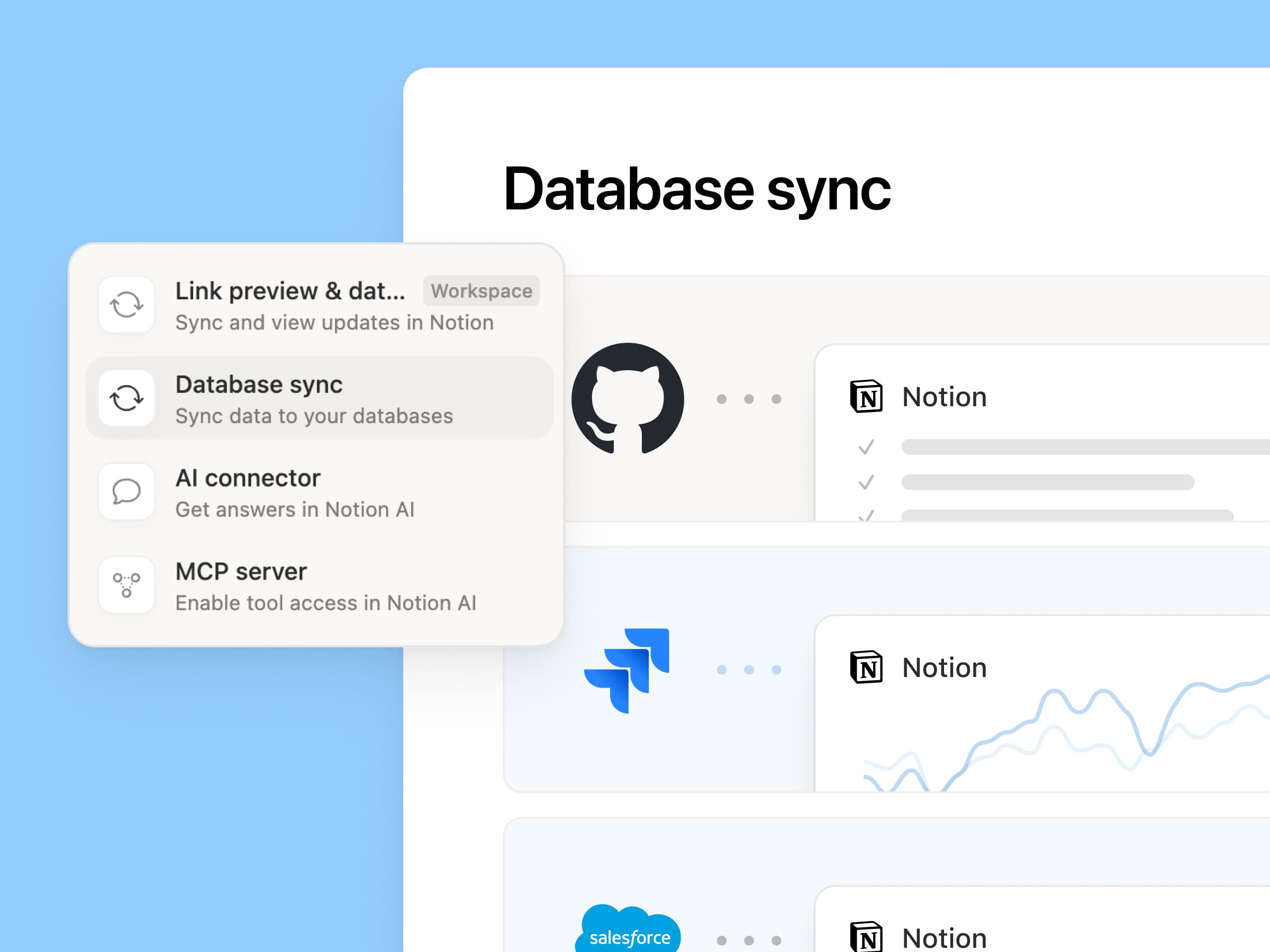
Reintroducing synced databases

We rebuilt our synced databases, starting with GitHub, Jira, and Salesforce, so your teams and agents always work from the latest data. They’re faster, more reliable, and show a live health status for each sync. They work like any other Notion database, so you can add your own properties, create views, and trigger automations. At Notion, we build customer hubs by syncing Salesforce accounts and linking to meeting notes and feature requests, so every team works from the same current view of each customer. Learn more →

New week, new models
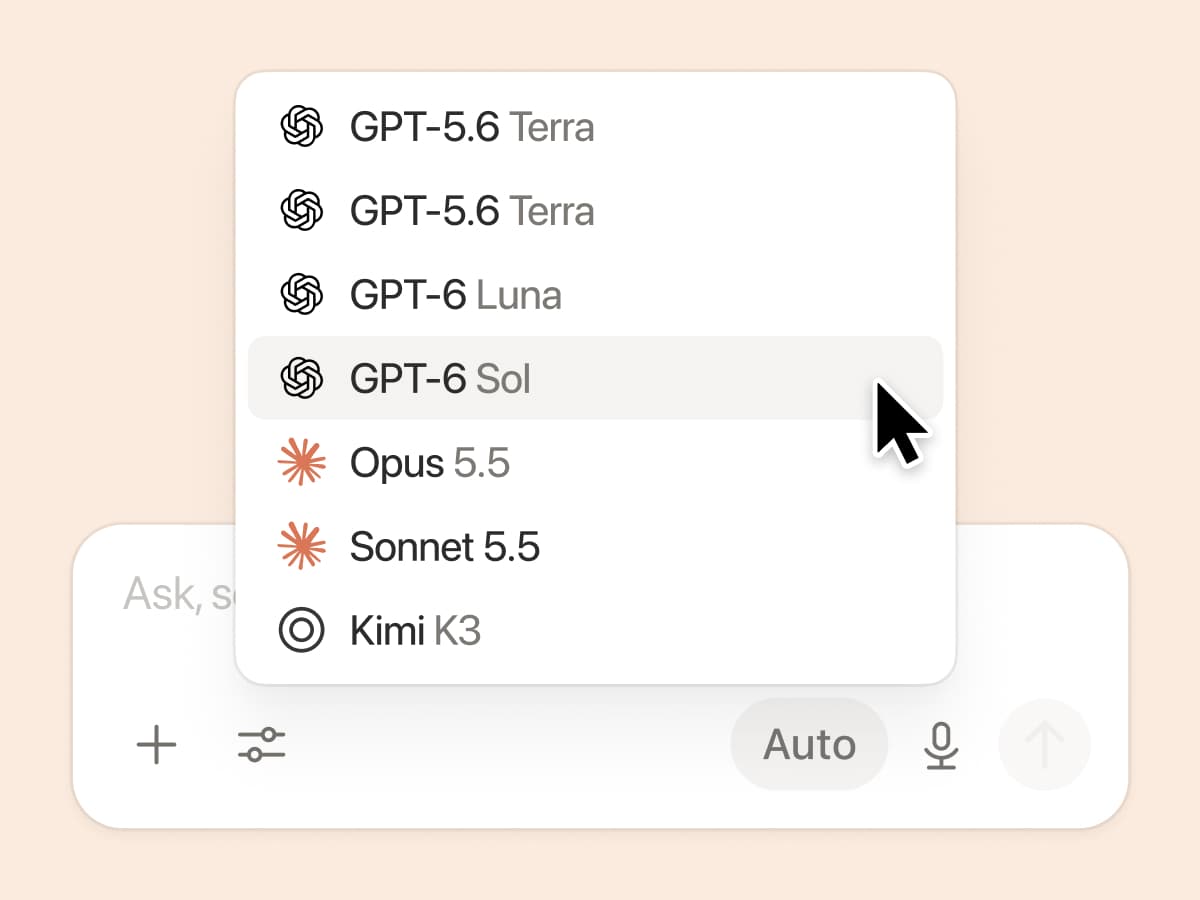
New week, new models

The labs are at it again. Seven new models all added, including GPT 6.1-Sol, GPT-6 Luna, Opus 5.5, and Sonnet 5.5. Use any of them knowing they’ll all know the latest about your team works.

And ICYMI, we’ve been evaluating how models perform across a range of knowledge-work tasks, using live anonymized traffic and judged by models. Check out our Knowledge Board →

More ways to connect and govern context

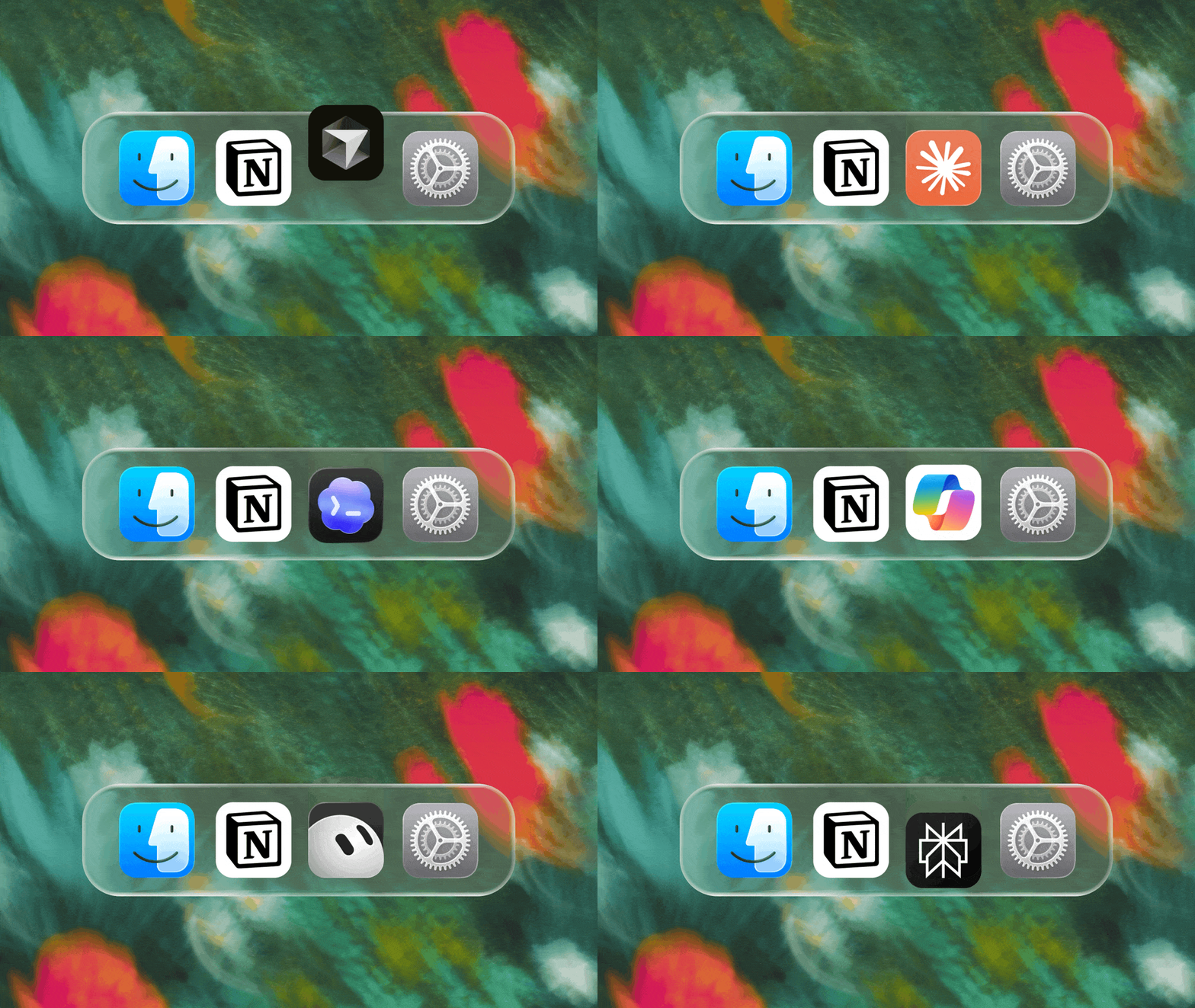
We can’t wait to see how Notion can be the backbone of your dock.
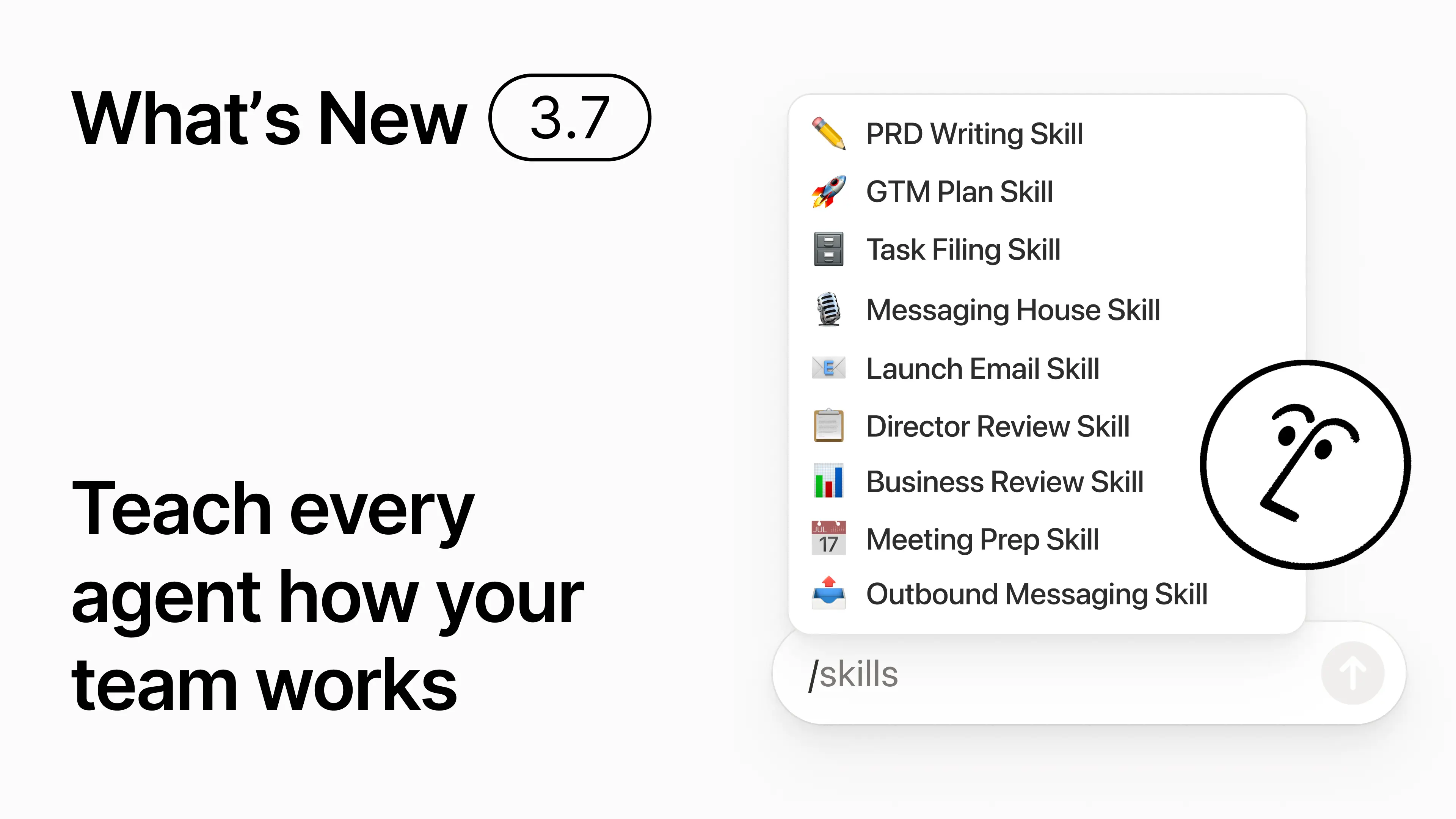
3.7

Notion 3.7: Agenttitaidot koko tiimillesi

Mitä uutta 3.7

Tiedätkö, kuinka jotkut ihmiset ovat todella hyviä antamaan kehotteita tekoälylle? Tai he ovat keksineet parhaan tavan hoitaa toistuvia töitä? Nyt he voivat muuttaa tuon osaamisen taidoksi ja nostaa koko tiimin tasoa.

Taidot ovat uudelleenkäytettäviä ohjeita, jotka opettavat tekoälylle, miten tiimisi työskentelee. Kuten kuukausittaisen liiketoimintakatsauksen luominen tiimisi muodossa. Tai dokumenttisi arvioiminen samalla tavalla kuin pomosi tekisi. Ne ovat kuin tiimin pikanäppäimiä toistuvien tehtävien suorittamiseen. Luo taito →

Jokainen tiimisi tarvitsema tekoälytaito yhdessä kirjastossa

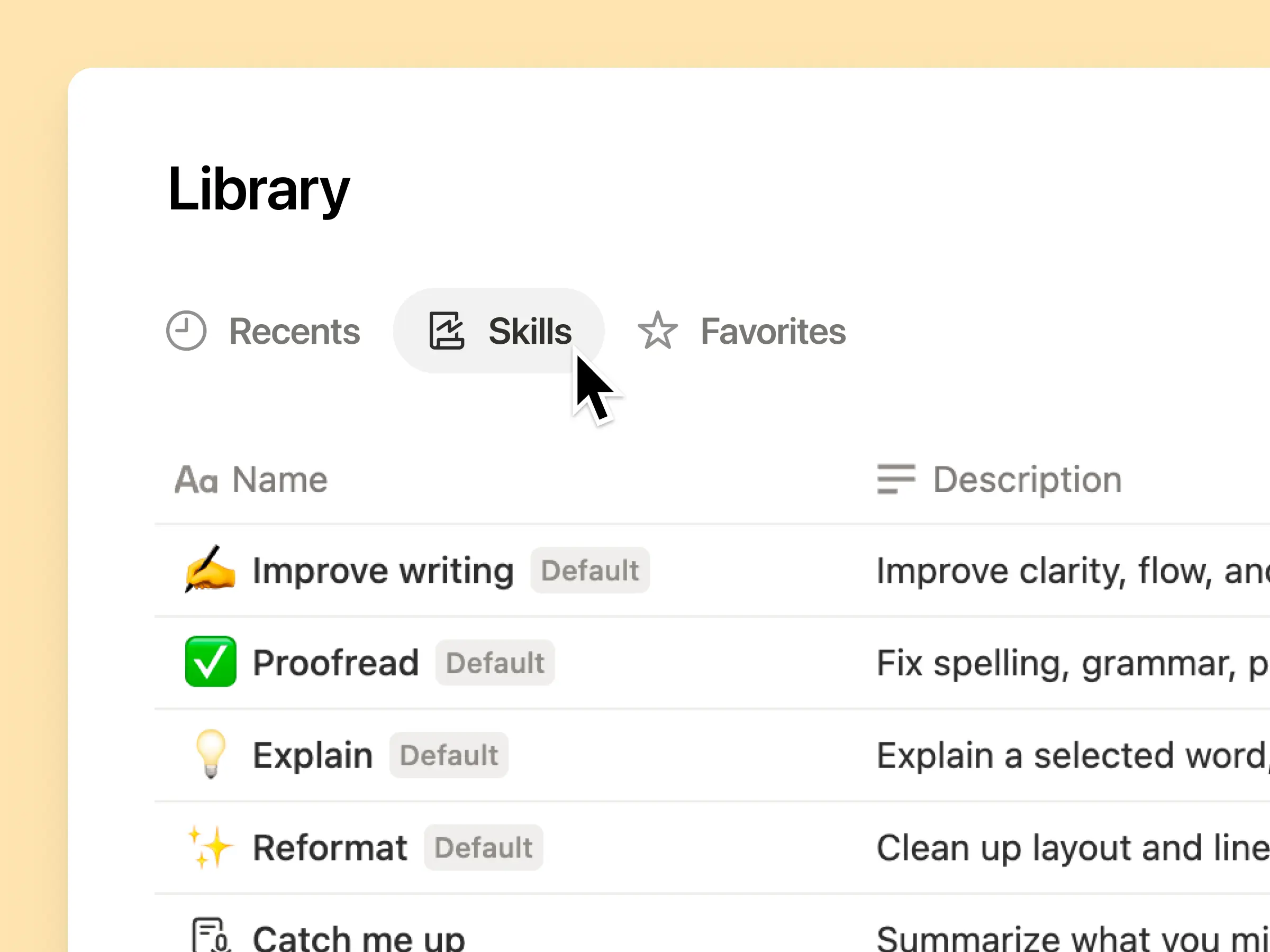
Hyvät kehotteet jäävät usein yhden ihmisen päähän tai katoavat muuten erillisiin dokumentteihin ja keskusteluihin. Taitokirjasto tarjoaa työtilallesi yhden keskuksen kaikille jaetuille taidoille. Selaa taitokirjastoa →

Laita aiheeseen liittyvät taidot Notion-tietokantaan ja jaa sitten yksi taito tai koko tietokanta. Jokainen tiimi saa yhden helpon paikan löytää omat vakiotaitonsa, ja kaikki pysyvät ajan tasalla uusimmasta versiosta. Lue lisää →

Kirjoita se kerran, niin tekoäly suorittaa sen sinun tavallasi

Keskustele Notion-palvelijan kanssa ja luo taito tyhjästä:

  1. Tarkista tämä ominaisuusehdotus tuote-, suunnittelu- ja teknisten standardiemme mukaisesti.

  2. Luo uuden työntekijän perehdytyslista laite- ja sovelluskäytäntöjemme mukaisesti.

  3. Laadi tämä työnkuvaus tasomäärityskehyksemme ja hyväksytyn kielenkäytön mukaisesti.

Etkö ole varma, mistä aloittaa? Notion voi myös ehdottaa taitoja jo tekemäsi työn perusteella. Mitä taitoja tarvitsen? →

Suorita taito juuri silloin, kun tarvitset sitä

Suorita taito

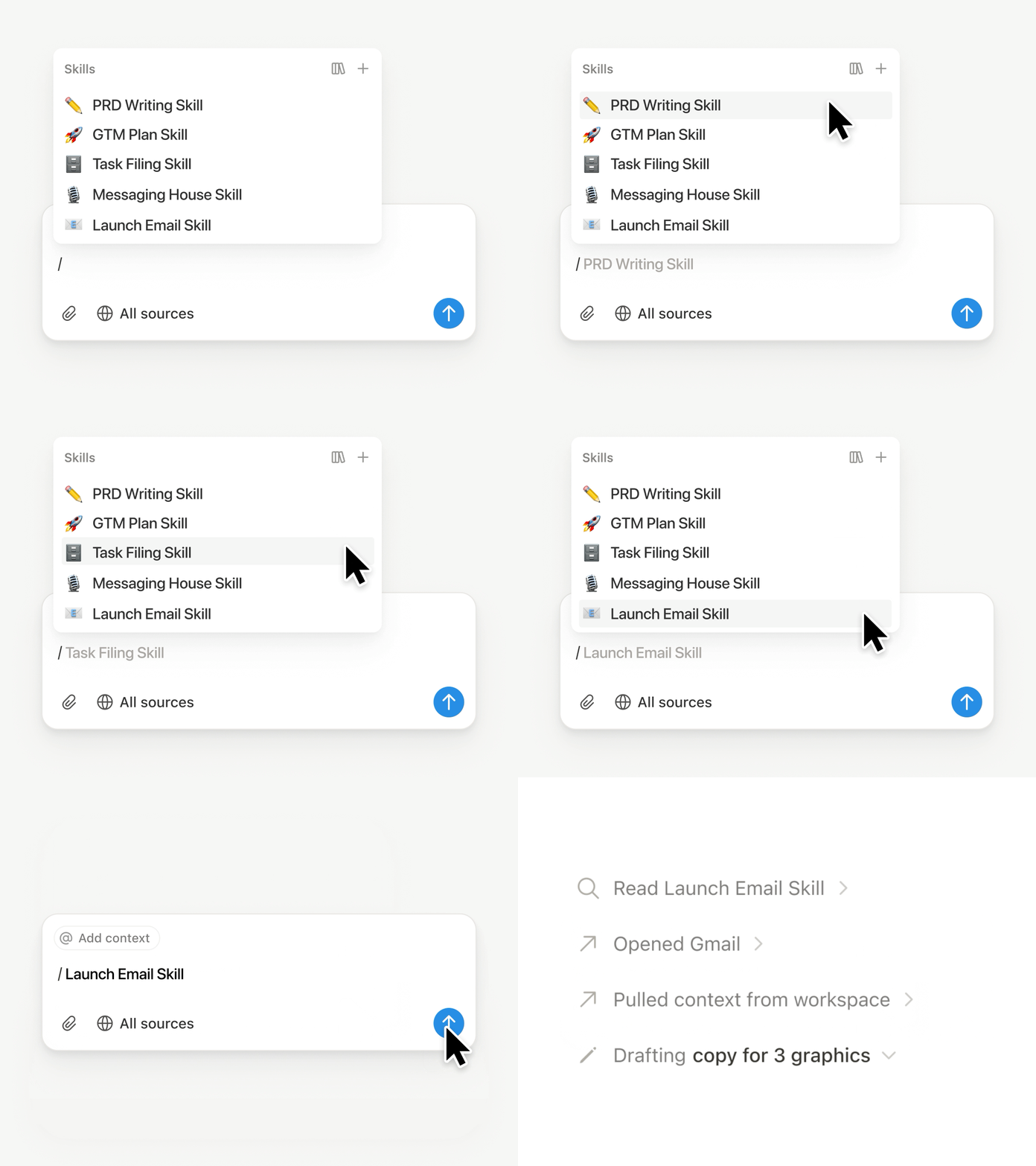
Kirjoita / Notion-palvelijan keskustelussa ja valitse taito, jota haluat käyttää. Lisää muu konteksti ja paina Syötä.

Suorita johdon taito, jolla muutat luonnoksen tiiviiksi johdon tiivistelmäksi, joka sisältää keskeiset asiat, päätökset, riskit ja pyynnöt. Tai muuta raakamuistiinpanot tuotevaatimusmäärittelyksi (PRD). Voit myös määrittää taidot suoritettavaksi automaattisesti. Lue lisää →

Vie tiimisi taidot Claude Codeen, Codexiin, Cursoriin ja muihin

Taidot Claudelle tai Codexille

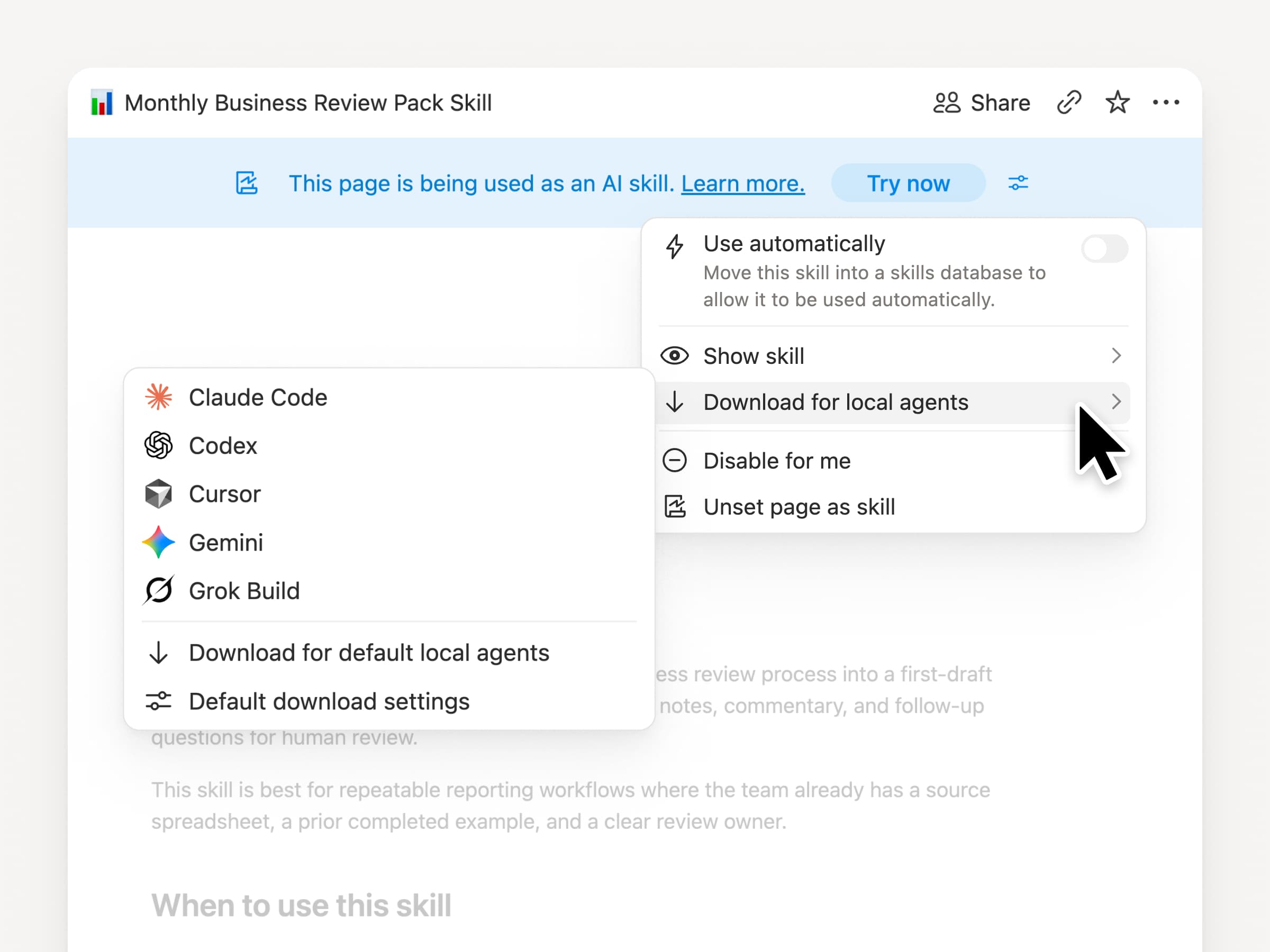
Ota taidot mukaasi, käytitpä mitä palvelijaa tahansa. Luo ja päivitä taito Notionissa ja lataa se Claude Codeen, Codexiin, Cursoriin, Geminiin tai Grokiin.

Notion kirjoittaa taidon SKILL.md-tiedostona yhdessä hyväksyttyjen tukitiedostojen kanssa. Kun taito muuttuu Notionissa, se merkitään tunnuksella, jotta tiedät hakea uusimman version. Tiimisi ylläpitää ohjeita yhdessä paikassa, ja paikalliset agenttisi voivat noudattaa samaa prosessia. Lue lisää →

Pyydä palvelijaasi yhdistämään GitHub, Amplitude ja muut.

Yhdistä enemmän palvelijaasi

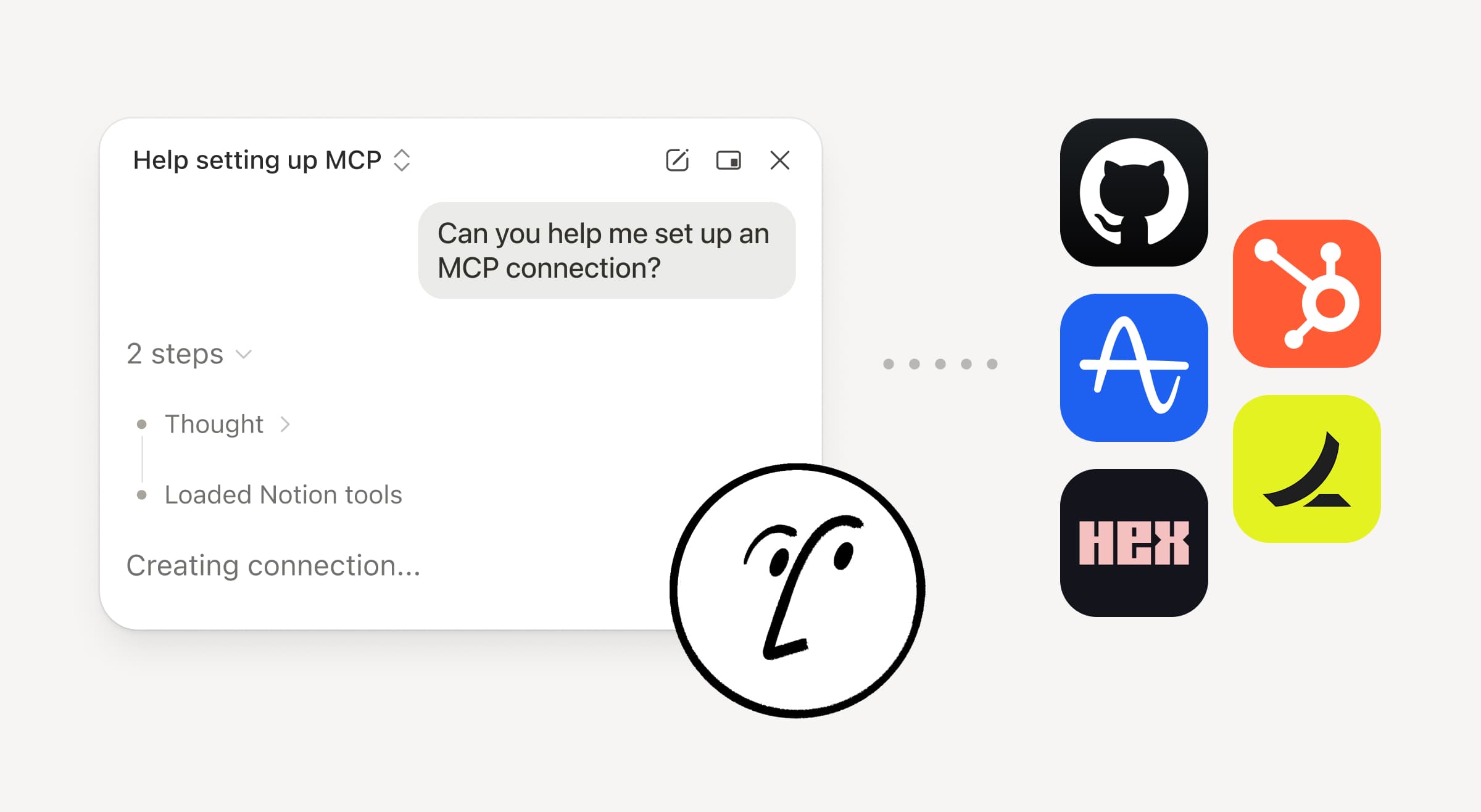
Tuo enemmän työtäsi Notion-palvelijaan. Pyydä sitä vain yhdistämään työkalu, niin se opastaa sinut käyttöönoton läpi. Voit nyt yhdistää GitHubin, Amplituden ja muita työkaluja Custom MCP -yhteydellä, jotta voit hakea kontekstia, tarkistaa suorituskyvyn tai toimia työkaluissa, joita tiimisi jo käyttää. Yhdistä GitHubiin →

Vahvistukset pitävät sinut ohjaksissa, joten mikään ei muutu yhdistetyssä työkalussa ennen kuin hyväksyt sen. Saatavilla betana Business- ja Enterprise-sopimuksissa. Lue lisää →

Oletko liikkeellä? Käytä Notion Agents iOS -sovellusta

Notion Agents -sovellus

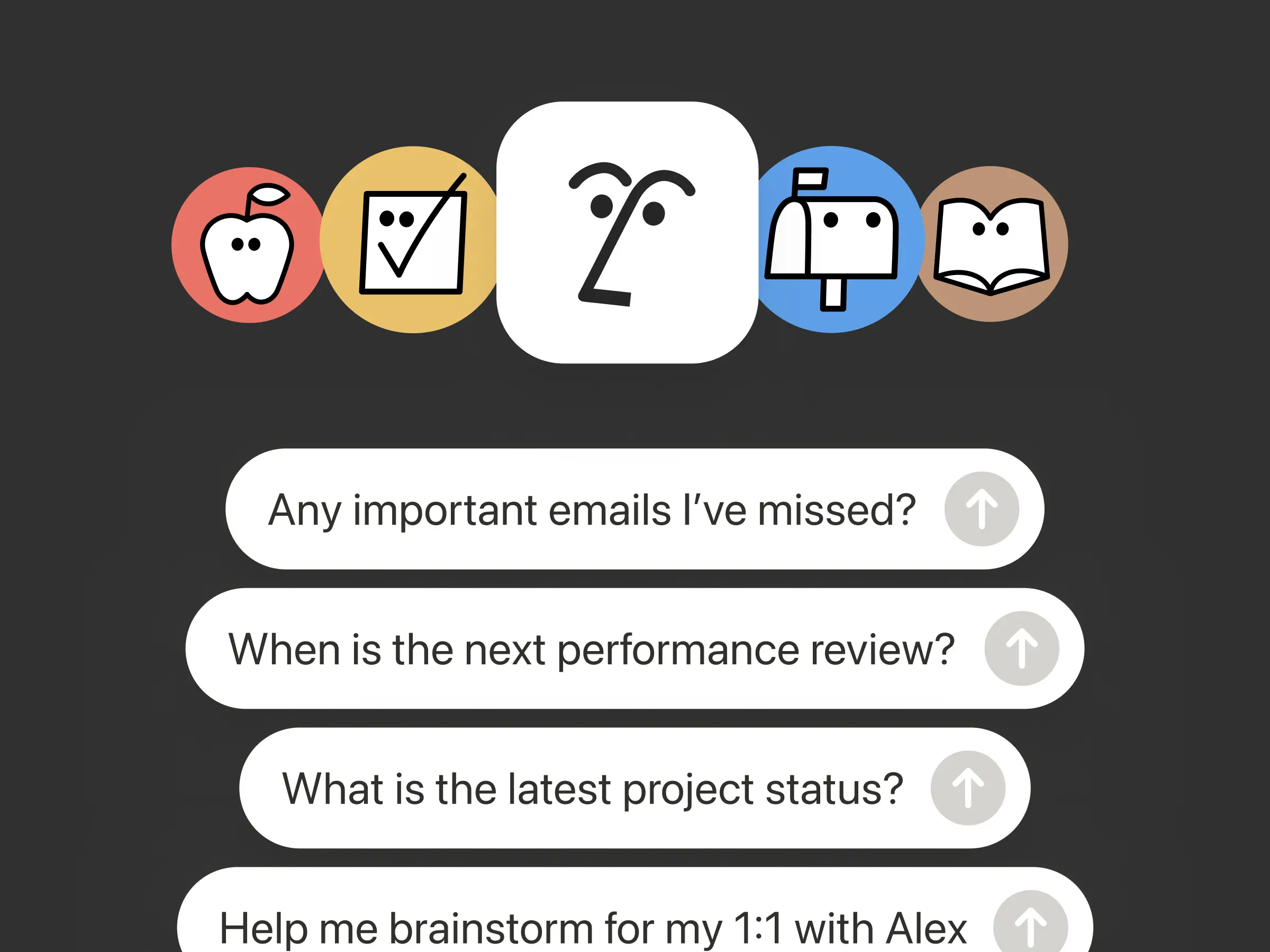
Parhaat ideasi eivät odota, että palaat työpöytäsi ääreen. Notion Agents iOS -sovellus tuo 1 000 palvelijaa taskuusi. Tallenna ideoita, ääntä ja kuvia, valmistaudu kokoukseen tai luo asiakirja liikkeellä ollessasi. Anna palvelijalle tehtävä, niin se hoitaa sen ennen kuin palaat kannettavasi ääreen.

Anna mukautettujen palvelijoiden kutsua alapalvelijoita.

Alatason palvelijat

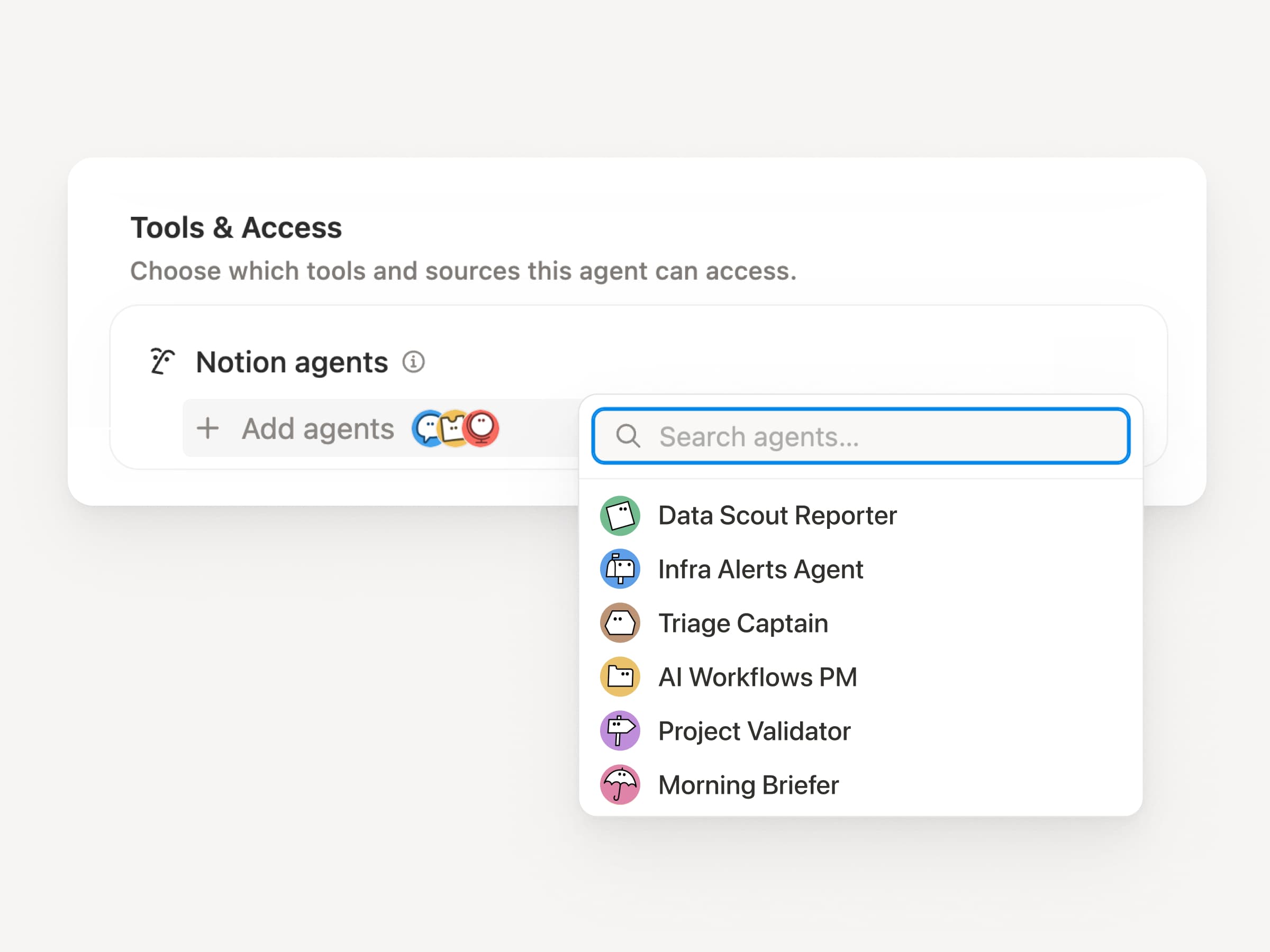
Laajat työnkulut ovat harvoin vain yksi tehtävä. Nyt mukautetut palvelijat voivat kutsua muita mukautettuja palvelijoita alapalvelijoiksi, joilla on omat ohjeet, konteksti, käyttöoikeus ja malli. Lue lisää →

Mobiilisovelluksen tuotehallinta-palvelija voi lähettää bugiraportteja lajittelupalvelijalle ja mittarikysymyksiä raportointipalvelijalle, ja tuoda sitten vastaukset yhteen Slack-päivitykseen. Ensisijainen palvelija päättää, milloin delegoida, ja käyttää jokaista vastausta alkuperäisen työn viimeistelyyn. Remote pyörittää IT-tukipalveluaan viidellä palvelijalla tällä tavalla ja säästää 500 000 dollaria vuodessa.

Mukautetut palvelijat voivat hoitaa kokouksen jälkeiset työt puolestasi

Kokouksen yhteenvetopalvelija

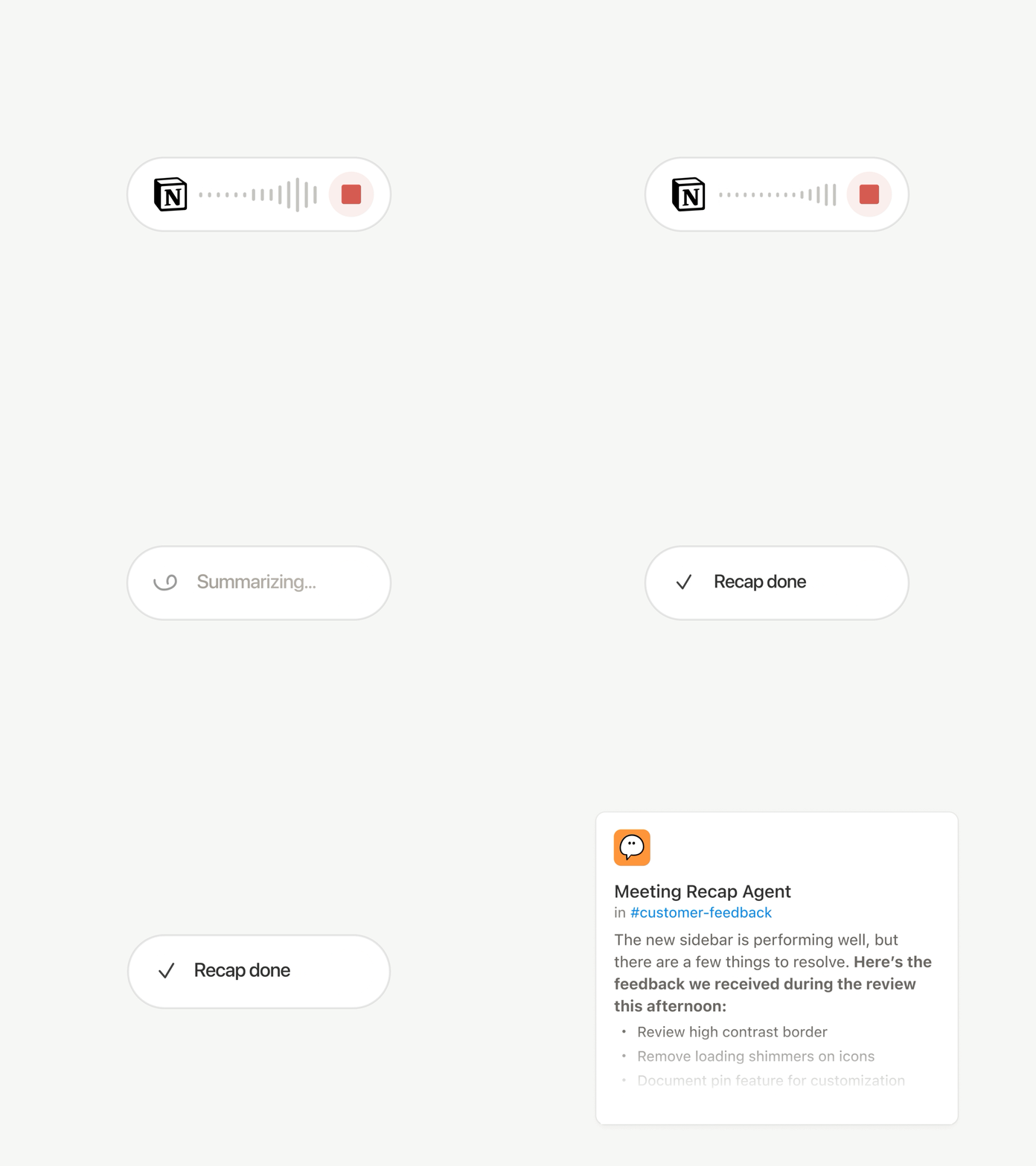
Jokainen puhelu päättyy samoihin rutiineihin: Kirjoita yhteenveto, tallenna tehtävät, lähetä viesti niille, jotka eivät olleet paikalla. Nyt mukautetut palvelijat voivat hoitaa kokouksen jälkeiset työt automaattisesti.

Valitse, mitkä kokoukset ovat tärkeitä, ja anna mukautetut palvelijat hoitaa työt heti, kun kukin /yhteenveto on valmis. Se saa puhtaaksikirjoituksen ja /yhteenveto, joten se voi kirjoittaa Tila-päivityksen, tallentaa tehtävät tai lähettää asiakaspalautteen oikeaan tietokantaan. Saatavilla Business- ja Enterprise-sopimuksissa. Lue lisää →

Selaa jokaista mallia ja katso, mikä niistä sopii parhaiten työhön

Uusimmat mallit

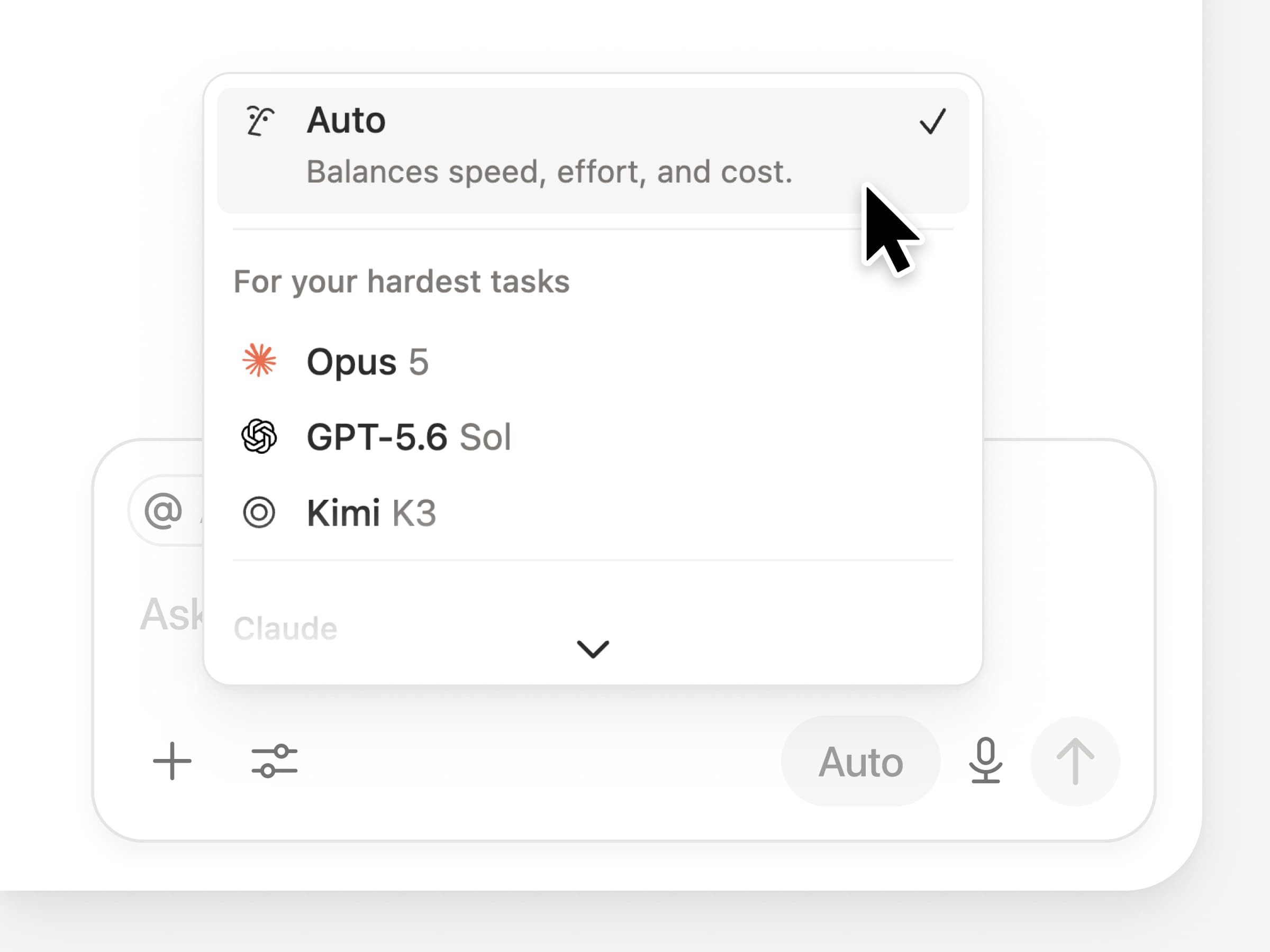
Saat käyttöoikeuden kaikkiin uusimpiin huippumalleihin Notionissa, mukaan lukien Opus 5, GPT-5.6 Sol ja Kimi K3. Uusi mallivalitsin on suunniteltu auttamaan sinua valitsemaan työhösi parhaiten sopiva malli, ja se sisältää ilmaisimet nopeudelle, älykkyydelle ja kustannuksille.

Uutta on myös Notion Knowledge Board, joka arvioi mallien suorituskykyä todellisessa, jokapäiväisessä työssä. Vertaa malleja →

Ja muutama muu…

  • Upota mukautettu palvelija mihin tahansa dokumenttiin. Lisää palvelija suoraan siihen kohtaan, jossa työ tapahtuu, jotta kuka tahansa sivulla oleva voi käyttää sitä. Katso, miten →

  • Mukautetut palvelijat julkisessa API:ssa. Hae pisteiden käyttö, valmiit suoritukset ja Tila, sekä ota käyttöön, poista käytöstä tai aseta rajoituksia mille tahansa palvelijalle. Business ja Enterprise. Lue Insights API -dokumentaatio →

  • Hallitse Workers ja yhteydet: Avaa uusi kehittäjäosio sivupalkista nähdäksesi jokaisen workerin, mihin se on yhdistetty ja lokit jokaisesta suorituksesta. Tutustu nyt →

  • palvelija-SDK, nyt julkisessa beetassa. Jatka mukautettujen palvelijoiden keskusteluja mistä tahansa, käynnistä ne sovelluksestasi ja suoratoista tulokset takaisin. Business ja Enterprise. Lue palvelija-SDK -dokumentaatio →

  • Kehittäjäportaali on nyt Notionissa. Hallitse Workersia, yhteyksiäsi ja henkilökohtaisia käyttöoikeustunnisteitasi yhdessä paikassa. Avaa portaali →

  • AI-haku on 50 % nopeampi. Vähemmän odottelua vastauksista ja agenttien tuloksista, jotka käyttävät työtilan kontekstia. Business ja Enterprise. Kokeile sitä →

  • Käy postilaatikkosi läpi. Pyydä Notion-palvelijaa ryhmittelemään ilmoitukset, näyttämään huomiota vaativat asiat ja auttamaan lopun siivoamisessa. Tutustu nyt →

Kokeile taitoja! Ja jaa, miten voimme parantaa sitä (meillä on lisää tulossa).

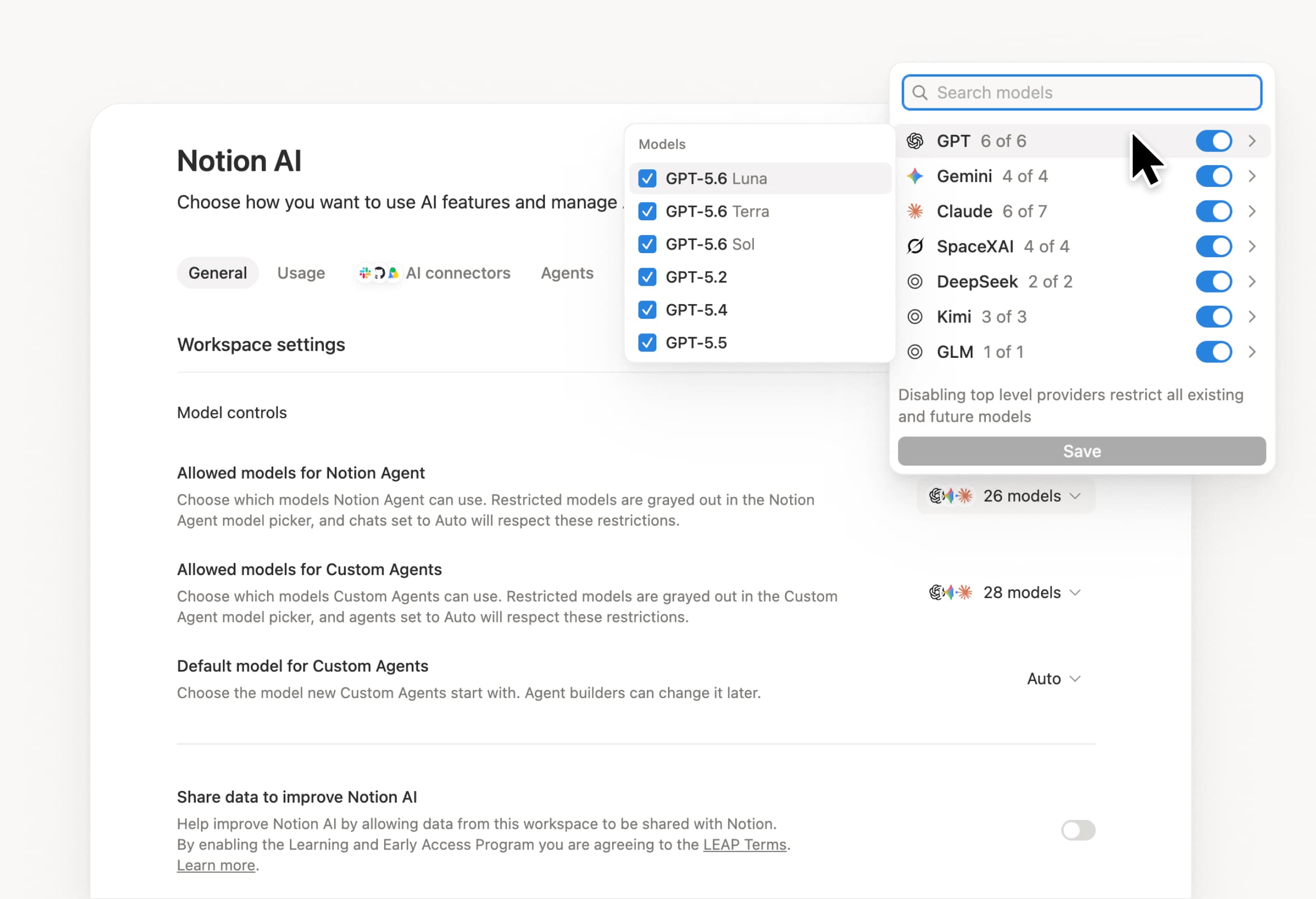
Control which AI models your agents can use

Control which AI models your agents can use

What’s on your team’s model roster? That’s up to you. With model controls, workspace owners can choose which AI models are available in Notion Agent and Custom Agents separately, and set a default model for Custom Agents. Keep costs predictable and support your compliance needs while your teams continue building. Available on Business and Enterprise plans.

Get started at Settings → Notion AI → General → Model controls.

Ask your agent to suggest edits

Your agents can now propose changes instead of making them directly. Ask your agent to suggest edits, then move top to bottom to approve each one. It’s great when you need line-level changes, like a pass for grammar.

Get started by asking your agent to “suggest edits.”

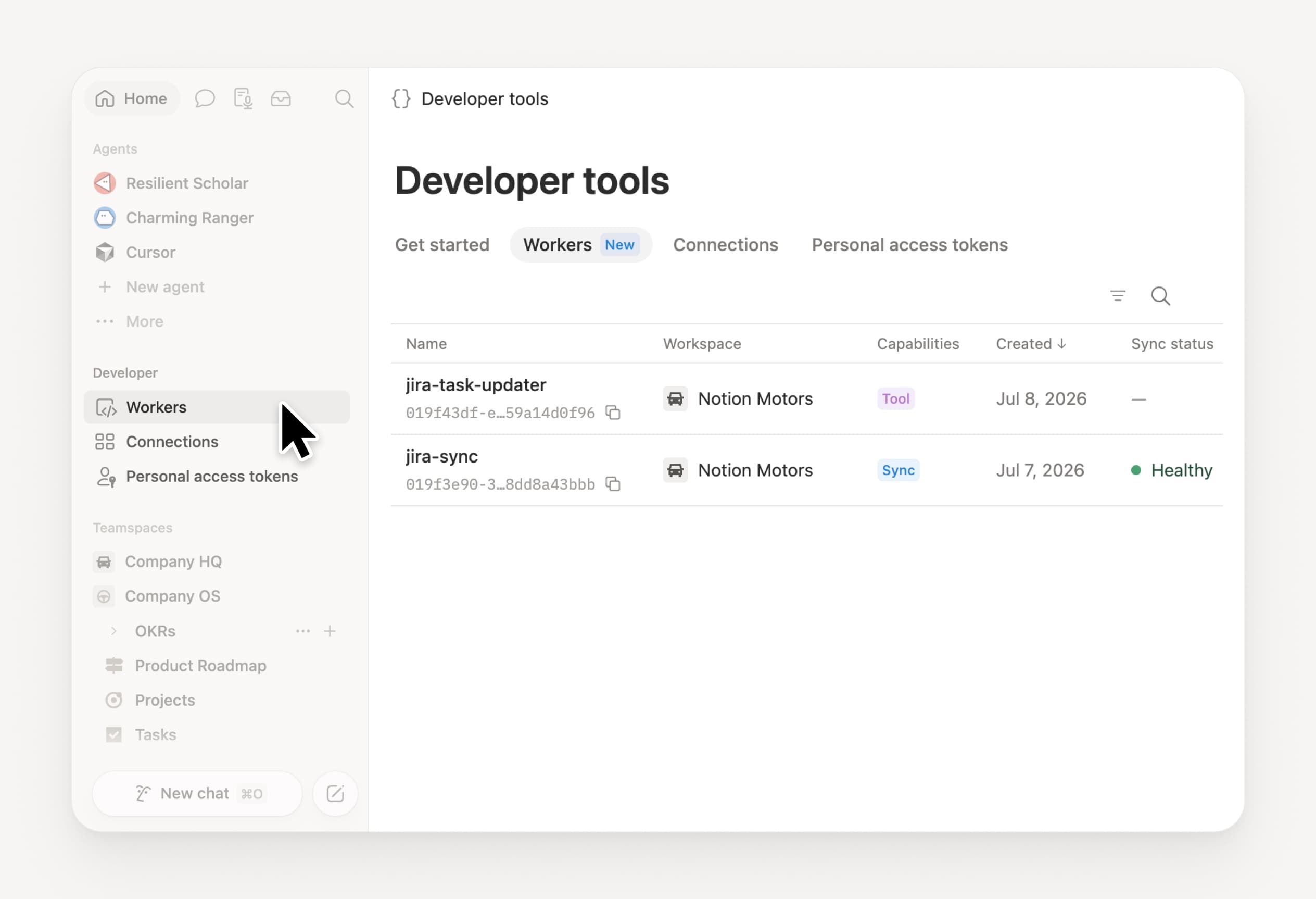
Your Developer Portal, now in the sidebar

Manage your Workers, connections, and personal access tokens from the new Developer section of your Notion workspace. See an overview of deployed Workers and logs behind every run.

Developer sidebar section

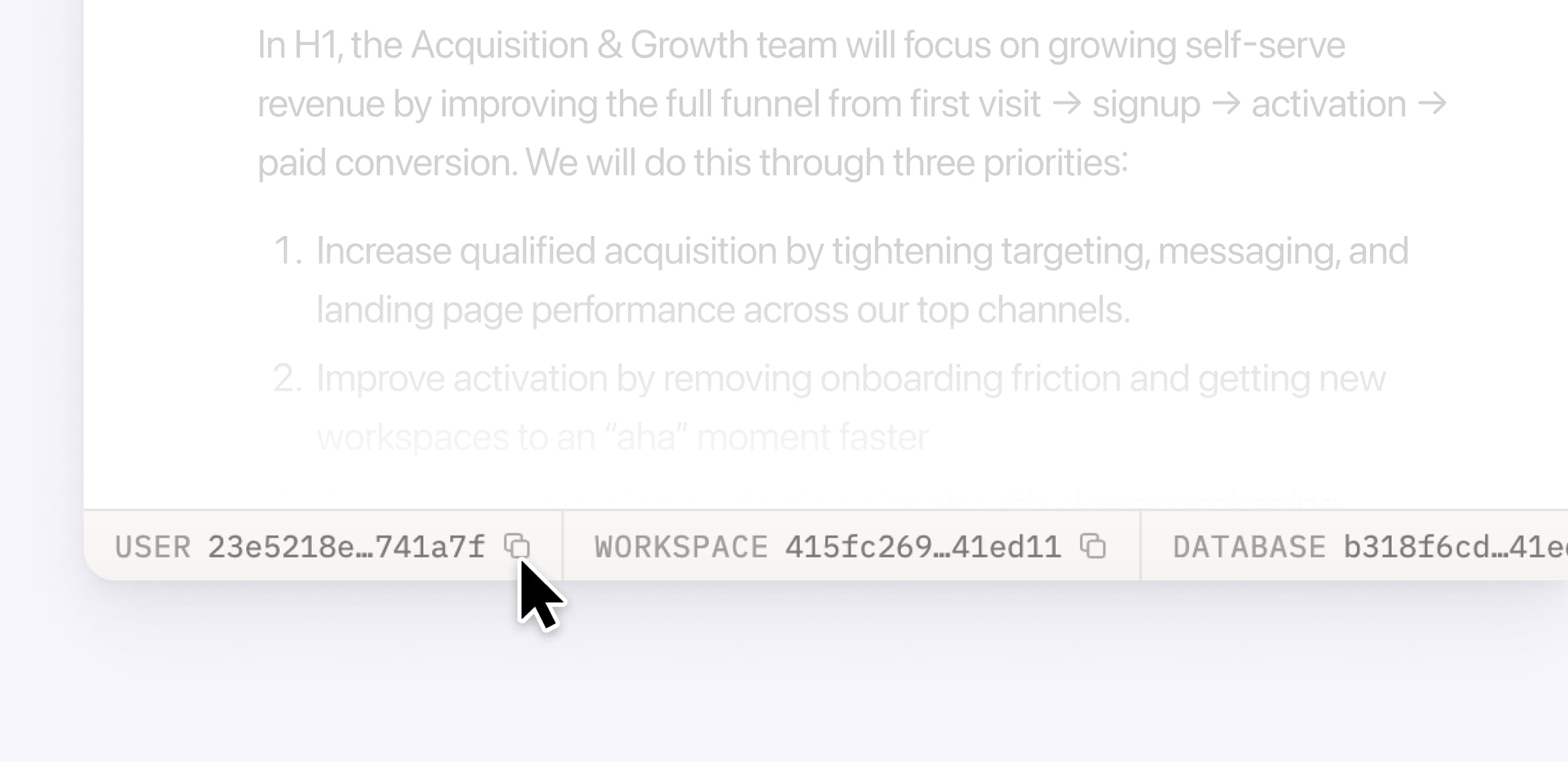
Plus, the new developer bar makes it easy for anyone building with the API to find IDs for the page, database, block, workspace, or user. Copy any one of them, or the full API object, in one click.

Developer bar

Get started from Settings → Developer → Enable developer features. Go there now →

Model selection, simplified

No more guessing which model to use.

The model picker now leads with a shortlist of models made for your hardest tasks, and every model has a scorecard to compare speed, intelligence, and cost. Pin your favorites for easy access and dial up the effort when you need a more thorough answer.

AI Meeting Notes can now trigger Custom Agents

Custom Agents can now run right after an AI Meeting Note is finished. No more need to manually update status trackers, post recaps to the project channel, or file tickets by hand.

Here’s a few of our favorite post-meeting workflows:

  • Update your project tracker with the latest status

  • Post a recap to Slack or email with decisions and next steps

  • Turn feedback into tickets for your engineering team

To get started, open your Custom Agent’s settings, add the Meeting note summarized trigger, and choose which meetings kick it off. After your next call, your agent will get to work.

High contrast mode

Accessibility win! High contrast mode is a new display option that makes text, icons, and borders easier to read.

Try it by going to Settings > Preferences > Appearance. Available on desktop and web.

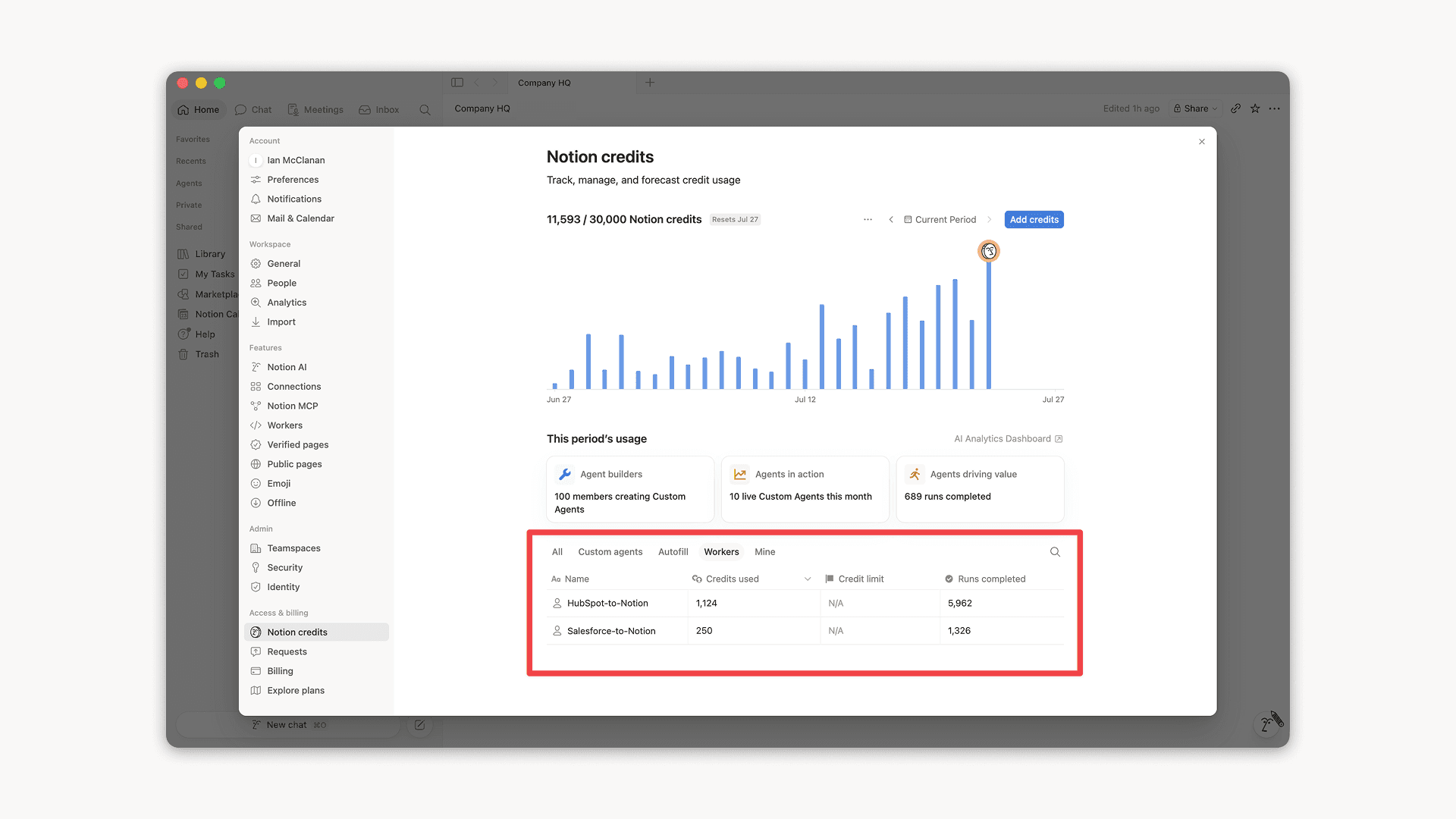
Workers, now in your Notion credits dashboard

Workers in the credits dashboard

Notion Workers run custom code on Notion's infrastructure to sync data, power tools for Custom Agents, and trigger webhook automations.

Now you can track your Workers’ usage in the credits dashboard, alongside your other spend.

Workers are free to try during the beta on Business and Enterprise plans (including Business trials). Usage is now visible in the dashboard to help your team size credits before the beta ends.

Learn more about the Notion Workers beta and pricing in our Help Center →

Powered by Fruition