Neue Funktionen

Bleibe über die neuesten Versionen, Verbesserungen und Fehlerbehebungen auf dem Laufenden.

@NotionHQ folgen
3.8

Notion 3.8: Kontext für deine Agenten
Context for your agents

Deine Agenten und Teams basieren auf Kontext. Wenn du Agenten wechselst, ein neues Tool hinzufügst oder ein neues Teammitglied begrüßt, solltest du nicht alles erneut erklären müssen. Notion bietet einen dauerhaften, geteilten Ort, an dem du festhalten kannst, was wichtig ist.

Bei diesem Update dreht sich alles um Kontext. Es geht darum, Daten, Tools und Fähigkeiten miteinander zu verbinden, damit du jeden Agenten und jedes Modell frei nutzen kannst.

Bei so vielen Veränderungen ist eins jedoch sicher: dein Kontext bleibt in Notion.

Agenten über das MCP mit Notion verbinden
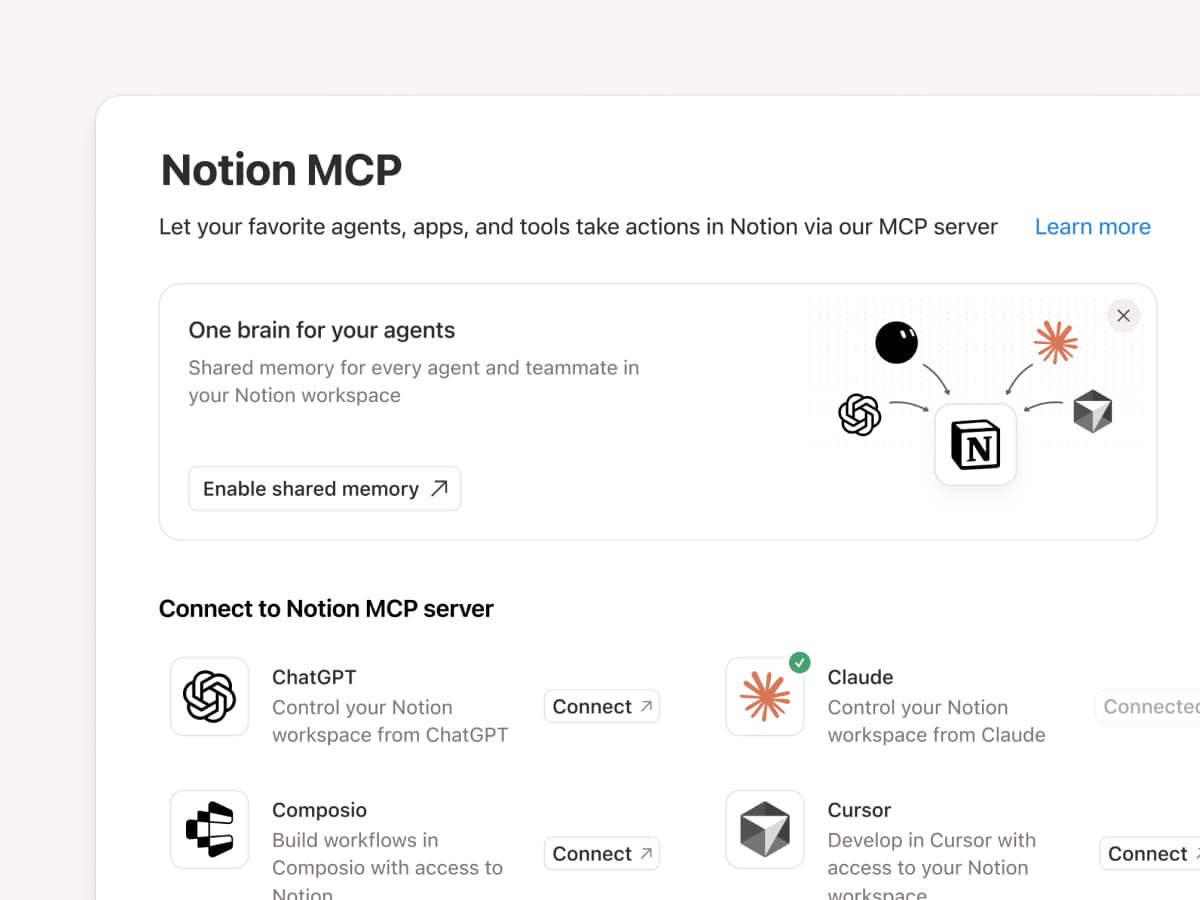
Verbinde einen MCP-kompatiblen Agenten mit Notion, damit er deinen Workspace-Kontext lesen und Dokumente sowie Aufgaben-Tracker aktualisieren kann. Egal, ob du Claudes, Muses, GrokBots, Dots oder einen anderen Agenten verwendest: Notion bietet ihnen einen geteilten Ort, an dem sie finden, was sie brauchen. So kannst du Agenten wechseln, ohne von vorne anfangen zu müssen. Einen Agenten mit Notion einrichten →

Und mit den MCP-Steuerelementen von Notion können Admins sehen, wer welches KI-Tool verbunden hat, prüfen, wann es zuletzt verwendet wurde, und den Zugriff einer Person widerrufen, ohne andere Verbindungen zu beeinträchtigen. MCP-Steuerelemente einrichten →

Verbinde deine Notion Agents über das MCP mit mehr als 150 Tools
MCP

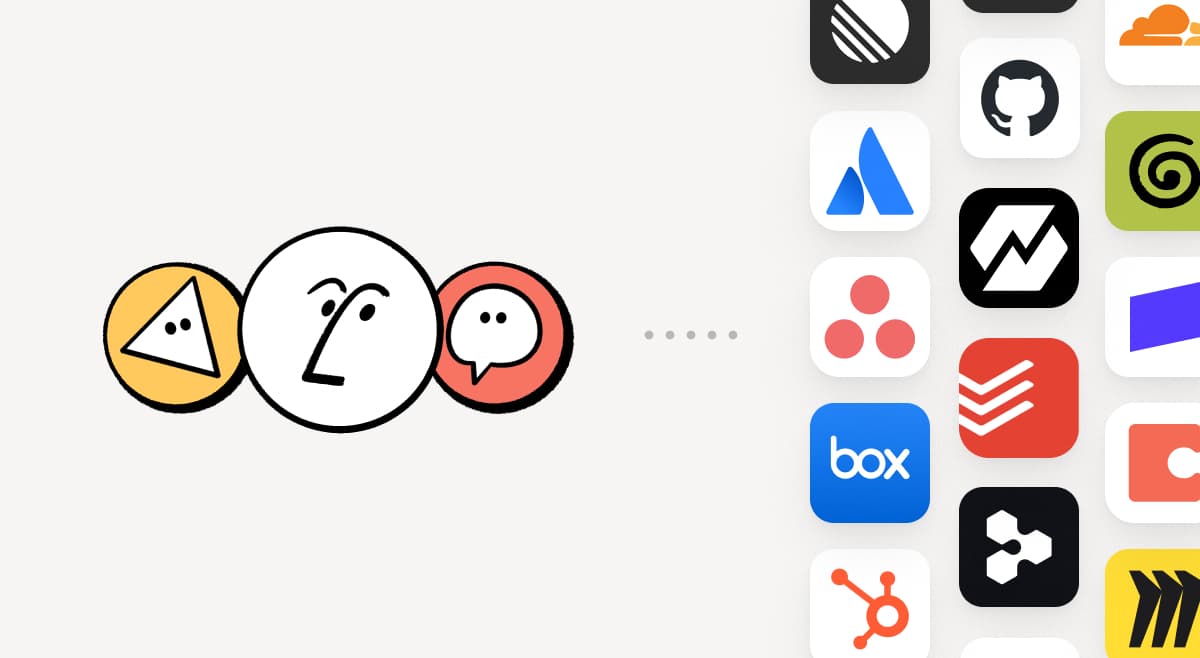
Füge die Tools, die dein Team bereits verwendet, in Notion dazu. MCP-Verbindungen ermöglichen es Notion Agents und Custom Agents, den Kontext aus diesen Tools zu nutzen und übergreifend Aktionen auszuführen. Erstelle in Notion ein Konto-Briefing unter Verwendung von HubSpot-Pipeline-Daten, füge Stripe-Abrechnungsdetails zu einer Kundenbewertung hinzu oder integriere Cloudflare-Infrastrukturdetails in eine Postmortem-Analyse. Und das ist erst der Anfang. Über 150 MCP-Verbindungen durchsuchen →

Schreibe eine Fähigkeit ein einziges Mal. Nutze sie mit jedem Agenten.
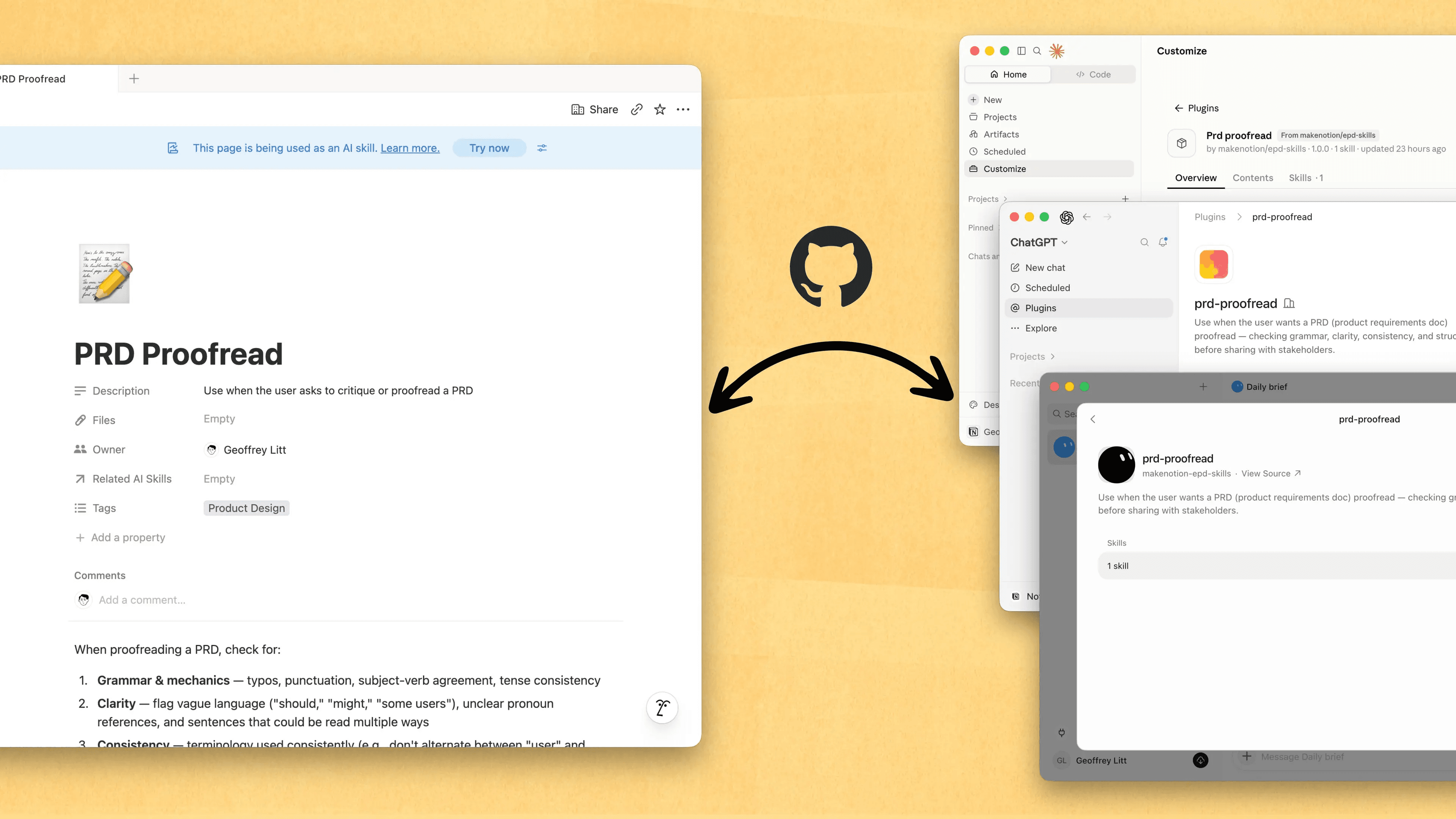
Write a skill once. Use it with every agent.

Fähigkeiten sind der beste Weg, Agenten beizubringen, wie du arbeitest … und das nicht nur für Entwickler/-innen. Jetzt ist Notion der beste Ort, um sie zu erstellen, zu teilen und auf dem neuesten Stand zu halten. Synchronisiere deine Fähigkeiten über ChatGPT, Claude und mehr hinweg mit der neuen Skills API, die Fähigkeiten aus Notion in GitHub lädt.

Hast du bereits Fähigkeiten für deine Agenten? Bitte deinen Agenten, sie mithilfe des MCP in Notion neu zu erstellen, und baue deine Bibliothek dann dort weiter aus. Hier findest du eine kurze Demo und weitere Unterlagen, um mehr zu erfahren.

Sieh dir jede Änderung von jeder Person und jedem Agenten an
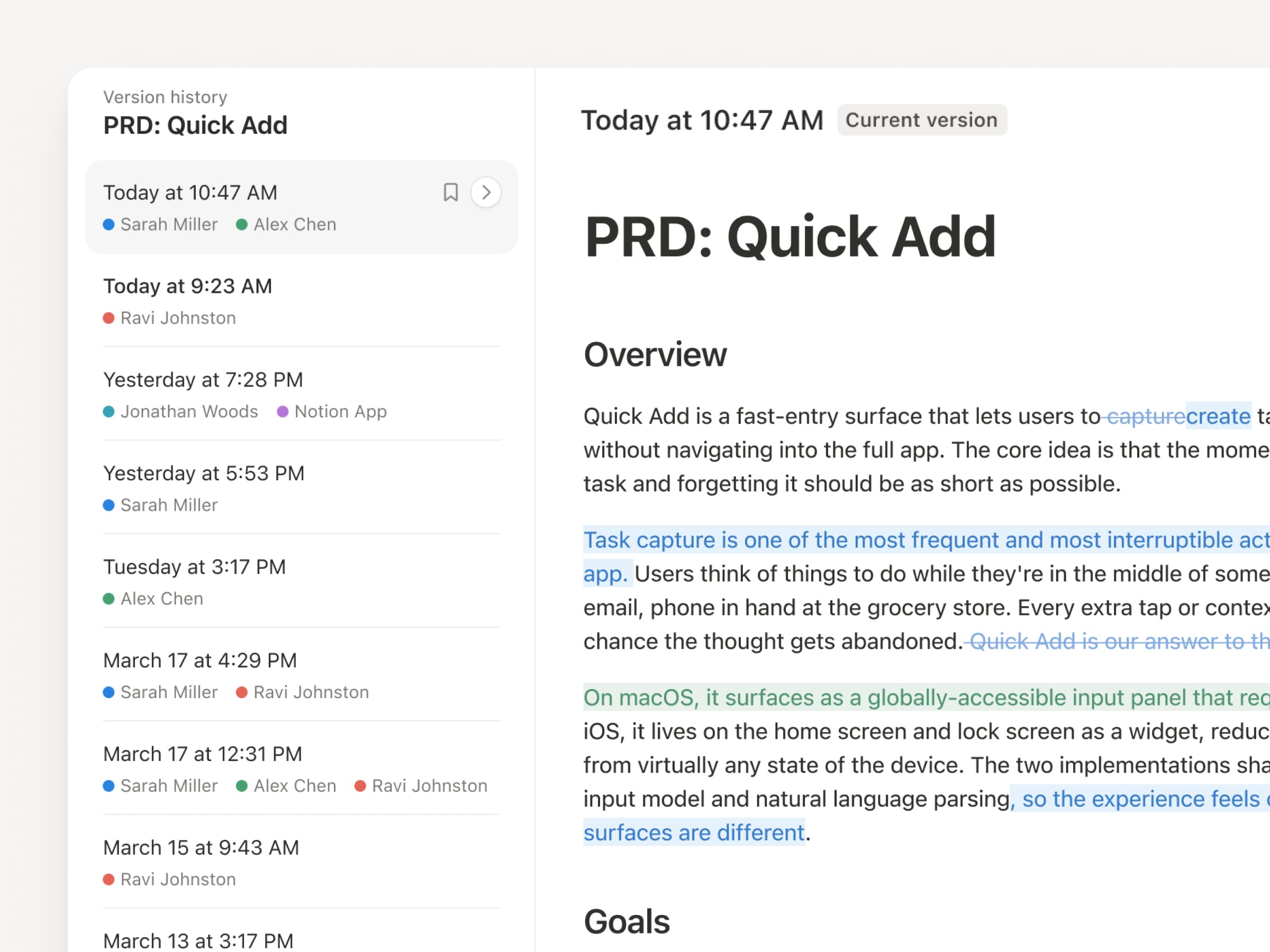
Da Agenten und Personen ständig Updates vornehmen, war der Versionsverlauf noch nie so wichtig wie jetzt. Also haben wir unseren Versionsverlauf verbessert! Du erhältst über Seiten und Datenbanken hinweg eine übersichtlichere Aufzeichnung, mit hervorgehobenen Bearbeitungen, detaillierten Datenbankänderungen und Zuordnungen. Lass deine Agenten arbeiten, während ihre Änderungen stets sichtbar und sicher sind. Überprüfe, was sich geändert hat, sieh nach, wer es geändert hat, und stelle frühere Versionen mit einem schnellen Klick wieder her. Mehr erfahren →

Zahl nicht doppelt. Nutze deinen ChatGPT-Plan in Notion.
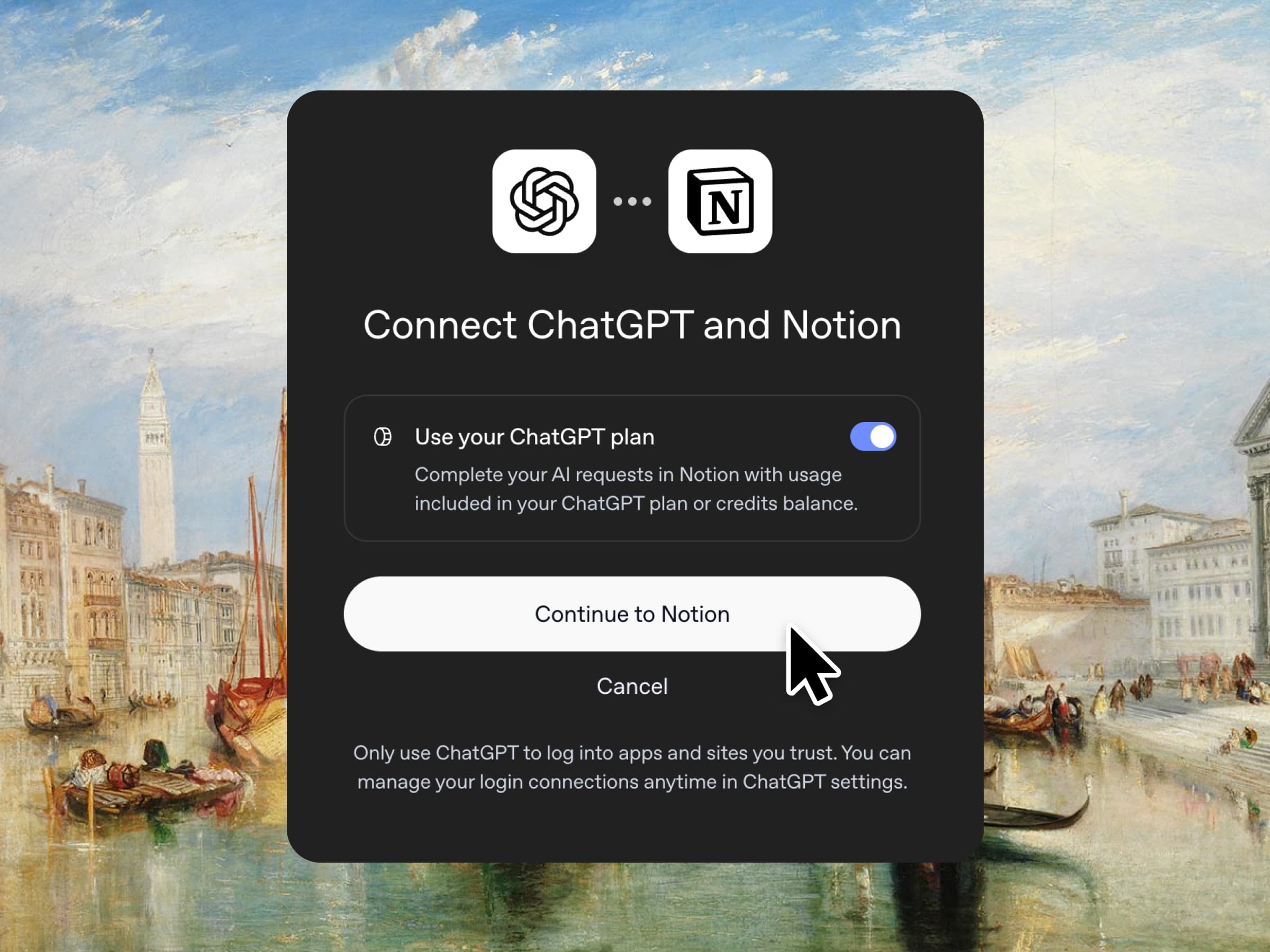
Ja, du hast richtig gelesen. Wenn du ChatGPT Plus oder Pro hast, kann dein Abo jetzt deine KI-Nutzung in Notion abdecken. Verbinde einfach deinen Plan, wähle ein GPT-Modell aus und leg los. Wir erheben keinen Preisaufschlag. Wir wollen einfach, dass du die besten Tools für deine Arbeit zum besten Preis bekommst. Verfügbar für Business und Enterprise Plans. Sieh dir eine kurze Demo und die entsprechenden Unterlagen an.

Spaltenberechtigungen in Datenbanken
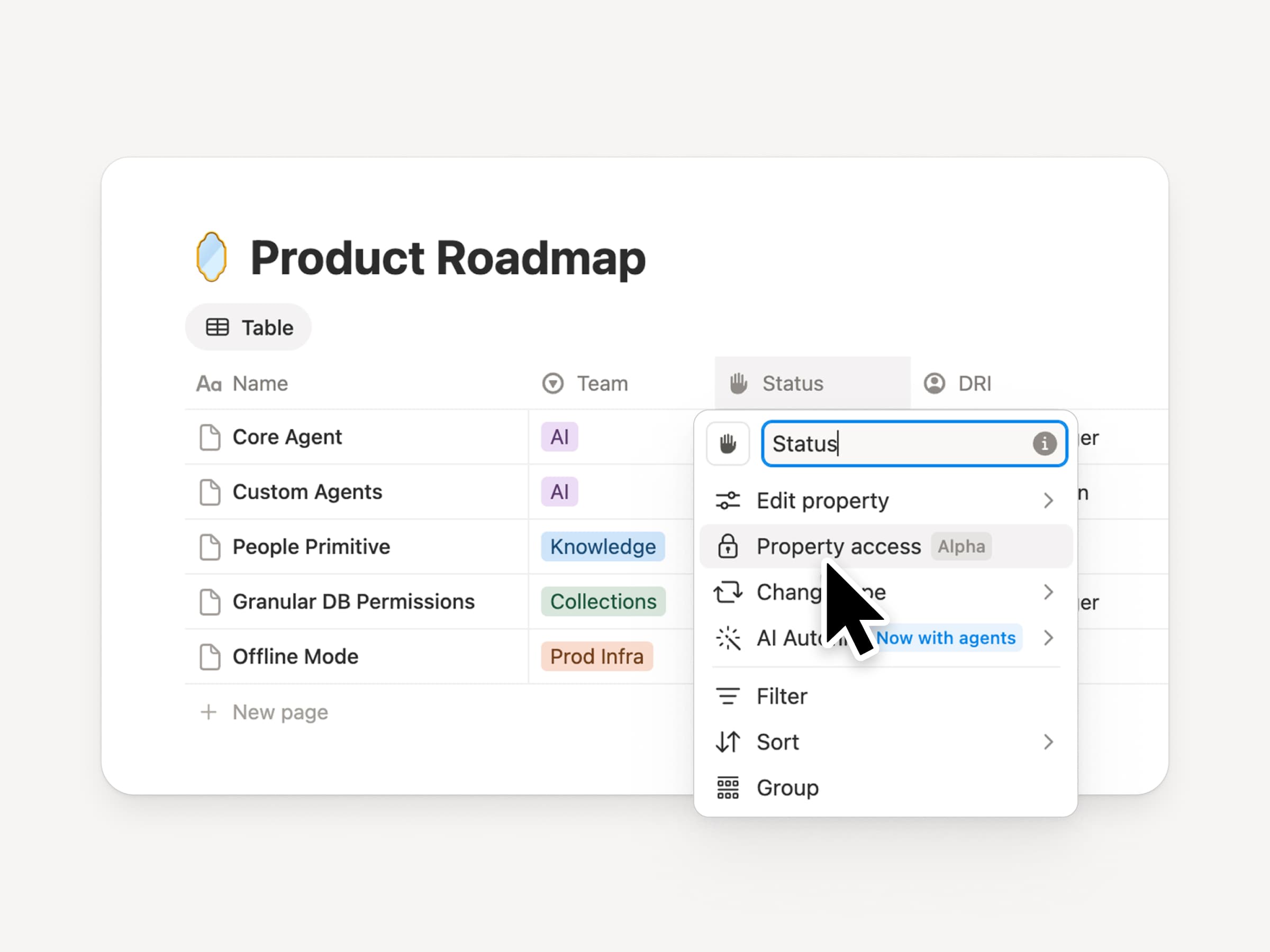
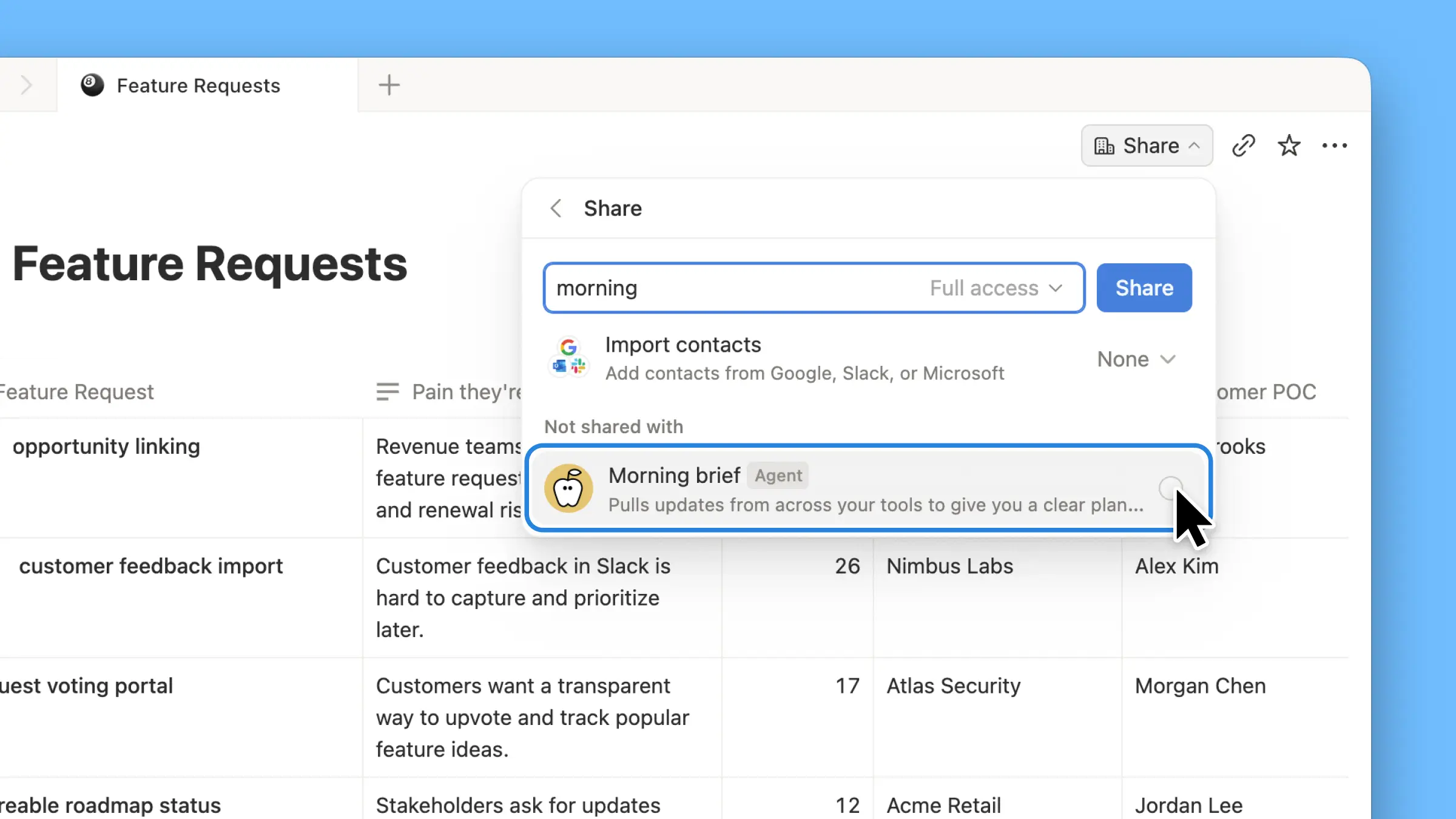
Notion-Datenbanken bieten Teams und Agenten eine geteilte, aktuelle Kontextquelle. Doch sowohl Teams als auch Agenten benötigen die richtige Zugriffsebene. Spaltenberechtigungen waren jahrelang eine der am häufigsten angefragten Funktionen(wir haben uns Zeit genommen, diese Funktion richtig umzusetzen). Sie ermöglichen es den Besitzer-/innen von Datenbanken, festzulegen, welche Eigenschaften jede Person oder jeder Agent anzeigen oder bearbeiten kann. Recruiting-Teams können bei Bewerbern zusammenarbeiten, ohne Vergütungsdaten offenzulegen. Support-Agenten können den Kontokontext nutzen, ohne eingeschränkte Kundendaten zu sehen. Sieh dir den Trailer von einem der Creators an!

Wiedereinführung synchronisierter Datenbanken
Reintroducing synced databases

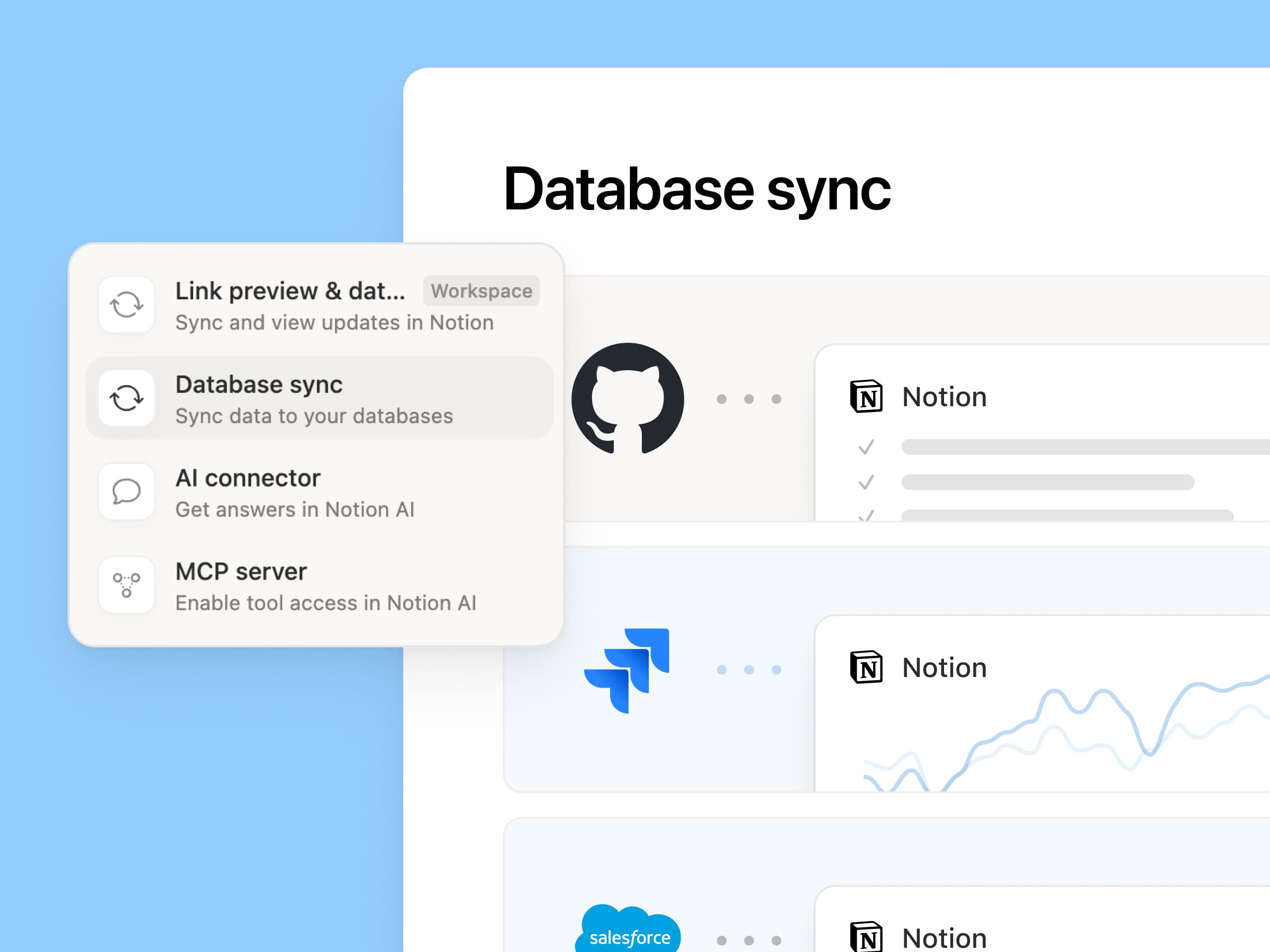
Wir haben unsere synchronisierten Datenbanken überarbeitet, beginnend mit GitHub, Jira und Salesforce, damit deine Teams und Agenten immer mit den aktuellsten Daten arbeiten. Sie sind schneller, zuverlässiger und zeigen einen Live-Status für jede Synchronisierung an. Sie funktionieren wie jede andere Notion-Datenbank, sodass du eigene Eigenschaften hinzufügen, Ansichten erstellen und Automatisierungen auslösen kannst. Bei Notion erstellen wir Kunden-Hubs, indem wir Salesforce-Konten synchronisieren und mit Meeting-Notizen sowie Funktionsanfragen verknüpfen, sodass jedes Team mit derselben aktuellen Ansicht jedes Kunden arbeitet. Mehr erfahren →

Neue Woche, neue Modelle
New week, new models

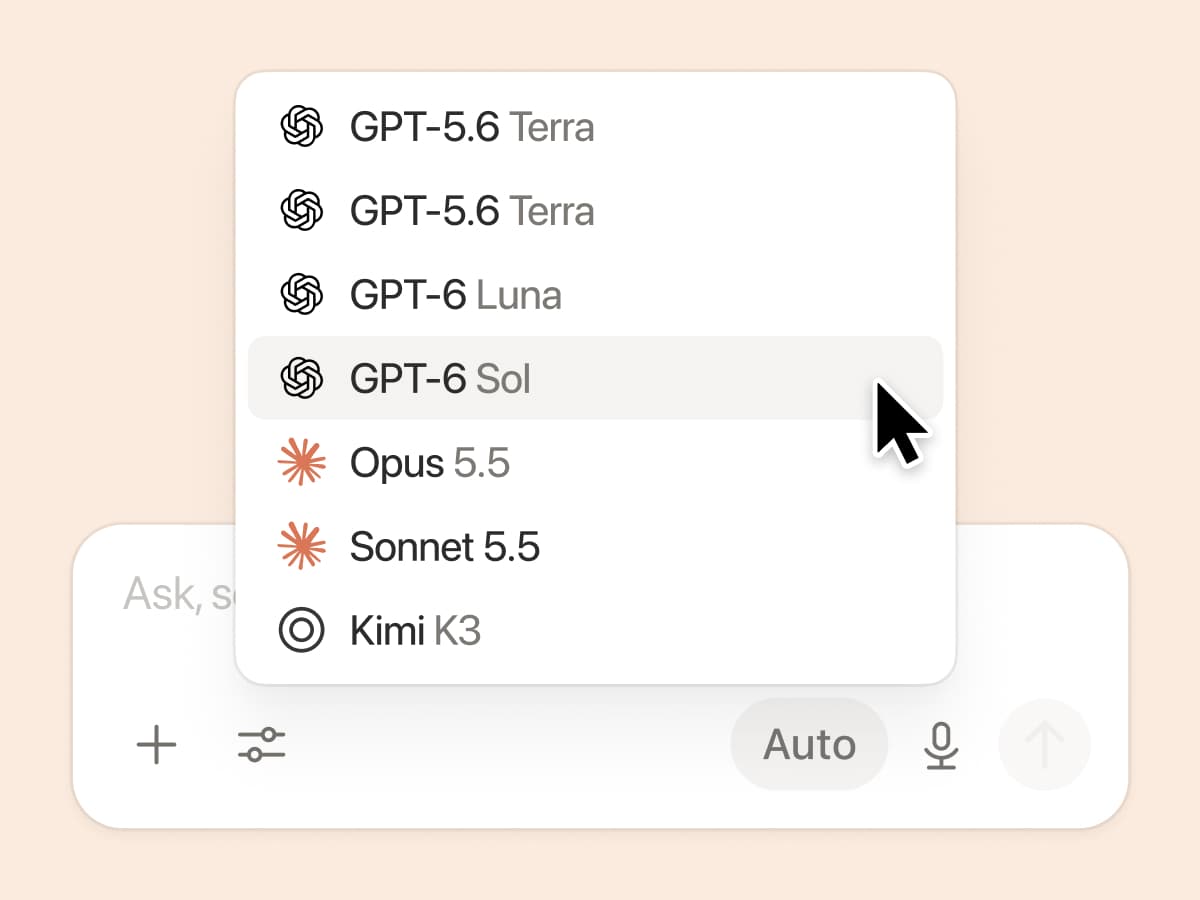
Die Labs sind wieder am Werk. Sieben neue Modelle wurden hinzugefügt, darunter GPT 6.1-Sol, GPT-6 Luna, Opus 5.5 und Sonnet 5.5. Du kannst alle Modelle nutzen und darauf vertrauen, dass sie alle stets über den aktuellen Stand deiner Teamarbeit informiert sind.

Und falls du es verpasst hast: Wir haben bewertet, wie Modelle bei einer Vielzahl von Wissensarbeitsaufgaben abschneiden – basierend auf anonymisiertem Live-Traffic und einer Bewertung durch Modelle. Sieh dir unser Knowledge Board → an

Weitere Möglichkeiten, Kontext anzubinden und zu verwalten

  • Neu gestaltete Verbindungseinstellungen: Suche oder stöbere nach Kategorie, schau dir an, wie jedes Tool verbunden wird, und sieh dir Beispiel-Workflows an. Admins haben die Möglichkeit, nur von Notion verifizierte Tools oder bestimmte Tools ihrer Wahl zuzulassen.

  • Notion-Benachrichtigungen in Microsoft Teams: Erhalte Notion-Erwähnungen, -Kommentare und -Zugriffsanfragen in Teams und antworte, ohne die App zu wechseln.

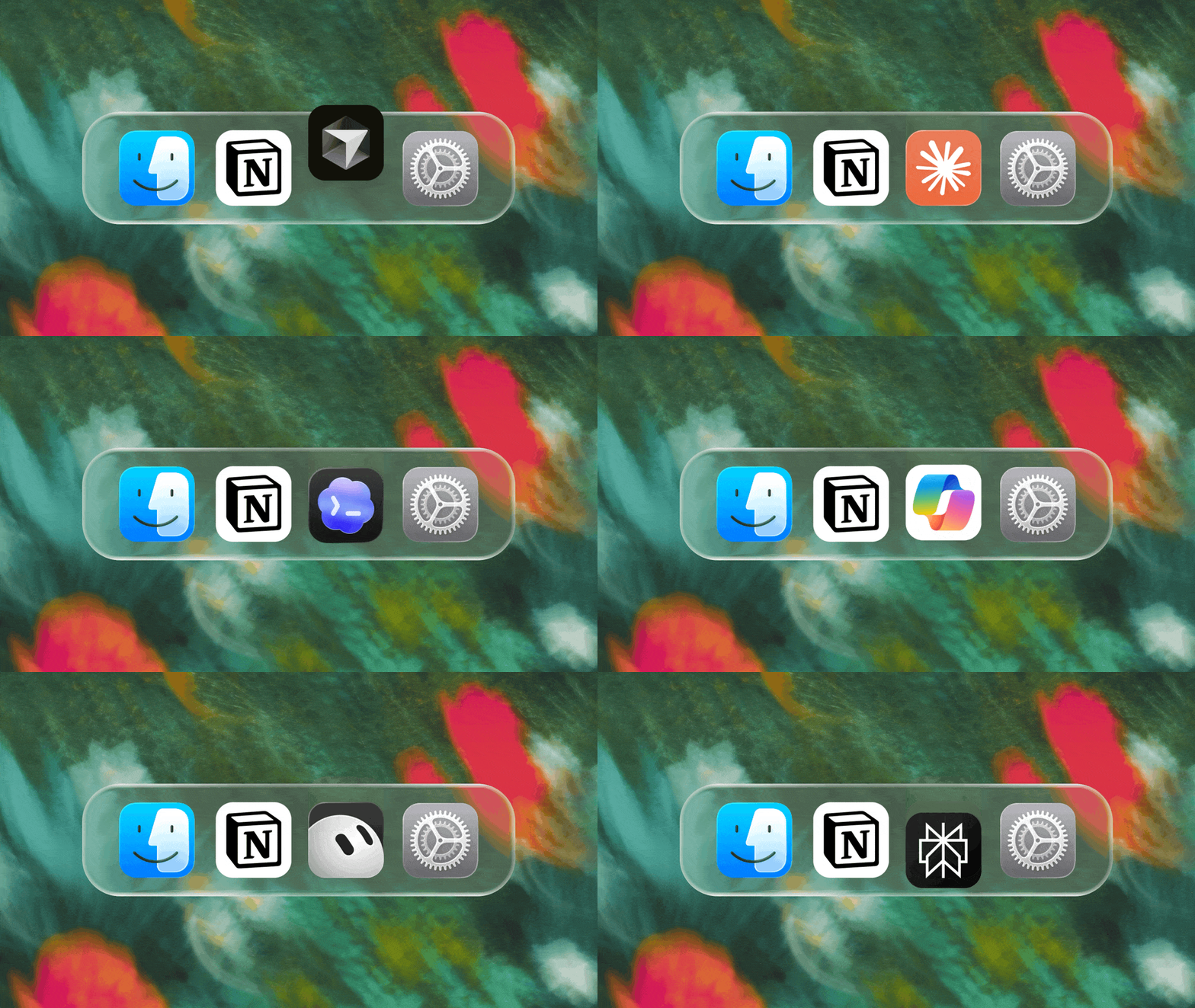
Wir können es kaum erwarten zu sehen, wie Notion zum Rückgrat deines Docks wird.
3.7

Notion 3.7: Agent skills for your whole team

What's New 3.7

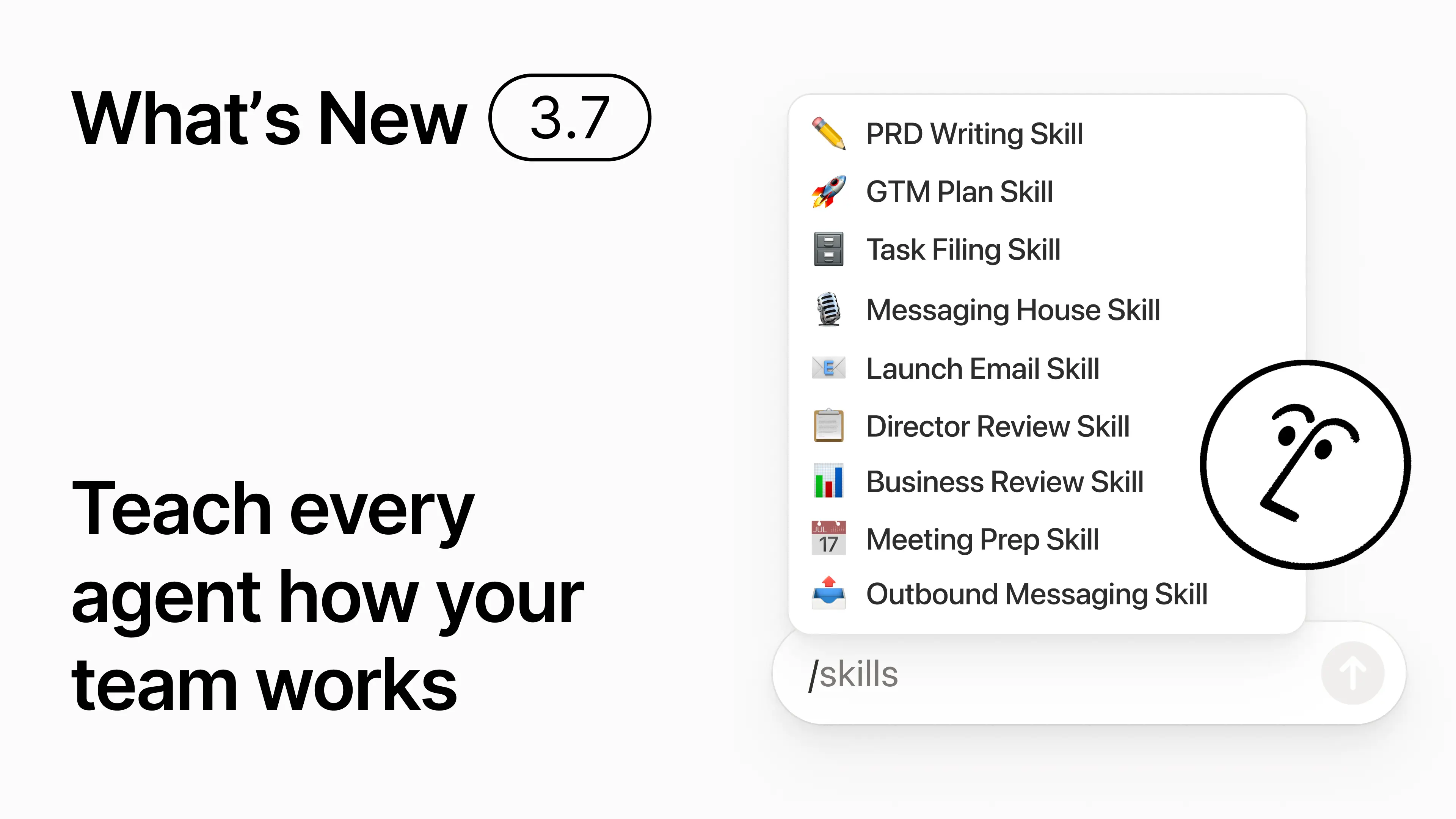
You know how some people are really good at prompting AI? Or they’ve figured out the best way to handle repetitive work? Now they can turn that know-how into a skill and level up the whole team.

Skills are reusable instructions that teach AI how your team works. Like generating a monthly business review in your team’s format. Or critiquing your doc in the same way your boss would. They’re like team shortcuts for getting repetitive tasks done. Create a skill →

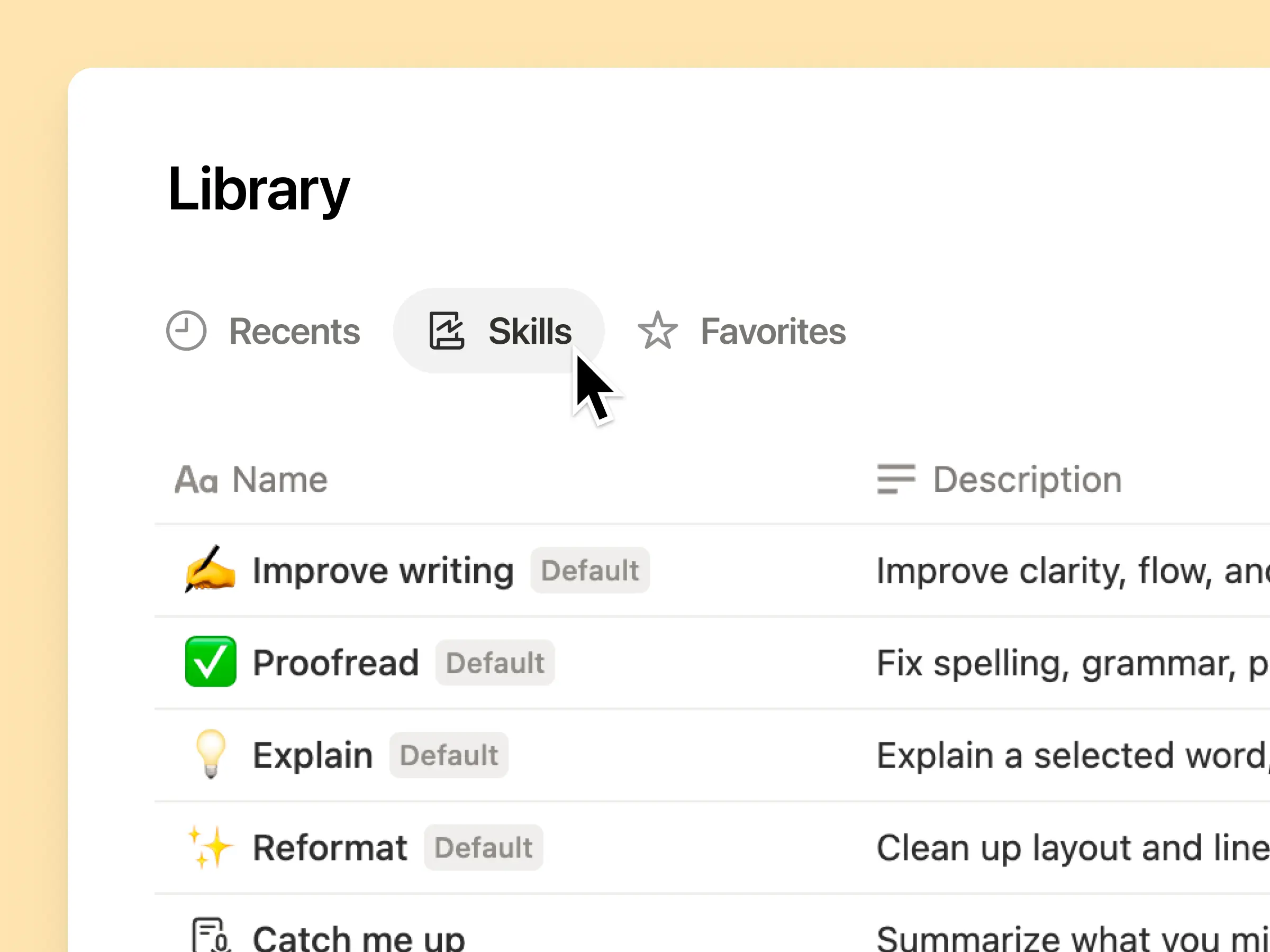
Every AI skill your team needs, in one library

Great prompts tend to live in one person’s head or otherwise disappear into standalone docs and chats. The skills library gives your workspace one hub for all shared skills. Browse the skills library →

Put related skills in a Notion database, then share one skill or the whole database. Each team gets one easy place to find its go-to skills, and everyone stays on the latest version. Learn more →

Write it once, and AI runs it your way

Chat with Notion Agent to create a skill from scratch:

  1. Review this feature proposal using our product, design, and engineering standards.

  2. Create a new-hire setup checklist using our device and app policies.

  3. Draft this job description using our leveling framework and approved language.

Not sure where to start? Notion can also suggest skills based on the work you already do. What skills do I need? →

Run a skill the moment you need it

Run Skill

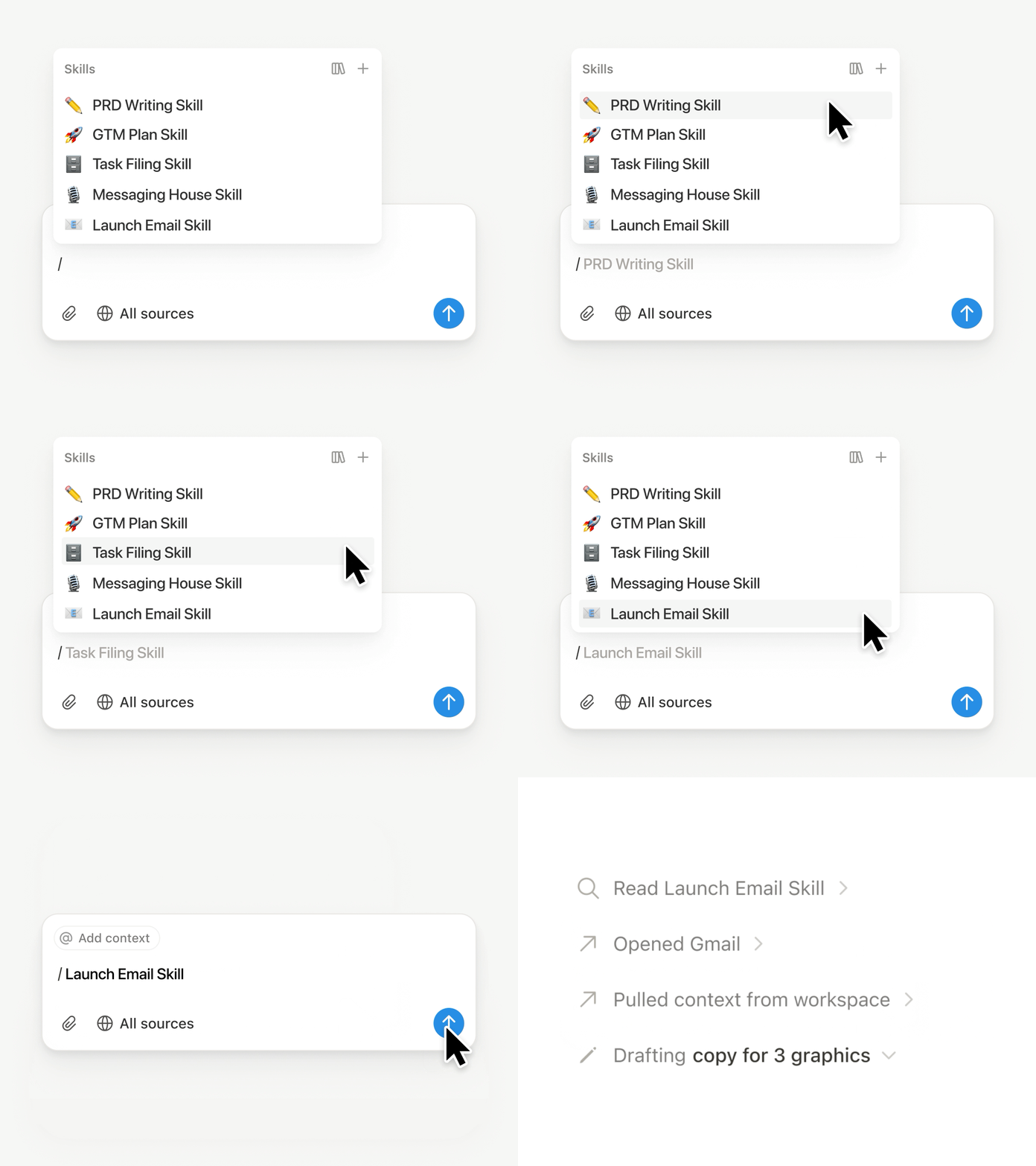
Type / in a Notion Agent chat and choose the skill you want to use. Add any other context, then hit Enter.

Run an Exec-ready skill to turn a draft into a concise executive brief with the takeaway, decisions, risks, and asks. Or turn raw notes into a PRD. You can also set skills to run automatically. Learn more →

Take your team’s skills to Claude Code, Codex, Cursor, and more

Skills to Claude or Codex

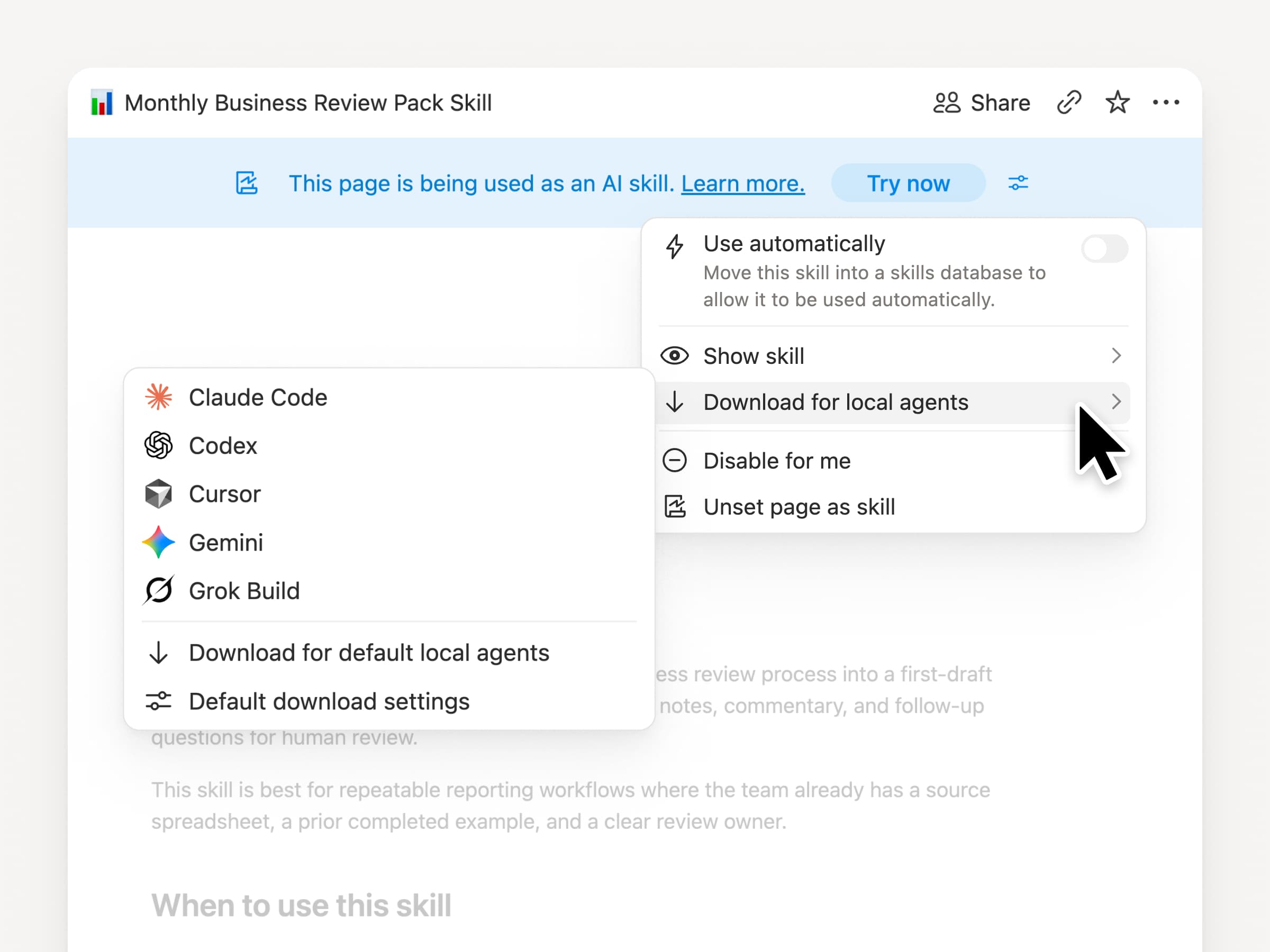
Take your skills with you, no matter what agent you use. Create and update the skill in Notion, then download it to Claude Code, Codex, Cursor, Gemini, or Grok.

Notion writes the skill as a SKILL.md file, along with approved supporting files. When the skill changes in Notion, it gets marked with a badge so you know to grab the latest version. Your team maintains the instructions in one place and your local agents can follow the same process. Learn more →

Ask your agent to connect GitHub, Amplitude, and more

Connect more to your agent

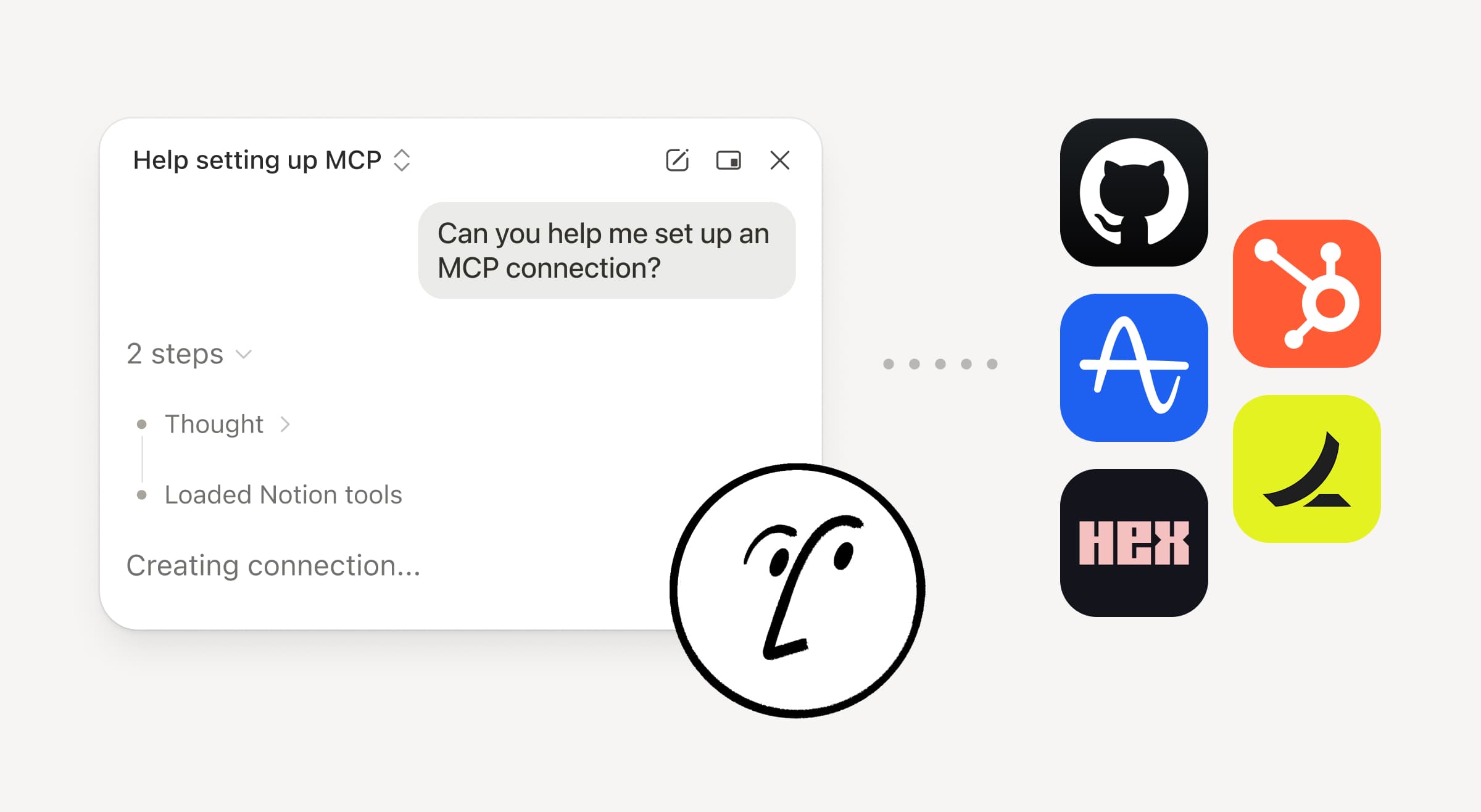
Bring more of your work into Notion Agent. Just ask it to connect a tool, and it walks you through the setup. You can now connect GitHub, Amplitude, and other tools with the Custom MCP connection so you can grab context, check performance, or take action in the tools your team already uses. Connect to GitHub →

Confirmations keep you in control, so nothing changes in a connected tool until you approve it. Available in beta on Business and Enterprise plans. Learn more →

On the go? Use the Notion Agents iOS app

Notion Agents App

Your best ideas won’t wait until you’re back at your desk. The Notion Agents iOS app puts 1,000 agents in your pocket. Capture ideas and voice and photos, prep for a meeting, or spin up a doc when you’re on the move. Give an agent a task and it gets it done before you’re back at your laptop.

Have your Custom Agent call sub-agents

Sub Agents

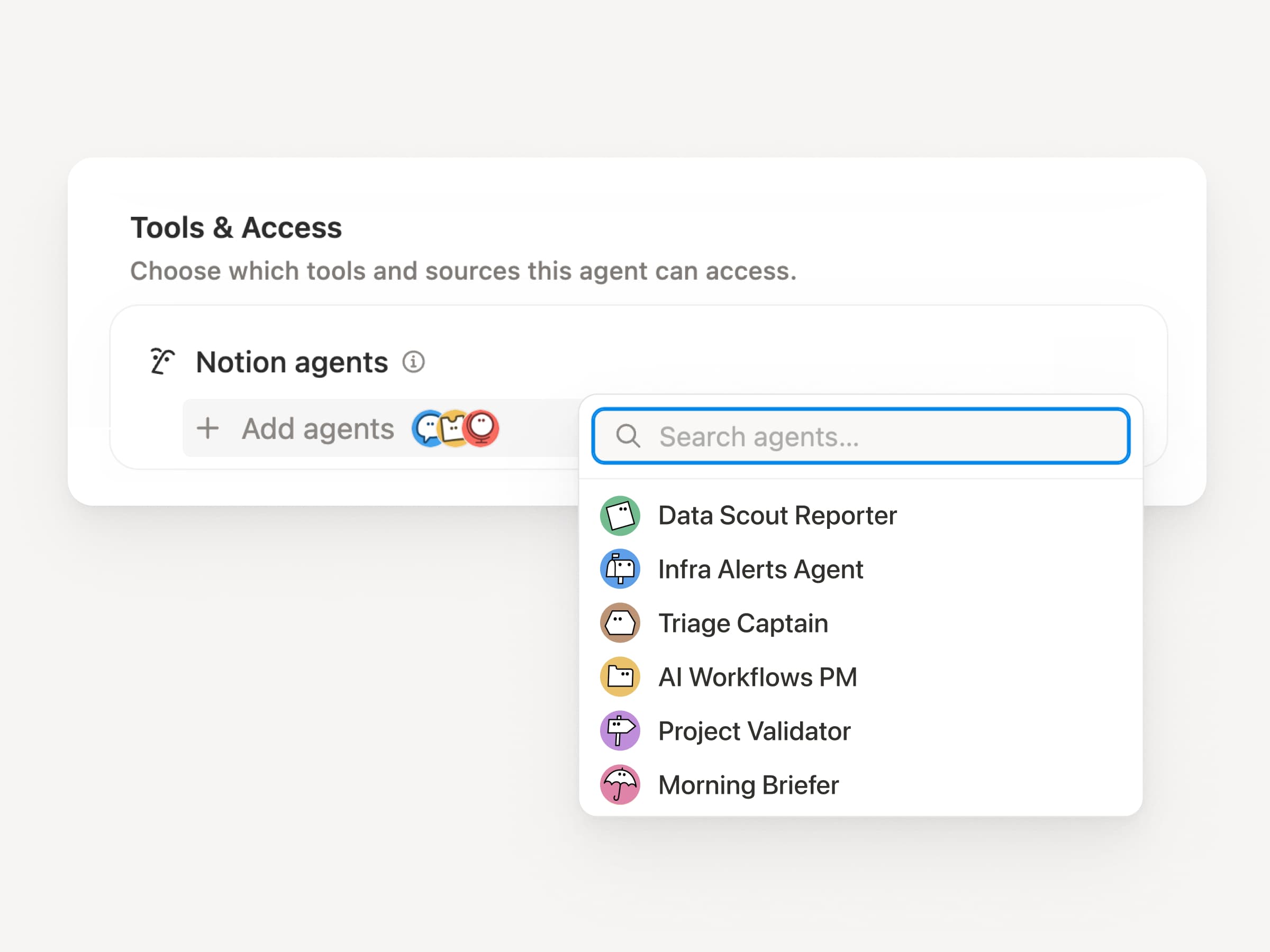
Big workflows are rarely one job. Now a Custom Agent can call other Custom Agents as sub-agents, each with its own instructions, context, access, and model. Learn more →

A Mobile App PM agent can send bug reports to a triage agent and metrics questions to a reporting agent, then bring the answers back into one Slack update. The primary agent decides when to delegate and uses each response to finish the original work. Remote runs its IT help desk on five agents this way and saves $500k a year.

Custom Agents can do the post-meeting work for you

Meeting Recap Agent

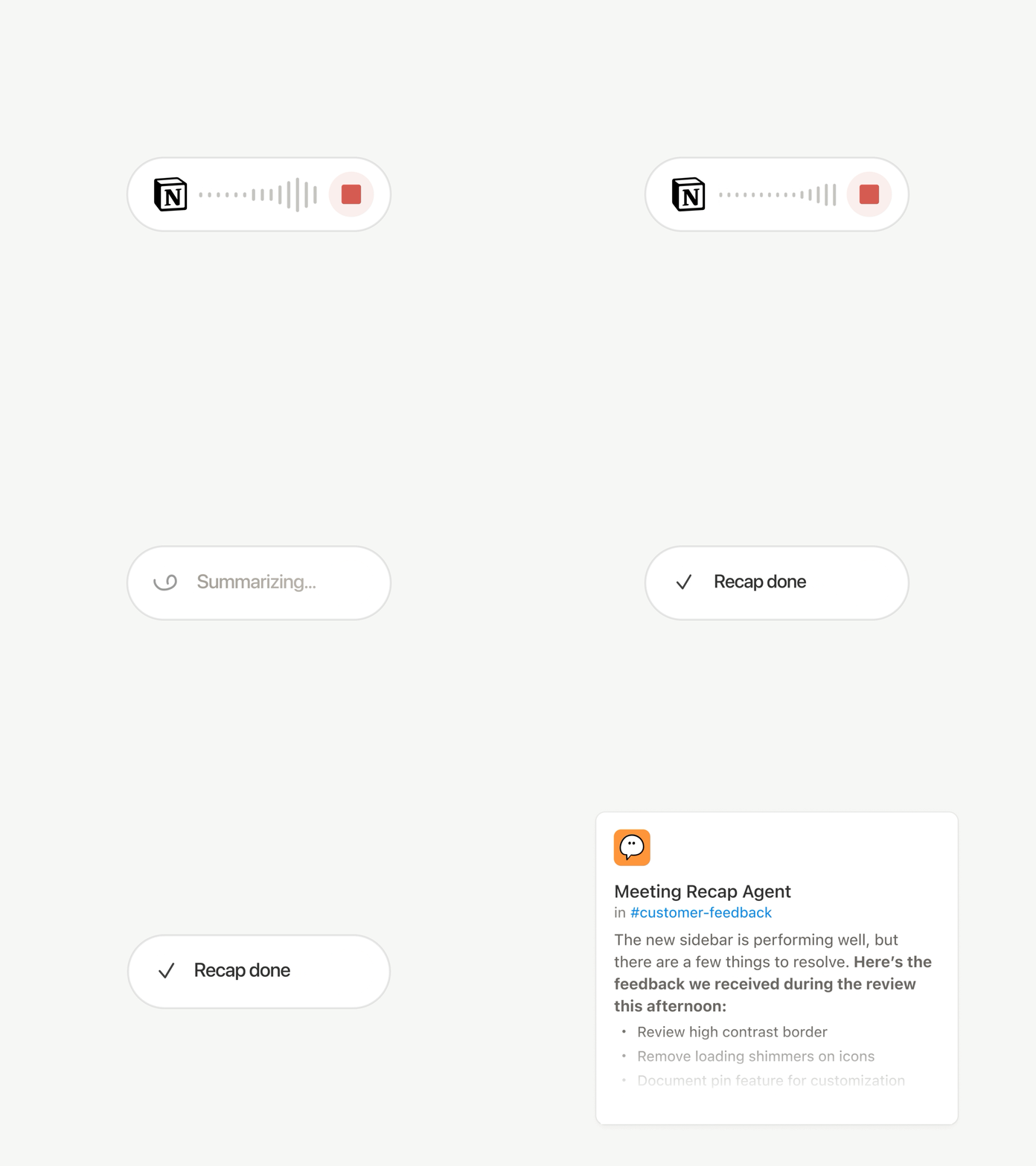
Every call ends with the same chores: Write the recap, file the action items, ping the people who weren’t there. Now Custom Agents can handle post-meeting work automatically.

Choose which meetings matter, then let a Custom Agent pick up the work as soon as each summary is ready. It gets the transcript and summary, so it can write the status update, file the action items, or send customer feedback to the right database. Available on Business and Enterprise plans. Learn more →

Browse every model, and see which is best for the job

Latest Models

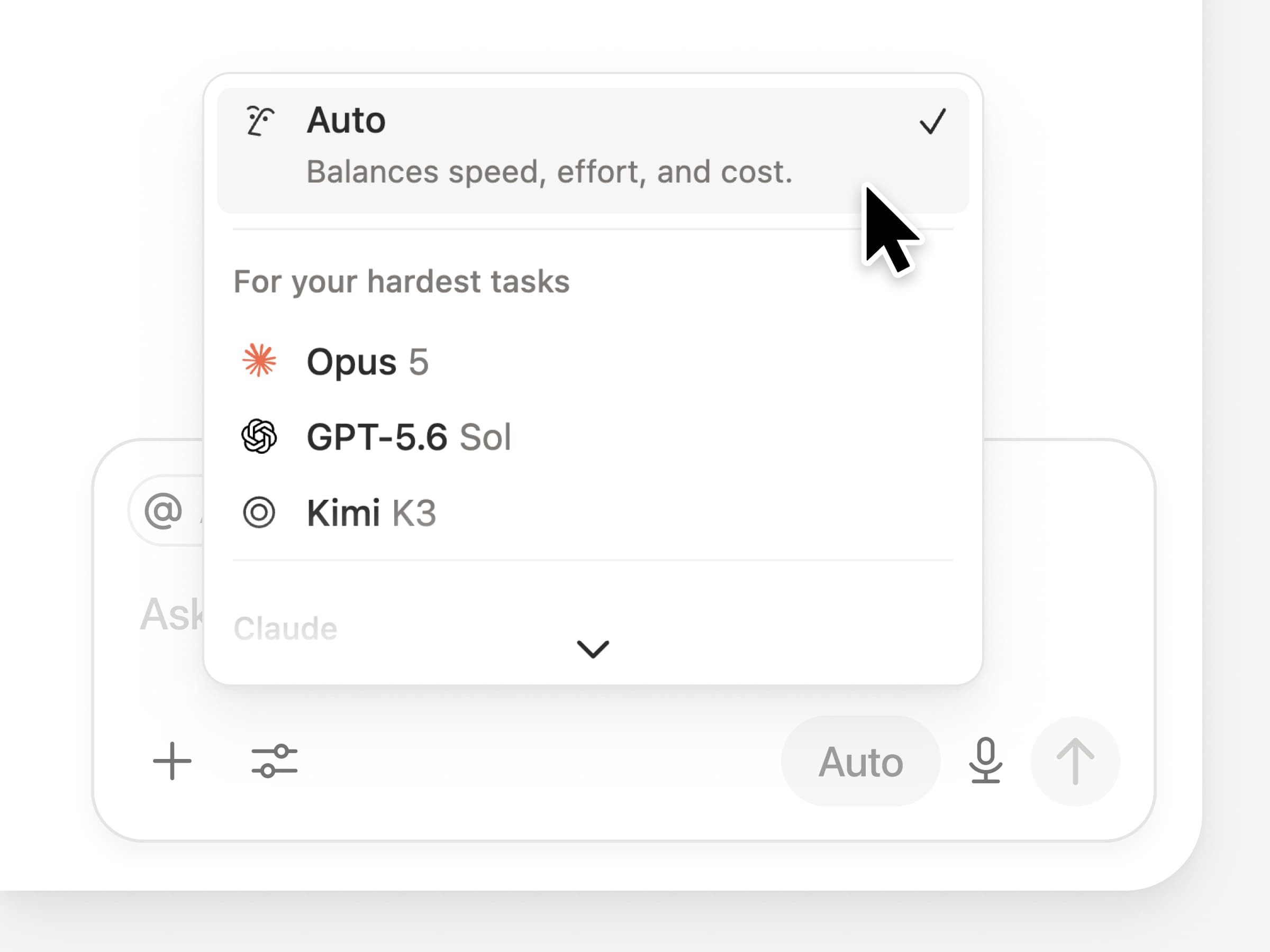
You get access to all the latest frontier models in Notion, including Opus 5, GPT-5.6 Sol, and Kimi K3. The new model picker is redesigned to help you choose the best model for your work, with indicators for speed, intelligence, and costs.

Also new is the Notion Knowledge Board, which evaluates model performance on real, everyday work. Compare models →

And a few more…

  • Embed a Custom Agent in any doc. Drop an agent right where the work happens, so anyone on the page can use it. See how →

  • Custom Agent Insights in the Public API. Pull credit usage, completed runs, and status and enable, disable, or set limits for any agent. Business and Enterprise. Read the Insights API docs →

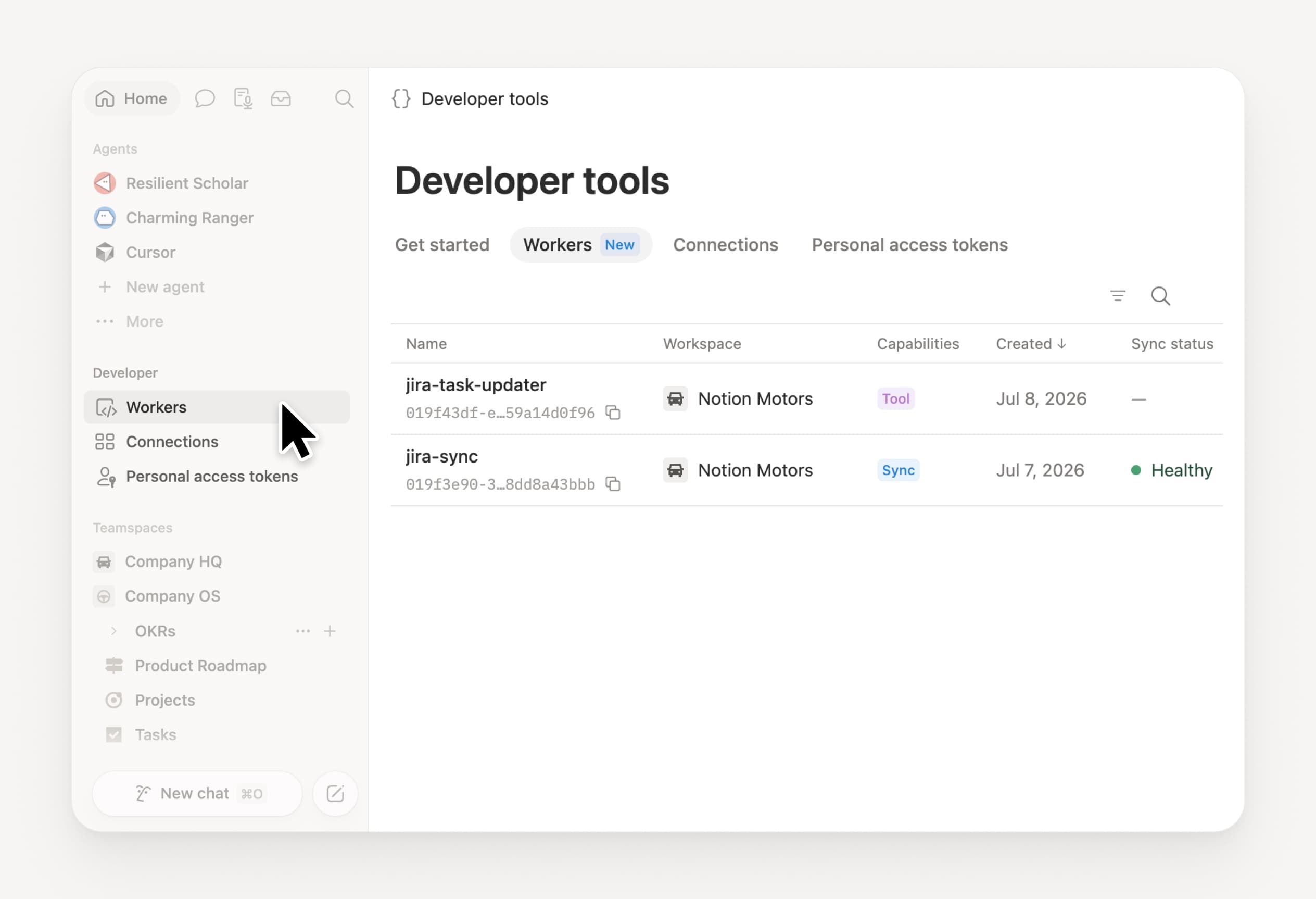
  • Manage your Workers and connections: Open the new Developer section in the sidebar to see every Worker, where it’s connected, and the logs from each run. Check it out →

  • Agent SDK, now in public beta. Continue Custom Agent conversations from anywhere, trigger them from your app, and stream results back. Business and Enterprise. Read the Agent SDK docs →

  • Developer Portal now lives in Notion. Manage your Workers, connections, and personal access tokens in one place. Open the portal →

  • AI Search is 50% faster. Less waiting on answers and agent outputs that use workspace context. Business and Enterprise. Give it a try →

  • Catch up on your inbox. Ask Notion Agent to group notifications, show what needs attention, and help clear the rest. Check it out →

Give skills a try! And share how we can make it better (we’ve got more cooking).

Control which AI models your agents can use

Control which AI models your agents can use

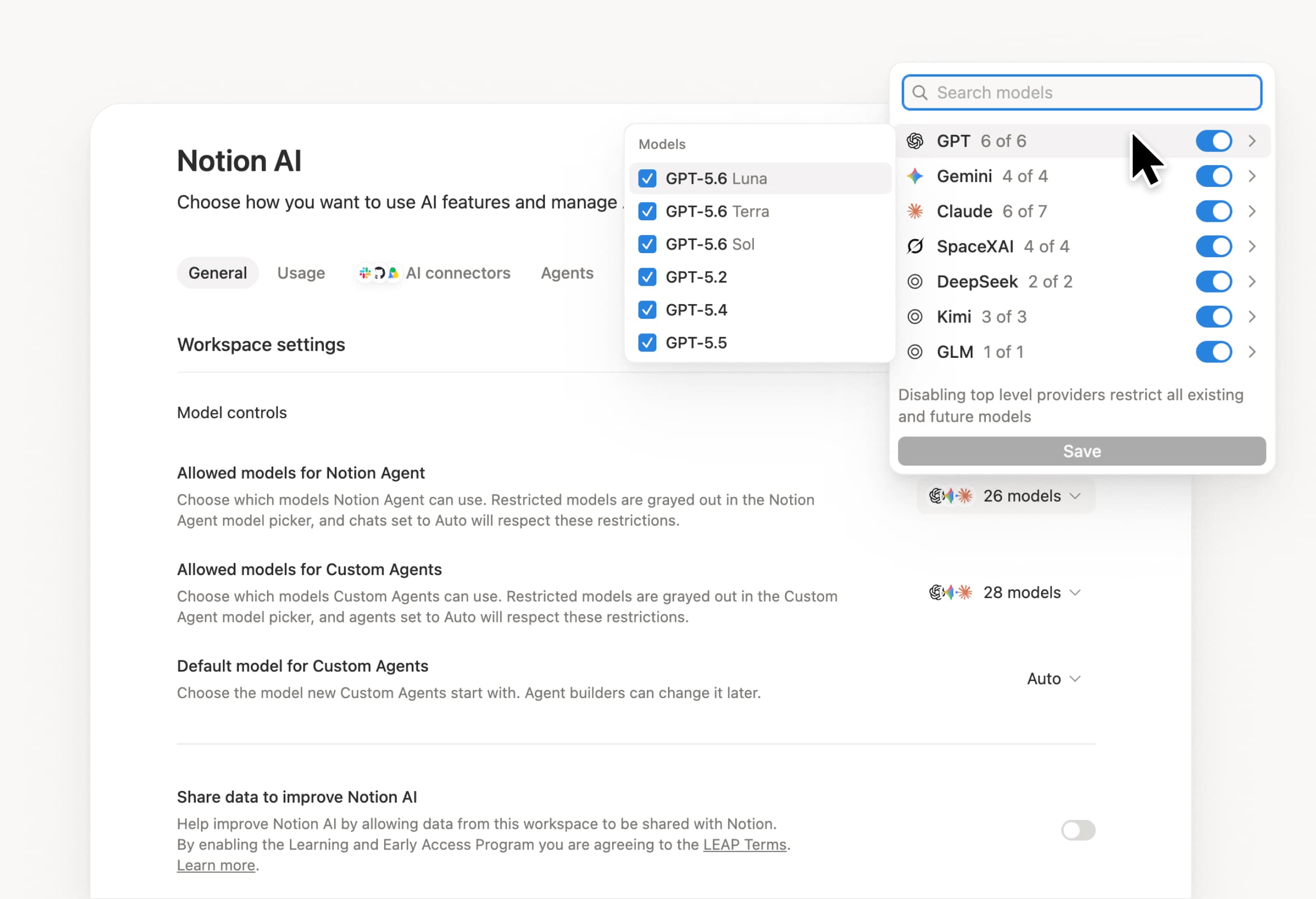
What’s on your team’s model roster? That’s up to you. With model controls, workspace owners can choose which AI models are available in Notion Agent and Custom Agents separately, and set a default model for Custom Agents. Keep costs predictable and support your compliance needs while your teams continue building. Available on Business and Enterprise plans.

Get started at Settings → Notion AI → General → Model controls.

Bitte deinen Agent, Änderungen vorzuschlagen.

Deine Agents können jetzt Änderungen vorschlagen, anstatt sie direkt vorzunehmen. Bitte deinen Agent, Änderungen vorzuschlagen, und genehmige sie dann nacheinander von oben nach unten. Wenn du zeilenweise Änderungen benötigst, etwa für die Grammatik, ist das optimal.

Bitte den Agent zunächst, „Änderungen vorzuschlagen“.

Your Developer Portal, now in the sidebar

Manage your Workers, connections, and personal access tokens from the new Developer section of your Notion workspace. See an overview of deployed Workers and logs behind every run.

Developer sidebar section

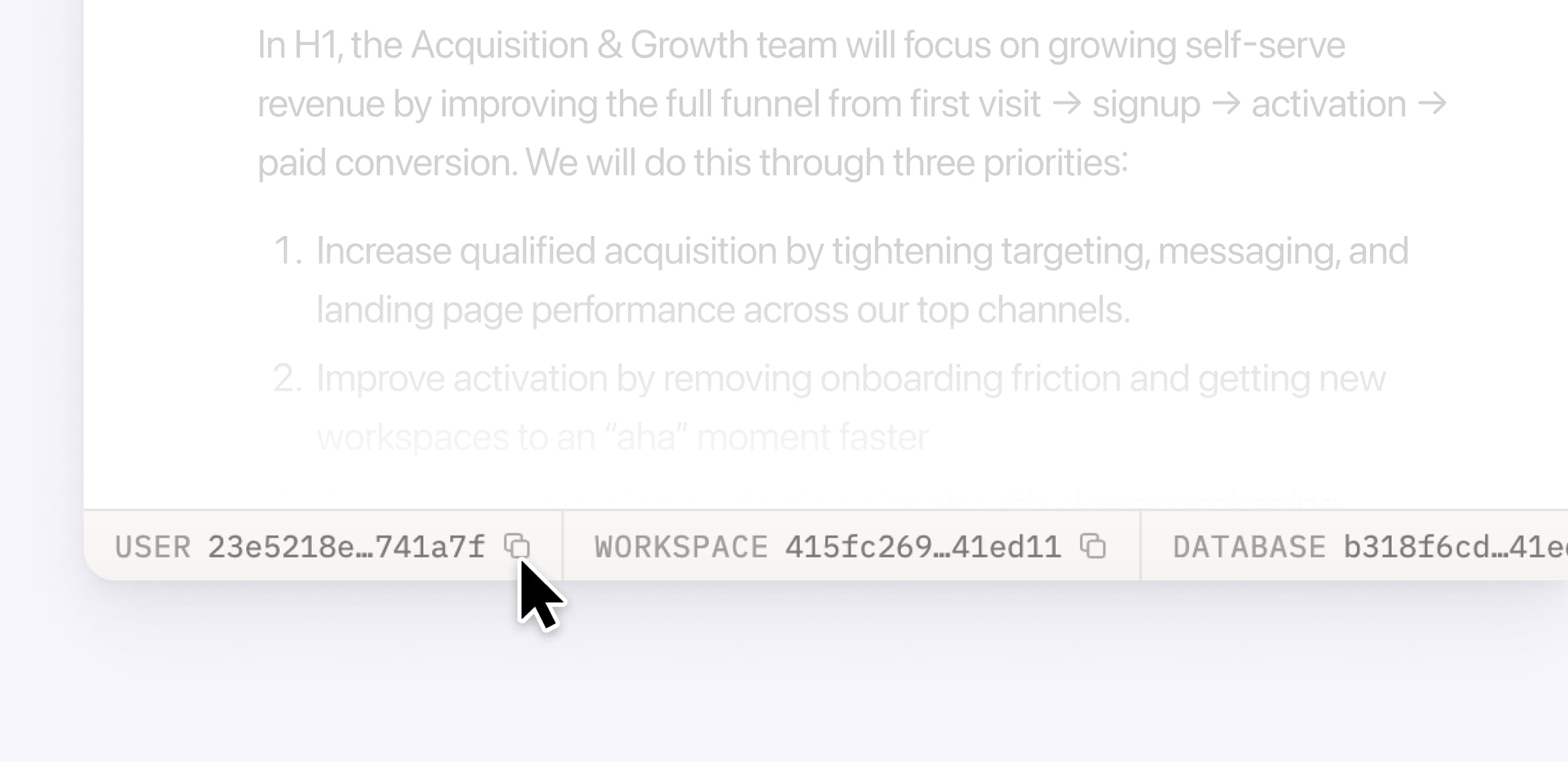
Plus, the new developer bar makes it easy for anyone building with the API to find IDs for the page, database, block, workspace, or user. Copy any one of them, or the full API object, in one click.

Developer bar

Get started from Settings → Developer → Enable developer features. Go there now →

Model selection, simplified

No more guessing which model to use.

The model picker now leads with a shortlist of models made for your hardest tasks, and every model has a scorecard to compare speed, intelligence, and cost. Pin your favorites for easy access and dial up the effort when you need a more thorough answer.

AI Meeting Notes can now trigger Custom Agents

Custom Agents can now run right after an AI Meeting Note is finished. No more need to manually update status trackers, post recaps to the project channel, or file tickets by hand.

Here’s a few of our favorite post-meeting workflows:

  • Update your project tracker with the latest status

  • Post a recap to Slack or email with decisions and next steps

  • Turn feedback into tickets for your engineering team

To get started, open your Custom Agent’s settings, add the Meeting note summarized trigger, and choose which meetings kick it off. After your next call, your agent will get to work.

High contrast mode

Accessibility win! High contrast mode is a new display option that makes text, icons, and borders easier to read.

Try it by going to Settings > Preferences > Appearance. Available on desktop and web.

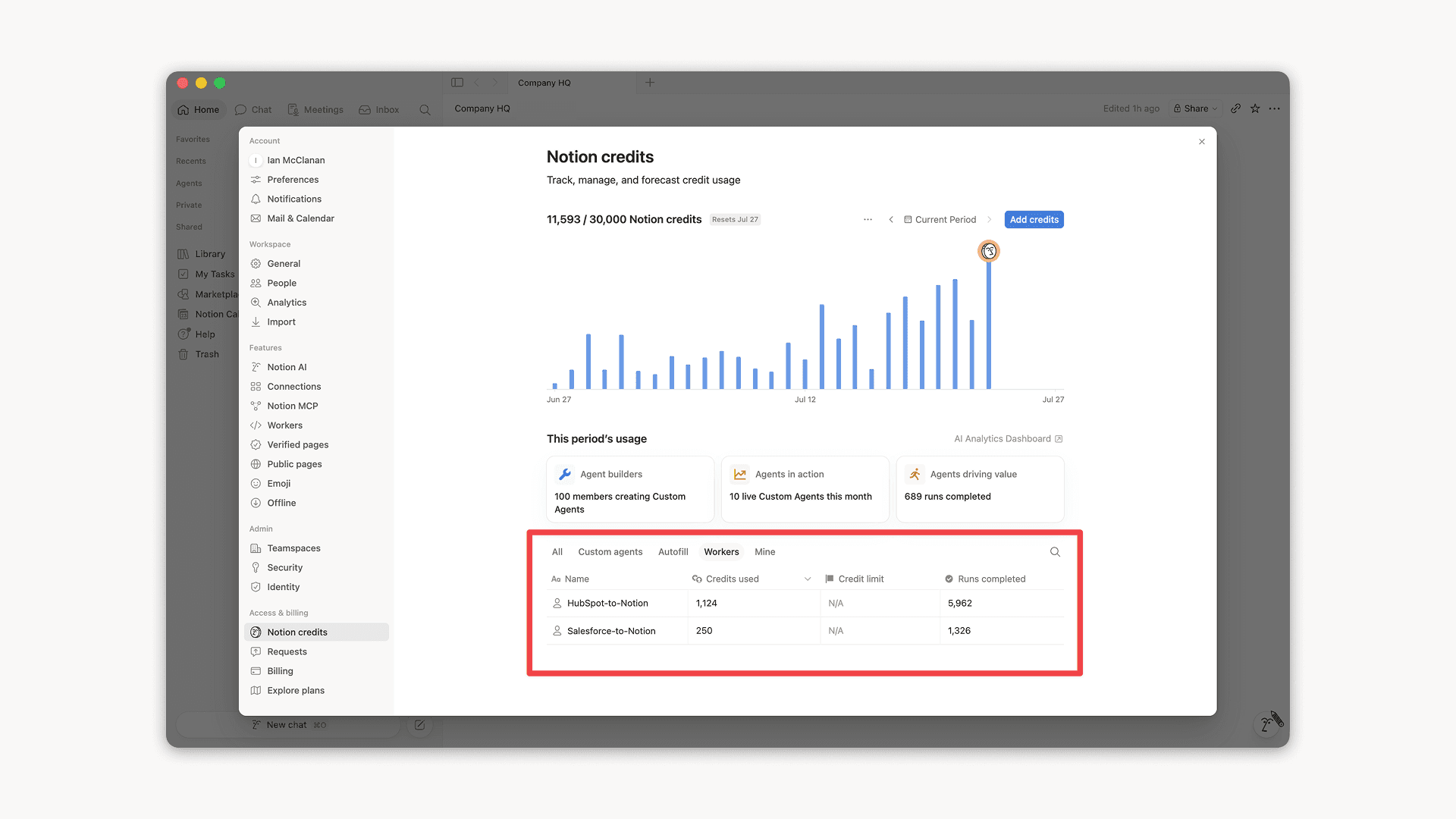
Workers, now in your Notion credits dashboard

Workers in the credits dashboard

Notion Workers run custom code on Notion's infrastructure to sync data, power tools for Custom Agents, and trigger webhook automations.

Now you can track your Workers’ usage in the credits dashboard, alongside your other spend.

Workers are free to try during the beta on Business and Enterprise plans (including Business trials). Usage is now visible in the dashboard to help your team size credits before the beta ends.

Learn more about the Notion Workers beta and pricing in our Help Center →

Powered by Fruition