ما الجديد

واكب أحدث الإصدارات والتحسينات والإصلاحات.

متابعة @NotionHQ
3.8

Notion 3.8: Context for your agents
Context for your agents

Your agents and teams run on context. If you switch agents, add a new tool, or welcome a new teammate, you shouldn’t have to explain everything again. With Notion, there’s a durable, shared place to remember what matters.

This update is all about context. Connecting data, tools, and skills so you’re free to use any agent or model.

With so many things changing, your context can stay in Notion.

Connect your agents to Notion with MCP
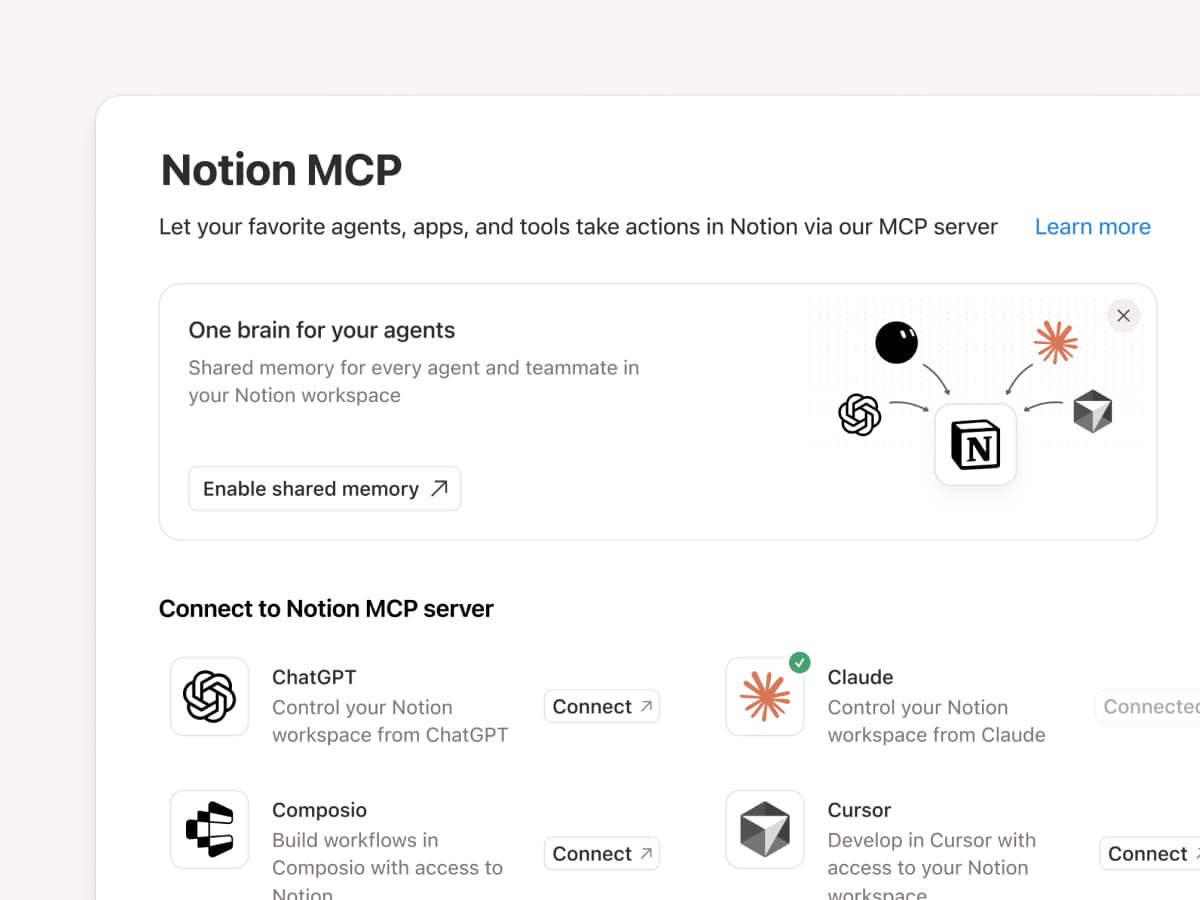
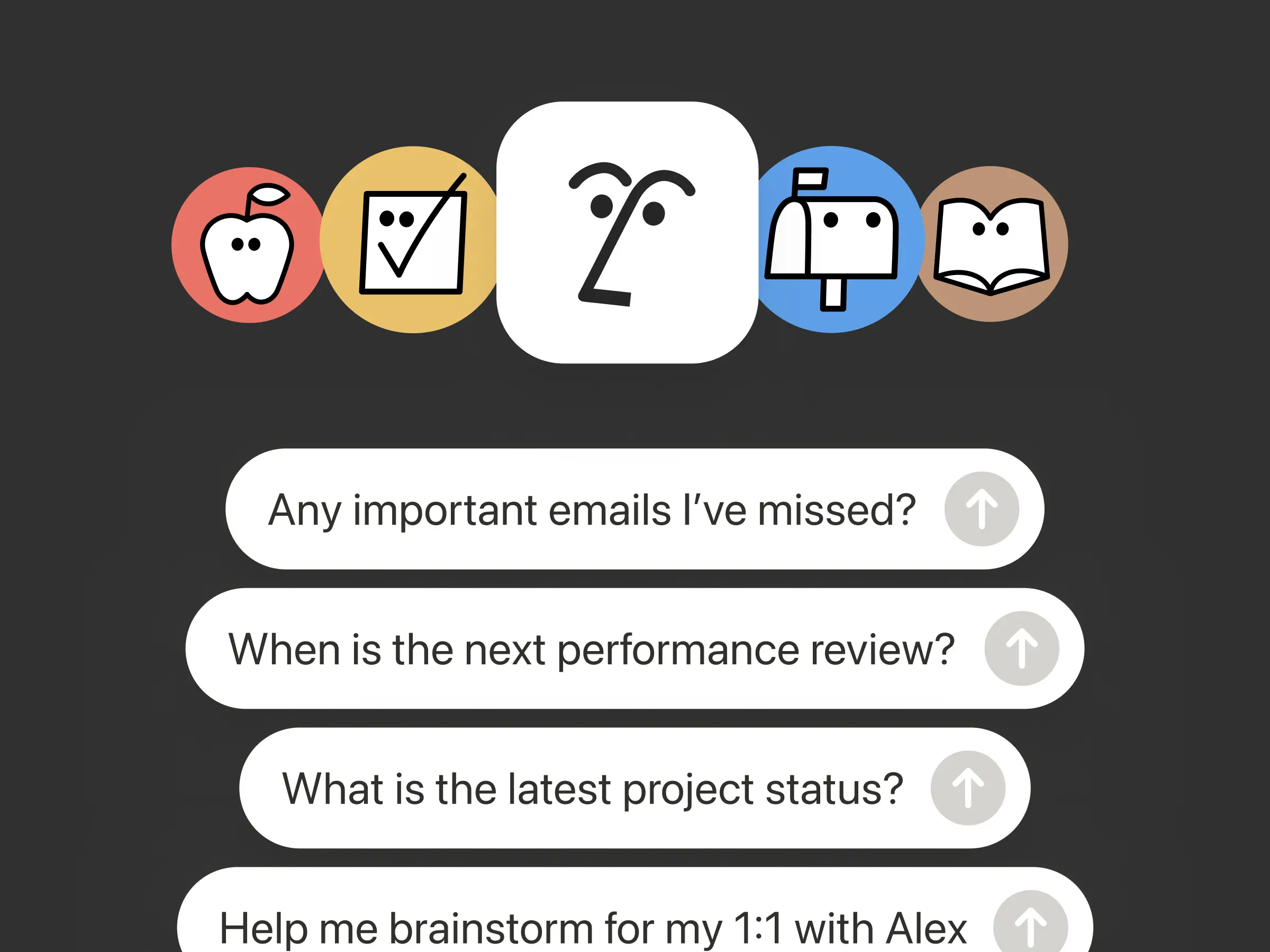
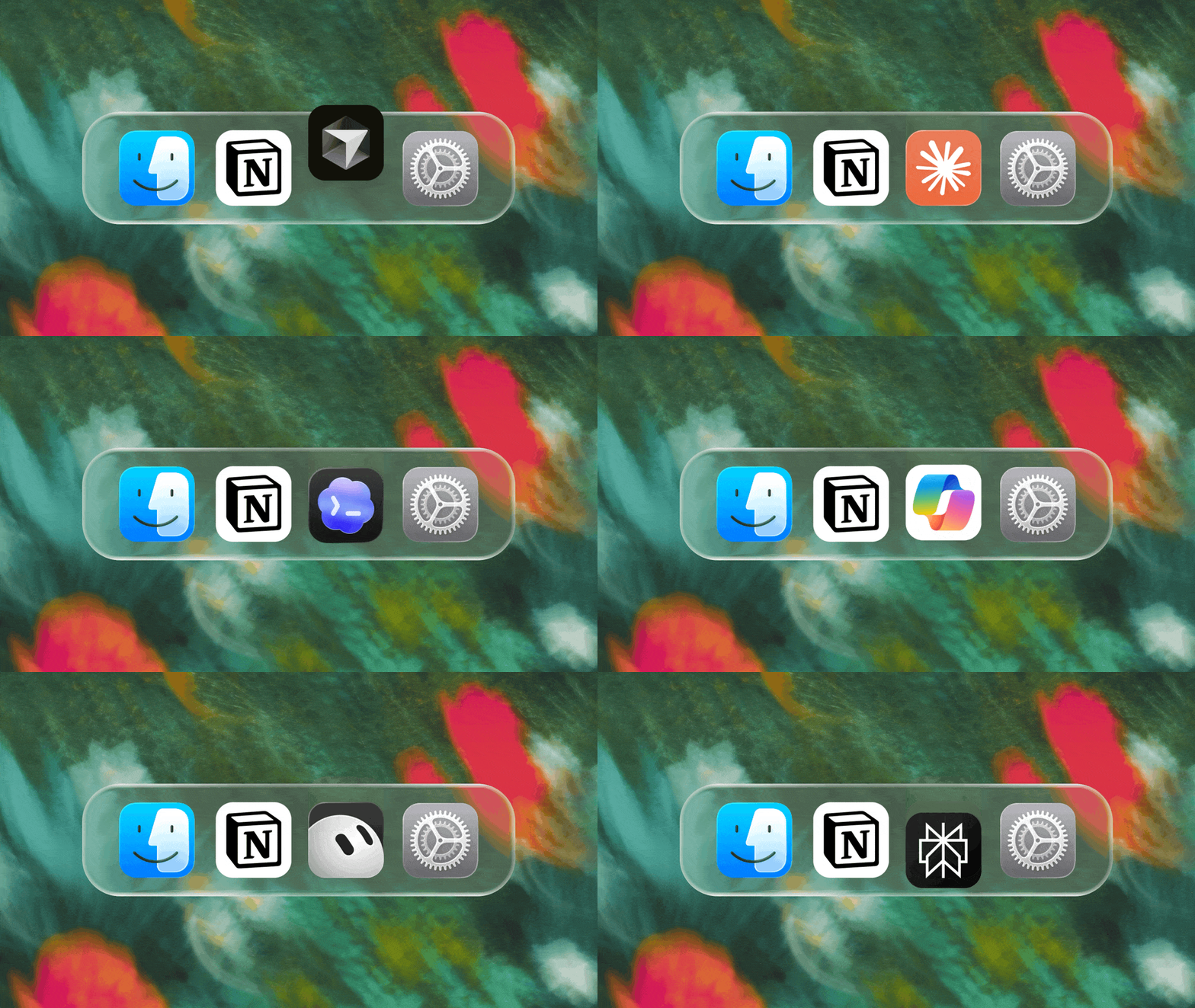
Connect an MCP-compatible agent to Notion so it can read your workspace context and update docs and task trackers. Whether you use Claudes, Muses, GrokBots, Dots, or another agent, Notion gives them a shared place to find what they need, so you can switch agents without starting from scratch. Set up an agent with Notion →

And with Notion MCP controls, admins can see who connected each AI tool, check when it was last used, and revoke a person’s access without affecting other connections. Set up MCP controls →

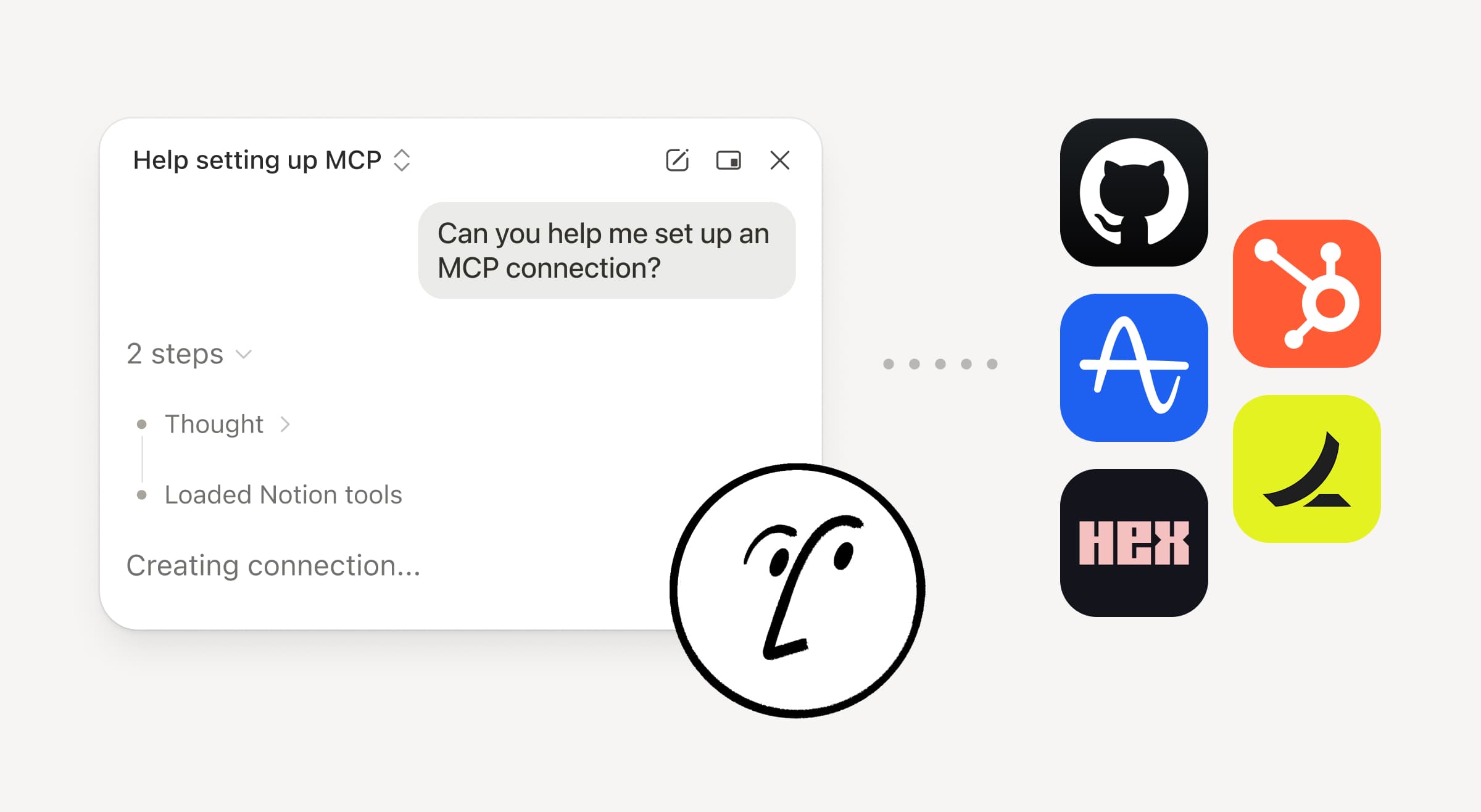
Connect your Notion Agents to 150+ tools with MCP
MCP

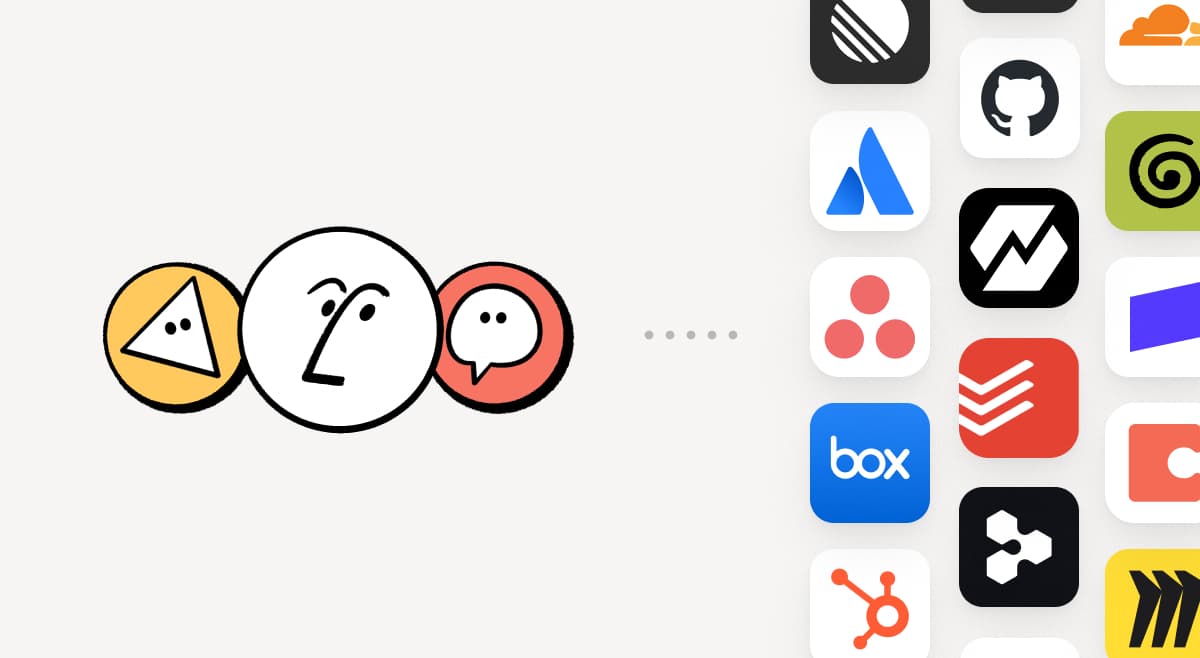
Bring the tools your team already uses into Notion. MCP connections let Notion Agent and Custom Agents draw on context from those tools and take action across them. Create an account brief in Notion using HubSpot pipeline data, add Stripe billing details to a customer health review, or bring Cloudflare infrastructure details into a postmortem. And that’s just the start. ⁠Browse 150+ MCP connections →

Write a skill once. Use it with every agent.
Write a skill once. Use it with every agent.

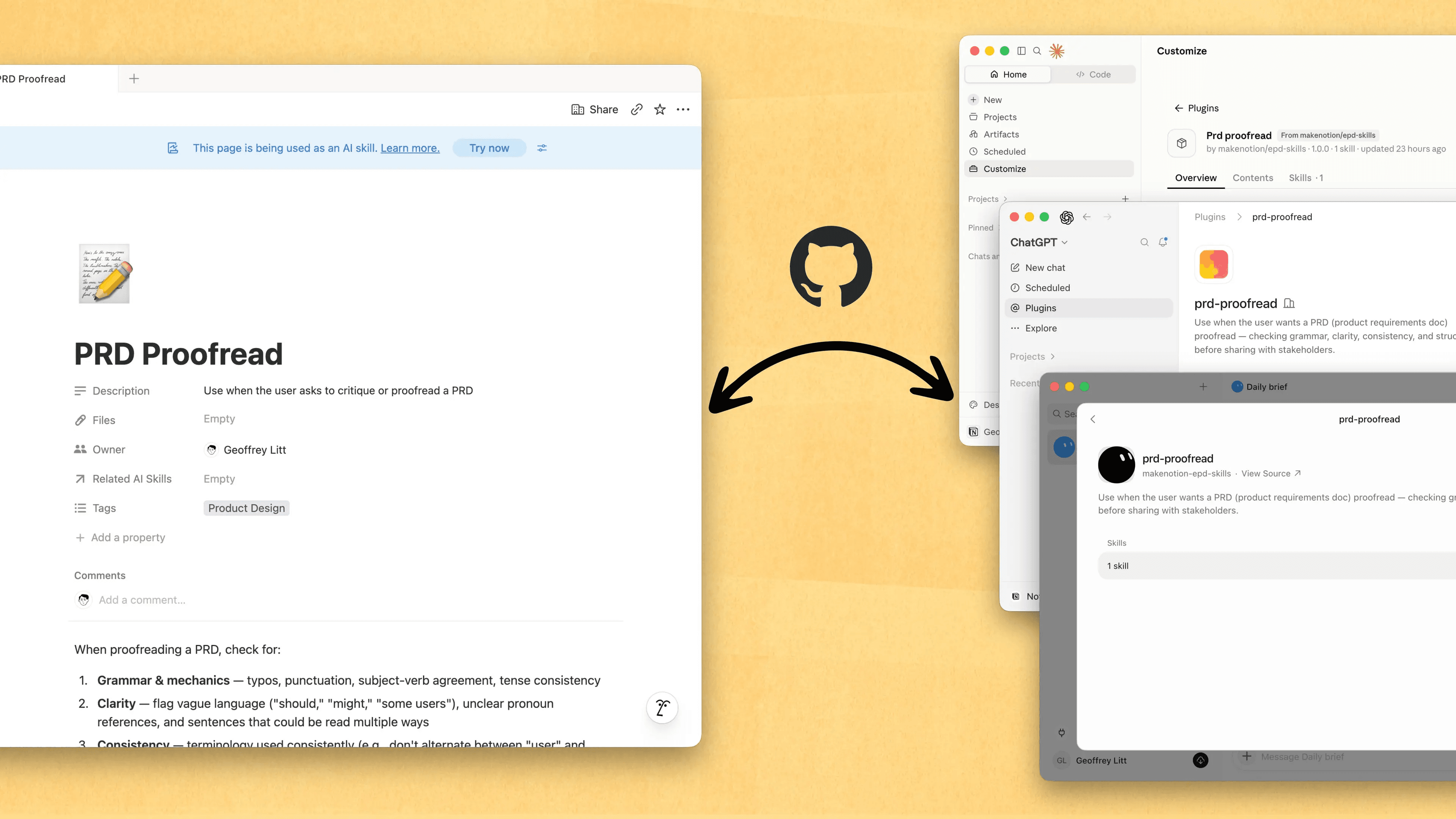
Skills are the best way to teach agents how you work … and not just for engineers. Now, Notion is the best place to create, share, and keep them current. Sync your Skills across ChatGPT, Claude, and more with the new Skills API, which loads Skills from Notion into GitHub.

Already have Skills for your agents? Ask your agent to recreate them in Notion with MCP, then keep building your library there. Here’s a quick demo, and here are docs to learn more.

See every change by every person and agent
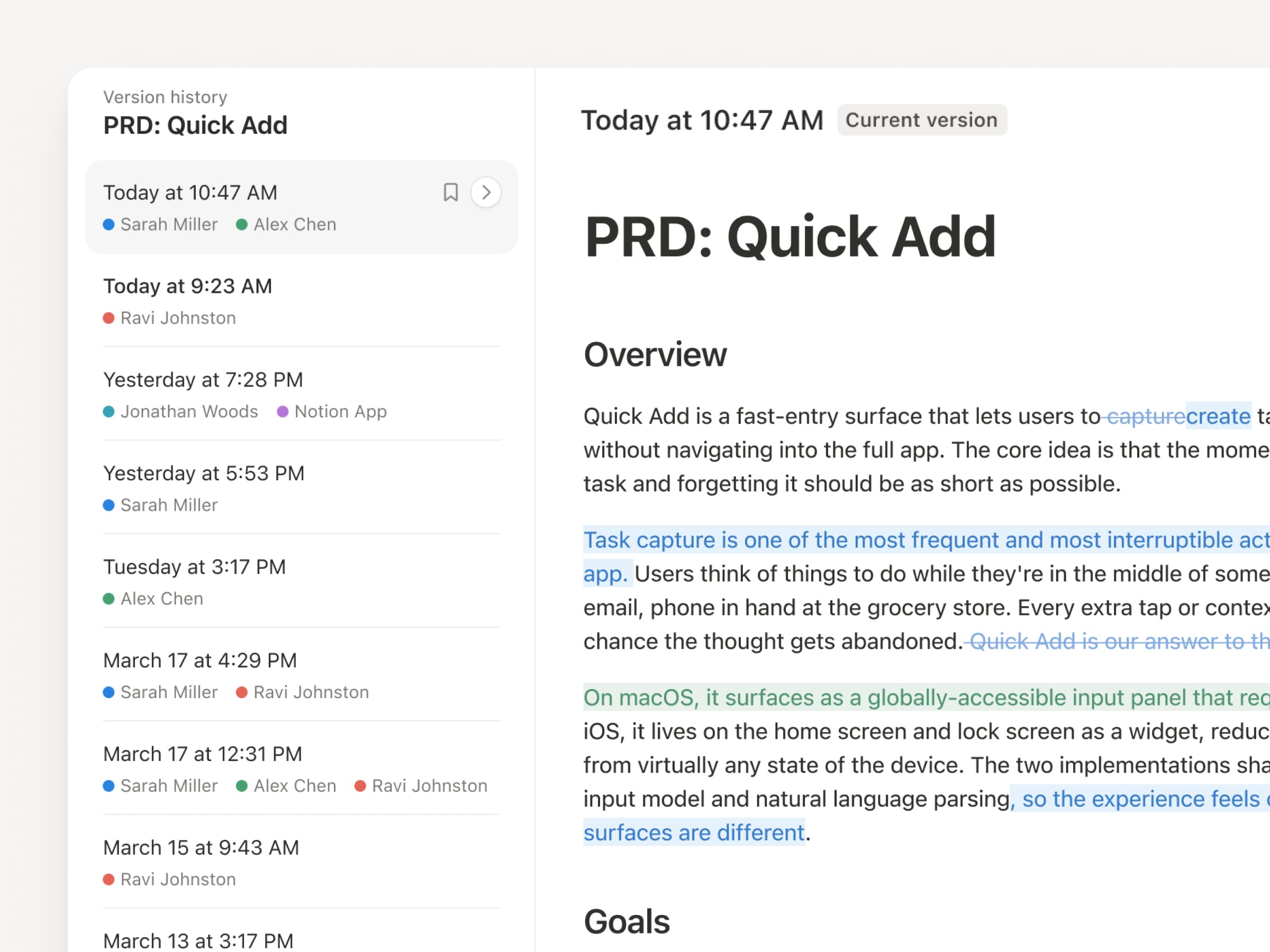
With agents and people making constant updates, version history has never been more important. So we’ve upgraded ours! You get a clearer record across pages and databases, with highlighted edits, detailed database changes, and attribution. Let your agents work while keeping their changes visible and secure. Review what changed, see who changed it, and restore prior versions with a quick click. Learn more →

Don’t pay twice. Use your ChatGPT plan in Notion.
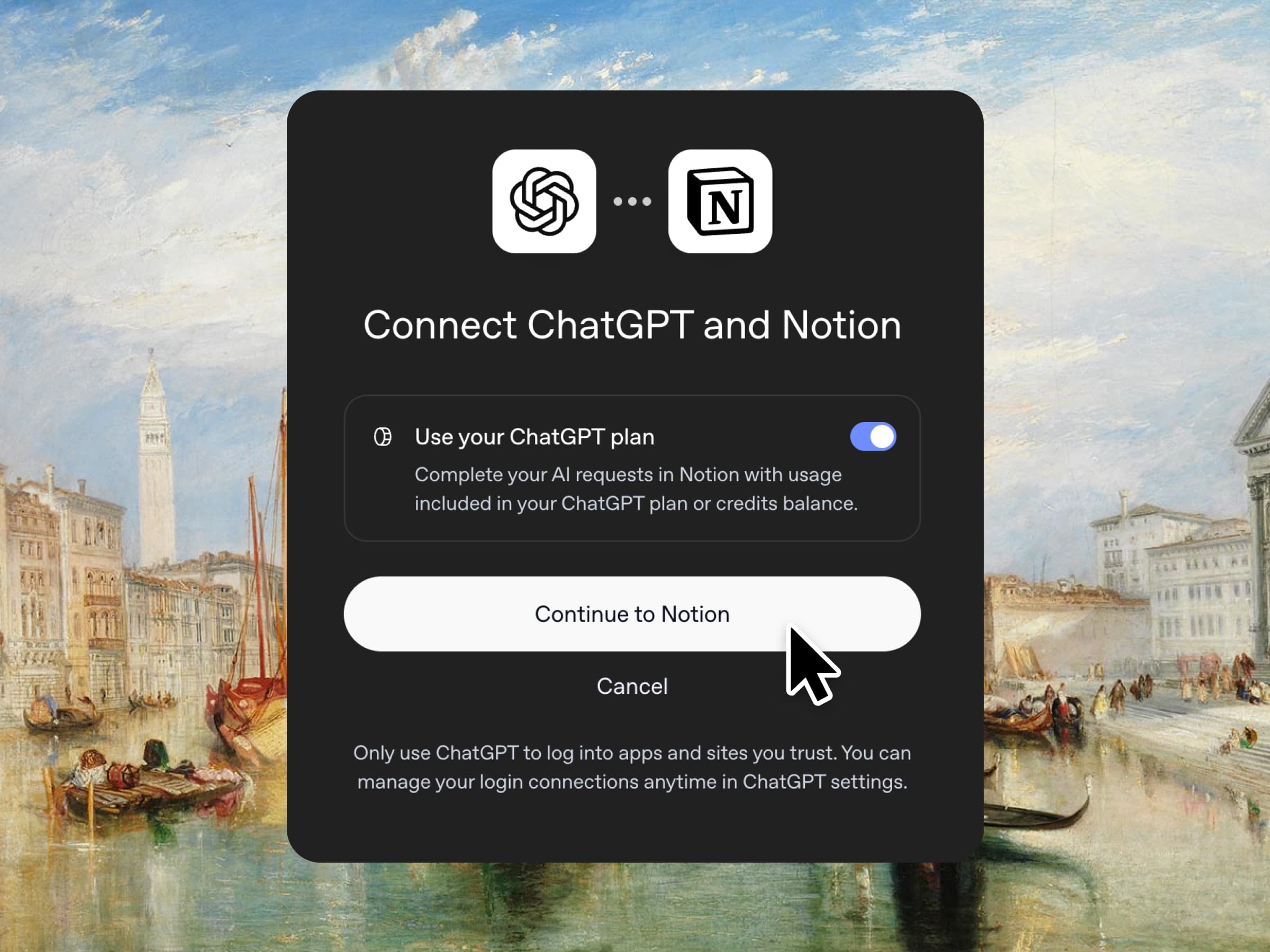
Yes, you just read that right. If you have ChatGPT Plus or Pro, your subscription can now cover your AI usage in Notion. Just connect your plan, pick a GPT model, and go. We don’t add a markup. We just want you to have the best tools for the job, for the best price. Available for Business and Enterprise plans. Check out a quick demo and the docs.

Column permissions in databases
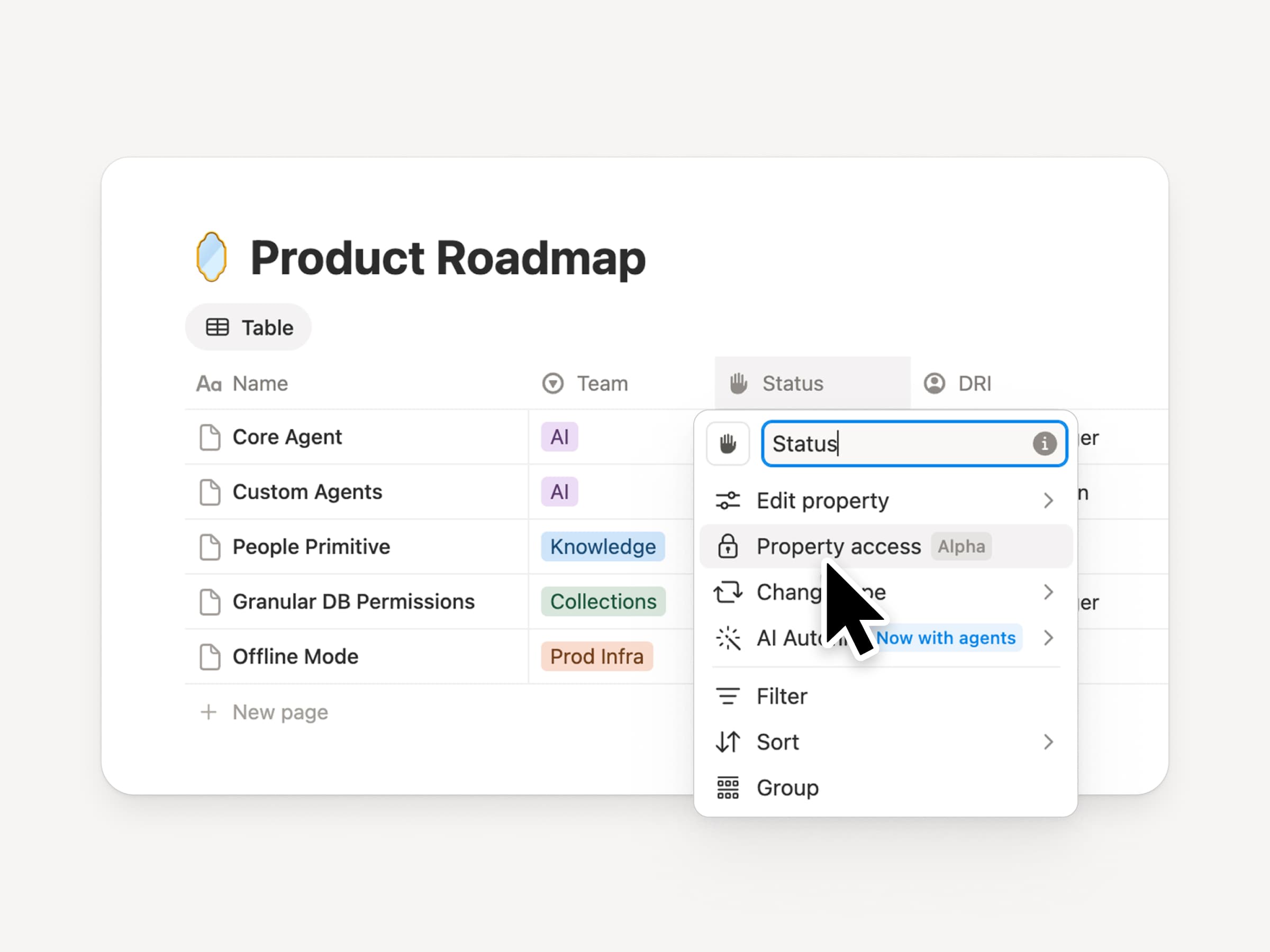
Notion databases give teams and agents a shared, up-to-date source of context. But both teams and agents need the right level of access. Column permissions were a top requested feature for years (we spent time getting this one right). They let database owners control which properties each person or agent can view or edit. Recruiting teams can collaborate on candidates without exposing compensation. Support agents can use account context without seeing restricted customer data. Watch the trailer from one of it’s creators!

Reintroducing synced databases
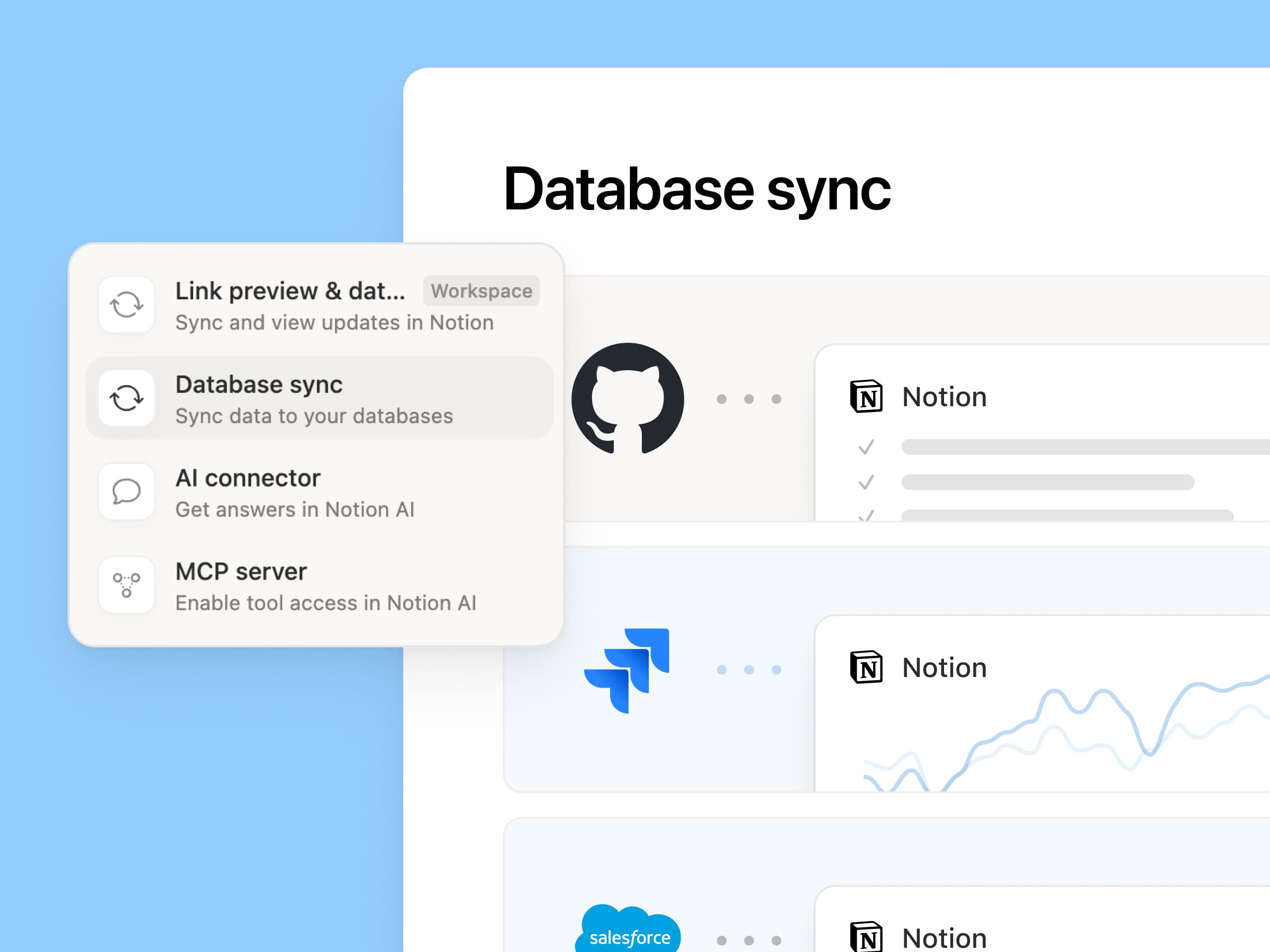
Reintroducing synced databases

We rebuilt our synced databases, starting with GitHub, Jira, and Salesforce, so your teams and agents always work from the latest data. They’re faster, more reliable, and show a live health status for each sync. They work like any other Notion database, so you can add your own properties, create views, and trigger automations. At Notion, we build customer hubs by syncing Salesforce accounts and linking to meeting notes and feature requests, so every team works from the same current view of each customer. Learn more →

New week, new models
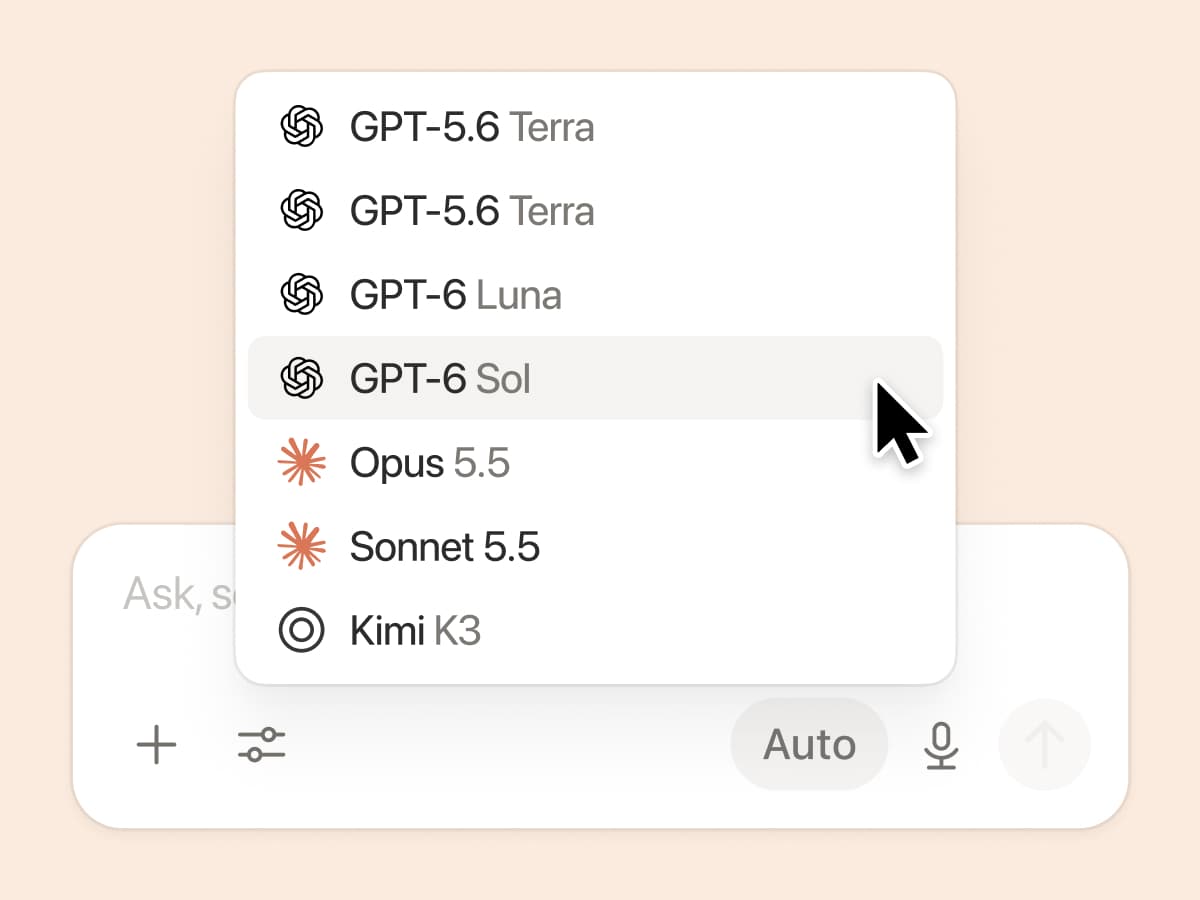
New week, new models

The labs are at it again. Seven new models all added, including GPT 6.1-Sol, GPT-6 Luna, Opus 5.5, and Sonnet 5.5. Use any of them knowing they’ll all know the latest about your team works.

And ICYMI, we’ve been evaluating how models perform across a range of knowledge-work tasks, using live anonymized traffic and judged by models. Check out our Knowledge Board →

More ways to connect and govern context

We can’t wait to see how Notion can be the backbone of your dock.
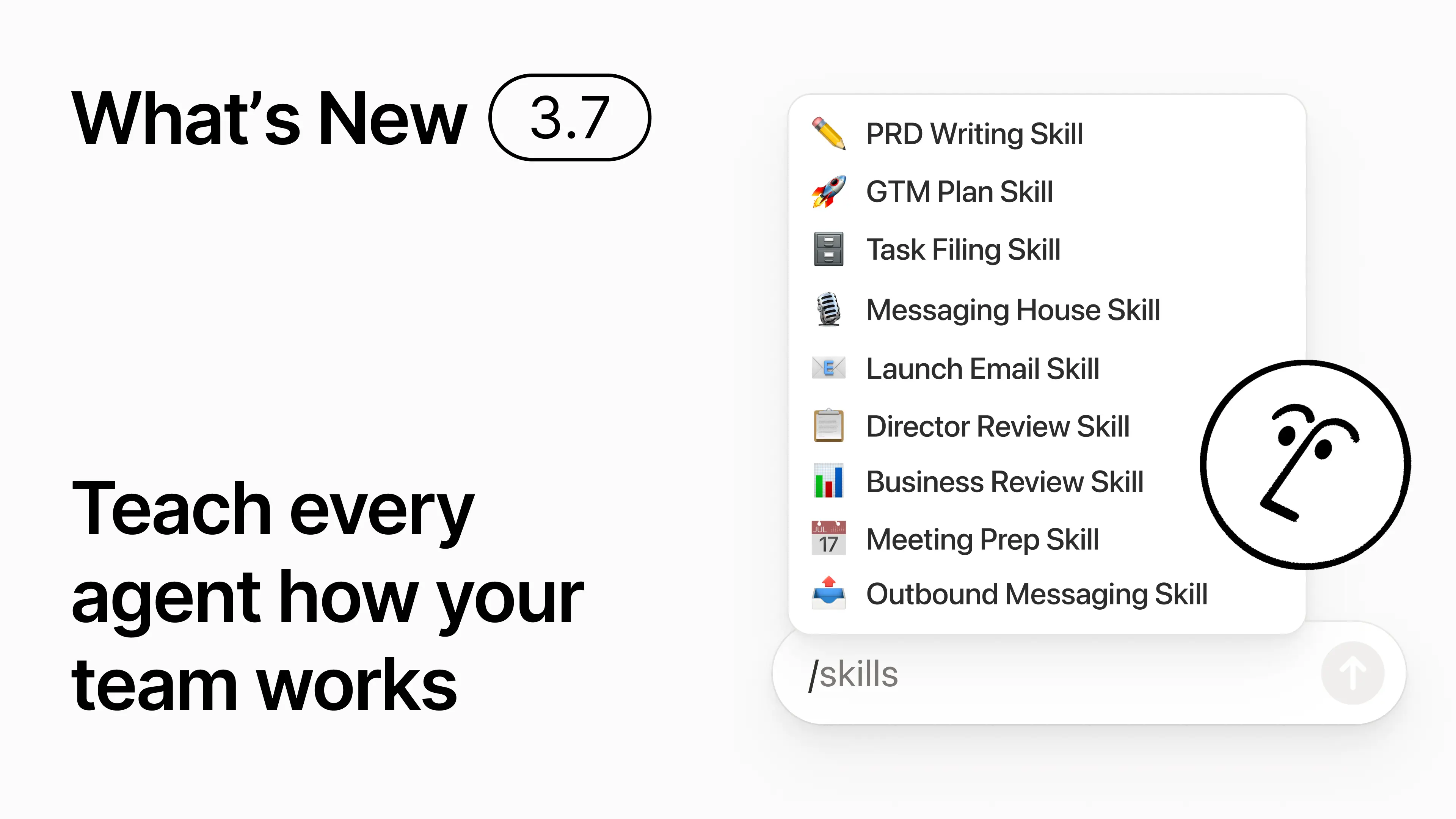
3.7

Notion 3.7: مهارات الوكيل لفريقك بأكمله

آخر المستجدات 3.7

هل تعرف كيف يكون بعض الأشخاص بارعين حقاً في توجيه الذكاء الاصطناعي؟ أو هل اكتشفوا أفضل طريقة للتعامل مع العمل المتكرر؟ الآن يمكنهم تحويل تلك المعرفة إلى المهارة والارتقاء بمستوى الفريق بأكمله.

المهارات هي تعليمات قابلة لإعادة الاستخدام تُعلِّم الذكاء الاصطناعي كيفية عمل فريقك. مثل إنشاء مراجعة الأعمال الشهرية بتنسيق فريقك. أو انتقاد مستندك بنفس الطريقة التي قد يفعلها مديرك. إنها أشبه باختصارات الفريق لإنجاز المهام المتكررة. أنشئ المهارة →

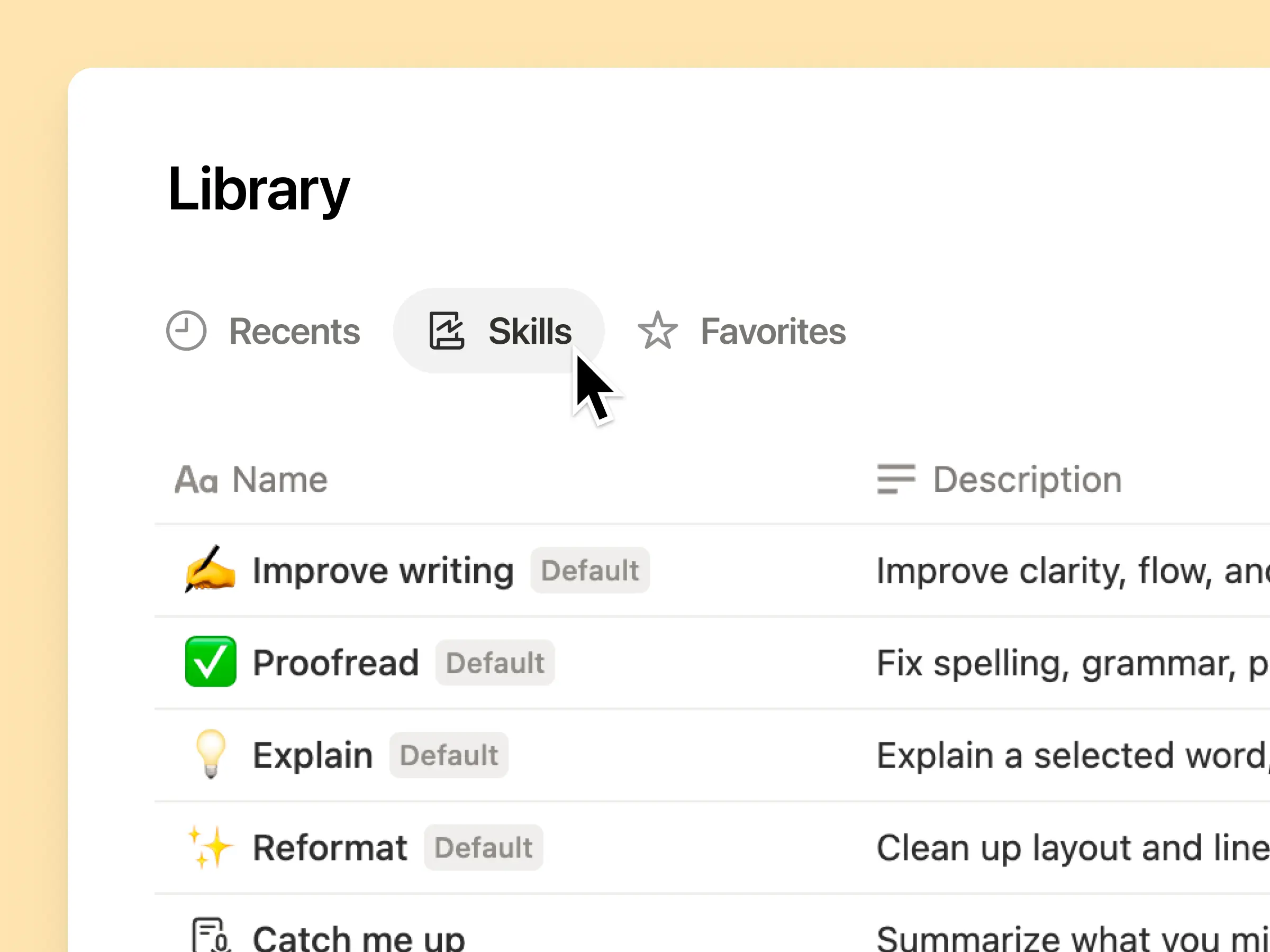
كل مهارة ذكاء اصطناعي يحتاجها فريقك، في مكتبة واحدة

تميل المطالبات الرائعة إلى البقاء في رأس شخص واحد أو تختفي في مستندات ومحادثات منفصلة. تمنح مكتبة المهارات مساحة عملك مركزاً واحداً لجميع المهارات المشتركة. تصفح مكتبة المهارات →

ضع المهارات ذات الصلة في قاعدة بيانات Notion، ثم شارك مهارة واحدة أو قاعدة البيانات بأكملها. يحصل كل فريق على مكان واحد سهل للعثور على مهاراته الأساسية، ويبقى الجميع على اطلاع بأحدث إصدار. معرفة المزيد →

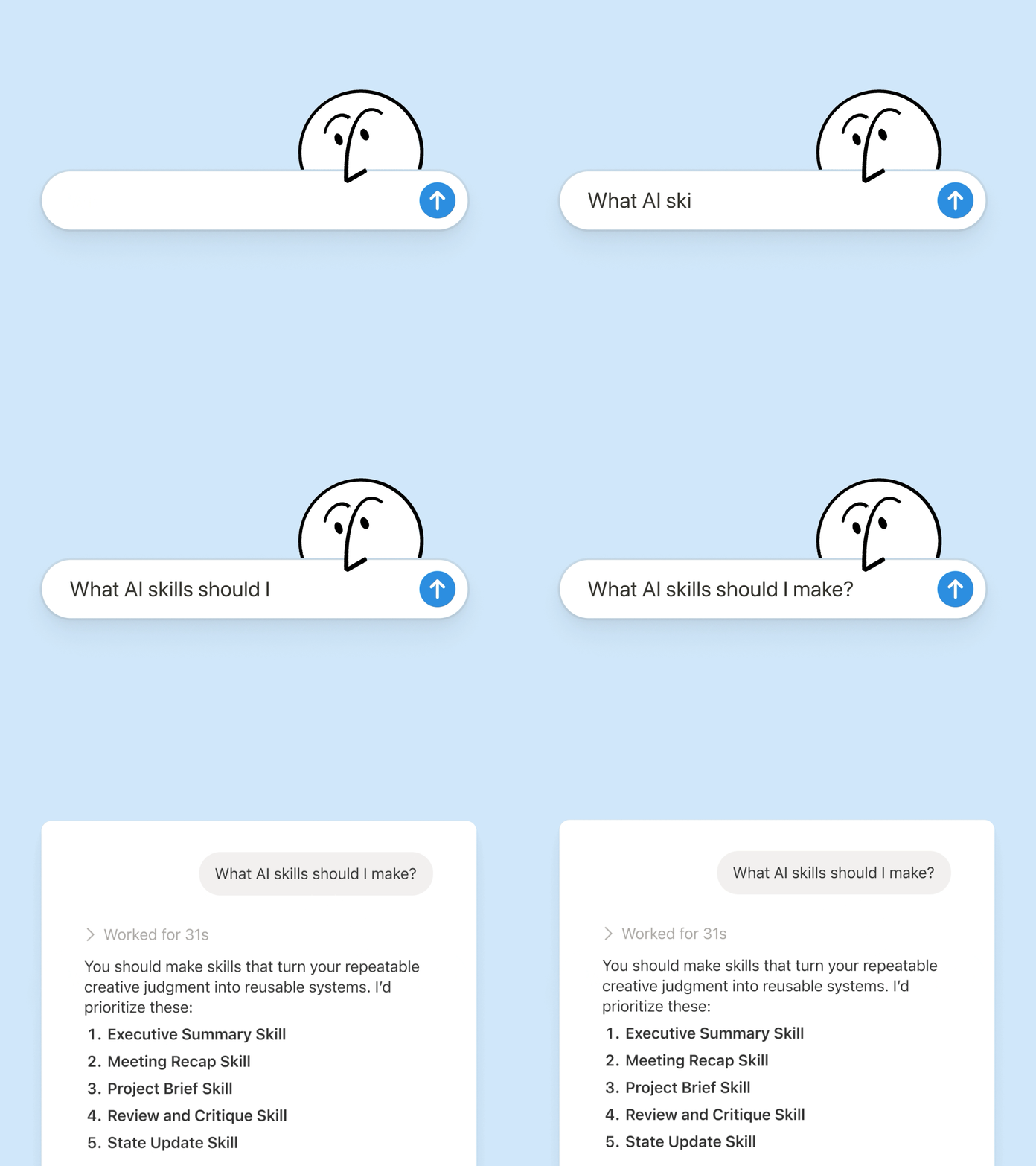
اكتبها مرة واحدة، وسيقوم الذكاء الاصطناعي بتنفيذها بطريقتك

تحدث مع وكيل Notion لـ إنشاء المهارة من الصفر:

  1. راجع مقترح الميزة هذا باستخدام معايير المنتج والتصميم والهندسة الخاصة بنا.

  2. أنشئ قائمة مرجعية لإعداد الموظفين الجدد باستخدام سياسات الأجهزة والتطبيقات الخاصة بنا.

  3. صُغ وصف الوظيفة هذا باستخدام إطار عمل المستويات واللغة المعتمدة لدينا.

لست متأكداً من أين تبدأ؟ يمكن لـ Notion أيضاً اقتراح مهارات بناءً على العمل الذي تقوم به بالفعل. ما المهارات التي أحتاجها؟ ←

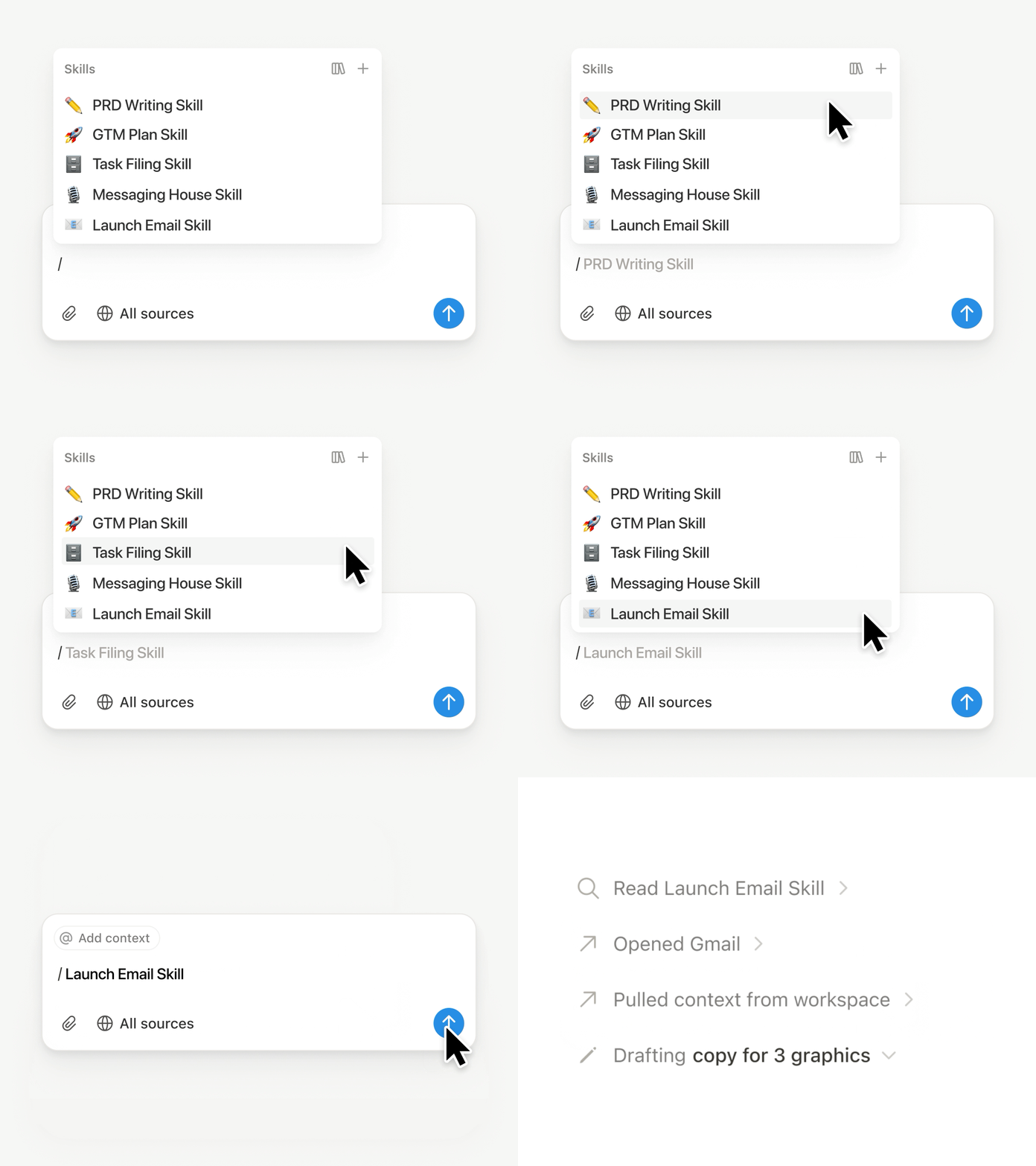
شغّل المهارة في اللحظة التي تحتاج إليها.

تشغيل المهارة

اكتب / في دردشة وكيل Notion واختر المهارة التي تريد استخدامها. أضف أي سياق آخر، ثم اضغط على Enter.

شغّل المهارة الجاهزة للتنفيذ لتحويل مسودة إلى موجز تنفيذي مقتضب يتضمن النتائج والقرارات والمخاطر والطلبات. أو حوّل الملاحظات الأولية إلى مستند متطلبات المنتج (PRD). يمكنك أيضاً ضبط المهارات لتعمل تلقائياً. معرفة المزيد →

انقل مهارات فريقك إلى Claude Code وCodex وCursor والمزيد

مهارات إلى Claude أو Codex

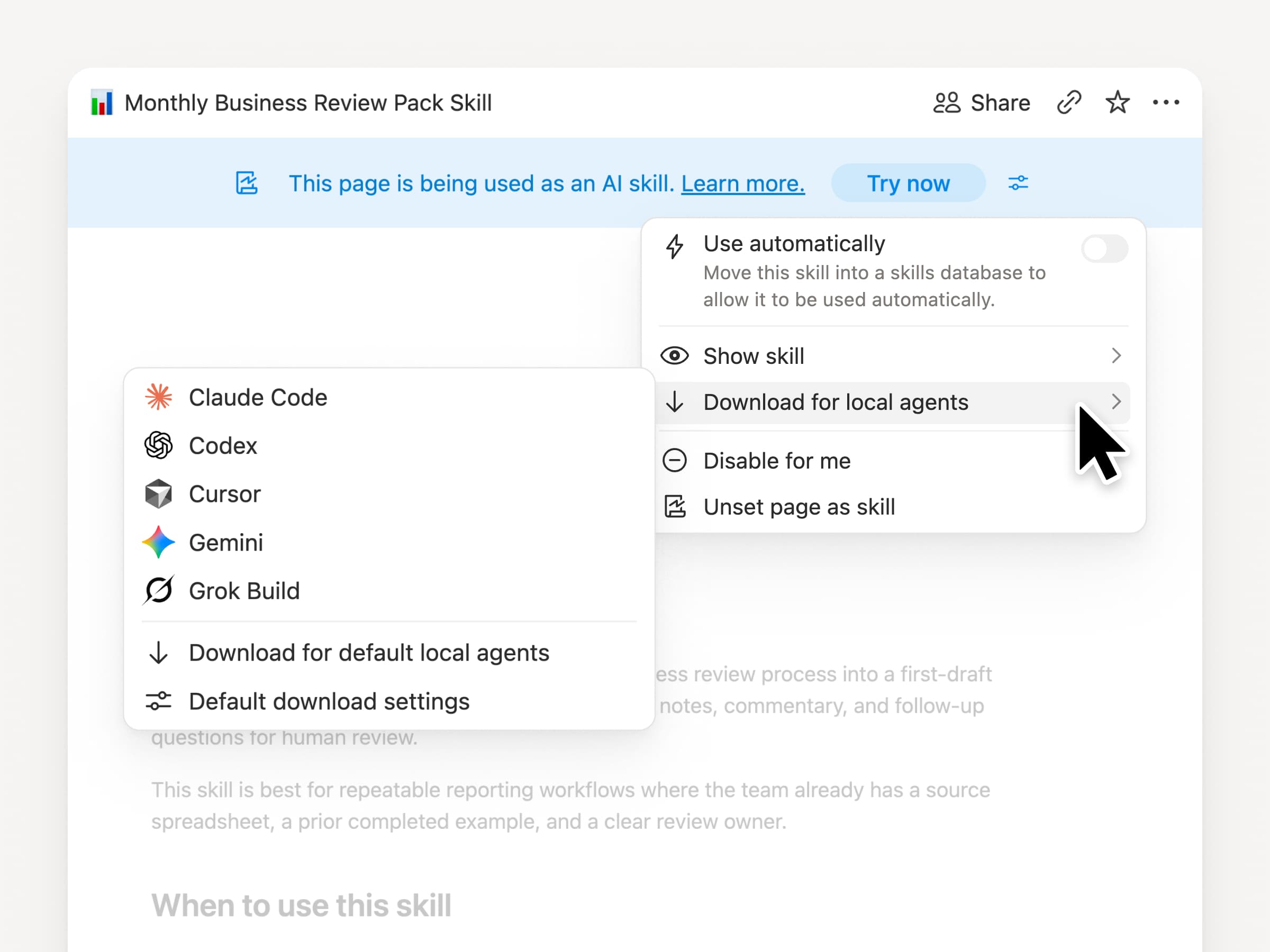
اصطحب مهاراتك معك، بغض النظر عن الوكيل الذي تستخدمه. أنشئ المهارة وحدّثها في Notion، ثم قم بتنزيلها إلى Claude Code أو Codex أو Cursor أو Gemini أو Grok.

تكتب Notion المهارة كملف SKILL.md، إلى جانب الملفات الداعمة المعتمدة. عندما تتغير المهارة في Notion، يتم تمييزها بشارة حتى تعرف أنه يجب عليك الحصول على أحدث إصدار. يحتفظ فريقك بالتعليمات في مكان واحد ويمكن للوكلاء المحليين اتباع العملية نفسها. معرفة المزيد →

اطلب من وكيلك الربط بـ GitHub وAmplitude والمزيد

ربط المزيد بوكيلك

اجلب المزيد من عملك إلى Notion Agent. ما عليك سوى أن تطلب منه ربط أداة، وسيرشدك خلال عملية الإعداد. يمكنك الآن ربط GitHub وAmplitude وأدوات أخرى باستخدام اتصال MCP المخصص حتى تتمكن من الحصول على السياق، أو التحقق من الأداء، أو اتخاذ إجراء في الأدوات التي يستخدمها فريقك بالفعل. الربط بـ GitHub →

تُبقيك التأكيدات تحت السيطرة، بحيث لا يتغير أي شيء في الأداة المتصلة حتى توافق عليه. متاح في الإصدار التجريبي على خطتي الأعمال والخطة المؤسسية. معرفة المزيد →

هل أنت في تنقل مستمر؟ استخدم تطبيق Notion Agents لنظام iOS

تطبيق Notion Agents

أفضل أفكارك لن تنتظر حتى تعود إلى مكتبك. يضع تطبيق Notion Agents لنظام iOS ألف وكيل في جيبك. سجّل الأفكار والصوت والصور، أو استعد لاجتماع، أو أنشئ مستندًا أثناء تنقلك. امنح الوكيل مهمة وسينجزها قبل عودتك إلى حاسوبك المحمول.

اجعل الوكيل المخصَّص يستدعي وكلاء فرعيين

وكلاء فرعيون

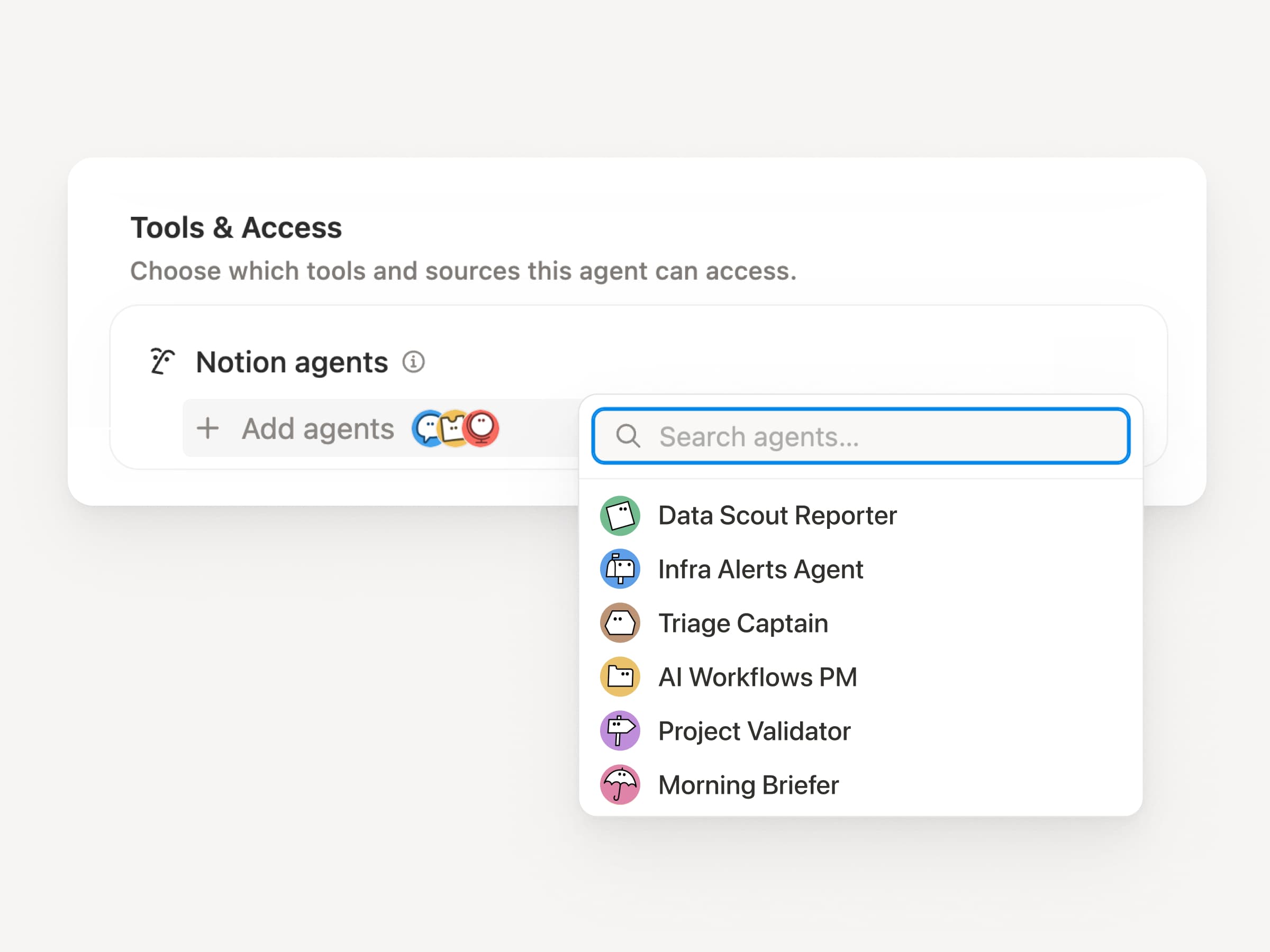
نادرًا ما تكون سير العمل الكبيرة مهمة واحدة. يمكن للوكيل المخصص الآن استدعاء وكلاء مخصصين آخرين كوكلاء فرعيين، يتمتع كل منهم بتعليماته وسياقه ووصوله ونموذجه الخاص. معرفة المزيد →

يمكن لوكيل مدير تطبيق الهاتف المحمول إرسال تقارير الأخطاء إلى وكيل فرز وأسئلة المقاييس إلى وكيل تقارير، ثم جلب الإجابات في تحديث واحد على Slack. يقرر الوكيل الأساسي متى يفوض المهام ويستخدم كل استجابة لإنهاء العمل الأصلي. تدير شركة Remote مكتب مساعدة تكنولوجيا المعلومات الخاص بها باستخدام خمسة وكلاء بهذه الطريقة وتوفر 500 ألف دولار سنويًا.

يمكن للوكلاء المخصَّصين القيام بمهام ما بعد الاجتماع نيابةً عنك

وكيل ملخص الاجتماع

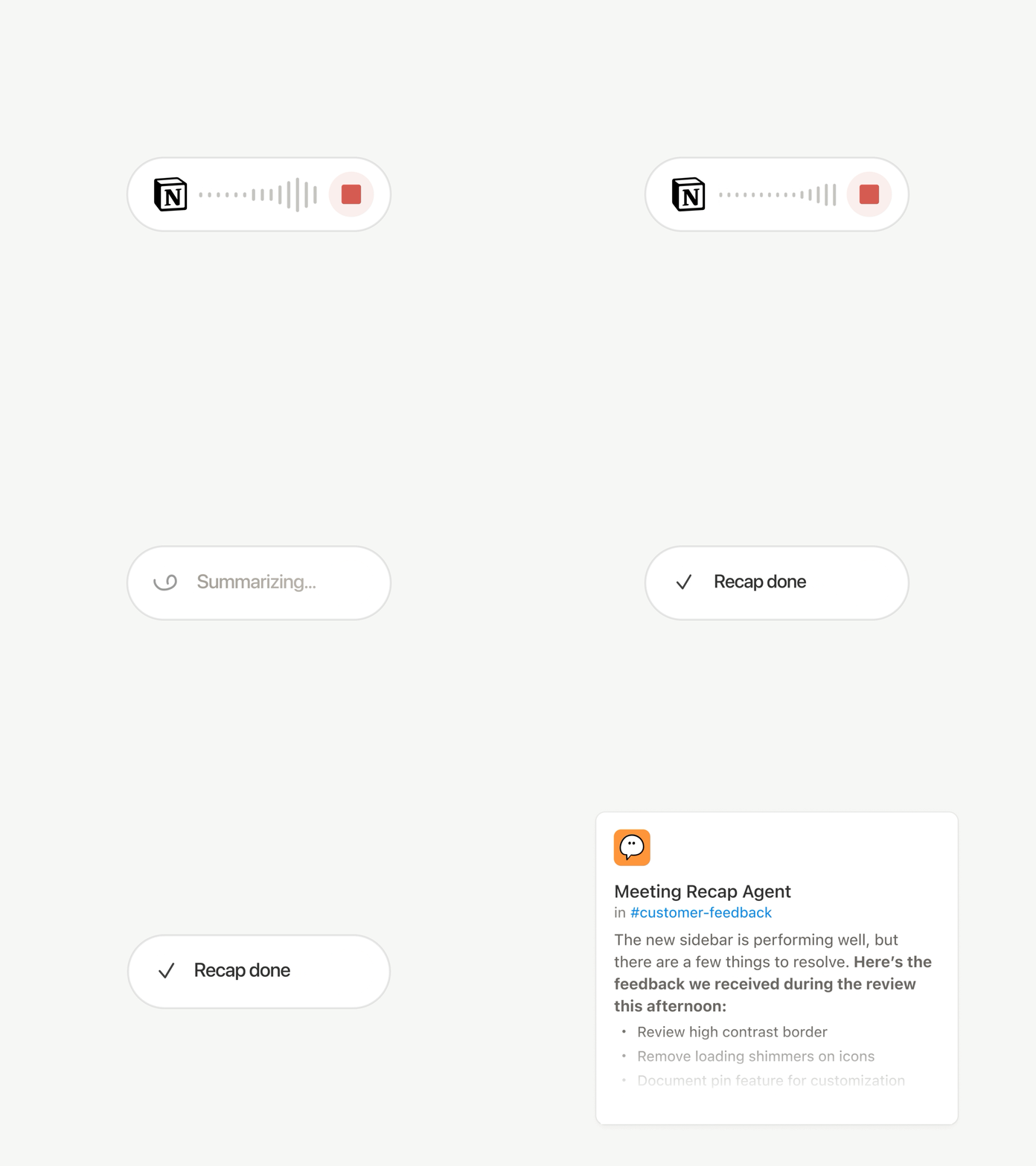
تنتهي كل مكالمة بنفس المهام الروتينية: كتابة الملخص، وتدوين بنود الإجراءات، ومراسلة الأشخاص الذين لم يحضروا. الآن يمكن للوكلاء المخصَّصين التعامل مع مهام ما بعد الاجتماع تلقائياً.

اختر الاجتماعات المهمة، ثم دع الوكيل المخصَّص يتولى العمل بمجرد جاهزية كل ملخص. إنه يحصل على النص والملخص، لذا يمكنه كتابة تحديث الحالة، أو تدوين بنود الإجراءات، أو إرسال ملاحظات العملاء إلى قاعدة البيانات المناسبة. ستتاح قريبًا لخطط الأعمال والخطط المؤسسية. معرفة المزيد →

تصفح كل نموذج، واعرف أيهما الأنسب للمهمة

أحدث النماذج

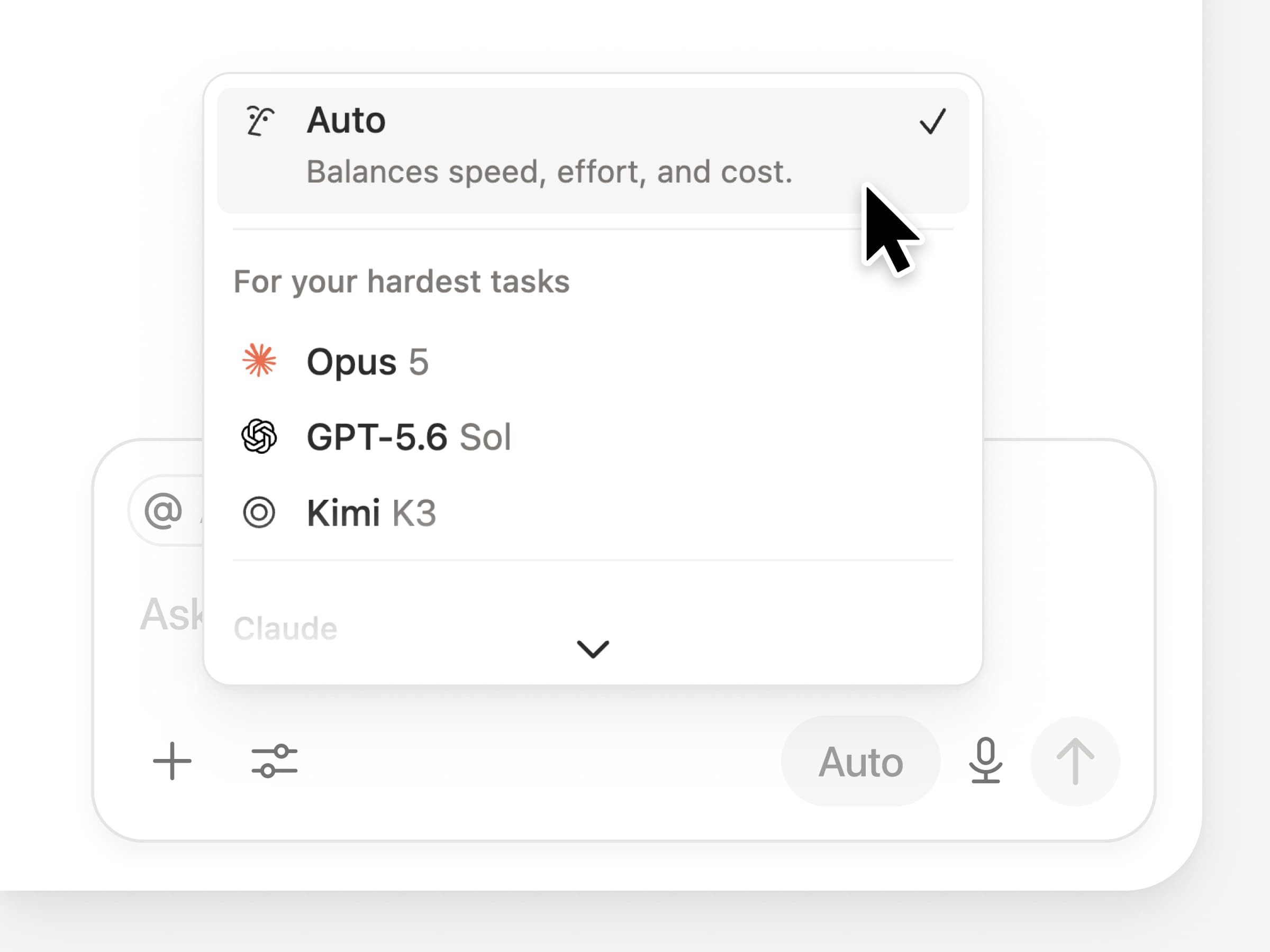
يمكنك الوصول إلى أحدث النماذج المتطورة في Notion، بما في ذلك Opus 5 وGPT-5.6 Sol وKimi K3. تمت إعادة تصميم أداة اختيار النموذج الجديدة لمساعدتك في اختيار أفضل نموذج لعملك، مع مؤشرات للسرعة والذكاء والتكاليف.

ومن الإضافات الجديدة أيضاً لوحة Notion Knowledge Board، التي تقيّم أداء النموذج في العمل اليومي الواقعي. مقارنة النماذج →

والمزيد…

  • تضمين وكيل مخصَّص في أي مستند. أدرج وكيلاً مباشرةً حيث يتم العمل، ليتمكن أي شخص على الصفحة من استخدامه. شاهد الطريقة →

  • رؤى الوكيل المخصَّص في واجهة برمجة التطبيقات العامة. اسحب استهلاك الرصيد، وعمليات التشغيل المكتملة، والحالة، وقم بتمكين أو تعطيل أو تعيين حدود لأي وكيل. الأعمال والخطة المؤسسية. اقرأ مستندات واجهة برمجة تطبيقات الرؤى →

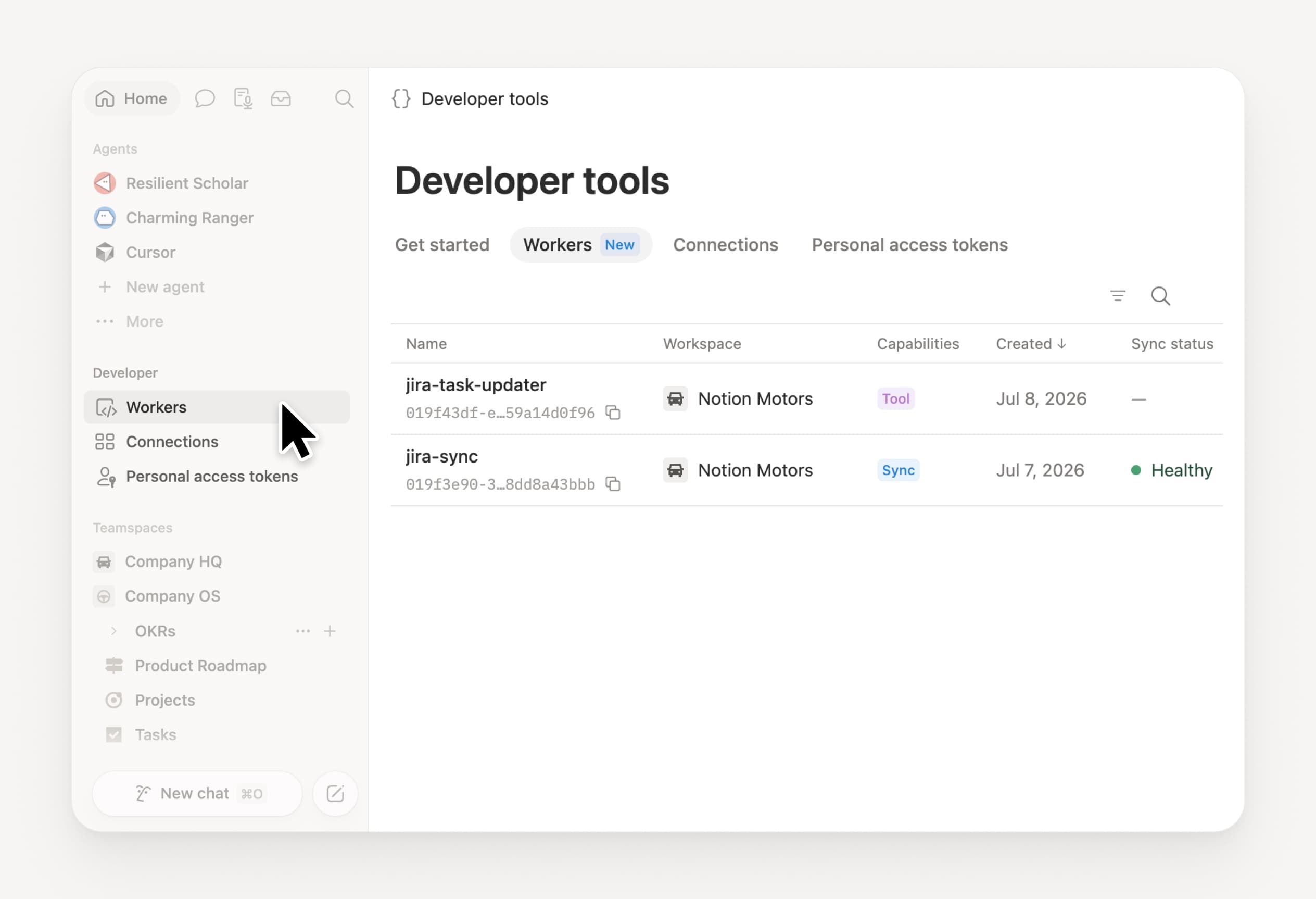
  • قم بإدارة Workers وعمليات ربط الخاصة بك: افتح قسم المطور الجديد في الشريط الجانبي لرؤية كل Worker، ومكان ربطه، والسجِل من كل عملية التشغيل. اطّلع عليه →

  • حزمة أدوات تطوير البرامج للوكيل (Agent SDK)، أصبحت الآن في مرحلة تجريبية عامة. تابع محادثات وكيل مخصَّص من أي مكان، وقم بتشغيلها من تطبيقك، وقم ببث النتائج مرة أخرى. الأعمال والمؤسسات. اقرأ مستندات حزمة أدوات تطوير البرامج للوكيل →

  • أصبحت بوابة المطور الآن في Notion. قم بإدارة Workers وعمليات ربط والرموز المميزة الشخصية للوصول في مكان واحد. افتح البوابة →

  • أصبح البحث بالذكاء الاصطناعي أسرع بنسبة 50%. انتظار أقل للحصول على الإجابات ومخرجات الوكيل التي تستخدم سياق مساحة عمل. الأعمال والمؤسسات. جرّبه →

  • اطّلع على صندوق الوارد. اطلب من وكيل Notion تجميع الإشعارات، وإظهار ما يحتاج إلى اهتمام، والمساعدة في مسح الباقي. اطّلع عليه →

جرّب المهارات! وشاركنا كيف يمكننا تحسينها (لدينا المزيد قيد الإعداد).

Control which AI models your agents can use

Control which AI models your agents can use

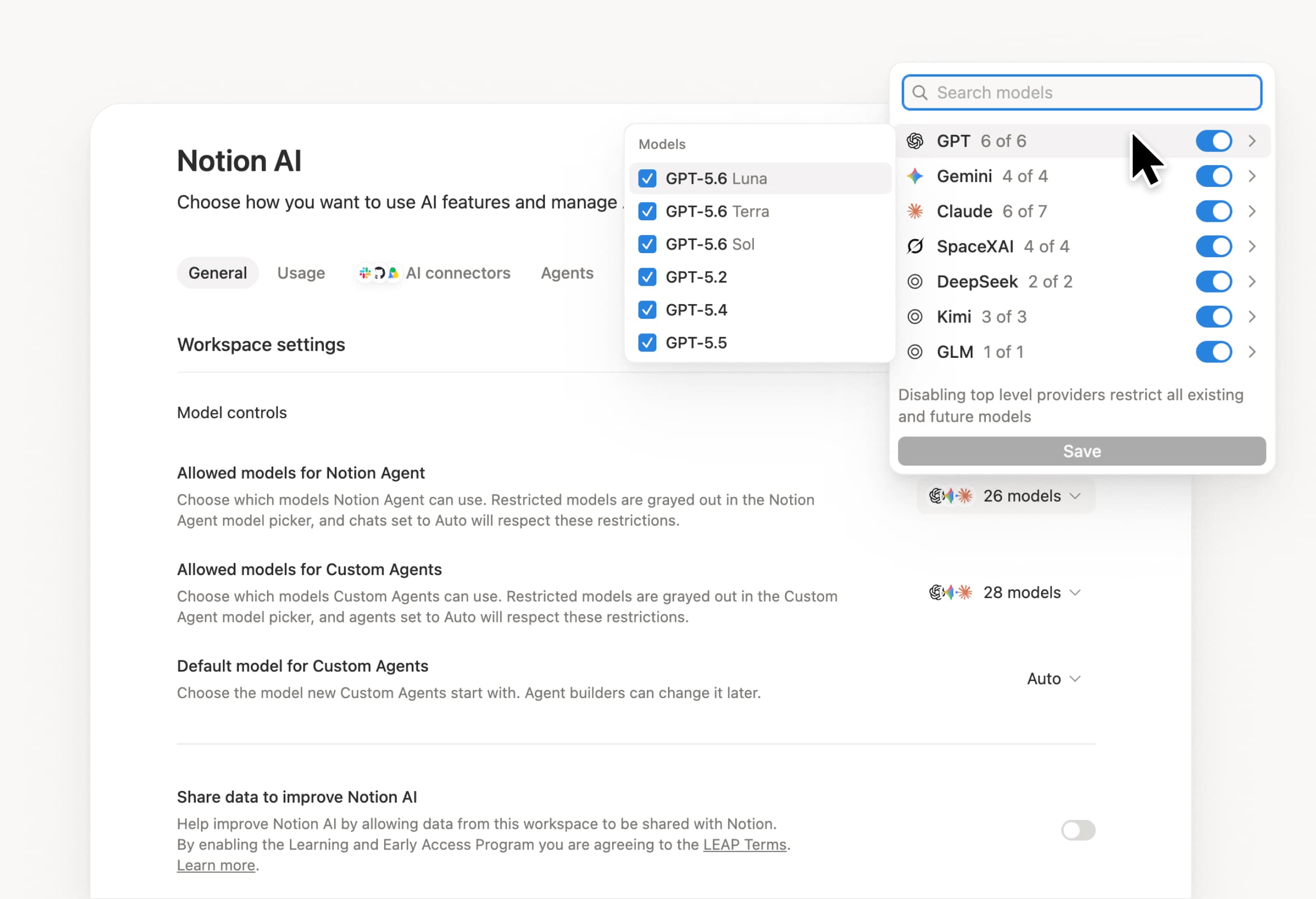
What’s on your team’s model roster? That’s up to you. With model controls, workspace owners can choose which AI models are available in Notion Agent and Custom Agents separately, and set a default model for Custom Agents. Keep costs predictable and support your compliance needs while your teams continue building. Available on Business and Enterprise plans.

Get started at Settings → Notion AI → General → Model controls.

Ask your agent to suggest edits

Your agents can now propose changes instead of making them directly. Ask your agent to suggest edits, then move top to bottom to approve each one. It’s great when you need line-level changes, like a pass for grammar.

Get started by asking your agent to “suggest edits.”

Your Developer Portal, now in the sidebar

Manage your Workers, connections, and personal access tokens from the new Developer section of your Notion workspace. See an overview of deployed Workers and logs behind every run.

Developer sidebar section

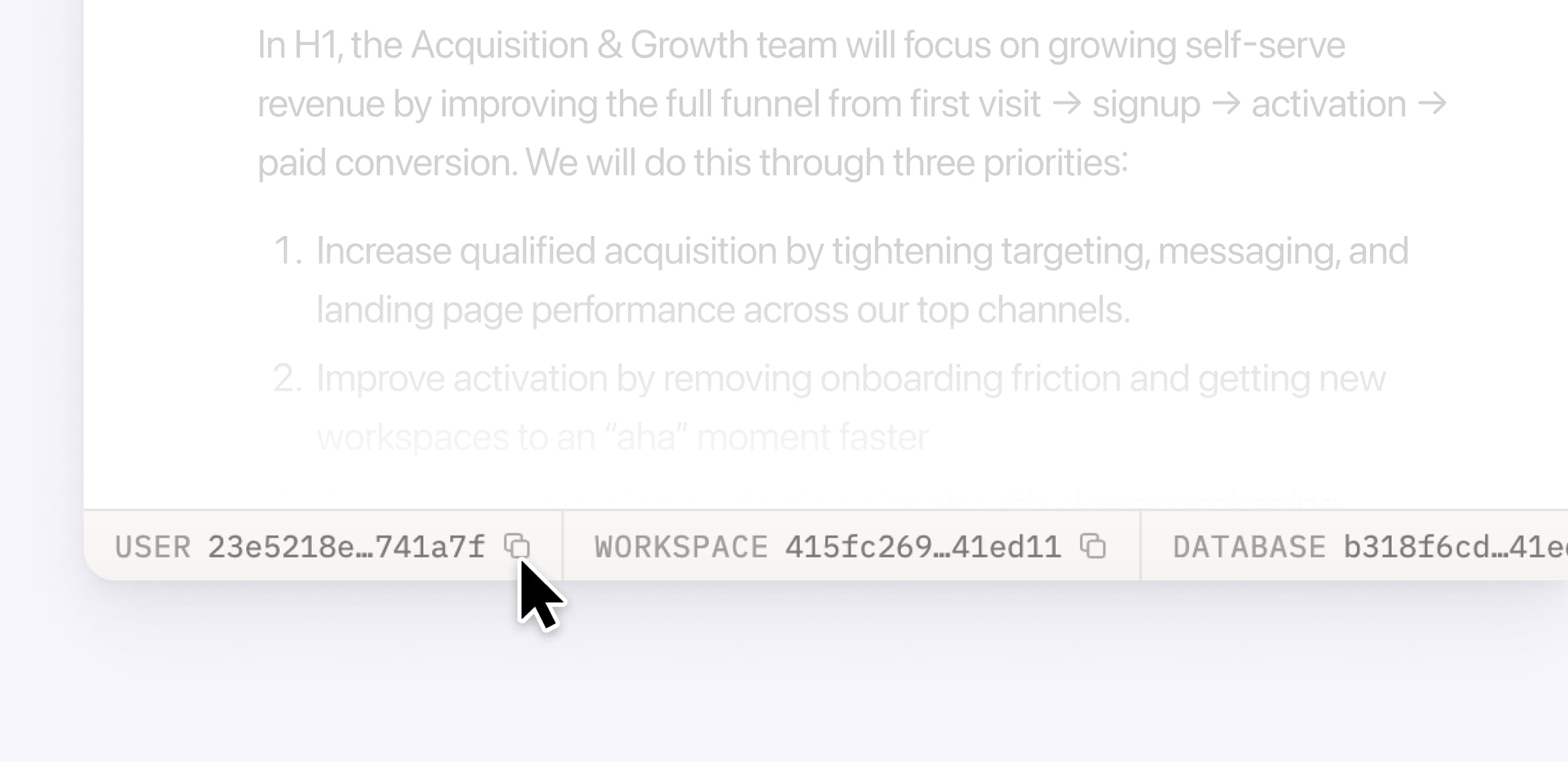
Plus, the new developer bar makes it easy for anyone building with the API to find IDs for the page, database, block, workspace, or user. Copy any one of them, or the full API object, in one click.

Developer bar

Get started from Settings → Developer → Enable developer features. Go there now →

Model selection, simplified

No more guessing which model to use.

The model picker now leads with a shortlist of models made for your hardest tasks, and every model has a scorecard to compare speed, intelligence, and cost. Pin your favorites for easy access and dial up the effort when you need a more thorough answer.

AI Meeting Notes can now trigger Custom Agents

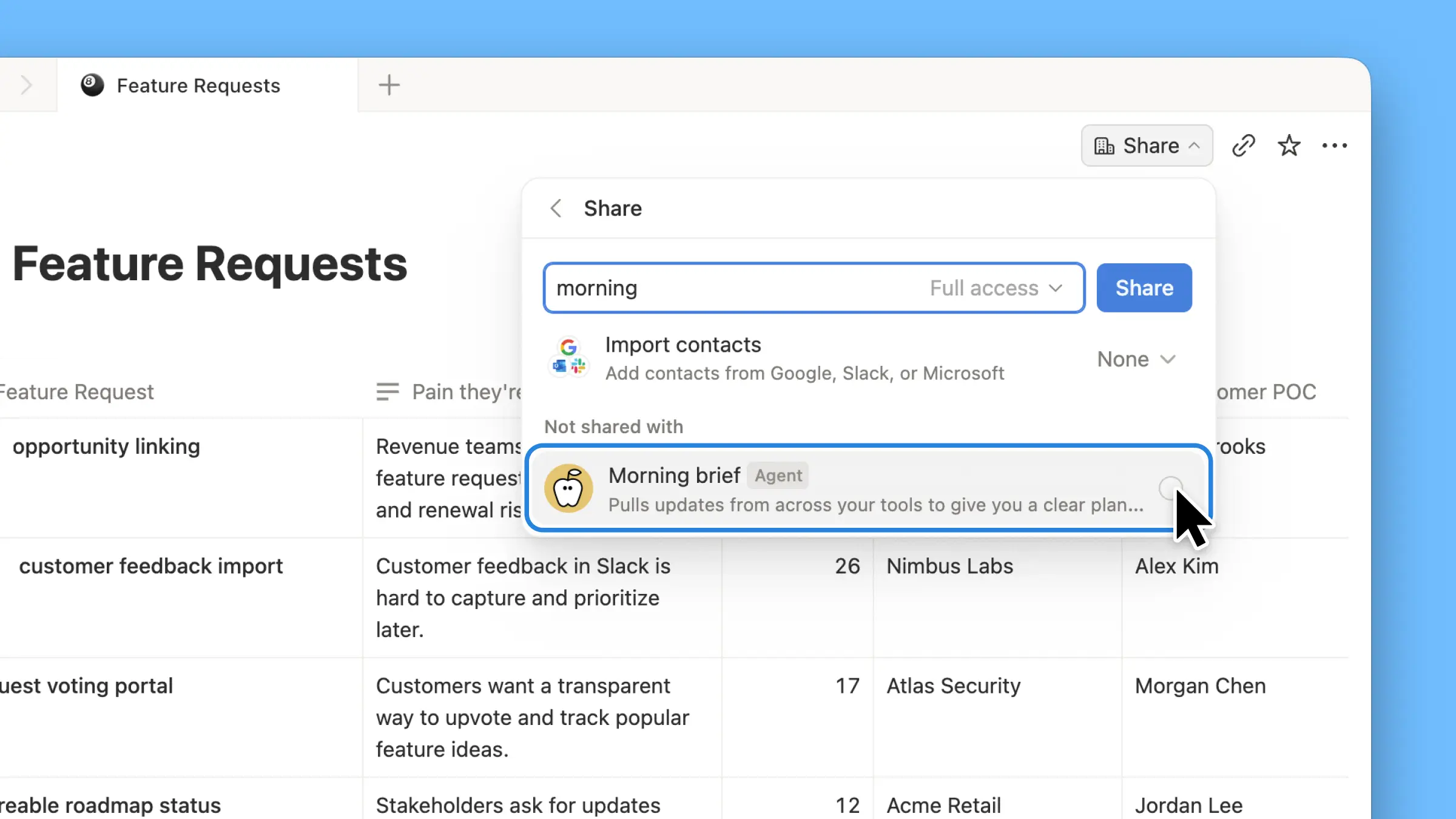
Custom Agents can now run right after an AI Meeting Note is finished. No more need to manually update status trackers, post recaps to the project channel, or file tickets by hand.

Here’s a few of our favorite post-meeting workflows:

  • Update your project tracker with the latest status

  • Post a recap to Slack or email with decisions and next steps

  • Turn feedback into tickets for your engineering team

To get started, open your Custom Agent’s settings, add the Meeting note summarized trigger, and choose which meetings kick it off. After your next call, your agent will get to work.

High contrast mode

Accessibility win! High contrast mode is a new display option that makes text, icons, and borders easier to read.

Try it by going to Settings > Preferences > Appearance. Available on desktop and web.

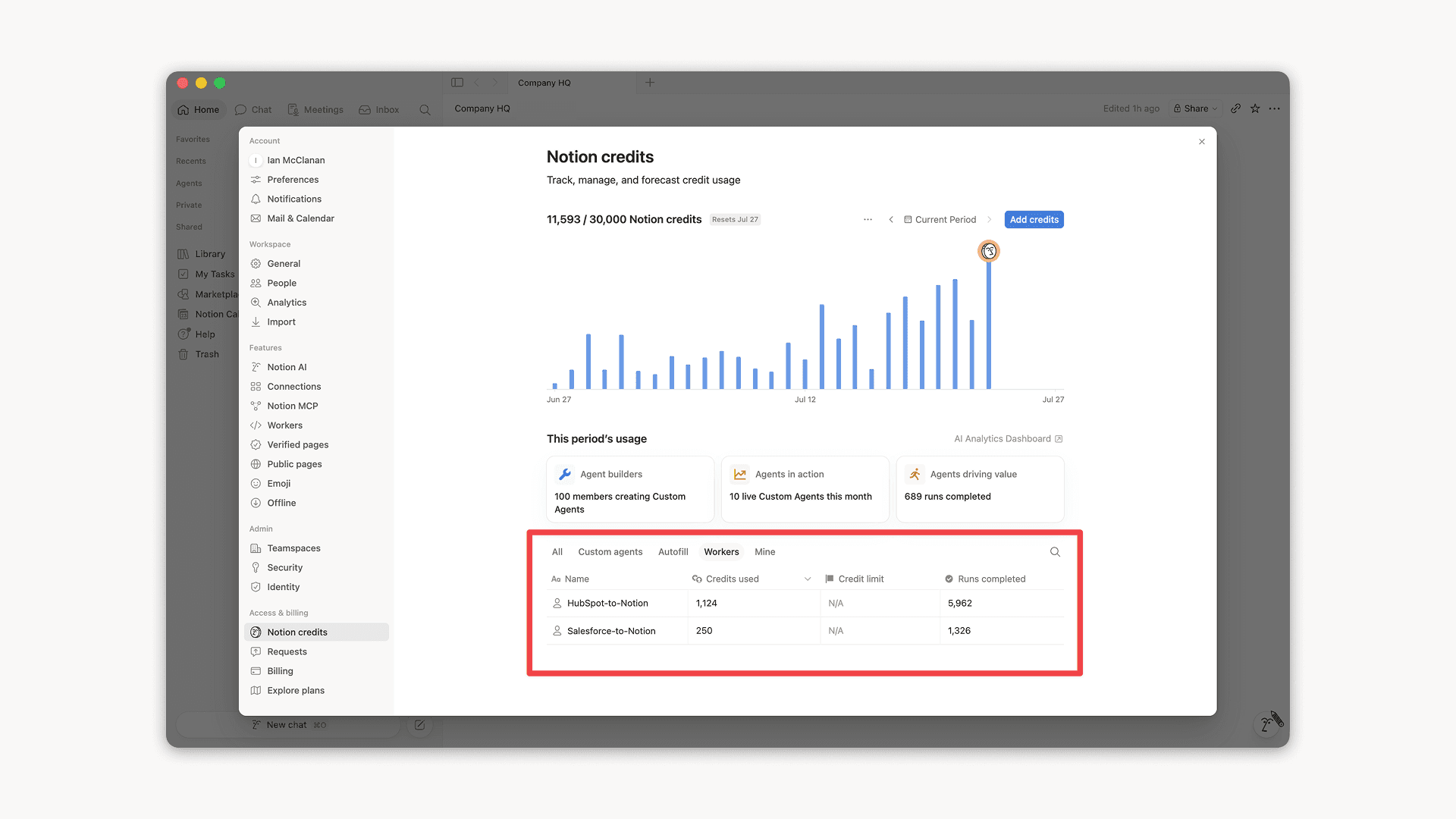
Workers, now in your Notion credits dashboard

Workers in the credits dashboard

Notion Workers run custom code on Notion's infrastructure to sync data, power tools for Custom Agents, and trigger webhook automations.

Now you can track your Workers’ usage in the credits dashboard, alongside your other spend.

Workers are free to try during the beta on Business and Enterprise plans (including Business trials). Usage is now visible in the dashboard to help your team size credits before the beta ends.

Learn more about the Notion Workers beta and pricing in our Help Center →

Powered by Fruition